-
-
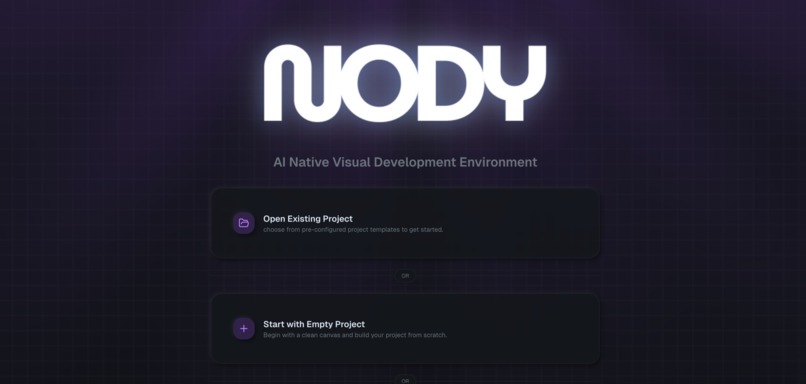
Cover Page
-
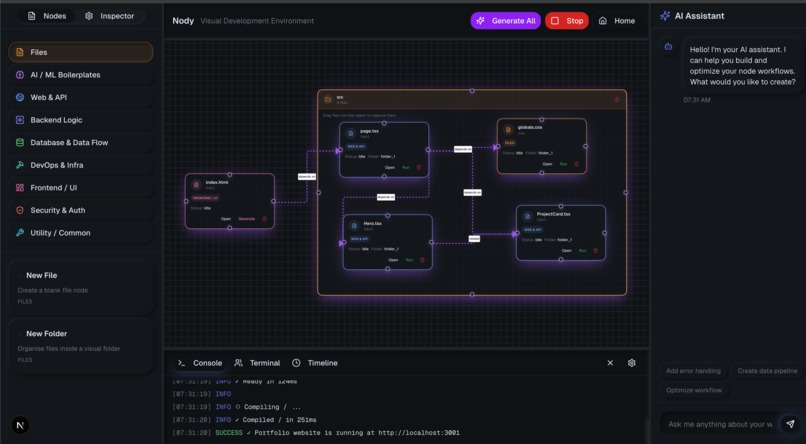
Visual Development Environment
-
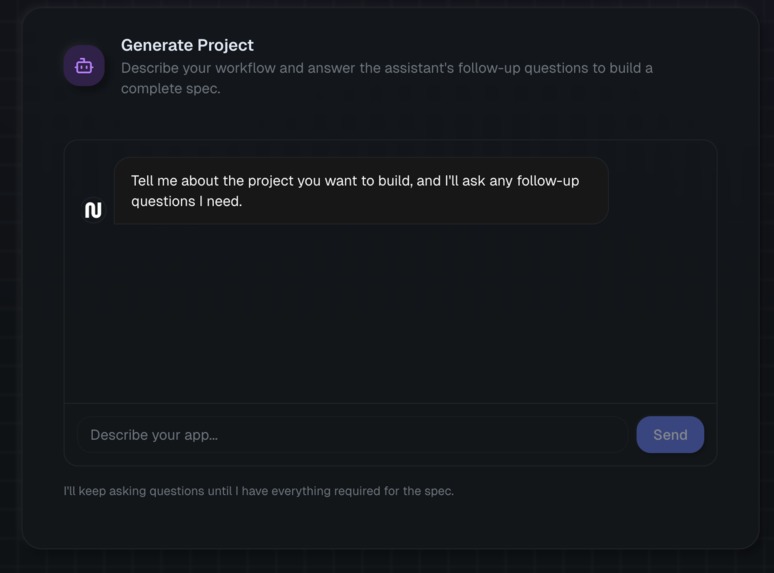
Onboarding


Inspiration
Traditional IDEs are broken. They force developers to wrangle endless lines of text with no sense of how the code actually connects. In large projects, this lack of visual context makes onboarding slow and understanding complex systems even harder. This structure manages code as text files, and keeping track of these in a large codebase can be very confusing, and there is no visual cue of how things work. This can hinder the productivity of new developers when onboarding a new project.
What it does
Introducing Nody, your friendly VDE (Visual Development Environment) that leverages the power of nodes, graphs, visualization, and AI all in one. In the current AI-assisted era, much of the code is generated, modular, and dynamic, which makes file-based organization rigid and outdated. The development paradigm has shifted in the era of AI, and AI-integrated IDEs are emerging everywhere. Yet our underlying code structures, still rooted in file hierarchies, haven’t evolved to match this new paradigm.
We’re building an AI-native reimagining of Light Table/Eve IDE, designed for the modern developer. Inspired by its vision of a more intuitive programming environment, our platform uses AI and node-based visual interfaces to help users conceptualize, build, and iterate on projects effortlessly.
That’s why we’ve coined a new term: the VDE (Visual Development Environment)—a next-generation evolution of your typical IDE (Integrated Development Environment). A VDE allows you to visualize your entire codebase as nodes and edges, representing dependencies and relationships rather than static files. It’s a more intuitive, dynamic, and intelligent way to build software in the age of AI.
Nody rethinks development from the ground up for this new paradigm:
Visual Code Architecture: Connect nodes on a canvas to represent functions, modules, and components. Edges show data flow and dependencies, replacing folder navigation with a clear system overview.
AI-Assisted Development: Generate not just boilerplates, Nody identifies functional requirements, generates a graph, and nodes based on the description. Enable RAG context-aware conversational generative AI to be fully aware of the whole codebase
Live, Executable Canvas: Edit code directly on nodes in real time, then run workflows with one click. Watch execution through integrated terminals with visual feedback showing which modules are running and their outputs.
How we built it
Frontend: Next.js, Reactflow, shadcn
- The core framework of our frontend is Nextjs and Reactflow for building graphs and nodes, and Shadcn for some of our UI components
Backend: FastAPI
- The server runs on FastAPI and handles core endpoints of our project, including managing files, node, and the graph of our VDE
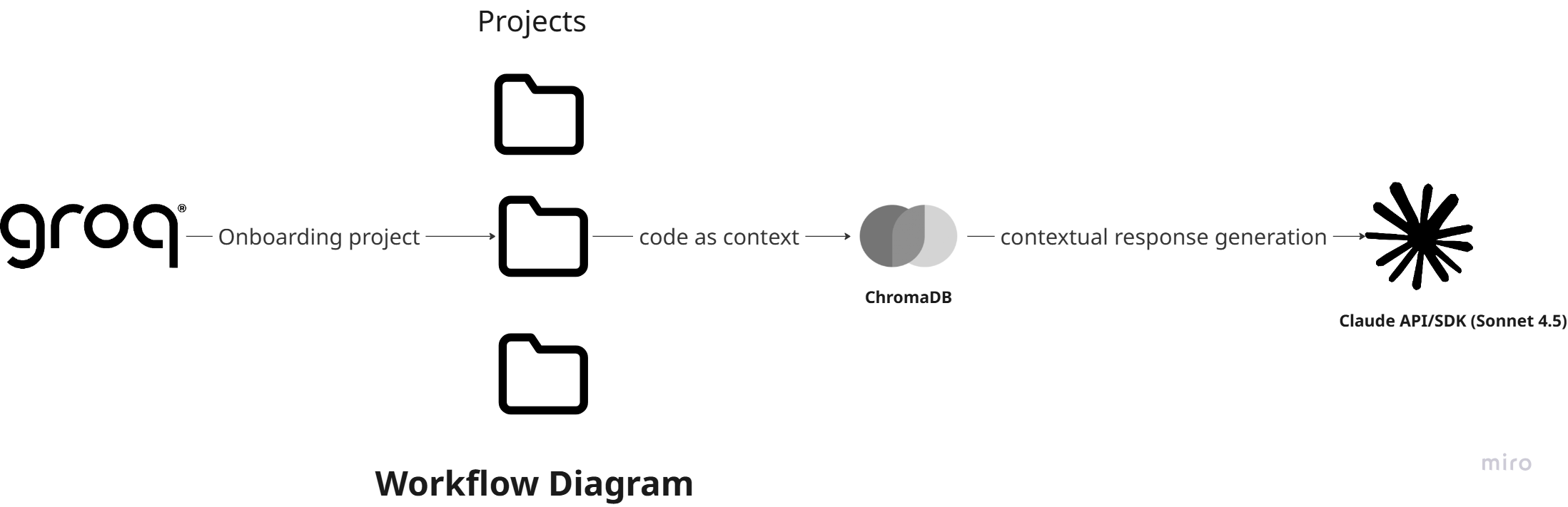
Database: ChromaDB Vector Store
- The ChromaDB Vector Store acts as a knowledge base of a project folder for our chatbot, enabling context-aware conversation, and generating high-quality code
AI Stack: Groq API, Claude Sonnet 4.5 (via Claude SDK)
Groq API is used to onboard projects, generate project specifications, and generate a VDE project as well as to generate entire projects from those specs
Claude Sonnet 4.5, accessed through the Claude API/SDK, serves as the chat assistant, node generator, and code generator, responsible for producing, refining, and maintaining all AI-generated code blocks throughout the VDE
Challenges we ran into
One of the biggest challenges we faced was dealing with context limitations in large language models (LLMs). As our project scaled, we noticed that longer prompts and multi-turn conversations caused the model to lose focus or generate hallucinated information. Managing prompt length and token efficiency became crucial, especially when trying to generate consistent and accurate code snippets.
We also ran into issues with Groq’s API integration, specifically around rate limits. Groq’s API keys had strict request caps, which meant we frequently hit limits during testing and needed to cycle through multiple API keys just to maintain development flow. This added extra overhead in managing credentials and slowed down iteration speed.
Integrating Letta presented another major hurdle. While it offered powerful memory management capabilities, we struggled to mass edit and delete memory blocks, which made resetting or restructuring memory states cumbersome. This limited how quickly we could experiment and adapt our system’s behavior.
Finally, orchestrating multiple APIs and ensuring seamless communication between them proved difficult. Balancing LLM performance, memory persistence, and reliable API handling required careful debugging and architecture adjustments throughout the build process.
Accomplishments that we're proud of
We’re proud to have built one of the very first — if not the first — visual development environments for AI-driven workflows. Our IDE makes it easy to visualize, modify, and interact with complex logic flows, giving developers and non-developers alike a more intuitive way to build and experiment.
Instead of relying solely on lines of code, our environment enables users to see how components connect and respond in real time, dramatically reducing the friction of understanding and debugging LLM-based systems. This visual-first approach transforms what’s typically an abstract coding experience into something tangible, accessible, and creative.
We’re also proud of the seamless integration between multiple APIs and tools, the optimization techniques we developed to reduce LLM latency, and the teamwork that brought together multiple moving parts into a cohesive, functional platform.
What we learned
Throughout this project, we learned a tremendous amount about the practical challenges of building tools on top of large language models (LLMs) — especially when it comes to scalability, reliability, and user experience.
We discovered the importance of context management, particularly in teaching LLMs to retain and reason over large codebases. Since LLMs have limited context windows, we had to design efficient ways to overcome that limitation — leveraging Retrieval-Augmented Generation (RAG) to dynamically fetch relevant code segments and project context on demand. We explored how to structure prompts, segment context intelligently, and manage memory so that the model could generate new code that is both accurate and efficient, even within complex, interconnected projects.
Above all, we learned how crucial collaboration and iteration are when building something ambitious — combining ideas quickly, failing fast, and refining both the concept and technical execution on the fly.
What's next for Nody
We’re just getting started with Nody. Our focus moving forward is on expanding integrations with more AI frameworks, APIs, and external tools — making the platform more flexible and capable of handling diverse workflows.
We also plan to continue refining the overall user experience and performance, ensuring Nody remains fast, intuitive, and developer-friendly as projects grow in size and complexity.
We’re also aiming for Y Combinator (YC), pushing forward the next evolution of how people create with code.
This is only the beginning — Nody is evolving quickly, and we’re excited to keep pushing the boundaries of what a visual development environment for software can do.


Log in or sign up for Devpost to join the conversation.