-
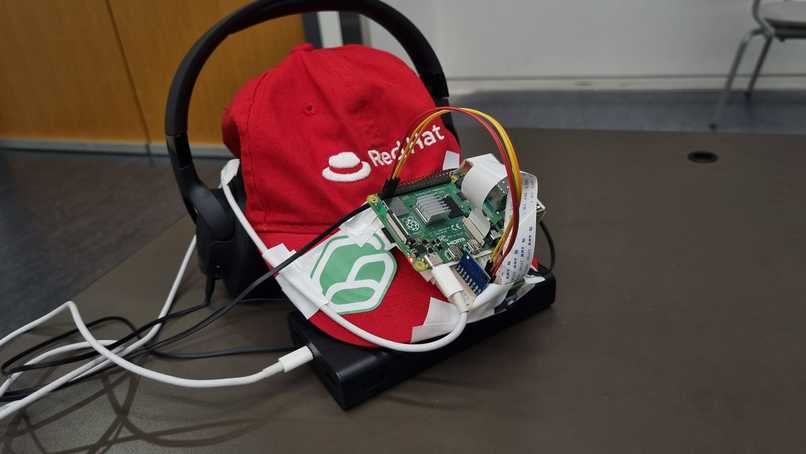
Path4Me Prototype
-
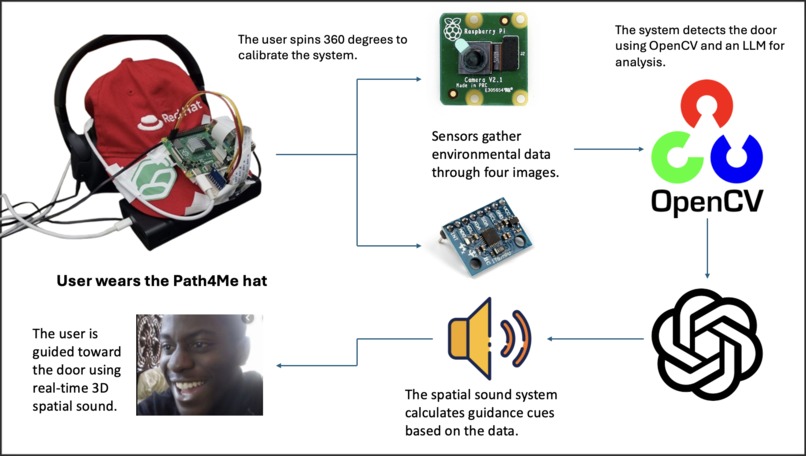
Workflow Diagram
-
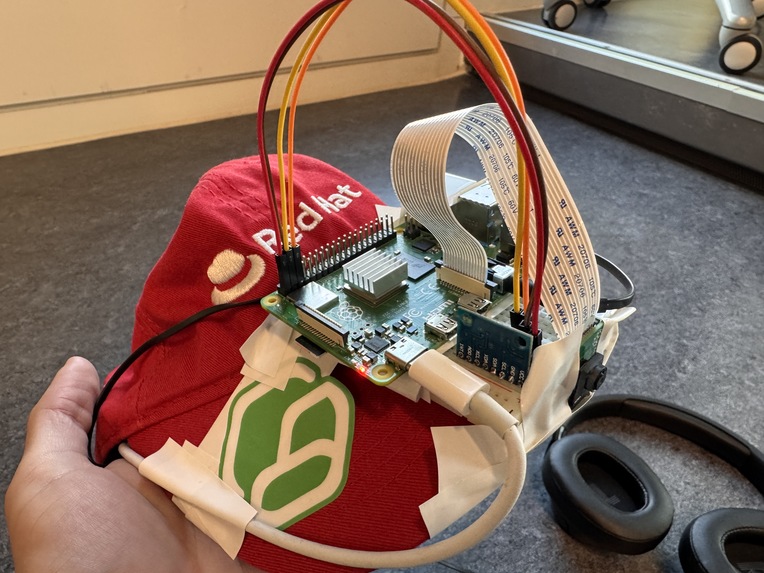
Path4Me Prototype (Closeup)
-
-
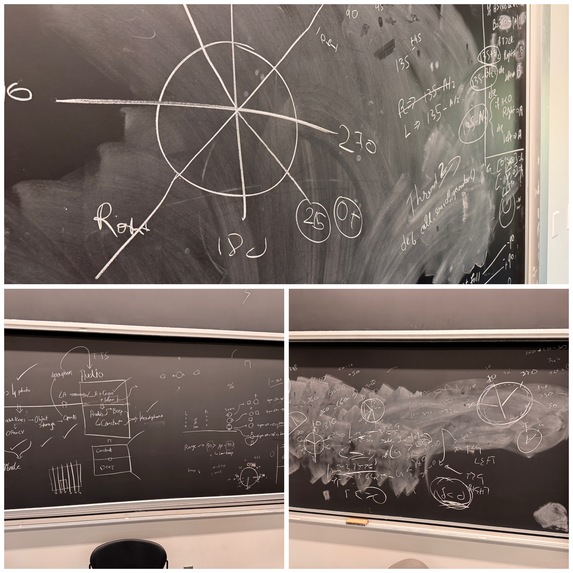
Our Math Shenanigans
-
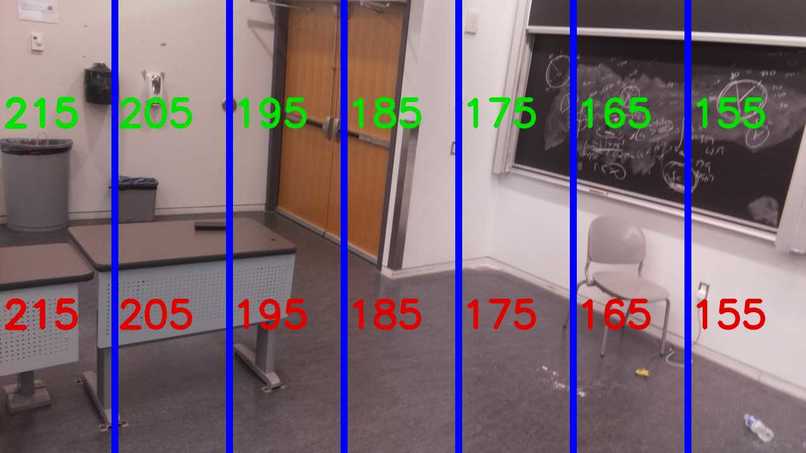
Mapping the angles on images to find door in OpenCV


Our Inspiration 🫡
We started by thinking about one of the biggest privileges we have—the ability to see. There are so many people out there who don’t have that privilege, and for those who are visually impaired, even daily tasks like navigating their environment can be challenging. Sure, there are tools like smart canes or AI vision systems that can help, but we felt those solutions are still not enough. Relying on a cane means you’re always hoping it’ll detect what’s around the corner!!
It’s often said that blind people have a heightened sense of hearing, and we thought, why not use that to give them a spatial sense of their surroundings—sort of like a 3D soundscape. Instead of relying on sight, we could use sound to guide them, like having your ears tell you where to go and what to avoid. That way, we can offer more independence and make navigation more intuitive.
What does our project do? 🤔
There’s a reason we called our project Path4Me—it’s about making navigation personalized and intuitive for visually impaired users. Let us walk you through how it works.
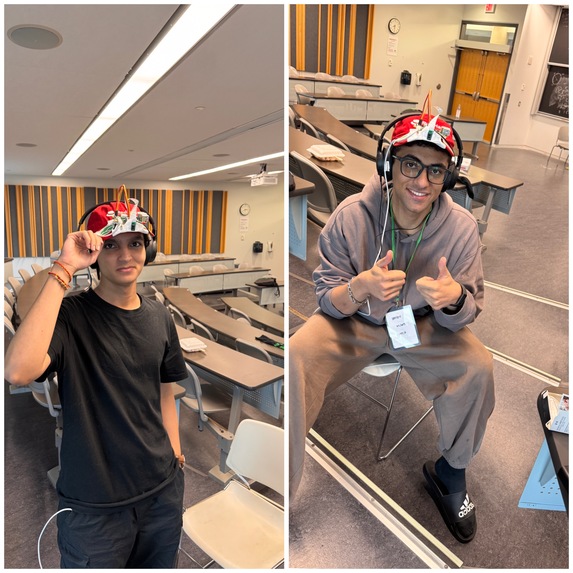
At its core, Path4Me is a cap with tech mounted on it. When a visually impaired person wears it, they’ll start by rotating in place, completing a full 360-degree turn. This initial spin helps the sensors calibrate and build a clear map of the area around them(Normally, we would have 4 cameras and more sensors, but we were limited on hardware and time, so we made it so that users are doing a spin so that we know whats around them).
Next, the user sets a target. For the hackathon, we’re focusing on finding doors, but imagine expanding this to other destinations—different objects or points in a room. The smart tech in the cap identifies the location of the door based on that initial calibration.
Now, here’s where it gets exciting. The user wears a headset that plays 3D spatial sound. This sound guides them toward the door. If the sound is coming from the left, the user moves in that direction until the sound shifts to the front, indicating they’re heading straight towards their destination.

The beauty of this system is that it eliminates the need for a cane, and it’s all happening in real-time. There’s no delay, no waiting for a large language model (LLM) or AI to analyze the environment and tell them where to move. The sound feedback is instant, guiding the user every millisecond, making navigation seamless and smooth.
How we built it 👨💻
This project was one of the most math-heavy and technically demanding tasks we've tackled so far. From sensor calibration to spatial sound calculation, everything was built on fundamental math principles. Let us walk you through how we implemented the system, step by step.
1️⃣ Configuring the Raspberry Pi
First, we set up a Raspberry Pi and made sure everyone on the team could SSH into it remotely, allowing us to work directly on the device without unnecessary network calls. Since minimizing latency was a priority, we decided to avoid external API calls. Real-time responsiveness is key in a project like this, so we needed all computations to happen locally.
2️⃣ Sensor Integration
We mounted a camera and an MPU6050 module (which combines an accelerometer and gyroscope) onto the Raspberry Pi. This is where the math challenge began. The MPU6050 outputs raw data in terms of acceleration and angular velocity, but this data isn't immediately useful for navigation.
We had to convert these raw sensor readings into spatial coordinates. This involved a lot of matrix transformations and trigonometry, as the sensor gives you orientation in terms of Euler angles (roll, pitch, and yaw). Once we calculated the user’s position relative to the surrounding space, we were ready for the next step.
3️⃣ 360-Degree Rotation for Calibration
For calibration, the user rotates 360 degrees, and we take images every 90 degrees (4 total). Using OpenCV, we capture these images and overlay visual markers that indicate angles in the environment. This step also required understanding coordinate transformations to properly align the captured data with the real-world space.
4️⃣ Image Processing and Door Detection
Once the images were captured, we sent them to the cloud (using Cloudinary for image storage) asynchronously, which helped reduce lag. We then used ChatGPT's LLM API to analyze the images. The LLM was trained to recognize objects and deduce the location of the door by analyzing the angles present in the images.
The LLM provided us with the exact angle at which the door was situated, relative to the user’s starting position. This process, although relying on machine learning, was still deeply rooted in the geometric relationships between objects, requiring knowledge of linear algebra and coordinate geometry.
5️⃣ Spatial Sound Calculations
Once we had the angle of the door, we needed to calculate how to guide the user toward it using 3D spatial sound. This involved some complex trigonometry—specifically using sine and cosine waves to generate the audio signals that simulate the directionality of sound.
- Sine and cosine functions were used to simulate the sound direction. For example, if the door was to the left, we would generate a sound that plays more strongly in the left ear and gradually shift it to both ears as the user aligns with the door.
- We created a custom algorithm for determining whether the sound should guide the user to the left, right, or straight ahead. This real-time sound guidance system required heavy math on how to modify audio waves to mimic spatial sound.
The algorithms to create this 3D spatial sound system from scratch involved figuring out how to map the angle of the door to a directional sound cue, ensuring that as the user moves, the sound adjusts in real-time based on their new orientation.
6️⃣ Sound Output
Finally, we connected a pair of wired headphones to the Raspberry Pi, allowing the user to receive these spatial sound cues. Since we created our own 3D spatial sound system, every sound played is calculated based on the user’s current orientation and the direction of the target (in this case, the door). This immediate feedback is crucial for real-time navigation, ensuring no delays as the user moves through space.
In summary, we built everything from the ground up, using raw sensor data, image processing, trigonometric calculations, and real-time sound manipulation—all based on complex mathematical principles. Every step, from calibration to navigation, was carefully designed to ensure a seamless, real-time experience for visually impaired users.
Challenges 😫
1️⃣ Challenge 01
One of the main challenges we faced was using the gyroscope to get accurate readings for the z-axis (which represents the rotation around the vertical axis). Gyroscopes often suffer from drift, a problem where even small measurement errors accumulate over time, leading to increasingly inaccurate values.
This drift could seriously affect our tool’s ability to correctly track the user’s orientation, which is crucial for navigation. We had to address minute details such as sensor noise and temperature fluctuations, which unexpectedly caused these drifts. We implemented filtering techniques like complementary filters to correct the drift and improve stability. These filters help merge data from both the accelerometer and gyroscope to provide more reliable angle measurements.
2️⃣ Challenge 02
Another challenge was generating real-time 3D spatial sound, which was more difficult than expected. Most of the popular libraries like OpenAL or FMOD handle 3D sound but they render the audio in advance before playback, which wasn’t suitable for our needs.
We required dynamic sound adjustments to match the user’s movement and position instantly. Therefore, we built our own 3D audio framework from scratch, allowing us to fine-tune the sound cues based on real-time data from the sensors.
The most difficult aspect, though, was creating an algorithm that accurately calculated the angle of the sound based on both the gyroscope’s orientation and the destination’s angle (what we called Angle A). Unexpected edge cases kept emerging that we hadn't initially considered. For instance, we found that small errors in the gyroscope’s readings could cause significant deviations in determining the direction of the sound. This required us to adjust our algorithm to handle cases where the user was facing odd angles, or when the destination was directly behind them.
What we learned 🧠
This project taught us a lot, both technically and personally. Here's what we learned:
We realized how crucial it is to handle sensor data carefully.
We understood the importance of optimizing for low-latency performance, especially when working with the Raspberry Pi. Minimizing network calls and building our own 3D audio system pushed us to think about real-time processing in new ways.
Creating a custom 3D sound system from scratch was both challenging and rewarding. We learned how sinusoidal waves and other principles of sound physics work to create directional audio, which was key to our project’s success.
What's next for Path4Me 🔮
For our next steps, we plan to integrate LiDAR sensors into the project. Currently, our system provides users with directional guidance (left, right, etc.), but it lacks the ability to convey distance information. Adding LiDAR sensors will allow us to measure distances to objects in real-time, enabling a more immersive and practical navigation experience.
For instance, if an object is far away, the sound would be softer, and as the user moves closer, the intensity of the sound would increase. This would simulate a more natural 3D soundscape, giving visually impaired users not only directional cues but also depth perception through sound. The combination of directional and distance-based sound would make navigating both indoor and outdoor environments much easier and safer.


Log in or sign up for Devpost to join the conversation.