-
-
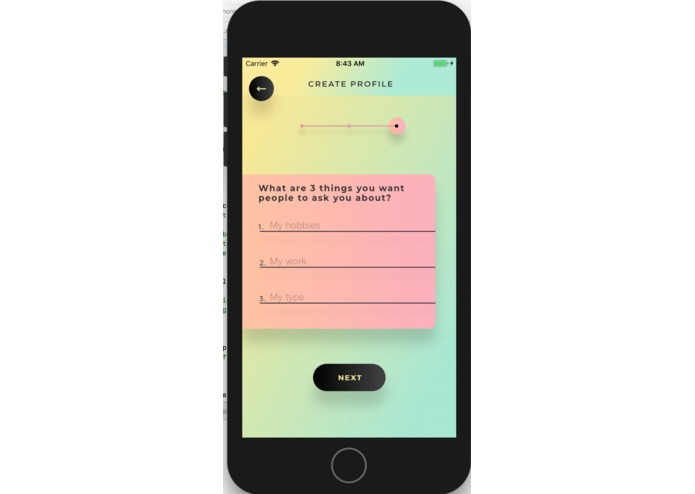
Sign-up Process
-
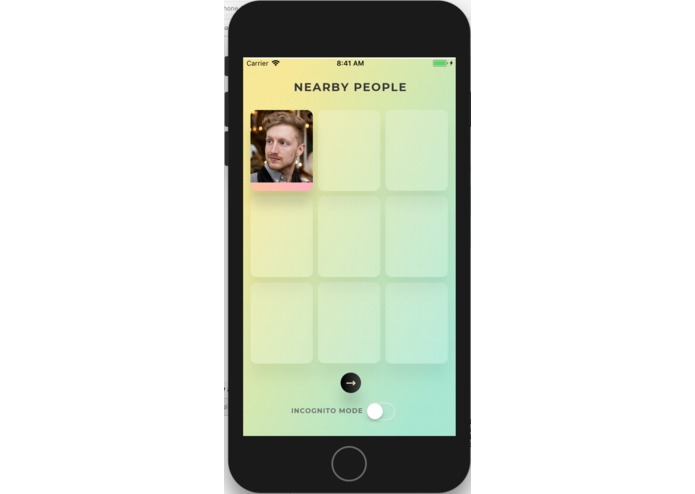
Nearby People
-
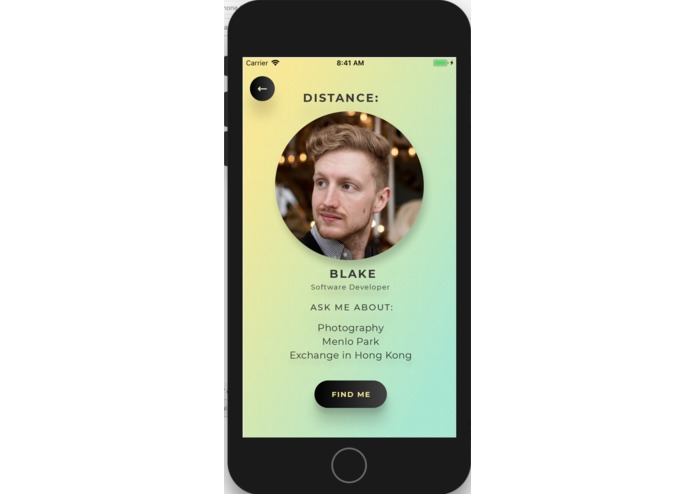
Profile View
-
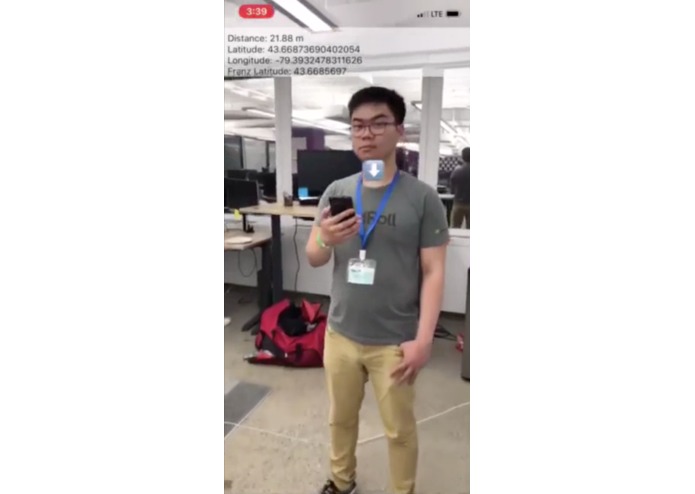
AR View


Inspiration
Our app idea came from the experience of one of our team members when he was having lunch in one of the many food courts of Toronto's CBD. At the time, he was looking around and despite being surrounded by hundreds of people - he knew nothing about any of them. Of course, there were incredible people amongst the crowd, but there was no way to know who was who, who did what, and who was open to chatting with a stranger.
Everyday, we walk past hundreds of people from all walks of life, with thousands of different (or common!) experiences. Yet, perhaps because we've grown wary of being surrounded by so many people, we casually dismiss this opportunity to learn something new. Our app aims to unearth the incredible value of people and their stories, and make connecting with strangers, easier.
What it does
In short, Peopledex allows you to find other users within a 1 minute walking distance to them and strike up a conversation about their favourite topics. Every user's profile consists of their name, a profile photo, occupation, and three topics that they'd like people to ask them about. Nearby users are viewable in a collection view, ordered by proximity.
After viewing a nearby user's profile, you can find them via GPS-based augmented reality, which places an arrow above their current location. Then, you make an introduction! No instant-messaging allowed - only real connections. When you don't want to be approached (e.g. you're busy meeting with friends), you can enable incognito mode so you won't be discoverable.
Use cases:
- Finding relevant connections at large conferences or expos
- Finding potential teammates at hackathons
- Finding someone to have lunch with in a food court
- Finding friendly strangers to talk to while travelling
How we built it
Our team split off into two groups, one responsible for building the AR functionality and the other for UI/UX. The initial wireframe was built on Balsamiq Cloud's collaborative wireframing tool. The wireframe was then developed using Xcode Interface Builder & Swift. Login and signup functionality was achieved using Firebase authentication.
The AR functionality involved two components. The front end client, using ARKit API for iOS, consumed GPS coordinates in the form of longitude and latitude, and rendered it into 3D space in the augmented reality view. The GPS coordinates were supplied by another client, which sent a POST request to a Python based API that pushed updates to the AR client. These updates were pushed in realtime, using a web socket to lower latency.
Challenges we ran into
None of our team members came into this hackathon with iOS experience, and only half of our group had developer experience. The AR component proved to be extremely challenging as well, as overcoming the inaccuracies of location finding made us use many engineering techniques. Specifically, rendering assets in real time based on a non-deterministically moving object caused us to take many hours of calibration in order to have a demoable product.
Accomplishments that we're proud of
We had to apply a high pass filter on the noise from the GPS to smooth out the movement of both clients. This enabled us to have a relatively stable location for the AR client to track and render. We were also able to create a smoothly running and aesthetically-pleasing user interface. We're proud of the fact that all of us learned how to use new and challenging tools in an extremely short amount of time.
What we learned
We learned:
- ARKit
- That real-time location tracking is hard
- Xcode & Swift
- Firebase
- Balsamiq
What's next for Peopledex
Get users onboard!




Log in or sign up for Devpost to join the conversation.