-
-
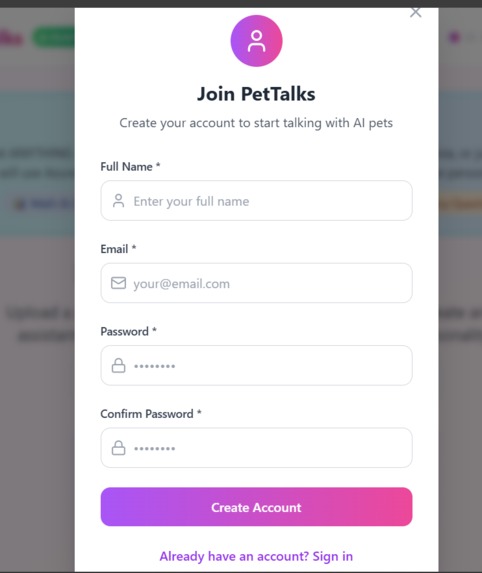
SIGNUP
-
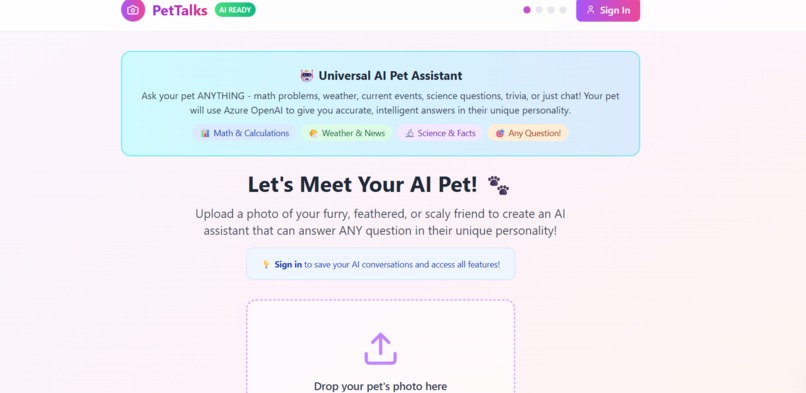
HOME PAGE
-
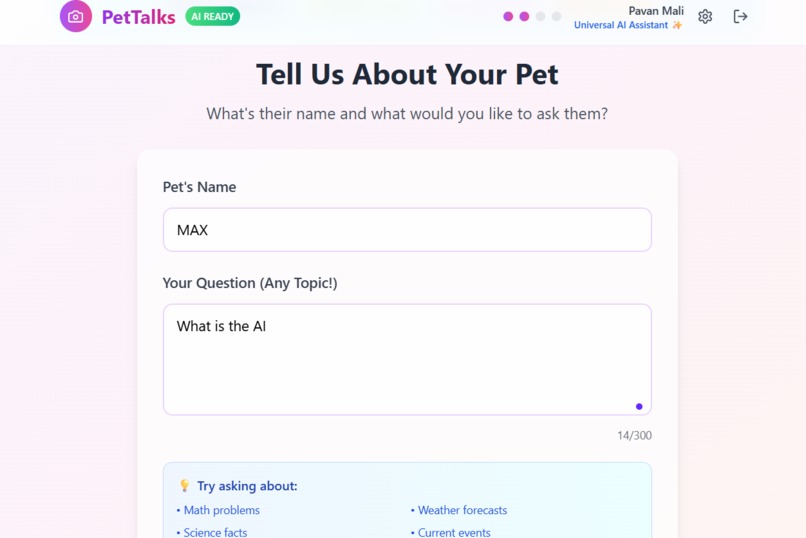
PET INFORMATION
-
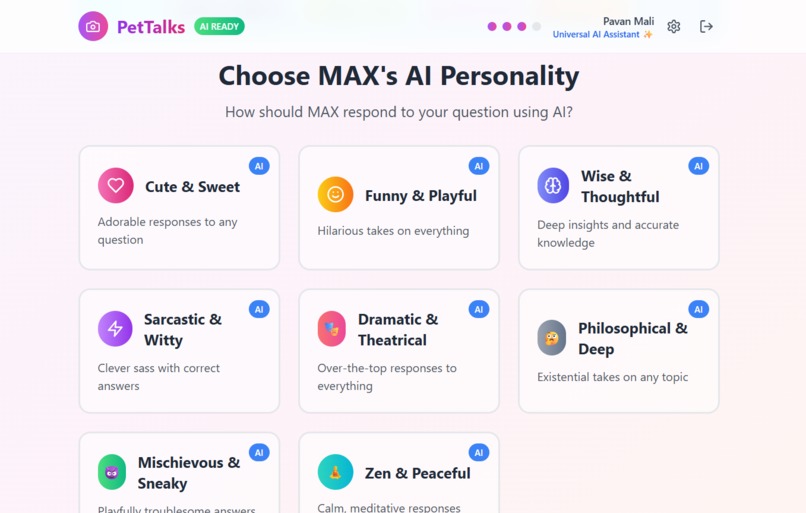
PERSONALITY
-
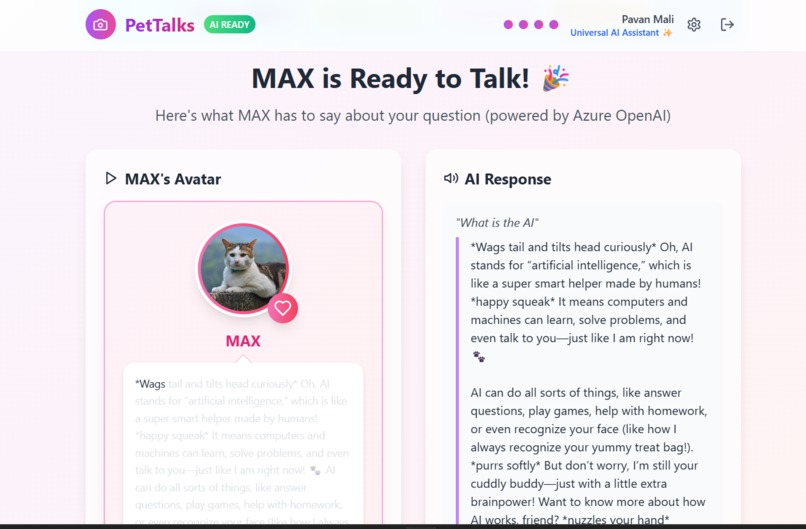
RESPONSE


🐾 Inspiration
The idea for PetTalk was born from observing how young children bond with their pets — talking to them, asking them questions, and often imagining them responding back. We wanted to recreate that joyful experience in a digital way to support early learning. By combining AI with personalization, we aimed to create a tool where a child’s favorite pet becomes their study buddy and fun knowledge companion.
🧠 What it does
PetTalk is an interactive educational web app where children can:
- Upload a picture of a pet (real or imagined).
- Give it a name and select a personality (e.g., funny, serious, genius).
- Ask any question — general knowledge, learning topics, or fun facts.
- Get a text answer styled to the chosen personality, along with a unique voice/audio response matching that personality's tone.
For example:
- A funny cat might answer in a playful voice with jokes.
- A genius dog might give a detailed, calm answer.
- A cheerful bird might use an excited tone with sound effects.
This combination of visual, textual, and audio feedback makes learning feel more magical and personal — especially for young users.
🛠️ How we built it
- Frontend: React.js with Tailwind CSS and SCSS for styling.
- Photo & Personalization: Users upload pet images, name them, and choose from preset personalities.
- Database: Used Supabase to store user information and pet preferences.
- AI Response Engine: Integrated Microsoft Azure OpenAI GPT-4 API to generate smart, friendly answers.
- Voice Output: Used Microsoft Azure Speech API to generate text-to-speech audio based on personality.
- No Animations: We deliberately kept it simple and focused on text + voice interactions without any animated elements.
🚧 Challenges we ran into
- Matching voice tone and speech style to each personality in a consistent way.
- Ensuring all content (text and audio) remains safe, clear, and appropriate for children.
- Designing an interface that is intuitive for kids but also engaging.
- Handling different accents and pronunciations in voice generation.
🏆 Accomplishments that we're proud of
- Created a seamless pipeline from image upload to voice output.
- Successfully mapped multiple personalities to different text + audio styles.
- Used Supabase to manage user sessions and personalized pet settings.
- Delivered both accessibility (audio for non-readers) and interactivity in a simple app.
📚 What we learned
- How to humanize AI with personality-driven responses.
- How to work with TTS (Text-to-Speech) tools to provide custom voice outputs.
- How to balance creativity and safety when designing for young users.
- The importance of multi-modal learning (text + voice) in engaging children.
- How to use Supabase as a simple yet powerful backend service for user data.
🚀 What's next for PetTalk
- Add more voices and personalities for greater variety.
- Introduce a voice input option — so children can talk to their pet instead of typing.
- Implement a reward system (stickers, stars) to motivate learning.
- Build parental dashboards to track topics and learning progress.
- Add multilingual support so children can interact in their native language.
Built With
- css
- html5
- javascript
- microsoft-azure-openai-gpt-4-api
- react.js
- speechapi
- supabase
- tailwind


Log in or sign up for Devpost to join the conversation.