-
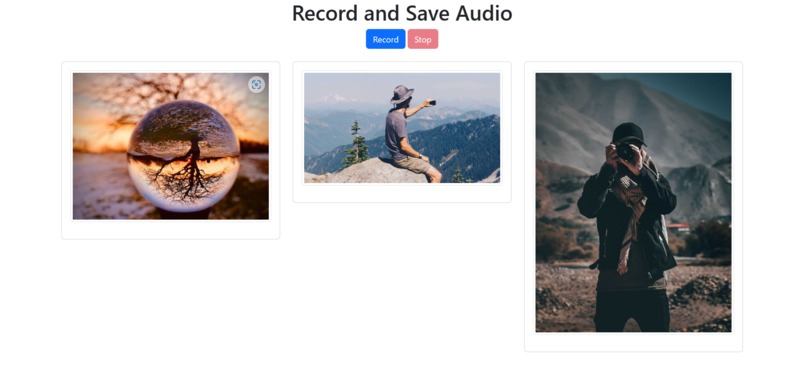
Collaborative Feed
-
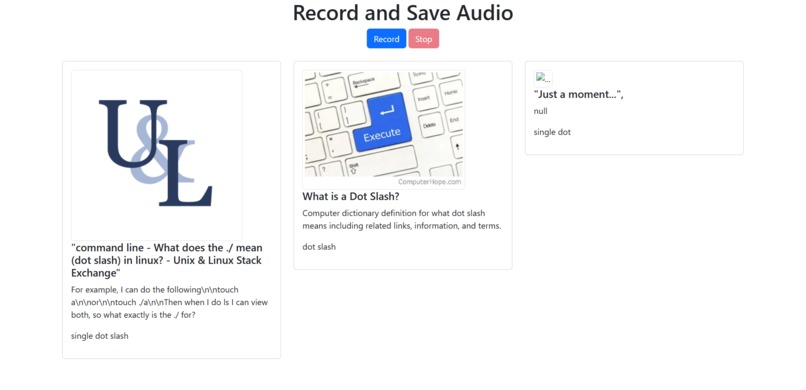
Collaborative Feed


What it does
Our project consists of quite a few interconnected components, as detailed below.
How we built it
Recording Interface
We interact with the Microphone and start and stop the recording session on our Web Interface created on Flask. We use the PyAudio module to record 30-second audio files and clear background ambient noise. Most of our interconnecting communication and modules work on Python. So Flask is a convenient choice for us.
Voice to Text
We are using the Whisper-OpenAI API. We record the audio and create a .wav using the SpeechRecognition module and create intervals of 30-second audio files and then use the Whisper API to transcribe the audio to a .txt file. Whisper doesn't have a live recording API, so we create a slight delay to make an almost real-time transcription without sacrificing accuracy by using the Whisper API
KeyWord Analysis
We use the Yake API to run a keyword analysis on the Transcribe.txt file created from voice and it picks out the top 3 keywords.
WebCrawl
The top three words are then google searched with the help of the Google Search API, and the metadata related to the top posts and their URL is scraped and saved to a .py file on our backend.
PodFeed
We are running a web interface using Flask for our Python Modules. The HTML page is running as a template in Flask for which we used Bootstrap elements for the UI. We finally use containers to display the blog posts and news articles that have been WebCrawled. The metadata, image, and URL are displayed on our Feed that has been collectively sourced by our conversations in real-time.
Challenges we ran into
Displaying the MetaData from the google search API back on the HTML template inside Flask was a tough task. It saved the metadata into a JSON file but the HTML file would not read the file and use the metadata.
Accomplishments that we're proud of
Creating an almost real-time Voice-to-Text transcription using Whisper-OpenAI which does not support live transcription yet was an interesting challenge and we were glad to find a solution for it.
The Collaborative Feed as a proof of concept is well supported by the use of Yake and GoogleSearchAPI's to find current updates in related to the conversations taking place. This gives the users a chance to always be updated and discuss more in those shared topics.
Working with Flask is very challenging as it is with other Python GUIs. The lack of proper debugging tools leaves a lot of gaps to figure out the solution.
What we learned
We learned how to work effectively using APIs and prioritize accuracy in Voice-to-Text recognition. Working with Flask and different modules and APIs to figure out keywords was an important task. Another learning curve was working with the backend of a Web Interface, which is very much different on Flask compared to regular HTML and Javascript.
Inspiration
Our inspiration came after two attempts at unsuccessful hardware projects and right about midnight. We were brainstorming a pivot and needed a record of what we were talking about. We decided to take it a step further and have it create a collective feed of blogs that we could use for our project inspiration. So we decided to make just that.
What's next for PodFeed
We would like to switch out the Keyword Analysis and use a more complex summarizing and keyphrase analysis and use a much more personalized API to find articles of the shared Feed.

Log in or sign up for Devpost to join the conversation.