-
-
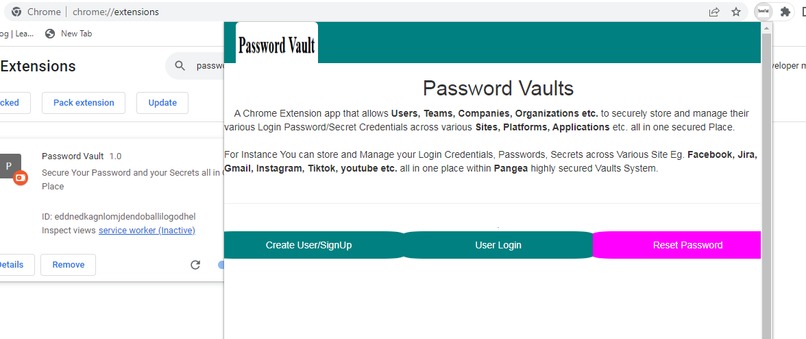
Password Vault System Landing Page
-
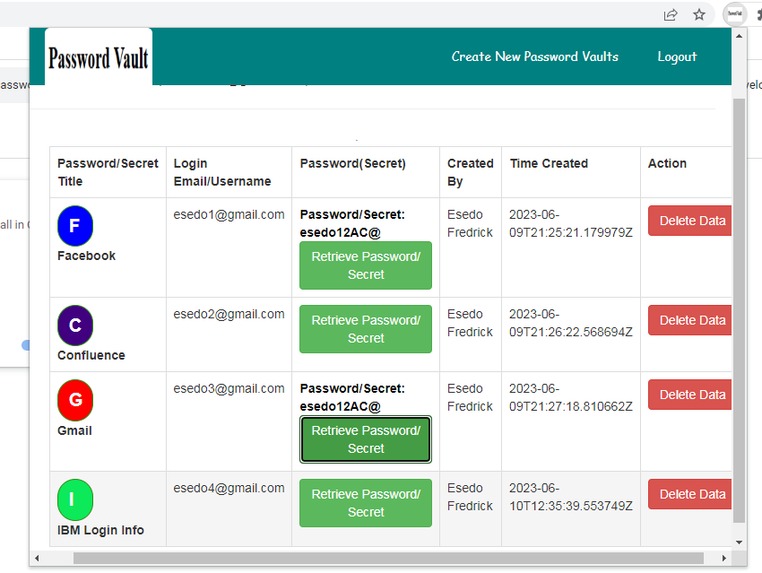
Password Vaults Management Dashboard
-
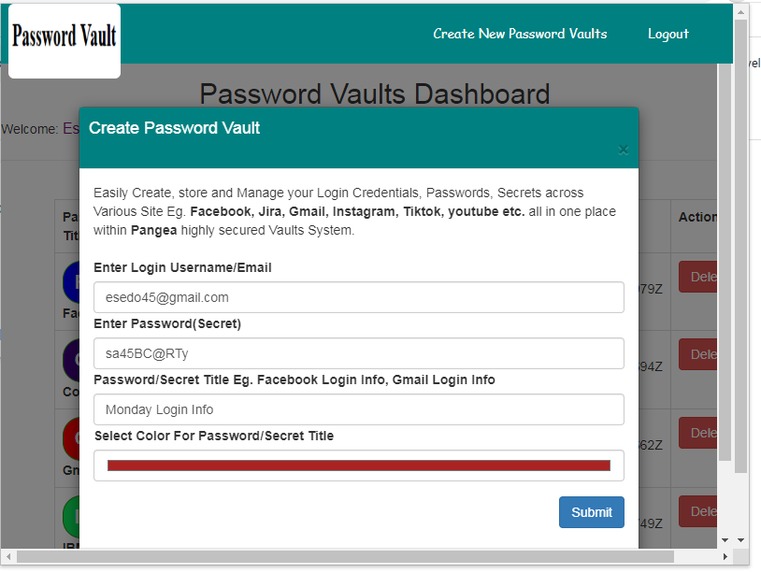
Password Vault Creation System


Inspiration
Its time to keep all your Login Password Credentials, Secrets etc. across various Sites,Platform and Applications all in one Secured Vault System powered by Pangea Vault System.
Give your Users, Teams, Staffs etc. all the tools they need to easily store and manage their Login Sensitive data on various Platform securely online all in one place across the globes anytime, any day.
Realistically, every effective working Teams, Organizations, Companies etc. relies on varieties of tools to facilitate interactions and stay connected. it can be Jira, Microsoft Teams, Gmail, Instagram, Facebook, Youtube, Azure, IBM etc. Managing login Password Credentials and Secrets for all this access Sites, Apps and Platform is not easy at all.
Consequently, Good and secure password are not easy to remember and manage. This will become a serious issue and hacking threat when your Users, Team, Companies, Organizations etc. uses a single password across multiple sites/applications.
With Pangea Password Vaults System, You don't have to worry about your lengthy and non memorable Login Passwords Credentials any more.
All your Login passwords Credentials for your various Sites, Platforms and Applications etc are stored and secure all in one place within your highly secured Pangea Vaults System
You can always Add, Update, Query and Delete your various Login Password Credentials from to and from Pangea Vaults System Via the app.
What it does
A Chrome Extension app that allows Users, Teams, Companies, Organizations etc. to securely store and manage their various Login Password/Secret Credentials across various Sites, Platforms, Applications etc. all in one secured Place.
For Instance You can store and Manage your Login Credentials, Passwords, Secrets across Various Site Eg. Facebook, Jira, Gmail, Instagram, Tiktok, youtube etc. all in one place within Pangea highly secured Vaults System.
How to Install the App
Please visit our code at github. Access readme.txt files for installation updates
How to use the application.
Its a Chrome Extension App. Technically once the App is installed and ready, User can initiate the app by clicking Chrome Extension Icon on the Chrome Browser and then select the app Password Vault
User can Create an Account/Signup and then Login. User can also reset password when needed.
Once logged in and from Password Vaults Dashboard System User can Add, View, Retrieve and Delete any Login Password Credentials across various Apps, Sites and Platform Eg.(Jira, Microsoft Teams, Gmail, Instagram etc. ) to and from Pangea highly secured Vaults System
How we built it
I Built with Chrome Extension, Curl, Php, Jquery/Ajax, Bootstraps leveraging Pangea Authn and Vault API respectively
1.) Signup Form/Create User leverages Pangea Authn Intel -->Create User API.
https://pangea.cloud/docs/api/authn#create-user
2.) Login System leverages Pangea Authn Intel --> Login Password API.
https://pangea.cloud/docs/api/authn#login-with-a-password
3.) Reset Password System leverages Pangea Authn Intel --> Password Reset and Get User API.
https://pangea.cloud/docs/api/authn#get-user
https://pangea.cloud/docs/api/authn#password-reset
4.) Create New Password Vault leverages Pangea Vault Intel ---> Secret Store API
https://pangea.cloud/docs/api/vault#import-a-secret
5.) List Password Vault Data leverages Pangea Vault Intel ---> List API
https://pangea.cloud/docs/api/vault#list
6.)Retrieve Password Vault Secret leverages Pangea Vault Intel ---> Retrieve API
https://pangea.cloud/docs/api/vault#retrieve
7.)Delete Password Vault data leverages Pangea Vault Intel ---> Delete API
https://pangea.cloud/docs/api/vault#delete
Open Source
MIT Licensed
https://opensource.org/license/mit/
Accomplishments that we're proud of
What we learned
What's next for Password Vault
Built With
- pangea-api
- php


Log in or sign up for Devpost to join the conversation.