-
-
River is a the simple RSVP platform designed for a simple user experience.
-
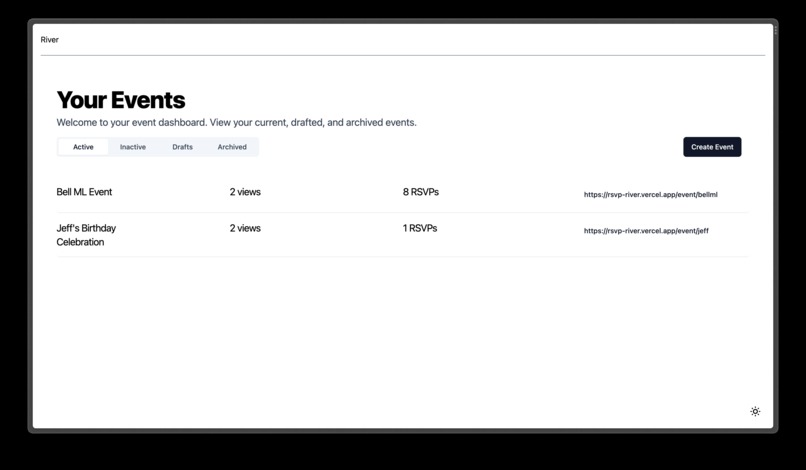
Dashboard
-
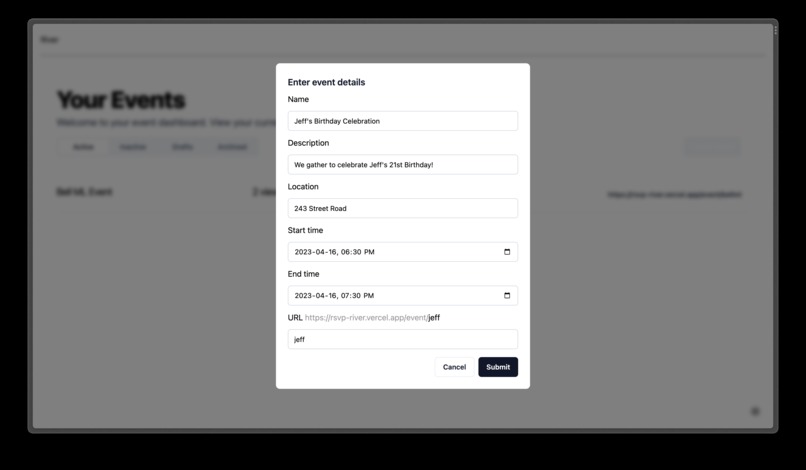
Event Creation
-
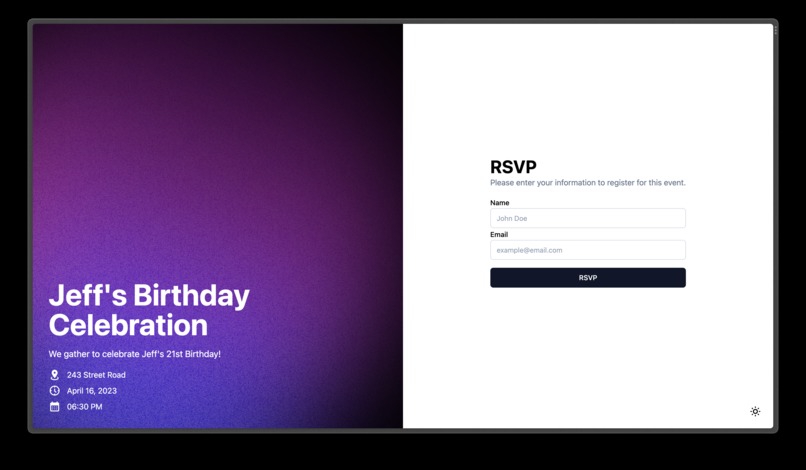
RSVP'ing Page
-
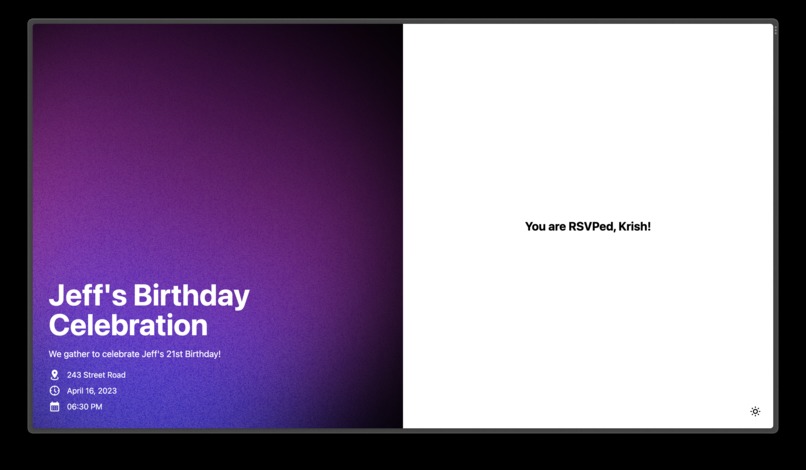
RSVP Confirmation
-
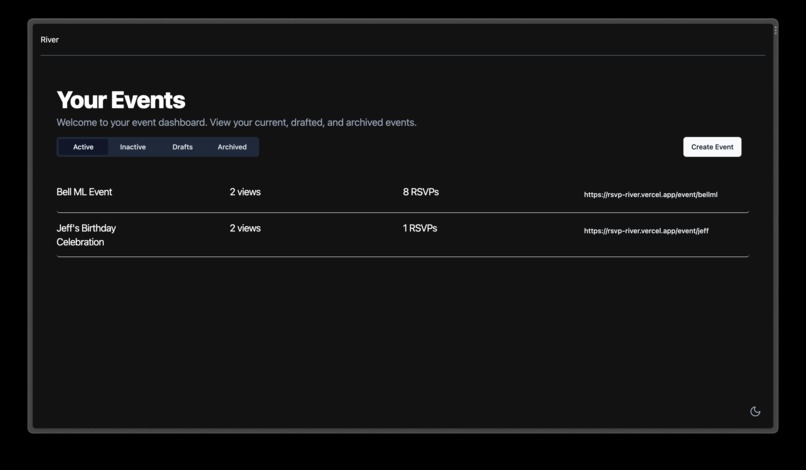
Dark Mode - Dashboard
-
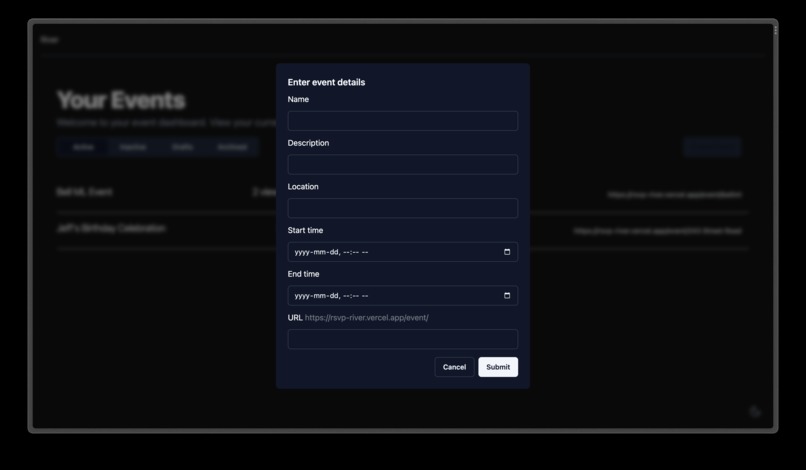
Dark Mode - Event Creation
-
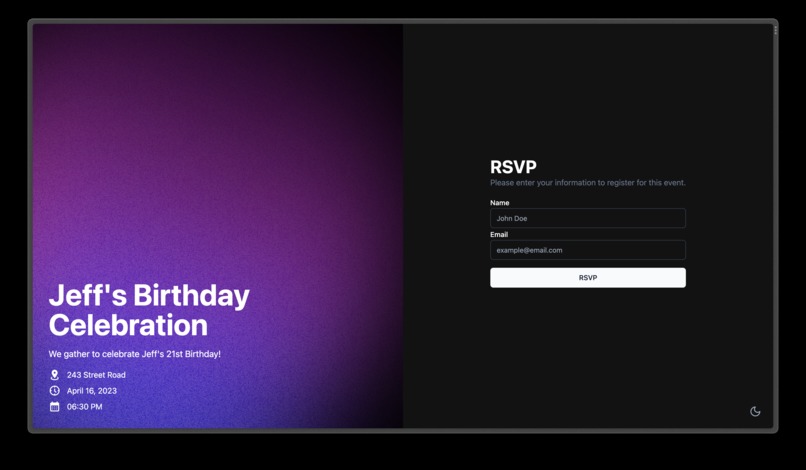
Dark Mode - RSVP'ing Page


Our team is fully VIRTUAL.
Inspiration
An event was held by Bell through our school's Computer Science Society, and while RSVPing the event went over the pay limit capacity, causing leadership many issues. Through this, we began our own research, and noticed a lot of ways we could improve on existing RSVP applications to be better for users, regardless if they are event creators or attendees.
What it does
River is an RSVP application with a clean and easy UI while keeping costs low. We prioritise having a neat UI, useful analytics, and optimising our back-end to ensure the lowest possible fees. There are two main users of River, those who create events, and the attendees. For attendees the RSVPing process is simple and smooth, without unnecessary additive elements. For those who create events River provides insightful analytics towards RSVP view counts, current RSVPs, custom parameters, and a sleek dashboard for the best experience possible.
How we built it
Based on our inspiration, we started researching and looking around at competitors and what kind of user experience their products provided. After looking around, we found there to be no simple, easy to use platform that allowed users to easily create and share their own events to collect RSVPs. All the platforms include complex setup pages, bloated features, and a lack of simplicity. We wanted to create a platform that was simple, easy to use, and allowed users to create and share events with satisfaction.
To tackle this problem, we started by designing the user experience and flow of the application. We wanted to make sure that the user experience was simple and easy to use. We also wanted to make sure that the user experience was consistent throughout the application. We researched best practices and designed several user flows and prototypes to ensure that the user experience was simple and easy to use. We also followed a standard design system to ensure that the user experience was consistent throughout the application.
After finalizing a design and UX flow, we started building the application. We started by working through what data we need to store, setting up a database for that, then splitting up into teams to work on the different parts of the application. We used Next.js to build the frontend and backend of the application. We used Prisma to manage the database and NextAuth.js to handle authentication. We used Tailwind CSS to style the application. We used tRPC to handle the API calls and data fetching in a typesafe way, so we can easily share data between the frontend and backend while ensuring that we don't have any runtime errors that result in bad user experience.
Challenges we ran into
Adding the information for newly created events to the database Finding a balance between information, design, and versatility Creating a flexible pages that we can easily add upon at a later date Deciding all the elements necessary for a basic RSVP app Figuring out the extra complexities of datetime Adding an automatically updating view count
Accomplishments that we're proud of
Creating a working dashboard that automatically updates when an event is added to a user account Adding a fully functional dark mode customization option Fully functional login system, with user data retained between sessions Creating an application with interactive feedback and smooth navigation Making two effective user flows
What we learned
How to ensure type safety while working with Prisma schemas How to create custom displays dependant on user values by use of useQuery How to add Discord login to create a working user within our application How to properly style content that varies greatly in length and quantity while retaining a clean user experience Methods that allow for adaptive colour depending on user preferences How to use Radix-UI tabs What are and how to use slugs How to create smooth animations for best user feedback
What's next for River
We plan to make River into a full fledged application, capable of supporting tens of thousands of users. In the near future, we plan on creating attendee accounts, equipped with dashboards and easy autofill for River events. We also plan to add custom RSVP settings, custom styles, phone confirmations as an alternative to email, and more detailed analytics.
How We Approach The Best User Experience Challenge
The purpose of River from the very beginning has been to create the optimal user experience for all things RSVP. From the perspective of both attendees and event creators, River is optimally made to ensure the smooth user flow. Event setup is straightforward, with easy customization and branding. It is easy to manage guests, track analytics, and contact those RSVP'd. We ensured our tools are robust, and simple to learn. Our application can be used in both dark mode or light mode, with an option to sync this with the browsers current settings. This, and more are all stylistic features to ensure each user is properly accommodated for.
Built With
- nextjs
- postgresql
- react
- tailwind
- trpc


Log in or sign up for Devpost to join the conversation.