-
-
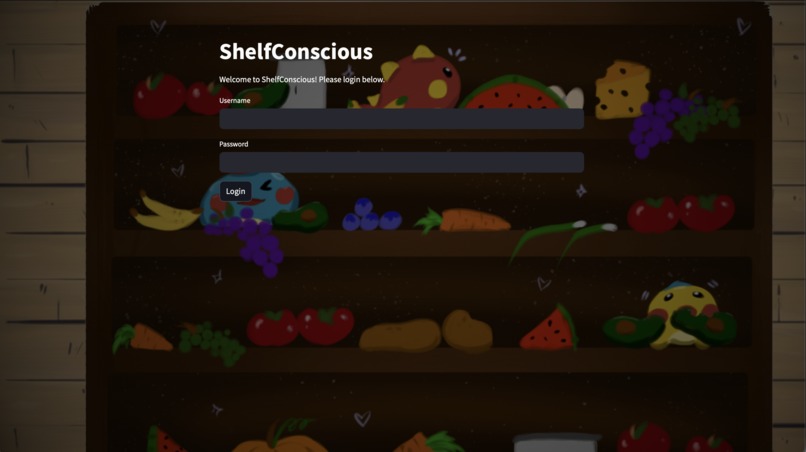
User login page for the app
-
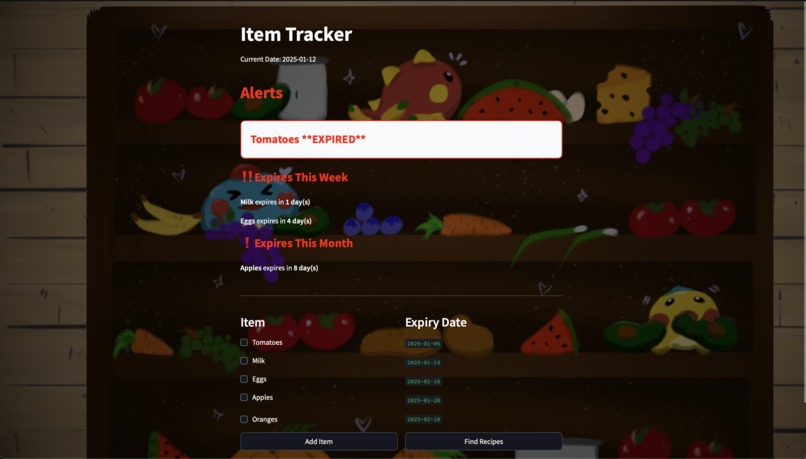
Homepage which displays all items with corresponding expiration dates in chronological order, and alerts of expired or almost expired items
-
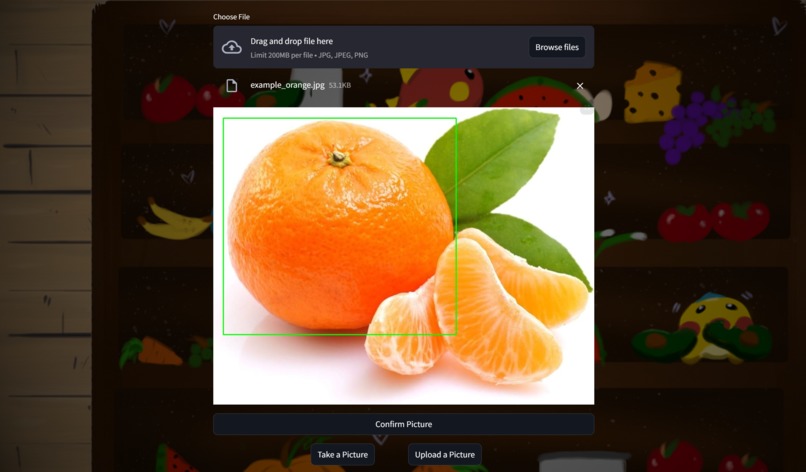
Example of a user uploaded image, where the potential produce is highlighted for user confirmation
-
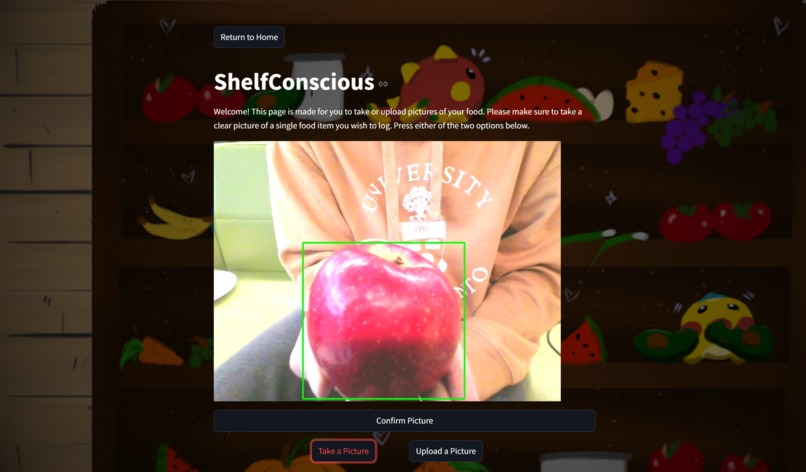
Example of an image taken using the camera, displaying the region of the apple for user confirmation
-
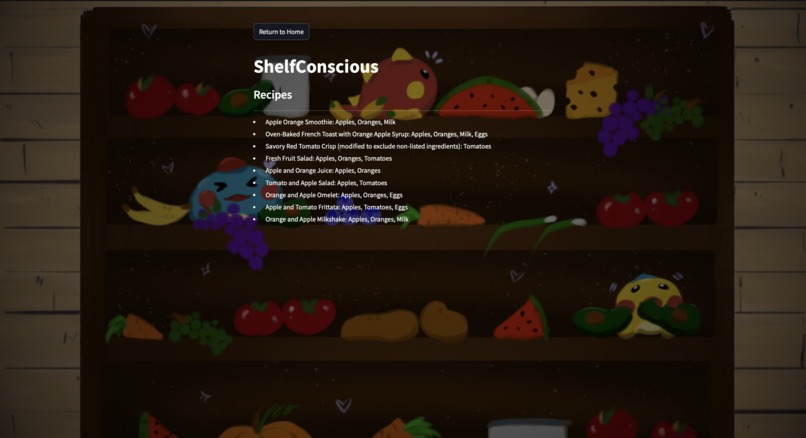
Recipe page with generated page of recipes using items about to expire


Inspiration
ShelfLife was inspired by the struggle to reduce food waste. Since food waste is a huge environmental concern, everyone needs to be conscious of their contribution.
One major cause of food waste is realizing food has expired when it’s already too late. It’s hard to keep track of expiration dates, leading to forgotten items that go to waste. While we clearly want to eat food before it expires, the real challenge is simply knowing what’s about to expire.
What it does
ShelfConscious is an AI-powered produce scanner that identifies and catalogs your groceries, automatically creating alerts and generating potential recipes—reducing food waste without having to memorize your entire fridge.
How we built it
ShelfConscious is coded in Python in combination with Streamlit. We took advantage of Streamlit's built-in functions to create an appealing UI. Streamlit was used to create the bulk of the "Photo Upload/Taking" page. The photo-taking was created using OpenCV and the photo-upload was created using Streamlit's built-in file upload. To maintain consistency, we ensured that both photos uploaded were saved as the same photo type for better processing later on.
We used Code Ninja's Object Detection API to classify the inputted produce, as well as OpenCV again to display the bounding box and enhance image quality. We used the Perplexity API (through OpenAI) to research expiration dates and generate new recipes using the available foods.
Challenges we ran into
We ran into many challenges along the way, especially trying to tie all our components together.
- We had trouble with understanding how different parts of Streamlit would react when something was updated. For instance, if we clicked a button, it was really difficult to figure out how to let other components know that the button was clicked as well, especially if it had to be continuously updated.
- We also ran into a couple issues with the API calls, especially when we were trying to classify the produce. A lot of models/platforms (like Perplexity and Cohere!) have really great chat interfaces we could use, but no way to upload an image. We eventually found fixes, especially through the Code Ninjas API.
Accomplishments that we're proud of
Considering the limited amount of time we had, we're especially proud that our program is able to work fully beginning from the starting "Log In" screen until updating the log containing all the expiry dates. We worked with many new libraries we never tried, and pushed ourselves to learn new topics just for this project (like working with Streamlit or working with API keys!)
WE ALSO DREW ALL THE PICTURES AND BACKGROUNDS OURSELVES :)
In addition, we're all really happy we came out of this hackathon with a project we can be proud of, and a great experience with each other. We had a great time running around finding snacks, and also yapping through the night, which is truly something we will carry with us for the rest of our lives. (Alongside the 5 tubes of toothpaste we all got...)
What we learned
We learned a lot about using Streamlit, as none of us had previous experience using it. We became familiar with its features and ended up finding it very useful when making user-friendly interfaces.
What's next for ShelfConscious
Some next steps include:
- Tiny improvements to the UI (ie. provide bigger text for everything, center the login details on the first page, etc.)
- More robust program functionality (ie. removing the bug involving having to double click a checkbox to properly remove it)
- Expanding the program to work on a larger variety of foods by improving and expanding the dataset
- Adding in the functionality for the program to scan multiple items at once
- Adding in a visual calendar to display expiry dates instead of just a list
- Moving the application to work as an app instead that is able to send you notifications (ie. push notifications, SMS messages, emails)


Log in or sign up for Devpost to join the conversation.