-
-
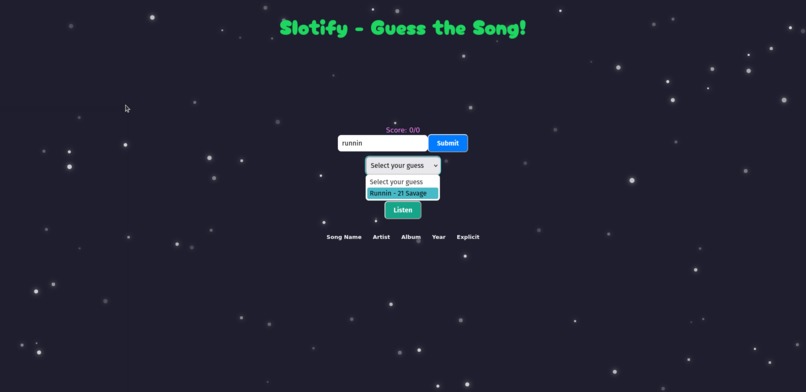
You can search for songs in the playlist, and a drop down menu will populate with search results that you can select your guess from.
-
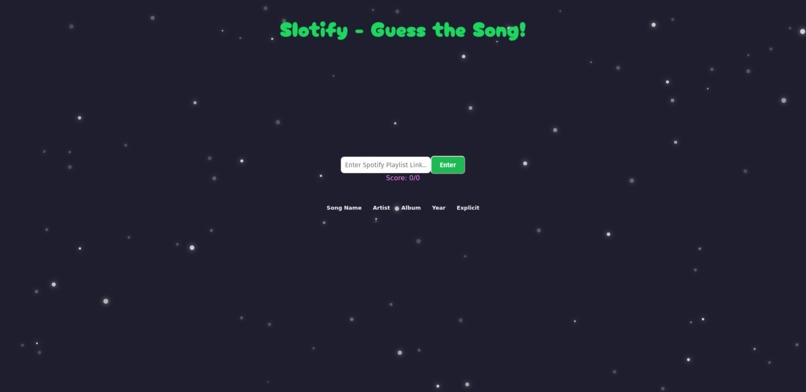
After authenticating with Spotify, the first thing you see is a screen to submit a playlist.
-
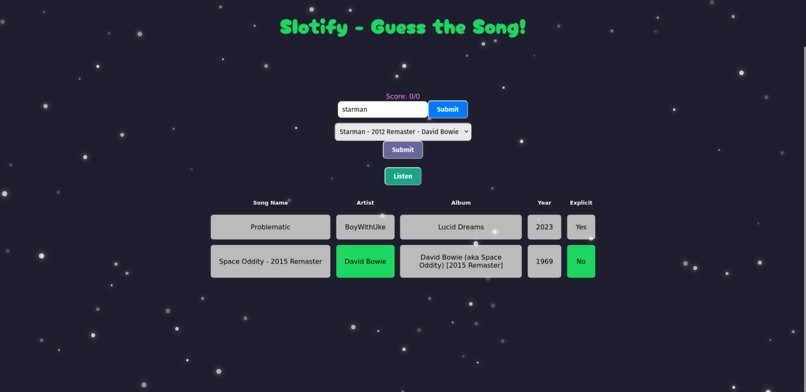
After making a guess, a row of indicators will appear that show which categories of the guess you were close on.
-
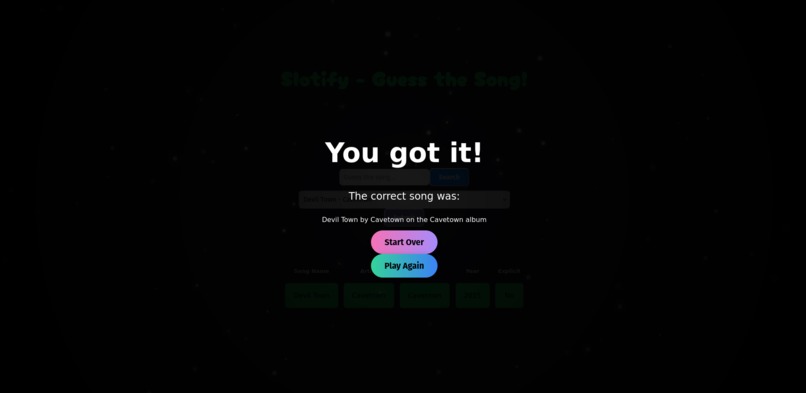
The screen that appears after the song has been guessed


Inspiration
I was sitting in the middle of Professor Gosnell's Theory of Computer Science class when I decided to play music from my Liked Songs playlist on Spotify. This is something I frequently do throughout the day. Often times I'll enable the shuffle feature and pick a random song, and even though my playlist contains over 200+ songs, I swear I know the words to each song that plays. As the hackathon approached, I kept asking myself what kind of project I could make that I would find fun. After a couple of days of the same thought, I decided to make Slotify: the song guessing game.
What it does
This custom-built website firsts asks you to sign in with your Spotify account. This is necessary to allow the Spotify API and SDK to play music without breaking the Spotify terms of service. Note that these integrations require a Spotify Premium membership, which is required to use our application. After authentication, the website asks you to submit a public link to your Spotify playlist. After you submit your playlist, our program will automatically grab a random song from your playlist and play a brief snippet of the song. It is then up to the user to type in their guess into the guess text box. Since some playlists may have songs that have similar names, a dropdown menu will appear underneath the guess text box and display a specialized search of their playlist based on the partial or full song title that the user provided. The user can lock in one of the options that is displayed, and press the purple submit button. After this, 5 boxes appear below, displaying the song name, artist, album, release date, and whether or not the user's song choice is explicit. These boxes will remain gray if the category is false or doesn't match up with the random selected song and will glow green if the category is correct.
How we built it
For this project, we needed to use a couple of things: JavaScript, HTML, CSS, the Spotify Web API, and the Spotify Web Player SDK. To improve compatibility with the API and SDK, we decided it was best to use React to help build our website. Using React, we designed the front facing website to display input fields for the playlist link and the user's guess, along with buttons to submit their answers. After the playlist is submitted, the website sends a request to Spotify's Web API to send a complete list of the songs in the playlist, packaged in a JSON file. From this JSON file, the website randomly picks a song and queues it up on the Spotify Web Player SDK and, after pressing the listen button, automatically changes to the next song. The song snippet will play through the device speakers, giving the user clues about what the song could be.
The user can then type songs into the guessing input field. Now, we understand that typing out the full song name or having the right capitalization can make the game annoying. This is why we added a dropdown menu that appears after you initially press the submit button. This dropdown menu filters through the playlist, searching for a song based on the song name you provided. It will then display all search results in the dropdown menu for the user to choose from. This is done by parsing the JSON file of the playlist and filtering results based on the user's guess. After the user confirms the guess with the dropdown menu, 5 boxes appear below using React, and will color themselves based on whether or not the user's guess matches up with the randomized song.
When the user guesses the random song correctly, we display the end game screen and give the user the option to play again. When pressed, we clear the screen and return it to a similar state to when the user first guesses, except a new random song is chosen from the JSON file and is queued up and played through the Spotify Web Player SDK, this time with an updated score.
Challenges we ran into
Implementing this website was no easy task. To begin with, our group wanted to face a challenge. We wanted to learn something by doing this hackathon. Therefore, we decided to implement this as a website given that the group was largely unfamiliar with HTML, JavaScript, and CSS. We knew the basics of each program, and that was it. However, while looking through the Spotify Web API documentation, we decided that it would be easier to implement this project in React, given that most of the source code from the documentation website was in React.
One big issue here is that every member of our group was largely unfamiliar with React. No one had used it before, and didn't know how to navigate it. However, through lots of skimming of the documentation, we managed to learn the basics of React, enough to implement the functionality of the website.
Another big recurring issue we faced is the Spotify Web API and the Web Player SDK itself. The entire project centered around these services to make the game function. Thus, you can imagine our pain when we discovered that the Spotify Web Player SDK was discontinued and no longer supported. Certain requests made through the SDK would link websites that no longer existed, or functions of the Spotify Web Service that it no longer had permission to use. On the other hand, the Spotify Web API is a little less out of date but still experiences issues with the queue functionality. Working around these pitfalls in the Spotify API was no easy feat, and there are currently still bugs that occasionally prevent the music from playing at the right time.
NOTE BEFORE RUNNING PROJECT FOR THE FIRST TIME:
This project was made in connection with the Spotify Web API. To receive full access to this API, Spotify users looking to run this website application on their own will need to either:
- Create a new project on the Spotify Web API and in dashboard, copy and paste your client ID and put it on line 23 in App.jsx
- Send Lucas Gehner an email at [email protected] with the full name and email associated with your spotify account. You will be added to the project and should have access to the Spotify Web Player SDK with the already used client_id.
We are in full compliance with the Spotify Developers Terms of Service and will not be able to receive public status for about 6 weeks. Because the Spotify project has been marked as private by default, the only way to allow outside users to interact with the Spotify web player is for them to follow the instructions above. We do apologize for the inconvenience, however, there is nothing that can be done as of this point except wait.
Accomplishments that we're proud of
For one thing, we're very proud of ourselves for making it this far with our project. There have been several moments throughout development where it felt like stopping and changing our entire project goal was easier to do than continue onwards, but we stuck with our idea and saw it to completion. We also experimented firsthand with React, a framework that none of us were familiar with, and managed to build a decent looking website from it. Overall, we're happy we stuck with the project and managed to get it working within the limited time span of the hackathon.
What we learned
We learned the basics principles and functionality of React, a framework that we were completely unfamiliar with. For the front-end, we learned about different aspects of CSS, including how to implement basic movement of elements on the website. We also experimented and became more comfortable with JavaScript, the underlying language of our website. As for API use in general, we learned that documentation of code is everything. If not for the detailed explanation of the Spotify API functions, we wouldn't have known how to deal with the data the API sent us, and how to manipulate the Web Player SDK to work even when it was vastly out of date.
What's next for Slotify
Slotify is planned to undergo typical bug fix screenings, along with a slight redesign of the UI. The functionality of the website is mostly solidified, however, the unpredictability of the Spotify Web API will continue to be a concern that we look at. We also hope to add functionality that allows the user to share their results with friends via a specialized web link or a copy/paste format.
Built With
- html
- javascript
- react
- spotify
- spotifywebapi
- spotifywebplayersdk


Log in or sign up for Devpost to join the conversation.