-
-
-
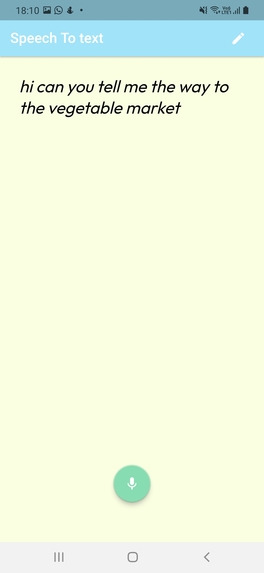
Live speech to text
-
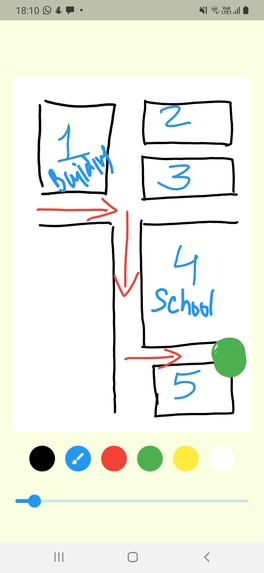
Allows users to draw(ask directions) and communicate effectively with deaf individuals


💡 Inspiration
Whether made of brightly-colored cotton or medical-grade materials, face masks are now a fact of life during the pandemic to help prevent the spread of COVID-19. But face masks can make communication difficult, especially for deaf students, faculty, staff, and other people at Universities and public places. Face masks and personal protective equipment (PPE) can cause unintentional communication issues for everyone, across both spoken and signed languages.
- They can muffle and distort audible speech. It is especially hard to hear someone speak through a face mask across a large, socially-distanced lecture hall or if there is any background noise.
- They hide facial features and expressions essential for understanding context by anybody who is speaking or singing. In American Sign Language (ASL), facial expressions are so critical, they can affect the meaning of a sign. When face masks block necessary lipreading or visual cues, deaf people are not getting the full picture — even with a sign language interpreter in the classroom or office. That may cause increased stress, fatigue, and anxiety.
- They inhibit those instant impressions that are so integral to our interpersonal communications. Want to be supportive with a simple, reassuring smile? Convey your displeasure with a frown? That’s blocked by your face mask, too.
🤳 What it does
Speech.ly simplifies communication by providing a simple user interface where a deaf person can easily communicate with the person next to them by using the speech to text feature to understand what the person next to them is speaking. In addition, the deaf person can quickly switch to hand drawing mode so that he/she can describe an object or communicate with the person next to him/her without trying to find a paper or switching to another note application. There are some situations where drawing is the better way to communicate like asking for directions or explaining some object's shape or something that needs visual communication.
- There's a note maker feature as well that allows deaf students to record online class audio (live conversion to text) and save that locally on phones for future reference.
⚙️ How we built it
We built it using Flutter, a cross-platform app development framework by Google that allows us to use the same codebase to develop apps for iOS, Android, web platforms. We used the Google Cloud speech to text API to add that functionality.
🏅 Accomplishments
Though we started a bit late(literally 8 hours before the deadline), we still managed to get a lot done.
🤔 Challenges we ran into
We began with some structural ideas on Figma and then started implementing them on Flutter. We spent a lot of time debugging the code, so time constraint was an issue. Also, collaborating with teammates in a timezone with a difference of 13.5 hrs was a bit challenging, but pulling all-nighters helped.
🤔 What did we learn:
- We learned a lot about different packages, the implementation of the assembly API, and other stuff.
- We learned how to organize our time effectively
- We learned how to have good teamwork by communicating effectively using discord
💭 What's next for Speech.ly:
- Making it more accessible by improving UI based on user feedback
- Adding emojis and prebuilt text choices for making communications between the deaf person and the person next to him/her easier.
- Publish Our App at Google Play Store
- Fix bugs and depend less on less reliable third-party libraries, which might cause potential security issues and bugs.
Built With
- flutter
- google-cloud
- google-cloud-speechtotext-api


Log in or sign up for Devpost to join the conversation.