-
-
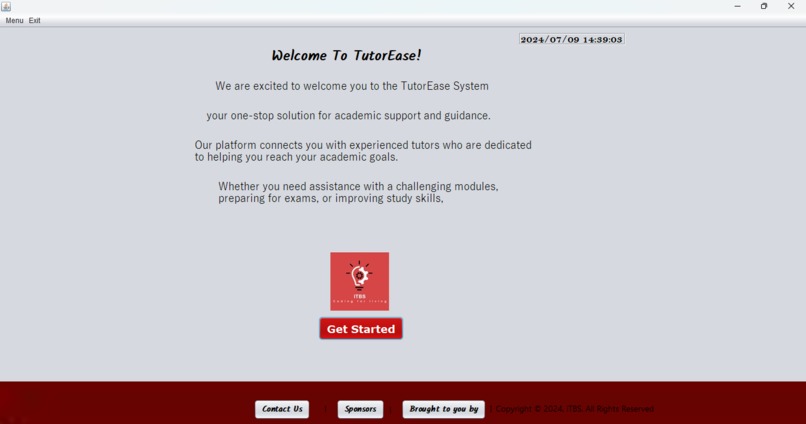
Tutor Ease App

Inspiration
My inspiration for creating this project stems from my experiences as a programming student, where I often struggled to grasp complex concepts and lacked access to comprehensive resources. I recall the frustration and disappointment of feeling overwhelmed and unsure of where to turn for help.
As I progressed in my programming journey, I realized that many of my peers faced similar challenges, and I wanted to create a resource that would have made a significant difference in my learning journey. I drew inspiration from my struggles, as well as the success stories of students who overcame similar obstacles.
My goal is to provide a supportive platform that empowers students to navigate the programming landscape confidently, clearly, and creatively. I aim to make programming more accessible, enjoyable, and rewarding for all students, regardless of their background or skill level.
Through this project, I hope to pay forward the guidance and support I received from my own mentors and peers, and to inspire a new generation of programmers to embrace the beauty and power of coding.
What it does
This project offers an interactive learning experience for students to discover programming concepts without writing code. Through engaging simulations, animations, and interactive tools, students explore and learn programming fundamentals in a visual and intuitive way.
By interacting with the project's features, students:
- Develop a solid understanding of programming principles and logic
- Learn to analyze and solve problems in a logical and methodical way
- Gain a deeper appreciation for the impact of programming on everyday life
- Build a strong foundation for future learning in computer science and programming
This project's interactive approach makes learning programming concepts fun, accessible, and easy to understand, without requiring any coding knowledge or experience.
How we built it
I built my project using the NetBeans IDE and Java programming language. I chose NetBeans because of its ease of use, powerful code completion, and debugging tools, which allowed me to develop and test my project efficiently. Java was my language of choice due to its platform independence, strong security features, and vast ecosystem of libraries and tools.
With NetBeans and Java, I was able to design, develop, and test my project's interactive features, user interface, and core functionality. I utilized NetBeans' built-in tools, such as the GUI Builder and debugger, to streamline my development process and ensure a high-quality output.
My development process involved writing and refining Java code, creating user interface components, and integrating various features and functionalities. I also used NetBeans' version control system to track changes and maintain a record of my progress.
Overall, the combination of NetBeans and Java enabled me to build a robust, scalable, and user-friendly project that meets my goals and objectives.
Challenges we ran into
During the development of my project, I encountered several challenges, but one of the most significant was establishing a reliable database connection. I struggled to connect to the database, and even when I did, I faced issues with data retrieval and manipulation.
Specifically, I faced challenges with:
- Configuring the database driver and connection string
- Handling database errors and exceptions
- Optimizing database queries for better performance
- Ensuring data security and privacy
Accomplishments that we're proud of
Successfully designing and developing a comprehensive programming education platform that engages students in interactive learning
- Overcoming technical challenges, such as database connection issues, through persistence and problem-solving
- Creating a user-friendly interface that makes programming concepts accessible to students of all levels
- Developing a robust and scalable platform that can support a large number of users
- Implementing effective error handling and debugging techniques to ensure a smooth user experience
- Completing the project on time and within budget, demonstrating strong time management and organizational skills
What we learned
- Programming languages and technologies (e.g., Java, NetBeans)
- Database management and connection techniques
- User interface design and development
- Problem-solving and debugging skills
- Time management and organization techniques
- Importance of thorough research and planning
- Value of persistence and adaptability in overcoming technical challenges
- How to prioritize and manage multiple tasks and deadlines
- How to work independently and take ownership of a project
- How to effectively use online resources and documentation
- How to debug and troubleshoot issues
- How to refine and improve a project based on feedback and testing.
What's next for Tutor Ease App
- Improving and expanding my project to make it even more robust and user-friendly
- Sharing my project with the programming community, educational institutions, or potential employers to showcase my skills
- Learning new technologies and programming languages to broaden my skill set and stay up-to-date in the field
- Taking on new challenges and applying my skills to different projects or domains, such as web development or data science
- Pursuing certifications or further education to enhance my knowledge and career prospects
- Joining online communities and forums to connect with other programmers, get feedback, and learn from their experiences
- Mentoring or teaching others to share my knowledge and experience and give back to the programming community
- Exploring career opportunities, including internships, freelance work, or full-time employment in the tech industry.


Log in or sign up for Devpost to join the conversation.