-
-
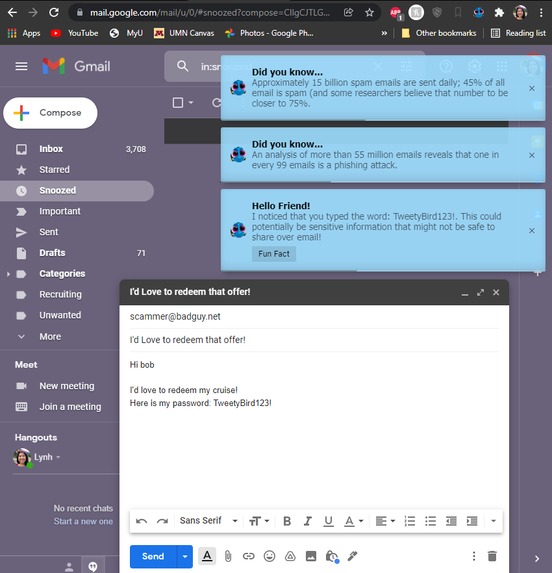
Fun Facts
-
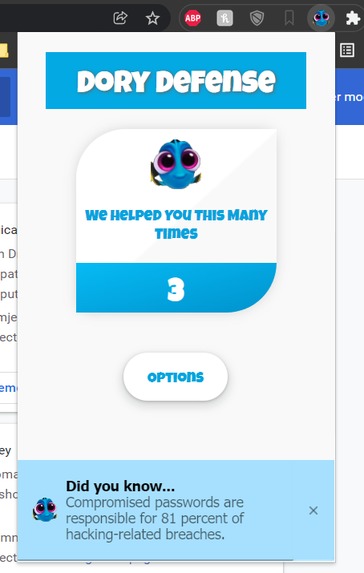
Extension Home
-
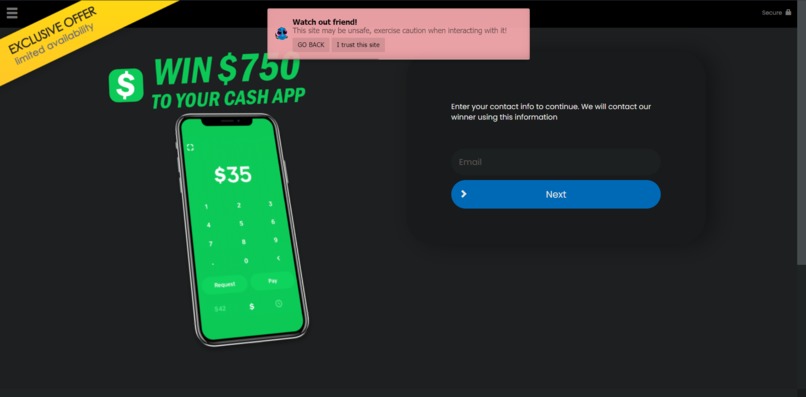
Malicious Website Warning
-
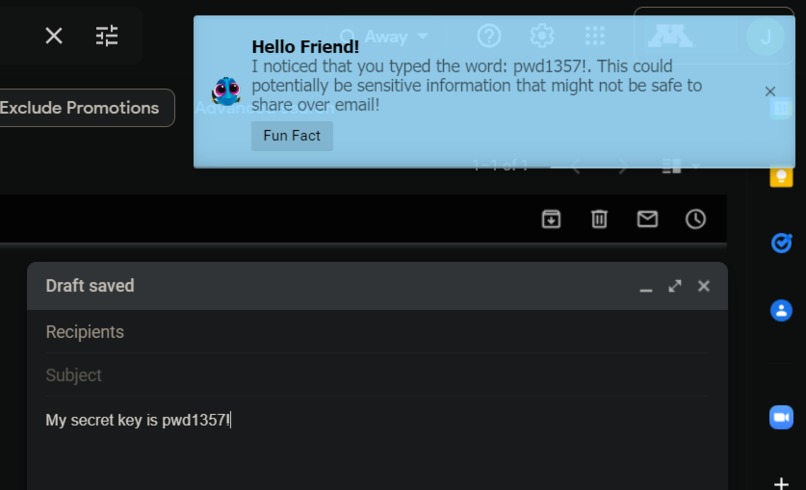
Gmail sensitive info warning
-
Counter
-
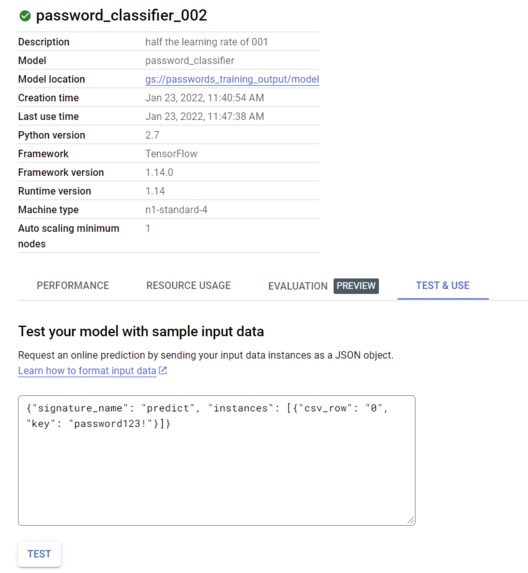
submitting word for model to evaluate
-
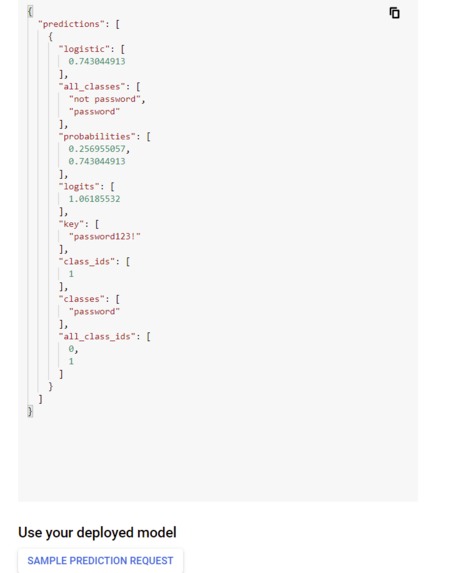
results that show "password123!" is likely to be a password
-
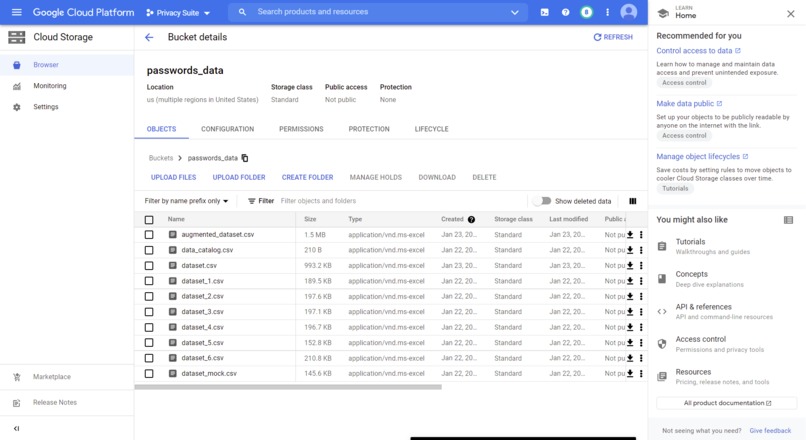
data buckets


Inspiration
While volunteering at an Alzheimer's assisted living home in high school, Lynh remembered how one resident lost $3000 just by sending her bank account info in an email to a phisher. If only someone... or someTHING would've told that resident how unsafe sending sensitive information like that is over the internet. As technology has advanced at an alarming rate, technological illiteracy has become a serious problem among the elderly, leading to them being disproportionally targeted. This was our inspiration for Dory Defense! That poor blue fish with a bit of a memory issue we all know and love is the perfect reminder of the people we are trying to help, and of course, is a veteran in the war against phishing! (pun intended)
What it does
Dory Defense has two major capabilities:
- The extension also has the ability to detect when the user is writing potentially sensitive information in an email, such as a password, and alerts them as the algorithm picks it up.
- The software can detect when the user tries to access a known malicious website, warns them of the danger, and gives them the option to go back.
There are also pop ups to educate users on digital privacy in the hopes that the information will influence them to act safer online.
How we built it
Both parts of the back-end required enormous amounts of data, and we decided to attack the two issues in different ways.
Email Scanner: For the email scanner, we collected 10 million leaked passwords on SecList dataset, “RockYou2021” dataset, and auto generated Google passwords to train a linear learner GCP AI Platform model with the labelled password data. Unfortunately, this required us to send the word string to an off-device server for validation, risking potential breaches to privacy. We did also implement an alternative simple algorithm for checking passwords on-device though, so that could be a safer option as it wouldn't be able to be abused as a potential keylogger.
Malicious Site Warning: To determine whether a website was malicious or not, we scraped a couple of sources with data on domains that participated in phishing, scamming, and other undesirable behavior, and continuously fed that stream of data into a database. We then had the browser send a salted hash of the domain the user was on to cross-reference against that database. If the hashes collided, then we knew the user was on a malicious site without having to use the domain directly.
Pop Ups/UI: Utilized the iziToast library and Bootstrap, with additional personalization with JavaScript, HTML, and CSS to create a pop up warning for malicious sites, a pop up warning for sensitive information in emails, a fun fact pop up, the extension homepage with a counter of how many times Dory helped, and the options page.
Challenges we ran into
Because we decided to work with a Google Chrome extension instead of something we were more familiar with, such as a web or mobile app, we were forced to learn everything that comes with starting over with a new platform. On top of that, our backend was extremely exhaustive and exhausting, so they were essentially solo missions for Josh and Luke, which they handled admirably. On top of that, like with any software development adventure, every time one issue was solved, it felt like three more would appear in its place, so it was quite a rough ride for everyone on the team.
Accomplishments that we're proud of
We had originally planned to just have the two software capabilities as our goals because we knew how difficult they would be to implement. We managed to finish both of them comprehensively and implement some other cool features and a cool UI as well, which we feel is pretty darn impressive, and definitely something we can be proud of. Along with that, we definitely learned a wealth of new technologies that we will probably use again in the foreseeable future, which is always a big plus.
What we learned
This was the first time any of us had worked with extensions, so the Chrome Extensions API was something that we were forced to learn on the spot. All of our members came from different development backgrounds as well, so we all learned various things during the hackathon, including but not limited to web design (HTML/CSS/JS), backend development (Flask/MongoDB), the Google Cloud Platform (buckets, AI Platform, AutoML, IAM), and machine learning (AI Platform/Tensorflow).
What's next
We could polish our classifier model for higher accuracies, taking in more parameters during training. The UI for the extension could also be modernized, and much of the code could be cleaned up or rebased to make it easier to comprehend. More features, like an integrated password manager could also be beneficial. With direct access to the user’s passwords, we wouldn’t have to depend on classifiers or algorithms. Along with that, a password manager would be extremely practical, as many modern password managers don't have great ways and UI's to access passwords, so we could definitely improve on that.


Log in or sign up for Devpost to join the conversation.