-
-
-
-
-
-
-
-
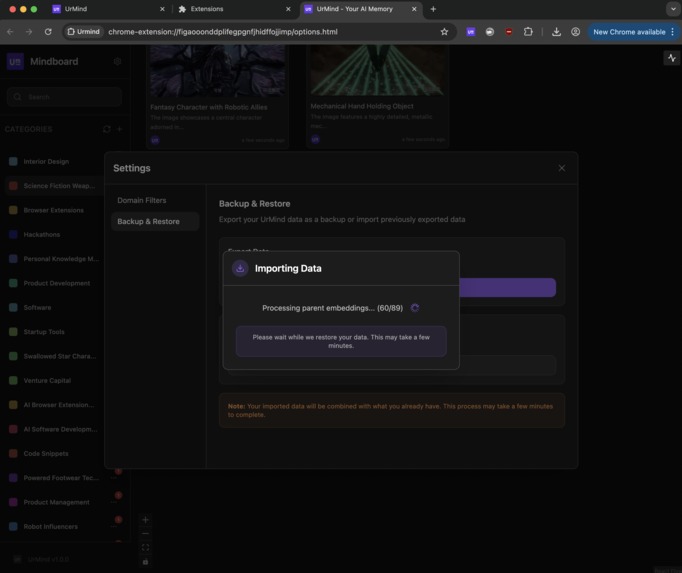
Backup & Restore


Inspiration
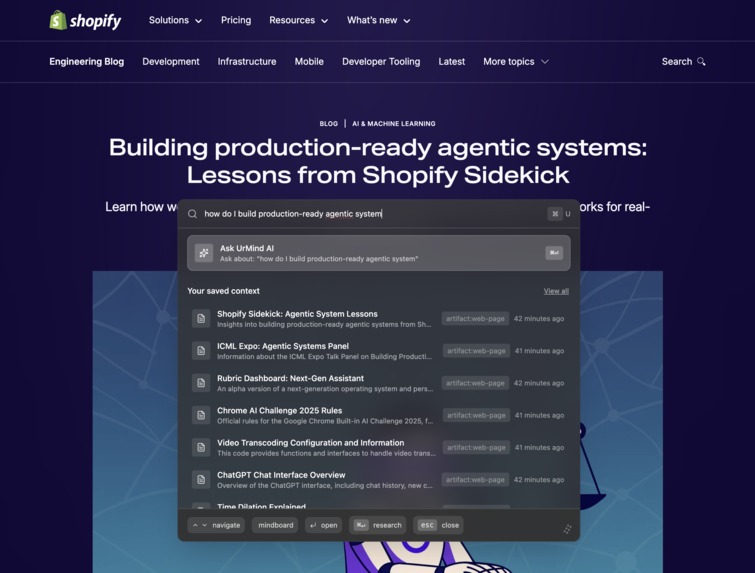
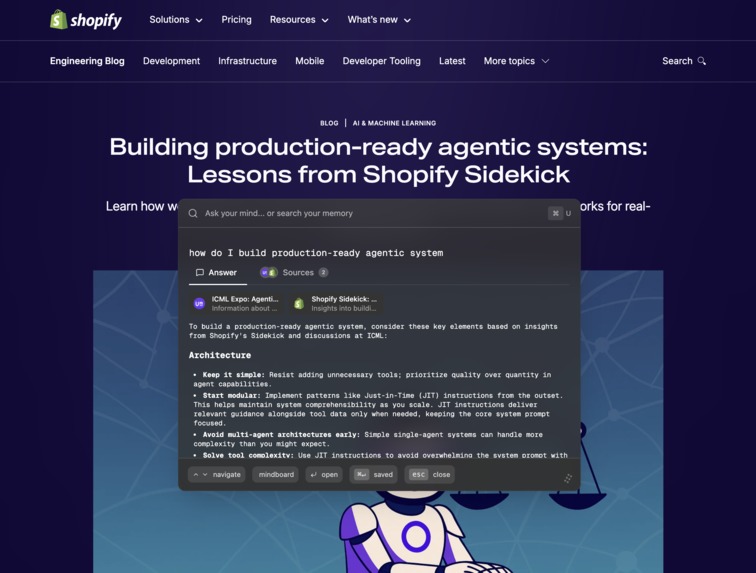
When you're deep in web research, you often jump across dozens of pages just to piece together one answer. For example, configuring an old legacy software might take hours of trial and error, clicking through scattered guides and forums. The next time you face the same problem, you probably won't remember which steps actually worked, which resources were helpful, or where you left off. With UrMind, you don't have to start over. You can simply ask, "How do I set up X?" and it will search through your past browsing context - the pages, highlights, and snapshots it saved - then give you the exact insights you need, backed with sources. That's what UrMind is: a second memory for your web research, always ready to recall what mattered most.
What it does
UrMind transforms your unorganized browsing into a powerful, searchable memory. Every page, highlight, insight, and image you encounter is automatically indexed — no effort required. Stuck on "where did I see that restaurant?" or "how did I make that?" Just ask UrMind. It'll surface the answer from your real browsing history, complete with sources, context, highlights, and visual memories.
Key features:
- 🧠 Automatic memory — Urmind remembers what you browse without you lifting a finger.
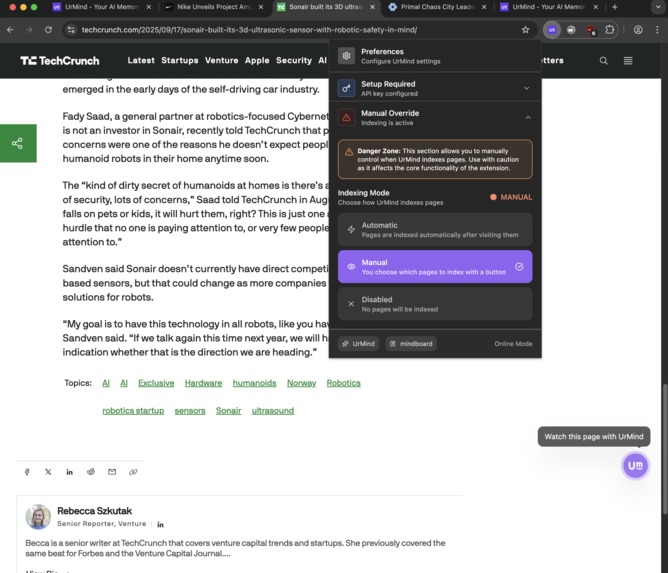
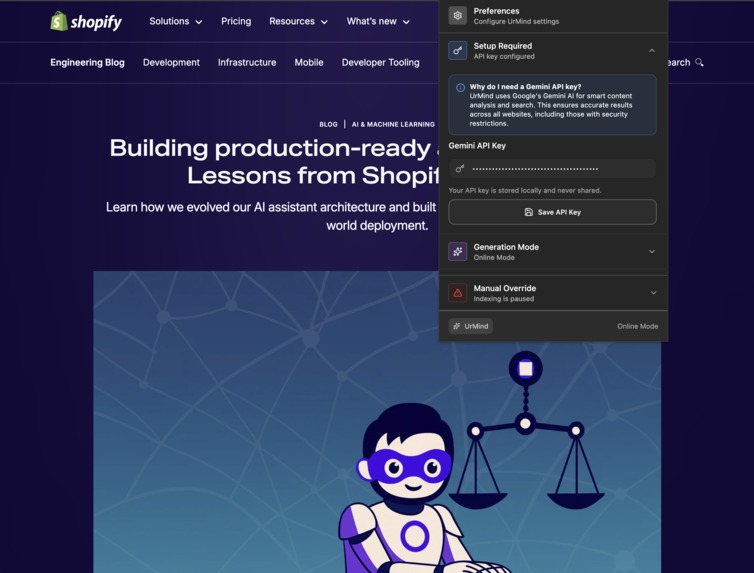
- ✋ Manual override — You can choose how urmind indexes web page based on the time spent and as well choose to. stop urmind from indexing any page at all.
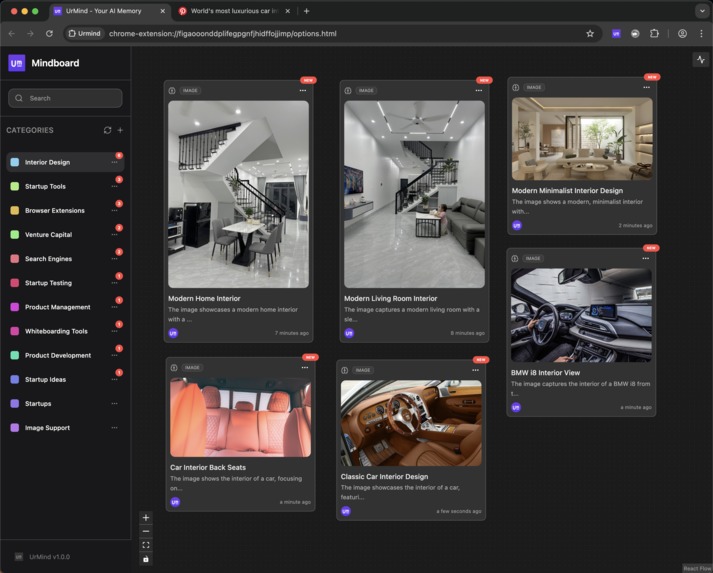
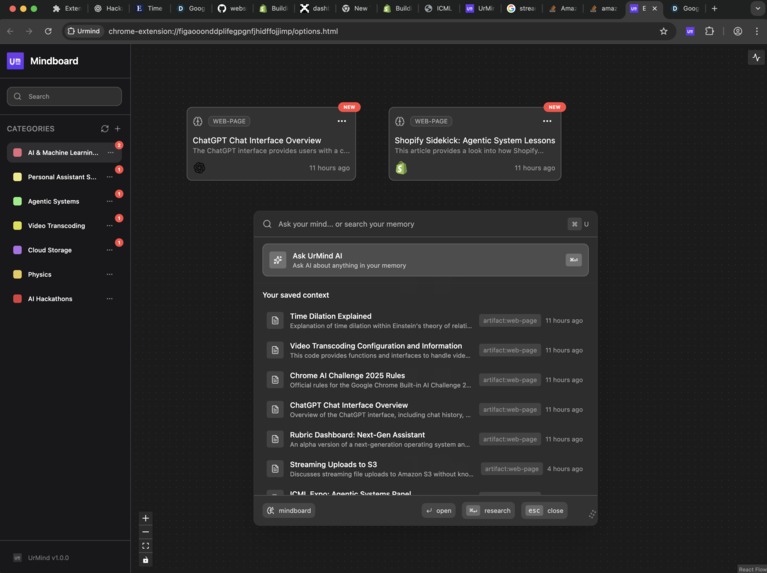
- ✍️ Mindboard — A visual space to see and connect everything you’ve saved — articles, snippets, notes, and thoughts.
- 🔍 Semantic search — Use natural language to recall anything you’ve seen: “that YC startup advice thing” → Urmind finds it, with context.
- 🧩 Raw input sync — Copy raw text, paste it into your Mindboard, and Urmind automatically links it with your browsing memory.
- 🔒 Local-first privacy — All memory and embeddings are stored on your device, powered by Gemini Nano via Prompt API for offline mode and Gemini 2.5 Flash for deeper reasoning online.
How we built it
I built Urmind as a Chrome extension integrated with a local vector memory system. Here’s the core stack:
- TypeScript + Chrome APIs for tab and history tracking.
- Service Workers for background sync and local persistence.
- Gemini Nano (Prompt API) and Gemini 2.5 Flash (cloud) for reasoning and semantic recall.
- IndexedDB for local db storage.
- WXT (React) for the overall extension UI/UX
Challenges we ran into
Efficient local embeddings:
Running local embeddings with transformers.js was tricky — service workers couldn’t handle model inference. We solved it by moving the process to the content script and using Chrome’s messaging system to keep everything running smoothly.
- Context boundaries: Designing a system that knows what not to remember was harder than what to store.
Accomplishments that we're proud of
- Built a true memory architecture that runs fully in-browser.
- Seamlessly integrated on-device AI (Gemini Nano) for offline reasoning.
- Designed Mindboard, a knowledge canvas that visually syncs across contexts.
- Made a product that feels like magic — your browser remembering, connecting, and thinking with you.
What we learned
- Memory is not about saving — it’s about contextual understanding.
- UX for “AI that remembers” must feel invisible, not intrusive.
- Local AI is finally practical — privacy-first apps don’t have to feel limited.
What's next for Urmind
- 🧬 Temporal reasoning: Let Urmind tell the story of how your ideas evolved over time.
- 🗣️ Voice context: Speak your thoughts, let Urmind integrate them into your research flow.
- 💭 Long-term memory UI: Timeline-based navigation through your past browsing and discoveries.
- 🤝 Integrations: Connect with Notion, Readwise, or Arc to extend your memory into other tools.
The web remembers everything. It’s time your browser did too.
Built With
- gemini-nano
- prompt-api
- react
- wxt



Log in or sign up for Devpost to join the conversation.