-
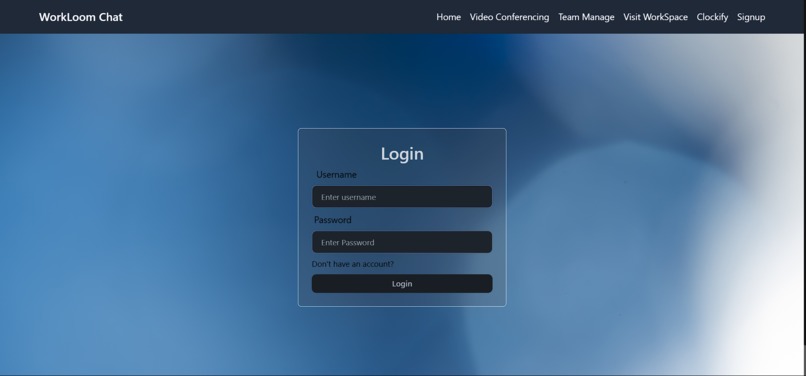
Login Page, here user will provide his/her credentials.
-
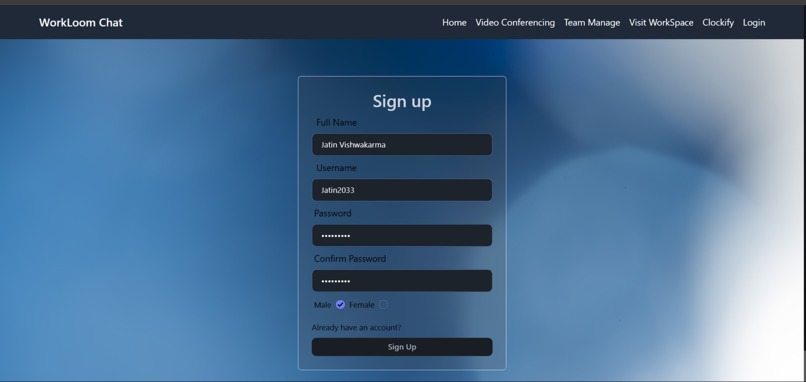
Sign in Page (If User has no account then he/she can create account by providing all the basic information like Fullname, username,etc.)
-
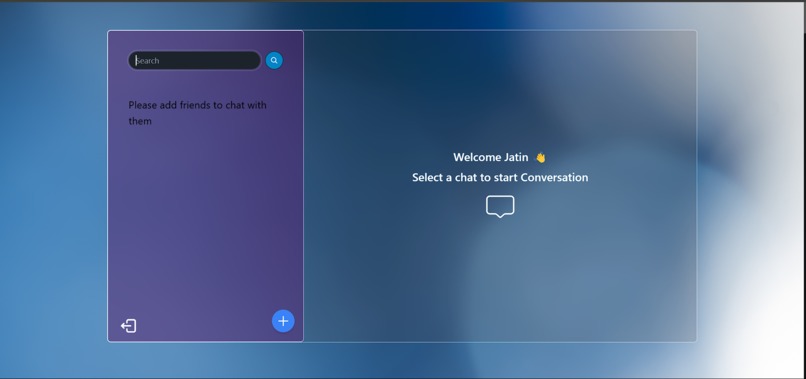
After Login, User gets this type of interface and then user can add friends.
-
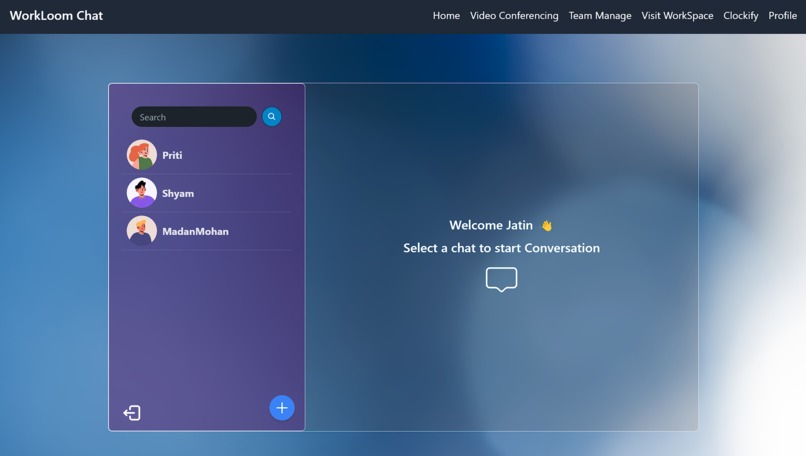
By Searching and clicking on plus button, user can add friends and chat with them.
-
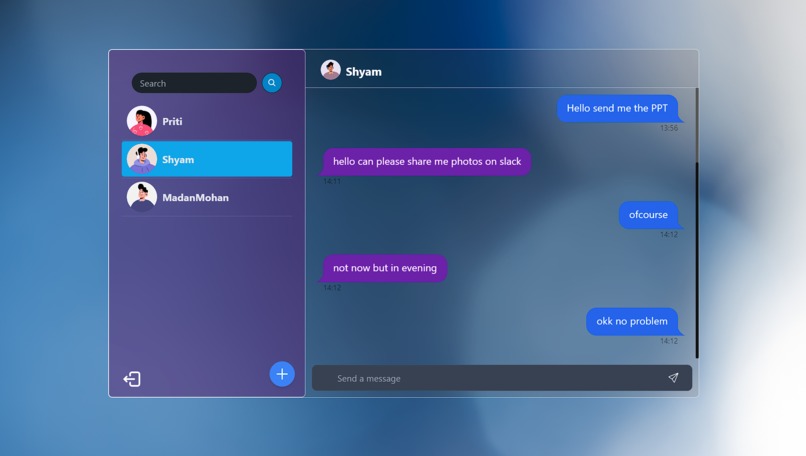
User Can Chat with Friends and See their messages and online status
-

User can also go through it's profile where he or she can see their information like name, username and Gender.r


Workloom - A Real-time Chat Application 🚀
🌟 Inspiration
I’ve always been fascinated by real-time communication—how apps like WhatsApp and Slack make conversations seamless. That got me thinking:
"Why not build my own chat app?"
That’s how Workloom was born—a simple, fast, and secure chat platform where users can log in, connect, and chat in real time.
🛠️ Tech Stack
- Frontend: React.js + Tailwind CSS
- Backend: Node.js + Express.js
- WebSockets: Socket.io (for real-time messaging)
- Database: MongoDB (to store user data & chats)
- Authentication: JWT (for secure login & sign-up)
🔥 Features
✔️ User Authentication – Sign up & log in securely.
✔️ Real-time Chat – Messages appear instantly, thanks to Socket.io.
✔️ Online Status Indicator – Know who's online.
✔️ Group Chat Support – Chat in private or public rooms.
✔️ Typing Indicator – See when someone is typing.
✔️ Chat History – Messages are stored in MongoDB for persistence.
✔️ Clean UI – Built with Tailwind CSS for a sleek look.
🏗️ How I Built It
- Started with a React frontend, using Context API to manage authentication.
- Created a Node.js + Express backend to handle authentication and chats.
- Integrated Socket.io to enable real-time messaging.
- Stored user details and messages in MongoDB for easy retrieval.
- Designed a minimal yet modern UI with Tailwind CSS.
⚡ Challenges I Faced
🔹 Managing WebSocket Connections: Keeping track of who’s online and delivering messages instantly was tricky.
🔹 Authentication with JWT & Sockets: Had to ensure users stay logged in across different sessions.
🔹 Scaling for Multiple Users: Handling multiple chats in real time without delays.
🎯 What I Learned
✅ WebSockets & real-time communication—how chat apps sync messages instantly.
✅ Better backend structuring—handling authentication and database queries efficiently.
✅ State management in React—optimizing performance and UI updates.
✅ Database indexing—to speed up message retrieval.
🚀 What’s Next?
🔹 Reactions & Emojis – Because chats should be fun!
🔹 Voice & Video Calls – To take communication beyond text.
🔹 End-to-End Encryption – For secure messaging.
🔹 Push Notifications – So users never miss a message.
Building Workloom was an exciting journey, and I’m still learning along the way. If you have any feedback or suggestions, let’s chat! 😊🚀


Log in or sign up for Devpost to join the conversation.