
Descripción
Discover GDPR-compliant analytics with WP Statistics, the top choice for WordPress users seeking an alternative to Google Analytics. No external accounts, unlimited visitor tracking, and full data ownership—all stored directly in your WordPress database.
Checkout Demo | View Screenshots
GDPR Compliant (Data Privacy)
WP Statistics is GDPR, CCPA, PECR, and cookie compliance by default.
- We do not use cookies
- We do not store personally identifiable information (PII) by default
- 100% data ownership. Data is entirely created and stored on your server
- Enhance IP Hashing with Random Daily Salt Mechanism
- Features to export and delete data for GDPR
- Respect for User Privacy with Do Not Track (DNT)
- Privacy Audit Tool for compliance with privacy laws
Your site won’t need to have a cookie popup since WP Statistics uses cookie-less tracking.
You can find more information in «What we collect«.
Top Features
- Fully integrate with your WordPress and your content structure and you have the all reports all in your WP dashboard
- Content and Category Analytics: Track performance based on your site’s content and categories.
- Simple analytics dashboard
- Super easy to install. No coding or technical knowledge needed
- Advanced data privacy settings that are customizable to fit your needs, in compliance with diverse data protection laws
- Track URL parameters, including UTMs, for campaign analysis
- With configurable settings, manage large amounts of data on high-traffic websites
- Monitor live online user traffic in real-time
- Fully customized overview dashboard page
- Shows your most popular posts and pages
- Referrals Tracking: Track and analyze referrals with five reports: Referred Visitors, Referrers, Search Engines, Social Media, and Source Categories. The new Source Categories report includes support for Organic Search, Paid Search, Organic Social, Paid Social, and more.
- Lists your top referral sources such as search engines
- Author Analytics: Measures author performance.
- Geographic Reports: Location-based analytics, including countries, cities, European countries, US states, and regions within your country.
- Devices Report: Detailed device-specific analytics covering browsers, operating systems, device categories and device models.
- Bypass Ad Blockers: Dynamically load the tracking script with a unique name and address to bypass ad blockers.
- Integrate with WP Consent API: Ensures compatibility with consent plugins like Complianz and Cookiebot.
- Email reports with customizable content
- Customize role-based access to view analytics and modify settings.
- Advanced Filtering & Exceptions: By user roles, IPs, countries, URLs, and more.
- Premium Add-on: Data Plus
- Custom Post Type Tracking: DataPlus extends WP Statistics’ tracking to include all custom post types in addition to Posts and Pages.
- Custom Taxonomy Analytics: In addition to monitoring default taxonomies like Categories and Tags, DataPlus also tracks custom taxonomies.
- Link Tracker: Find out which outbound links your audience clicks on, giving you insights into their preferences and behaviors.
- Download Tracker: Keep track of what’s being downloaded, who’s downloading it, and when.
- Individual Author Performance: Detailed metrics on the performance of individual authors.
- Detailed Analytics for Each Country: In-depth analytics for each country to enhance geographical reporting.
- And more!
- Premium Add-on: Marketing
- Campaign Analytics: Track UTM-tagged links and see which campaigns drive the most visitors.
- Google Search Console Integration: Monitor impressions, clicks, and queries.
- Custom Event Tracking: Create goals based on clicks, pageviews, or events and monitor conversions.
- Built-in UTM Link Builder: Generate and validate campaign URLs inside your dashboard.
Get the most out of your website analytics by using WP Statistics Premium Add-ons
Upgrade your analytics toolkit with our range of premium add-ons, including Data Plus, Advanced Reporting, Real-Time Stats, Mini Chart, Marketing, and more. Making informed decisions is easier with these powerful tools.
Special Offer: Save up to 60% on all premium features when you purchase WP Statistics Premium.
Report Bugs
Having trouble with a bug? Please create an issue on GitHub. Kindly note that GitHub is exclusively for bug reports; other inquiries will be closed.
For security vulnerabilities, please report them through the Patchstack Vulnerability Disclosure Program. The Patchstack team will validate, triage, and handle any security issues.
Capturas
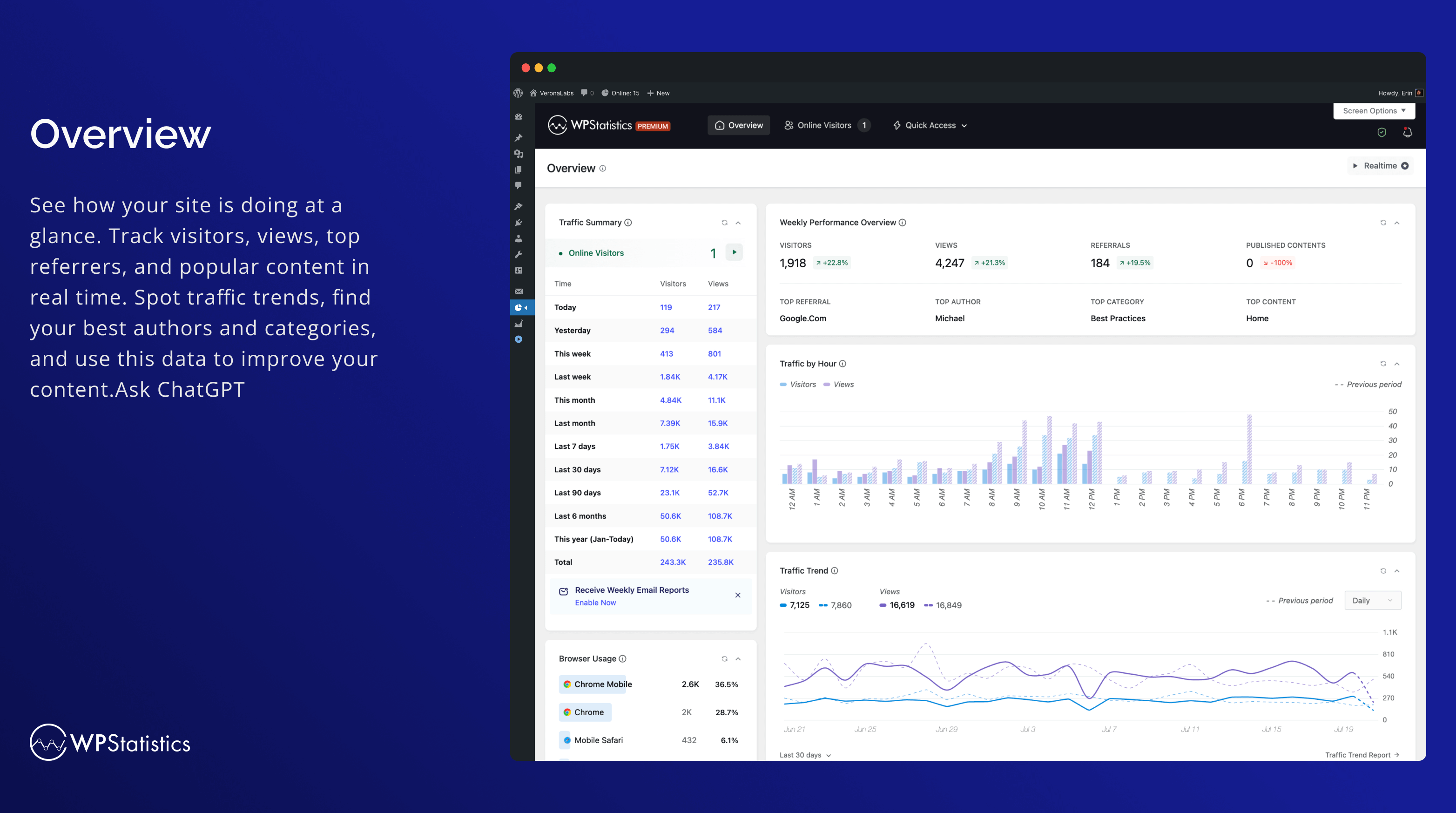
Resumen 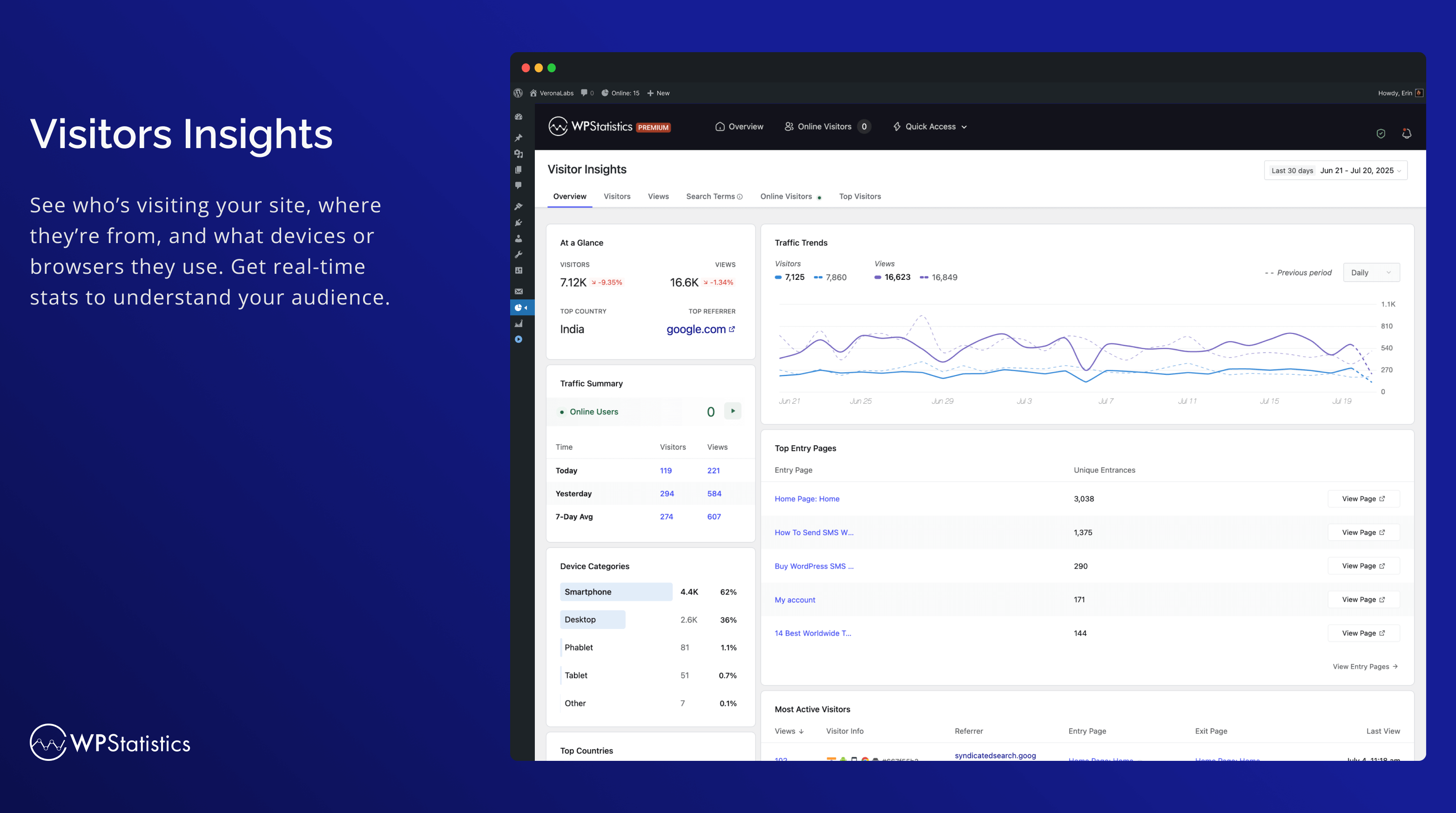
Visitors Insights 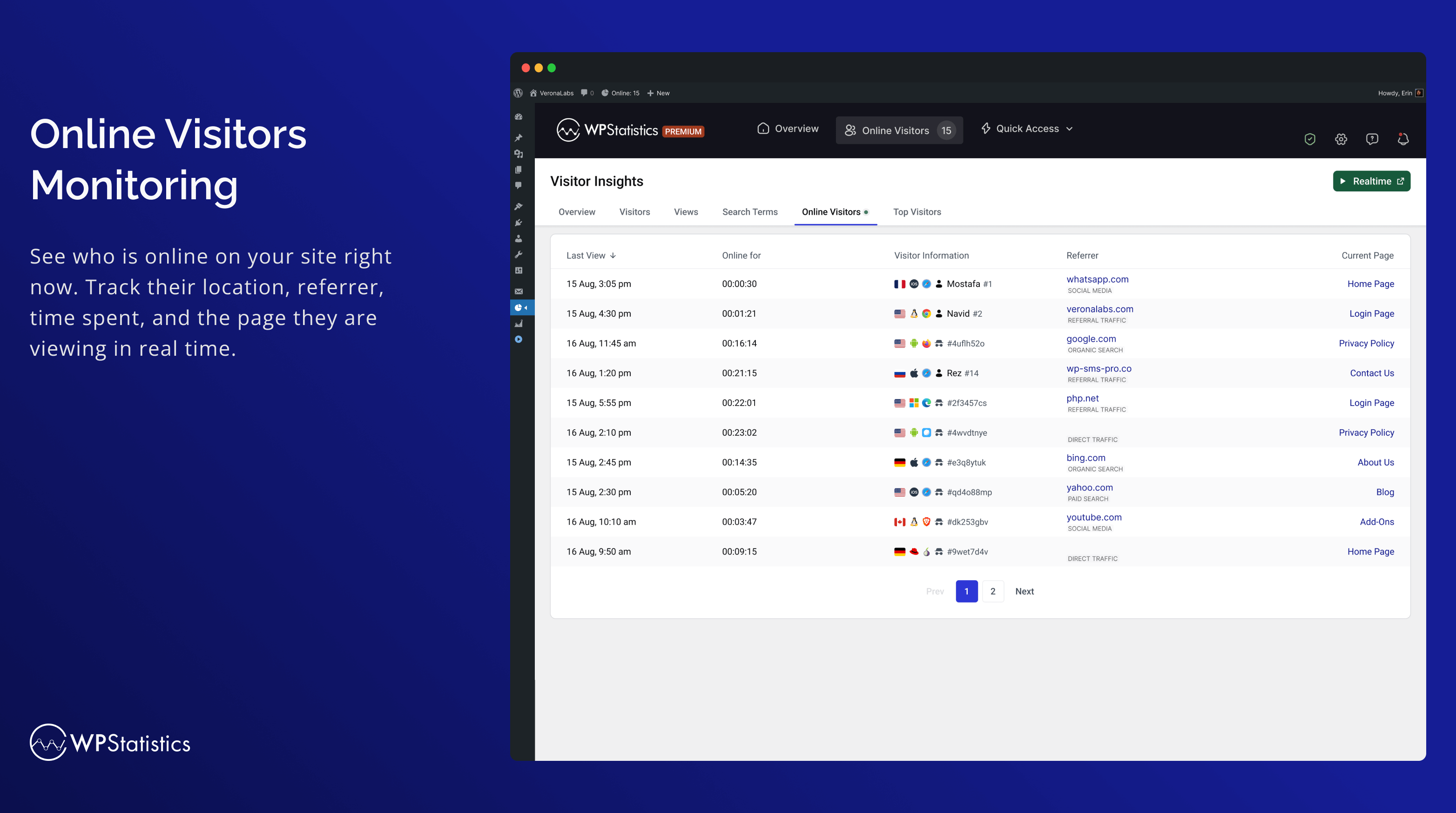
Online Visitors Monitoring 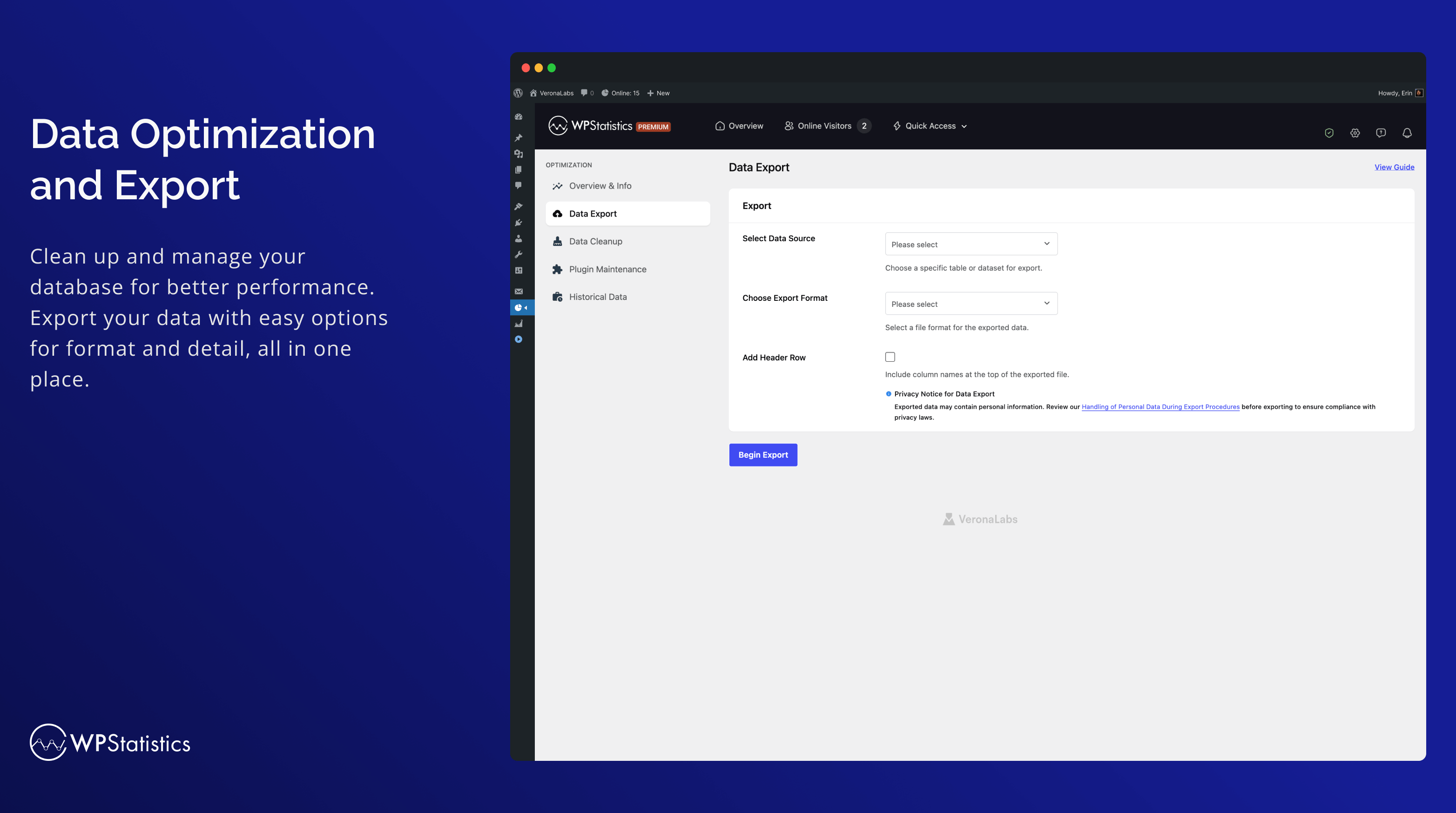
Optimization 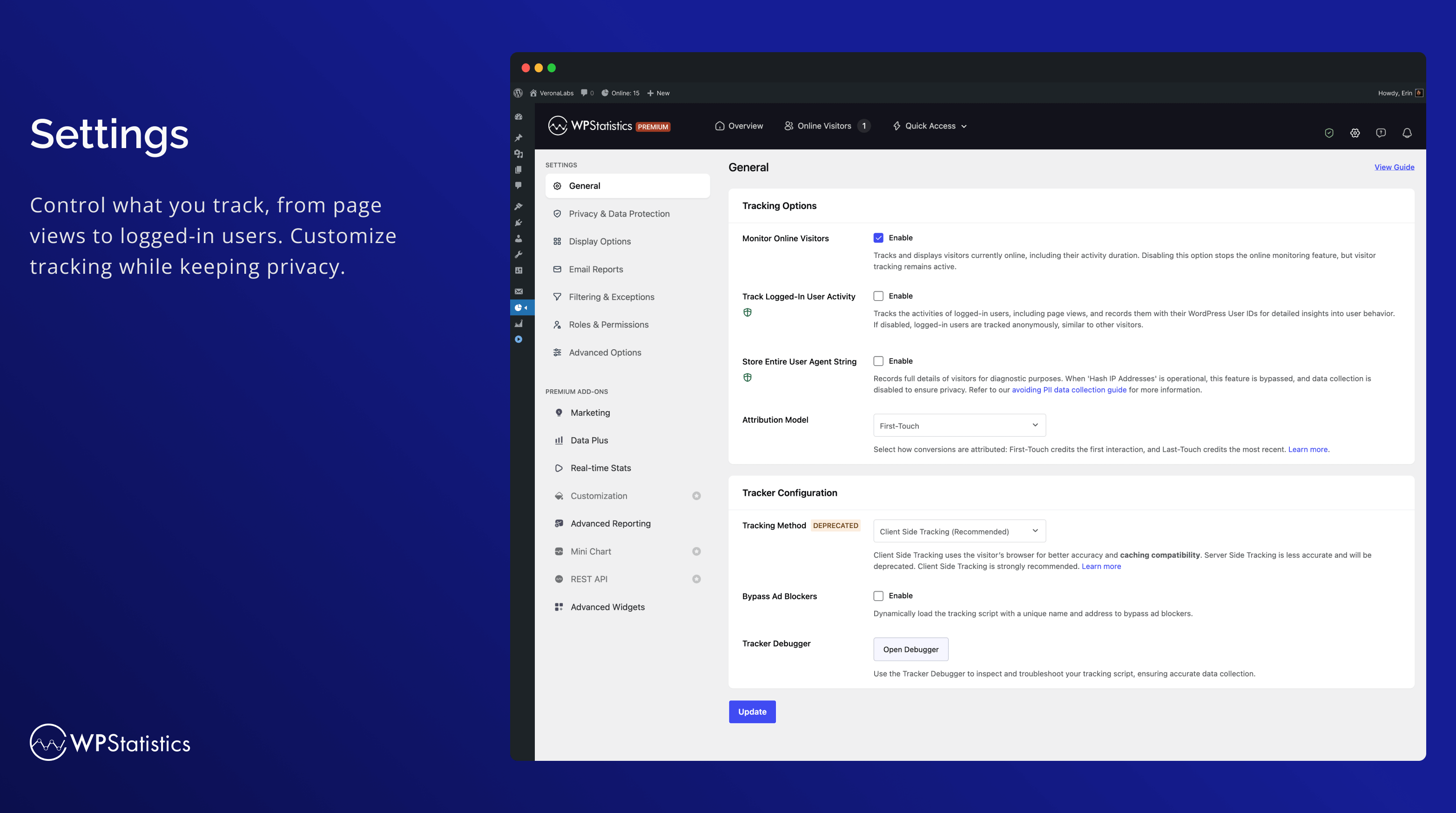
Settings 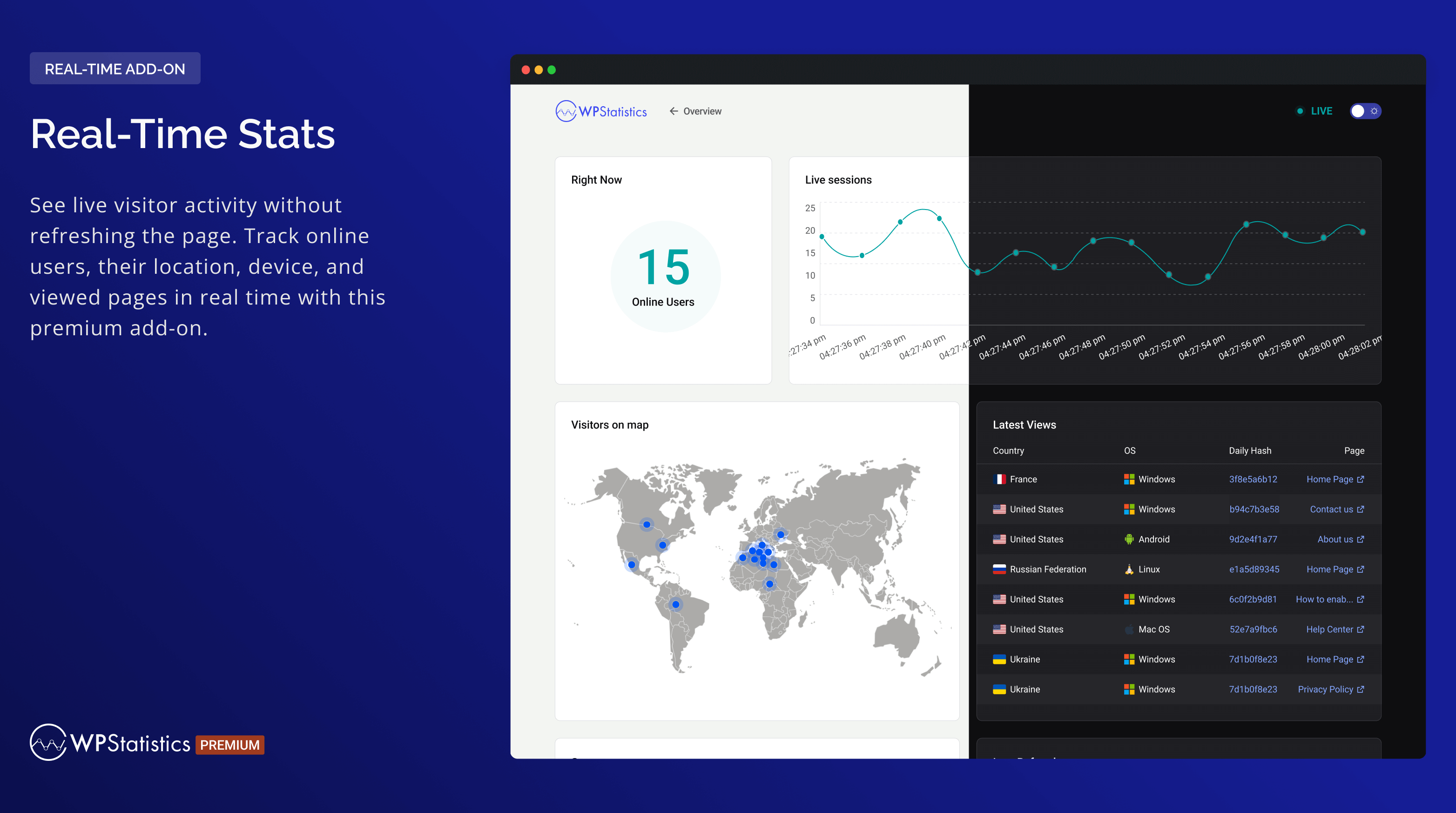
Real-Time Stats 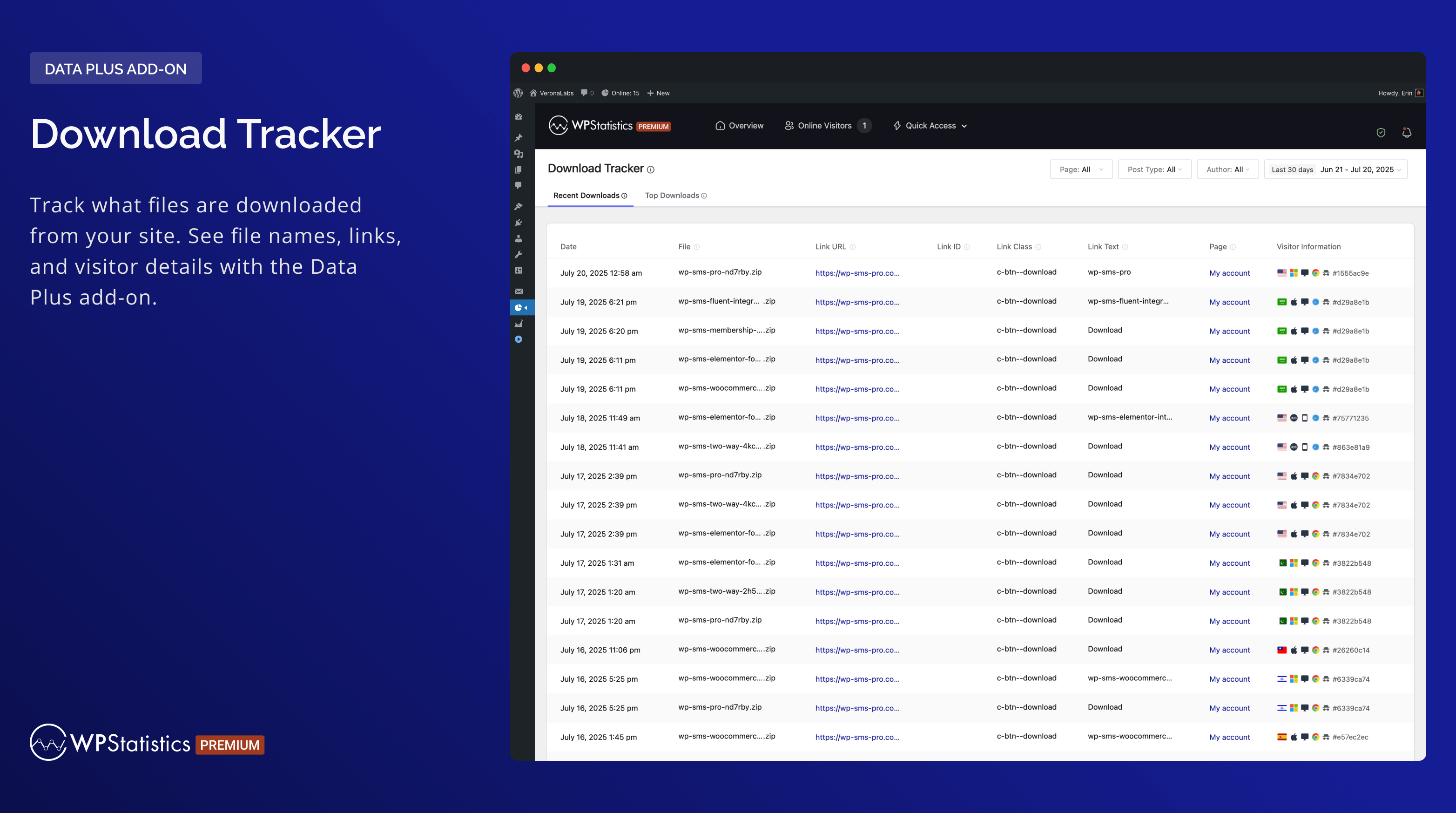
Download Tracker 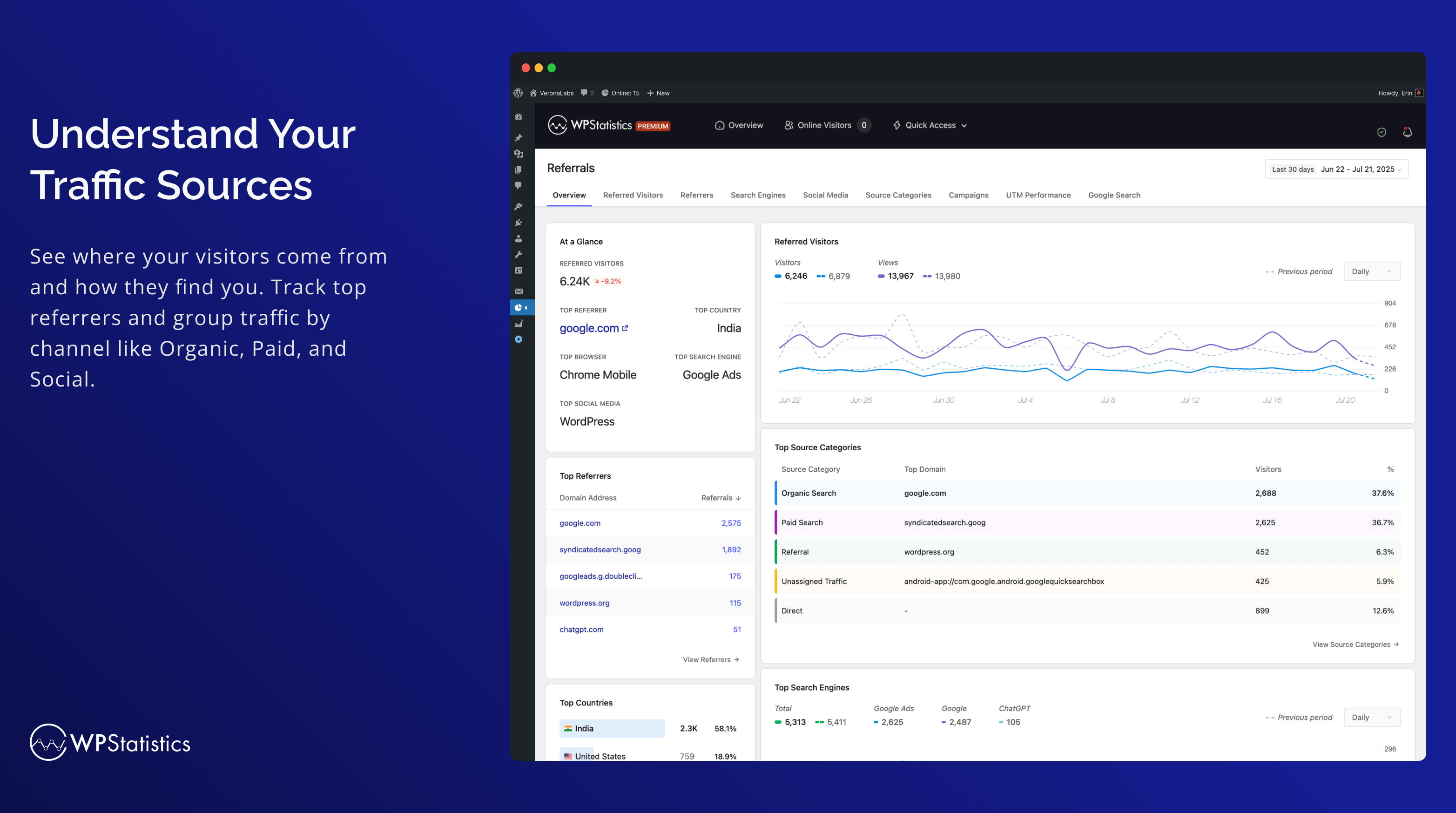
Understand Your Traffic Sources 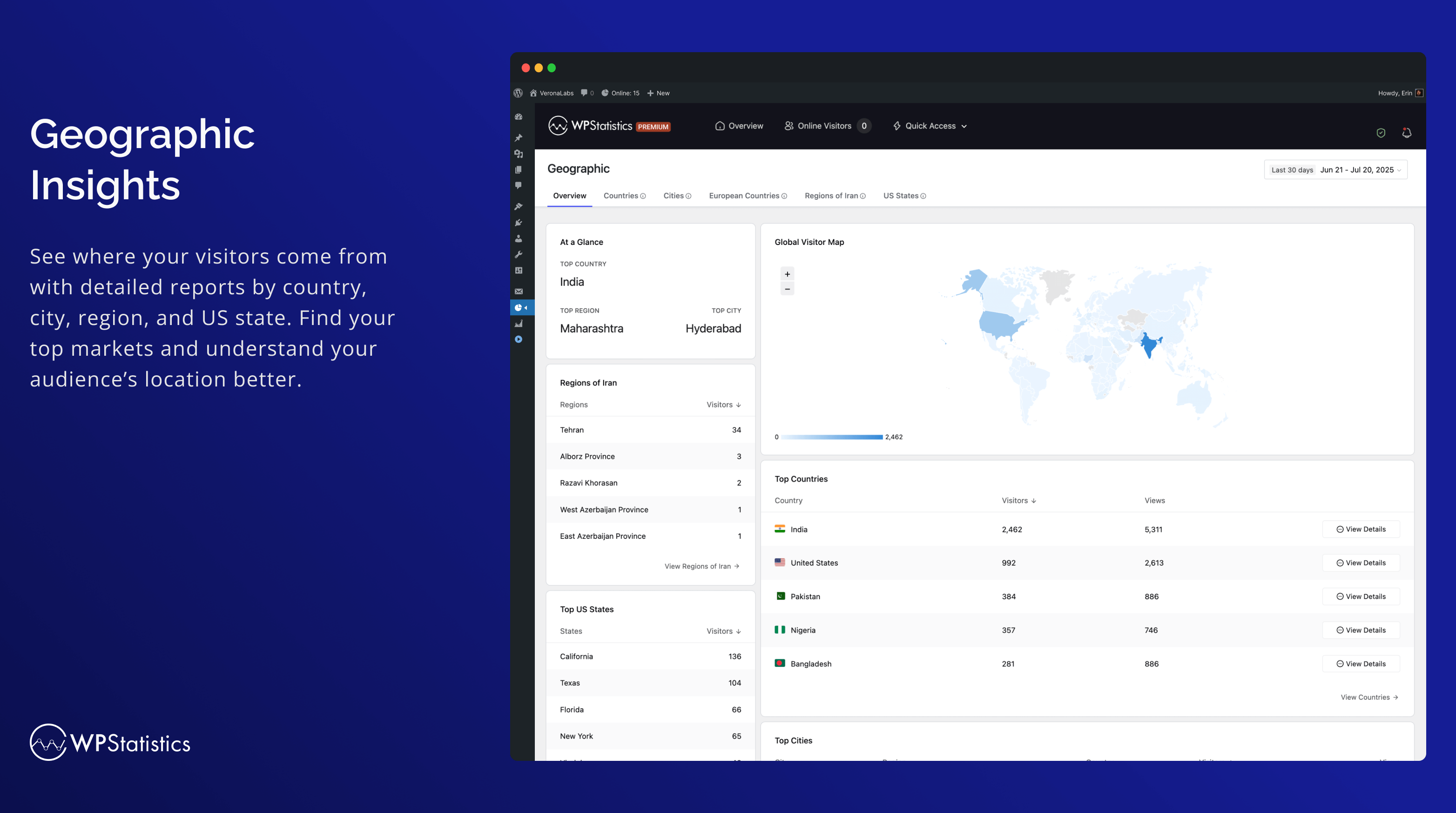
Geographic 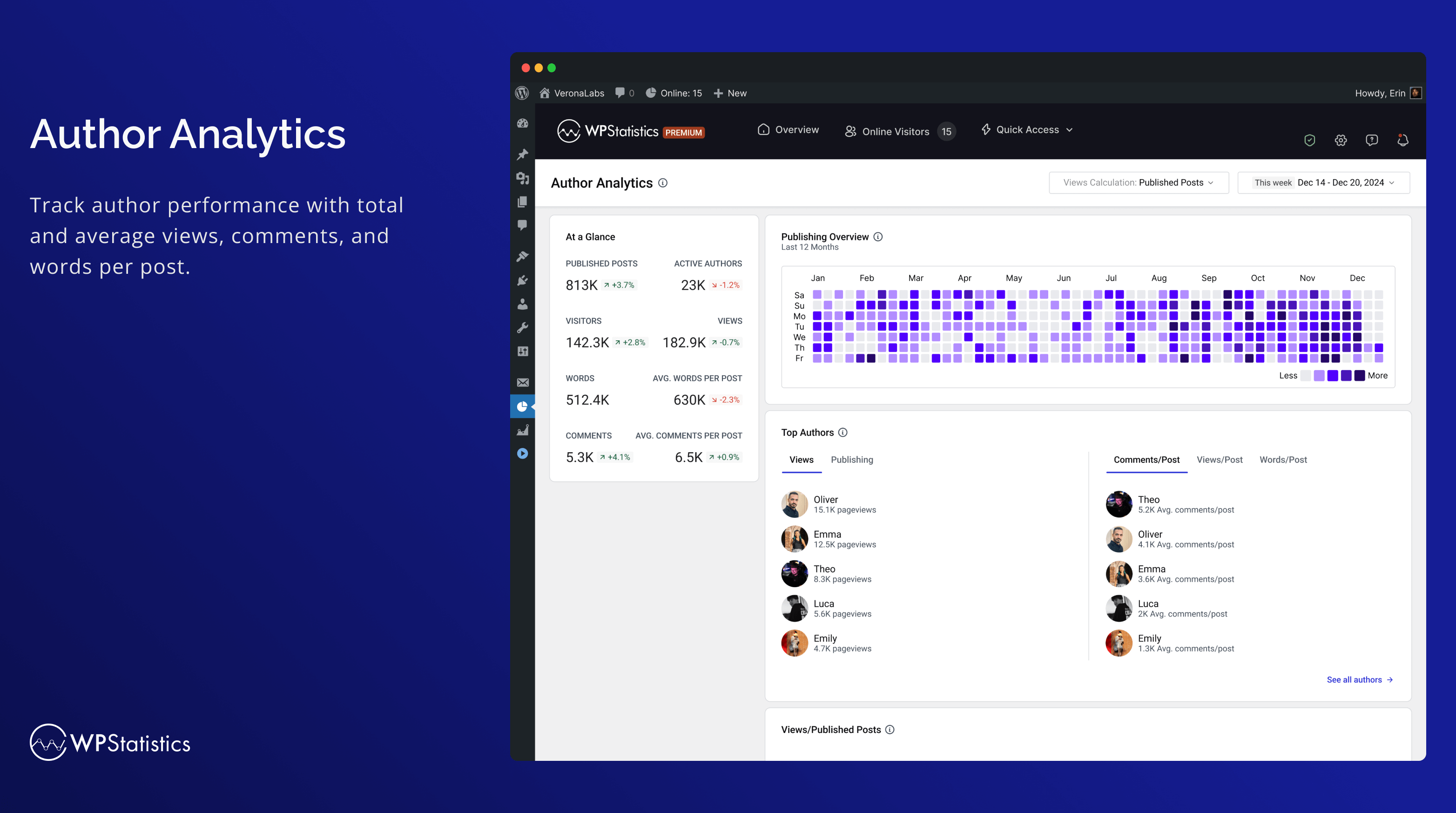
Author Analytics 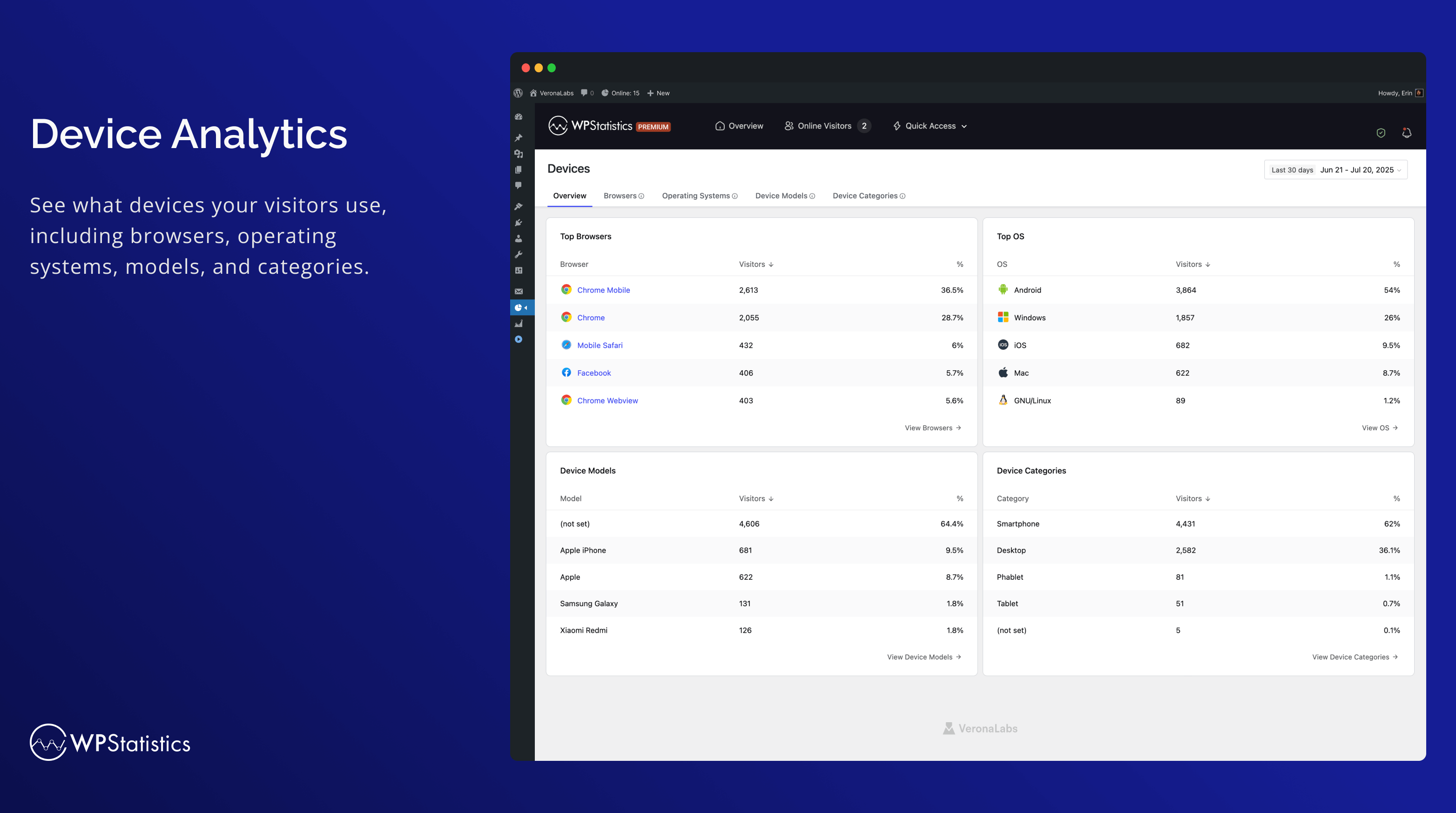
Devices 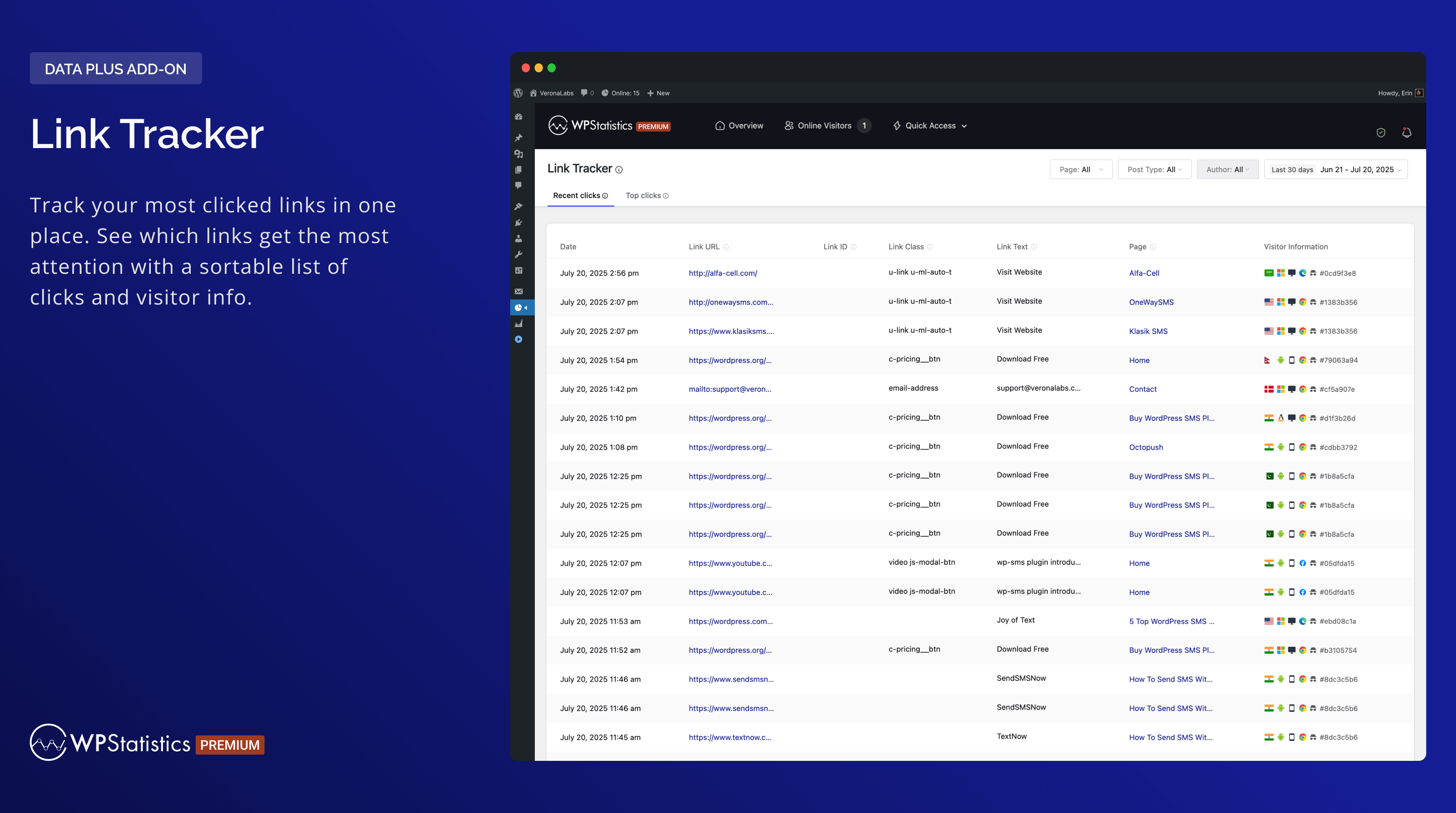
Link Tracker 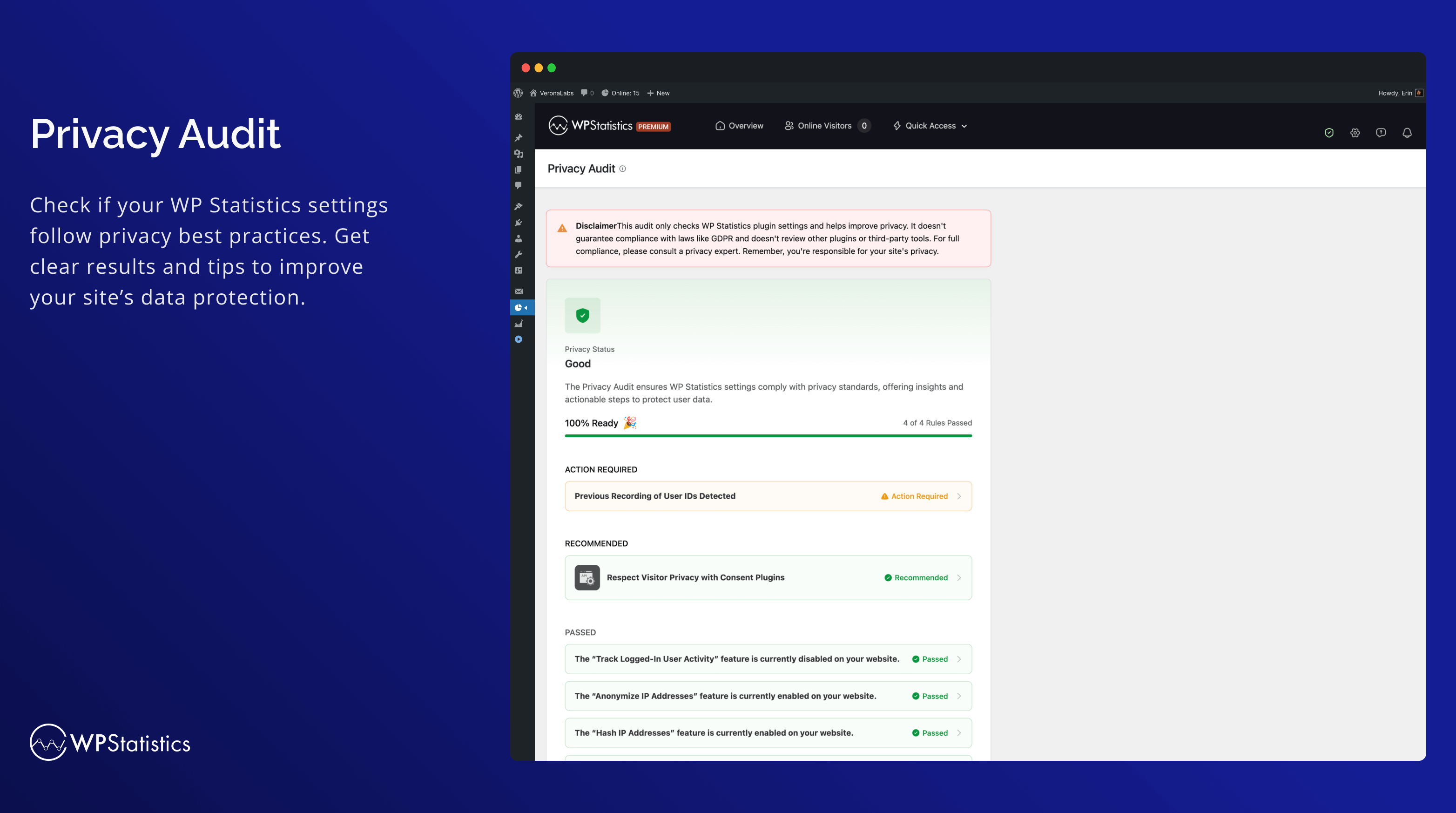
Privacy Audit 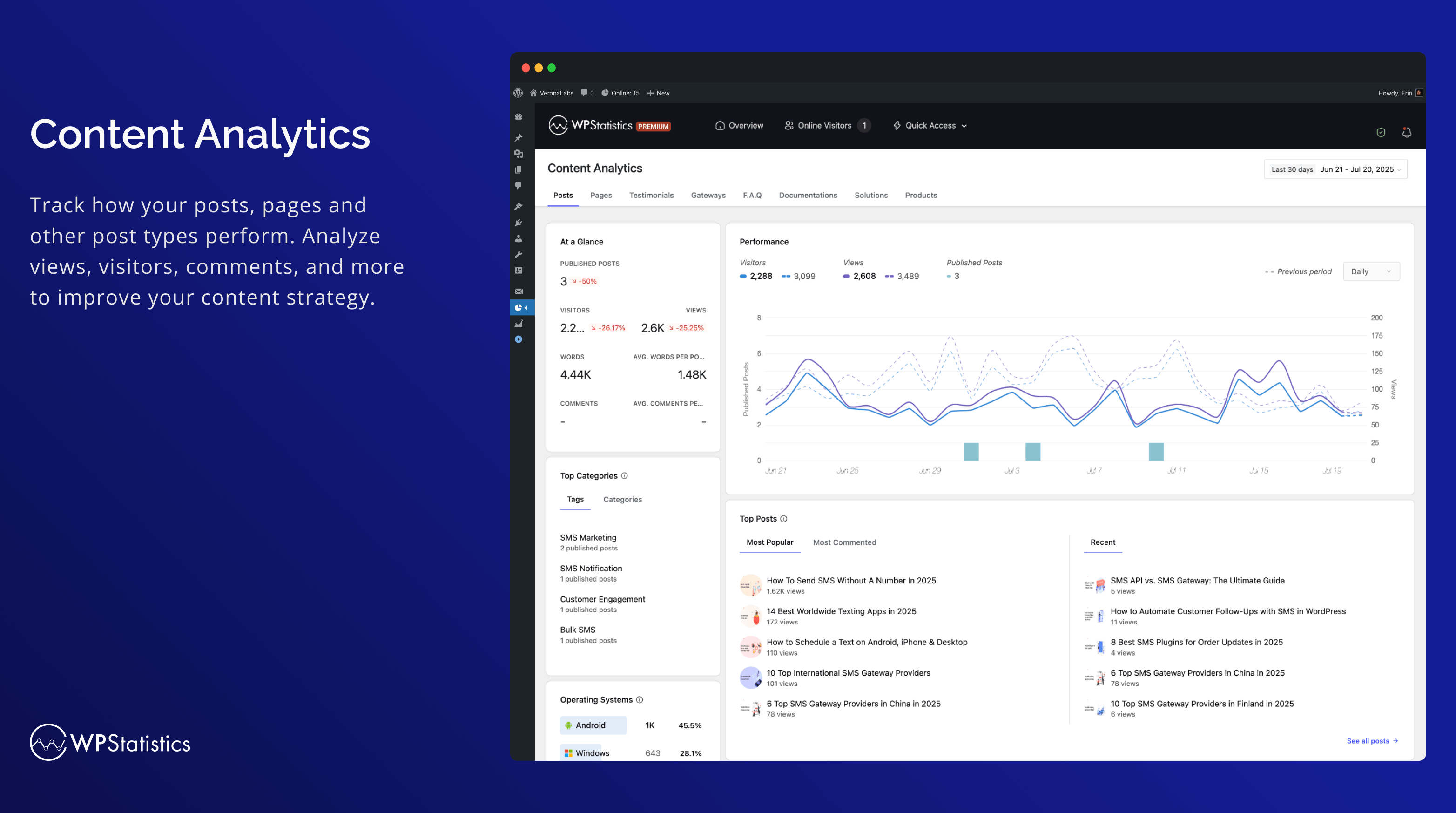
Content Analytics Dashboard 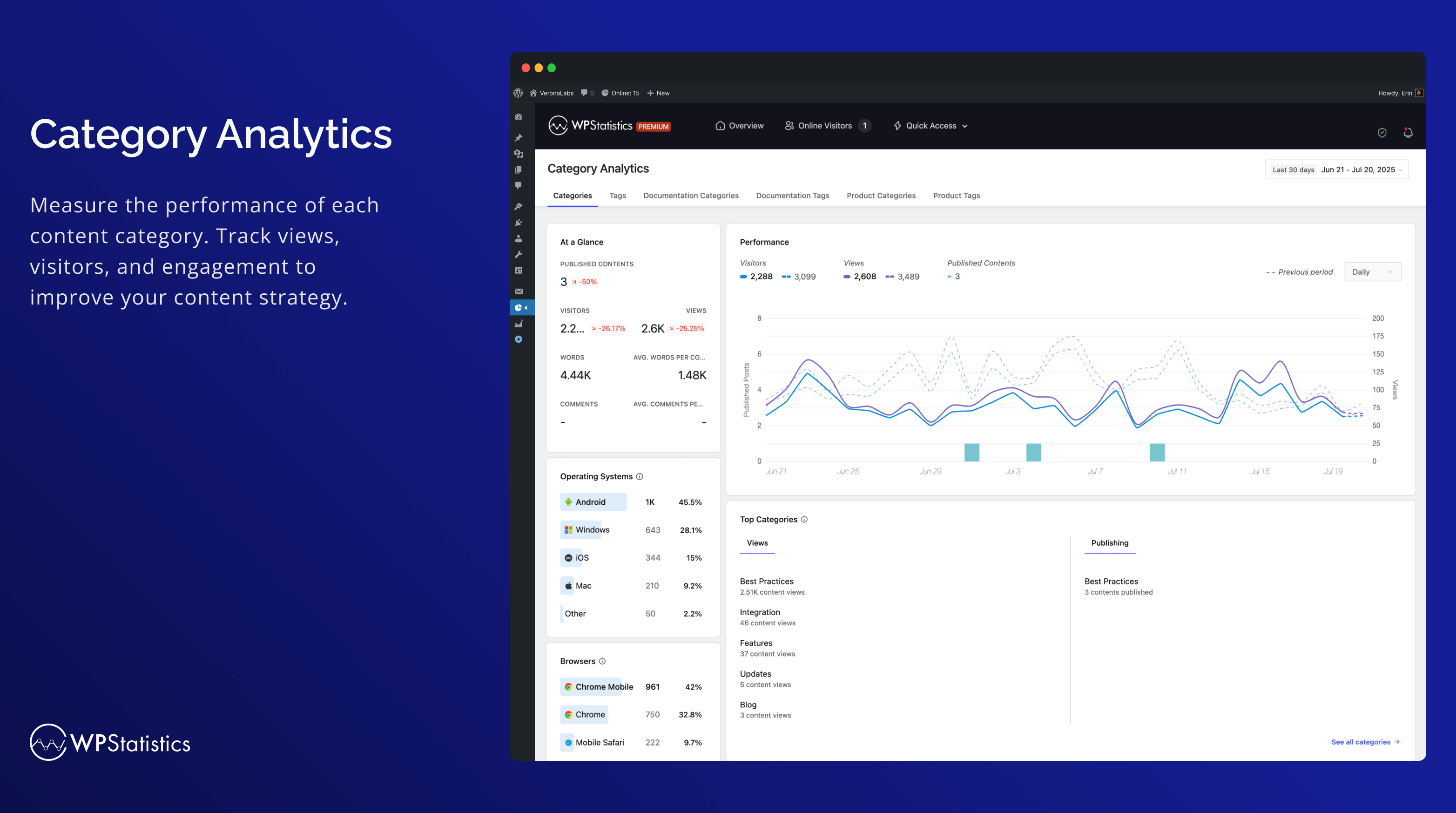
Category Analytics 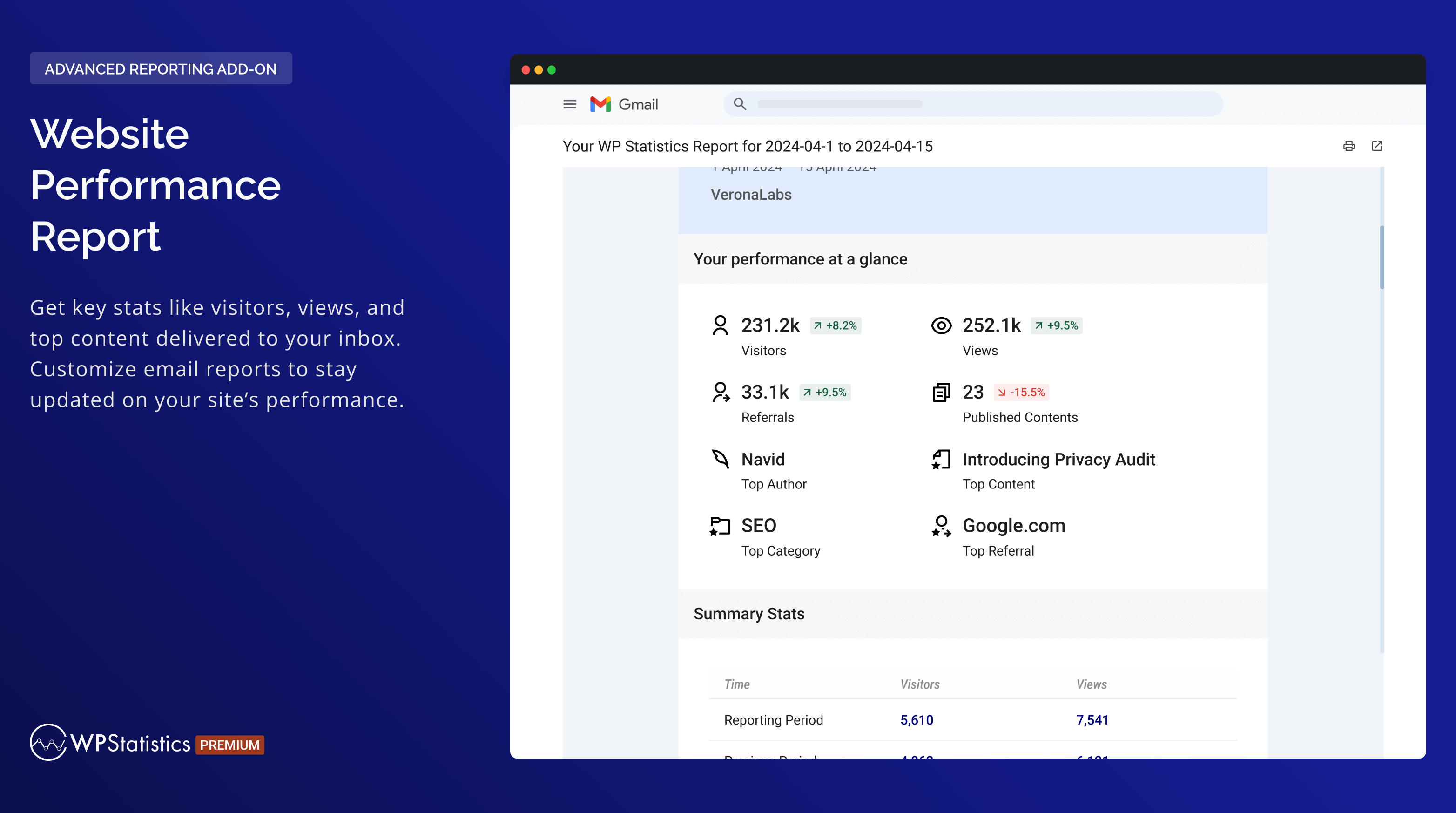
Website Performance Report 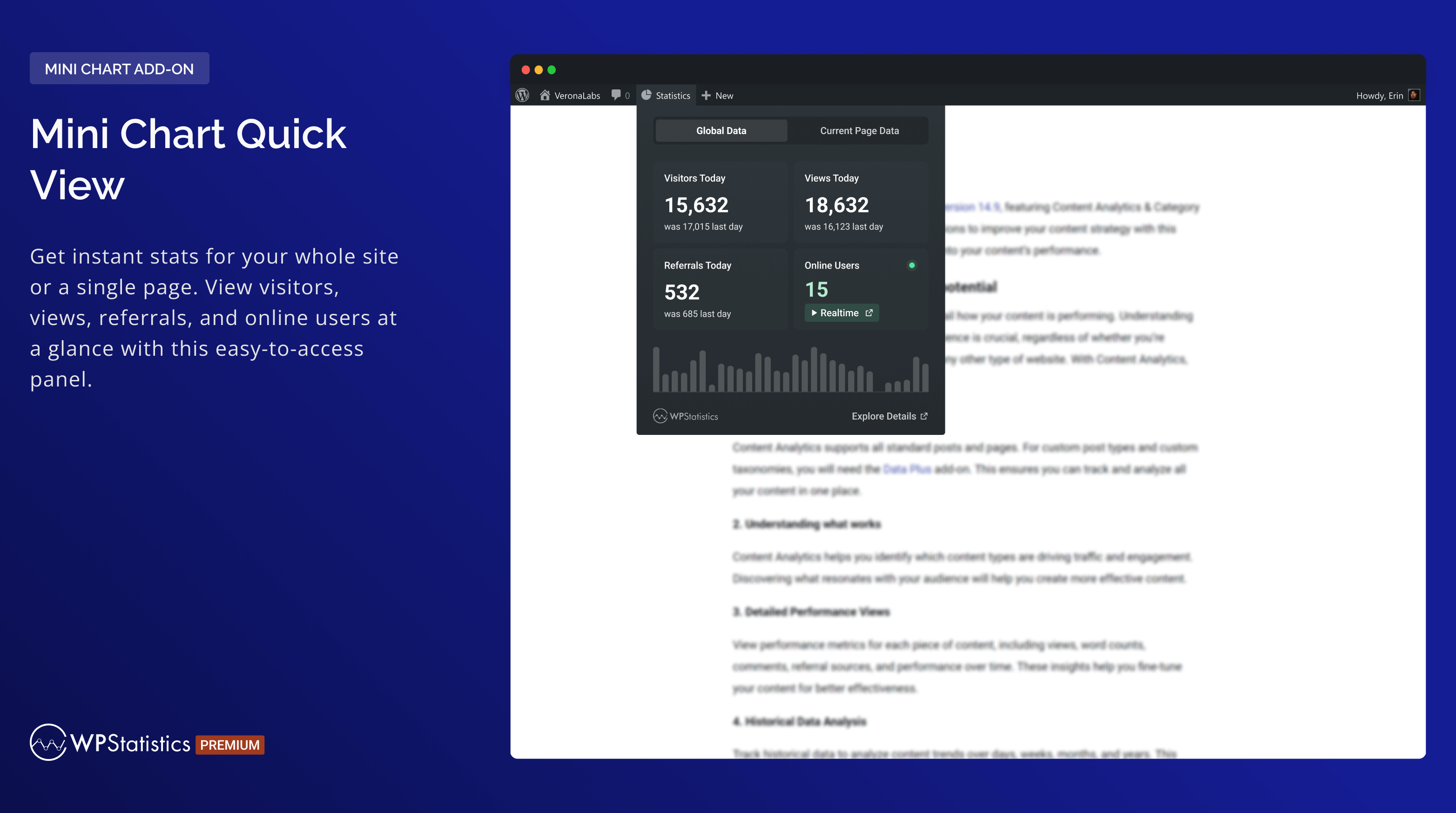
Mini Chart Quick View 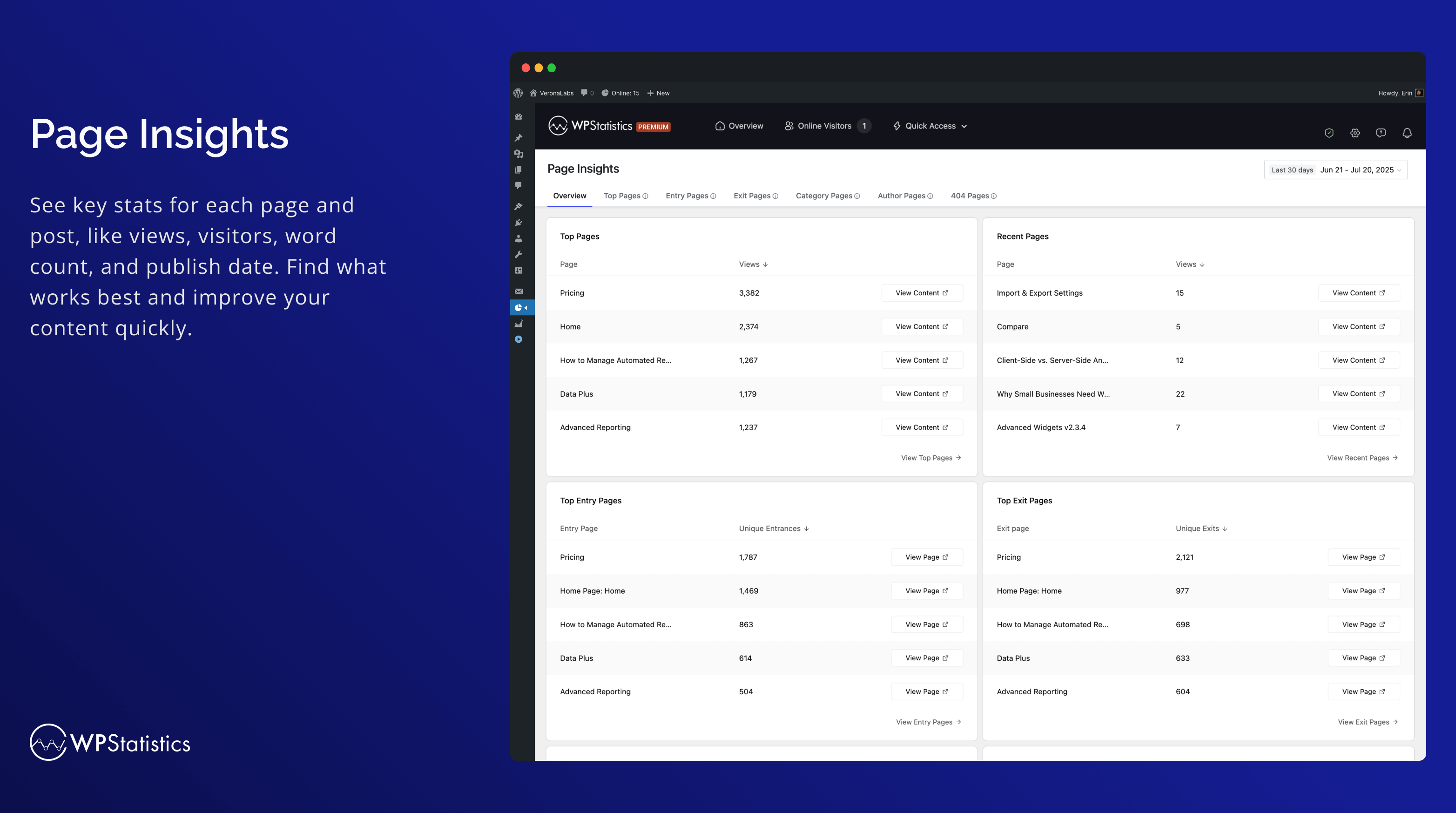
Page Insights 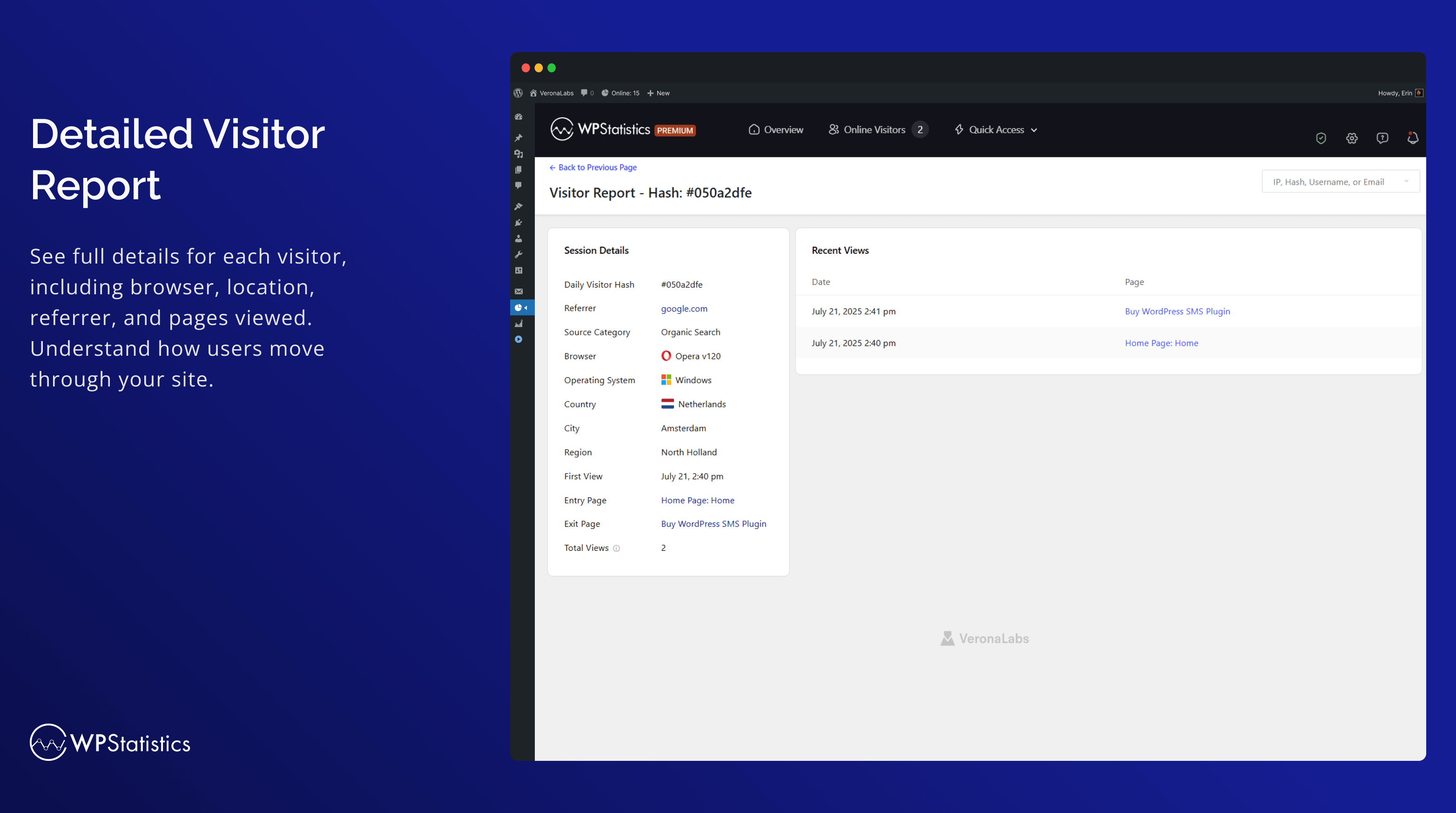
Detailed Visitor Report 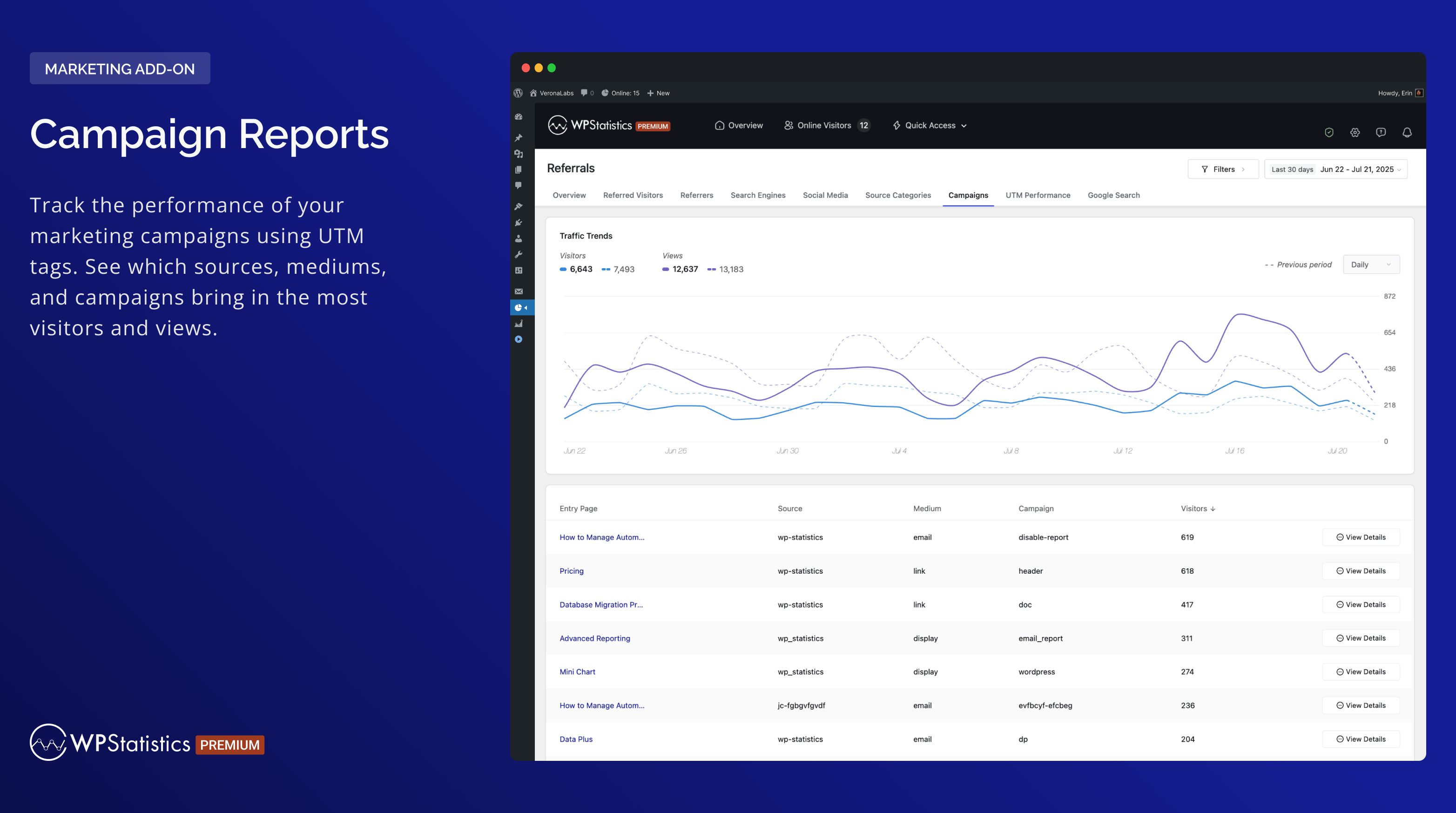
Campaign Reports 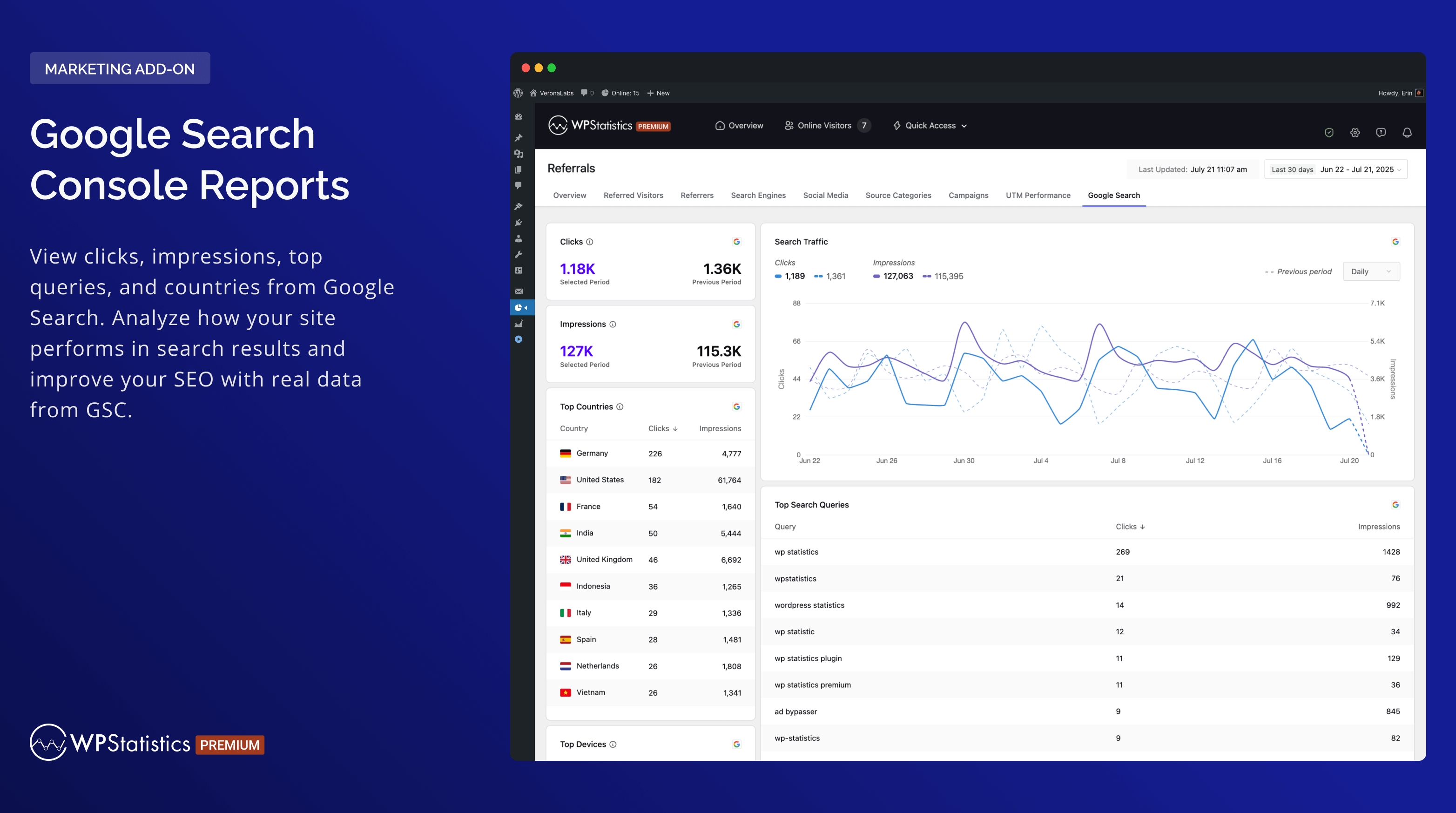
Google Search Console Reports 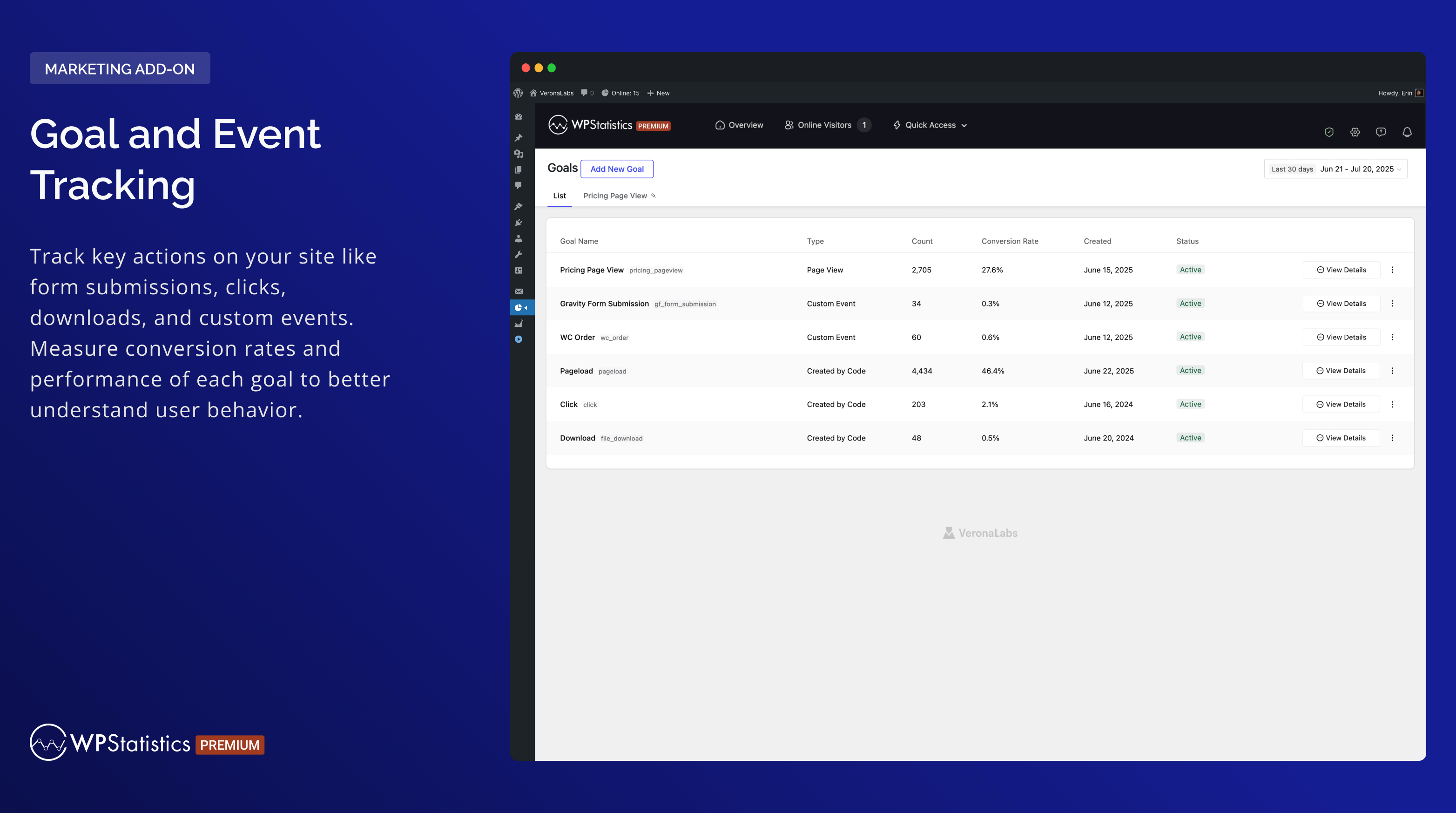
Goal and Event Tracking


Instalación
- Sube
wp-statisticsal directorio/wp-content/plugins/. - Activa el plugin a través del menú «Plugins» en WordPress.
- Asegúrate de que la fecha y la hora están configurados correctamente en WordPress.
- Ve a la página de ajustes del plugin y configura según sea necesario (ten en cuenta que esto también incluirá la descarga de la base de datos GeoIP por primera vez).
FAQ
-
Who should use WP Statistics?
-
WP Statistics is designed for website owners, bloggers, marketers, and analysts who wish to track and understand the traffic on their WordPress site. It’s user-friendly and powerful for professionals but also accessible for beginners.
-
Is technical knowledge required to operate WP Statistics?
-
No, WP Statistics focuses on simplicity. You don’t need any coding skills to use it. Right from your WordPress dashboard, you can install and use the plugin.
-
Will WP Statistics affect my site’s performance?
-
Your site’s loading times will remain quick with WP Statistics. With our «Optimization» settings page, you can fine-tune how data is handled for high-traffic sites, providing you with the tools to optimize performance.
-
Is it GDPR compliant?
-
Yes, WP Statistics is GDPR compliant by default. You can find more information in «What we collect«.
-
Are individual page analytics available?
-
Every post, page, and custom post type is tracked in detail.
-
Is it compatible with caching and CDN?
-
WP Statistics is fully compatible with all caching plugins and CDNs.
-
Are logged-in users tracked?
-
By default, no. However, you can enable tracking logged-in users from the settings page.
-
Can I use WP Statistics and Google Analytics at the same time?
-
Yes, you can run them both at the same time without any problems.
-
Are bot visits counted?
-
We filter out bot visits using best practice techniques. Compared to Google Analytics, your views and visitors are very similar. The «Enhancing Data Accuracy» article can help you eliminate bots even further.
-
Can I export data?
-
Data can be exported to XML, CSV, or TSV files for backup or reporting purposes.
-
Is there Multi-Site support?
-
WP Statistics supports WordPress Multi-Site/Network installations. In the network admin, you can view combined or separate analytics for each subsite.
Reseñas


Colaboradores y desarrolladores
«WP Statistics – Simple, privacy-friendly Google Analytics alternative» es un software de código abierto. Las siguientes personas han colaborado con este plugin.
Colaboradores


«WP Statistics – Simple, privacy-friendly Google Analytics alternative» está traducido en 29 idiomas. Gracias a los traductores por sus contribuciones.
Traduce «WP Statistics – Simple, privacy-friendly Google Analytics alternative» a tu idioma.
¿Interesado en el desarrollo?
Revisa el código , echa un vistazo al repositorio SVN o suscríbete al registro de desarrollo por RSS.
Registro de cambios
14.16.1 – 2025-02-09
- Fix: Fixed an issue where historical data was not included in single-content/single-resource reports.
- Fix: Improved compatibility with Bedrock when WP Statistics is placed in mu-plugins by fixing asset hashing and obfuscated tracker path resolution.
- Fix: Fixed an issue where the Page ID was not correctly updated during Interactivity API navigation and barba.js transitions.
- Fix: Prevent infinite or extremely large percentage values when no previous analytics data exists.
- Fix: Fixed the «All Time» filter showing incorrect start date in single content analytics.
- Fix: Fixed notification indicators hiding when viewing the empty Dismissed tab.
- Fix: Optimized license API caching to prevent excessive requests on multilingual sites.
- Fix: Resolved unsafe SQL calls and direct file access issues for WordPress.org compliance.
- New: Added «Total» row to the Traffic Summary widget showing all-time Visitors and Views (includes legacy historical data).
- Enhancement: Added pagination support for Category Analytics.
- Enhancement: Unified disabled premium buttons across the plugin for a consistent look.
- Enhancement: Added PHP environment configuration values (memory_limit, max_execution_time, post_max_size, upload_max_filesize) to anonymous usage data.
- Enhancement: Updated Advanced Reporting premium modal copies.
- Dev: Added
wp_statistics_register_background_jobsfilter to allow add-ons to register custom background processes. - Dev: Added
wp_statistics_register_data_migrationsfilter to allow add-ons to register custom data migration keys. - Dev: Added
wp_statistics_resolve_page_from_urifilter to allow custom page resolution from URL for SPA tracking.
14.16 – 2025-12-01
- New: Added an Export button to all report pages (requires the Advanced Reporting add-on).
- New: Introduced a new
Summary Totalstable to store daily aggregated data, improving performance. - Enhancement: Tested up to WordPress v6.9.
- Enhancement: Updated minimum PHP requirement to v7.4 and WordPress requirement to v6.6.
- Enhancement: Redesigned Summary widgets across all report pages for a cleaner and more consistent look.
- Enhancement: Optimized database queries and improved overall performance.
- Enhancement: Improved the online tracking system by removing heartbeat requests, reducing server load and improving performance.
- Deprecation: Removed the Matomo Referrer Spam Blacklist option from the settings.
For more information about the major update, please visit our release post or follow @wp_statistics on Twitter
