Efficient Download Management with FlashGet

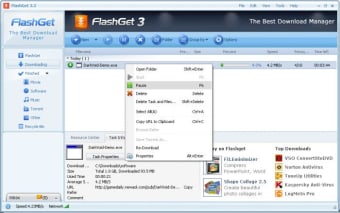
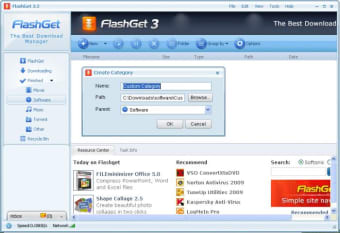
FlashGet is a free download manager designed for Windows that simplifies and enhances the downloading process. It supports various protocols, allowing users to manage multiple downloads simultaneously while optimizing their download speed. With its user-friendly interface, FlashGet enables quick access to all download tasks, making it easy to organize and track progress.

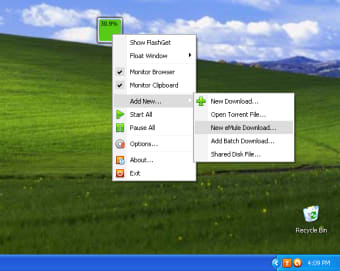
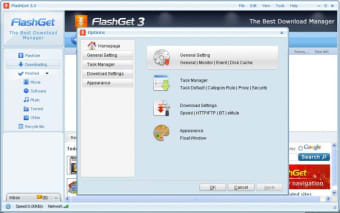
In addition to its core functionality, FlashGet features advanced options such as scheduling downloads, setting bandwidth limits, and integration with popular web browsers. Users can also categorize downloads for better organization and utilize a clipboard monitoring feature that automatically captures download links. Overall, FlashGet is a robust tool for anyone looking to improve their downloading efficiency.


Image
 0/7

App specs

  • License

    Free

  • Version

    3.7.0.1220
  • Latest update

  • Platform

    Windows

  • OS

    Windows Vista

  • Language

    English

    Available languages

    • German
    • English
    • Spanish
    • French
    • Italian
    • Chinese
  • Downloads

    1.8M

    Last month's downloads

    • 96
  • Size

    6.38 MB

  • Developer

Program available in other languages


Icon of program: FlashGet

FlashGet for PC

  • Free
  • 4.1
    4067
  • 1.8M
  • V3.7.0.1220

User reviews about FlashGet

4.1

8 reviews

Add review

Main reviews for you

  • Image

    Anonymous user

    Not working with chrome. it's a very good and fast downloader but it just Simply can't integrate with my chrome browser

  • Image

    Anonymous user

    Slow! Need improvement.. Downloading speed is very slow. It downloads at a speed of 20kbps while youtube downloader proYTD downloads at the speed of 120kbps (both were not downloading simultaneously). Worth not installed this version. May be the developers is improving it in the later versions. Hope for better. But this version. Pros: Wide range of downloading utility.Resumes download when networks is detected again. Cons: Speed is very slow

  • Image

    Anonymous user

    Do not install. Recommend you to not to install this software, i installed it and it caused problems in the Boot system of my Windows XP Computer

  • Image

    Anonymous user

    Fast Downloader. I really enjoy using Flashget it does everything to make downloading easier for the user. Quick to install without any problems. Integrates with IE and Firefox. Pros: Easy to install Cons: None I could find.

  • Image

    Anonymous user

    Flashget 2.0 - A Downgrade From 1.9.6 [Even FlashGet Agrees]. If you have been to FlashGet.com you will notice FlashGet 2.0 isn't offered for download even though it's the newest "official" version. It is in fact the most buggy version of FlashGet yet. FlashGet 3.0 Beta is actually more stable than 2.0 is.The biggest problem with FlashGet 2.0 is for Firefox users. If you use Firefox, FlashGet 2.0 will not start downloading a file until you have the FlashGet window show first. If you have it in the system tray, you must click on it and have the window showing before FlashGet 2.0 will begin downloading a file. After the window appears and the downloading begins you can close the window and the downloading will continue.If 1.9.6 is unusable for you, you are better off skipping FlashGet 2.0 and moving to FlashGet 3.0 Beta. Pros: Free Cons: Won't start downloading until window is openThe least stable version of FlashGet yet

  • Image

    Anonymous user

    FlashGet is NOT Adware. FlashGet is not adware - it just contains adverts like most other programs HOWEVER you CAN turn off the adverts on FlashGet!!!

More

You may also like

Alternatives to FlashGet

Explore Apps

Related Articles

Latest articles

Laws concerning the use of this software vary from country to country. We do not encourage or condone the use of this program if it is in violation of these laws.


Softonic

Is FlashGet safe?

99/100

Score result: Clean

This file passed a comprehensive security scan using VirusTotal technology. It is safe to download.

  • Virus free
  • Spyware free
  • Malware free
  • Verified by Security Partners

    VirusTotal logo

Scan Info

Last scan
Sunday, October 4, 2020
Scan provider
VirusTotal · Full report

File Integrity

File
flashget3.7.0.1220en.exe
SHA256
550a619015a3d74cc3a47c1347d67e251aeb5ea6d0af33bf1404a8ce1b4a148d
SHA1
bb9dbdca921d84381c893086f65ffca17120b23d

Softonic security commitment

FlashGet has been thoroughly scanned by our advanced security systems and verified by industry-leading partners. This file comes from the official developer and has passed all our security checks, showing no signs of viruses, malware, or spyware. For more information, visit our Security and Trust Center