

Description
Flush OPcache
- creates a button in admin bar to flush OPcache
- flush only files in WordPress absolute path
- individual or bulk file invalidation
- support both memory and file caching
- support multisite
OPcache Statistics
- memory, hits, strings and keys statistics
- directives, functions and general informations
- list all files
- fully responsive
WP CLI ready
- add flush-opcache command to flush cache with cli:
wp flush-opcache flush - don’t forget to add
opcache.enable_cli=1to your PHP configuration
There are three tabs in admin page under Tools:
- General settings: plugin settings
- Statistics: responsive dashboard about OPcache statistics
- Cached files: list of cached files with the possibility of invalidating them
Captures d’écrans
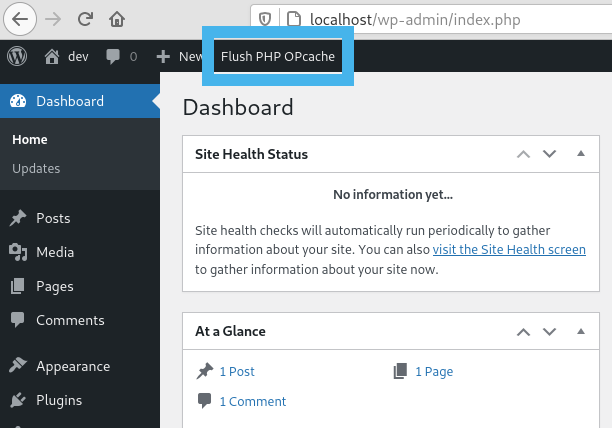
Flush button in admin bar 
WordPress Notice after flushing OPcache 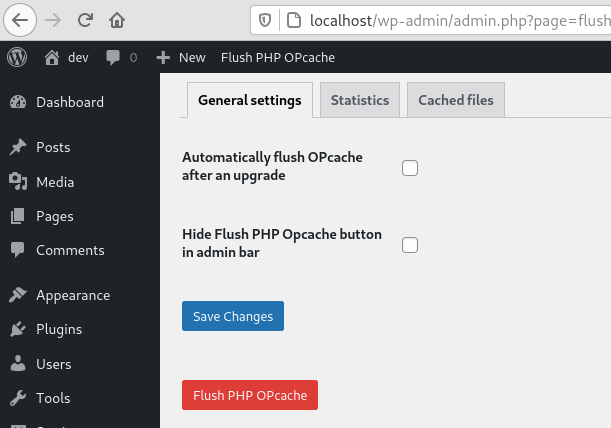
General settings tab 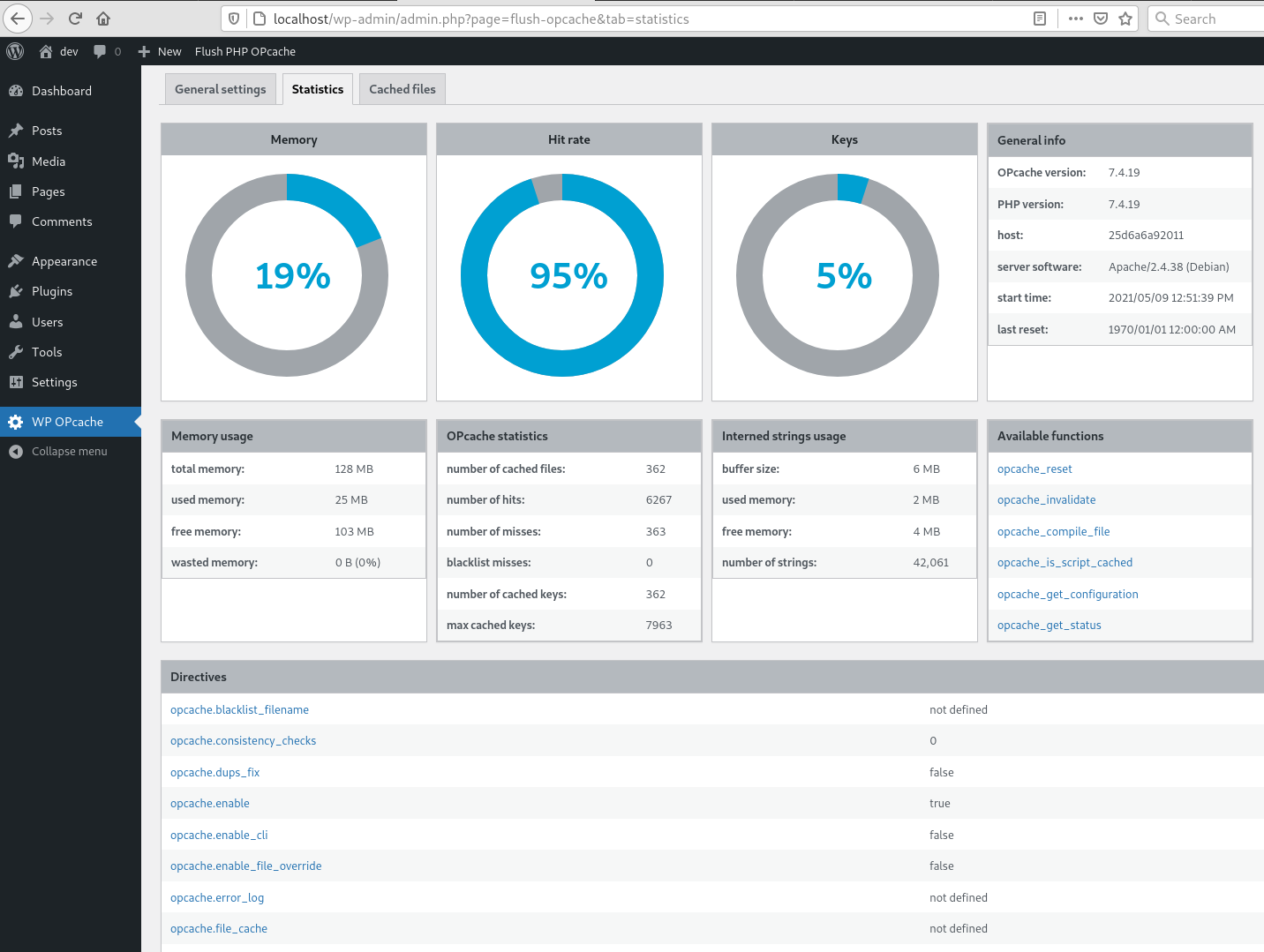
Statistics tab 
Cached files tab 
CLI command


Installation
Comme d’habitude…
Avis

18 avril 2025
1 réponse
First, thank you! Second, please update it!!!

18 août 2022
Thanks and keep going please! 🙂

7 juin 2022
Good way to find out how well your opcache setup works

21 mai 2021
Läuft einwandfrei und tut genau das, was es soll!

15 mars 2021
Does what is says, fantastic plugin

8 février 2021
1 réponse
Vielen Dank für das nützliche Tool. Ich benutze es regelmäßig seit vielen Jahren, um den Opcache mit einem Klick zu löschen. Auch die Informationen zu der Belegung des Speichers finde ich nützlich. Ich bin sehr zufrieden mit dem Plugin!
Thank you for the useful tool. I use it regularly for many years to clear opcache with one click. I also find the information on memory usage useful. I am very satisfied with the plugin!
Contributeurs/contributrices & développeurs/développeuses
« WP OPcache » est un logiciel libre. Les personnes suivantes ont contribué à cette extension.
Contributeurs
“WP OPcache” a été traduit dans 10 locales. Remerciez l’équipe de traduction pour ses contributions.
Traduisez « WP OPcache » dans votre langue.
Le développement vous intéresse ?
Parcourir le code, consulter le SVN dépôt, ou s’inscrire au journal de développement par RSS.
Journal des modifications
4.2.3
- Ensure user is admin or superadmin to display flush button in admin bar
- Ensure to not continue if OPcache is disabled or not installed to avoid printing PHP errors
4.2.1
- Maintenance release
- Menu moved under Tools
4.2.0
- Add CLI support
4.1.4
- Fix a bug on clearing cache after upgrade
- Flush files even when WP use its own directory
- Use WordPress 6.0 as default
- Use php8.0 as default
4.1.3
- Fix a bug on datetime in cached file list
4.1.2
- Fix a bug with ABSPATH when WordPress uses its own directory
4.1.1
- Tested up to WordPress 5.8
4.1.0
- Remove i18n (use translate.wordpress.org)
- Use wp_opcache_invalidate instead of opcache_invalidate
4.0.1
- Enhance README.txt
- Remove old screenshots
4.0.0
- Invalidate files only in WordPress absolute path
- Use tabs instead of pages in admin area
- New tab with cached files list
- Tested up to WordPress 5.7.1
Full changelog here
