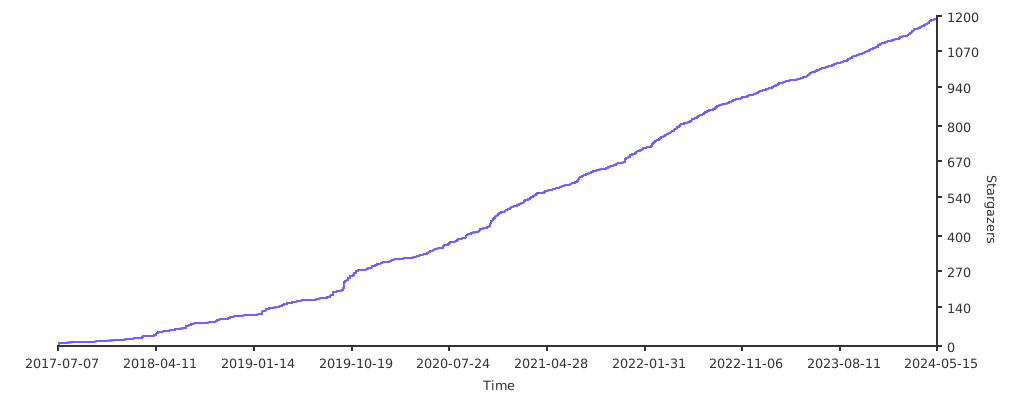
Plot your repo stars over time!
For large repositories with massive amounts of stars, this project uses Smart Sampling Mode to efficiently fetch star history data and render trend charts.
How it works:
- Auto Detection: First requests the first page of GitHub API data and parses the
LinkHeader to get total page count - Mode Switching:
- When total pages ≤
maxSamplePages(default 15 pages, ~1500 stars), fetches all data - When total pages >
maxSamplePages, automatically switches to sampling mode
- When total pages ≤
- Uniform Sampling: Evenly selects sample points across all pages to ensure coverage of the complete star growth timeline
- Data Point Extraction: Extracts the timestamp and corresponding star count from the first Stargazer of each sampled page
- Trend Completion: Adds current time and total star count as the final data point to ensure the chart extends to the latest state
go run main.goThen browse http://localhost:3000/me/myrepo .
Configure via environment variables:
| Variable | Default | Description |
|---|---|---|
REDIS_URL |
redis://localhost:6379 |
Redis cache URL |
GITHUB_TOKENS |
- | GitHub API Token (supports multiple, comma-separated) |
GITHUB_PAGE_SIZE |
100 |
Number of stars per page |
GITHUB_MAX_SAMPLE_PAGES |
15 |
Max sample pages (triggers sampling mode when exceeded) |
GITHUB_MAX_RATE_LIMIT_USAGE |
80 |
API Rate Limit usage threshold percentage |
LISTEN |
127.0.0.1:3000 |
Server listen address |