Image

Clone Wars: IBM Edition

If you search the Internet for “Clone Wars,” you’ll get a lot of Star Wars-related pages. But the original Clone Wars took place a long time ago in a galaxy much nearer to ours, and it has a lot to do with the computer you are probably using right now to read this. (Well, unless it is a Mac, something ARM-based, or an old retro-rig. I did say probably!)

IBM is a name that, for many years, was synonymous with computers, especially big mainframe computers. However, it didn’t start out that way. IBM originally made mechanical calculators and tabulating machines. That changed in 1952 with the IBM 701, IBM’s first computer that you’d recognize as a computer.

If you weren’t there, it is hard to understand how IBM dominated the computer market in the 1960s and 1970s. Sure, there were others like Univac, Honeywell, and Burroughs. But especially in the United States, IBM was the biggest fish in the pond. At one point, the computer market’s estimated worth was a bit more than $11 billion, and IBM’s five biggest competitors accounted for about $2 billion, with almost all of the rest going to IBM.

So it was somewhat surprising that IBM didn’t roll out the personal computer first, or at least very early. Even companies that made “small” computers for the day, like Digital Equipment Corporation or Data General, weren’t really expecting the truly personal computer. That push came from companies no one had heard of at the time, like MITS, SWTP, IMSAI, and Commodore. Continue reading “Clone Wars: IBM Edition”
Image

A Couple Of New DOS PCs Appear

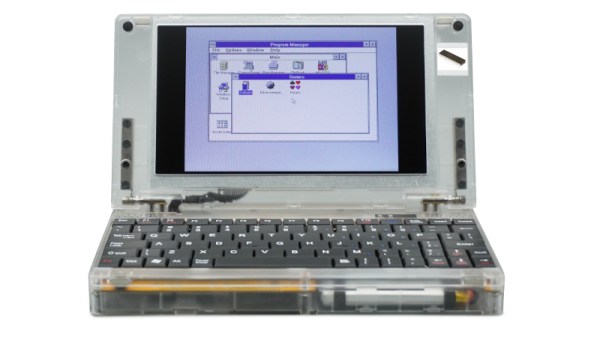
An interesting trend over the last year or two has been the emergence of modern retrocomputer PCs, recreations of classic PC hardware from back in the day taking advantage of modern parts alongside the venerable processors. These machines are usually very well specified for a PC from the 1980s, and represent a credible way to run your DOS or early Windows software on something close to the original. [CNX Software] has news of a couple of new ones from the same manufacturer in China, one sporting a 386sx and the other claiming it can take either an 8088 or an 8086.

Both machines use the same see-through plastic case, screen, and keyboard, and there are plenty of pictures to examine the motherboard. There are even downloadable design files, which is an interesting development. They come with a removable though proprietary looking VGA card bearing a Tseng Labs ET4000, a CF card interface, a USB port which claims to support disk drives, a sound card, the usual array of ports, and an ISA expansion for which a dock is sold separately. The battery appears to be a LiPo pouch cell of some kind.

If you would like one they can be found through the usual channels for a not-outrageous price compared to similar machines. We can see the attraction, though maybe we’ll stick with an emulator for now. If you’d like to check out alternatives we’ve reported in the past on similar 8088 and 386sx computers.

Image

FPGA Brings Antique Processor To Life

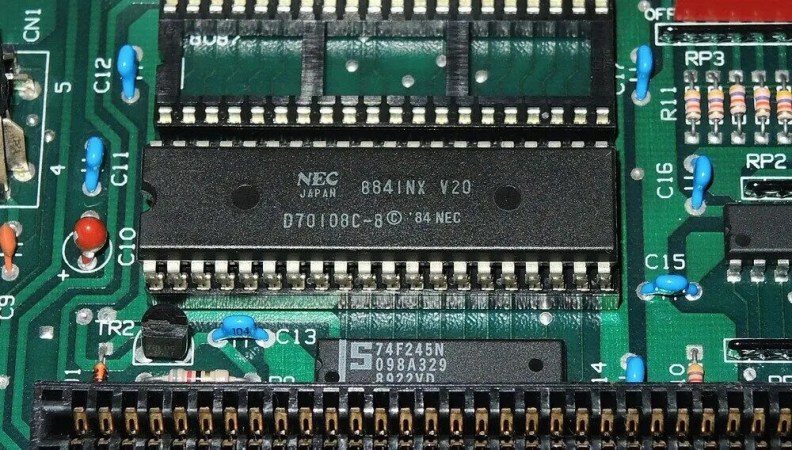
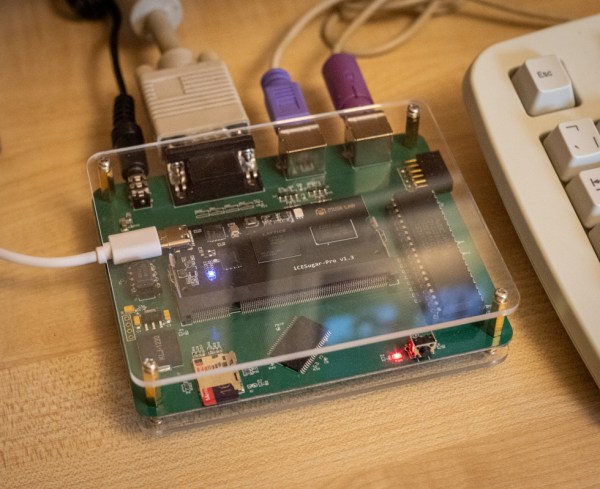
For the retro gaming enthusiast, nothing beats original hardware. The feel of the controllers and the exact timing of the original, non-emulated software provide a certain experience that’s difficult or impossible to replicate otherwise. To that end, [bit-hack] wanted to play the original EGA, 16-color version of The Secret of Monkey Island in a way that faithfully recreated the original and came up with this FPGA-based PC with a real NEC V20 powering it all.

The early 90s-style build is based on a low-power version of the V20 called the V20HL which makes it much easier to interface with a modern 3.3 V FPGA compared to the original 5 V chip. It’s still an IBM XT compatible PC though, with the FPGA tying together the retro processor to a 1 MB RAM module, a micro SD slot that acts as a hard disk drive, a digital-to-analog audio converter, and of course the PS/2 keyboard and mouse and VGA port. The mouse was one of the bigger challenges for [bit-hack] as original XT PCs of this era would have used a serial port instead.

With a custom PCB housed in a acrylic case, [bit-hack] has a modern looking recreation of an XT PC running an original processor and capable of using all of the period-correct peripherals that would have been used to play Monkey Island when it was first released.

FPGAs enable a ton of retrocomputing projects across a wide swath of platforms, and if you’re looking to get started the MiSTer FPGA project is a great resource.

Continue reading “FPGA Brings Antique Processor To Life”

Image

Building A DIY Ryzen-Based PC!

This project gives a whole new meaning to DIY PC. We don’t know how capable you were as a teenager, but could you have designed your own Ryzen-based mini PC?

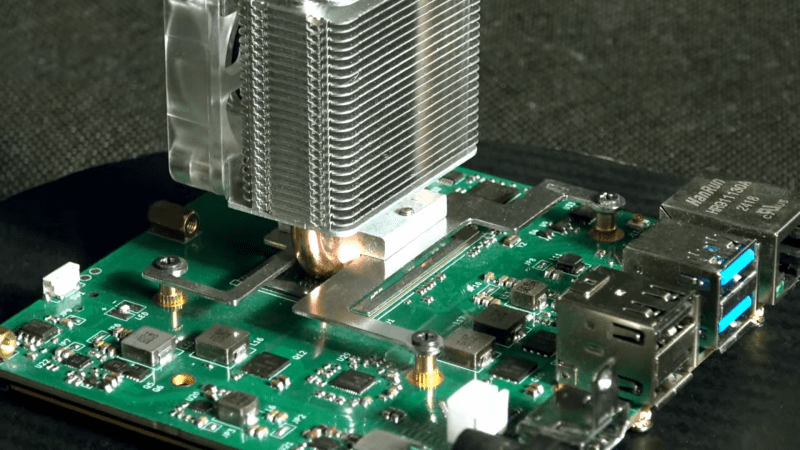
Whilst making repairs to laptop internals, [Dominik Baroński] was busy taking notes. Modern super-integrated laptop PCs have reached the point where all the functions of a complete PC are embedded in a single chip. But it’s a big, complicated chip with very specific feeding and care needs. Once you’ve figured out what it needs, it ‘merely’ remains to supply it power, hook up some DDR4 RAM, PCIe storage, and some USB ports, and you’re away. It sounds easy when you say it like that, but do not underestimate how difficult it is to create such a board—or even to populate it by hand—yet that’s precisely what [Dominik] has achieved.

Continue reading “Building A DIY Ryzen-Based PC!”

Image

NEC V20: The Original PC Processor Upgrade

In the early 1980s, there was the IBM PC, with its 4.77 MHz Intel 8088 processor. It was an unexpected hit for the company, and within a few years there were a host of competitors. Every self-respecting technology corporation wanted a piece of the action including processor manufacturers, and among those was NEC with their V20 chip and its V30 sibling. From the outside they were faster pin-compatible 8088 and 8086 clones, but internally they could also run both 8080 and 80186 code. [The Silicon Underground] has a look back at the V20, with some technical details, history, and its place as a PC upgrade.

For such a capable part it’s always been a surprise here that it didn’t take the world by storm, and the article sheds some light on this in the form of an Intel lawsuit that denied it a critical early market access. By the time it was available in quantity the PC world had moved on from the 8088, so we saw it in relatively few machines. It was a popular upgrade for those in the know back in the day though as it remains in 2025, and aside from its immediate speed boost there are a few tricks it lends to a classic PC clone. The version of DOS that underpinned Windows 95 won’t run on an 8086 or 8088 because it contains 8016 instructions, but a V20 can run it resulting in a much faster DOS experience. One to remember, if an early PC or clone cones your way.

Hungry for the good old days of DOS? You don’t need to find 80s hardware for that.

Image

Steampunk Copper PC Is As Cool As It Runs

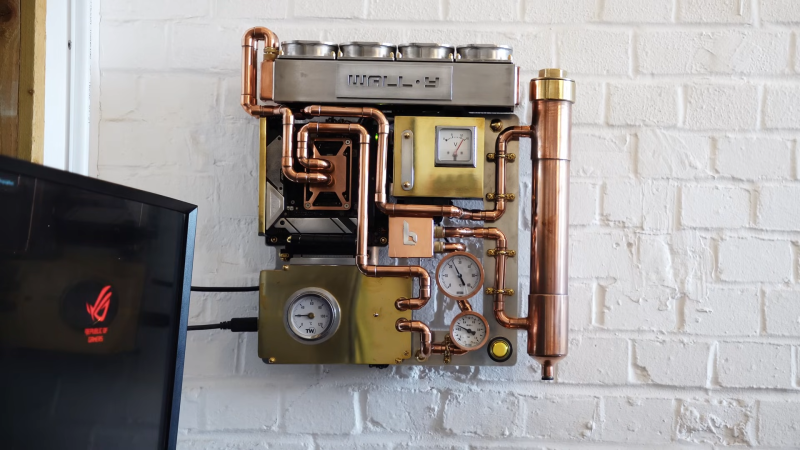
Copper! The only thing it does better than conduct heat is conduct a great steampunk vibe. [Billet Labs]’ latest video is an artfully done wall PC that makes full use of both of those properties.

The parts are what you’d expect in a high-end workstation PC: a Ryzen 9 and an 3090Ti with oodles of RAM. It’s the cooling loop where all the magic happens: from the copper block on the CPU, to the plumbing fixtures that give the whole thing a beautiful brewery-chiq shine when polished up. Hopefully the water-block in the GPU is equally cupriferous too, but given the attention to detail in the rest of the build, we cannot imagine [Billet Labs] making such a rookie mistake as to invite Mr. Galvanic Corrosion to the party.

There’s almost no visible plastic or paint; the GPU and PSU are hidden by a brass plates, and even the back panel everything mounts to is shiny metal. Even the fans on the radiator are metal, and customized to look like a quad throttle body or four-barreled carburetor on an old race car. (Though they sound more like a jet takeoff.)

The analog gauges are a particular treat, which push this build firmly into “steampunk” territory. Unfortunately the temperature gauge glued onto the GPU only measures the external temperature of the GPU, not the temperature at the die or even the water-block. On the other hand, given how well this cooling setup seems to work later in the video, GPU temps are likely to stay pretty stable. The other gauges do exactly what you’d expect, measuring the pressure and temperature of the water in the coolant loop and voltage on the twelve volt rail.

Honestly, once it gets mounted on the wall, this build looks more like an art piece than any kind of computer— only the power and I/O cables do anything to give the game away. Now that he has the case, perhaps some artful peripherals are in order?

Continue reading “Steampunk Copper PC Is As Cool As It Runs”

Image

A PC That Uses Hot Coffee As Coolant

Modern computers generate a great deal of heat when under load, thus we cool them with fans and sometimes even water cooling systems. [Doug MacDowell] figured that water was alright, but why not use coffee instead?

Image
Someone tell us how [Doug] made this graph look like it’s right out of a 1970s college textbook.
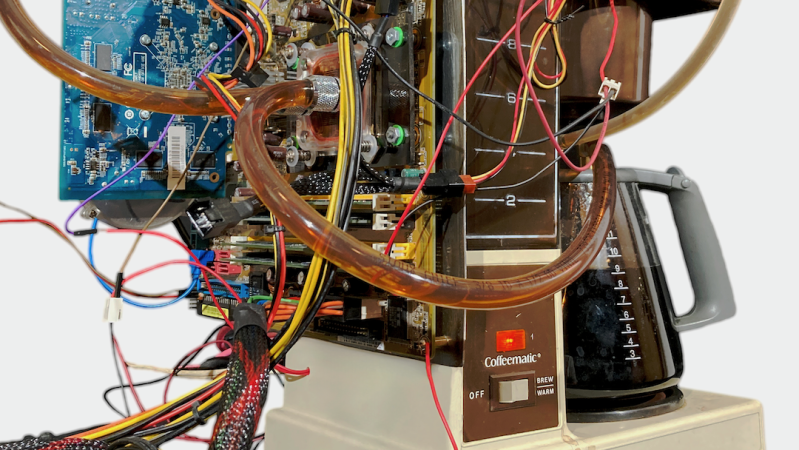
The concept is simple enough — replace water in a PC’s cooling loop with fresh-brewed coffee. [Doug] fully integrated an entire PC build on to the side of a General Electric drip coffee maker. It’s an absolute mess of tubes and wires, but it’s both a PC and a functional coffee maker in one.

The coffee maker percolates coffee as per normal into the carafe, and from there, it’s then pumped through two radiators on top of the PC. From there, it circulates to the water block on top of the CPU, and then back to the carafe on the coffee maker where the cycle repeats. Doug notes the coffee is initially so hot (90 C) that the PC is at risk of crashing, but after 75 minutes circulating through the system, the coffee and CPU sit at an equilibrium temperature of 33 C.

You can’t really drink coffee from this machine. PC water cooling components are not food safe in any way, and [Doug] notes mold will become an issue over time. For short periods at least, though, it’s possible to sort-of-cool your computer with hot, fresh coffee if you really want to do that.

We’ve featured some great hacks of conventional coffee machines over the years, including this fantastic talk at Supercon 2023.

Continue reading “A PC That Uses Hot Coffee As Coolant”