


This is an untapped platform and is an ideal place for you to showcase your business, grow your audience and engage with them. But basic Instagram marketing methods (like holding giveaways and using ads) are not enough to put you over the top. Now it is time to get the most important experience of playing the Instagram game like a pro.
Master the modern tool of Instagram promotion – Inflact.
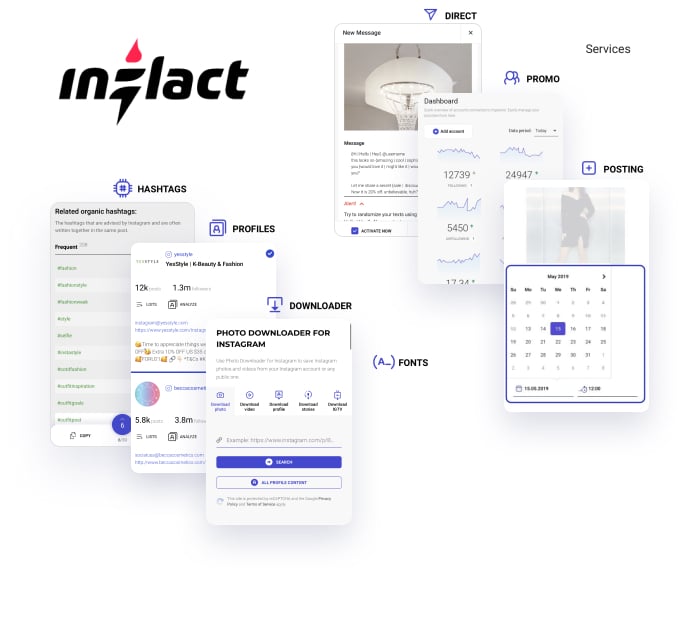
Ready to get started? Here’s how to use Inflact for business:
Selling or monetizing your account on this social platform is simple if your product or service reaches those users who are searching for it. Or to those users who might be interested but haven’t yet searched for it. One choice is to begin a promotion campaign that cleverly identifies your target audience, unconditionally reaches out to them, and gently convinces them to deal with you.
Robotization of all processes in the Inflact service allows you to manage your Instagram account promotion seamlessly. Discover the power of your Instagram business, using all the modules of the Inflact.
Fire up your IG with the Promo module
What do you need to get relevant followers fast? You need your profile to appear in front of the eyes of your target audience. That’s what the Promo module of Inflact does.
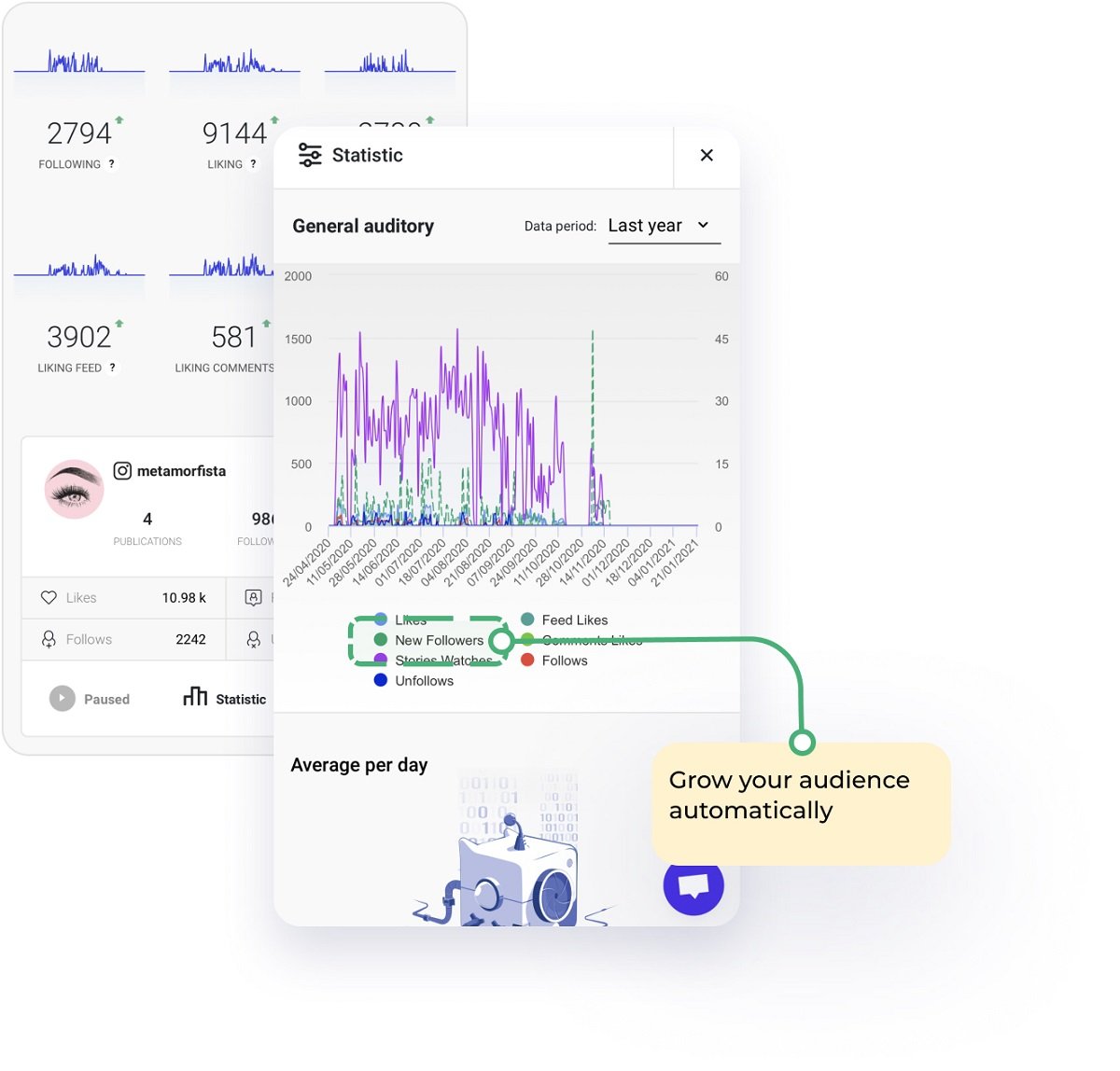
Step-by-step setting up of this powerful but simple tool:
#1 PREPARE YOUR ACCOUNT FOR THE PROMOTION
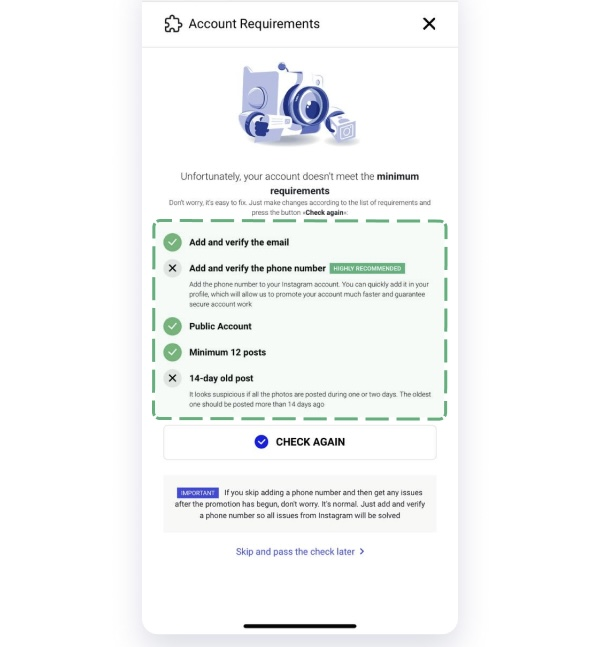
To begin promotion via Inflact, your account needs to meet specific requirements:
- Ensure your account has at least 12 posts.
- Ensure that the oldest post has been published more than fourteen days ago.
- Add a phone number and email in the Instagram settings.
- Make sure the account is public.
- Refresh your bio – make it look simple and engaging to anyone who visits your profile. For example:
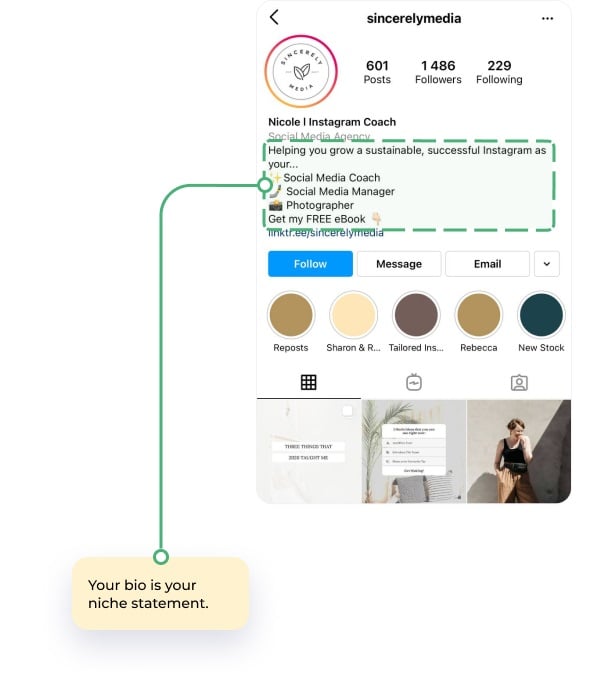
Read the blog post Can an Instagram bio stimulate sales? Little-known hacks to attract clients via 150 symbols to create a compelling bio that encourages taps on Follow.
Pay a lot of attention to the last 6 posts in your account – they need to be fascinating to your target audience and full of useful and updated information.
#2 PREPARE A LIST OF RIVALS THAT YOU WANT TO GET FOLLOWERS FROM
Now you need to get deeper into what your competitors do on Instagram and if they are successful or not. Because you will steal their followers like a pro with Inflact.
You need to identify up to 50 usernames of competitors that own your target audience on Instagram.
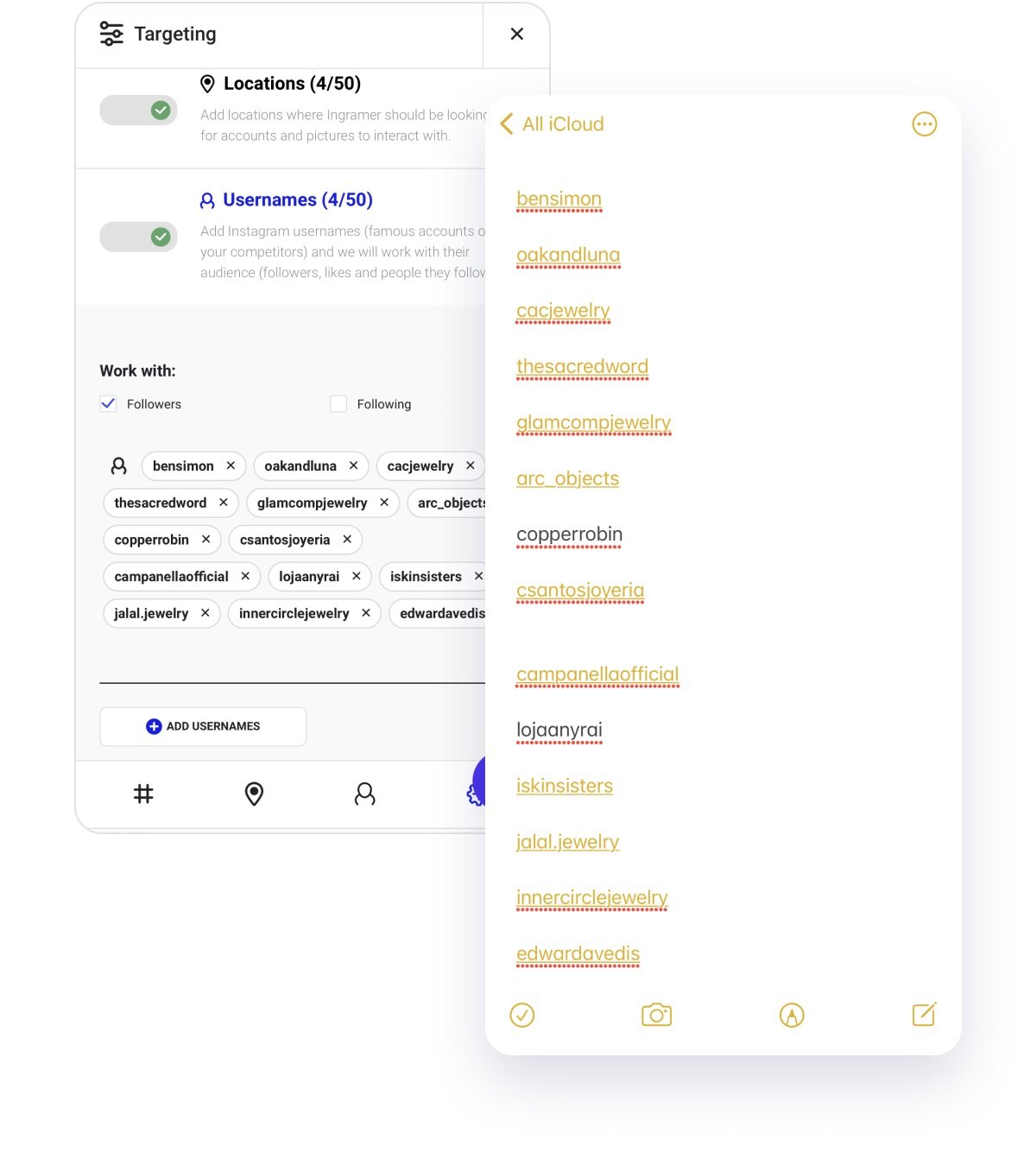
You’d better add those accounts that have a high engagement rate on the platform.
This list will be used by the automation to crawl through and then show their followers your account – in their Story views, in their list of followers, in their likes, and more.
Do you want to find top competitor’s profiles on Instagram in a few clicks?
For this step we advise you to use Advanced Instagram Search. You’ll form a list of your target rivals in minutes – it’s simple and free with Inflact. See how to do it in the Instagram Search section.
For example, let’s say I’m a social media coach and I want to discover my direct rivals. This is how I will research competitors via the Inflact Search tool:
- Type keywords into the search bar or choose one of the categories. In Inflact you can find accounts by keywords they put into the name, nickname, or bio, or by the myriad built-in categories. For instance, I type “social media coach” and click on the Search button.
- Apply filters, if needed. Sort the results by followers, number of posts, gender, or category.
- View the results and make a list of suitable accounts. You can create custom lists for various searches. Tick off the profiles from the search that you want to attract followers from.
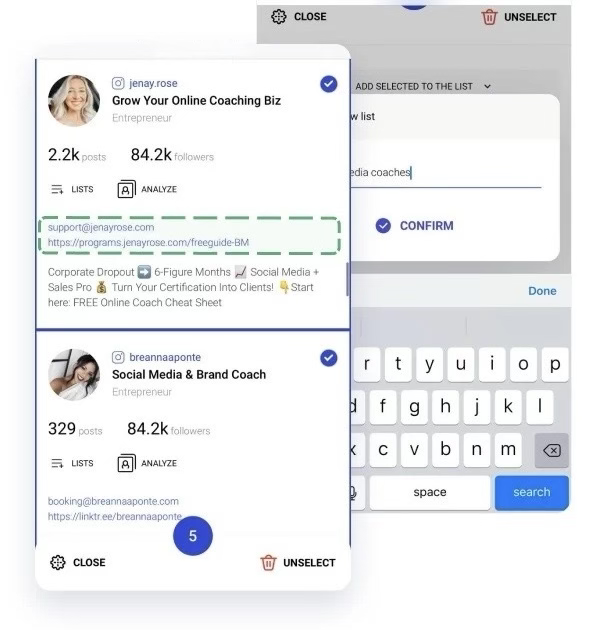
- Download the selected accounts as an .xls or .csv file. Instagram Search premium allows you to download a document with the chosen accounts.
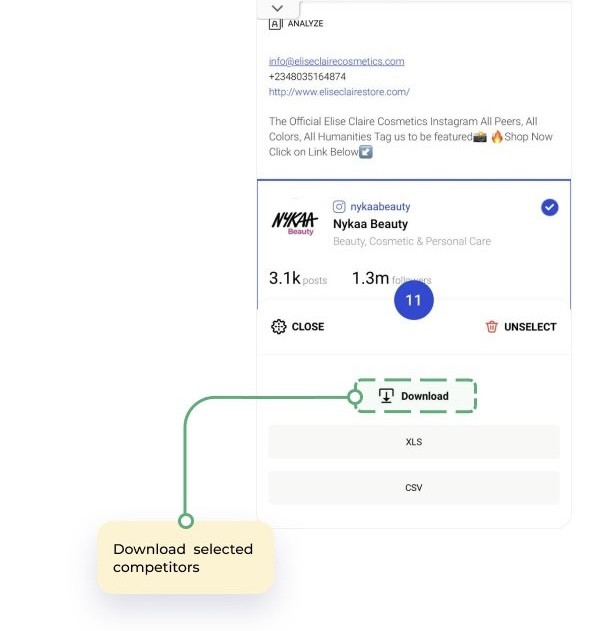
- Copy the nicknames from the spreadsheet and paste them to the Inflact Promo.
Now the Promo tool will engage with the audience of your competitors. Hence, they are likely to become interested in your content.
#3 CREATE A LIST OF HASHTAGS THAT WILL DRIVE ATTENTION TO YOUR ACCOUNT
Now you need to find up to 50 hashtags that your target audience is interested in (i.e., they mention these hashtags in their posts, or follow these hashtags, or searched for them at least once). You need to make a list of top keywords which will point the promotion robot to the audience that is relevant for your profile.
How to research hashtags for Instagram via the Hashtag Generator:
- Create an audience portrait. When you get into your audience’s hobbies, lifestyle, and pain points, it’ll be simpler to find keywords for hashtag research. Try to think like potential clients and understand what words they might use to find your products.
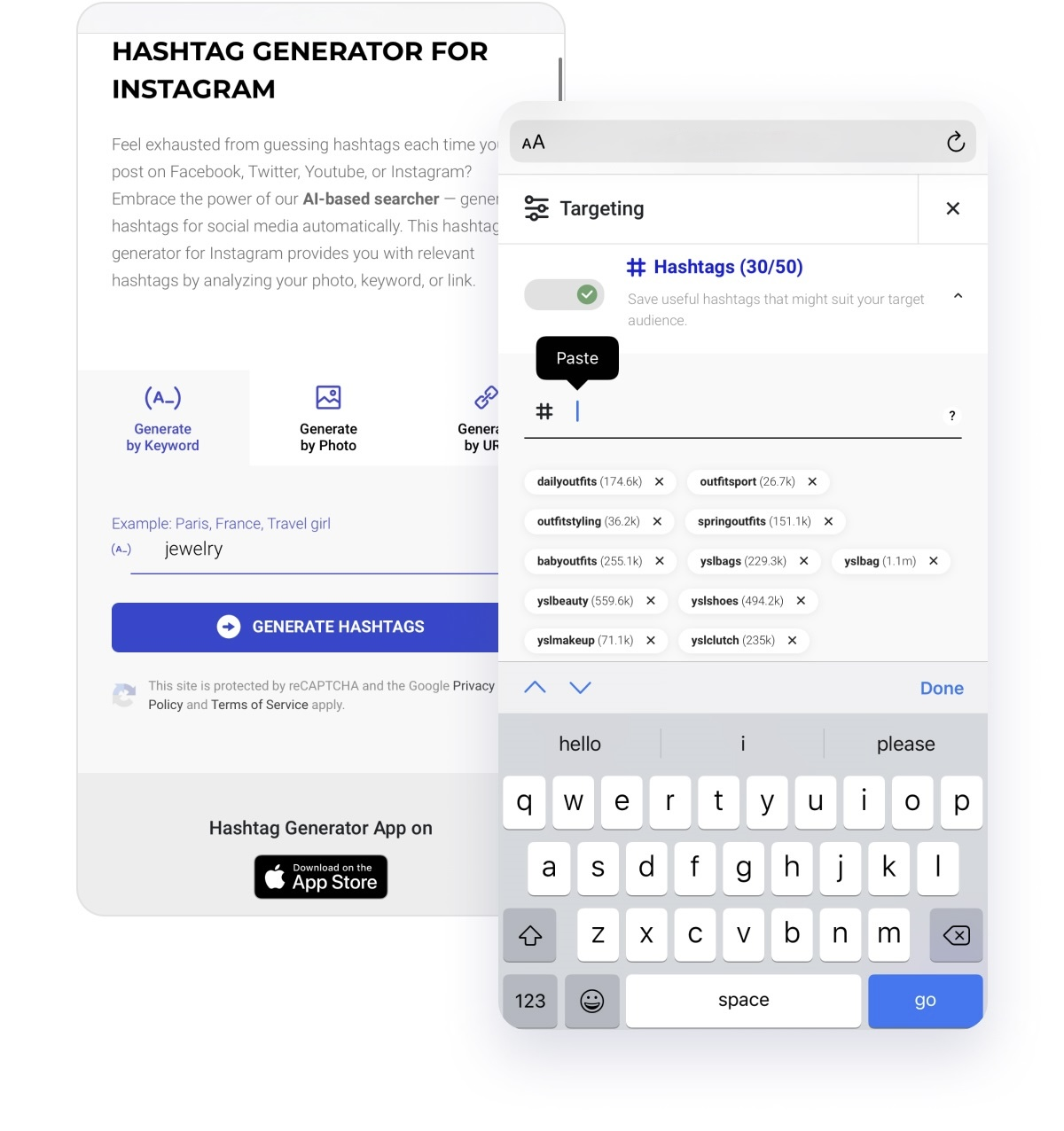
- Input keywords and find hashtags relevant to a product. In the Hashtag Generator you need to paste keywords that came to your mind in the previous step. The tool will also show you synonymic ideas based on Instagram suggestions. Copy and paste hashtags for various keyword groups into a document for future use and for mixing the order.
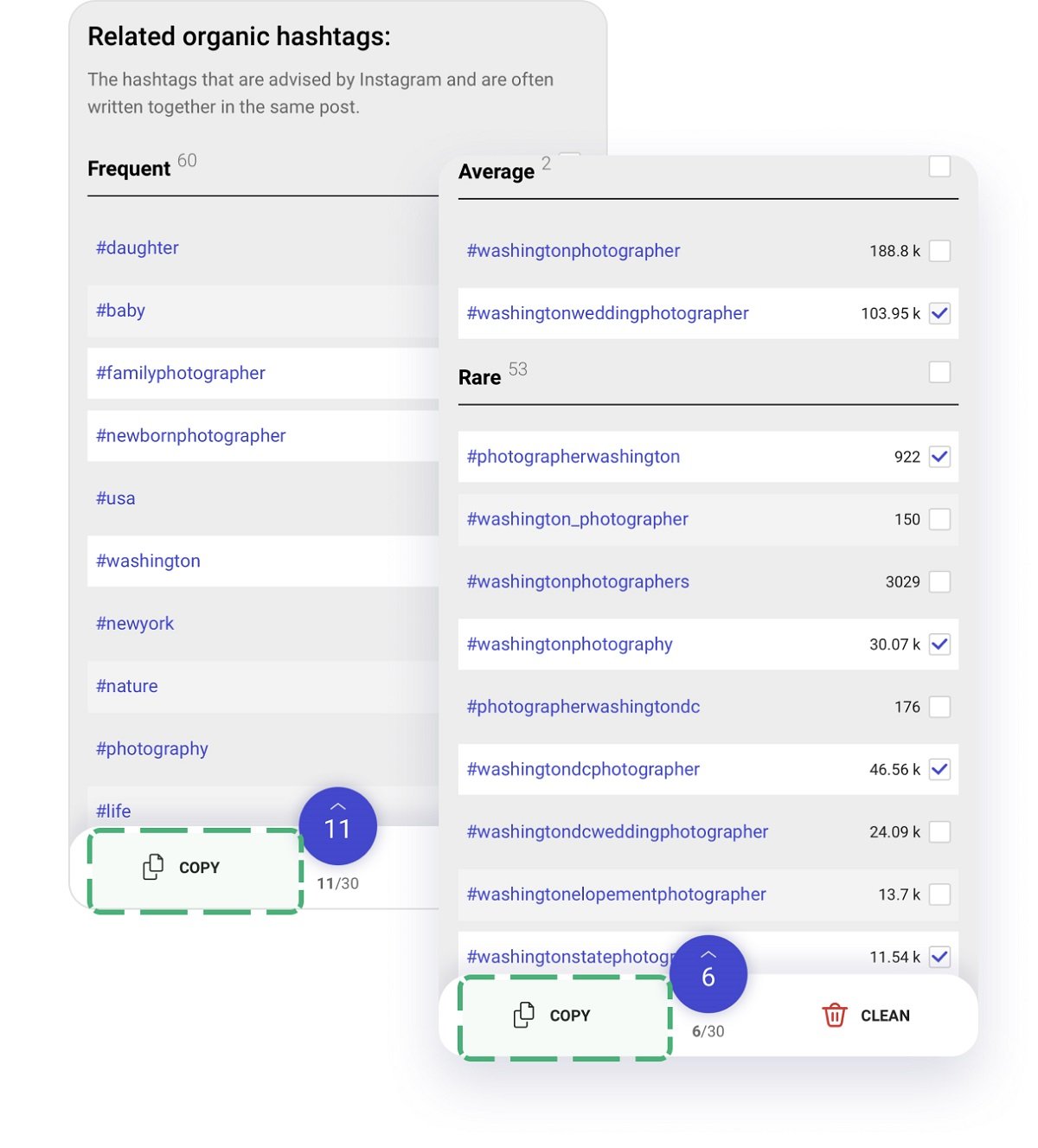
- Mix frequent, average, and rare hashtags when copying. Thanks to a well-balanced set, you will be displayed in galleries with millions of posts as well as in niche and less competitive galleries.
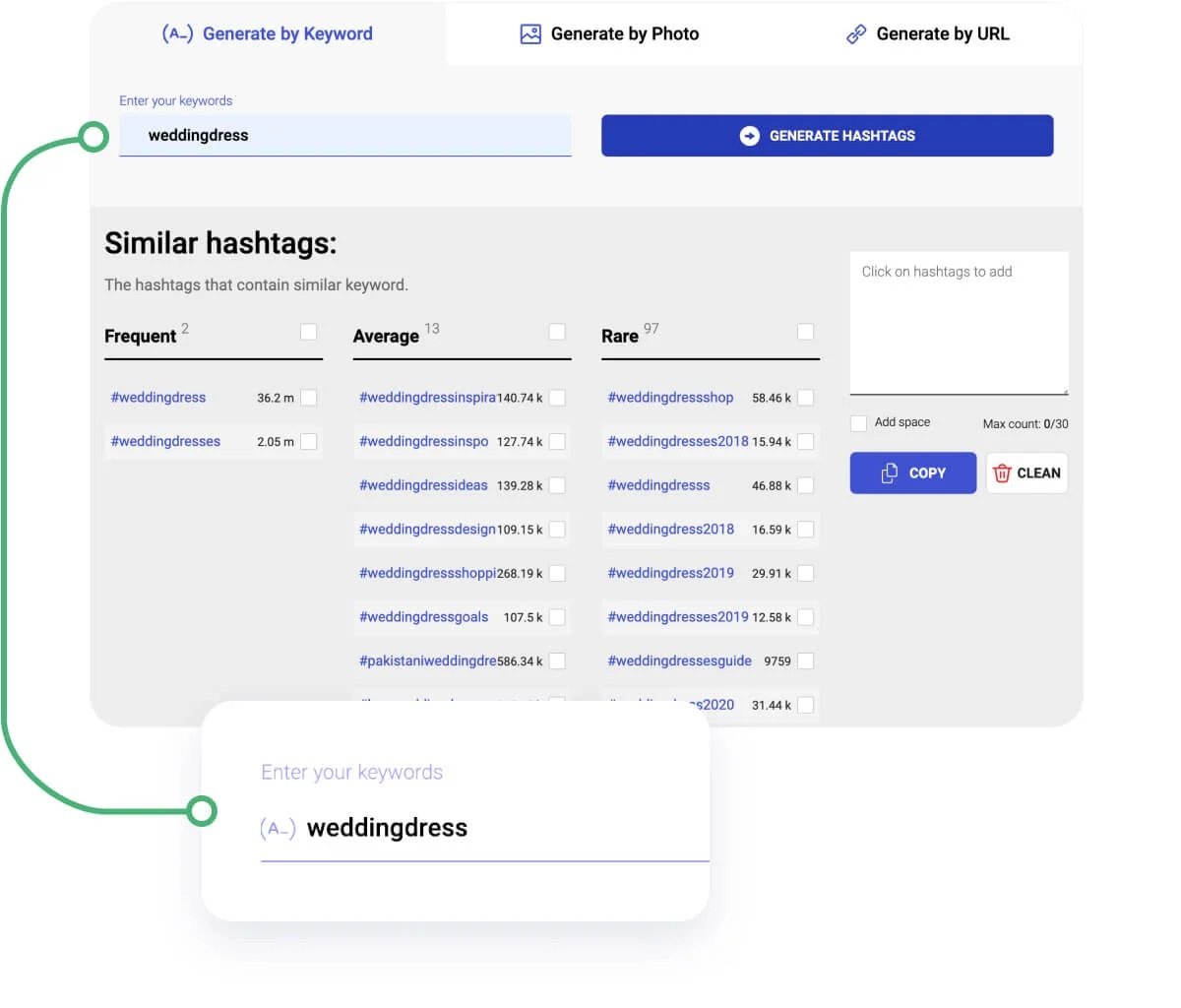
- Expand hashtag groups. Try to think outside of the box and analyze not just your product, but locations, similar brands, industry and niche terms, and events. These hashtags are not directly related in meaning but can improve the reach of your post by TA.
- Check the hashtag gallery to make sure it’s suitable. Before you add hashtags to the list, check on the gallery in the Hashtag Generator. Here you can also find the competition level, number of posts, and latest posts. Pick tags that include relevant media, not spam. Also, don’t use spammy hashtags that are overly broad in meaning.
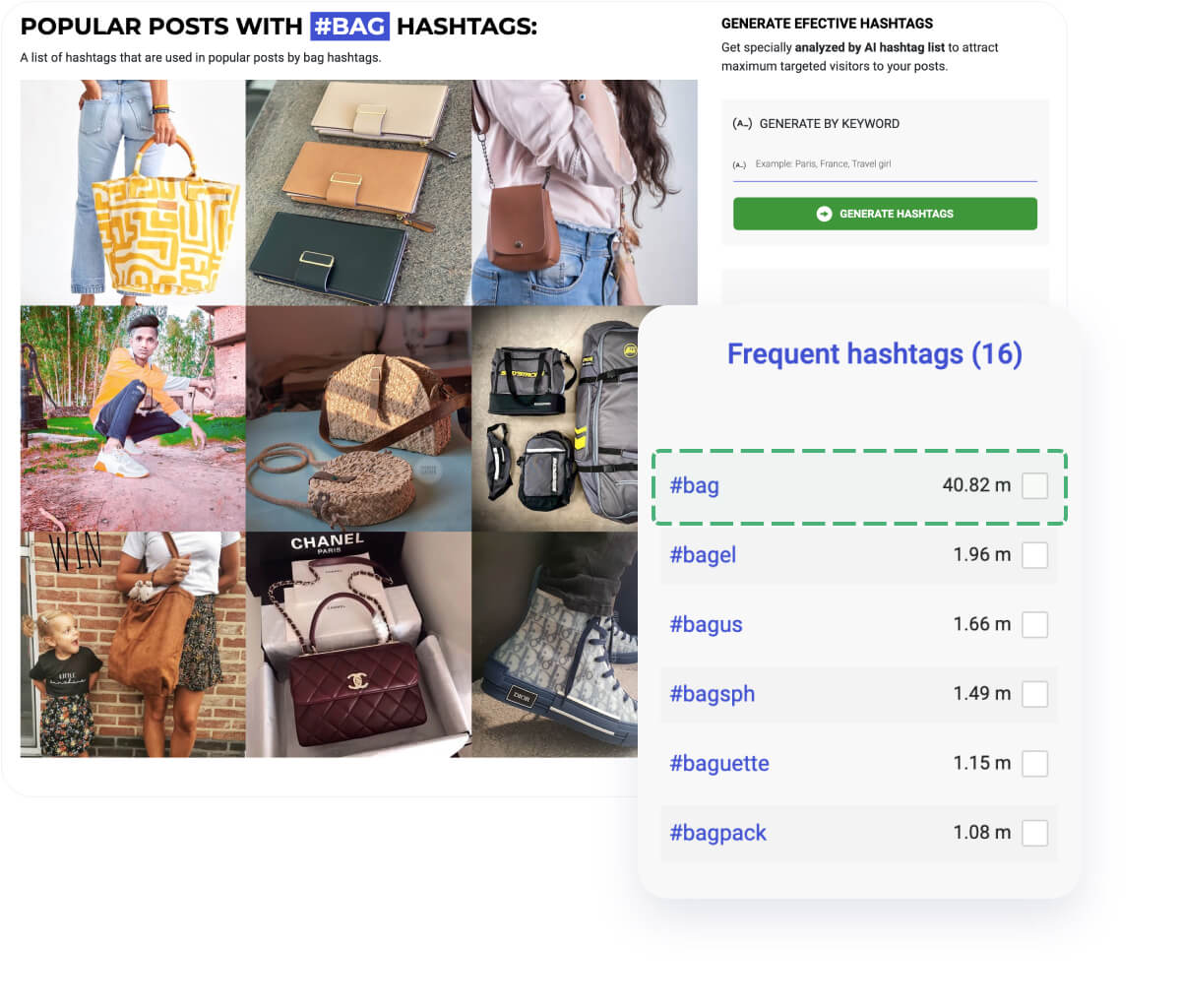
- Analyze the results and update your sets. When it comes to hashtags, they need to be renewed monthly, at least 2-5 times. New hashtags appear often, and some hashtags become spammy and banned, so you need to keep up with trends.
The simplest insider method to produce hashtags is:
- Copy hashtags from your competitors.
- Paste them into the Hashtag Generator.
- Get more ideas based on Instagram suggestions (marked with green color). Choose them and paste into captions.
Explore the fully-fledged strategy in the article The only hashtag strategy that boosts your Instagram reach in 2020 + myth buster.
#4 DIRECT THE PROMOTION ROBOT’S POWER TO SPECIFIC LOCATIONS
If your Instagram account promotion needs to be tuned to specific locations (for example if you’re selling and servicing your clients in a specific geographic area) you can add up to 50 locations. It is a vital thing for those who need to concentrate their promotion power on specific places – you can add literally any location point here.
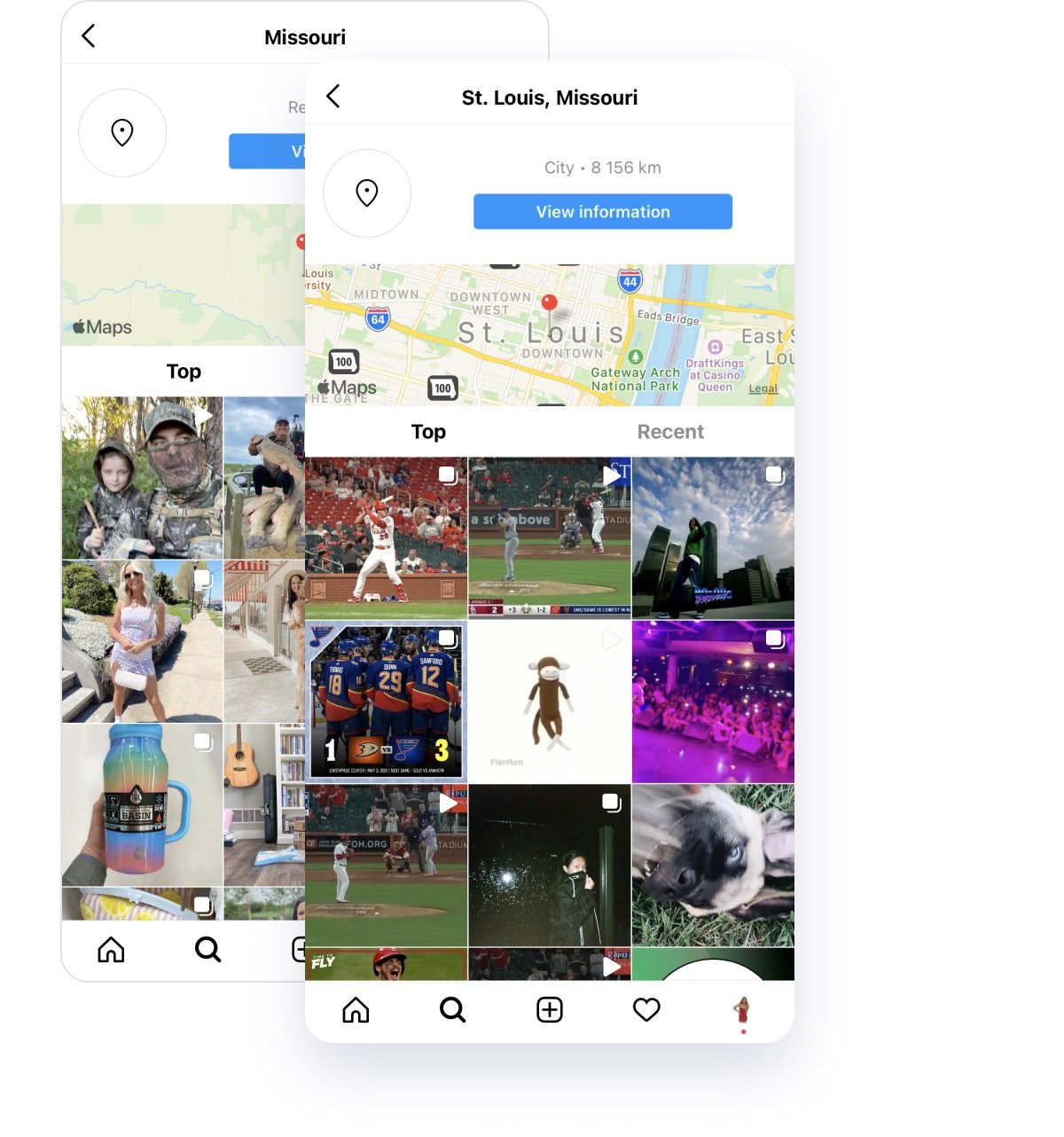
Add a list of restaurants that your audience may be tagging, or beauty rooms, or streets and squares they may be passing by – any kind of location that can get your target audience’s attention.
Filters for hyper accurate targeting
Choose a gender of profiles you’re targeting. Add languages your audience may speak. You can even target the promotion bot to profiles with a specified number of followers or accounts they’re following (this feature may help you to exclude other shops or big influencers who probably won’t see your promotion activity as their page activity is overloaded).
Here you’re choosing a number of likes that the robot will put to the target audience’s accounts on your behalf.
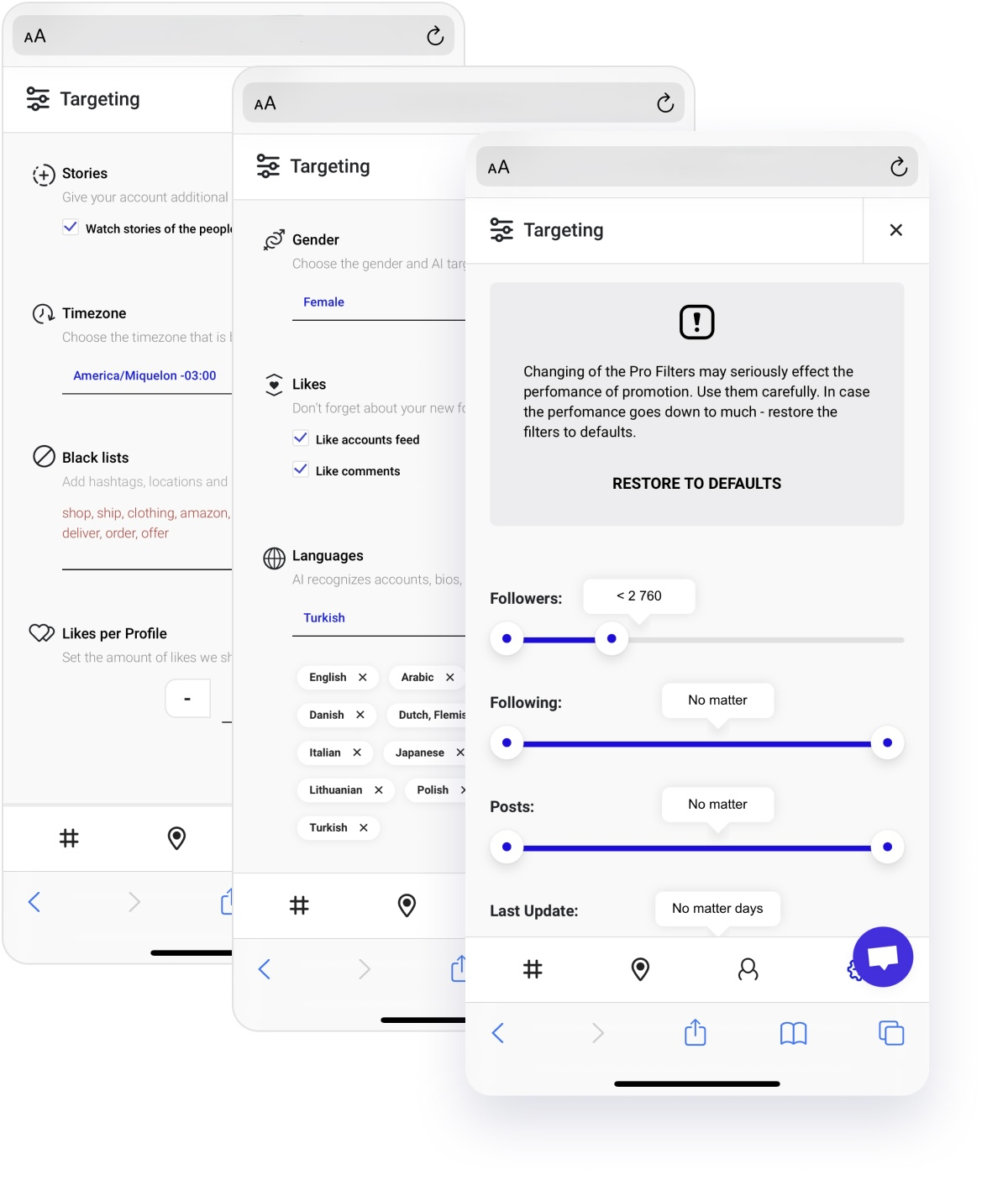
The bot will automatically follow accounts based on nicknames, hashtags, locations and other filters you apply. Also, it will unfollow users based on the criteria you pick in the settings. There are several unfollow methods:
- Unfollow new Inflact follows. In this case the bot will unsubscribe from all the accounts it started following on your behalf.
- Unfollow new non-mutual Inflact follows. If you pick this method, the bot will unfollow all the users who didn’t follow you back since Inflact has started promotion.
- Unfollow all. You will unsubscribe from all users you are following since you created the Instagram account.
- Unfollow all non-mutual. All accounts that don’t follow you back since the start will be removed from your following list.
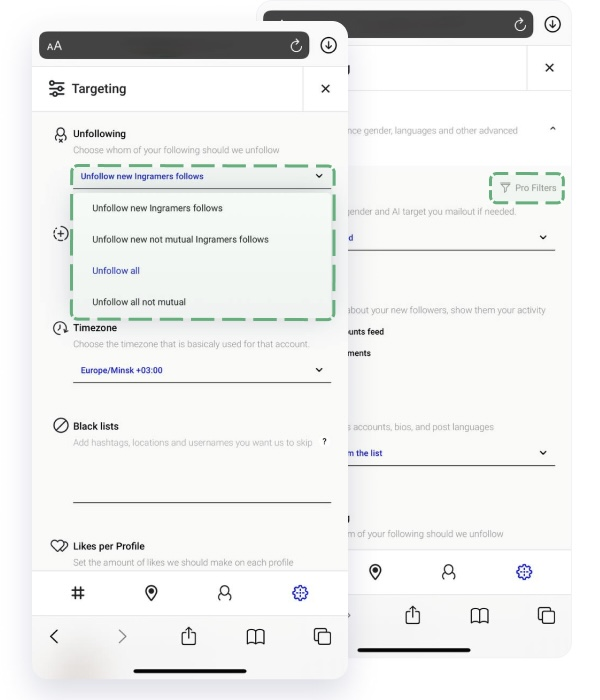
The bot will not unsubscribe from everyone at once – it will happen gradually within three days after you set it up. This helps to imitate human-like behavior.
Resting and Night Pause are extra safety mechanisms that guarantee the natural behavior of the Inflact bot. During the daytime, the bot will perform certain actions and then have a rest – like a real person. At night, the bot will also not engage with accounts.
You will see these activity indicators in real time on the Promo dashboard.
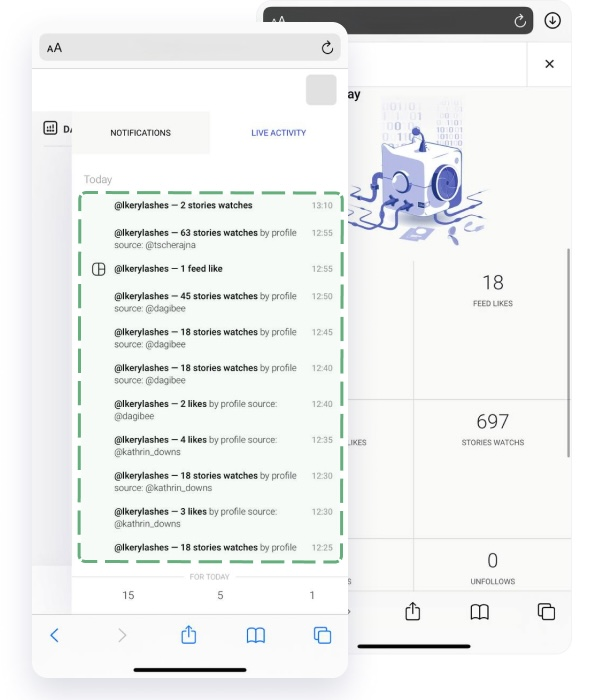
Promotion robot working method revealed: what does it do and how?
Imagine this: you’ve set all your goals for the automated promotion on your profile. Your robot is now headed to profiles which have been searching for #silver jewelry, for instance. If you add more filters – gender and number of followers, for example – the robot needs to check these before making any action on your behalf, like story viewing or following.
These filters will increase the number of actions from your account. And since the robot must follow Instagram daily action limitations, this will reduce the number of profiles it will crawl per day.
Basically, the Promo robot for Instagram is working as follows:
- Stage #1 Safe start. When you first connect an account to the Promo module, you will see the indicator “Safe start.” During the first 48 hours the bot will not perform any actions – it will just visit some accounts you’ve chosen as targets. After the safe start, it will begin watching Stories, liking and following – like a real user.
- Stage #2 Minimal actions within the first 7 days. During the first promotion week, the Promo tool is focused on safety and will perform minor actions, slowly and naturally. You will see how the actions increase gradually on the Dashboard analytics.
- Stage #3 Full-time promotion. After the safety period, the bot will execute the maximum possible actions, like watching Stories, following target accounts, and liking their content.
Thanks to wisely growing the scope of actions, Instagram will not recognize your behavior as suspicious.
Some days the bot may perform more actions, other days it will be only watching Stories. This smart algorithm will behave similarly to real Instagram users: you are not active on Instagram every day to the same extent, right?
Keep in mind that the bot will watch Stories and like more often than follow people. Again, this strategy is developed for the security of your account. Instagram is less sensitive to Stories watching and likes than to following.
We explore and analyze Instagram algorithms to guarantee the most risk-free yet effective growth on the platform.
What can you do to improve the promotion effect?
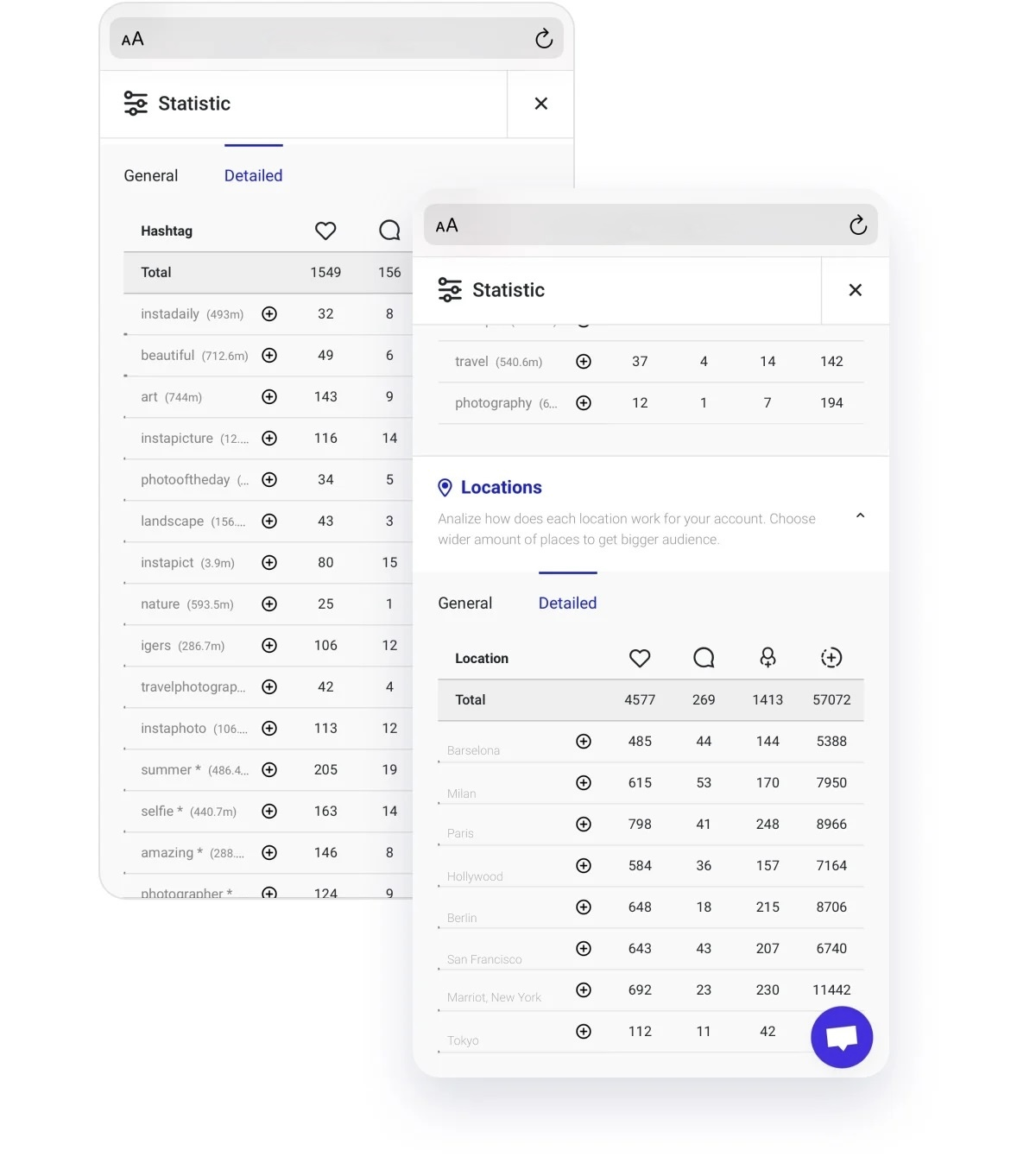
The best thing you can do is check the statistics every 2-3 weeks and adjust the targeting settings. For example, remove less effective hashtags and usernames – you can view how many followers you got from each. Also, research new hashtags and competitors regularly to renew promotion targets.
Direct messages automation for seamless communication
Direct Module provides the programmed sending of messages to your followers on Instagram. Here you can set up automated sending of:
- Replies to any keyword used in the message to you from any Instagram user.
- Welcome message to your new followers.
- Replies to your Stories reactions.
- Replies to likes of your posts.
- Replies to Stories mentions of your account.
- Bulk limitless number of messages to all users who follow you.
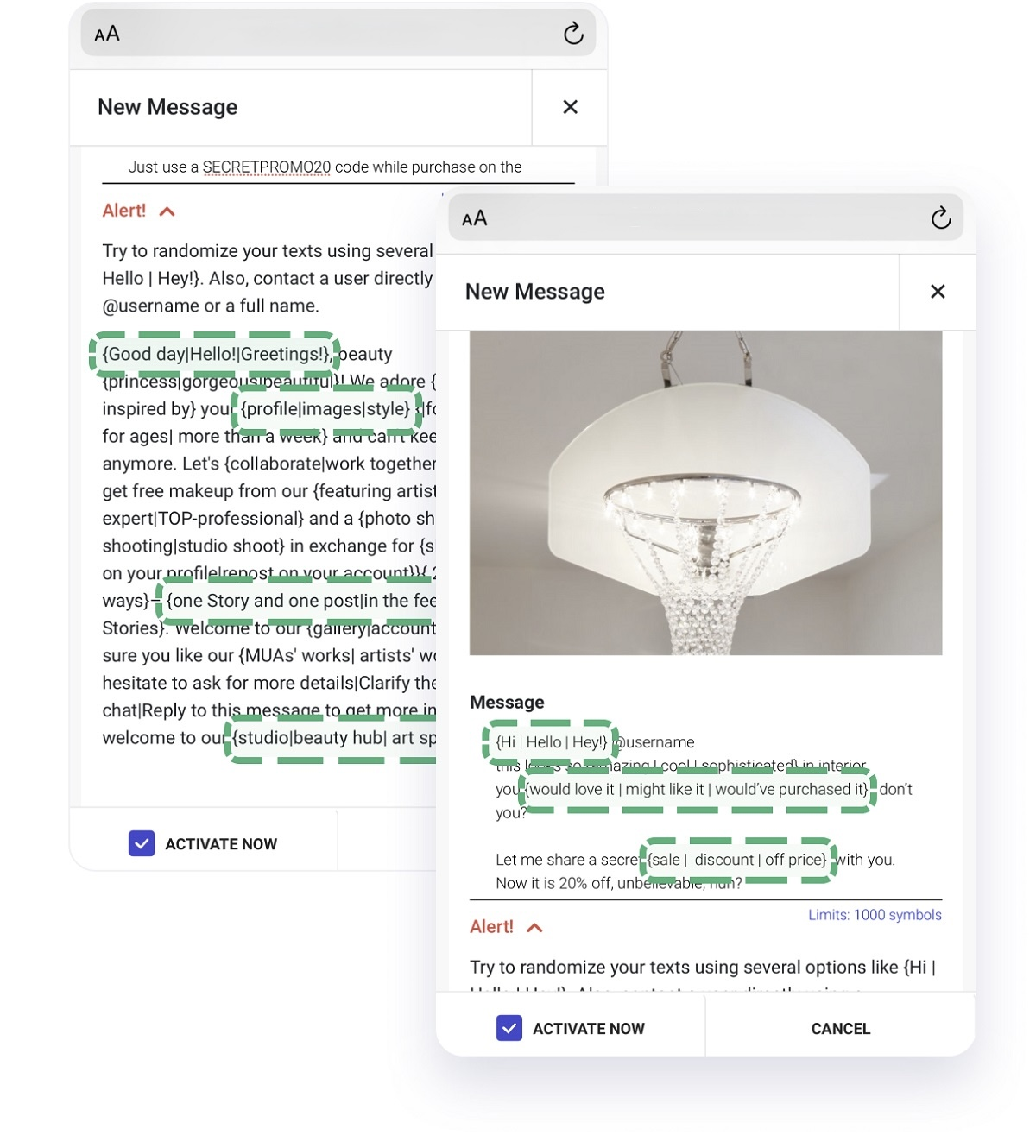
With this module you can automate your Instagram communication without a big support team. For example, you can quickly reply to something specific in users’ messages, like the keywords “collab,” “shipping,” “price,” etc. and make sure that no activity by users in your profile is ignored.
Welcome to clients who have followed you.
Nobody asks you to send a simple "thank you for following me." No doubt that message will mostly be disregarded. Nowadays it is an era of information – so your welcome message needs to be clear and informative.
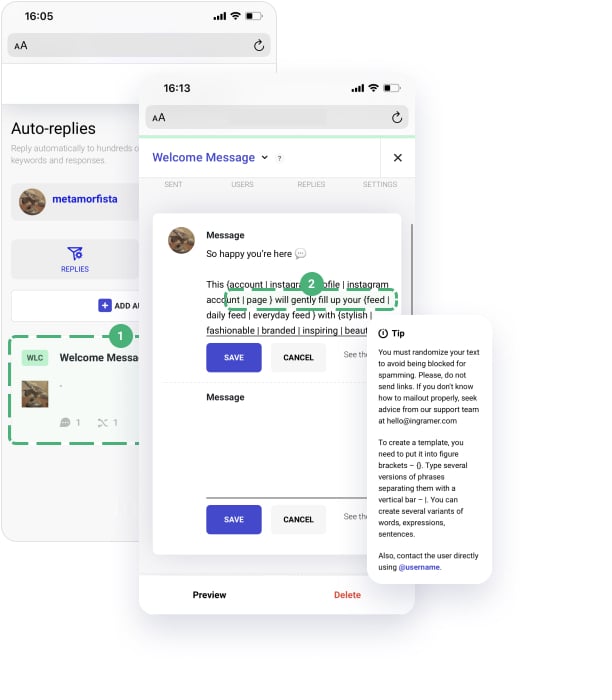
To set up a welcome message:
- Go to Auto-Reply.
- Choose Add auto-reply.
- In the upper left-hand corner choose Welcome message.
- Type or Paste the text of the message.
- Randomize your text to avoid being blocked for spamming. Please do not send links. If you are not sure how to mail out properly, seek advice from our support team at hello@inflact.com. To create a template, you need to put it into figure brackets – {}. Type several versions of phrases, separating them with a vertical bar – |. You can create several variants of words, expressions, sentences. Also, mention the user directly using @username.
- Add an image to the message or one or two additional messages if you like.
- Tap Preview under your working field to see if your message looks good.
- Tap Save.
- Tap settings in the upper right-hand corner and add Language variations for your message. Paste the translation of your message in any offered language in the list. This will allow the sending messages in the language of followers’ accounts automatically.
Replies to keywords.
This is an automated answer associated with specific catch phrases that appear in a message of any user who messages you.
When you get a message containing a trigger expression, your inquirer gets a pre-assembled answer. The answers are dependent on trigger words. You need to enter keywords that you frequently get in Instagram messages, for instance, “cost,” “price,” “how much,” “shipping,” “delivery,” “size,” “collab,” etc.
Create a full and simple answer to any message with these trigger words – and your potential customers/followers will get an immediate answer.
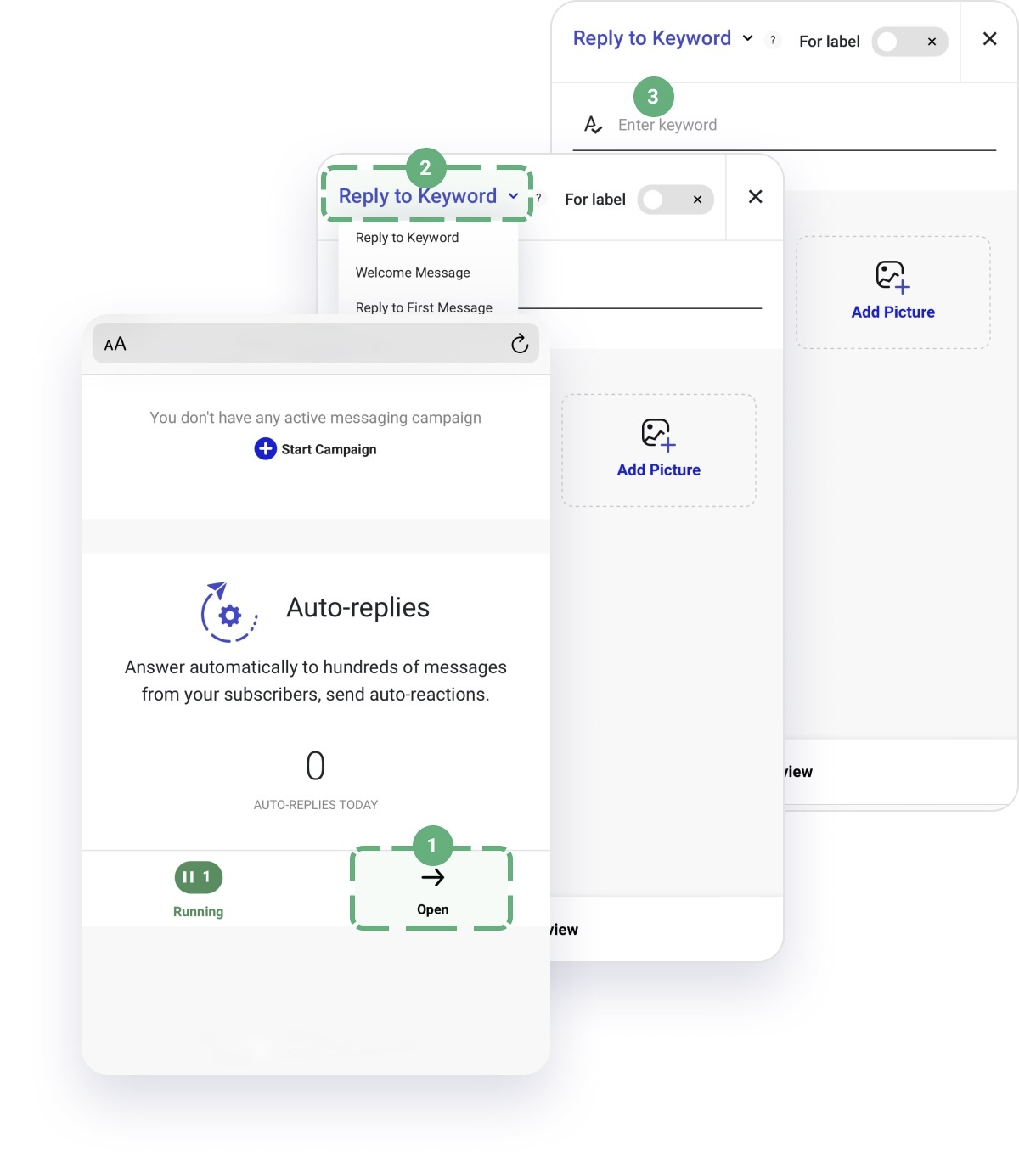
How to set reply to keywords:
- Go to Auto-Reply.
- Choose Add auto-reply.
- It is by default set to “Reply to keyword.”
- Add keyword.
- Tap Add message.
- Type or Paste the text of the message you’d like to be sent in reply to a message with this keyword.
- Tap Preview under your working field to see if your message looks good.
- Tap Save.
- Tap Settings in the upper right-hand corner and add Language variations for your message. Paste the translation of your message in any offered language in the list. This will allow the sending of messages in the language of followers’ accounts automatically.
Replies to actions (Likes, Story reactions, Story mentions)
These automated messages will simplify your life and will generate the confidence among your active users that they are heard and seen.
How to set reply to actions:
- Go to Auto-Reply.
- Choose Add auto-reply.
- Choose reply to First message.
- Choose what you would like to message for: Likes, Story reactions, Story mentions.
- Tap Add message.
- Type or Paste a text of the message you’d like to be sent in response to these reactions, mentions or likes.
- Add an image to the message or one or two additional messages if you like.
- Tap Preview under your working field to see if your message looks good.
- Tap Save.
- Tap Settings in the upper right-hand corner and add Language variations for your message. Paste the translation of your message in any offered language in the list. This will allow the sending of messages in the language of followers’ accounts automatically.
Bulk messaging to share useful information
When it comes to sending bulk messages, it is best to send a cordial message with helpful information. Don’t try to fill up people’s Direct messages with obvious sales or marketing content immediately. Just use this feature to share something really useful to your followers.
You can filter users you’re sending messages to in several ways:
- By language. Inflact’s AI perceives the language of the posts in their accounts.
- By gender. You can stay focused on one gender with your mailout.
- By number of followers. If the page has a large number of followers, its Direct is overloaded with indistinguishable messages. Don’t try to send a message to followers who are extra popular on Instagram.
- By number following. An account following a huge load of others can imply that the page has a bot in place.
- By number of posts. The more dynamic the client, the more chance he won’t put an attention at your activity on his profile.
- By recent update. Fresh updates are proof that the account is alive.
How to set a mail out:
- Go to Bulk messages.
- Choose Start Campaign.
- Set filters – choose if you want to message all active threads in your Instagram or all of your followers.
- Tap New message.
- Upload an image you’d like them to receive with the message.
- Type or Paste the text of the message you’d like to be sent.
- Tap Preview under your working field to see if your message looks good.
- Tap custom filter. Choose number of followers, following, gender, and number of posts, etc.
- Tap Activate now.
Posting module
Make your Instagram Gallery much more lovable and increase the visibility of your posts!
Inflact Posting Module will save your time by arranging and planning posts in your profile ahead of time. It empowers posting on Instagram from computer or smartphone or any other gadget.
With this tool, you can plan and distribute: Posts and Stories
How to plan and schedule automated posting
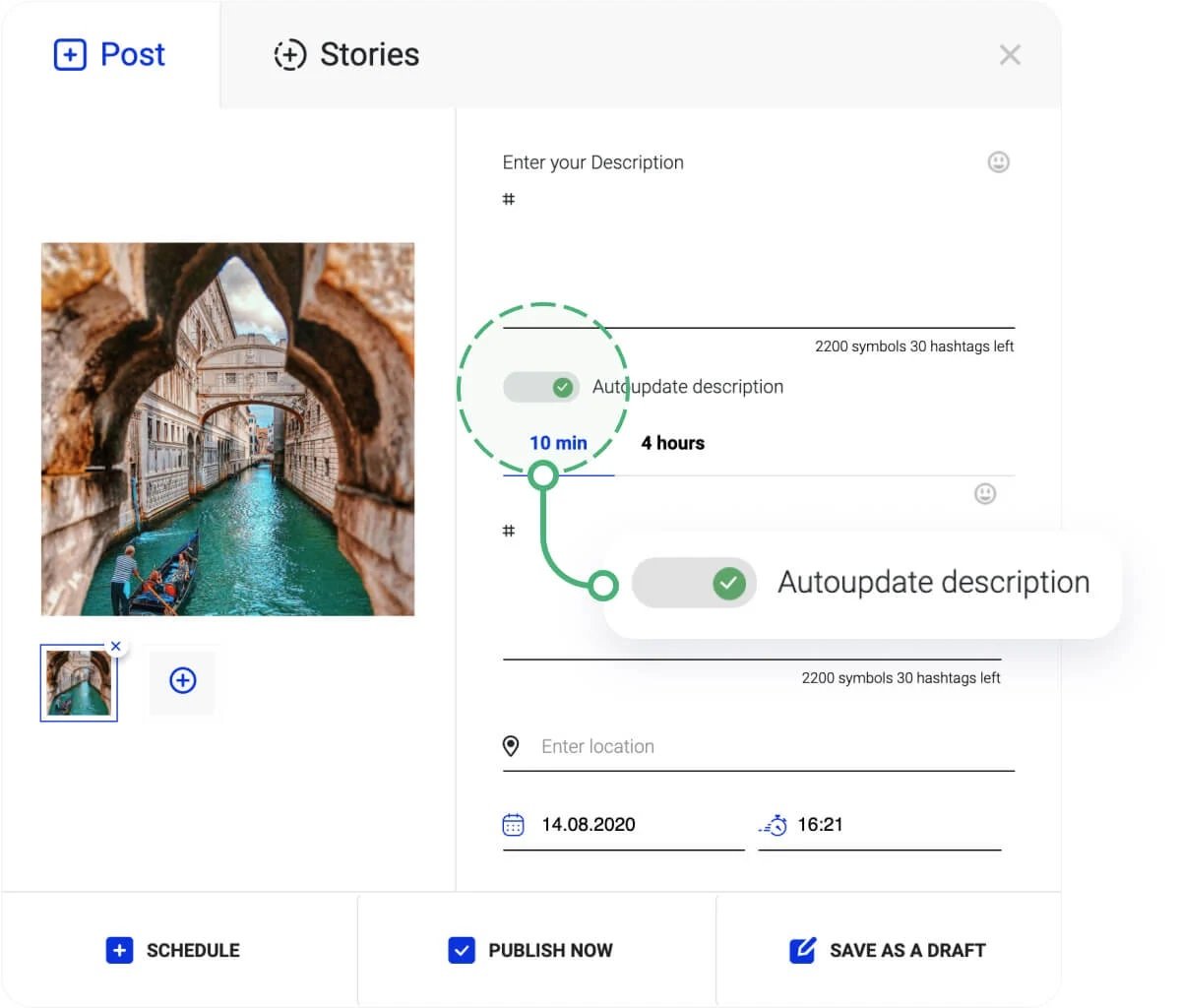
- Go to your Inflact Dashboard and Posting.
- Tap Add content
- Upload a photo that will be posted.
- Enter a description.
- Add hashtags (we advise using the Hashtag Generator to add relevant hashtags).
- Click Autoupdate description if you’d like to have the hashtag set automatically changed at several intervals.
- Tap Publish now or set uptime of posting in the future.
Hashtag Generator
How about hacking Instagram and gathering 50x more impressions just by utilizing one straightforward technique? It is all about the Hashtag Generator.
There is no simpler or more coherent method to master the art of hashtags in 2021. Just type in one – and get 300 relevant words for your Instagram promotion in a few moments. Let’s see how to use it right.
How to find hashtags by photograph, URL or keyword(s):
- Type a keyword that is relevant to your account topic, or upload a photo you’d like to post with hashtags in the caption, or Paste a URL to a photo you’d like to accompany by hashtags.
- Tap Search.
- Tick the hashtags that are highly related to your account topic or to the idea of your post.
- Simply tap Copy on the box with ticked hashtags.
- Paste all hashtags wherever you like.
A little advice for using hashtags to the best advantage:
1. Use important hashtags
In some cases Instagrammers essentially neglect using important and obvious hashtags. They try to use only narrow, rare hashtags which are tightly relevant to their audience’s interests. We advise including wider, important hashtags as well as narrower hashtags. For example: common = #silverjewelry, and more targeted = #designernecklace925.
2. Don’t use only well-known, popular hashtags
Famous hashtags are used a huge number of times. Each new post with them turns into “one more among thousands” and stays on the top only a few moments. Try to use popular and broad hashtags 9-10 times per caption. Example of popular hashtags: #jewelry #silver.
3. Use all 30 hashtags under every post
Each hashtag is a chance to multiply your reach at least 3x times. Every one of them carries its own crowd to you. Give it a full play!
4. Refresh hashtags under your posts with Inflact Scheduled Posting
We have an opportunity to delete old hashtags and add new in your caption automatically after a few hours after it has been posted using programmed caption update.
How to turn on the caption autoupdate?
- Open the Posting tab in your Cabinet.
- Tap Add Content.
- Transfer picture, type the subtitle, add the first set of hashtags (well-known hashtags);
- Tap Auto-update.
- Compose the second set of hashtags (uncommon and narrow hashtags).
- Set the time of change to whatever you like, from 10 minutes to 4 hours.
- Save this post for later automated publication or post now.
Your caption will be refreshed automatically.
Profile Analyzer
Identify the most successful profiles and posts on Instagram with the Profile Analyzer. This is an AI tool that conducts a full Instagram profile analysis. It provides you with useful metrics and visualized graphs. All of them: Engagement rate, Best time to post, Top commented and liked posts etc. will help your promotion and content idea generation.
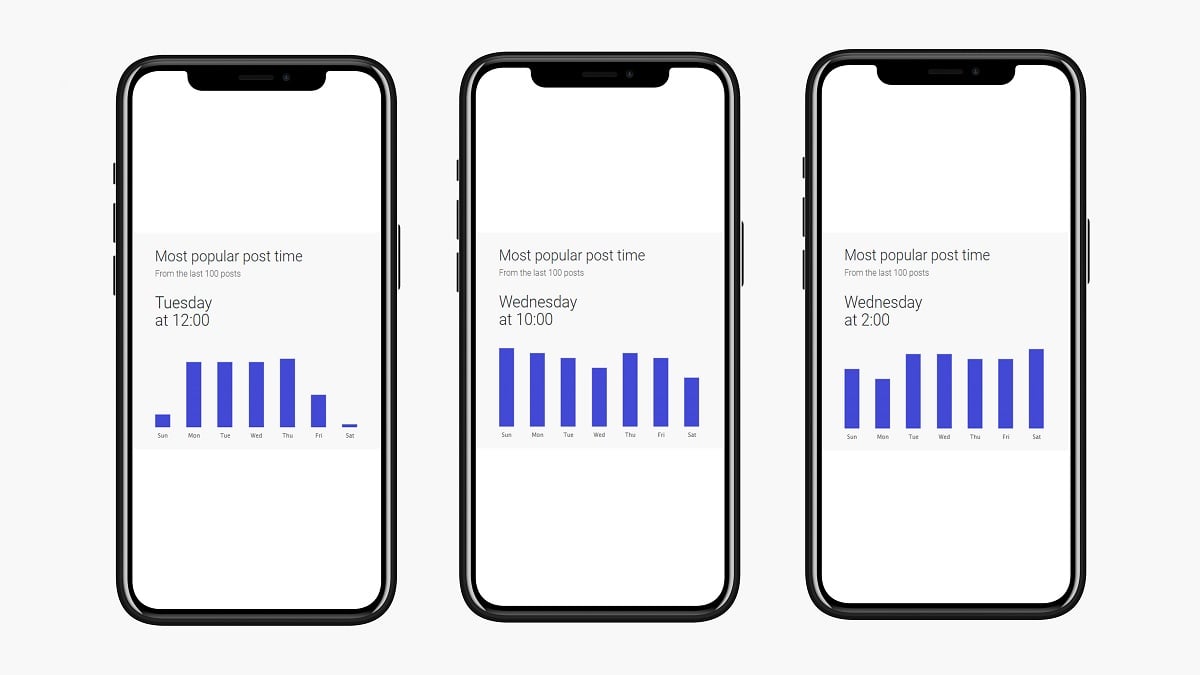
Here you analyze TOP profiles in your niche, industry leaders, most important competitors. The tool doesn't need to be downloaded or registered.
How does Instagram Profile Analyzer work?
Inflact collects statistics on an Instagram profile and analyzes 13 metrics, which are Number of followers; Engagement rate; Average user activity; Posts per day, week and month; Uploads number; Most popular post time; Top hashtags used; Top caption words; Audience interests; most commented posts and most liked posts. For your convenience and to help better understanding, Inflact provides you with infographics.
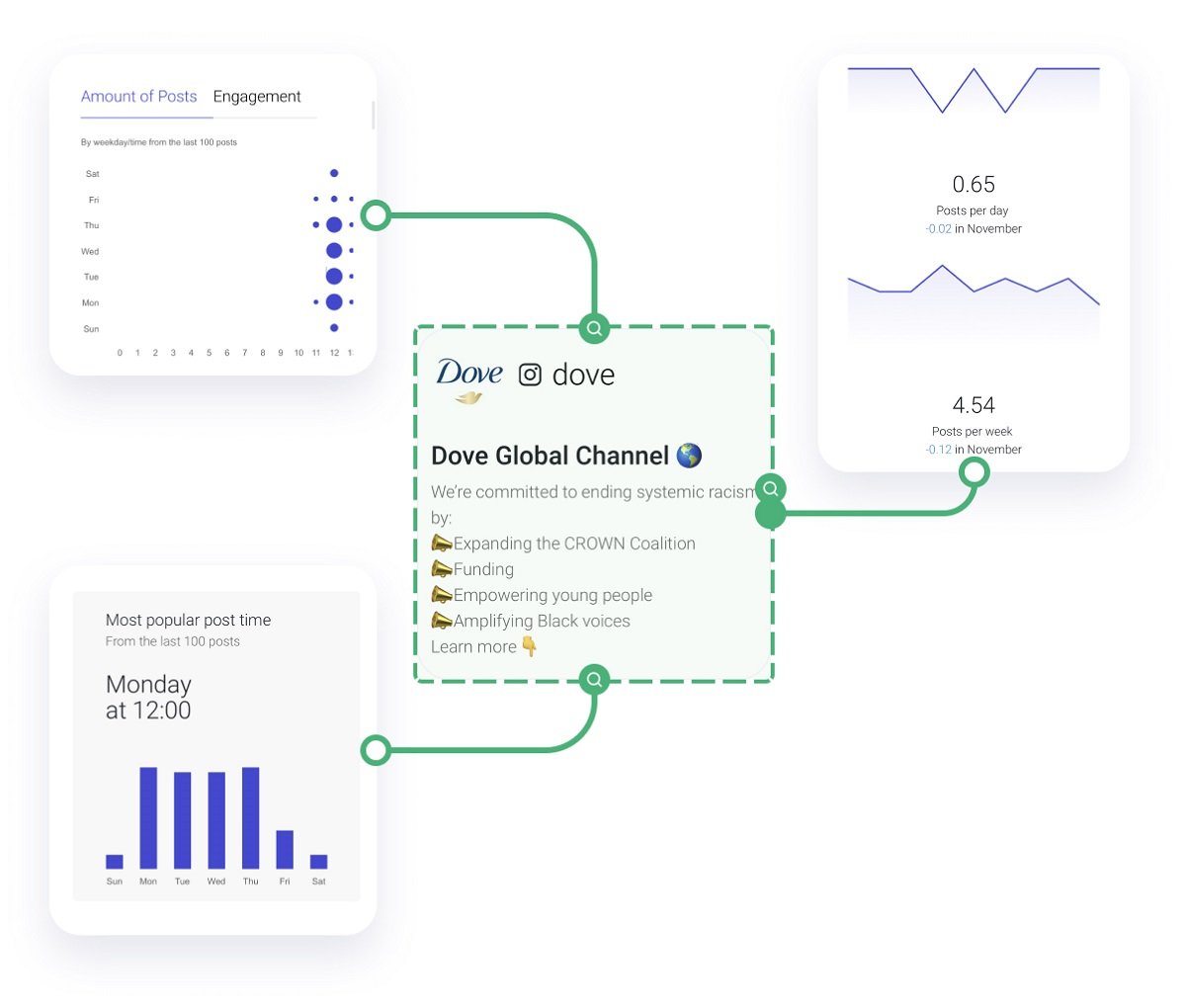
How to use Profile Analyzer:
- Type @username of your competitor right into the Profile Analyzer tool.
- Wait 30 seconds - and the tool will show you the result of analysis
- Here you’ll find a grid of the most popular posts of any Instagram profile, with engagement rate, popular posts time and more - just scroll lower.
This is brilliant knowledge for those who want to find the key to success.
Open these publications right on Instagram by clicking the “More” button.
Advanced Instagram Search
Advance Instagram Search is the most effective method to utilize Instagram for finding influencer advertising opportunities, conducting market research, and doing talent research.
Have you tried the basic in-app Instagram search to discover influencers or competitors in a particular specialty or a geolocation?
Was it a disappointing experience? Probably Instagram offered you few accounts, and some of them weren’t even relevant to what you were looking for.
Stop using basic search for professional goals. Here is a special instrument – Instagram User Search. The service incorporates a huge number of records, all sifted by categories of account, following size, and gender. Also, you can discover individuals by keywords.
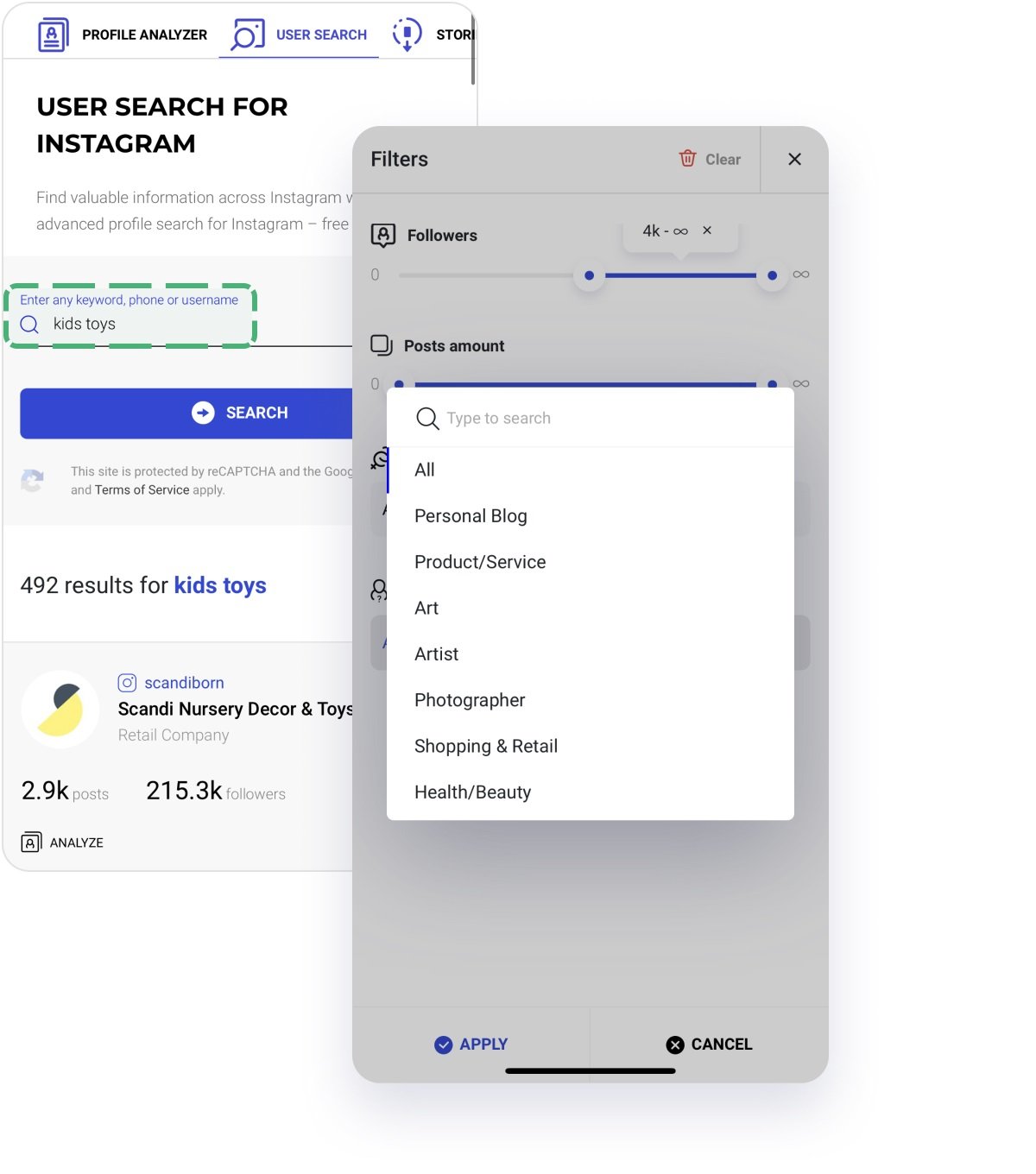
How to use Instagram Search
#1 SEARCH BY KEYWORDS
Indicate where you want a keyword to be present – in a bio, name, username, phone, or email.
This search is highly targeted. You can find accounts in specific locations by typing a city in the keyword section. Or by a type of business – by typing “local” or “handmade” or “bulk.”
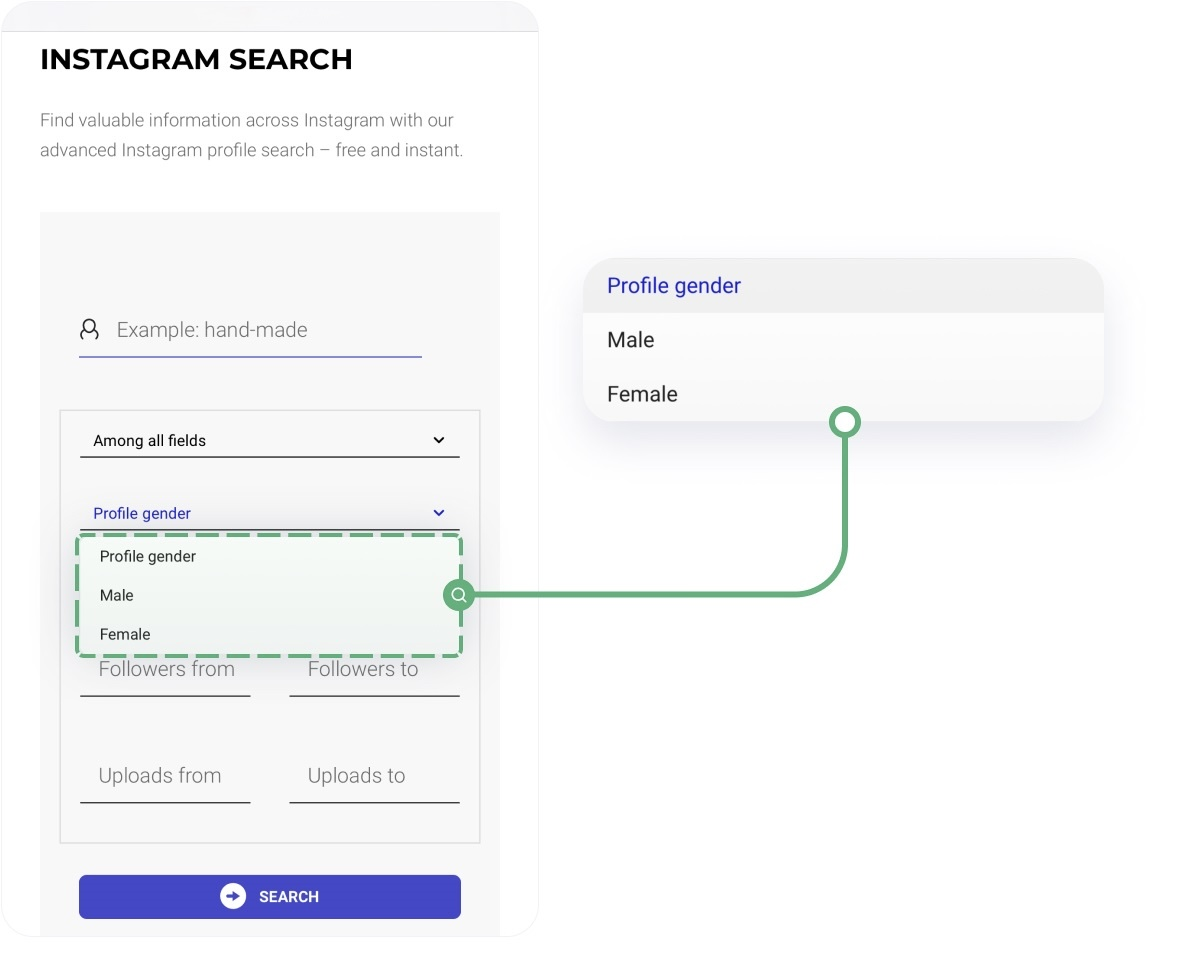
#2 SEARCH BY CATEGORIES
You can leave the search field for keywords blank and just choose a category – now there are dozens of them. We added such niche areas as Car Dealership, Florist, Physical Therapist, etc.
Conduct niche-specific market research or cross two filters – keyword and category – to adjust the search to a narrow group of accounts.
#3 VIEW THE CONTACTS
Register on the free service, and you’ll get all the information about the accounts you’re searching for in one place, including emails and even phone numbers. All this info will be ready to download as a CSV or XLS file right from the service to your device. Isn’t it a brilliant way to create a database for future marketing activities?
For every account found with the Instagram Search you can use the Inflact Profile Analyzer to get insightful data about any public account.


