
وەسف
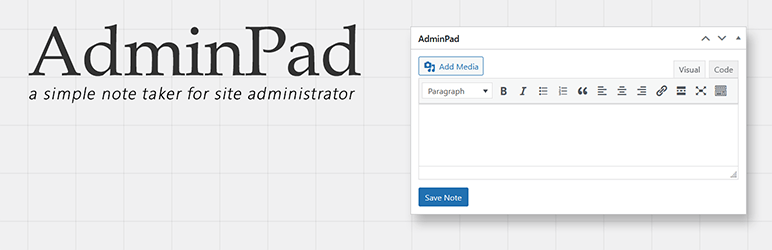
AdminPad allows WP site admin (only) to write down simple note from WP dashboard using simple widget. Deleting this plugin will also delete data saved by this plugin on your database.
Features:
* Light weight plugin.
* Simple user interface.
دامەزراندن
- Upload the “adminpad” folder on your site’s “/wp-content/plugins” folder.
- Activate it from your site’s plugin section. You’re done!
پێداچوونەوەکان

ئاب 13, 2023
Simple widget you can place where you want on you dashbord and giving you the abilty to get notes, to historize your updates for instance.
Very helpful.

ئازار 25, 2021
AdminPad is a great little plugin. I would like to see a feature added for saving separate messages. That would be a great way for a developer to leave messages to the owner of the site.

ئایار 28, 2020
Gerekliydi, yapılacak listesini admin panele eklemek için mükemmel özellik.

تشرینی یهكهم 25, 2019
This is exactly what I’ve been looking for since my old one is no longer being supported. Thank you for this. It’s simple.
Many URLs I need to constantly repeat. I keep them handy on this dashboard notepad for quick reference.

ئهیلول 23, 2019
A excellent simple plugin that ads a useful notepad to the dashboard. There are many outdated alternatives that all fail, but this one actually works! This plugin deserves more downloads – I hope the editor will keep updating it!

حوزهیران 21, 2017
Cool lightweight plugin for planned posts and other notes in the dashboard. Exactly what I was looking for. Thanks!
بەشداربووان و گەشەپێدەران
“AdminPad” نەرمەواڵەیەکی سەرچاوە کراوەیە. ئەم کەسانەی خوارەوە بەشدارییان تێدا کردووە.
بەشداربووان
“AdminPad” وەربگێڕە بۆ زمانەکەی خۆت.
دەتەوێت بەشداربیت لە گەشەپێدان؟
گەڕان لە کۆدەکەدا بکە، سەیری تەمارگەی (SVN) بکە، یان بەشداربە لە ڕووداوتۆماری گەشەپێدان لە ڕێگەی (RSS).
ڕووداوتۆمارگەریی گۆڕین
2.6
- WordPress 6.9 Compatibility Update.
2.5
- WordPress 6.8 Compatibility Update.
2.4.4
- Minor update.
2.4.3
- WordPress 6.6.2 Compatibility Update.
2.4.2
- WordPress 6.4.2 Compatibility Update.
2.2.4
- WordPress 6.2.4 Compatibility Update.
2.2.3
- Bug Fix.
2.2.2
- WordPress 6.2 Compatibility Update.
2.2.1
- WordPress 6.1 Compatibility Update.
2.2
- Important Security Update.
2.1
- Editor now allows media elements and Visual mode.
2.0
- WordPress 6.0 Compatibility Update.
1.9
- WordPress 5.9 Compatibility Update.
1.8
- WordPress 5.8 Compatibility Update.
1.7
- WordPress 5.7 Compatibility Update.
1.6
- WordPress 5.6 Compatibility Update.
1.5.5
- WordPress 5.5 Compatibility Update.
1.5.4
- WordPress 5.4 Compatibility Update.
1.5.2
- WordPress 5.2 Compatibility Update.
1.5.1
- Minor bug fix.
1.5
- Default WP Editor has been implemented.
- Support for HTML Tags.
1.0.2
- Single & Double Quote Issue has been fixed.
1.0.1
- WordPress 4.7 Compatibility Update.
1.0
- Initial Release.
