
Dark patterns are sneaky design tricks that exist all over the internet. As a UX designer, I’ve studied how websites use these tricks to manipulate their users. In this guide, I’ll show you how dark patterns work and why they’re so common.
I’ll share real examples from popular websites and apps you probably use every day. You’ll learn how companies use psychology to influence your decisions. Plus, I’ll reveal practical ways to spot these tricks and build better, more honest designs instead.

What Are Dark Patterns?
Dark UX patterns are design tricks that make you do things you didn’t plan to do. They’re different from bad design mistakes. These patterns are built on purpose to help companies, not users.
When I started studying dark patterns, I was shocked by how clever they’ve become. From hidden costs to complex cancelations, these deceptive user interface designs trick most people. Even tech-savvy users fall for these tricks.
Here’s what makes dark patterns work:
- They mislead users on purpose. Designers create confusing layouts and buttons to trick you. Nothing about these designs is accidental.
- They take advantage of how people normally use websites. Designers watch how we browse and then use those habits against us.
- They hide important information. Key details about prices and cancelations are often buried in small print. You might need several clicks to find basic account settings.
Dark Pattern Background
In 2010, UX designer Harry Brignull coined the term “dark patterns” while documenting deceptive practices in digital interfaces. Since then, I’ve watched these practices evolve from simple tricks to complex psychological manipulation systems.
Through my research, I’ve discovered that dark patterns emerged from the A/B testing culture. Companies found that certain deceptive practices increased conversion rates, leading to widespread adoption despite ethical concerns. The rise of growth hacking and aggressive conversion optimization further normalized these practices.
What’s particularly interesting is how these patterns migrated from sketchy websites to mainstream platforms. I’ve tracked their evolution from early examples in e-commerce design to sophisticated implementations in social media, streaming services, and even productivity apps.
Dark Patterns Examples
Now you know what dark pattern UX designs are and where they came from. Let me show you some common tricks I’ve found. You might spot these daily – from guilt-tripping cancel buttons to hidden account settings.
Confirmshaming
I recently encountered a newsletter popup that read: “No thanks, I don’t want to save money.” This guilt-trip technique makes users feel bad about declining an offer. I’ve collected dozens of similar examples, including trick question designs that confuse users.
The manipulation goes beyond simple guilt. These messages often combine emotional pressure with artificial scarcity. I’ve seen variations like “I prefer paying full price” and “Maybe later (I like missing out)” that demonstrate just how sophisticated these techniques have become.
Roach Motel
Think of those subscription services that make it super easy to sign up but nearly impossible to leave. That’s a roach motel pattern. Last month, I tried to cancel my gym membership. After three screens, five popups, and a mandatory phone call, I was still a paying member.
Companies love to hide their cancel buttons or bury them under confusing menus. They might force you to call during specific hours or chat with multiple agents. Some even make you mail a letter or visit in person to cancel. (Learn more about canceling a Canva subscription).
Forced Continuity
Let me share one of the most common dark patterns UX examples: forced continuity. Ever signed up for a “free trial” that needed your credit card? Companies hope you’ll forget to cancel before the trial ends. Then, they can automatically charge you for a paid subscription.
I tested a streaming service offering a free week. They charged me $14.99 without warning after the trial ended. Many apps and services use this trick. They make trials easy to start but never remind you when charges begin.
Privacy Zuckering
Privacy zuckering tricks you into sharing more personal data than you meant to. Look at any cookie consent popup – there’s always a bright “Accept All” button and a tiny “Customize Settings” link.
I recently tried to adjust privacy settings on a social media app. The process took twelve clicks through different menus. The app also kept turning tracking back on after each update.
Most websites hide privacy controls behind confusing toggles and long forms. They know most users will give up and accept the default settings that share everything.
The techniques keep evolving:
- Pre-checked consent boxes hide in plain sight
- Privacy settings scatter across multiple menus
- Data usage descriptions use deliberately vague language
- Opt-out procedures require multiple confirmations
- Privacy policies update without clear notification
The Psychology Behind Dark Patterns
Understanding how these deceptive patterns exploit consumer choices requires diving into behavioral psychology. I’ve identified several key cognitive biases that dark patterns leverage through careful observation and research.
Default Bias
We tend to stick with pre-selected options. I’ve observed how companies exploit this by pre-checking boxes for additional services or newsletter subscriptions. The psychological effort required to opt out often exceeds our motivation to change settings.

Social Proof
We’re naturally inclined to follow what others do. Dark patterns exploit this through fake urgency messages like “10 other people are looking at this room” or “Sarah from Minnesota just bought this.” These messages create artificial pressure to conform. EBay does this by showing you how many items have been sold.
Loss Aversion
Humans fear losing something more than they value gaining something equivalent. Dark patterns leverage this by framing decisions in terms of what users might miss out on rather than what they’ll gain.
Dark Patterns Across Industries
As a UX designer, I’ve seen dark patterns adapt to different industry needs. Each sector has developed its own specialized tactics to influence user behavior. Let me share what I’ve discovered through my research.
E-commerce and Retail
Shopping sites have mastered the art of hidden costs and urgency manipulation. When you’re about to check out, surprise fees appear. That $30 shirt suddenly costs $45 with “premium” shipping pre-selected. Those “Only 2 left!” messages often refresh daily, creating false scarcity.

Social Media Platforms
Social platforms excel at engagement manipulation through interface design. The infinite scroll feature keeps you engaged by removing natural stopping points. I’ve studied how platforms hide privacy settings behind multiple clicks while making data sharing the easiest option.
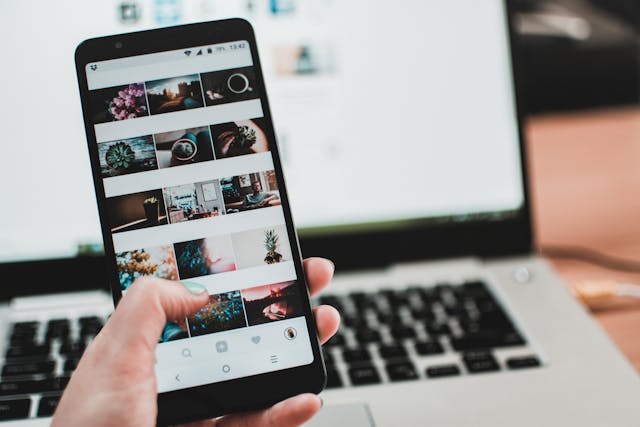
Notification systems deserve special attention. Platforms carefully design them to trigger FOMO (Fear of Missing Out). They mix important alerts with promotional content. This makes it harder to ignore notifications, keeping users constantly engaged. Instagram allows customization of notifications by letting users create their favorite list of users to get notified about.

Travel and Hospitality
Booking sites have perfected the art of urgency-based manipulation. When searching for hotels, you’ll see messages about other viewers and limited rooms. These create artificial time pressure for decisions that deserve careful consideration. Booking.com does this by showing you that there’s a “Limited supply for your dates”.
The pricing structure often hides resort fees and additional charges until the final steps. I’ve documented cases where the final price was 40% higher than the initially advertised rate. This practice continues because it works – users feel invested after spending time entering their information.
Designing for Trust: Preventing Dark Patterns
Let me share practical ways to design better experiences based on my work helping teams create ethical interfaces. These guidelines focus on transparency and user empowerment.

Clear Design Principles
Transparent pricing stands as our first defense against dark patterns. When designing checkout flows, show the total cost upfront. Include all fees, taxes, and shipping costs on the product page. Users should never feel surprised by the final price.
Exit points need clear visibility throughout the user journey. Whether it’s canceling a subscription or leaving a sign-up flow, make these options obvious. I always ensure that the “Cancel” buttons have equal visual weight to the “Continue” buttons if they both exist on the same page. Whereby’s cancelation page makes the “Cancel” button big and clear.

Implementation Guidelines
First, focus on pricing clarity. Every cost should appear upfront, with detailed breakdowns available. When designing comparison tools, show real savings instead of inflated original prices. This builds long-term trust with users. For example, Harvest’s plan allows users to view price by total number of people, price per person, total amount, and billing cycle.
User control comes next. Design account management screens with simplicity in mind. Privacy settings should take one click to adjust. Subscription changes should be as easy as initial sign-up. Data exports should download in common formats.
Clear communication matters most. Write copy that informs rather than manipulates. Replace guilt-inducing language with straightforward options. Instead of “No thanks, I don’t want to save money,” use “Skip this offer.”
Default settings should protect users first. Start with the privacy-focused options selected. Make data sharing an active choice rather than a hidden checkbox. Explain tracking in plain language, avoiding technical jargon.
Championing Ethical Design With Page Flows
As designers, we have a responsibility to create interfaces that serve users, not exploit them. I’ve committed to documenting and fighting against these types of patterns in my own work. The future of UX design must prioritize transparency, user autonomy, and ethical engagement.
If you’re looking for inspiration that champions ethical design, check out Page Flows. Page Flows gives you access to comprehensive user flows and UX patterns from top digital products. Study how industry leaders create effective, user-friendly experiences without using dark patterns. Explore the Page Flows pattern library and start designing better experiences today.
Frequently Asked Questions
Are dark patterns Illegal?
Some dark patterns violate laws like GDPR and CCPA, particularly in privacy and data collection. However, many exist in a legal gray area. Recent legislation targets specific deceptive practices, but regulation struggles to keep pace with evolving techniques.
What is the psychology behind dark patterns?
Dark patterns exploit fundamental cognitive biases in human decision-making. They leverage psychological triggers like loss aversion, social proof, and default bias to bypass rational thinking and influence user behavior.
Has there been a rise in dark patterns?
Yes, dark pattern usage has increased significantly with digital transformation. Mobile apps and social media have created new opportunities for manipulative design, while competition for user attention drives more companies to adopt these practices.