Image

Jussi Pakkanen

@jpakkane

C and C++ dependencies, don't dream it, be it!

Bill Hoffman, the original creator of the CMake language held a presentation at CppCon. At approximately 49 minutes in he starts talking about future plans for dependency management. He says, and I now quote him directly, that "in this future I envision", one should be able to do something like the following (paraphrasing).

Your project has dependencies A, B and C. Typically you get them from "the system" or a package manager. But then you'd need to develop one of the deps as well. So it would be nice if you could somehow download, say, A, build it as part of your own project and, once you are done, switch back to the system one.

Well mr Hoffman, do I have wonderful news for you! You don't need to treasure these sensual daydreams any more. This so called "future" you "envision" is not only the present, but in fact ancient past. This method of dependency management has existed in Meson for so long I don't even remember when it got added. Something like over five years at least. 

How would you use such a wild and an untamed thing?

Let's assume you have a Meson project that is using some dependency called bob. The current build is using it from the system (typically via pkg-config, but the exact method is irrelevant). In order to build the source natively, first you need to obtain it. Assuming it is available in WrapDB, all you need to do is run this command:

meson wrap install bob

If it is not, then you need to do some more work. You can even tell Meson to check out the project's Git repo and build against current trunk if you so prefer. See documentation for details.

Then you need to tell Meson to use the internal one. There is a global option to switch all dependencies to be local, but in this case we want only this dependency to be built and get the remaining ones from the system. Meson has a builtin option for exactly this:

meson configure builddir -Dforce_fallback_for=bob

Starting a build would now reconfigure the system to use the builtin option. Once you are done and want to go back to using system deps, run this command:

meson configure builddir -Dforce_fallback_for=

This is all you need to do. That is the main advantage of competently designed tools. They rose tint your world and keep you safe from trouble and pain. Sometimes you can see the blue sky through the tears in your eyes.

Oh, just one more deadly sting

If you keep watching the presenter first asks the audience if this is something they would like. Upon receiving a positive answer he then follows up with this [again quoting directly]:

So you should all complain to the DOE [presumably US Department of Energy] for not funding the SBIR [presumably some sort of grant or tender] for this.

Shaming your end users into advocating an authoritarian/fascist government to give large sums of money in a tender that only one for-profit corporation can reasonably win is certainly a plan.

Instead of working on this kind of a muscle man you can alternative do what we in the Meson project did: JFDI. The entire functionality was implemented by maybe 3 to 5 people, some working part time but most being volunteers. The total amount of work it took is probably a fraction of the clerical work needed to deal with all the red tape that comes with a DoE tender process.

In the interest of full disclosure

While writing this blog post I discovered a corner case bug in our current implementation. At the time of writing it is only seven hours old, and not particularly beautiful to behold as it has not been fixed yet. And, unfortunately, the only thing I've come to trust is that bugfixes take longer than you would want them to.

Image

Christian Hergert

@hergertme

Mid-life transitions

The past few months have been heavy for many people in the United States, especially families navigating uncertainty about safety, stability, and belonging. My own mixed family has been working through some of those questions, and it has led us to make a significant change.

Over the course of last year, my request to relocate to France while remaining in my role moved up and down the management chain at Red Hat for months without resolution, ultimately ending in a denial. That process significantly delayed our plans despite providing clear evidence of the risks involved to our family. At the beginning of this year, my wife and I moved forward by applying for long-stay visitor visas for France, a status that does not include work authorization.

During our in-person visa appointment in Seattle, a shooting involving CBP occurred just a few parking spaces from where we normally park for medical outpatient visits back in Portland. It was covered by the news internationally and you may have read about it. Moments like that have a way of clarifying what matters and how urgently change can feel necessary.

Our visas were approved quickly, which we’re grateful for. We’ll be spending the next year in France, where my wife has other Tibetan family. I’m looking forward to immersing myself in the language and culture and to taking that responsibility seriously. Learning French in mid-life will be humbling, but I’m ready to give it my full focus.

This move also means a professional shift. For many years, I’ve dedicated a substantial portion of my time to maintaining and developing key components across the GNOME platform and its surrounding ecosystem. These projects are widely used, including in major Linux distributions and enterprise environments, and they depend on steady, ongoing care.

For many years, I’ve been putting in more than forty hours each week maintaining and advancing this stack. That level of unpaid or ad-hoc effort isn’t something I can sustain, and my direct involvement going forward will be very limited. Given how widely this software is used in commercial and enterprise environments, long-term stewardship really needs to be backed by funded, dedicated work rather than spare-time contributions.

If you or your organization depend on this software, now is a good time to get involved. Perhaps by contributing engineering time, supporting other maintainers, or helping fund long-term sustainability.

The folliwing is a short list of important modules where I’m roughly the sole active maintainer:

  • GtkSourceView – foundation for editors across the GTK eco-system
  • Text Editor – GNOME’s core text editor
  • Ptyxis – Default terminal on Fedora, Debian, Ubuntu, RHEL/CentOS/Alma/Rocky and others
  • libspelling – Necessary bridge between GTK and enchant2 for spellcheck
  • Sysprof – Whole-systems profiler integrating Linux perf, Mesa, GTK, Pango, GLib, WebKit, Mutter, and other statistics collectors
  • Builder – GNOME’s flagship IDE
  • template-glib – Templating and small language runtime for a scriptable GObject Introspection syntax
  • jsonrpc-glib – Provides JSONRPC communication with language servers
  • libpeas – Plugin library providing C/C++/Rust, Lua, Python, and JavaScript integration
  • libdex – Futures, Fibers, and io_uring integration
  • GOM – Data object binding between GObject and SQLite
  • Manuals – Documentation reader for our development platform
  • Foundry – Basically Builder as a command-line program and shared library, used by Manuals and a future Builder (hopefully)
  • d-spy – Introspect D-Bus connections
  • libpanel – Provides IDE widgetry for complex GTK/libadwaita applications
  • libmks – Qemu Mouse-Keyboard-Screen implementation with DMA-BUF integration for GTK

There are, of course, many other modules I contribute to, but these are the ones most in need of attention. I’m committed to making the transition as smooth as possible and am happy to help onboard new contributors or teams who want to step up.

My next chapter is about focusing on family and building stability in our lives.

Image

Lucas Baudin

@lbaudin

Being a Mentor for Outreachy

I first learned about Outreachy reading Planet GNOME 10 (or 15?) years ago. At the time, I did not know much about free software and I was puzzled by this initiative, as it mixed politics and software in a way I was not used to.

Now I am a mentor for the December 2025 Outreachy cohort for Papers (aka GNOME Document Viewer), so I figured I would write a blog post to explain what Outreachy is and perpetuate the tradition! Furthermore, I thought it might be interesting to describe my experience as a mentor so far.

Papers and Outreachy logo

What is Outreachy?

Quoting the Outreachy website:

Outreachy provides [paid] internships to anyone from any background who faces underrepresentation, systemic bias, or discrimination in the technical industry where they are living.

These internships are paid and carried out in open-source projects. By way of anecdote, it was initially organized by the GNOME community around 2006-2009 to encourage women participation in GNOME and was progressively expanded to other projects later on. It was formally renamed Outreachy in 2015 and is now managed independently on GNOME, apart from its participation as an open-source project.

Compared to the well-funded Summer of Code program by Google, Outreachy has a much more precarious financial situation, especially in recent years. With little surprise, the evolution of politics in the US and elsewhere over the last few years does not help.

Therefore, most internships are nowadays funded directly by open-source projects (in our case the GNOME Foundation, you can donate and become a Friend of GNOME), and Outreachy still has to finance (at least) its staff (donations here).

Outreachy as a Mentor

So, I am glad that the GNOME Foundation was able to fund an Outreachy internship for the December 2025 cohort. As I am one of the Papers maintainers, I decided to volunteer to mentor an intern and came up with a project on document signatures. This was one of the first issues filled when Papers was forked from Evince, and I don't think I need to elaborate on how useful PDF signing is nowadays. Furthermore, Tobias had already made designs for this feature, so I knew that if we actually had an intern, we would precisely know what needed to be implemented1.

Once the GNOME Internship Committee for Outreachy approved the project, the project was submitted on the Outreachy website, and applicants were invited to start making contributions to projects during the month of October so projects could then select interns (and interns could decide whether they wanted to work for three months in this community). Applicants were already selected by Outreachy (303 applications were approved out of 3461 applications received). We had several questions and contributions from around half a dozen applicants, and that was already an enriching experience for me. For instance, it was interesting to see how newcomers to Papers could be puzzled by our documentation.

At this point, a crucial thing was labeling some issues as "Newcomers". It is much harder than what it looks (because sometimes things that seem simple actually aren't), and it is necessary to make sure that issues are not ambiguous, as applicants typically do not dare to ask questions (even, of course, when it is specified that questions are welcomed!). Communication is definitively one of the hardest things.

In the end, I had to grade applicants (another hard thing to do), and the Internship Committee selected Malika Asman who accepted to participate as an intern! Malika wrote about her experience so far in several posts in her blog.

1

Outreachy internships do not have to be centered around programming; however, that is what I could offer guidance for.

Image

Allan Day

@aday

GNOME Foundation Update, 2026-02-06

Welcome to another GNOME Foundation weekly update! FOSDEM happened last week, and we had a lot of activity around the conference in Brussels. We are also extremely busy getting ready for our upcoming audit, so there’s lots to talk about. Let’s get started.

FOSDEM

FOSDEM happened in Brussels, Belgium, last weekend, from 31st January to 1st February. There were lots of GNOME community members in attendance, and plenty of activities around the event, including talks and several hackfests. The Foundation was busy with our presence at the conference, plus our own fringe events.

Board hackfest

Seven of our nine directors met for an afternoon and a morning prior to FOSDEM proper. Face to face hackfests are something that the Board has done at various times previously, and have always been a very effective way to move forward on big ticket items. This event was no exception, and I was really happy that we were able to make it happen.

During the event we took the time to review the Foundation’s financials, and to make some detailed plans in a number of key areas. It’s exciting to see some of the initiatives that we’ve been talking about starting to take more shape, and I’m looking forward to sharing more details soon.

Advisory Board meeting

The afternoon of Friday 30th January was occupied with a GNOME Foundation Advisory Board meeting. This is a regular occurence on the day before FOSDEM, and is an important opportunity for the GNOME Foundation Board to meet with partner organizations and supporters.

Turn out for the meeting was excellent, with Canonical, Google, Red Hat, Endless and PostmarketOS all in attendance. I gave a presentation on the how the Foundation is currently performing, which seemed to be well-received. We then had presentations and discussion amongst Advisory Board members.

I thought that the discussion was useful, and we identified a number of areas of shared interest. One of these was around how partners (companies, projects) can get clear points of contact for technical decision making in GNOME and beyond. Another positive theme was a shared interest in accessibility work, which was great to see.

We’re hoping to facilitate further conversations on these topics in future, and will be holding our next Advisory Board meeting in the summer prior to GUADEC. If there are any organizations out there would like to join the Advisory Board, we would love to hear from you.

Conference stand

GNOME had a stand during both FOSDEM days, which was really busy. I worked the stand on the Saturday and had great conversations with people who came to say hi. We also sold a lot of t-shirts and hats!

I’d like to give a huge thank you to Maria Majadas who organized and ran our stand this year. It is incredibly exhausting work and we are so lucky to have Maria in our community. Please say thank you to her!

We also had plenty of other notable volunteers, including Julian Sparber, Ignacy Kuchciński, Sri Ramkrishna. Richard Litteaur, our previous Interim Executive Director even took a shift on the stand.

Social

On the Saturday night there was a GNOME social event, hosted at a local restaurant. As always it was fantastic to get together with fellow contributors, and we had a good turnout with 40-50 people there.

Audit preparation

Moving on from FOSDEM, there has been plenty of other activity at the Foundation in recent weeks. The first of these is preparation for our upcoming audit. I have written a fair bit about this in these previous updates. The audit is a routine exercise, but this is also our first, so we are learning a lot.

The deadline for us to provide our documentation submission to the auditors is next Tuesday, so everyone on the finance side of the operation has been really busy getting all that ready. Huge thanks to everyone for their extra effort here.

GUADEC & LAS planning

Conference planning has been another theme in the past few weeks. For GUADEC, accommodation options have been announced, artwork has been produced, and local information is going up on the website.

Linux App Summit, which we co-organise with KDE, has been a bit delayed this year, but we have a venue now and are in the process of finalizing the budget. Announcements about the dates and location will hopefully be made quite soon.

Google verification

A relatively small task, but a good one to highlight: this week we facilitated (ie. paid for) the assessment process for GNOME’s integration with Google services. This is an annual process we have to go through in order to keep Evolution Data Server working with Google.

Infrastructure optimization

Finally, Bart, along with Andrea, has been doing some work to optimize the resource usage of GNOME infrastructure. If you are using GNOME services you might have noticed some subtle changes as a result of this, like Anubis popping up more frequently.

That’s it for this week. Thanks for reading; I’ll see you next week!

Image

Andy Wingo

@wingo

ahead-of-time wasm gc in wastrel

Hello friends! Today, a quick note: the Wastrel ahead-of-time WebAssembly compiler now supports managed memory via garbage collection!

hello, world

The quickest demo I have is that you should check out and build wastrel itself:

git clone https://codeberg.org/andywingo/wastrel
cd wastrel
guix shell
# alternately: sudo apt install guile-3.0 guile-3.0-dev \
#    pkg-config gcc automake autoconf make
autoreconf -vif && ./configure
make -j

Then run a quick check with hello, world:

$ ./pre-inst-env wastrel examples/simple-string.wat
Hello, world!

Now give a check to gcbench, a classic GC micro-benchmark:

$ WASTREL_PRINT_STATS=1 ./pre-inst-env wastrel examples/gcbench.wat
Garbage Collector Test
 Creating long-lived binary tree of depth 16
 Creating a long-lived array of 500000 doubles
Creating 33824 trees of depth 4
	Top-down construction: 10.189 msec
	Bottom-up construction: 8.629 msec
Creating 8256 trees of depth 6
	Top-down construction: 8.075 msec
	Bottom-up construction: 8.754 msec
Creating 2052 trees of depth 8
	Top-down construction: 7.980 msec
	Bottom-up construction: 8.030 msec
Creating 512 trees of depth 10
	Top-down construction: 7.719 msec
	Bottom-up construction: 9.631 msec
Creating 128 trees of depth 12
	Top-down construction: 11.084 msec
	Bottom-up construction: 9.315 msec
Creating 32 trees of depth 14
	Top-down construction: 9.023 msec
	Bottom-up construction: 20.670 msec
Creating 8 trees of depth 16
	Top-down construction: 9.212 msec
	Bottom-up construction: 9.002 msec
Completed 32 major collections (0 minor).
138.673 ms total time (12.603 stopped); 209.372 ms CPU time (83.327 stopped).
0.368 ms median pause time, 0.512 p95, 0.800 max.
Heap size is 26.739 MB (max 26.739 MB); peak live data 5.548 MB.

We set WASTREL_PRINT_STATS=1 to get those last 4 lines. So, this is a microbenchmark: it runs for only 138 ms, and the heap is tiny (26.7 MB). It does collect 30 times, which is something.

is it good?

I know what you are thinking: OK, it’s a microbenchmark, but can it tell us anything about how Wastrel compares to V8? Well, probably so:

$ guix shell node time -- \
   time node js-runtime/run.js -- \
     js-runtime/wtf8.wasm examples/gcbench.wasm
Garbage Collector Test
[... some output elided ...]
total_heap_size: 48082944
[...]
0.23user 0.03system 0:00.20elapsed 128%CPU (0avgtext+0avgdata 87844maxresident)k
0inputs+0outputs (0major+13325minor)pagefaults 0swaps

Which is to say, V8 takes more CPU time (230ms vs 209ms) and more wall-clock time (200ms vs 138ms). Also it uses twice as much managed memory (48 MB vs 26.7 MB), and more than that for the total process (88 MB vs 34 MB, not shown).

improving on v8, really?

Let’s try with quads, which at least has a larger active heap size. This time we’ll compile a binary and then run it:

$ ./pre-inst-env wastrel compile -o quads examples/quads.wat
$ WASTREL_PRINT_STATS=1 guix shell time -- time ./quads 
Making quad tree of depth 10 (1398101 nodes).
	construction: 23.274 msec
Allocating garbage tree of depth 9 (349525 nodes), 60 times, validating live tree each time.
	allocation loop: 826.310 msec
	quads test: 860.018 msec
Completed 26 major collections (0 minor).
848.825 ms total time (85.533 stopped); 1349.199 ms CPU time (585.936 stopped).
3.456 ms median pause time, 3.840 p95, 5.888 max.
Heap size is 133.333 MB (max 133.333 MB); peak live data 82.416 MB.
1.35user 0.01system 0:00.86elapsed 157%CPU (0avgtext+0avgdata 141496maxresident)k
0inputs+0outputs (0major+231minor)pagefaults 0swaps

Compare to V8 via node:

$ guix shell node time -- time node js-runtime/run.js -- js-runtime/wtf8.wasm examples/quads.wasm
Making quad tree of depth 10 (1398101 nodes).
	construction: 64.524 msec
Allocating garbage tree of depth 9 (349525 nodes), 60 times, validating live tree each time.
	allocation loop: 2288.092 msec
	quads test: 2394.361 msec
total_heap_size: 156798976
[...]
3.74user 0.24system 0:02.46elapsed 161%CPU (0avgtext+0avgdata 382992maxresident)k
0inputs+0outputs (0major+87866minor)pagefaults 0swaps

Which is to say, wastrel is almost three times as fast, while using almost three times less memory: 2460ms (v8) vs 849ms (wastrel), and 383MB vs 141 MB.

zowee!

So, yes, the V8 times include the time to compile the wasm module on the fly. No idea what is going on with tiering, either, but I understand that tiering up is a thing these days; this is node v22.14, released about a year ago, for what that’s worth. Also, there is a V8-specific module to do some impedance-matching with regards to strings; in Wastrel they are WTF-8 byte arrays, whereas in Node they are JS strings. But it’s not a string benchmark, so I doubt that’s a significant factor.

I think the performance edge comes in having the program ahead-of-time: you can statically allocate type checks, statically allocate object shapes, and the compiler can see through it all. But I don’t really know yet, as I just got everything working this week.

Wastrel with GC is demo-quality, thus far. If you’re interested in the back-story and the making-of, see my intro to Wastrel article from October, or the FOSDEM talk from last week:

Slides here, if that’s your thing.

More to share on this next week, but for now I just wanted to get the word out. Happy hacking and have a nice weekend!

Image

Matthias Clasen

@mclasen

GTK hackfest, 2026 edition

As is by now a tradition, a few of the GTK developers got together in the days before FOSDEM to make plans and work on your favorite toolkit.

Code

We released gdk-pixbuf 2.44.5 with glycin-based XPM and XBM loaders, rounding out the glycin transition. Note that the XPM/XBM support in will only appear in glycin 2.1. Another reminder is that gdk_pixbuf_new_from_xpm_data()was deprecated in gdk-pixbuf 2.44, and should not be used any more, as it does not allow for error handling in case the XPM loader is not available; if you still have XPM assets, please convert them to PNG, and use GResource to embed them into your application if you don’t want to install them separately.

We also released GTK 4.21.5, in time for the GNOME beta release. The highlights in this snapshot are still more SVG work (including support for SVG filters in CSS) and lots of GSK renderer refactoring. We decided to defer the session saving support, since early adopters found some problems with our APIs; once the main development branch opens for GTK 4.24, we will work on a new iteration and ask for more feedback.

Discussions

One topic that we talked about is unstable APIs, but no clear conclusion was reached. Keeping experimental APIs in the same shared object was seen as problematic (not just because of ABI checkers).  Making a separate shared library (and a separate namespace, for bindings) might not be easy.

Still on the topic of APIs, we decided that we want to bump our C runtime requirement to C11 in the next cycle, to take advantage of standard atomics, integer types and booleans. At the moment, C11 is a soft requirement through GLib. We also talked about GLib’s autoptrs, and were saddened by the fact that we still can’t use them without dropping MSVC. The defer proposal for C2y would not really work with how we use automatic cleanup for types, either, so we can’t count on the C standard to save us.

Mechanics

We collected some ideas for improving project maintenance. One idea that came up was to look at automating issue tagging, so it is easier for people to pay closer attention to a subset of all open issues and MRs. Having more accurate labels on merge requests would allow people to get better notifications and avoid watching the whole project.

We also talked about the state of GTK3 and agreed that we want to limit changes in this very mature code base to crash and build fixes: the chances of introducing regressions in code that has long since been frozen is too high.

Accessibility

On the accessibility side, we are somewhat worried about the state of AccessKit. The code upstream is maintained, but we haven’t seen movement in the GTK implementation. We still default to the AT-SPI backend on Linux, but AccessKit is used on Windows and macOS (and possibly Android in the future); it would be nice to have consumers of the accessibility stack looking at the code and issues.

On the AT-SPI side we are still missing proper feature negotiation in the protocol; interfaces are now versioned on D-Bus, but there’s no mechanism to negotiate the supported set of roles or events between toolkits, compositors, and assistive technologies, which makes running newer applications on older OS versions harder.

We discussed the problem of the ARIA specification being mostly “stringly” typed in the attributes values, and how it impacts our more strongly typed API (especially with bindings); we don’t have a good generic solution, so we will have to figure out possible breaks or deprecations on a case by case basis.

Finally, we talked about a request by the LibreOffice developers on providing a wrapper for the AT-SPI collection interface; this API is meant to be used as a way to sidestep the array-based design, and perform queries on the accessible objects tree. It can be used to speed up iterating through large and sparse trees, like documents or spreadsheets. It’s also very AT-SPI specific, which makes it hard to write in a platform-neutral way. It should be possible to add it as a platform-specific API, like we did for GtkAtSpiSocket.

Carlos is working on landing the pointer query API in Mutter, which would address the last remnant of X11 use inside Orca.

Outlook

Some of the plans and ideas that we discussed for the next cycle include:

  • Bring back the deferred session saving
  • Add some way for applications to support the AT-SPI collection interface
  • Close some API gaps in GtkDropDown (8003 and 8004)
  • Bring some general purpose APIs from libadwaita back to GTK

Until next year, ❤

Image

Cassidy James Blaede

@cassidyjames

ROOST at FOSDEM 2026

Image

A few months ago I joined ROOST (Robust Open Online Safety Tools) to build our open source community that would be helping to create, distribute, and maintain common tools and building blocks for online trust and safety. One of the first events I wanted to make sure we attended in order to build that community was of course FOSDEM, the massive annual gathering of open source folks in Brussels, Belgium.

Luckily for us, the timing aligned nicely with the v1 release of our first major online safety tool, Osprey, as well as its adoption by Bluesky and the Matrix.org Foundation. I wrote and submitted a talk for the FOSDEM crowd and the decentralized communications track, which was accepted. Our COO Anne Bertucio and I flew out to Brussels to meet up with folks, make connections, and learn how our open source tools could best serve open protocols and platforms.

Brunch with the Christchurch Call Foundation

Saturday, ROOST co-hosted a brunch with the Christchurch Call Foundation where we invited folks to discuss the intersection of open source and online safety. The event was relatively small, but we engaged in meaningful conversations and came away with several recurring themes. Non-exhaustively, some areas attendees were interested in: novel classifiers for unique challenges like audio recordings and pixel art; how to ethically source and train classifiers; ways to work better together across platforms and protocols.

Personally I enjoyed meeting folks from Mastodon, GitHub, ATproto, IFTAS, and more in person for the first time, and I look forward to continuing several conversations that were started over coffee and fruit.

Talk

Our Sunday morning talk “Stop Reinventing in Isolation” (which you can watch on YouTube or at fosdem.org) filled the room and was really well-received.

Cassidy Anne

Cassidy and Anne giving a talk. | Photos from @matrix@mastodon.matrix.org

In it we tackled three major topics: a crash course on what is “trust and safety”; why the field needs an open source approach; and then a bit about Osprey, our self-hostable automated rules engine and investigation tool that started as an internal tool built at Discord.

Q&A

We had a few minutes for Q&A after the talk, and the folks in the room spurred some great discussions. If there’s something you’d like to ask that isn’t covered by the talk or this Q&A, feel free to start a discussion! Also note that this gets a bit nerdy; if you’re not interested in the specifics of deploying Osprey, feel free to skip ahead to the Stand section.

Room

When using Osprey with the decentralized Matrix protocol, would it be a policy server implementation?

Yes, in the Matrix model that’s the natural place to handle it. Chat servers are designed to check with the policy server before sending room events to clients, so it’s precisely where you’d want to be able to run automated rules. The Matrix.org Foundation is actively investigating how exactly Osprey can be used with this setup, and already have it deployed in their staging environment for testing.

Does it make sense to use Osprey for smaller platforms with fewer events than something like Matrix, Bluesky, or Discord?

This one’s a bit harder to answer, because Osprey is often the sort of tool you don’t “need” until you suddenly and urgently do. That said, it is designed as an in-depth investigation tool, and if that’s not something needed on your platform yet due to the types and volume of events you handle, it could be overkill. You might be better off starting with a moderation/review dashboard like Coop, which we expect to be able to release as v0 in the coming weeks. As your platform scales, you could then explore bringing Osprey in as a complementary tool to handle more automation and deeper investigation.

Does Osprey support account-level fraud detection?

Osprey itself is pretty agnostic to the types of events and metadata it handles; it’s more like a piece of plumbing that helps you connect a firehose of events to one end, write rules and expose those events for investigation in the middle, and then connect outgoing actions on the other end. So while it’s been designed for trust and safety uses, we’ve heard interest from platforms using it in a fraud prevention context as well.

What are the hosting requirements of Osprey, and what do deployments look like?

While you can spin Osprey up on a laptop for testing and development, it can be a bit beefy. Osprey is made up of four main components: worker, UI, database, and Druid as the analytics database. The worker and UI have low resource requirements, your database (e.g. Postgres) could have moderate requirements, but then Druid is what will have the highest requirements. The requirements will also scale with your total throughput of events being processed, as well as the TTLs you keep in Druid. As for deployments, Discord, Bluesky, and the Matrix.org Foundation have each integrated Osprey into their Kubernetes setups as the components are fairly standard Docker images. Osprey also comes with an optional coordinator, an action distribution and load-balancing service that can aid with horizontal scaling.

Stand

This year we were unable to secure a stand (there were already nearly 100 stands in just 5 buildings!), but our friends at Matrix graciously hosted us for several hours at their stand near the decentralized communications track room so we could follow up with folks after our talk. We blew through our shiny sticker supply as well as our 3D printed ROOST keychains (which I printed myself at home!) in just one afternoon. We’ll have to bring more to future FOSDEMs!

Stickers

When I handed people one of our hexagon stickers the reaction was usually some form of, “ooh, shiny!” but my favorite was when someone essentially said, “Oh, you all actually know open source!” That made me proud, at least. :)

Interesting Talks

Lastly, I always like to shout out interesting talks I attended or caught on video later so others can enjoy them on their own time. I recommend checking out:

Image

This Week in GNOME

@thisweek

#235 Integrating Fonts

Update on what happened across the GNOME project in the week from January 30 to February 06.

GNOME Core Apps and Libraries

GTK

Cross-platform widget toolkit for creating graphical user interfaces.

Emmanuele Bassi says

The GTK developers published the report for the 2026 GTK hackfest on their development blog. Lots of work and plans for the next 12 months:

  • session save/restore
  • toolchain requirements
  • accessibility
  • project maintenance

and more!

Glycin

Sandboxed and extendable image loading and editing.

Sophie (she/her) reports

Glycin 2.1.beta has been released. Starting with this version, the JPEG 2000 image format is supported by default. This was made possible by a new JPEG 2000 implementation that is completely written in safe Rust.

While this image format isn’t in widespread use for images directly, many PDFs contain JPEG 2000 images since PDF 1.5 and PDF/A-2 support embedded JPEG 2000 images. Therefore, images extracted from PDFs, frequently have the JPEG 2000 format.

GNOME Circle Apps and Libraries

Resources

Keep an eye on system resources

nokyan says

This week marks the release of Resources 1.10 with support for new hardware, software and improvements all around! Here are some highlights:

  • Added support for AMD NPUs using the amdxdna driver
  • Improved accessibility for screen reader users and keyboard users
  • Vastly improved app detection
  • Significantly cut down CPU usage
  • Searching for multiple process names at once is now possible using the “|” operator in the search field

In-depth release notes can be found on GitHub.

Resources is available on Flathub.

gtk-rs

Safe bindings to the Rust language for fundamental libraries from the GNOME stack.

Julian 🍃 announces

I’ve added another chapter for the gtk4-rs book. It describes how to use gettext to make your app available in other languages: https://gtk-rs.org/gtk4-rs/stable/latest/book/i18n.html

Third Party Projects

Ronnie Nissan announces

This week I released Sitra, an app to install and manage fonts from google fonts. It also helps devs integrate fonts into their projects using fontsource npm and CDN.

The app is a replacement to the Font Downloader app which has been abandoned for a while.

Sitra can be downloaded from flathub

Image

Image

Arnis (kem-a) announces

AppManager is a GTK/Libadwaita developed desktop utility in Vala that makes installing and uninstalling AppImages on Linux desktop painless. It supports both SquashFS and DwarFS AppImage formats, features a seamless background auto-update process, and leverages zsync delta updates for efficient bandwidth usage. Double-click any .AppImage to open a macOS-style drag-and-drop window, just drag to install and AppManager will move the app, wire up desktop entries, and copy icons.

And of course, it’s available as AppImage. Get it on Github

Image

Parabolic

Download web video and audio.

Nick reports

Parabolic V2026.2.0 is here!

This release contains a complete overhaul of the downloading engine as it was rewritten from C++ to C#. This will provide us with more stable performance and faster iteration of highly requested features (see the long list below!!). The UIs for both Windows and Linux were also ported to C# and got a face lift, providing a smoother and more beautiful downloading experience.

Besides the rewrite, this release also contains many new features (including quality and subtitle options for playlists - finally!) and plenty of bug fixes with an updated yt-dlp.

Here’s the full changelog:

  • Parabolic has been rewritten in C# from C++
  • Added arm64 support for Windows
  • Added support for playlist quality options
  • Added support for playlist subtitle options
  • Added support for reversing the download order of a playlist
  • Added support for remembering the previous Download Immediately selection in the add download dialog
  • Added support for showing yt-dlp’s sleeping pauses within download rows
  • Added support for enabling nightly yt-dlp updates within Parabolic
  • Redesigned both platform application designs for a faster and smoother download experience
  • Removed documentation pages as Parabolic shows in-app documentation when needed
  • Fixed an issue where translator-credits were not properly displayed
  • Fixed an issue where Parabolic crashed when adding large amounts of downloads from a playlist
  • Fixed an issue where Parabolic crashed when validating certain URLs
  • Fixed an issue where Parabolic refused to start due to keyring errors
  • Fixed an issue where Parabolic refused to start due to VC errors
  • Fixed an issue where Parabolic refused to start due to version errors
  • Fixed an issue where opening the about dialog would freeze Parabolic for a few seconds
  • Updated bundled yt-dlp

Image

Shell Extensions

subz69 reports

I just released Pigeon Email Notifier, a new GNOME Shell extension for Gmail and Microsoft email notifications using GNOME Online Accounts. Supports priority-only mode, persistent and sound notifications.

Image

Miscellaneous

Arjan reports

PyGObject 3.55.3 has been released. It’s the third development release (it’s not available on PyPI) in the current GNOME release cycle.

The main achievements for this development cycle, leading up to GNOME 50, are:

  • Support for do_dispose and do_constructed methods in Python classes. do_constructed is called after an object has been constructed (as a post-init method), and do_dispose is called when a GObject is disposed.
  • Removal of duplicate marshalling code for fields, properties, constants, and signal closures.
  • Removal of old code, most notable pygtkcompat and wrappers for Glib.OptionContext/OptionGroup.
  • Under the hood toggle references have been replaced by normal references, and PyGObject sinks “floating” objects by default.

Notable changes include for this release include:

  • Type annotations to Glib and GObject overrides. This makes it easier for pygobject-stubs to generate type hints.
  • Updates to the asyncio support.

A special thanks to Jamie Gravendeel, Laura Kramolis, and K.G. Hammarlund for test-driving the unstable versions.

All changes can be found in the Changelog.

This release can be downloaded from Gitlab and the GNOME download server.If you use PyGObject in your project, please give it a spin and see if everything works as expected.⁦

That’s all for this week!

See you next week, and be sure to stop by #thisweek:gnome.org with updates on your own projects!

Image

Michael Meeks

@michael

2026-01-31 Saturday

  • Breakfast with some of the team. Taxi to the venue laden with beavers. Distributed these to various hard-working people.
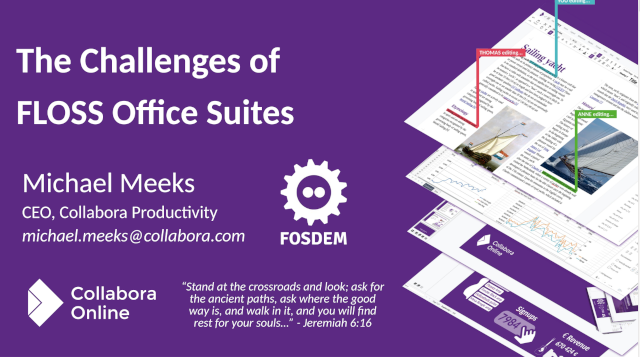
  • Gave a talk scraping the surface of why writing your own office suite from scratch is really foolish, although an increasingly popular folly these days:
    Challenges of FLOSS productivity
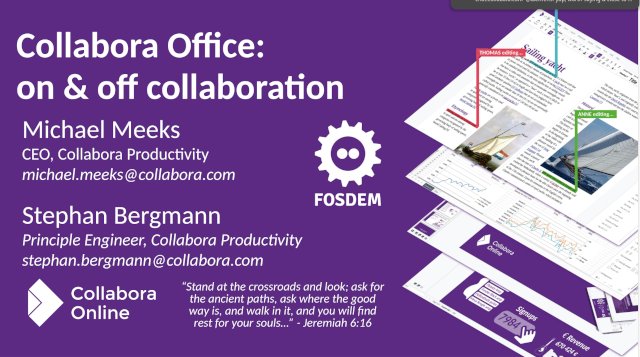
  • More wandering, grabbed some lunch, gave a talk with Stephan on on&off collaborative editing:
    On and off Collaboration
  • Out to the XWIKI drinks party & dinner in the evening.
  • /ul>
Image

This Week in GNOME

@thisweek

#234 Annotated Documents

Update on what happened across the GNOME project in the week from January 23 to January 30.

GNOME Core Apps and Libraries

Document Viewer (Papers)

View, search or annotate documents in many different formats.

lbaudin announces

Papers can now be used to draw freehand annotations on PDF documents (ink), as well as add text to them! These features were merged this week and are now available in GNOME nightly, more details in this blog post.

Image

GTK

Cross-platform widget toolkit for creating graphical user interfaces.

Emmanuele Bassi reports

As usual, a few GTK developers are meeting up before FOSDEM for the planning hackfest; we are discussing the current state of the project, and also where do we want to go in the next 6-12 months:

  • the new SVG rendering code
  • accessibility
  • icons and other assets
  • platform support, especially Windows and Android
  • various improvements in the GLib code
  • the state of various dependencies, like gdk-pixbuf and accesskit
  • whether to introduce unstable API as an opt in for experimentation, before finalising it

You can follow along the agenda, and the notes here: https://pad.gnome.org/gtk-hackfest-2026

We are also going to be at the GNOME social event on Saturday in Brussels, so make sure to join us!

Emmanuele Bassi says

Matthias just released a new GTK 4.21 developers snapshot, in time for GNOME 50’s beta release. This release brings various changes:

  • the state saving and restoring API has been made private; we have received feedback by early adopters, and we are going to need to go back to the drawing board in order to address some issues related to its use
  • GSK shaders are now autogenerated
  • GTK does not depend on librsvg any more, and implements its own SVG renderer, including various filters
  • the Inspector has a heat map generator
  • SVG filters can be used inside CSS data URLs
  • GtkAspectFrame’s measurement has been fixed to properly (and efficiently) support more cases and fractional sizes

Additionally, we have multiple fixes for Windows, macOS, and Android. Lots of things to look forward for the 4.22 stable release!

GNOME Circle Apps and Libraries

gtk-rs

Safe bindings to the Rust language for fundamental libraries from the GNOME stack.

Julian 🍃 announces

After a quite long hiatus, I continued writing on the gtk4-rs book. This time we introduce the build system Meson. This sets the stage for more interesting features like internationalization: https://gtk-rs.org/gtk4-rs/stable/latest/book/meson.html

Mahjongg

Match tiles and clear the board

Mat announces

Mahjongg 49.1 has been released, and is available on Flathub. This release mainly focuses on usability improvements, and includes the following changes:

  • Implement pause menu with ‘Resume’ and ‘Quit’ buttons
  • Add Escape keyboard shortcut to pause game
  • Pause game when main window is obscured
  • Pause game when dialogs and menus are visible
  • Don’t allow pausing completed games
  • Don’t show confirmation dialog for layout change after completing game
  • Fix text entry not always receiving focus in Scores dialog
  • Translation updates

Image

Third Party Projects

Danial reports

We are announcing an important update to Carburetor, our tool for easily setting up a Tor proxy. This release focuses on crucial improvements for users in Iran, where Tor remains one of the few reliable ways to stay connected.

Following the massacre of protesters by Iran state which reportedly led to the killing of more than 60,000 individuals in a couple of days (this includes shooting injured people into the head on the hospital beds), the Internet and all other means of communications such as SMS and landlines suffered a total shutdown. After dozen of days, network access is now very fragile and heavily restricted there.

In response, this update adds support for Snowflake bridges with AMP cache rendezvous, which have proven more reliable under current conditions. To use them, ensure these two bridges are included in your inventory:

snowflake 192.0.2.5:80 2B280B23E1107BB62ABFC40DDCC8824814F80A72 url=https://snowflake-broker.torproject.net/ ampcache=https://cdn.ampproject.org/ front=www.google.com tls-imitate=hellorandomizedalpn
snowflake 192.0.2.6:80 8838024498816A039FCBBAB14E6F40A0843051FA url=https://snowflake-broker.torproject.net/ ampcache=https://cdn.ampproject.org/ front=www.google.com tls-imitate=hellorandomizedalpn

We’ve also removed the previous 90 seconds connection timeout, as establishing a connection now often takes much longer due to extreme throttling and filtering, sometimes more than 10 minutes.

Additionally, dependencies like Tor and pluggable transports have been updated to ensure better stability and security.

Stay safe. Keep connected.

Image

justinrdonnelly announces

I’ve just released a new version of Bouncer. Launching Bouncer now opens a dashboard to show the status of required components and configurations. Longtime users may not notice, but this will be especially helpful for new users trying to get Bouncer up and running. You can get Bouncer from Flathub!

Image

Jeffry Samuel says

Alpaca 9 is out, now users can now implement character cards to make role-play scenarios with their AI models, this update also brings changes to how Alpaca integrates Ollama instances, simplifying the process of running local AI even more. Check out the release discussion for more information -> https://github.com/Jeffser/Alpaca/discussions/1088

Image

Daniel Wood reports

Design, 2D computer aided design (CAD) for GNOME sees a new release, highlights include:

  • Enable clipboard management (Cut, Copy, Paste, Copy with basepoint, Select All)
  • Add Cutclip Command (CUTCLIP)
  • Add Copyclip Command (COPYCLIP)
  • Add Copybase Command (COPYBASE)
  • Add Pasteclip Command (PASTECLIP)
  • Add Match Properties Command (MA)
  • Add Pan Command (P)
  • Add Zoom Command (Z)
  • Show context menu on right click
  • Enable Undo and Redo
  • Improved Trim (TR) command with Arc, Circle and Line entities
  • Indicate save state on tabs and header bar
  • Plus many fixes!

Design is available from Flathub:

https://flathub.org/apps/details/io.github.dubstar_04.design

Image

slomo announces

GStreamer 1.28.0 has been released! This is a major new feature release, with lots of exciting new features and other improvements. Some highlights:

  • GTK4 is now shipped with the GStreamer binaries on macOS and Windows alongside the gtk4paintablesink video sink
  • vulkan plugin now supports AV1, VP9, HEVC-10 decoding and H264 encoding
  • glupload now has a udmabuf uploader to more efficiently share video buffers, leading to better perf when using, say, a software decoder and waylandsink or gtk4paintablesink
  • waylandsink has improved handling for HDR10 metadata
  • New AMD HIP plugin and integration library
  • Analytics (AI/ML) plugin suite has gained numerous new features
  • New plugins for transcription, translation and speech synthesis, etc
  • Enhanced RTMP/FLV support with HEVC support and multi-track audio
  • New vmaf element for perceptual video quality assessment using Netflix’s VMAF framework
  • New source element to render a Qt6 QML scene
  • New GIF decoder element with looping support
  • Improved support for iOS and Android
  • And many, many more new features alongside the usual bug fixes

Check the extensive release notes for more details.

rat reports

Echo 3 is released! Echo is a GUI ping utlity.

Version 3 brings along two notable features: instant cancelling of pings and a “Trips” tab showing details about each trip made in the ping.

As well as smaller changes to the layout: removed the ping options expander and moved error messages below the address bar.

Get it on Flathub: https://flathub.org/en/apps/io.github.lo2dev.Echo

Image

Pipeline

Follow your favorite video creators.

schmiddi reports

Pipeline 3.2.0 was released. This release updates the underlying video player, Clapper, to the latest version. This in particular allows specifying options passed to yt-dlp for video playback, including cookies files or extractor arguments. Besides that, it also adds some new keyboard shortcuts for toggling fullscreen and the sidebar, and fixes quite a few bugs.

One important note: Shortly before the release of this version, YouTube decided to break yt-dlp. We are working on updating the yt-dlp version, but as a temporary workaround, you can add the following string to the yt-dlp extraction arguments configurable in the preferences: youtube:player_client=default,-android_sdkless.

Shell Extensions

Just Perfection says

Just Perfection extension is now ported to GNOME Shell 50 and available on EGO. This update brings bug fixes and new features, including toggles for backlight and DND button visibility.

Internships

lbaudin announces

Malika is now halfway through her Outreachy internship about signatures in Papers and has made great progress! She just published a blog post about her experience so far, you can read it here.

That’s all for this week!

See you next week, and be sure to stop by #thisweek:gnome.org with updates on your own projects!

The Hobby Lives On

Maintaining an open source project in your free time is incredibly rewarding. A large project full of interesting challenges, limited only by your time and willingness to learn. Years of work add up to something you’ve grown proud of. Who would’ve thought an old project on its last legs could turn into something beautiful?

The focus is intense. So many people using the project, always new things to learn and improve. Days fly by when time allows for it. That impossible feature sitting in the backlog for years, finally done. That slow part of the application, much faster now. This flow state is pretty cool, might as well tackle a few more issues while it lasts.

Then comes the day. The biggest release yet is out the door. More tasks remain on the list, but it’s just too much. That release took so much effort, and the years are adding up. You can’t keep going like this. You wonder, is this the beginning of the end? Will you finally burn out, like so many before you?

A smaller project catches your eye. Perhaps it would be fun to work on something else again. Maybe it doesn’t have to be as intense? Looks like this project uses a niche programming language. Is it finally time to learn another one? It’s an unfamiliar project, but it’s pretty fun. It tickles the right spots. All the previous knowledge helps.

You work on the smaller project for a while. It goes well. That larger project you spent years on lingers. So much was accomplished. It’s not done yet, but software is never done. The other day, someone mentioned this interesting feature they really wanted. Maybe it wouldn’t hurt to look into it? It’s been a while since the last feature release. Maybe the next one doesn’t have to be as intense? It’s pretty fun to work on other projects sometimes, too.

The hobby lives on. It’s what you love doing, after all.

Image

Lucas Baudin

@lbaudin

Drawing and Writing on PDFs in Papers (and new blog)

Nearly 10 years ago, I first looked into this for Evince but quickly gave up. One year and a half ago, I tried again, this time in Papers. After several merge requests in poppler and in Papers, ink and free text annotations support just landed in Papers repository!

Therefore, it is now possible to draw on documents and add text, for instance to fill forms. Here is a screenshot with the different tools:

Papers with the new drawing tools

This is the result of the joint work of several people who designed, developed, and tested all the little details. It required adding support for ink and free text annotations in the GLib bindings of poppler, then adding support for highlight ink annotations there. Then several things got in the way adding those in Papers; among other things, it became clear that an undo/redo mechanism was necessary and annotations management was entangled with the main view widget. It was also an opportunity to improve document forms, which are now more accessible.

This can be tested directly from the GNOME Nightly flatpak repository and new issues are welcomed.

Also, this is a new blog and I never quite introduced myself: I actually started developing with GTK on GTK 2, at a time when GTK 3 was looming. Then I took a long break and delved again into desktop development two years ago. Features that just got merged were, in fact, my first contributions to Papers. They are also the ones that took the most time to be merged! I became one of Papers maintainers last March, joining Pablo (who welcomed me in this community and stopped maintenance since then), Markus, and Qiu.

Next time, a post about our participation in Outreachy with Malika's internship!

Image

Asman Malika

@malika

Mid-Point Project Progress: What I’ve Learned So Far

Image

Dark mode: Manual Signature Implementation

Image

 Light mode: When there is no added signature

Reaching the midpoint of this project feels like a good moment to pause, not because the work is slowing down, but because I finally have enough context to see the bigger picture.

At the start, everything felt new: the codebase, the community, the workflow, and even the way problems are framed in open source. Now, halfway through, things are starting to connect.

Where I Started

When I began working on Papers, my main focus was understanding the codebase and how contributions actually happen in a real open-source project. Reading unfamiliar code, following discussions, and figuring out where my work fit into the larger system was challenging.

Early on, progress felt slow. Tasks that seemed small took longer than expected, mostly because I was learning how the project works, not just what to code. But that foundation has been critical.

Image

Photo: Build failure I encountered during development

What I’ve Accomplished So Far

At this midpoint, I’m much more comfortable navigating the codebase and understanding the project’s architecture. I’ve worked on the manual signature feature and related fixes, which required carefully reading existing implementations, asking questions, and iterating based on feedback. I’m now working on the digital signature implementation, which is one of the most complext part of the project and builds directly on the foundation laid by the earlier work.

Beyond the technical work, I’ve learned how collaboration really functions in open source:

  • How to communicate progress clearly
  • How to receive and apply feedback
  • How to break down problems instead of rushing to solutions

These skills have been just as important as writing code.

Challenges Along the Way

One of the biggest challenges has been balancing confidence and humility, knowing when to try things independently and when to ask for help. I’ve also learned that progress in open source isn’t always linear. Some days are spent coding, others reading, debugging, or revisiting decisions.

Another challenge has been shifting my mindset from “just making it work” to thinking about maintainability, users, and future contributors. That shift takes time, but it’s starting to stick.

What’s Changed Since the Beginning

The biggest change is how I approach problems.

I now think more about who will use the feature, who might read this code later, and how my changes fit into the overall project. Thinking about the audience, both users of Papers and fellow contributors, has influenced how I write code, documentation, and even this blog.

I’m also more confident participating in discussions and expressing uncertainty when I don’t fully understand something. That confidence comes from realizing that learning in public is part of the process.

Looking Ahead

The second half of this project feels more focused. With the groundwork laid, I can move faster and contribute more meaningfully. My goal is to continue improving the quality of my contributions, take on more complex tasks, and deepen my understanding of the project.

Most importantly, I want to keep learning about open source, about collaboration, and about myself as a developer.

Final Thoughts

This midpoint has reminded me that growth isn’t always visible day to day, but it becomes clear when you stop and reflect. I’m grateful for the support, feedback, and patience from GNOME community, especially my mentor Lucas Baudin. And I’m so excited to see how the rest of the project unfolds.

AI predictions for 2026

Its a crazy time to be part of the tech world. I’m happy to be sat on the fringes here but I want to try and capture a bit of the madness, so in a few years we can look back on this blogpost and think “Oh yes, shit was wild in 2026”.

(insert some AI slop image here of a raccoon driving a racing car or something)

I have read the blog of Geoffrey Huntley for about 5 years since he famously right-clicked all the NFTs. Smart & interesting guy. I’ve also known the name Steve Yegge for a while, he has done enough notable things to get the honour of an entry in Wikipedia. Recently they’ve both written a lot about generating code with LLMs. I mean, I hope in 2026 we’ve all had some fun feeding freeform text and code into LLMs and playing with the results, they are a fascinating tool. But these two dudes are going into what looks like a sort of AI psychosis, where you feed so many LLMs into each other that you can see into the future, and in the process give most of your money to Anthropic.

It’s worth reading some of their articles if you haven’t, there are interesting ideas in there, but I always pick up some bad energy. They’re big on the hook that, if you don’t study their techniques now, you’ll be out of a job by summer 2026. (Mark Zuckerborg promised this would happen by summer 2025, but somehow I still have to show up for work five days every week). The more I hear this, the more it feels like a sort of alpha-male flex, except online and in the context of the software industry. The alpha tech-bro is here, and he will Vibe Code the fuck out of you. The strong will reign, and the weak will wither. Is that how these guys see the world? Is that the only thing they think we can do with these here computers, is compete with each other in Silicon Valley’s Hunger Games?

I felt a bit dizzy when I saw Geoffrey’s recent post about how he was now funded by cryptocurrency gamblers (“two AI researchers are now funded by Solana”) who are betting on his project and gifting him the fees. I didn’t manage to understand what the gamblers would win. It seemed for a second like an interesting way to fund open research, although “Patreon but it’s also a casino” is definitely turn for the weird. Steve Yegge jumped on the bandwagon the same week (“BAGS and the Creator Economy”) and, without breaking any laws, gave us the faintest hint that something big is happening over there.

Well…

You’ll be surprised to know that both of them bailed on it within a week. I’m not sure why — I suspect maybe the gamblers got too annoying to deal with — but it seems some people lost some money. Although that’s really the only possible outcome from gambling. I’m sure the casino owners did OK out of it. Maybe its still wise to be wary of people who message you out of the blue wanting to sell you cryptocurrency.

The excellent David Gerard had a write up immediately on Pivot To AI: “Steve Yegge’s Gas Town: Vibe coding goes crypto scam”. (David is not a crypto scammer and has a good old fashioned Patreon where you can support his journalism). He talks about addiction to AI, which I’m sure you know is a real thing.

Addictive software was perfected back in the 2010s by social media giants. The same people who had been iterating on gambling machines for decades moved to California and gifted us infinite scroll. OpenAI and Anthropic are based in San Francisco. There’s something inherently addictive about a machine that takes your input, waits a second or two, and gives you back something that’s either interesting or not. Next time you use ChatGPT, look at how the interface leans into that!

(Pivot To AI also have a great writeup of this: “Generative AI runs on gambling addiction — just one more prompt, bro!”)

So, here we are in January 2026. There’s something very special about this post “Stevey’s Birthday Blog”. Happy birthday, Steve, and I’m glad you’re having fun. That said, I do wonder if we’ll look back in years to come on this post as something of an inflection point in the AI bubble.

All though December I had weird sleeping patterns while I was building Gas Town. I’d work late at night, and then have to take deep naps in the middle of the day. I’d just be working along and boom, I’d drop. I have a pillow and blanket on the floor next to my workstation. I’ll just dive in and be knocked out for 90 minutes, once or often twice a day. At lunch, they surprised me by telling me that vibe coding at scale has messed up their sleep. They get blasted by the nap-strike almost daily, and are looking into installing nap pods in their shared workspace.

Being addicted to something such that it fucks with your sleeping patterns isn’t a new invention. Ask around the punks in your local area. Humans can do amazing things. That story starts way before computers were invented. Scientists in the 16th century were absolute nutters who would like… drink mercury in the name of discovery. Isaac Newton came up with his theory of optics by skewering himself in the eye. (If you like science history, have a read of Neal Stephenson’s Baroque Cycle 🙂 Coding is fun and making computers do cool stuff can be very addictive. That story starts long before 2026 as well. Have you heard of the demoscene?

Part of what makes Geoffrey Huntley and Steve Yegge’s writing compelling is they are telling very interesting stories. They are leaning on existing cultural work to do that, of course. Every time I think about Geoffrey’s 5 line bash loop that feeds an LLMs output back into its input, the name reminds me of my favourite TV show when I was 12.

Ralph Wiggum with his head glued to his shoulder. "Miss Hoover? I glued my head to my shoulder."

Which is certainly better than the “human centipede” metaphor I might have gone with. I wasn’t built for this stuff.

The Gas Town blog posts are similarly filled with steampunk metaphors and Steve Yegge’s blog posts are interspersed with generated images that, at first glance, look really cool. “Gas Town” looks like a point and click adventure, at first glance. In fact it’s a CLI that gives kooky names to otherwise dry concepts,… but look at the pictures! You can imagine gold coins spewing out of a factory into its moat while you use it.

All the AI images in his posts look really cool at first glance. The beauty of real art is often in the details, so let’s take a look.

Image

What is that tower on the right? There’s an owl wearing goggles about to land on a tower… which is also wearing goggles?

What’s that tiny train on the left that has indistinct creatures about the size of a foxes fist? I don’t know who on earth is on that bridge on the right, some horrific chimera of weasel and badger. The panda is stoicly ignoring the horrors of his creation like a good industrialist.

What is the time on the clock tower? Where is the other half of the fox? Is the clock powered by …. oh no.

Gas Town here is a huge factory with 37 chimneys all emitting good old sulphur and carbon dioxide, as God intended. But one question: if you had a factory that could produce large quantities of gold nuggets, would you store them on the outside ?

Good engineering involves knowing when to look into the details, and when not to. Translating English to code with an LLM is fun and you can get some interesting results. But if you never look at the details, somewhere in your code is a horrific weasel badger chimera, a clock with crooked hands telling a time that doesn’t exist, and half a fox. Your program could make money… or it could spew gold coins all around town where everyone can grab them.

So… my AI predictions for 2026. Let’s not worry too much about code. People and communities and friendships are the thing.

The human world is 8 billion people. Many of us make a modest living growing and selling vegetables or fixing cars or teaching children to read and write. The tech industry is a big bubble that’s about to burst. Computers aren’t going anywhere, and our open source communities and foundations aren’t going anywhere. People and communities and friendships are the main thing. Helping out in small ways with some of the bad shit going on in the world. You don’t have to solve everything. Just one small step to help someone is more than many people do.

Pay attention to what you’re doing. Take care of the details. Do your best to get a good night’s sleep.

AI in 2026 is going to go about like this:

Image

Image

Allan Day

@aday

GNOME Foundation Update, 2026-01-23

It’s Friday so it’s time for another GNOME Foundation update. Much of this week has been a continuation of items from last week’s update, so I’m going to keep it fairly short and sweet.

With FOSDEM happening next week (31st January to 1st February), preparation for the conference was the main standout item this week. There’s a lot happening around the conference for GNOME, including:

  • Three hackfests (GNOME OS, GTK, Board)
  • The Advisory Board meeting
  • A GNOME stand with merchandise
  • A social event on the Saturday
  • Plenty of GNOME-related talks on the schedule

We’ve created a pad to keep track of everything. Feel free to edit it if anything is missing or incorrect.

Other activities this week included:

  • Last week I reported that our Digital Wellbeing development program has completed its work. Ignacy provided a great writeup this week, with screenshots and a screencast of the new parental controls features. I’d like to take this opportunity to thank Endless for funding this important work which will make GNOME more accessible to young people and their carers.
  • On the infrastructure side, Bart landed a donate.gnome.org rewrite, which will make the site more maintainable. The rewrite also makes it possible to use the site’s core functionality to run other fundraisers, such as for Flathub or GIMP.
  • GUADEC 2026 planning continues, with a focus on securing arrangements for the venue and accommodation, as well as starting the sponsorship drive.
  • Accounting and systems work also continues in the run up to the audit. We are currently working through another application round to unlock features in the new payments processing platform. There’s also some work happening to phase out some financial services that are no longer used, and we are also working on some end of calendar year tax reports.

That’s it for this update; I hope you found it interesting! Next week I will be busy at FOSDEM so there won’t be a regular weekly update, but hopefully the following week will contain a trip report from Brussels!

Image

Luis Villa

@luis

two questions on software “sovereignty”

The EU looks to be getting more serious about software independence, often under the branding of “sovereignty”. India has been taking this path for a while. (A Wikipedia article on that needs a lot of love.) I don’t have coherent thoughts on this yet, but prompted by some recent discussions, two big questions:

First: does software sovereignty for a geopolitical entity mean:

  1. we wrote the software from the bottom up
  2. we can change the software as necessary (not just hypothetically, but concretely: the technical skills and organizational capacity exist and are experienced)
  3. we sysadmin it (again, concretely: real skills, not just the legal license to download it)
  4. we can download it

My understanding is that India increasingly demands one for important software systems, though apparently both their national desktop and mobile OSes are based on Ubuntu and Android, respectively, which would be more level 2. (FOSS only guarantees #4; it legally permits 2 and 3 but as I’ve said before, being legally permitted to do a thing is not the same as having the real capability to do the thing.)

As the EU tries to set open source policy it will be interesting to see whether they can coherently ask this question, much less answer it.

Second, and related: what would a Manhattan Project to make the EU reasonably independent in core operating system technologies (mobile, desktop, cloud) look like?

It feels like, if well-managed, such a project could have incredible spillovers for the EU. Besides no longer being held hostage when a US administration goes rogue, tudents would upskill; project management chops would be honed; new businesses would form. And (in the current moment) it could provide a real rationale and focus for being for the various EU AI Champions, which often currently feel like their purpose is to “be ChatGPT but not American”.

But it would be a near-impossible project to manage well: it risks becoming, as Mary Branscombe likes to say, “three SAPs in a trenchcoat”. (Perhaps a more reasonable goal is to be Airbus?)

Image

Christian Schaller

@cschalle

Can AI help ‘fix’ the patent system?

So one thing I think anyone involved with software development for the last decades can see is the problem of “forest of bogus patents”. I have recently been trying to use AI to look at patents in various ways. So one idea I had was “could AI help improve the quality of patents and free us from obvious ones?”

Lets start with the justification for patents existing at all. The most common argument for the patent system I hear is this one : “Patents require public disclosure of inventions in exchange for protection. Without patents, inventors would keep innovations as trade secrets, slowing overall technological progress.”. This reasoning is something that makes sense to me, but it is also screamingly obvious to me that for it to hold true you need to ensure the patents granted are genuinely inventions that otherwise would stay hidden as trade secrets. If you allow patents on things that are obvious to someone skilled in the art, you are not enhancing technological progress, you are hampering it because the next person along will be blocking from doing it.

So based on this justification the question then becomes does for example the US Patents Office do a good job filtering out obvious patents? And I believe the answer is “No they don’t”. Having been working in the space of software for many decades now it is very clear to me that the patent office do very little to avoid patents getting approved for obvious things. And there are many reasons for why that happens I think. First of all if you are an expert in a field you would likely not be working as a case worker in the patent office, no disrespect for the people working there, but for instance if you are a really good software engineer there are much better paying options to be found elsewhere, same goes for medical researchers for example. So we have people who have limited understanding of the field of the patent trying to evaluate if the patent is obvious or not.

Secondly the patent office is not really incentivized to deny patents as they are a self funded entity and their ‘success’ and revenue is based on how many patent applications are submitted. So the lower the bar of approval, the more patents applications get submitted and thus the patent office makes more money and is more “successful”. This is a problem, but maybe if we fix the first issue I mention it is maybe possible to reduce the impact of this second issue.

So what can AI do to help here? It can help patent reviewers at the patent office with evaluating patents for obviousness due to having been trained on these fields. If we required every patent applied for to be run through a AI engine for review then the patent office reviewer would have to justify why he or she believes something is non-obvious after the AI has looked at it and concluded it is not. My assumption would be that they would very rarely do so.

To test out this I decided to ask Gemini to review a H264 video patent that is still valid and which has been used in litigation before, to see if it could do a decent job of reviewing the patent application and judge if this is a true invention or not. Here is what Gemini came up with.

US Patent 7,916,782 (Samsung Electronics) is one of the most famous “battleground” patents in the history of smartphone litigation. It has been asserted against Apple, Huawei, and others.

It covers a specific part of the H.264 standard known as CAVLC (Context-Adaptive Variable Length Coding).

The Patent: US 7,916,782 : Method and apparatus for video coding and decoding The Mechanism: Efficiently coding the count of zero-valued pixels in a video block (“TotalZeros”).

The Problem
In video compression, you divide the image into small 4×4 pixel blocks. After processing (transform and quantization), most of the 16 pixels in the block end up being zero. You only have a few non-zero numbers left.
Goal: You need to tell the decoder how many zeros are in the block so it can reconstruct the empty space.
Constraint: You already told the decoder how many non-zero coefficients exist (let’s say you have 5 non-zeros).
The “Invention” The patent claims a method where the encoder selects a specific lookup table (VLC table) to encode the “TotalZeros” value, and—crucially—this selection is based on the number of non-zero coefficients (TotalCoeff) that were just processed. If TotalCoeff is 1, use Table A (allows for many zeros).If TotalCoeff is 10, use Table B (allows for fewer zeros).

The “Skilled Engineer” Test
Imagine you are a video coding engineer in 2002. You are tasked with compressing the “TotalZeros” value. Here is the logical deduction chain you would inevitably follow:

  • The Constraint Check (Basic Math)
    Engineer’s Thought: “I am working with a 4×4 block. That’s 16 pixels total.”
    Engineer’s Thought: “I just transmitted the number of non-zero pixels. Let’s say there are 5 non-zeros.
    Deduction: “Therefore, the maximum number of zeros possible is 16−5=11.”
  • The Optimization (Common Sense)
    Engineer’s Thought: “I need a Huffman table (lookup table) to compress the TotalZeros value.”
    Engineer’s Thought: “Should I use a generic table that goes from 0 to 16?”
    Deduction: “No, that’s wasteful. I know for a fact the value cannot be 12, 13, 14, 15, or 16. If I use a table that includes those impossible numbers, I’m wasting bits on shorter codes for values that will never happen.”
  • The Solution (The “Invention”)
  • Engineer’s Thought: “I should use a smaller, custom table that only contains values 0 through 11.”
    Engineer’s Thought: “Actually, I should just make a different table for every possible number of non-zeros. If I have 15 non-zeros, the only possible zero count is 1. I don’t even need a table for that; it’s implicit!”

    The Verdict: Valid or Broken?
    Engineer’s View (Obvious): This is not an invention; it is constraint propagation. If you have a container of capacity 16, and you fill it with 5 rocks, it is “obvious” that the remaining space for air is 11. Creating a table sized to “11” isn’t a creative spark; it is the mathematical consequence of the block size. To an engineer, failing to do this would be incompetence, not a design choice.

    Patent Office View (Novel): The USPTO granted this because the patent didn’t just claim “optimizing tables.” It claimed the specific structure of the solution: Check TotalCoeff.If TotalCoeff is 1, select Table_1. If TotalCoeff is 2, select Table_2. …and so on. Because no prior paper had explicitly written down “Use these specific tables in this specific order for H.264,” it was deemed novel.

    Conclusion US 7,916,782 is a prime example of the “broken” system because it effectively patents arithmetic efficiency. By granting a monopoly on the logic “Use a small table when you have small space,” the patent office allowed Samsung to assert ownership over the only logical way to implement the H.264 standard efficiently. An engineer trying to solve this problem without seeing the patent would essentially be forced to “re-invent” it, because the math leaves no other optimal path.

    Conclusion: I have a hard time believing a USPTO reviewer would have green lighted this patent after getting this feedback from the AI engine and thus hopefully over time having something like this in place could help us reduce the patent pool to things that genuinly deserve patent protection.

Best Practices for Ownership in GLib

For all the rightful criticisms that C gets, GLib does manage to alleviate at least some of it. If we can’t use a better language, we should at least make use of all the tools we have in C with GLib.

This post looks at the topic of ownership, and also how it applies to libdex fibers.

Ownership

In normal C usage, it is often not obvious at all if an object that gets returned from a function (either as a real return value or as an out-parameter) is owned by the caller or the callee:

MyThing *thing = my_thing_new ();

If thing is owned by the caller, then the caller also has to release the object thing. If it is owned by the callee, then the lifetime of the object thing has to be checked against its usage.

At this point, the documentation is usually being consulted with the hope that the developer of my_thing_new documented it somehow. With gobject-introspection, this documentation is standardized and you can usually read one of these:

The caller of the function takes ownership of the data, and is responsible for freeing it.

The returned data is owned by the instance.

If thing is owned by the caller, the caller now has to release the object or transfer ownership to another place. In normal C usage, both of those are hard issues. For releasing the object, one of two techniques are usually employed:

  1. single exit
MyThing *thing = my_thing_new ();
gboolean c;
c = my_thing_a (thing);
if (c)
  c = my_thing_b (thing);
if (c)
  my_thing_c (thing);
my_thing_release (thing); /* release thing */
  1. goto cleanup
  MyThing *thing = my_thing_new ();
  if (!my_thing_a (thing))
    goto out;
  if (!my_thing_b (thing))
    goto out;
  my_thing_c (thing);
out:
  my_thing_release (thing); /* release thing */

Ownership Transfer

GLib provides automatic cleanup helpers (g_auto, g_autoptr, g_autofd, g_autolist). A macro associates the function to release the object with the type of the object (e.g. G_DEFINE_AUTOPTR_CLEANUP_FUNC). If they are being used, the single exit and goto cleanup approaches become unnecessary:

g_autoptr(MyThing) thing = my_thing_new ();
if (!my_thing_a (thing))
  return;
if (!my_thing_b (thing))
  return;
my_thing_c (thing);

The nice side effect of using automatic cleanup is that for a reader of the code, the g_auto helpers become a definite mark that the variable they are applied on own the object!

If we have a function which takes ownership over an object passed in (i.e. the called function will eventually release the resource itself) then in normal C usage this is indistinguishable from a function call which does not take ownership:

MyThing *thing = my_thing_new ();
my_thing_finish_thing (thing);

If my_thing_finish_thing takes ownership, then the code is correct, otherwise it leaks the object thing.

On the other hand, if automatic cleanup is used, there is only one correct way to handle either case.

A function call which does not take ownership is just a normal function call and the variable thing is not modified, so it keeps ownership:

g_autoptr(MyThing) thing = my_thing_new ();
my_thing_finish_thing (thing);

A function call which takes ownership on the other hand has to unset the variable thing to remove ownership from the variable and ensure the cleanup function is not called. This is done by “stealing” the object from the variable:

g_autoptr(MyThing) thing = my_thing_new ();
my_thing_finish_thing (g_steal_pointer (&thing));

By using g_steal_pointer and friends, the ownership transfer becomes obvious in the code, just like ownership of an object by a variable becomes obvious with g_autoptr.

Ownership Annotations

Now you could argue that the g_autoptr and g_steal_pointer combination without any conditional early exit is functionally exactly the same as the example with the normal C usage, and you would be right. We also need more code and it adds a tiny bit of runtime overhead.

I would still argue that it helps readers of the code immensely which makes it an acceptable trade-off in almost all situations. As long as you haven’t profiled and determined the overhead to be problematic, you should always use g_auto and g_steal!

The way I like to look at g_auto and g_steal is that it is not only a mechanism to release objects and unset variables, but also annotations about the ownership and ownership transfers.

Scoping

One pattern that is still somewhat pronounced in older code using GLib, is the declaration of all variables at the top of a function:

static void
foobar (void)
{
  MyThing *thing = NULL;
  size_t i;

  for (i = 0; i < len; i++) {
    g_clear_pointer (&thing);
    thing = my_thing_new (i);
    my_thing_bar (thing);
  }
}

We can still avoid mixing declarations and code, but we don’t have to do it at the granularity of a function, but of natural scopes:

static void
foobar (void)
{
  for (size_t i = 0; i < len; i++) {
    g_autoptr(MyThing) thing = NULL;

    thing = my_thing_new (i);
    my_thing_bar (thing);
  }
}

Similarly, we can introduce our own scopes which can be used to limit how long variables, and thus objects are alive:

static void
foobar (void)
{
  g_autoptr(MyOtherThing) other = NULL;

  {
    /* we only need `thing` to get `other` */
    g_autoptr(MyThing) thing = NULL;

    thing = my_thing_new ();
    other = my_thing_bar (thing);
  }

  my_other_thing_bar (other);
}

Fibers

When somewhat complex asynchronous patterns are required in a piece of GLib software, it becomes extremely advantageous to use libdex and the system of fibers it provides. They allow writing what looks like synchronous code, which suspends on await points:

g_autoptr(MyThing) thing = NULL;

thing = dex_await_object (my_thing_new_future (), NULL);

If this piece of code doesn’t make much sense to you, I suggest reading the libdex Additional Documentation.

Unfortunately the await points can also be a bit of a pitfall: the call to dex_await is semantically like calling g_main_loop_run on the thread default main context. If you use an object which is not owned across an await point, the lifetime of that object becomes critical. Often the lifetime is bound to another object which you might not control in that particular function. In that case, the pointer can point to an already released object when dex_await returns:

static DexFuture *
foobar (gpointer user_data)
{
  /* foo is owned by the context, so we do not use an autoptr */
  MyFoo *foo = context_get_foo ();
  g_autoptr(MyOtherThing) other = NULL;
  g_autoptr(MyThing) thing = NULL;

  thing = my_thing_new ();
  /* side effect of running g_main_loop_run */
  other = dex_await_object (my_thing_bar (thing, foo), NULL);
  if (!other)
    return dex_future_new_false ();

  /* foo here is not owned, and depending on the lifetime
   * (context might recreate foo in some circumstances),
   * foo might point to an already released object
   */
  dex_await (my_other_thing_foo_bar (other, foo), NULL);
  return dex_future_new_true ();
}

If we assume that context_get_foo returns a different object when the main loop runs, the code above will not work.

The fix is simple: own the objects that are being used across await points, or re-acquire an object. The correct choice depends on what semantic is required.

We can also combine this with improved scoping to only keep the objects alive for as long as required. Unnecessarily keeping objects alive across await points can keep resource usage high and might have unintended consequences.

static DexFuture *
foobar (gpointer user_data)
{
  /* we now own foo */
  g_autoptr(MyFoo) foo = g_object_ref (context_get_foo ());
  g_autoptr(MyOtherThing) other = NULL;

  {
    g_autoptr(MyThing) thing = NULL;

    thing = my_thing_new ();
    /* side effect of running g_main_loop_run */
    other = dex_await_object (my_thing_bar (thing, foo), NULL);
    if (!other)
      return dex_future_new_false ();
  }

  /* we own foo, so this always points to a valid object */
  dex_await (my_other_thing_bar (other, foo), NULL);
  return dex_future_new_true ();
}
static DexFuture *
foobar (gpointer user_data)
{
  /* we now own foo */
  g_autoptr(MyOtherThing) other = NULL;

  {
    /* We do not own foo, but we only use it before an
     * await point.
     * The scope ensures it is not being used afterwards.
     */
    MyFoo *foo = context_get_foo ();
    g_autoptr(MyThing) thing = NULL;

    thing = my_thing_new ();
    /* side effect of running g_main_loop_run */
    other = dex_await_object (my_thing_bar (thing, foo), NULL);
    if (!other)
      return dex_future_new_false ();
  }

  {
    MyFoo *foo = context_get_foo ();

    dex_await (my_other_thing_bar (other, foo), NULL);
  }

  return dex_future_new_true ();
}

One of the scenarios where re-acquiring an object is necessary, are worker fibers which operate continuously, until the object gets disposed. Now, if this fiber owns the object (i.e. holds a reference to the object), it will never get disposed because the fiber would only finish when the reference it holds gets released, which doesn’t happen because it holds a reference. The naive code also suspiciously doesn’t have any exit condition.

static DexFuture *
foobar (gpointer user_data)
{
  g_autoptr(MyThing) self = g_object_ref (MY_THING (user_data));

  for (;;)
    {
      g_autoptr(GBytes) bytes = NULL;

      bytes = dex_await_boxed (my_other_thing_bar (other, foo), NULL);

      my_thing_write_bytes (self, bytes);
    }
}

So instead of owning the object, we need a way to re-acquire it. A weak-ref is perfect for this.

static DexFuture *
foobar (gpointer user_data)
{
  /* g_weak_ref_init in the caller somewhere */
  GWeakRef *self_wr = user_data;

  for (;;)
    {
      g_autoptr(GBytes) bytes = NULL;

      bytes = dex_await_boxed (my_other_thing_bar (other, foo), NULL);

      {
        g_autoptr(MyThing) self = g_weak_ref_get (&self_wr);
        if (!self)
          return dex_future_new_true ();

        my_thing_write_bytes (self, bytes);
      }
    }
}

Conclusion

  • Always use g_auto/g_steal helpers to mark ownership and ownership transfers (exceptions do apply)
  • Use scopes to limit the lifetime of objects
  • In fibers, always own objects you need across await points, or re-acquire them

Status update, 21st January 2026

Happy new year, ye bunch of good folks who follow my blog.

I ain’t got a huge bag of stuff to announce. It’s raining like January. I’ve been pretty busy with work amongst other things, doing stuff with operating systems but mostly internal work, and mostly management and planning at that.

We did make an actual OS last year though, here’s a nice blog post from Endless and a video interview about some of the work and why its cool: “Endless OS: A Conversation About What’s Changing and Why It Matters”.

I tried a new audio setup in advance of that video, using a pro interface and mic I had lying around. It didn’t work though and we recorded it through the laptop mic. Oh well.

Later I learned that, by default a 16 channel interface will be treated by GNOME as a 7.1 surround setup or something mental. You can use the Pipewire loopback interface to define a single mono source on the channel that you want to use, and now audio Just Works again. Pipewire has pretty good documentation now too!

What else happened? Jordan and Bart finally migrated the GNOME openQA server off the ad-hoc VM setup that it ran on, and brought it into OpenShift, as the Lord intended. Hopefully you didn’t even notice. I updated the relevant wiki page.

The Linux QA monthly calls are still going, by the way. I handed over the reins to another participant, but I’m still going to the calls. The most active attendees are the Debian folk, who are heroically running an Outreachy internship right now to improve desktop testing in Debian. You can read a bit about it here: “Debian welcomes Outreachy interns for December 2025-March 2026 round”.

And it looks like Localsearch is going to do more comprehensive indexing in GNOME 50. Carlos announced this back in October 2025 (“A more comprehensive LocalSearch index for GNOME 50”) aiming to get some advance testing on this, and so far the feedback seems to be good.

That’s it from me I think. Have a good year!


Digital Wellbeing Contract: Conclusion

A lot of progress has been made since my last Digital Wellbeing update two months ago. That post covered the initial screen time limits feature, which was implemented in the Parental Controls app, Settings and GNOME Shell. There’s a screen recording in the post, created with the help of a custom GNOME OS image, in case you’re interested.

Finishing Screen Time Limits

After implementing the major framework for the rest of the code in GNOME Shell, we added the mechanism in the lock screen to prevent children from unlocking when the screen time limit is up. Parents are now also able to extend the session limit temporarily, so that the child can use the computer until the rest of the day.

Parental Controls Shield

Screen time limits can be set as either a daily limit or a bedtime. With the work that has recently landed, when the screen time limit has been exceeded, the session locks and the authentication action is hidden on the lock screen. Instead, a message is displayed explaining that the current session is limited and the child cannot login. An “Ignore” button is presented to allow the parents to temporarily lift the restrictions when needed.

Image
Parental Controls shield on the lock screen, preventing the children from unlocking

Extending Screen Time

Clicking the “Ignore” button prompts the user for authentication from a user with administrative privileges. This allows parents to temporarily lift the screen time limit, so that the children may log in as normal until the rest of the day.

Image
Authentication dialog allowing the parents to temporarily override the Screen Time restrictions

Showcase

Continuing the screen cast of the Shell functionality from the previous update, I’ve recorded the parental controls shield together, and showed the extending screen time functionality:

GNOME OS Image

You can also try the feature out for yourself, with the very same GNOME OS live image I’ve used in the recording, that you can either run in GNOME Boxes, or try on your hardware if you know what you’re doing 🙂

Conclusion

Now that the full Screen Time Limits functionality has been merged in GNOME Shell, this concludes my part in the Digital Wellbeing Contract. Here’s the summary of the work:

  • We’ve redesigned the Parental Controls app and updated it to use modern GNOME technologies
  • New features was added, such as Screen Time monitoring and setting limits: daily limit and bedtime schedule
  • GNOME Settings gained Parental Controls integration, to helpfully inform the user about the existence of the limits
  • We introduced the screen time limits in GNOME Shell, locking childrens’ sessions once they reach their limit. Children are then prevented from unlocking until the next day, unless parents extend their screen time

In the initial plan, we also covered web filtering, and the foundation of the feature has been introduced as well. However, integrating the functionality in the Parental Controls application has been postponed to a future endeavour.

I’d like to thank GNOME Foundation for giving me this opportunity, and Endless for sponsoring the work. Also kudos to my colleagues, Philip Withnall and Sam Hewitt, it’s been great to work with you and I’ve learned a lot (like the importance of wearing Christmas sweaters in work meetings!), and to Florian Müllner, Matthijs Velsink and Felipe Borges for very helpful reviews. I also want to thank Allan Day for organizing the work hours and meetings, and helping with my blog posts as well 🙂 Until next project!

GNOME OS Hackfest During FOSDEM week

For those of you who are attending FOSDEM, we’re doing a GNOME OS hackfest and invite those of you who might be interested on our experiments on concepts as the ‘anti-distro’, eg an OS with no distro packaging that integrates GNOME desktop patterns directly.

The hackfest is from January 28th – January 29th. If you’re interested, feel free to respond on the comments. I don’t have an exact location yet.

We’ll likely have some kind of BigBlueButton set up so if you’re not available to come in-person you can join us remotely.

Agenda and attendees are linked here here.

There is likely a limited capacity so acceptance will be “first come, first served”.

See you there!

gedit 49.0 released

gedit 49.0 has been released! Here are the highlights since version 48.0 which dates back from September 2024. (Some sections are a bit technical).

File loading and saving enhancements

A lot of work went into this area. It's mostly under-the-scene changes where there was a lot of dusty code. It's not entirely finished, but there are already user-visible enhancements:

  • Loading a big file is now much faster.
  • gedit now refuses to load very big files, with a configurable limit (more details).

Improved preferences

gedit screenshot - reset all preferences

gedit screenshot - spell-checker preferences

There is now a "Reset All..." button in the Preferences dialog. And it is now possible to configure the default language used by the spell-checker.

Python plugins removal

Initially due to an external factor, plugins implemented in Python were no longer supported.

During some time a previous version of gedit was packaged in Flathub in a way that still enabled Python plugins, but it is no longer the case.

Even though the problem is fixable, having some plugins in Python meant to deal with a multi-language project, which is much harder to maintain for a single individual. So for now it's preferable to keep only the C language.

So the bad news is that Python plugins support has not been re-enabled in this version, not even for third-party plugins.

More details.

Summary of changes for plugins

The following plugins have been removed:

  • Bracket Completion
  • Character Map
  • Color Picker
  • Embedded Terminal
  • Join/Split Lines
  • Multi Edit
  • Session Saver

Only Python plugins have been removed, the C plugins have been kept. The Code Comment plugin which was written in Python has been rewritten in C, so it has not disappeared. And it is planned and desired to bring back some of the removed plugins.

Summary of other news

  • Lots of code refactorings have been achieved in the gedit core and in libgedit-gtksourceview.
  • A better support for Windows.
  • Web presence at gedit-text-editor.org: new domain name and several iterations on the design.
  • A half-dozen Gedit Development Guidelines documents have been written.

Wrapping-up statistics for 2025

The total number of commits in gedit and gedit-related git repositories in 2025 is: 884. More precisely:

138	enter-tex
310	gedit
21	gedit-plugins
10	gspell
4	libgedit-amtk
41	libgedit-gfls
290	libgedit-gtksourceview
70	libgedit-tepl

It counts all contributions, translation updates included.

The list contains two apps, gedit and Enter TeX. The rest are shared libraries (re-usable code available to create other text editors).

If you do a comparison with the numbers for 2024, you'll see that there are fewer commits, the only module with more commits is libgedit-gtksourceview. But 2025 was a good year nevertheless!

For future versions: superset of the subset

With Python plugins removed, the new gedit version is a subset of the previous version, when comparing approximately the list of features. In the future, we plan to have a superset of the subset. That is, to bring in new features and try hard to not remove any more functionality.

In fact, we have reached a point where we are no longer interested to remove any more features from gedit. So the good news is that gedit will normally be incrementally improved from now on without major regressions. We really hope there won't be any new bad surprises due to external factors!

Side note: this "superset of the subset" resembles the evolution of C++, but in the reverse order. Modern C++ will be a subset of the superset to have a language in practice (but not in theory) as safe as Rust (it works with compiler flags to disable the unsafe parts).

Onward to 2026

Since some plugins have been removed, this makes gedit a less advanced text editor. It has become a little less suitable for heavy programming workloads, but for that there are lots of alternatives.

Instead, gedit could become a text editor of choice for newcomers in the computing science field (students and self-learners). It can be a great tool for markup languages too. It can be your daily companion for quite a while, until your needs evolve for something more complete at your workplace. Or it can be that you prefer its simplicity and its not-going-in-the-way default setup, plus the fact that it launches quickly. In short, there are a lot of reasons to still love gedit ❤️ !

If you have any feedback, even for a small thing, I would like to hear from you :) ! The best places are on GNOME Discourse, or GitLab for more actionable tasks (see the Getting in Touch section).

Mecalin

Many years ago when I was a kid, I took typing lessons where they introduced me to a program called Mecawin. With it, I learned how to type, and it became a program I always appreciated not because it was fancy, but because it showed step by step how to work with a keyboard.

Now the circle of life is coming back: my kid will turn 10 this year. So I started searching for a good typing tutor for Linux. I installed and tried all of them, but didn’t like any. I also tried a couple of applications on macOS, some were okish, but they didn’t work properly with Spanish keyboards. At this point, I decided to build something myself. Initially, I  hacked out keypunch, which is a very nice application, but I didn’t like the UI I came up with by modifying it. So in the end, I decided to write my own. Or better yet, let Kiro write an application for me.

Mecalin is meant to be a simple application. The main purpose is teaching people how to type, and the Lessons view is what I’ll be focusing on most during development. Since I don’t have much time these days for new projects. I decided to take this opportunity to use Kiro to do most of the development for me. And to be honest, it did a pretty good job. Sure, there are things that could be better, but I definitely wouldn’t have finished it in this short time otherwise.

So if you are interested, give it a try, go to flathub and install it: https://flathub.org/apps/io.github.nacho.mecalin

In this application, you’ll have several lessons that guide you step by step through the different rows of the keyboard, showing you what to type and how to type it.

ImageThis is an example of the lesson view.

You also have games.

ImageThe falling keys game: keys fall from top to bottom, and if one reaches the bottom of the window, you lose. This game can clearly be improved, and if anybody wants to enhance it, feel free to send a PR.

ImageThe scrolling lanes game: you have 4 rows where text moves from right to left. You need to type the words before they reach the leftmost side of the window, otherwise you lose.

For those who want to support your language, there are two JSON files you’ll need to add:

  1. The keyboard layout: https://github.com/nacho/mecalin/tree/main/data/keyboard_layouts
  2. The lessons: https://github.com/nacho/mecalin/tree/main/data/lessons

Note that the Spanish lesson is the source of truth; the English one is just a translation done by Kiro.

If you have any questions, feel free to contact me.

Image

Asman Malika

@malika

Think About Your Audience

When I started writing this blog, I didn’t fully understand what “think about your audience” really meant. At first, it sounded like advice meant for marketers or professional writers. But over time, I’ve realized it’s one of the most important lessons I’m learning, not just for writing, but for building software and contributing to open source.

Who I’m Writing (and Building) For

When I sit down to write, I think about a few people.

I think about aspiring developers from non-traditional backgrounds, people who didn’t follow a straight path into tech, who might be self-taught, switching careers, or learning in community-driven programs. I think about people who feel like they don’t quite belong in tech yet, and are looking for proof that they do.

I also think about my past self, about some months ago. Back then, everything felt overwhelming: the tools, the terminology, the imposter syndrome. I remember wishing I could read honest stories from people who were still in the process, not just those who had already “made it.”

And finally, I think about the open-source community I’m now part of: contributors, maintainers, and users who rely on the software we build.

Why My Audience Matters to My Work

Thinking about my audience has changed how I approach my work on Papers.

Papers isn’t just a codebase, it’s a tool used by researchers, students, and academics to manage references and organize their work. When I think about those users, I stop seeing bugs as abstract issues and start seeing them as real problems that affect real people’s workflows.

The same applies to documentation. Remembering how confusing things felt when I was a beginner pushes me to write clearer commit messages, better explanations, and more accessible documentation. I’m no longer writing just to “get the task done”. I’m writing so that someone else, maybe a first-time contributor, can understand and build on my work.

Even this blog is shaped by that mindset. After my first post, someone commented and shared how it resonated with them. That moment reminded me that words can matter just as much as code.

What My Audience Needs From Me

I’ve learned that people don’t just want success stories. They want honesty.

They want to hear about the struggle, the confusion, and the small wins in between. They want proof that non-traditional paths into tech are valid. They want practical lessons they can apply, not just motivation quotes.

Most of all, they want representation and reassurance. Seeing someone who looks like them, or comes from a similar background, navigating open source and learning in public can make the journey feel possible.

That’s a responsibility I take seriously.

How I’ve Adjusted Along the Way

Because I’m thinking about my audience, I’ve changed how I share my journey.

I explain things more clearly. I reflect more deeply on what I’m learning instead of just listing achievements. I’m more intentional about connecting my experiences, debugging a feature, reading unfamiliar code, asking questions in the GNOME community, to lessons others can take away.

Understanding the Papers user base has also influenced how I approach features and fixes. Understanding my blog audience has influenced how I communicate. In both cases, empathy plays a huge role.

Moving Forward

Thinking about my audience has taught me that good software and good writing have something in common: they’re built with people in mind.

As I continue this internship and this blog, I want to keep building tools that are accessible, contributing in ways that lower barriers, and sharing my journey honestly. If even one person reads this and feels more capable, or more encouraged to try, then it’s worth it.

That’s who I’m writing for. And that’s who I’m building for.

Image

Flathub Blog

@flathubblog

What's new in Vorarbeiter

It is almost a year since the switch to Vorarbeiter for building and publishing apps. We've made several improvements since then, and it's time to brag about them.

RunsOn

In the initial announcement, I mentioned we were using RunsOn, a just-in-time runner provisioning system, to build large apps such as Chromium. Since then, we have fully switched to RunsOn for all builds. Free GitHub runners available to open source projects are heavily overloaded and there are limits on how many concurrent builds can run at a time. With RunsOn, we can request an arbitrary number of threads, memory and disk space, for less than if we were to use paid GitHub runners.

We also rely more on spot instances, which are even cheaper than the usual on demand machines. The downside is that jobs sometimes get interrupted. To avoid spending too much time on retry ping-pong, builds retried with the special bot, retry command use the on-demand instances from the get-go. The same catch applies to large builds, which are unlikely to finish in time before spot instances are reclaimed.

The cost breakdown since May 2025 is as follows:

Cost breakdown

Once again, we are not actually paying for anything thanks to the AWS credits for open source projects program. Thank you RunsOn team and AWS for making this possible!

Caching

Vorarbeiter now supports caching downloads and ccache files between builds. Everything is an OCI image if you are feeling brave enough, and so we are storing the per-app cache with ORAS in GitHub Container Registry.

This is especially useful for cosmetic rebuilds and minor version bumps, where most of the source code remains the same. Your mileage may vary for anything more complex.

End-of-life without rebuilding

One of the Buildbot limitations was that it was difficult to retrofit pull requests marking apps as end-of-life without rebuilding them. Flat-manager itself exposes an API call for this since 2019 but we could not really use it, as apps had to be in a buildable state only to deprecate them.

Vorarbeiter will now detect that a PR modifies only the end-of-life keys in the flathub.json file, skip test and regular builds, and directly use the flat-manager API to republish the app with the EOL flag set post-merge.

Web UI

GitHub's UI isn't really built for a centralized repository building other repositories. My love-hate relationship with Buildbot made me want to have a similar dashboard for Vorarbeiter.

The new web UI uses PicoCSS and HTMX to provide a tidy table of recent builds. It is unlikely to be particularly interesting to end users, but kinkshaming is not nice, okay? I like to know what's being built and now you can too here.

Reproducible builds

We have started testing binary reproducibility of x86_64 builds targetting the stable repository. This is possible thanks to flathub-repro-checker, a tool doing the necessary legwork to recreate the build environment and compare the result of the rebuild with what is published on Flathub.

While these tests have been running for a while now, we have recently restarted them from scratch after enabling S3 storage for diffoscope artifacts. The current status is on the reproducible builds page.

Failures are not currently acted on. When we collect more results, we may start to surface them to app maintainers for investigation. We also don't test direct uploads at the moment.

Image

Jussi Pakkanen

@jpakkane

How to get banned from Facebook in one simple step

I, too, have (or as you can probably guess from the title of this post, had) a Facebook account. I only ever used it for two purposes.

  1. Finding out what friends I rarely see are doing
  2. Getting invites to events
Facebook has over the years made usage #1 pretty much impossible. My feed contains approximately 1% posts by my friends and 99% ads for image meme "humor" groups whose expected amusement value seems to be approximately the same as punching yourself in the groin.

Still, every now and then I get a glimpse of a post by the people I actively chose to follow. Specifically a friend was pondering about the behaviour of people who do happy birthday posts on profiles of deceased people. Like, if you have not kept up with someone enough to know that they are dead, why would you feel the need to post congratulations on their profile pages.

I wrote a reply which is replicated below. It is not accurate as it is a translation and I no longer have access to the original post.

Some of these might come via recommendations by AI assistants. Maybe in the future AI bots from people who themselves are dead carry on posting birthday congratulations on profiles of other dead people. A sort of a social media for the deceased, if you will.

Roughly one minute later my account was suspended. Let that be a lesson to you all. Do not mention the Dead Internet Theory, for doing so threatens Facebook's ad revenue and is thus taboo. (A more probable explanation is that using the word "death" is prohibited by itself regardless of context, leading to idiotic phrasing in the style of "Person X was born on [date] and d!ed [other date]" that you see all over IG, FB and YT nowadays.)

Apparently to reactivate the account I would need to prove that "[I am] a human being". That might be a tall order given that there are days when I doubt that myself.

The reactivation service is designed in the usual deceptive way where it does not tell you all the things you need to do in advance. Instead it bounces you from one task to another in the hopes that sunk cost fallacy makes you submit to ever more egregious demands. I got out when they demanded a full video selfie where I look around different directions. You can make up your own theories as to why Meta, a known advocate for generative AI and all that garbage, would want a high resolution scans of people's faces. I mean, surely they would not use it for AI training without paying a single cent for usage rights to the original model. Right? Right?

The suspension email ends with this ultimatum.

If you think we suspended your account by mistake, you have 180 days to appeal our decision. If you miss this deadline your account will be permanently disabled.

Well, mr Zuckerberg, my response is the following:

Image

Close it! Delete it! Burn it down to the ground! I'd do it myself this very moment, but I can't delete the account without reactivating it first.

Let it also be noted that this post is a much better way of proving that I am a human being than some video selfie thing that could be trivially faked with genAI.

Image

Arun Raghavan

@arunsr

Accessibility Update: Enabling Mono Audio

If you maintain a Linux audio settings component, we now have a way to globally enable/disable mono audio for users who do not want stereo separation of their audio (for example, due to hearing loss in one ear). Read on for the details on how to do this.

Background

Most systems support stereo audio via their default speaker output or 3.5mm analog connector. These devices are exposed as stereo devices to applications, and applications typically render stereo content to these devices.

Visual media use stereo for directional cues, and music is usually produced using stereo effects to separate instruments, or provide a specific experience.

It is not uncommon for modern systems to provide a “mono audio” option that allows users to have all stereo content mixed together and played to both output channels. The most common scenario is hearing loss in one ear.

PulseAudio and PipeWire have supported forcing mono audio on the system via configuration files for a while now. However, this is not easy to expose via user interfaces, and unfortunately remains a power-user feature.

Implementation

Recently, Julian Bouzas implemented a WirePlumber setting to force all hardware audio outputs (MR 721 and 769). This lets the system run in stereo mode, but configures the audioadapter around the device node to mix down the final audio to mono.

This can be enabled using the WirePlumber settings via API, or using the command line with:

wpctl settings node.features.audio.mono true

The WirePlumber settings API allows you to query the current value as well as clear the setting and restoring to the default state.

I have also added (MR 2646 and 2655) a mechanism to set this using the PulseAudio API (via the messaging system). Assuming you are using pipewire-pulse, PipeWire’s PulseAudio emulation daemon, you can use pa_context_send_message_to_object() or the command line:

pactl send-message /core pipewire-pulse:force-mono-output true

This API allows for a few things:

  • Query existence of the feature: when an empty message body is sent, if a null value is returned, feature is not supported
  • Query current value: when an empty message body is sent, the current value (true or false) is returned if the feature is supported
  • Setting a value: the requested setting (true or false) can be sent as the message body
  • Clearing the current value: sending a message body of null clears the current setting and restores the default

Looking ahead

This feature will become available in the next release of PipeWire (both 1.4.10 and 1.6.0).

I will be adding a toggle in Pavucontrol to expose this, and I hope that GNOME, KDE and other desktop environments will be able to pick this up before long.

Hit me up if you have any questions!

Image

Zoey Ahmed

@zahmed

Welcome To The Coven!

Introduction §

Welcome to the long-awaited rewrite of my personal blog!

It’s been 2 years since I touched the source code for my original website, and unfortunately in that time it’s fallen into decay, the source code sitting untouched for some time for a multitude of reasons.

One of the main reasons for undertaking a re-write is I have changed a lot in the two years since I first started having my own blog. I have gained 2 years of experience and knowledge in fields like accessibility and web development, I became a regular contributor to the GNOME ecosystem, especially in the last half of 2025, I picked up playing music for myself and with friends in late 2024. I am now (thankfully) out as a transgender woman to everyone in my life, and can use my website as a proper portfolio, rather then just as a nice home page for my friends to whom I was out the closet to. I began University in 2024 and gained a lot of web design experience in my second year, creating 2 (pretty nice) new websites in a short period for my group. In short, my previous website did not really reflect me or my passions anymore, and it sat untouched as the changes in my life added up.

Another reason I undertook a rewrite was due to the frankly piss-poor architecture of my original website. My original website was all hand-written HTML and CSS! After it expanded a little, I tried to port what I had done with handwritten HTML/CSS to Zola, a static site generator. A static site generator, for those unfamiliar with the term, is a tool that takes markdown files, and some template and configuration files, and compiles them all into a set of static websites. In short, cutting down on the boilerplate and repeated code I would need to type every-time I made a new blog or subpage on my blog.

I undertook the port to Zola in an attempt to make it easier to add new content to my blog, but it resulted in my website not taking full capability of the advantages of using a static site generator. I also disliked some parts about Zola, compared to other options like Jekyll and (the static site generator I eventually used in the rewrite) Hugo.

On May 8th, 2025 I started rewriting my website, after creating a few designs in Penpot and getting feedback for their design by my close friends. This first attempt got about 80% to completion, but sat as I ran into a couple issues with making my website, and was overall unhappy with how some of the elements in my original draft of the rewrite came to fruition. One example was my portfolio:

My old portfolio for Upscaler. It contains an image with 2 Upscaler windows, the image comparison mode in the left window, and the queue in the right window, with a description underneath. A pink border around it surrounds the image and description, with the project name and tags above the border My old portfolio for Upscaler. It contains an image with 2 Upscaler windows, the image comparison mode in the left window, and the queue in the right window, with a description underneath. A pink border around it surrounds the image and description, with the project name and tags above the border

My old portfolio for Upscaler. It contains an image with 2 Upscaler windows, the image comparison mode in the left window, and the queue in the right window, with a description underneath. A pink border around it surrounds the image and description, with the project name and tags above the border

I did not like the style of surrounding everything in large borders, the every portfolio item alternating between pink/purple was incredibly hard to do, and do well. I also didn’t take full advantage of things like subgrids in CSS, to allow me to make elements that were the full width of the page, while keeping the rest of the content dead centre.

I also had trouble with making my page mobile responsive. I had a lot of new ideas for my blog, but never had time to get round to any of them, because I had to spend most my development time squashing bugs as I refactored large chunks of my website as my knowledge on Hugo and web design rapidly grew. I eventually let the rewrite rot for a few months, all while my original website was actually taken down for indefinite maintenance by my original hosting organization.

On Janurary 8th, 2026, exactly 7 months after the rewrite was started, I picked up it up again, starting more or less from scratch, but resuing some components and most of the content from the first rewrite. I was armed with all the knowledge from my university group project’s websites, and inspired by my fellow GNOME contributors websites, including but not limited to:

In just a couple of days, I managed to create something I was much more proud of. This can be seen within my portfolio page, for example:

A screenshot of the top of portfolio page, with the laptop running GNOME and the section for Cartridges. A screenshot of the top of portfolio page, with the laptop running GNOME and the section for Cartridges.

A screenshot of the top of portfolio page, with the laptop running GNOME and the section for Cartridges.

I also managed to add many features and improvements I did not manage to first time around (all done with HTML/CSS, no Javascript!) such as a proper mobile menu, with animated drop downs and an animation playing when the button is clicked, a list of icons for my smaller GNOME contributions, instead of having an entire item dedicated to each, wasting vertical space, an adaptive friends of the site grid, and a cute little graphical of GNOME on a laptop at the top of my portfolio in the same style as Tobias Bernard’s and GNOME’s front page, screenshots switching from light/dark mode in the portfolio based on the users OS preferences and more.

Overall, I am very proud of not only the results of my second rewriter, but how I managed to complete it in less than a week. I am happy to finally have a permanent place to call my own again, and share my GNOME development and thoughts in a place thats more collected and less ephemeral than something like my Fediverse account or (god forbid) a Bluesky or X account. Still, I have more work to do on my website front, like a proper light mode as pointed out by The Evil Skeleton, and to clean up my templates and 675 line long CSS file!

For now, welcome to the re-introduction of my small area of the Internet, and prepare for yet another development blog by a GNOME developer.

Image

Engagement Blog

@engagement

GNOME ASIA 2025-Event Report

GNOME ASIA 2025 took place in Tokyo, Japan, from 13–14 December 2025, bringing together the GNOME community for the featured annual GNOME conference in Asia.
The event was held in a hybrid format, welcoming both in-person and online speakers and attendees from across the world.

GNOME ASIA 2025 was co-hosted with the LibreOffice Asia Conference community event, creating a shared space for collaboration and discussion between open-source communities.

Image
Photo by Tetsuji Koyama, licensed under CC BY 4.0

About GNOME.Asia Summit

The GNOME.Asia Summit focuses primarily on the GNOME desktop while also covering applications and platform development tools. It brings together users, developers, foundation leaders, governments, and businesses in Asia to discuss current technologies and future developments within the GNOME ecosystem.

The event featured 25 speakers in total, delivering 17 full talks and 8 lightning talks across the two days. Speakers joined both on-site and remotely.

Image
Photo by Tetsuji Koyama, licensed under CC BY 4.0


Around 100 participants attended in person in Tokyo, contributing to engaging discussions and community interaction. Session recordings were published on the GNOME Asia YouTube channel, where they have received 1,154 total views, extending the reach of the event beyond the conference dates.

With strong in-person attendance, active online participation, and collaboration with the LibreOffice Asia community, GNOME ASIA 2025 once again demonstrated the importance of regional gatherings in strengthening the GNOME ecosystem and open-source collaboration in Asia.

Image
Photo by Tetsuji Koyama, licensed under CC BY 4.0


Image

Daiki Ueno

@ueno

GNOME.Asia Summit 2025

Last month, I attended the GNOME.Asia Summit 2025 held at the IIJ office in Tokyo. This was my fourth time attending the summit, following previous events in Taipei (2010), Beijing (2015), and Delhi (2016).

As I live near Tokyo, this year’s conference was a unique experience for me: an opportunity to welcome the international GNOME community to my home city rather than traveling abroad. Reconnecting with the community after several years provided a helpful perspective on how our ecosystem has evolved.

Addressing the post-quantum transition

During the summit, I delivered a keynote address regarding post-quantum cryptography (PQC) and desktop. The core of my presentation focused on the “Harvest Now, Decrypt Later” (HNDL) type of threats, where encrypted data is collected today with the intent of decrypting it once quantum computing matures. The talk was followed by the history and the current status of PQC support in crypto libraries including OpenSSL, GnuTLS, and NSS, and concluded with the next steps recommended for the users and developers.

It is important to recognize that classical public key cryptography, which is vulnerable to quantum attacks, is integrated into nearly every aspect of the modern desktop: from secure web browsing and apps using libsoup (Maps, Weather, etc.) to the underlying verification of system updates. Given that major government timelines (such as NIST and the NSA’s CNSA 2.0) are pushing for a full migration to quantum-resistant algorithms between 2027 and 2035, the GNU/Linux desktop should prioritize “crypto-agility” to remain secure in the coming decade.

From discussion to implementation: Crypto Usage Analyzer

One of the tools I discussed during my talk was crypto-auditing, a project designed to help developers identify and update the legacy cryptography usage. At the time of the summit, the tool was limited to a command-line interface, which I noted was a barrier to wider adoption.

Inspired by the energy of the summit, I spent part of the recent holiday break developing a GUI for crypto-auditing. By utilizing AI-assisted development tools, I was able to rapidly prototype an application, which I call “Crypto Usage Analyzer”, that makes the auditing data more accessible.

Image

Conclusion

The summit in Tokyo had a relatively small audience, which resulted in a cozy and professional atmosphere. This smaller scale proved beneficial for technical exchange, as it allowed for focused discussions on desktop-related topics than is often possible at larger conferences.

Attending GNOME.Asia 2025 was a reminder of the steady work required to keep the desktop secure and relevant. I appreciate the efforts of the organizing committee in bringing the summit to Tokyo, and I look forward to continuing my work on making security libraries and tools more accessible for our users and developers.

Improving the Flatpak Graphics Drivers Situation

Graphics drivers in Flatpak have been a bit of a pain point. The drivers have to be built against the runtime to work in the runtime. This usually isn’t much of an issue but it breaks down in two cases:

  1. If the driver depends on a specific kernel version
  2. If the runtime is end-of-life (EOL)

The first issue is what the proprietary Nvidia drivers exhibit. A specific user space driver requires a specific kernel driver. For drivers in Mesa, this isn’t an issue. In the medium term, we might get lucky here and the Mesa-provided Nova driver might become competitive with the proprietary driver. Not all hardware will be supported though, and some people might need CUDA or other proprietary features, so this problem likely won’t go away completely.

Currently we have runtime extensions for every Nvidia driver version which gets matched up with the kernel version, but this isn’t great.

The second issue is even worse, because we don’t even have a somewhat working solution to it. A runtime which is EOL doesn’t receive updates, and neither does the runtime extension providing GL and Vulkan drivers. New GPU hardware just won’t be supported and the software rendering fallback will kick in.

How we deal with this is rather primitive: keep updating apps, don’t depend on EOL runtimes. This is in general a good strategy. A EOL runtime also doesn’t receive security updates, so users should not use them. Users will be users though and if they have a goal which involves running an app which uses an EOL runtime, that’s what they will do. From a software archival perspective, it is also desirable to keep things working, even if they should be strongly discouraged.

In all those cases, the user most likely still has a working graphics driver, just not in the flatpak runtime, but on the host system. So one naturally asks oneself: why not just use that driver?

That’s a load-bearing “just”. Let’s explore our options.

Exploration

Attempt #1: Bind mount the drivers into the runtime.

Cool, we got the driver’s shared libraries and ICDs from the host in the runtime. If we run a program, it might work. It might also not work. The shared libraries have dependencies and because we are in a completely different runtime than the host, they most likely will be mismatched. Yikes.

Attempt #2: Bind mount the dependencies.

We got all the dependencies of the driver in the runtime. They are satisfied and the driver will work. But your app most likely won’t. It has dependencies that we just changed under its nose. Yikes.

Attempt #3: Linker magic.

Until here everything is pretty obvious, but it turns out that linkers are actually quite capable and support what’s called linker namespaces. In a single process one can load two completely different sets of shared libraries which will not interfere with each other. We can bind mount the host shared libraries into the runtime, and dlmopen the driver into its own namespace. This is exactly what libcapsule does. It does have some issues though, one being that the libc can’t be loaded into multiple linker namespaces because it manages global resources. We can use the runtime’s libc, but the host driver might require a newer libc. We can use the host libc, but now we contaminate the apps linker namespace with a dependency from the host.

Attempt #4: Virtualization.

All of the previous attempts try to load the host shared objects into the app. Besides the issues mentioned above, this has a few more fundamental issues:

  1. The Flatpak runtimes support i386 apps; those would require a i386 driver on the host, but modern systems only ship amd64 code.
  2. We might want to support emulation of other architectures later
  3. It leaks an awful lot of the host system into the sandbox
  4. It breaks the strict separation of the host system and the runtime

If we avoid getting code from the host into the runtime, all of those issues just go away, and GPU virtualization via Virtio-GPU with Venus allows us to do exactly that.

The VM uses the Venus driver to record and serialize the Vulkan commands, sends them to the hypervisor via the virtio-gpu kernel driver. The host uses virglrenderer to deserializes and executes the commands.

This makes sense for VMs, but we don’t have a VM, and we might not have the virtio-gpu kernel module, and we might not be able to load it without privileges. Not great.

It turns out however that the developers of virglrenderer also don’t want to have to run a VM to run and test their project and thus added vtest, which uses a unix socket to transport the commands from the mesa Venus driver to virglrenderer.

It also turns out that I’m not the first one who noticed this, and there is some glue code which allows Podman to make use of virgl.

You can most likely test this approach right now on your system by running two commands:

rendernodes=(/dev/dri/render*)
virgl_test_server --venus --use-gles --socket-path /tmp/flatpak-virgl.sock --rendernode "${rendernodes[0]}" &
flatpak run --nodevice=dri --filesystem=/tmp/flatpak-virgl.sock --env=VN_DEBUG=vtest --env=VTEST_SOCKET_NAME=/tmp/flatpak-virgl.sock org.gnome.clocks

If we integrate this well, the existing driver selection will ensure that this virtualization path is only used if there isn’t a suitable driver in the runtime.

Implementation

Obviously the commands above are a hack. Flatpak should automatically do all of this, based on the availability of the dri permission.

We actually already start a host program and stop it when the app exits: xdg-dbus-proxy. It’s a bit involved because we have to wait for the program (in our case virgl_test_server) to provide the service before starting the app. We also have to shut it down when the app exits, but flatpak is not a supervisor. You won’t see it in the output of ps because it just execs bubblewrap (bwrap) and ceases to exist before the app even started. So instead we have to use the kernel’s automatic cleanup of kernel resources to signal to virgl_test_server that it is time to shut down.

The way this is usually done is via a so called sync fd. If you have a pipe and poll the file descriptor of one end, it becomes readable as soon as the other end writes to it, or the file description is closed. Bubblewrap supports this kind of sync fd: you can hand in a one end of a pipe and it ensures the kernel will close the fd once the app exits.

One small problem: only one of those sync fds is supported in bwrap at the moment, but we can add support for multiple in Bubblewrap and Flatpak.

For waiting for the service to start, we can reuse the same pipe, but write to the other end in the service, and wait for the fd to become readable in Flatpak, before exec’ing bwrap with the same fd. Also not too much code.

Finally, virglrenderer needs to learn how to use a sync fd. Also pretty trivial. There is an older MR which adds something similar for the Podman hook, but it misses the code which allows Flatpak to wait for the service to come up, and it never got merged.

Overall, this is pretty straight forward.

Conclusion

The virtualization approach should be a robust fallback for all the cases where we don’t get a working GPU driver in the Flatpak runtime, but there are a bunch of issues and unknowns as well.

It is not entirely clear how forwards and backwards compatible vtest is, if it even is supposed to be used in production, and if it provides a strong security boundary.

None of that is a fundamental issue though and we could work out those issues.

It’s also not optimal to start virgl_test_server for every Flatpak app instance.

Given that we’re trying to move away from blanket dri access to a more granular and dynamic access to GPU hardware via a new daemon, it might make sense to use this new daemon to start the virgl_test_server on demand and only for allowed devices.

Image

Andy Wingo

@wingo

pre-tenuring in v8

Hey hey happy new year, friends! Today I was going over some V8 code that touched pre-tenuring: allocating objects directly in the old space instead of the nursery. I knew the theory here but I had never looked into the mechanism. Today’s post is a quick overview of how it’s done.

allocation sites

In a JavaScript program, there are a number of source code locations that allocate. Statistically speaking, any given allocation is likely to be short-lived, so generational garbage collection partitions freshly-allocated objects into their own space. In that way, when the system runs out of memory, it can preferentially reclaim memory from the nursery space instead of groveling over the whole heap.

But you know what they say: there are lies, damn lies, and statistics. Some programs are outliers, allocating objects in such a way that they don’t die young, or at least not young enough. In those cases, allocating into the nursery is just overhead, because minor collection won’t reclaim much memory (because too many objects survive), and because of useless copying as the object is scavenged within the nursery or promoted into the old generation. It would have been better to eagerly tenure such allocations into the old generation in the first place. (The more I think about it, the funnier pre-tenuring is as a term; what if some PhD programs could pre-allocate their graduates into named chairs? Is going straight to industry the equivalent of dying young? Does collaborating on a paper with a full professor imply a write barrier? But I digress.)

Among the set of allocation sites in a program, a subset should pre-tenure their objects. How can we know which ones? There is a literature of static techniques, but this is JavaScript, so the answer in general is dynamic: we should observe how many objects survive collection, organized by allocation site, then optimize to assume that the future will be like the past, falling back to a general path if the assumptions fail to hold.

my runtime doth object

The high-level overview of how V8 implements pre-tenuring is based on per-program-point AllocationSite objects, and per-allocation AllocationMemento objects that point back to their corresponding AllocationSite. Initially, V8 doesn’t know what program points would profit from pre-tenuring, and instead allocates everything in the nursery. Here’s a quick picture:

diagram of linear allocation buffer containing interleaved objects and allocation mementos
A linear allocation buffer containing objects allocated with allocation mementos

Here we show that there are two allocation sites, Site1 and Site2. V8 is currently allocating into a linear allocation buffer (LAB) in the nursery, and has allocated three objects. After each of these objects is an AllocationMemento; in this example, M1 and M3 are AllocationMemento objects that point to Site1 and M2 points to Site2. When V8 allocates an object, it increments the “created” counter on the corresponding AllocationSite (if available; it’s possible an allocation comes from C++ or something where we don’t have an AllocationSite).

When the free space in the LAB is too small for an allocation, V8 gets another LAB, or collects if there are no more LABs in the nursery. When V8 does a minor collection, as the scavenger visits objects, it will look to see if the object is followed by an AllocationMemento. If so, it dereferences the memento to find the AllocationSite, then increments its “found” counter, and adds the AllocationSite to a set. Once an AllocationSite has had 100 allocations, it is enqueued for a pre-tenuring decision; sites with 85% survival get marked for pre-tenuring.

If an allocation site is marked as needing pre-tenuring, the code in which it is embedded it will get de-optimized, and then next time it is optimized, the code generator arranges to allocate into the old generation instead of the default nursery.

Finally, if a major collection collects more than 90% of the old generation, V8 resets all pre-tenured allocation sites, under the assumption that pre-tenuring was actually premature.

tenure for me but not for thee

What kinds of allocation sites are eligible for pre-tenuring? Sometimes it depends on object kind; wasm memories, for example, are almost always long-lived, so they are always pre-tenured. Sometimes it depends on who is doing the allocation; allocations from the bootstrapper, literals allocated by the parser, and many allocations from C++ go straight to the old generation. And sometimes the compiler has enough information to determine that pre-tenuring might be a good idea, as when it generates a store of a fresh object to a field in an known-old object.

But otherwise I thought that the whole AllocationSite mechanism would apply generally, to any object creation. It turns out, nope: it seems to only apply to object literals, array literals, and new Array. Weird, right? I guess it makes sense in that these are the ways to create objects that also creates the field values at creation-time, allowing the whole block to be allocated to the same space. If instead you make a pre-tenured object and then initialize it via a sequence of stores, this would likely create old-to-new edges, preventing the new objects from dying young while incurring the penalty of copying and write barriers. Still, I think there is probably some juice to squeeze here for pre-tenuring of class-style allocations, at least in the optimizing compiler or in short inline caches.

I suspect this state of affairs is somewhat historical, as the AllocationSite mechanism seems to have originated with typed array storage strategies and V8’s “boilerplate” object literal allocators; both of these predate per-AllocationSite pre-tenuring decisions.

fin

Well that’s adaptive pre-tenuring in V8! I thought the “just stick a memento after the object” approach is pleasantly simple, and if you are only bumping creation counters from baseline compilation tiers, it likely amortizes out to a win. But does the restricted application to literals point to a fundamental constraint, or is it just accident? If you have any insight, let me know :) Until then, happy hacking!

What is a PC compatible?

Wikipedia says “An IBM PC compatible is any personal computer that is hardware- and software-compatible with the IBM Personal Computer (IBM PC) and its subsequent models”. But what does this actually mean? The obvious literal interpretation is for a device to be PC compatible, all software originally written for the IBM 5150 must run on it. Is this a reasonable definition? Is it one that any modern hardware can meet?

Before we dig into that, let’s go back to the early days of the x86 industry. IBM had launched the PC built almost entirely around off-the-shelf Intel components, and shipped full schematics in the IBM PC Technical Reference Manual. Anyone could buy the same parts from Intel and build a compatible board. They’d still need an operating system, but Microsoft was happy to sell MS-DOS to anyone who’d turn up with money. The only thing stopping people from cloning the entire board was the BIOS, the component that sat between the raw hardware and much of the software running on it. The concept of a BIOS originated in CP/M, an operating system originally written in the 70s for systems based on the Intel 8080. At that point in time there was no meaningful standardisation - systems might use the same CPU but otherwise have entirely different hardware, and any software that made assumptions about the underlying hardware wouldn’t run elsewhere. CP/M’s BIOS was effectively an abstraction layer, a set of code that could be modified to suit the specific underlying hardware without needing to modify the rest of the OS. As long as applications only called BIOS functions, they didn’t need to care about the underlying hardware and would run on all systems that had a working CP/M port.

By 1979, boards based on the 8086, Intel’s successor to the 8080, were hitting the market. The 8086 wasn’t machine code compatible with the 8080, but 8080 assembly code could be assembled to 8086 instructions to simplify porting old code. Despite this, the 8086 version of CP/M was taking some time to appear, and a company called Seattle Computer Products started producing a new OS closely modelled on CP/M and using the same BIOS abstraction layer concept. When IBM started looking for an OS for their upcoming 8088 (an 8086 with an 8-bit data bus rather than a 16-bit one) based PC, a complicated chain of events resulted in Microsoft paying a one-off fee to Seattle Computer Products, porting their OS to IBM’s hardware, and the rest is history.

But one key part of this was that despite what was now MS-DOS existing only to support IBM’s hardware, the BIOS abstraction remained, and the BIOS was owned by the hardware vendor - in this case, IBM. One key difference, though, was that while CP/M systems typically included the BIOS on boot media, IBM integrated it into ROM. This meant that MS-DOS floppies didn’t include all the code needed to run on a PC - you needed IBM’s BIOS. To begin with this wasn’t obviously a problem in the US market since, in a way that seems extremely odd from where we are now in history, it wasn’t clear that machine code was actually copyrightable. In 1982 Williams v. Artic determined that it could be even if fixed in ROM - this ended up having broader industry impact in Apple v. Franklin and it became clear that clone machines making use of the original vendor’s ROM code wasn’t going to fly. Anyone wanting to make hardware compatible with the PC was going to have to find another way.

And here’s where things diverge somewhat. Compaq famously performed clean-room reverse engineering of the IBM BIOS to produce a functionally equivalent implementation without violating copyright. Other vendors, well, were less fastidious - they came up with BIOS implementations that either implemented a subset of IBM’s functionality, or didn’t implement all the same behavioural quirks, and compatibility was restricted. In this era several vendors shipped customised versions of MS-DOS that supported different hardware (which you’d think wouldn’t be necessary given that’s what the BIOS was for, but still), and the set of PC software that would run on their hardware varied wildly. This was the era where vendors even shipped systems based on the Intel 80186, an improved 8086 that was both faster than the 8086 at the same clock speed and was also available at higher clock speeds. Clone vendors saw an opportunity to ship hardware that outperformed the PC, and some of them went for it.

You’d think that IBM would have immediately jumped on this as well, but no - the 80186 integrated many components that were separate chips on 8086 (and 8088) based platforms, but crucially didn’t maintain compatibility. As long as everything went via the BIOS this shouldn’t have mattered, but there were many cases where going via the BIOS introduced performance overhead or simply didn’t offer the functionality that people wanted, and since this was the era of single-user operating systems with no memory protection, there was nothing stopping developers from just hitting the hardware directly to get what they wanted. Changing the underlying hardware would break them.

And that’s what happened. IBM was the biggest player, so people targeted IBM’s platform. When BIOS interfaces weren’t sufficient they hit the hardware directly - and even if they weren’t doing that, they’d end up depending on behavioural quirks of IBM’s BIOS implementation. The market for DOS-compatible but not PC-compatible mostly vanished, although there were notable exceptions - in Japan the PC-98 platform achieved significant success, largely as a result of the Japanese market being pretty distinct from the rest of the world at that point in time, but also because it actually handled Japanese at a point where the PC platform was basically restricted to ASCII or minor variants thereof.

So, things remained fairly stable for some time. Underlying hardware changed - the 80286 introduced the ability to access more than a megabyte of address space and would promptly have broken a bunch of things except IBM came up with an utterly terrifying hack that bit me back in 2009, and which ended up sufficiently codified into Intel design that it was one mechanism for breaking the original XBox security. The first 286 PC even introduced a new keyboard controller that supported better keyboards but which remained backwards compatible with the original PC to avoid breaking software. Even when IBM launched the PS/2, the first significant rearchitecture of the PC platform with a brand new expansion bus and associated patents to prevent people cloning it without paying off IBM, they made sure that all the hardware was backwards compatible. For decades, PC compatibility meant not only supporting the officially supported interfaces, it meant supporting the underlying hardware. This is what made it possible to ship install media that was expected to work on any PC, even if you’d need some additional media for hardware-specific drivers. It’s something that still distinguishes the PC market from the ARM desktop market. But it’s not as true as it used to be, and it’s interesting to think about whether it ever was as true as people thought.

Let’s take an extreme case. If I buy a modern laptop, can I run 1981-era DOS on it? The answer is clearly no. First, modern systems largely don’t implement the legacy BIOS. The entire abstraction layer that DOS relies on isn’t there, having been replaced with UEFI. When UEFI first appeared it generally shipped with a Compatibility Services Module, a layer that would translate BIOS interrupts into UEFI calls, allowing vendors to ship hardware with more modern firmware and drivers without having to duplicate them to support older operating systems1. Is this system PC compatible? By the strictest of definitions, no.

Ok. But the hardware is broadly the same, right? There’s projects like CSMWrap that allow a CSM to be implemented on top of stock UEFI, so everything that hits BIOS should work just fine. And well yes, assuming they implement the BIOS interfaces fully, anything using the BIOS interfaces will be happy. But what about stuff that doesn’t? Old software is going to expect that my Sound Blaster is going to be on a limited set of IRQs and is going to assume that it’s going to be able to install its own interrupt handler and ACK those on the interrupt controller itself and that’s really not going to work when you have a PCI card that’s been mapped onto some APIC vector, and also if your keyboard is attached via USB or SPI then reading it via the CSM will work (because it’s calling into UEFI to get the actual data) but trying to read the keyboard controller directly won’t2, so you’re still actually relying on the firmware to do the right thing but it’s not, because the average person who wants to run DOS on a modern computer owns three fursuits and some knee length socks and while you are important and vital and I love you all you’re not enough to actually convince a transglobal megacorp to flip the bit in the chipset that makes all this old stuff work.

But imagine you are, or imagine you’re the sort of person who (like me) thinks writing their own firmware for their weird Chinese Thinkpad knockoff motherboard is a good and sensible use of their time - can you make this work fully? Haha no of course not. Yes, you can probably make sure that the PCI Sound Blaster that’s plugged into a Thunderbolt dock has interrupt routing to something that is absolutely no longer an 8259 but is pretending to be so you can just handle IRQ 5 yourself, and you can probably still even write some SMM code that will make your keyboard work, but what about the corner cases? What if you’re trying to run something built with IBM Pascal 1.0? There’s a risk that it’ll assume that trying to access an address just over 1MB will give it the data stored just above 0, and now it’ll break. It’d work fine on an actual PC, and it won’t work here, so are we PC compatible?

That’s a very interesting abstract question and I’m going to entirely ignore it. Let’s talk about PC graphics3. The original PC shipped with two different optional graphics cards - the Monochrome Display Adapter and the Color Graphics Adapter. If you wanted to run games you were doing it on CGA, because MDA had no mechanism to address individual pixels so you could only render full characters. So, even on the original PC, there was software that would run on some hardware but not on other hardware.

Things got worse from there. CGA was, to put it mildly, shit. Even IBM knew this - in 1984 they launched the PCjr, intended to make the PC platform more attractive to home users. As well as maybe the worst keyboard ever to be associated with the IBM brand, IBM added some new video modes that allowed displaying more than 4 colours on screen at once4, and software that depended on that wouldn’t display correctly on an original PC. Of course, because the PCjr was a complete commercial failure, it wouldn’t display correctly on any future PCs either. This is going to become a theme.

There’s never been a properly specified PC graphics platform. BIOS support for advanced graphics modes5 ended up specified by VESA rather than IBM, and even then getting good performance involved hitting hardware directly. It wasn’t until Microsoft specced DirectX that anything was broadly usable even if you limited yourself to Microsoft platforms, and this was an OS-level API rather than a hardware one. If you stick to BIOS interfaces then CGA-era code will work fine on graphics hardware produced up until the 20-teens, but if you were trying to hit CGA hardware registers directly then you’re going to have a bad time. This isn’t even a new thing - even if we restrict ourselves to the authentic IBM PC range (and ignore the PCjr), by the time we get to the Enhanced Graphics Adapter we’re not entirely CGA compatible. Is an IBM PC/AT with EGA PC compatible? You’d likely say “yes”, but there’s software written for the original PC that won’t work there.

And, well, let’s go even more basic. The original PC had a well defined CPU frequency and a well defined CPU that would take a well defined number of cycles to execute any given instruction. People could write software that depended on that. When CPUs got faster, some software broke. This resulted in systems with a Turbo Button - a button that would drop the clock rate to something approximating the original PC so stuff would stop breaking. It’s fine, we’d later end up with Windows crashing on fast machines because hardware details will absolutely bleed through.

So, what’s a PC compatible? No modern PC will run the DOS that the original PC ran. If you try hard enough you can get it into a state where it’ll run most old software, as long as it doesn’t have assumptions about memory segmentation or your CPU or want to talk to your GPU directly. And even then it’ll potentially be unusable or crash because time is hard.

The truth is that there’s no way we can technically describe a PC Compatible now - or, honestly, ever. If you sent a modern PC back to 1981 the media would be amazed and also point out that it didn’t run Flight Simulator. “PC Compatible” is a socially defined construct, just like “Woman”. We can get hung up on the details or we can just chill.


  1. Windows 7 is entirely happy to boot on UEFI systems except that it relies on being able to use a BIOS call to set the video mode during boot, which has resulted in things like UEFISeven to make that work on modern systems that don’t provide BIOS compatibility ↩︎

  2. Back in the 90s and early 2000s operating systems didn’t necessarily have native drivers for USB input devices, so there was hardware support for trapping OS accesses to the keyboard controller and redirecting that into System Management Mode where some software that was invisible to the OS would speak to the USB controller and then fake a response anyway that’s how I made a laptop that could boot unmodified MacOS X ↩︎

  3. (my name will not be Wolfwings Shadowflight↩︎

  4. Yes yes ok 8088 MPH demonstrates that if you really want to you can do better than that on CGA ↩︎

  5. and by advanced we’re still talking about the 90s, don’t get excited ↩︎

Image

Christian Hergert

@hergertme

pgsql-glib

Much like the s3-glib library I put together recently, I had another itch to scratch. What would it look like to have a PostgreSQL driver that used futures and fibers with libdex? This was something I wondered about more than a decade ago when writing the libmongoc network driver for 10gen (later MongoDB).

pgsql-glib is such a library which I made to wrap the venerable libpq PostgreSQL state-machine library. It does operations on fibers and awaits FD I/O to make something that feels synchronous even though it is not.

It also allows for something more “RAII-like” using g_autoptr() which interacts very nicely with fibers.

API Documentation can be found here.

Image

Felipe Borges

@felipeborges

Looking for Mentors for Google Summer of Code 2026

It is once again that pre-GSoC time of year where I go around asking GNOME developers for project ideas they are willing to mentor during Google Summer of Code. GSoC is approaching fast, and we should aim to get a preliminary list of project ideas by the end of January.

Internships offer an opportunity for new contributors to join our community and help us build the software we love.

@Mentors, please submit new proposals in our Project Ideas GitLab repository.

Proposals will be reviewed by the GNOME Internship Committee and posted at https://gsoc.gnome.org/2026. If you have any questions, please don’t hesitate to contact us.

Image

Lennart Poettering

@mezcalero

Mastodon Stories for systemd v259

On Dec 17 we released systemd v259 into the wild.

In the weeks leading up to that release (and since then) I have posted a series of serieses of posts to Mastodon about key new features in this release, under the #systemd259 hash tag. In case you aren't using Mastodon, but would like to read up, here's a list of all 25 posts:

I intend to do a similar series of serieses of posts for the next systemd release (v260), hence if you haven't left tech Twitter for Mastodon yet, now is the opportunity.

My series for v260 will begin in a few weeks most likely, under the #systemd260 hash tag.

In case you are interested, here is the corresponding blog story for systemd v258, here for v257, and here for v256.

Image

Sophie Herold

@sophieherold

GNOME in 2025: Some Numbers

As some of you know, I like aggregating data. So here are some random numbers about GNOME in 2025. This post is not about making any point with the numbers I’m sharing. It’s just for fun.

So, what is GNOME? In total, 6 692 516 lines of code. Of that, 1 611 526 are from apps. The remaining 5 080 990 are in libraries and other components, like the GNOME Shell. These numbers cover “the GNOME ecosystem,” that is, the combination of all Core, Development Tools, and Circle projects. This currently includes exactly 100 apps. We summarize everything that’s not an app under the name “components.”

GNOME 48 was at least 90 % translated for 33 languages. In GNOME 49 this increased to 36 languages. That’s a record in the data that I have, going back to GNOME 3.36 in 2020. The languages besides American English are: Basque, Brazilian Portuguese, British English, Bulgarian, Catalan, Chinese (China), Czech, Danish, Dutch, Esperanto, French, Galician, Georgian, German, Greek, Hebrew, Hindi, Hungarian, Indonesian, Italian, Lithuanian, Persian, Polish, Portuguese, Romanian, Russian, Serbian, Serbian (Latin), Slovak, Slovenian, Spanish, Swedish, Turkish, Uighur, and Ukrainian. There are 19 additional languages that are translated 50 % or more. So maybe you can help with translating GNOME to Belarusian, Catalan (Valencian), Chinese (Taiwan), Croatian, Finnish, Friulian, Icelandic, Japanese, Kazakh, Korean, Latvian, Malay, Nepali, Norwegian Bokmål, Occitan, Punjabi, Thai, Uzbek (Latin), or Vietnamese in 2026?

Talking about languages. What programming languages are used in GNOME? Let’s look at GNOME Core apps first. Almost half of all apps are written in C. Note that for these data, we are counting TypeScript under JavaScript.

C: 44.8%, Vala: 20.7%, Rust: 10.3%, Python: 6.9%, JavaScript: 13.8%, C++ 3.45%.
Share of GNOME Core apps by programming language.

The language distribution for GNOME Circle apps looks quite different with Rust (41.7 %), and Python (29.2 %) being the most popular languages.

C: 6%, Vala, 13%, Rust 42%, Python 29%, JavaScript 10%, Crystal 1%
Share of GNOME Circle apps by programming language.

Overall, we can see that with C, JavaScript/TypeScript, Python, Rust, and Vala, there are five programming languages that are commonly used for app development within the GNOME ecosystem.

But what about components within GNOME? The default language for libraries is still C. More than three-quarters of the lines of code for components are written in it. The components with the largest codebase are GTK (820 000), GLib (560 000), and Mutter (390 000).

Image
Lines of code for components within the GNOME ecosystem.

But what about the remaining quarter? Line of code are of course a questionable metric. For Rust, close to 400 000 lines of code are actually bindings for libraries. The majority of this code is automatically generated. Similarly, 100 000 lines of Vala code are in the Vala repository itself. But there are important components within GNOME that are not written in C: Orca, our screen reader, boasts 110 000 lines of Python code. Half of GNOME Shell is written in JavaScript, adding 65 000 lines of JavaScript code. Librsvg and glycin are libraries written in Rust, that also provide bindings to other languages.

We are slowly approaching the end of the show. Let’s take a look at the GNOME Circle apps most popular on Flathub. I don’t trust the installation statistics on Flathub, since I have seen indications that for some apps, the number of installations is surprisingly high and cyclic. My guess is that some Linux distribution is installing these apps regularly as part of their test pipeline. Therefore, we instead check how many people have installed the latest update for the app. Not a perfect number either, but something that looks much more reliable. The top five apps are: Blanket, Eyedropper, Newsflash, Fragments, and Shortwave. Sometimes, it needs less than 2 000 lines of code to create popular software.

And there are 862 people supporting the GNOME Foundation with a recurring donation. Will you join them for 2026 on donate.gnome.org?

Image

Joan Torres López

@joantolo

Remote Login Design

GNOME 46 introduced remote login. This post explores the architecture primarily through diagrams and tables for a clearer understanding.

Components overview


There are 4 components involved: the remote client, the GRD dispatcher daemon, the GRD handover daemon and the GDM daemon:

Component Type Responsibility
Remote Client Remote User Connects remotely via RDP. Supports RDP Server Redirection method.
Dispatcher GRD System-level daemon Handles initial connections, peeks routing token and orchestrates handovers.
Handover GRD User-level daemon Runs inside sessions (Greeter or User). Provides remote access of the session to the remote client.
GDM GDM System-level daemon Manages Displays and Sessions (Greeter or User).

API Overview


The components communicate with each other through dbus interfaces:

Exposed by GDM

org.gnome.DisplayManager.RemoteDisplayFactory

      • Method CreateRemoteDisplay
        Requests GDM to start a headless greeter. Accepts a RemoteId argument.

org.gnome.DisplayManager.RemoteDisplay

    • Property RemoteId
      The unique ID generated by the Dispatcher.
    • Property SessionId
      The session ID of the created session wrapped by this display.


Exposed by GRD Dispatcher

org.gnome.RemoteDesktop.Dispatcher

    • Method RequestHandover
      Returns the object path of the Handover interface matching the caller’s session ID.

org.gnome.RemoteDesktop.Handover

Dynamically created. One for each remote session.

    • Method StartHandover
      Initiates the handover process. Receives one-time username/password, returns certificate and key used by dispatcher.
    • Method TakeClient
      Gives the file descriptor of the remote client’s connection to the caller.
    • Signal TakeClientReady
      Informs that a file descriptor is ready to be taken.
    • Signal RedirectClient
      Instructs the source session to redirect the remote client to the destination session.

Flow Overview


Flow phase 1: Initial connection to greeter session

1. Connection:

    • Dispatcher receives a new connection from a Remote Client. Peeks the first bytes and doesn’t find a routing token. This means this is a new connection.

2. Authentication:

    • Dispatcher authenticates the Remote Client using system level credentials.

3. Session Request:

    • Dispatcher generates a unique remote_id (also known as routing token), and calls CreateRemoteDisplay() on GDM with this remote_id.

4. Registration:

    • GDM starts a headless greeter session.
    • GDM exposes RemoteDisplay object with RemoteId and SessionId.
    • Dispatcher detects new object. Matches RemoteId. Creates Handover D-Bus interface for this SessionId.

5. Handover Setup:

    • Handover is started in the headless greeter session.
    • Handover calls RequestHandover() to get its D-Bus object path with the Handover interface.
    • Handover calls StartHandover() with autogenerated one-time credentials. Gets from that call the certificate and key (to be used when Remote Client connects).

6. Redirection (The “Handover”):

    • Dispatcher performs RDP Server Redirection sending the one-time credentials, routing token (remote_id) and certificate.
    • Remote Client disconnects and reconnects.
    • Dispatcher peeks bytes; finds valid routing token.
    • Dispatcher emits TakeClientReady on the Handover interface.

7. Finalization:

    • Handover calls TakeClient() and gets the file descriptor of the Remote Client‘s connection.
    • Remote Client is connected to the headless greeter session.

Image

Flow phase 2: Session transition (from greeter to user)

1. Session Creation:

    • User authenticates.
    • GDM starts a headless user session.

2. Registration:

    • GDM exposes a new RemoteDisplay with the same RemoteId and a new SessionId.
    • Dispatcher detects a RemoteId collision.
    • State Update: Dispatcher creates a new Handover D-Bus interface (dst) to be used by the New Handover in the headless user session.
    • The Existing Handover remains connected to its original Handover interface (src).

3. Handover Setup:

    • New Handover is started in the headless user session.
    • New Handover calls RequestHandover() to obtain its D-Bus object path with the Handover interface.
    • New Handover calls StartHandover() with new one-time credentials and receives the certificate and key.

4. Redirection Chain:

    • Dispatcher receives StartHandover() from dst.
    • Dispatcher emits RedirectClient on src (headless greeter session) with the new one-time credentials.
    • Existing Handover receives the signal and performs RDP Server Redirection.

5. Reconnection:

    • Remote Client disconnects and reconnects.
    • Dispatcher peeks bytes and finds a valid routing token (remote_id).
    • Dispatcher resolves the remote_id to the destination Handover (dst).
    • Dispatcher emits TakeClientReady on dst.

6. Finalization:

    • New Handover calls TakeClient() and receives the file descriptor of the Remote Client‘s connection.
    • Remote Client is connected to the headless user session.

Image


Disclaimer

Please note that while this post outlines the basic architectural structure and logic, it may not guarantee a 100% match with the actual implementation at any given time. The codebase is subject to ongoing refactoring and potential improvements.

Image

Marcus Lundblad

@mlundblad

Xmas & New Year's Maps

Image


It's that time of year again in (Norther Hemisphere) winter when year's drawing to an end. Which means it's time for the traditional Christmas Maps blogpost.


Sometimes you hear claims about Santa Claus living at the North Pole (though in Rovaniemi, Finland, I bet they would disagree…). Turns out there's a North Pole near Fairbanks, Alaska as well:

Image

  😄

OK, enough smalltalk… now on to what's happened since the last update (for the GNOME 49 release in September).

Sidebar Redesign

Our old design when it comes to showing information about places has revolved around the trusted old “popover” menu design which has served us pretty well. But it also had it's drawbacks.

For one it was never a good fit on small screen sizes (such as on phones). Therefore we had our own “home-made” place bar design with a separate dialog opening up when clicking the bar to reveal full details.

After some discussions and thinking about this, I decided to try out a new approach utilizing the MultiLayout component from libadwaita which gives the option to get an adaptive “auxillary view” widget which works as a sidebar on desktop, and a bottom sheet on mobile.

Now the routeplanner and place information views have both been consolidated to both reside in this new widget.

 Clicking the route button will now open the sidebar showing the routeplanner, or the bottom sheet depending on the mode.

And clicking a place icon on the map, or selecting a search result will open the place information, also showing in the sidebar, or bottom sheet. 

Image
Route planner showing in sidebar in desktop mode

Image
Routeplanner showing in bottom sheet in mobile/narrow mode

Image
Routeplanner showing public transit itineraries in bottom sheet

Image
Showing place information in sidebar in desktop mode

Image
Showing place information in bottom sheet in mobile mode

 Redesigning Public Transit Itinerary Rendering

The displaying of public transit itineraries has also seen some overhaul.

First I did a bit of redesign of the rows representing journey legs, taking some queues from the Adwaita ExpanderRow style. Improving a bit compared to the old style which had been carried over from GTK 3.

Image
List of journey legs, with the arrow indicating possibilty to expand to reveal more information

Image  

List of journey legs, with one leg “expanded” to show intermediate stops made by a train


Improving further on this Jalen Ng contributed a merge request implementing an improvement to the overview list utilizing Adwaita WrapBoxes to show more complete information the different steps of each presented itinerary option in the overview when searching for travel options with public transit.

Image
Showing list of transit itineraries each consisting of multiple journey legs

 Jalen also started a redesign of rendering of itineraries (this merge request is still being worked on).

Image
Redesign of transit itinerary display. Showing each leg as a “track segment“ using the line's color

 Hide Your Location

We also added the option to hide the marker showing your own location. One use for this e.g. if you want to make screenshots without revealing your exact location.

Image
Menu to toggle showing your location marker

 And that's not All…

On top of this some other things. James Westman added support global-state expressions to libshumate's vector tile implementation. This should allow us to e.g. refactor the implementation of light and dark styles and language support in our map style without “recompiling”  the stylesheet at runtime.

James also fixed a bug sometimes causing the application to freeze when dragging the window between screens when a route is being displayed.

This fix has been backported to the 49.3 and 48.8 releases which has been tagged today as an early holiday gift.

And that's all for now, merry holidays, and  happy new year!

Image

Aryan Kaushik

@aryan20

Introducing Open Forms

Introducing Open Forms!

The problem

Ever been to a conference where you set up a booth or attempt to get quick feedback by running around the ground and felt the awesome feeling of -

  • Captive portal logout
  • Timeouts
  • Flaky Wi-Fi drivers on Linux devices
  • Poor bandwidth or dead zones
  • Do I need to continue?

Meme showcasing wifi fails when using forms

While setting up the Ubuntu booth, we saw an issue: The Wifi on the Linux tablet was not working.

After lots of effort, it started to work, but as soon as we log into the captive portal, the chip fails, and no Wi-Fi is detected. And the solution? A trusty old restart, just for the cycle to repeat. (Just to be clear, the wifi was great, but it didn't like that device)

Meme showing a person giving their a child a book on 'Wifi drivers on linux' as something to cry about

We eventually fixed that by providing a hotspot from mobile, but that locked the phone to the booth, or else it would disconnect.

Now, it may seem a one-off inconvenience, but at any conference, summit, or event, this pattern can be seen where one of the issues listed listed above occurs repeatedly.

So, I thought, there might be something to fix this. But no project existed without being reliant on Web :(

The solution

So, I built one, a native, local first, open source and non-answer-peeking form application.

With Open Forms, your data stays on your device, works without a network, and never depends on external services. This makes it reliable in chaotic, un-reliable, or privacy first environments.

Just provide it a JSON config (Yes, I know, trying to provide a GUI for it instead), select the CSV location and start collecting form inputs.

Open Forms opening page

No waiting for WiFi, no unnecessary battery drains, no timeouts, just simple open forms.

The application is pretty new (built over the weekend) and supports -

  • Taking input via Entry, Checkbox, Radio, Date, Spinner (Int range)
  • Outputs submissions to a CSV
  • Can mark fields to be required before submissions
  • Add images, headings, and CSS styling
  • Multi-tabbed to open more than one form at a time.

Open Forms inputs Open Forms inputs continued

Planned features

  • Creating form configs directly from the GUI
  • A11y improvements (Yes, Federico, I swear I will improve that)
  • Hosting on Flathub (would love guidance regarding it)

But, any software can be guided properly only by its users! So, If you’ve ever run into Wi-Fi issues while collecting data at events, I’d love for you to try Open Forms and share feedback, feature requests, bug reports, or even complaints.

The repository is at - Open Forms GitHub The latest release is packaged as a flatpak.

Image

Engagement Blog

@engagement

GUADEC 2026 will be held in A Coruña, Spain

We are happy to announce that GUADEC 2026 will take place in A Coruña, Spain, from July 16th to 21st, 2026.
As in recent years, the conference will be organized as a hybrid event, giving participants the opportunity to join either in person or online.

The first three days, July 16th–18th, will be dedicated to talks, followed by BoF and workshop sessions on July 19th and 20th. The final day, July 21st, will be a self-organized free exploration day.

While the GUADEC team will share ideas and suggestions for this day, there will be no officially organized activities. The call for proposals and registration will open soon, and further updates will be shared on guadec.org in the coming weeks.

Organizations interested in sponsoring GUADEC 2026 are welcome to contact us at guadec@gnome.org.

About the city:
Hosted on Spain’s Atlantic coast, A Coruña offers a memorable setting for the conference, from the iconic Tower of Hercules, the world’s oldest Roman lighthouse still in use, to one of Europe’s longest seaside promenades and the city’s famous glass-fronted balconies that give it the nickname “City of Glass.”

Mid-December News

Misc news for the past month about the gedit text editor, mid-December edition! (Some sections are a bit technical).

(By the way, the "mid-month" news is especially useful for December/January, when one thinks about it ;-) ).

gedit now refuses to load very large files

It was part of the common-bugs, and it is now fixed! New versions of gedit will refuse to load very large files or content read from stdin.

The limit is configurable with the GSettings key: org.gnome.gedit.preferences.editor max-file-size

By default the limit is set to 200 MB. The setting is not exposed in the Preferences dialog (there are a few other such settings).

There are technically two cases:

  • First the file size - if available - is checked. If it exceeds the limit, the error is directly returned without trying to read the content.
  • Then the content is read and it is ensured that the maximum number of bytes is not reached. The check here is necessary for reading stdin, for which the file size doesn't exist. And even when the file size information is available, the double-check is necessary to avoid a potential TOC/TOU (time-of-check to time-of-use) problem.

It is planned to improve this and offer to load the content truncated.

Windows improvements

I've fixed some compilation warnings and unit tests failures on MS Windows, and done some packaging work, including contributing to MINGW-packages (part of MSYS2).

Other work in libgedit-gtksourceview

Various work on the completion framework, including some code simplifications.

Plus what can be called "gardening tasks": various code maintenance stuff.

gspell CI for tarballs

AsciiWolf and Jordan Petridis have contributed to gspell to add CI for tarballs. Thanks to them!

I Lived a Similar Trauma Rob Reiner's Family Faces & Shame on Trump

I posted the following on my Fediverse (via Mastodon) account. I'm reposting the whole seven posts here as written there, but I hope folks will take a look at that thread as folks are engaging in conversation over there that might be worth reading if what I have to say interests you. (The remainder of the post is the same that can be found in the Fediverse posts linked throughout.)

I suppose Fediverse isn't the place people are discussing Rob Reiner. But after 36 hours of deliberating whether to say anything, I feel compelled. This thread will be long,but I start w/ most important part:

It's an “open secret” in the FOSS community that in March 2017 my brother murdered our mother. About 3k ppl/year in USA have this experience, so it's a statistical reality that someone else in FOSS experienced similar. If so, you're welcome in my PMs to discuss if you need support… (1/7)

… Traumatic loss due to murder is different than losing your grandparent/parent of age-related ailments (& is even different than losing a young person to a disease like cancer). The “a fellow family member did it” brings permanent surrealism to your daily life. Nothing good in your life that comes later is ever all that good. I know from direct experience this is what Rob Reiner's family now faces. It's chaos; it divides families forever: dysfunctional family takes on a new “expert” level… (2/7)

…as one example: my family was immediately divided about punishment. Some of my mother's relatives wanted prosecution to seek death penalty. I knew that my brother was mentally ill enough that jail or prison *would* get him killed in a prison dispute eventually,so I met clandestinely w/my brother's public defender (during funeral planning!) to get him moved to a criminal mental health facility instead of a regular prison. If they read this, it'll first time my family will find out I did that…(3/7)

…Trump's political rise (for me) links up: 5 weeks into Trump's 1ˢᵗ term, my brother murdered my mother. My (then 33yr-old) brother was severely mentally ill from birth — yet escalated to murder only then. IMO, it wasn't coincidence. My brother left voicemail approximately 5 hours before the murder stating his intent to murder & described an elaborate political delusion as the impetus. ∃ unintended & dangerous consequences of inflammatory political rhetoric on the mental ill!…(4/7)

…I'm compelled to speak publicly — for first time ≈10 yrs after the murder — precisely b/c of Trump's response.

Trump endorsed the idea that those who oppose him encourage their own murder from the mentally ill. Indeed, he said that those who oppose him are *themselves causing* mental illnesses in those around them, & that his political opponents should *expect* violence from their family members (who were apparently driven to mental illness from your opposition to Trump!)… (5/7)

…Trump's actual words:

Rob Reiner, tortured & struggling,but once…talented movie director & comedy star, has passed away, together w/ his wife…due to the anger he caused others through his massive, unyielding, & incurable affliction w/ a mind crippling disease known as TRUMP DERANGEMENT SYNDROME…He was known to have driven people CRAZY by his raging obsession of…Trump, w/ his obvious paranoia reaching new heights as [my] Administration surpassed all goals and expectations of greatness…
(6/7)

My family became ultra-pro-Trump after my mom's murder. My mom hated politics: she was annoyed *both* if I touted my social democratic politics & if my dad & his family stated their crypto-fascist views. Every death leaves a hole in a community's political fabric. 9+ years out, I'm ostracized from my family b/c I'm anti-Trump. Trump stated perhaps what my family felt but didn't say: those who don't support Trump are at fault when those who fail to support Trump are murdered. (7/7)

[ Finally, I want to also quote this one reply I also posted in the same thread: I ask everyone, now that I've stated this public, that I *know* you're going to want to search the Internet for it, & you will find a lot. Please, please, keep in mind that the Police Department & others basically lied to the public about some of the facts of the case. I seriously considered suing them for it, but ultimately it wasn't worth my time. But, please everyone ask me if you are curious about any of the truth of the details of the crime & its aftermath …

Image

Hari Rana

@theevilskeleton

Please Fund My Continued Accessibility Work on GNOME!

Hey, I have been under distress lately due to personal circumstances that are outside my control. I cannot find a permanent job that allows me to function, I am not eligible for government benefits, my grant proposals to work on free and open-source projects got rejected, paid internships are quite difficult to find, especially when many of them prioritize new contributors. Essentially, I have no stable, monthly income that allows me to sustain myself.

Nowadays, I mostly volunteer to improve accessibility throughout GNOME apps, either by enhancing the user experience for people with disabilities, or enabling them to use them. I helped make most of GNOME Calendar accessible with a keyboard and screen reader, with additional ongoing effort involving merge requests !564 and !598 to make the month view accessible, all of which is an effort no company has ever contributed to, or would ever contribute to financially. These merge requests require literal thousands of hours for research, development, and testing, enough to sustain me for several years if I were employed.

I would really appreciate any kinds of donations, especially ones that happen periodically to increase my monthly income. These donations will allow me to sustain myself while allowing me to work on accessibility throughout GNOME, essentially ‘crowdfunding’ development without doing it on the behalf of the GNOME Foundation or another organization.

Donate on Liberapay

Support on Ko-fi

Image Sponsor on GitHub

Send via PayPal

Image

Michael Catanzaro

@mcatanzaro

Significant Drag and Drop Vulnerability in WebKitGTK

WebKitGTK 2.50.3 contains a workaround for CVE-2025-13947, an issue that allows websites to exfiltrate files from your filesystem. If you’re using Epiphany or any other web browser based on WebKitGTK, then you should immediately update to 2.50.3.

Websites may attach file URLs to drag sources. When the drag source is dropped onto a drop target, the website can read the file data for its chosen files, without any restrictions. Oops. Suffice to say, this is not how drag and drop is supposed to work. Websites should not be able to choose for themselves which files to read from your filesystem; only the user is supposed to be able to make that choice, by dragging the file from an external application. That is, drag sources created by websites should not receive file access.

I failed to find the correct way to fix this bug in the two afternoons I allowed myself to work on this issue, so instead my overly-broad solution was to disable file access for all drags. With this workaround, the website will only receive the list of file URLs rather than the file contents.

Apple platforms are not affected by this issue.

Rewriting Cartridges

Gamepad support, collections, instant imports, and more!

Cartridges is, in my biased opinion, the best game launcher out there. To use it, you do not need to wait 2 minutes for a memory-hungry Electron app to start up before you can start looking for what you want to play. You don’t need to sign into anything. You don’t need to spend 20 minutes configuring it. You don’t need to sacrifice your app menu, filling it with low-resolution icons designed for Windows that don’t disappear after you uninstall a game. You install the app, click “Import”, and all your games from anywhere on your computer magically appear.

It was also the first app I ever wrote. From this, you can probably already guess that it is an unmaintainable mess. It’s both under- and over-engineered, it is full of bad practices, and most importantly, I don’t trust it. I’ve learned a lot since then. I’ve learned so much that if I were to write the app again, I would approach it completely differently. Since Cartridges is the preferred way to launch games for so many other people as well, I feel it is my duty as a maintainer to give it my best shot and do just that: rewrite the app from scratch.

Myself, Zoey, and Jamie have been working on this for the past two weeks and we’ve made really good progress so far. Beyond stability improvements, the new base has allowed us to work on the following new features:

Gamepad Support

Support for controller navigation has been something I’ve attempted in the past but had to give up as it proved too challenging. That’s why I was overjoyed when Zoey stepped up to work on it. In the currently open pull request, you can already launch games and navigate many parts of the UI with a controller. You can donate to her on Ko-fi if you would like to support the feature’s development. Planned future enhancements include navigating menus, remapping, and button prompts.

Collections

Easily the most requested feature, a lot of people asked for a way to manually organize their games. I initially rejected the idea as I wanted Cartridges to remain a single-click game launcher but softened up to it over time as more and more people requested it since it’s an optional dimension that you can just ignore if you don’t use it. As such, I’m happy to say that Jamie has been working on categorization with an initial implementation ready for review as of writing this. You can support her on Liberapay or GitHub Sponsors.

Image

Instant Imports

I mentioned that Cartridges’ main selling point is being a single-click launcher. This is as good it gets, right? Wrong: how about zero clicks?

The app has been reworked to be even more magical. Instead of pulling data into Cartridges from other apps at the request of the user, it will now read data directly from other apps without the need to keep games in-sync manually. You will still be able to edit the details of any game, but only these edits will be saved, meaning if any information on, let’s say Steam gets updated, Cartridges will automatically reflect these changes.

The existing app has settings to import and remove games automatically, but this has been a band-aid solution and it will be nice to finally do this properly, saving you time, storage space, and saving you from conflicts.

To allow for this, I also changed the way the Steam source works to fetch all data from disk instead of making calls to Steam’s web API. This was the only source that relied on the network, so all imports should now be instant. Just install the app and all your games from anywhere on your computer appear. How cool is that? :3

And More

We have some ideas for the longer term involving installing games, launching more apps, and viewing more game data. There are no concrete plans for any of these, but it would be nice to turn Cartridges into a less clunky replacement for most of Steam Big Picture.

And of course, we’ve already made many quality of life improvements and bug fixes. Parts of the interface have been redesigned to work better and look nicer. You can expect many issues to be closed once the rewrite is stable. Speaking of…

Timeline

We would like to have feature-parity with the existing app. The new app will be released under the same name, as if it was just a regular update so no action will be required to get the new features.

We’re aiming to release the new version sometime next year, I’m afraid I can’t be more precise than that. It could take three more months, it could take 12. We all have our own lives, working on the app as a side project so we’ll see how much time we can dedicate to it.

If you would like to keep up with development, you can watch open pull requests on Codeberg targeting the rewrite branch. You can also join the Cartridges Discord server.

Thank you again Jamie and Zoey for your efforts!

Image

Jakub Steiner

@jimmac

Dithering

One of the new additions to the GNOME 49 wallpaper set is Dithered Sun by Tobias. It uses dithering not as a technical workaround for color banding, but as an artistic device.

Halftone app

Tobias initially planned to use Halftone — a great example of a GNOME app with a focused scope and a pleasantly streamlined experience. However, I suggested that a custom dithering method and finer control over color depth would help execute the idea better. A long time ago, Hans Peter Jensen responded to my request for arbitrary color-depth dithering in GIMP by writing a custom GEGL op.

Now, since the younger generation may be understandably intimidated by GIMP’s somewhat… vintage interface, I promised to write a short guide on how to process your images to get a nice ordered dither pattern without going overboard on reducing colors. And with only a bit of time passing since the amazing GUADEC in Brescia, I’m finally delivering on that promise. Better late than later.

GEGL dithering op

I’ve historically used the GEGL dithering operation to work around potential color banding on lower-quality displays. In Tobias’ wallpaper, though, the dithering is a core element of the artwork itself. While it can cause issues when scaling (filtering can introduce moiré patterns), there’s a real beauty to the structured patterns of Bayer dithering.

You will find the GEGL Op in Color > Dither menu. The filter/op parameters don’t allow you to set the number of colors directly—only the per-channel color depth (in bits). For full-color dithers I tend to use 12-bit. I personally like the Bayer ordered dither, though there are plenty of algorithms to choose from, and depending on your artwork, another might suit you better. I usually save my preferred settings as a preset for easier recall next time (find Presets at the top of the dialog).

Happy dithering!

Image

Javad Rahmatzadeh

@jrahmatzadeh

AI and GNOME Shell Extensions

Since I joined the extensions team, I’ve only had one goal in mind. Making the extension developers’ job easier by providing them documentation and help.

I started with the port guide and then I became involved in the reviews by providing developers code samples, mentioning best practices, even fixing the issue myself and sending them merge requests. Andy Holmes and I spent a lot of time writing all the necessary documentation for the extension developers. We even made the review guidelines very strict and easy to understand with code samples.

Today, extension developers have all the documentation to start with extensions, a port guide to port their extensions, and a very friendly place on the GNOME Extensions Matrix channel to ask questions and get fast answers. Now, we have a very strong community for GNOME Shell extensions that can easily overcome all the difficulties of learning and changes.

The number of submitted packages to EGO is growing every month and we see more and more people joining the extensions community to create their own extensions. Some days, I spend more than 6 hours a day reviewing over 15,000 lines of extension code and answering the community.

In the past two months, we have received many new extensions on EGO. This is a good thing since it can make the extensions community grow even more, but there is one issue with some packages. Some devs are using AI without understanding the code.

This has led to receiving packages with many unnecessary lines and bad practices. And once a bad practice is introduced in one package, it can create a domino effect, appearing on other extensions. That alone has increased the waiting time for all packages to be reviewed.

At the start, I was really curious about the increase in unnecessary try-catch block usage in many new extensions submitted on EGO. So I asked, and they answered that it is coming from AI.

Just to give you a gist of how these unnecessary code might look:

destroy() {
    try {
        if (typeof super.destroy === 'function') {
            super.destroy();
        }
    } catch (e) {
        console.warn(`${e.message}`);
    }
}

Instead of simply calling `super.destroy()`, which you clearly know exists in the parent:

destroy() {
    super.destroy();
}

At this point, we have to add a new rule to the EGO review guidelines. So the packages with unnecessary code that indicate they are AI-generated will be rejected.

This doesn’t mean you cannot use AI for learning or fixing some issues. AI is a fantastic tool for learning and helping find and fix issues. Use it for that, not for generating the entire extension. For sure, in the future, AI can generate very high quality code without any unnecessary lines but until then, if you want to start writing extensions, you can always ask us in the GNOME Extensions Matrix channel.

Image

Felipe Borges

@felipeborges

One Project Selected for the December 2025 Outreachy Cohort with GNOME!

We are happy to announce that the GNOME Foundation is sponsoring an Outreachy project for the December 2025 Outreachy cohort.

Outreachy provides internships to people subject to systemic bias and impacted by underrepresentation in the tech industry where they are living.

Let’s welcome Malika Asman! Malika will be working with Lucas Baudin on improving document signing in Papers, our document viewer.

The new contributor will soon get their blogs added to Planet GNOME making it easy for the GNOME community to get to know them and the projects that they will be working on. We would like to also thank our mentor, Lucas  for supporting Outreachy and helping new contributors enter our project.

If you have any questions, feel free to reply to this Discourse topic or message us privately at soc-admins@gnome.org.

Image

Cassidy James Blaede

@cassidyjames

Looking back on GNOME in 2025—and looking forward to 2026

Image

This past year has been an exceptional one for GNOME. The project released two excellent releases on schedule with GNOME 48 in March and GNOME 49 in September. Contributors have been relentless in delivering a set of new and improved default apps, constant performance improvements across the board benefitting everyone (but especially lower-specced hardware), a better experience on high end hardware like HiDPI and HDR displays, refined design and refreshed typography, all new digital wellbeing features and parental controls improvements, improved accessibility support across the entire platform, and much more.

Just take a look back through This Week in GNOME where contributors provided updates on development every single week of 2025 so far. (And a huge thank you to Felix, who puts This Week in GNOME together!)

All of these improvements were delivered for free to users of GNOME across distributions—and even beyond users of GNOME itself via GNOME apps running on any desktop thanks to Flatpak and distribution via Flathub.

Earlier this year the GNOME Foundation also relaunched Friends of GNOME where you can set up a small recurring donation to help fund initiatives including:

  • infrastructure freely provided to Core, Circle, and World projects
  • services for GNOME Foundation members like blog hosting, chat, and video conferencing
  • development of Flathub
  • community travel sponsorship

While I’m proud of what GNOME has accomplished in 2025 and that the GNOME Foundation is operating sustainably, I’m personally even more excited to look ahead to what I hope the Foundation will be able to achieve in the coming year.

Let’s Reach 1,500 Friends of GNOME

The newly-formed fundraising committee kicked off their efforts by announcing a simple goal to close out 2025: let’s reach 1,500 Friends of GNOME! If we can reach this goal by the end of this year, it will help GNOME deliver even more in 2026; for example, by enabling the Foundation to sponsor more community travel for hackfests and conferences, and potentially even sponsoring specific, targeted development work.

But GNOME needs your help!

How You Can Help

First, if you’re not already a Friend of GNOME, please consider setting up a small recurring donation at donate.gnome.org. Every little bit helps, and donating less but consistently is super valuable to not only keep the lights on at the GNOME Foundation, but to enable explicit budgeting for and delivering on more interesting initiatives that directly support the community and the development of GNOME itself.

Become a Friend of GNOME

If you’re already a Friend of GNOME (or not able to commit to that at the moment—no hard feelings!), please consider sharing this message far and wide! I consistently hear that not only do so many users of GNOME not know that it’s a nonprofit, but they don’t know that the GNOME Foundation relies on individual donations—and that users can help out, too! Please share this post to your circles—especially outside of usual contributor spaces—to let them know the cool things GNOME does and that GNOME could use their help to be able to do even more in the coming year.

Lastly, if you represent an organization that relies on GNOME or is invested in its continued success, please consider a corporate sponsorship. While this sponsorship comes with no strings attached, it’s a really powerful way to show that your organization supports Free and Open Source software—and puts their money where their mouth is.

Sponsor GNOME

Thank You!

Thank you again to all of the dedicated contributors to GNOME making everyone’s computing experience that much better. As we close out 2025, I’m excited by the prospect of the GNOME Foundation being able to not just be sustainable, but—with your help—to take an even more active role in supporting our community and the development of GNOME.

And of course, thank you to all 700+ current Friends of GNOME; your gracious support has helped GNOME achieve everything in 2025 while ensuring the sustainability of the Foundation going forward. Let’s see if we can close out the year with 1,500 Friends helping GNOME do even more!