


PluginRx Control Center
- Details
- Getting Started
- Changelog
Description
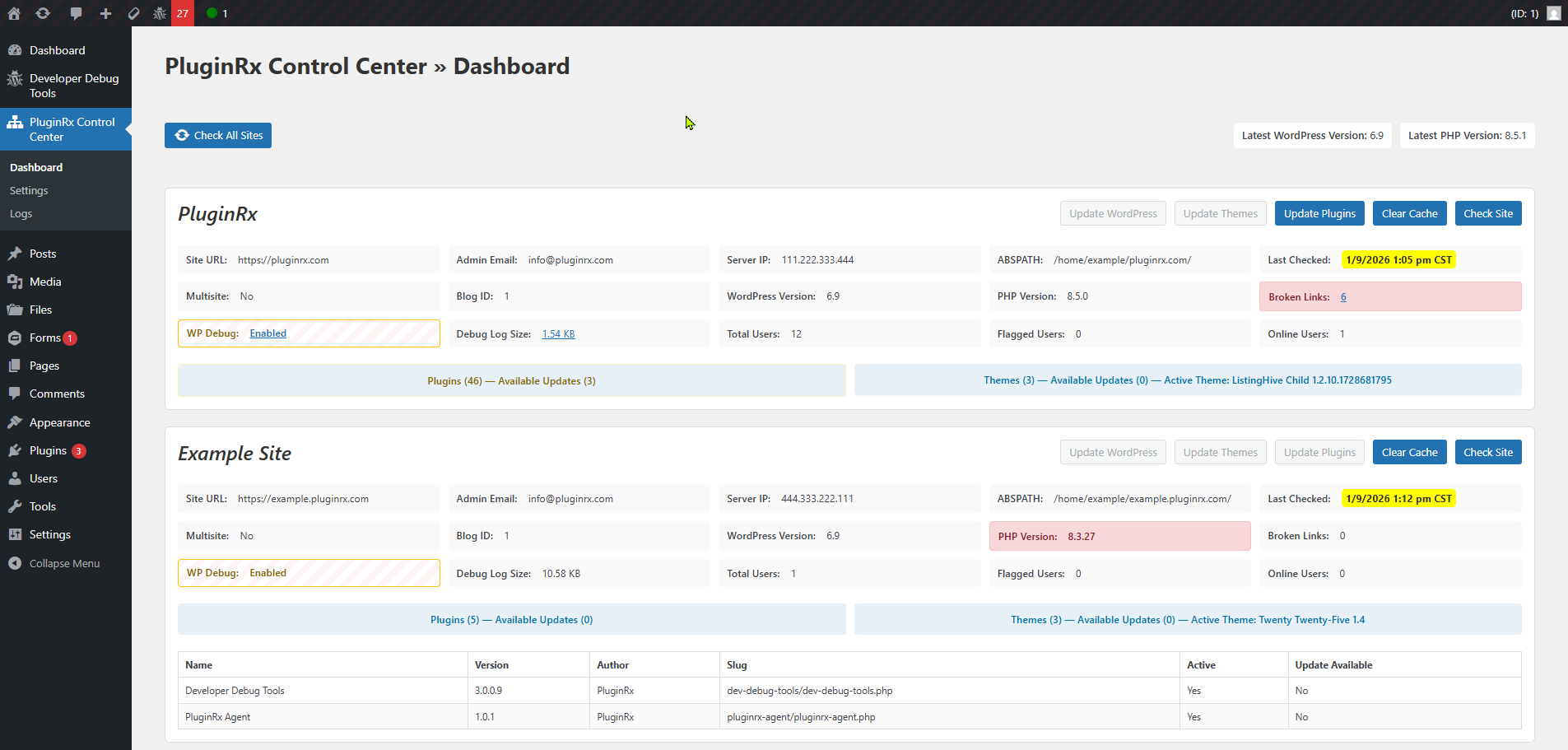
PluginRx Control Center is the command hub for managing, monitoring, and maintaining multiple WordPress sites from a single dashboard. Designed for developers, agencies, and site owners running more than one site, it aggregates system data from connected sites and allows you to take controlled remote actions without logging into each site individually.
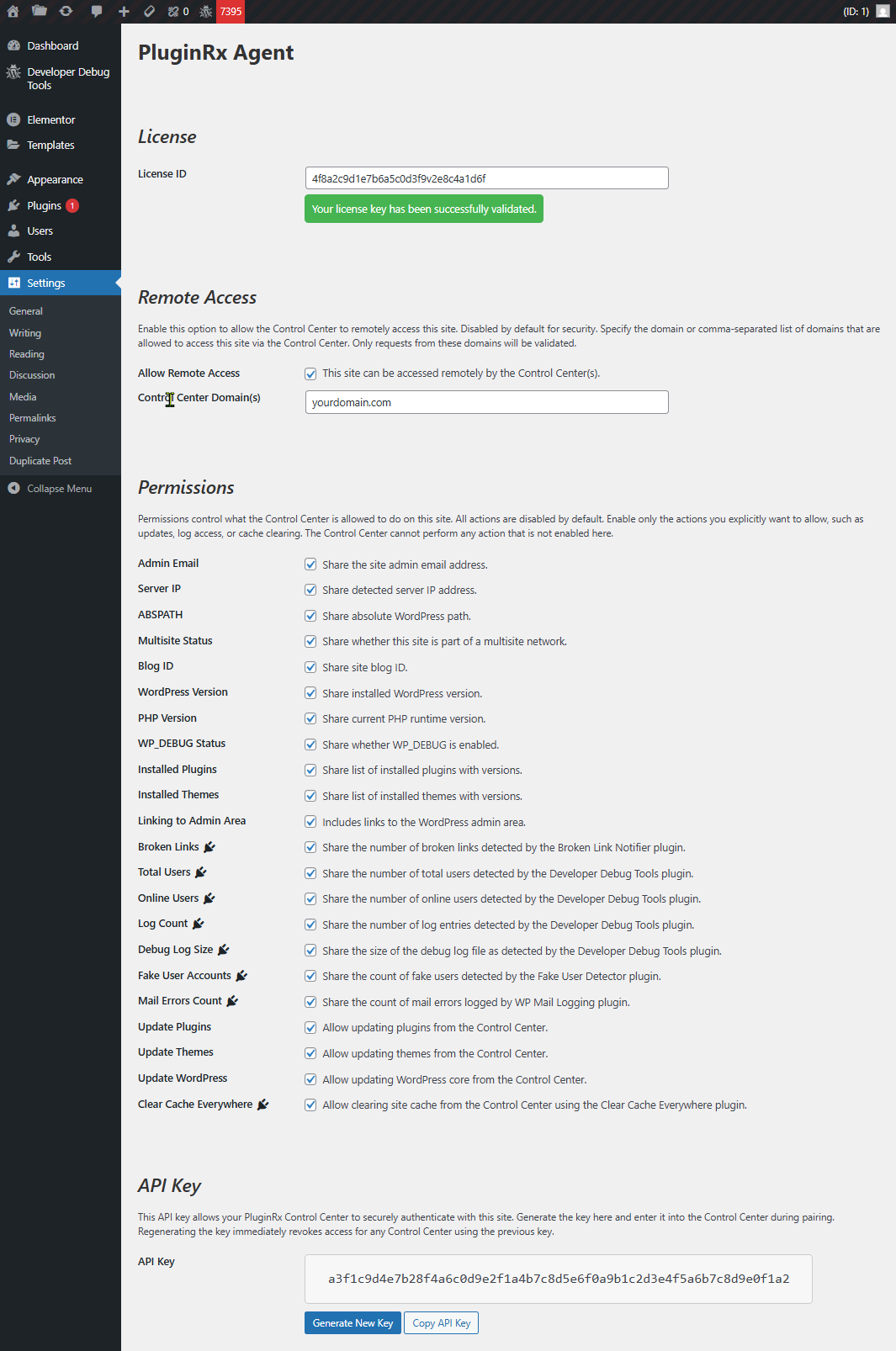
This plugin works in tandem with the PluginRx Agent plugin, which must be installed on each managed site. The Control Center never executes remote actions directly; it securely orchestrates requests and displays results.
Features:
- View WordPress core version and update status across all sites
- Monitor PHP versions with upgrade warnings
- See active themes and plugin versions with update availability
- Remotely update WordPress core, themes, and plugins (agent-permitted)
- Check whether
WP_DEBUGis enabled - View admin email, multisite status, ABSPATH, and hosting IP
Integrations:
- View online user counts, total users, and debug log size per site if Developer Debug Tools is installed
- Track broken link counts if Broken Link Notifier is installed
- Track flagged or fake user accounts if Fake User Detector is installed
- Clear caches across all connected sites if Clear Cache Everywhere is installed
The Control Center is intentionally read-only by default. All destructive or mutating actions must be explicitly allowed by each connected site’s agent.
This plugin does not replace backups, hosting dashboards, or security plugins. It provides operational visibility and controlled maintenance actions. Backups should still be done separately.
Screenshots
FAQ
Is this plugin safe to use on production sites?
Do I need to install this on every site?
Can I restrict what actions can be performed on a site?
Does this use XML-RPC or WP Cron?
Installation
1. Upload the plugin files to the /wp-content/plugins/pluginrx-control-center/ directory.
2. Activate the plugin through the ‘Plugins’ menu in WordPress.
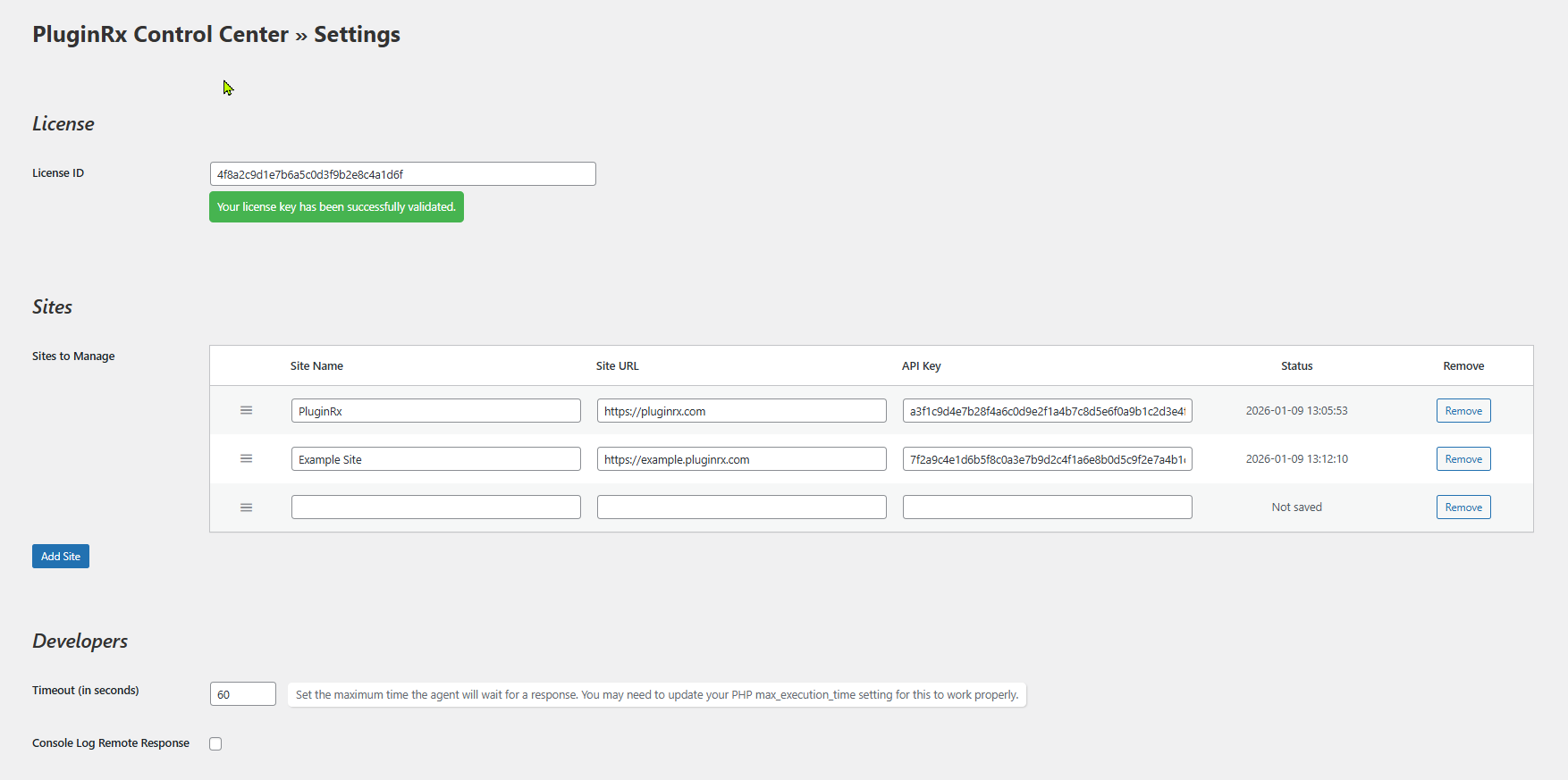
3. Navigate to PluginRx Control Center > Settings to begin setup.
4. Install the PluginRx Agent plugin on each site you want to manage.
5. Connect each site using the secure pairing process.
1.0.2
- Update: Added integrations support with hooks
- Tweak: Expand on error descriptions when there is an issue executing actions
- Fix: Removed formatting on updates available after updating plugins and re-checking site
1.0.1
- Initial release of PluginRx Control Center
