
IPCONFIG
IPCONFIG.COM offers online ping tests and IP lookup tools to enhance your network analysis with global coverage.
Visit
About IPCONFIG
IPCONFIG is an innovative online networking utility platform designed for both casual users and IT professionals. It provides fast and simple tools for IP address lookup, network diagnostics, and connectivity testing without the need for software installation. Whether you are a developer needing detailed IP information, a system administrator troubleshooting network issues, or a general user curious about your internet connection, IPCONFIG offers a comprehensive solution. Its main value proposition lies in its ease of use and immediate access to essential networking data, ranging from public IP addresses to advanced latency tests. By utilizing a global infrastructure with 20+ test nodes across seven continents, IPCONFIG ensures that users gain accurate insights into their network performance and connectivity status efficiently.
Features of IPCONFIG
IP Address Lookup
With IPCONFIG's IP Address Lookup feature, users can instantly detect their public IPv4 or IPv6 address. This feature provides detailed information, including the Internet Service Provider (ISP), Autonomous System Number (ASN), country, region, city, timezone, and approximate geolocation. Users can also query any specific IP address or domain to obtain precise data about its network characteristics.
Global Ping & Network Testing
The Global Ping & Network Testing feature empowers users to evaluate network latency and reachability from over 20 test nodes located worldwide. This enables users to diagnose performance issues across different regions quickly, identifying potential bottlenecks or connectivity problems that may affect their online experiences.
Speed & Network Tools
IPCONFIG offers a suite of Speed & Network Tools that includes basic bandwidth testing and website/network performance assessments. These tools help users gauge their connection quality, ensuring they can maintain optimal internet speeds for various applications and services.
Developer API
The Developer API feature provides RESTful APIs that return JSON responses for IP data and network tests. This allows developers to seamlessly integrate IPCONFIG's IP intelligence and diagnostics into their applications. Whether for automation workflows or custom network applications, the API facilitates easy access to critical network information.
Use Cases of IPCONFIG
Troubleshooting Network Issues
System administrators can utilize IPCONFIG to quickly diagnose and troubleshoot network issues. By conducting ping tests and examining latency from various global nodes, they can identify problematic areas and make informed decisions to enhance network performance.
IP Geolocation Services
Businesses that require accurate location data for their users can leverage IPCONFIG's IP Address Lookup feature. By querying IP addresses, they can gain insights into user demographics and tailor their services accordingly, enhancing the customer experience.
Performance Monitoring for Developers
Developers can use IPCONFIG's Speed & Network Tools to monitor the performance of their applications. By assessing bandwidth and latency, they can ensure their software delivers optimal performance, aiding in user retention and satisfaction.
Educational Purposes
Students and educators can benefit from IPCONFIG by using it as a learning tool to understand networking concepts. By experimenting with IP lookups and network tests, users can gain practical knowledge about how the internet functions and the significance of network diagnostics.
Frequently Asked Questions
How do I cancel my subscription?
You can cancel your subscription at any time through your account settings on the IPCONFIG website. Follow the prompts to ensure that your subscription is successfully terminated without further charges.
Can I change my plan?
Yes, IPCONFIG allows users to change their subscription plan at any time. You can upgrade or downgrade your plan through your account settings, depending on your current needs.
What is the refund policy?
IPCONFIG offers a refund policy that allows users to request a refund within a specified period after their subscription purchase. Please consult the IPCONFIG website for detailed terms and conditions regarding refunds.
How to find my ISP?
To find your ISP, simply use the IP Address Lookup feature on IPCONFIG. Enter your public IP address, and the tool will provide detailed information, including the name of your ISP and other relevant networking data.
You may also like:
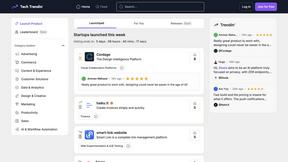
TechTrendin
Launch your tech startup on a community platform that drives growth through feedback and votes.
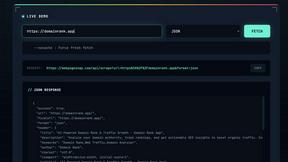
WebPageSnap - Professional Web Scraper API
WebPageSnap instantly scrapes any webpage with a global API that bypasses anti-bot blocks.

SpeedTestry
SpeedTestry is a free and accurate tool that quickly checks your internet speed, ensuring you get the performance you...
