

外掛說明
Add-on Tracker is a powerful tool for managing WordPress plugins. It tracks the following actions:
– Plugin installation.
– Activation and deactivation of plugins.
– Plugin deletion.
– Updates with version tracking.
Features:
– Maintains a log of plugin activities with timestamps and statuses.
– Displays plugin activity logs in a datatable format.
– Tracks plugin version changes.
– Allows sending plugin data via email with a simple form in the admin interface.
– Displays the current status of each plugin (Active/Inactive) with color-coded labels.
螢幕擷圖
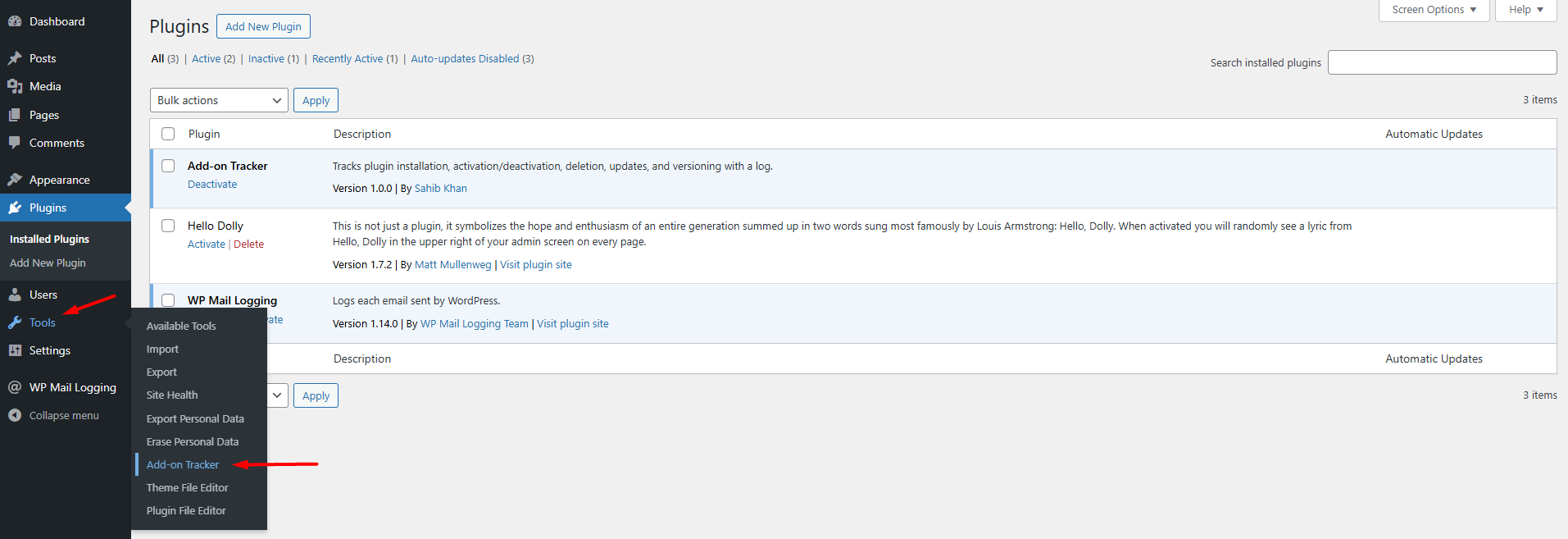
Under the Tools menu, click on Add-on Tracker to view detailed logs. 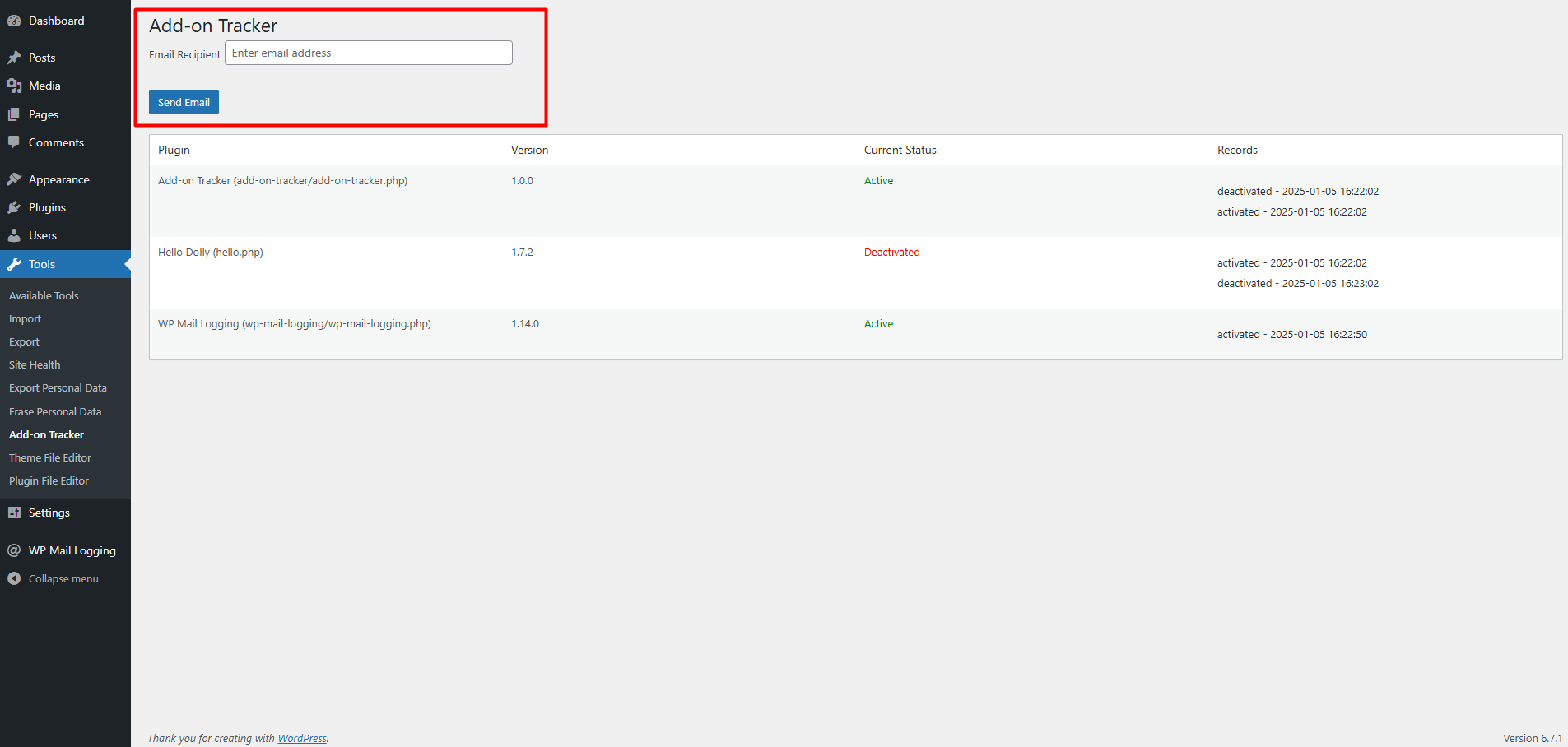
Email form for sending plugin data to recipient. 
Example email content with plugin activity logs.


安裝方式
- Download the plugin zip file.
- Go to the WordPress Admin Dashboard.
- Navigate to
Plugins > Add Newand clickUpload Plugin. - Choose the downloaded zip file and click
Install Now. - Once installed, click
Activateto start using the plugin.
常見問題集
-
Can this plugin track deleted plugins?
-
Yes, the plugin monitors plugin deletions and stores a record in the log.
-
Does it show the current status of plugins?
-
Yes, each plugin’s current status is displayed with color-coded labels (green for Active, red for Inactive).
-
Can I track plugin updates?
-
Yes, the plugin tracks updates and logs the new version details along with the timestamp.
-
How can I send the plugin activity log via email?
-
You can send the plugin activity log by entering recipient email addresses in the form provided on the plugin’s admin page under
Tools > Add-on Tracker. -
Does this plugin impact performance?
-
The plugin uses the WordPress options API with
autoloadset tono, ensuring minimal impact on performance.
使用者評論

參與者及開發者

變更記錄
1.0
- Initial release with basic plugin tracking functionality.
