




Getting Started #
The Advanced Toggle Widget for Elementor helps you create amazing content boxes that enable your website visitors to switch from one category to another as per their need. You can add any type of widget on different switches to display different contents.
Just follow the step by step process:
Step->1: #
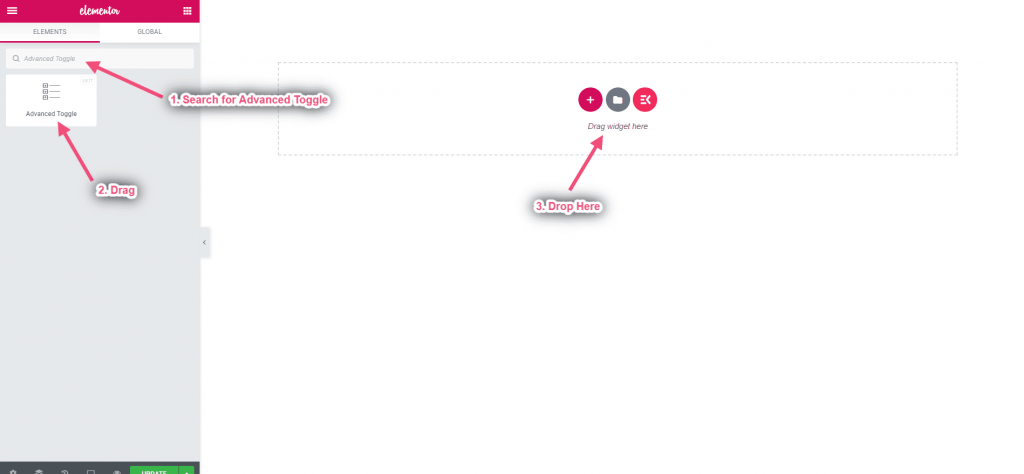
Add Advanced Toggle
- Search for Advanced Toggle
- Drag the widget
- Drop on the selected area
Step->2: #
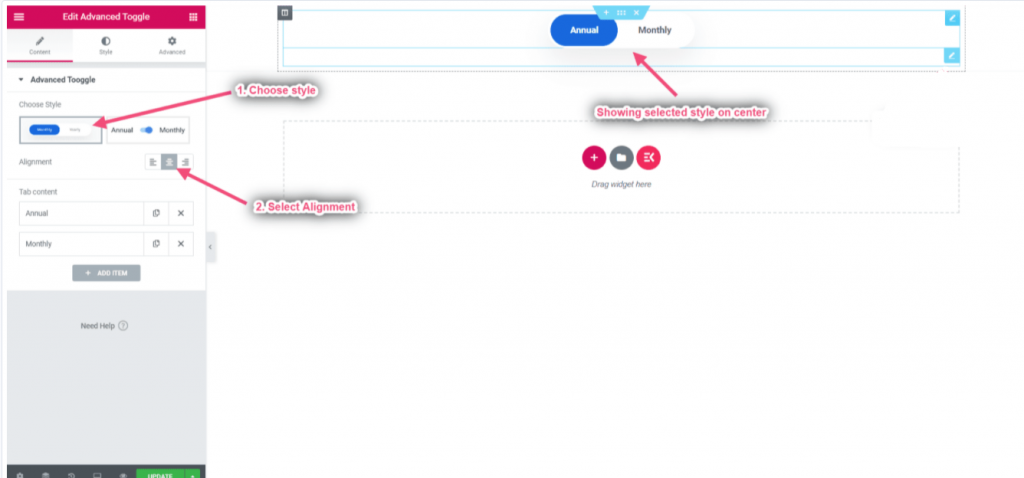
Content style
- Select your desired style
- Choose the Navigation Alignment from Let, Center or, Right. The default is the center.
Step->3: #
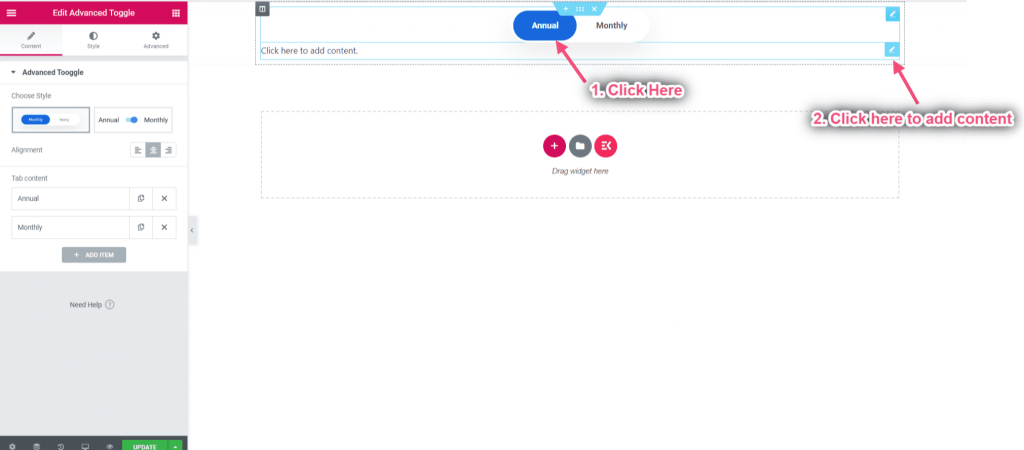
Add any widget
- Select the navigation item to edit its content
- Click on the Content Edit icon to add/edit contents
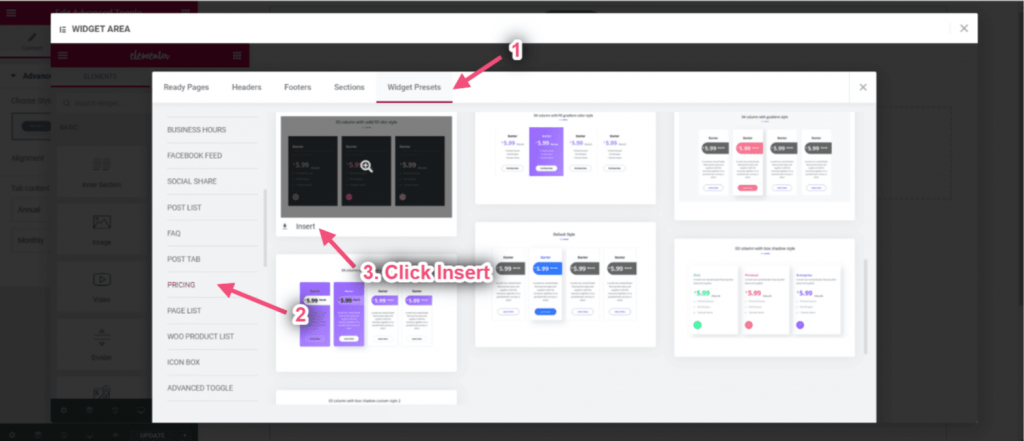
You can drag and drop any widget or you can add from our widget presets
- Click on the selected icon
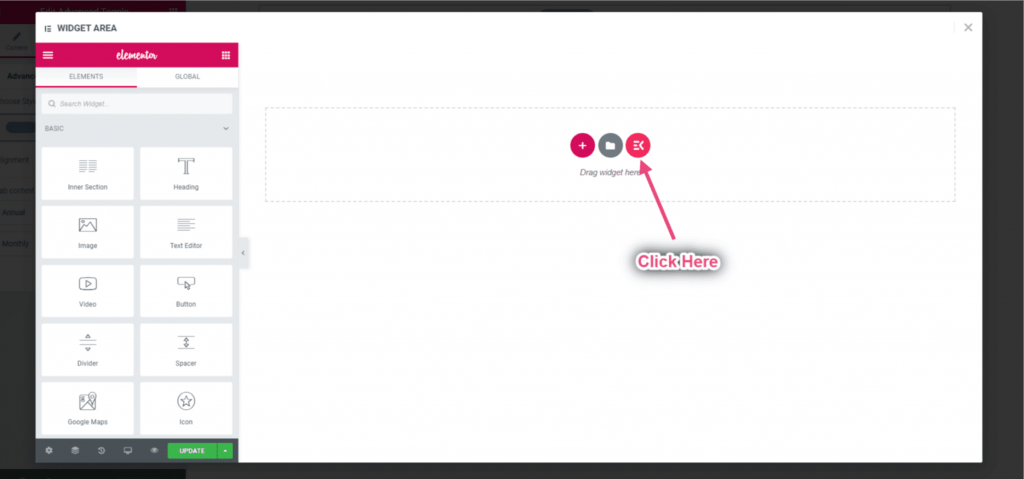
- Go to widget presets-> Pricing-> Select your desired style and click insert
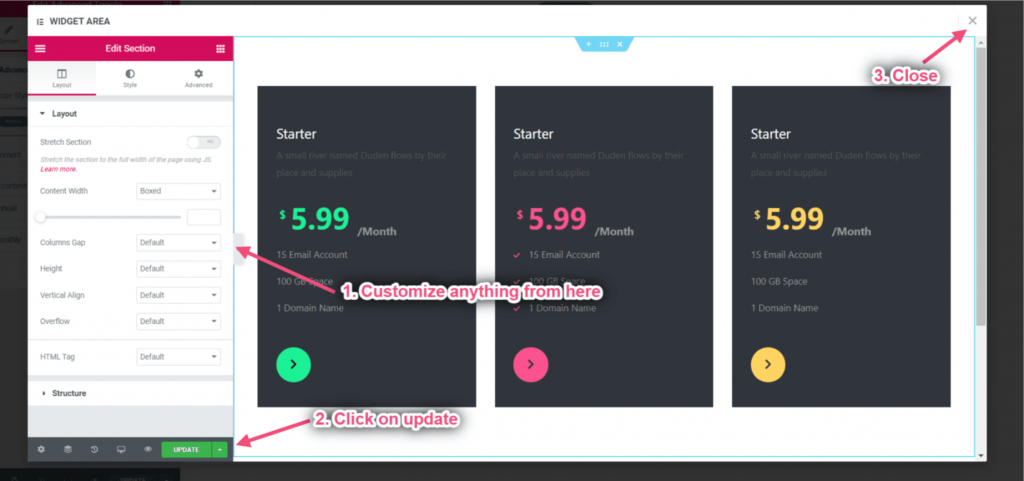
Customize content from here-> Click on Update-> Close
Step->4: #
Customize tab content
- Add any title
- Choose background-color
- Select Title color
- Enable the toggle to open the tab by default
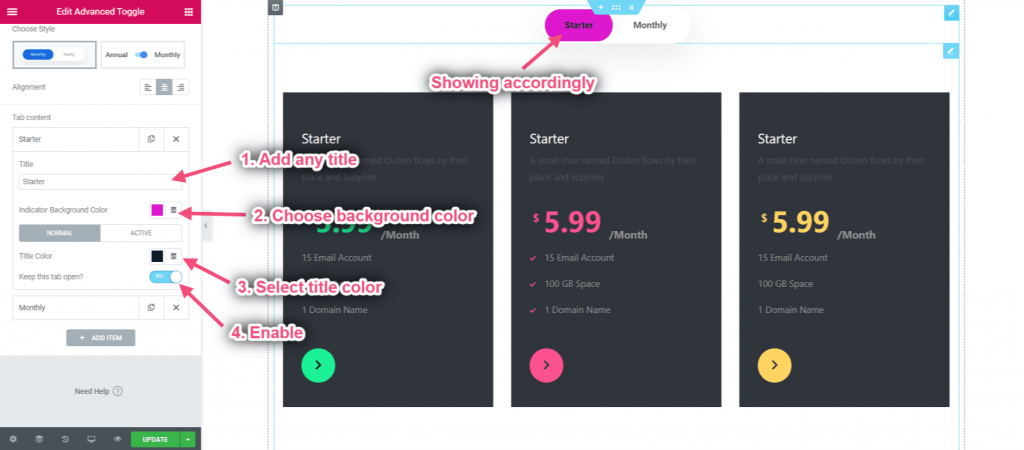
Final Result #


