Want to learn more?
We’re here to answer any questions you have!



TRUSTED BY COMPANIES WORLDWIDE








Steadybit is reliability platform that helps teams assess and improve the resilience of their services. With automated issue discovery and controlled experiments, you can find and validate system weaknesses before they become outages.
Unlike other chaos engineering tools, Steadybit uses an open source extension framework to quickly connect to popular tools across your tech stack. Need a custom integration? You can easily add it yourself using our Extension Kits.
We’ve supported both SaaS and On-Prem deployments since Day 1.

Run scenarios to check your alert coverage and accuracy

Catch reliability issues and fix them before they reach production

Train your team to be able to handle any incident quickly
Drag-and-drop actions into the Steadybit experiment editor to create new reliability tests and iterate quickly.


Explore the Action Library
Browse open source actions that you can easily add to experiments.


Explore the Action Library
Browse open source actions that you can easily add to experiments.


Explore the Action Library
Browse open source actions that you can easily add to experiments.


Explore the Action Library
Browse open source actions that you can easily add to experiments.


Explore the Action Library
Browse open source actions that you can easily add to experiments.


Explore the Action Library
Browse open source actions that you can easily add to experiments.
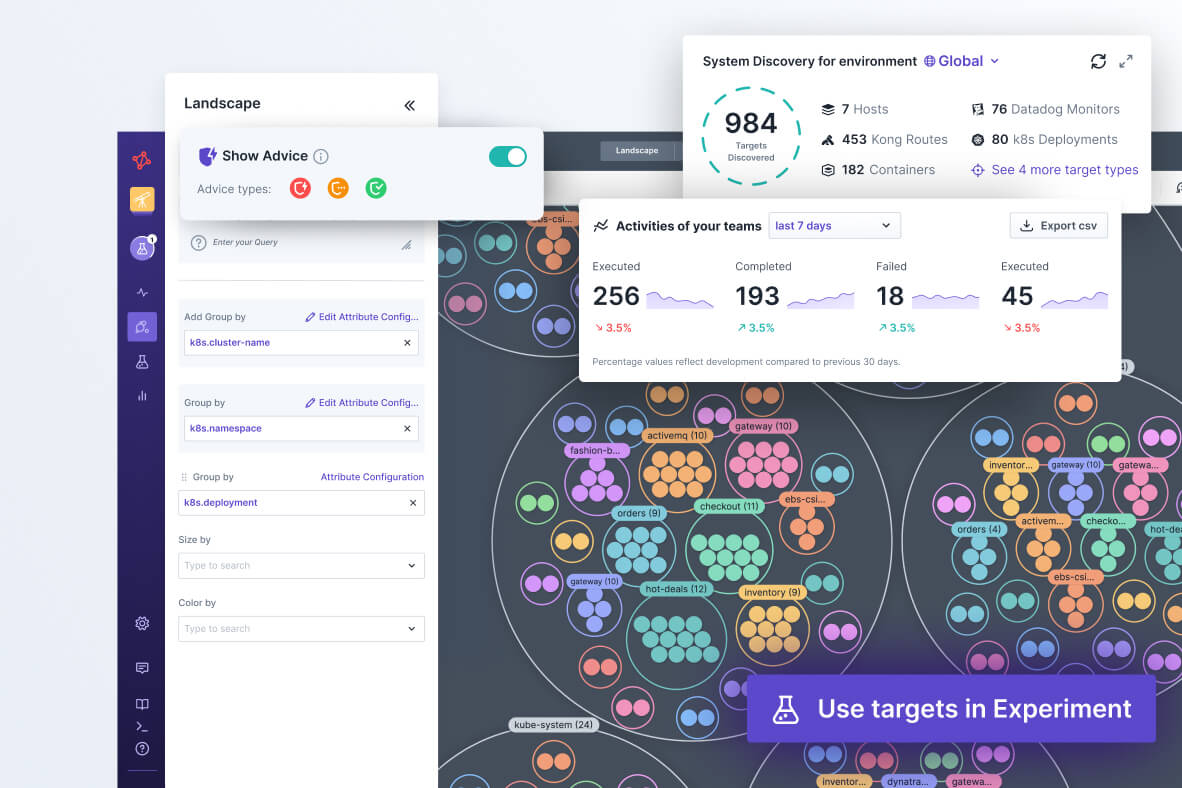
When you install our agent on your network, Steadybit will automatically discover any potential experiment targets and pull in related metadata from your testing environment. Our intuitive query language makes it easy to group and filter your targets however you want.
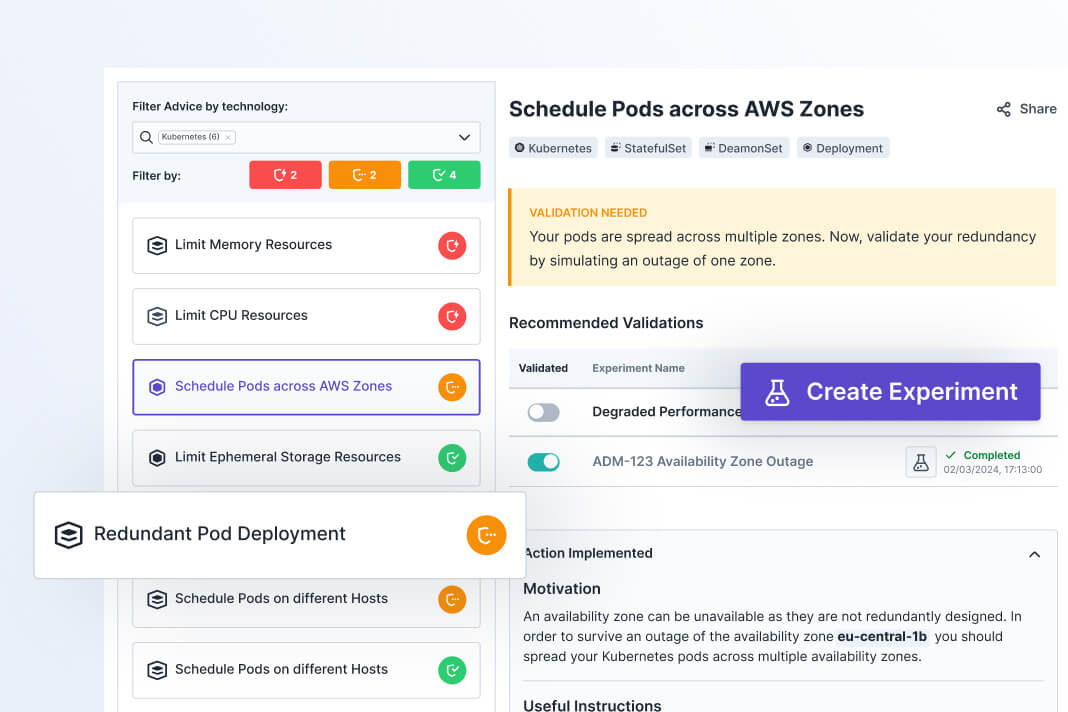
To help you get started fast, our Reliability Advice feature will provide you with insights on if there are any common reliability issues detected.
You’ll see instructions on how to fix any issues in your code, and then we’ll recommend which experiments would be valuable to run next.
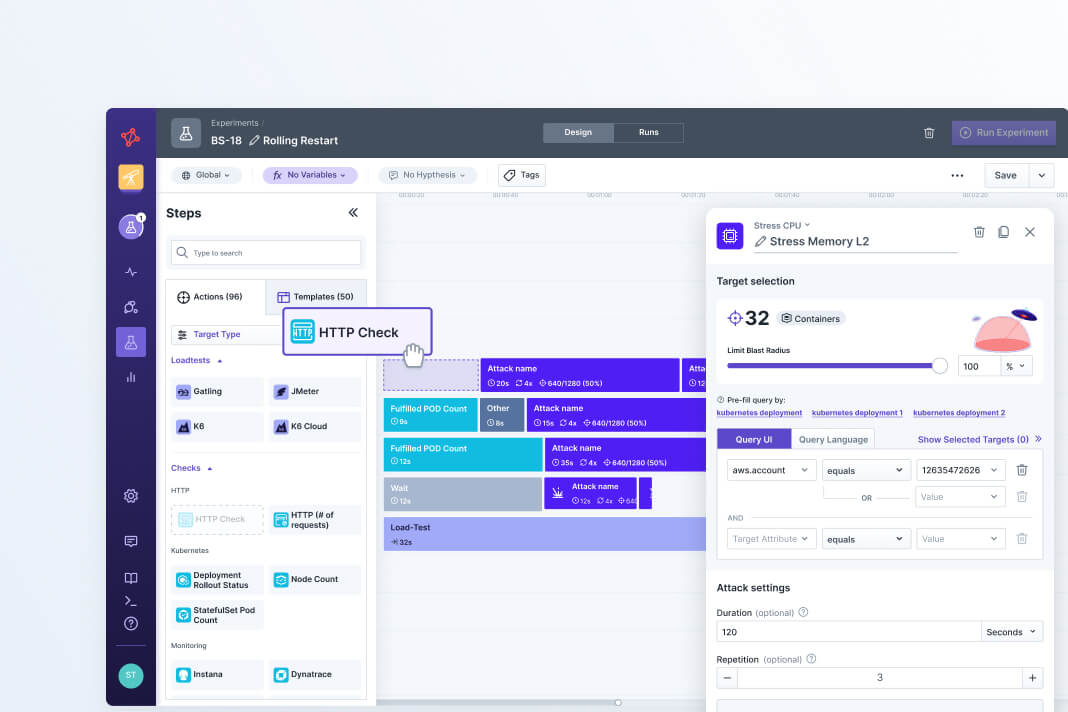
Design full experiments in seconds using templates for popular use cases and our drag-and-drop editor. With our open source framework, you can easily add custom actions and extensions to run any type of experiment you want.
Once you’re happy with an experiment, you can automate your test executions with the Steadybit API or CLI.
Our customers inspire us everyday with new experiment types and custom extensions to really push their systems to the limit.

Director of Software Engineering

Cloud Platform Engineer

Site Reliability Engineering Team Lead
Measure your current reliability posture and validate system behaviors with controlled tests.
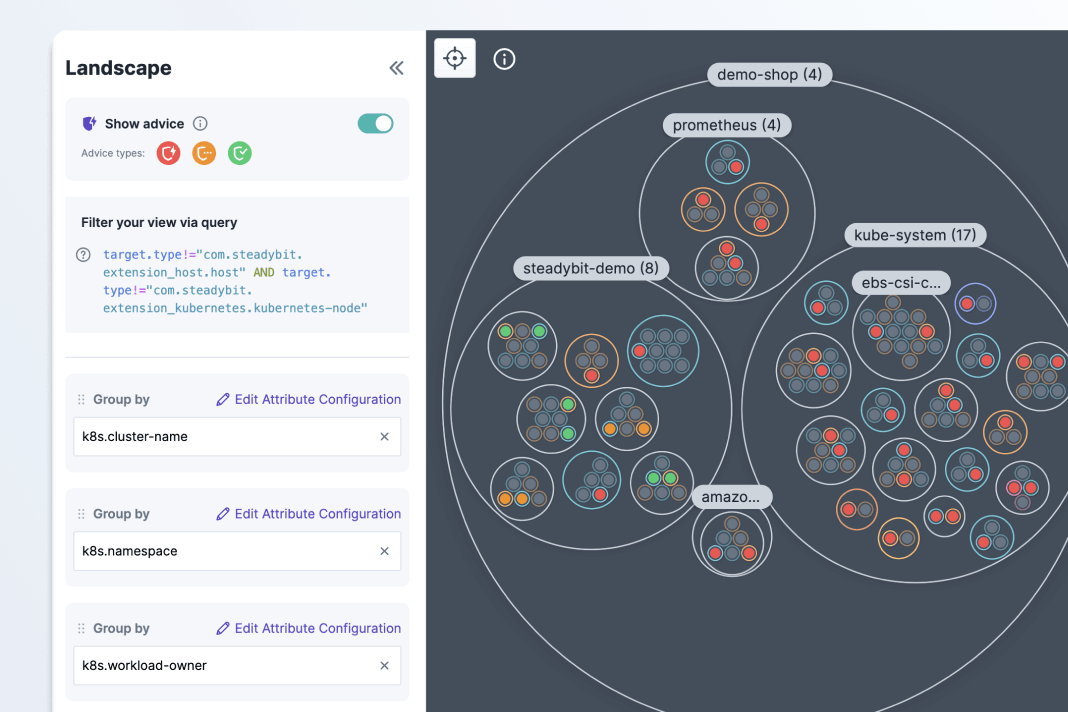
Automatically detect vulnerabilities
Assess whether your targets are compliant with reliability best practices.
Run actions with a timeline-based editor
Start quick with templates for common use cases or build fully custom tests.
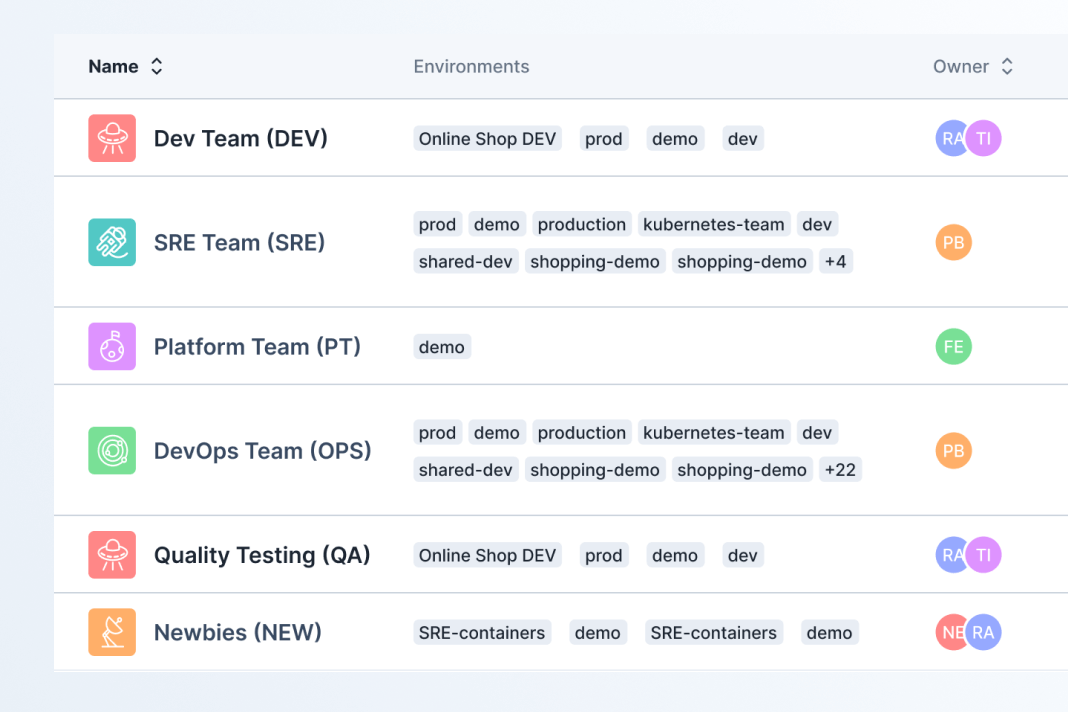
Set guardrails & fine-grained permissions
Define access and permissions for users to ensure safe testing.
To get started, you will need to install the Steadybit agent on your network and add any of our open source extensions that match your tech stack. Then, you can use the Steadybit platform to view targets, design experiments, and run tests.
Evaluating chaos engineering tools? Here are the most common questions we get from teams.
Can we deploy Steadybit in On-Prem or air-gapped environments?
Yes, of course! From Day 1, Steadybit has offered SaaS and On-Prem deployment options with full feature parity. Install the control plane and extensions in any environment seamlessly and start improving your reliability.
To learn more about our On-Prem support, you can read the installation details here.
How can we evaluate Steadybit to see if it's right for us?
If you’re not sure the best way to get started, a quick call with us can be helpful. We can answer technical questions you have and guide you on what we’ve seen work the best. You can schedule that here.
If you want to get into the platform and start playing around right away, we offer a free 30-day trial. You can either install agents and extensions directly on your systems or use our provided sample data to see how each of our features work. Sign up here.
If none of these sound right, just fill out our contact us form and provide us with more info. We’re here to help!
How do we add custom actions and extensions?
Steadybit is the most extensible reliability platform because it has a hybrid architecture that supports open source extensions.
Our ExtensionKits enable you to add custom actions, templates, targets, advice, and extensions. Write in your preferred coding language and start to customize Steadybit to fit your specific use cases and tech stack.
How does Steadybit automatically detect reliability vulnerabilities?
Our Reliability Advice feature continually analyzes all of your discovered targets and checks whether they are compliant with the best practices outlined in the “Advice” settings.
When you get started with Steadybit, there are 13 Advice checks out-of-the-box based on the best practices outlined by the open source tool, kube-score.
If you want to add checks based on internal standards or other best practices, our AdviceKit provides instructions on how to write your own custom Advice.
What prevents experiments from causing unintended damage?
To start, we have RBAC user permissions that let you limit the actions and targets that users can interact with. Group targets into defined testing environments and assign only the relevant teams to ensure least privilege access.
When designing experiments, you can select a blast radius for your targets. For example, you could specify that you only want to target 10% of the pods in a cluster. This is an easy way to ensure that your experiments start small with limited impact.
Before an experiment runs, you can configure pre-flight webhooks. These customizable checks allow you to ensure that all conditions are ready for your experiment to begin running.
When experiments are running, anyone in your organization is able to hit the “Emergency Stop” button. This will immediately rollback changes and ensure that you can respond fast.
With all of the features, you can set up controls and guardrails to enable experimenting with confidence.
We’re here to answer any questions you have!
Schedule a demo with our team to see a platform walk-through and get your questions answered.