-
-
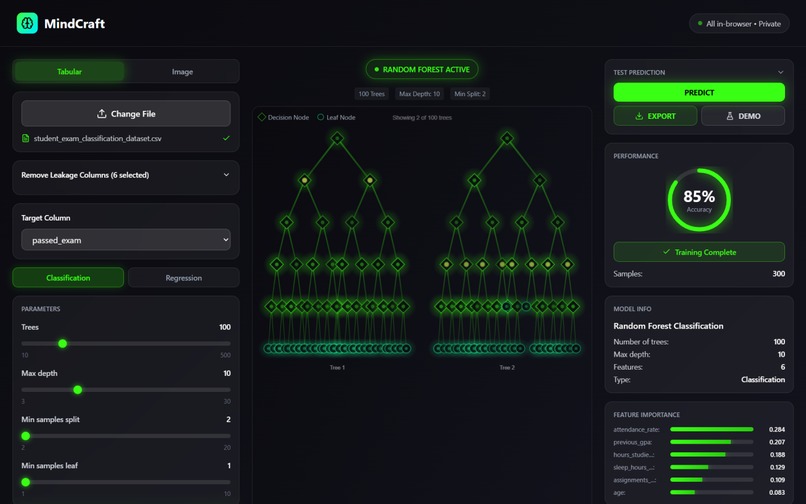
MindCraft Main Page
-
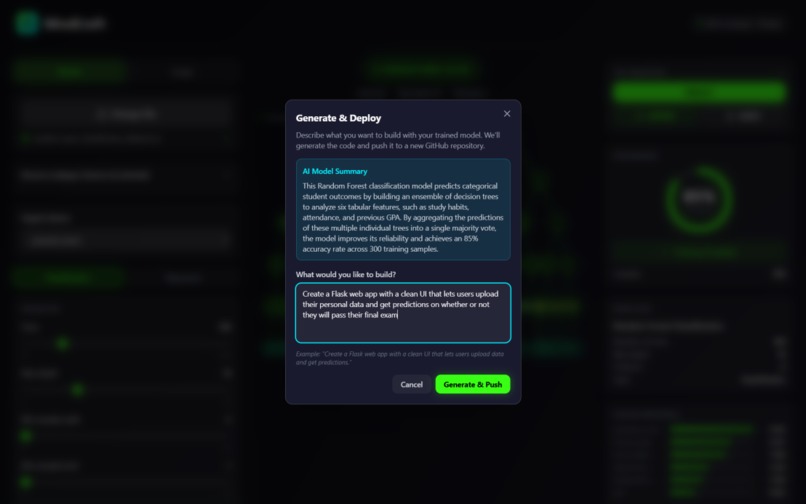
Prompt Your App's Frontend
-
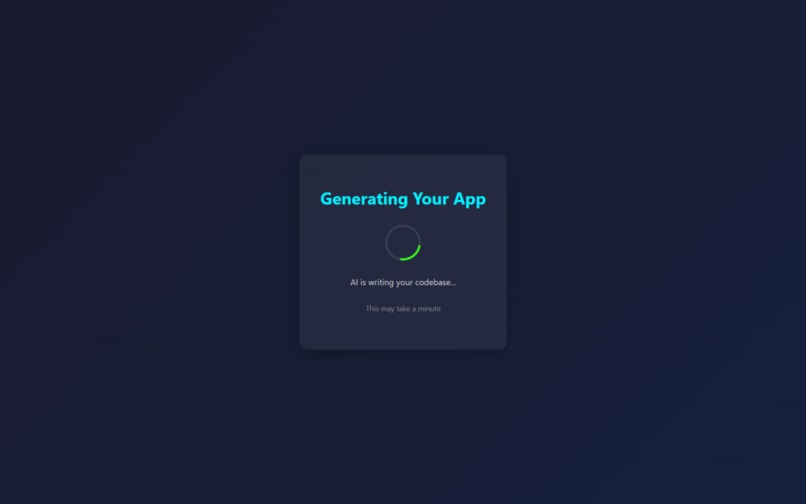
Load Your App With Trained ML Model In Seconds
-
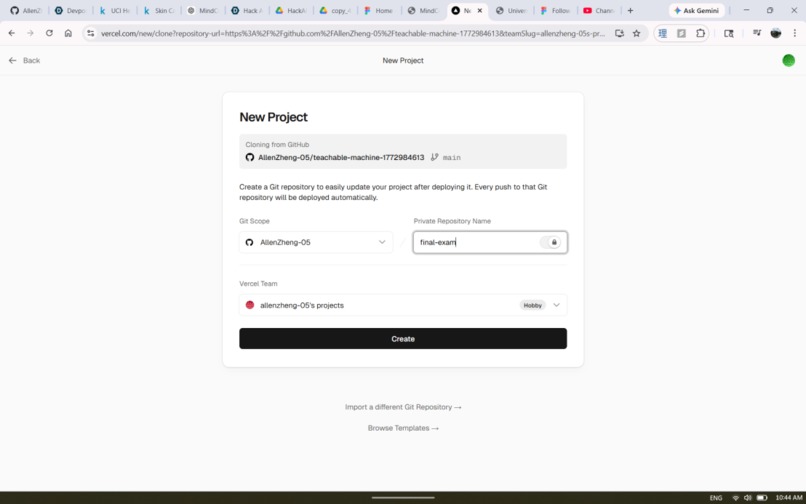
Creating Repository For Demo in One click
-
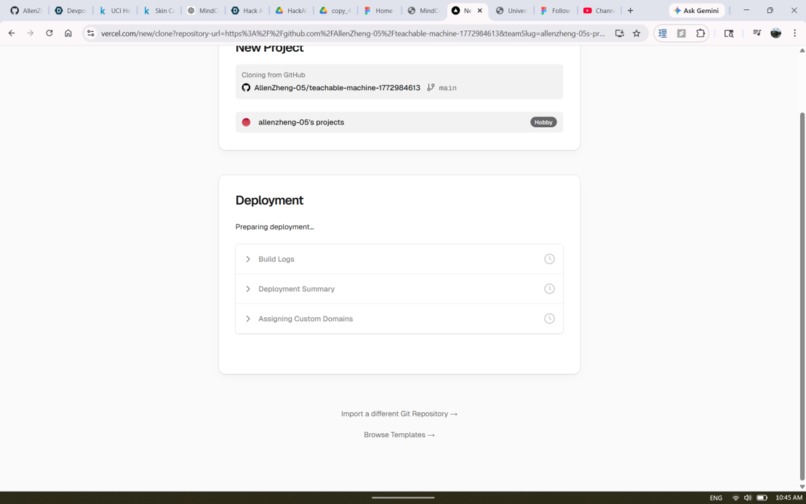
Deploy in One Click
-
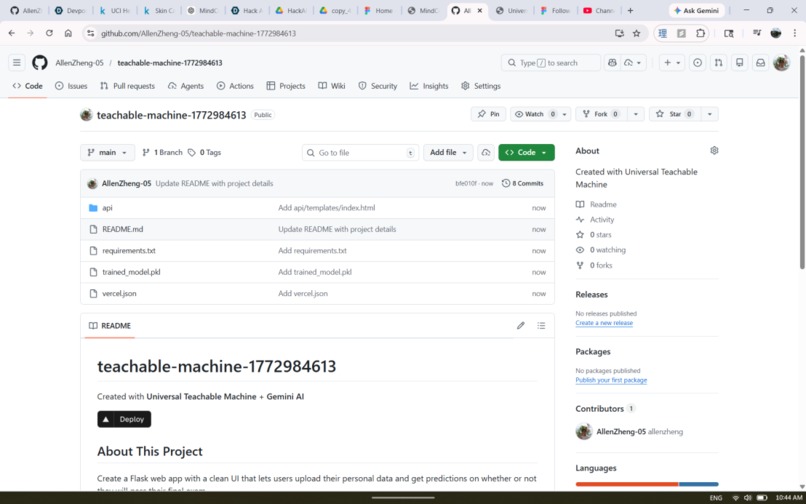
Full Github + Deployed Vercel Link
-
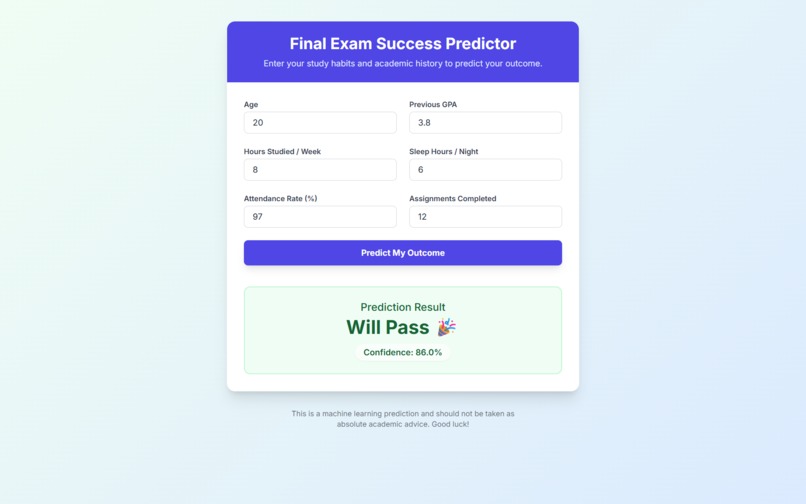
Auto-Generated App on Vercel with ML Model


MindCraft
Your data has a mind. We help you craft it.
Inspiration
Machine learning is stuck behind a wall — and the wall isn't the math. It's everything before you write a meaningful line: conflicting dependencies, boilerplate preprocessing, cryptic library docs, and a setup process that reliably kills momentum before an idea gets to prove itself.
The problem compounds the moment you want to actually use your model. You've trained something good. Now what? You need a web interface, an API endpoint, a way for a non-technical teammate to query it. That's another afternoon gone before your model touches real decisions.
MindCraft compresses the entire journey — raw data to trained model to running application — into under 60 seconds. The hard part should be deciding what signal matters. Not configuring the environment to find it.
What It Does
MindCraft is a no-code ML platform covering the full lifecycle: ingest data, train a model, understand what it learned, run predictions, and deploy a working application. No code written by the user at any step.
Signal Extraction from Any Domain
The platform is intentionally domain-agnostic. The user defines the signal — MindCraft extracts it. The same pipeline that classifies lung cancer imaging data handles customer support triage, security incident severity scoring, patient feedback categorization, and market signal detection without any reconfiguration.
- Upload a CSV — structured or text-heavy — select features and a target column, choose Classification or Regression. Text columns pass through the pipeline natively, making MindCraft immediately applicable to any labeled NLP task.
- For images, zip labeled folders and upload. MindCraft handles ingestion, feature extraction, and training without any preprocessing on the user's end.
Model Training
- Random Forest for tabular and text data: fast, interpretable, strong baseline across nearly every domain. Configurable estimators, depth, and split thresholds.
- Deep ML models for tasks requiring richer representations — available across tabular, text, and image pipelines.
- Image classification uses MobileNetV2 transfer learning: images are embedded into a 1280-dimensional feature space before training, which is why MindCraft produces accurate classifiers with as few as 30 images per class.
Visualization & Metrics
- The forest visualization responds to hyperparameter sliders in real time — before training starts. Adjust max depth and the trees visibly grow or contract. It's the fastest way to build genuine intuition for what these parameters actually do.
- Post-training: accuracy, \(R^2\), MSE, and a ranked feature importance chart surface what drove the model's decisions — which matters especially for text tasks where knowing which features carry signal is as important as the prediction itself.
Predict, Export, or Deploy with Gemini
- Run live predictions directly in the UI — submit tabular inputs or upload an image and get a labeled result instantly.
- Export the trained model as a
.pklfile — self-contained and portable across any Python environment. - Demo Mode (powered by Gemini): Authenticate via GitHub OAuth and MindCraft auto-creates a new repo. Gemini reads your live model store — data type, mode, feature names, training columns, output classes, metrics — and generates a plain-language summary of what your model learned. Then you describe the app you want. That description, combined with the full model schema and the exact prediction code pattern, is sent to Gemini as a structured prompt. Gemini returns a complete multi-file codebase — MindCraft parses it by filename and content, pushes every file to your repo via the GitHub Contents API, and commits the trained
.pklalongside it. Clone the repo,pip install -r requirements.txt, and you have a working web app. No code written.
How We Built It
Backend: Flask + scikit-learn + Keras. Frontend: React + TypeScript + Tailwind. Gemini API for code generation in Demo Mode. All compute is server-side; UI state lives in a typed React context with clean separation between training, visualization, and prediction panels.
Tabular & Text Pipeline
CSV upload → pd.get_dummies() encoding → train/test split → RandomForestClassifier or RandomForestRegressor fit → importances via .feature_importances_. Text columns are treated as categorical features through the same encoding step — no separate NLP preprocessing path required for classification tasks. Prediction inputs are schema-aligned via .reindex(columns=train_cols, fill_value=0), which prevents the entire class of silent bugs caused by unseen categorical values at inference time.
Image Pipeline
Images pass through MobileNetV2 (pretrained on ImageNet, top removed, global average pooling) to produce 1280-dimensional embeddings. The classifier trains on those vectors, not raw pixels — which is why small datasets work. We inherit 1.2M images worth of visual feature learning for free.
$$\mathbf{z}_i = \text{MobileNetV2}(\mathbf{x}_i) \in \mathbb{R}^{1280}$$
$$\hat{y} = \text{RandomForest}(\mathbf{z}_i) = \text{mode}{ h_1(\mathbf{z}_i),\ h_2(\mathbf{z}_i),\ \dots,\ h_T(\mathbf{z}_i) }$$
Each tree \(h_t\) is trained on a bootstrapped sample, splitting on a random feature subset of size \(m \approx \sqrt{p}\) at each node, maximizing information gain:
$$\Delta I = I(\text{parent}) - \frac{n_L}{n} I(\text{left}) - \frac{n_R}{n} I(\text{right})$$
where \(I(t) = 1 - \sum_k p(k \mid t)^2\) is the Gini impurity at node \(t\).
Gemini-Powered Code Generation
Demo Mode is a four-step pipeline. First, GitHub OAuth exchanges a code for an access token, which MindCraft uses to create a new repo via the GitHub API (auto-initialized with a README). Second, the live model store — data_type, mode, feature_names, train_cols, classes, metrics — is serialized into a context block and sent to Gemini, which returns a three-sentence plain-language explanation of what the model learned. Third, the user describes the app they want. MindCraft builds a structured prompt combining that description, the full model schema, and the exact loading and prediction code pattern (including pd.get_dummies() + .reindex() for CSV models, or the MobileNetV2 feature extraction chain for image models), plus a system instruction specifying output format: files delimited by ---FILE--- with explicit FILENAME: and CONTENT: markers. Gemini returns a complete multi-file codebase. Fourth, parse_generated_files() splits the response on those delimiters and extracts each file. Every file is pushed to the repo via PUT /repos/{owner}/{repo}/contents/{path} on the GitHub Contents API, with the trained .pkl committed as a base64-encoded binary alongside it. The user lands on their new repo — clone, install, run.
Visualization Architecture
Random Forests don't produce a natural incremental training signal to animate. Rather than faking one, the visualization is derived entirely from hyperparameter state — updating live as sliders move, independent of training. This makes it educational rather than decorative: users understand what they're about to train before they commit.
Challenges We Ran Into
Schema Drift at Inference Time
Train on Red/Blue/Green, receive a prediction request for Yellow — your one-hot encoded feature matrix silently breaks. The fix is .reindex(columns=train_cols, fill_value=0) on every inference input: one line that enforces exact schema alignment regardless of what the user submits. Getting there required understanding exactly where the pipeline was allowed to diverge between training and prediction.
Prompting Gemini for Correct Code
Getting Gemini to generate code that actually runs required solving two problems. The first was context completeness: a prompt containing only feature names produced plausible-looking code that broke immediately at inference because it didn't know about one-hot encoding, column reindexing, or the MobileNetV2 extraction chain. The fix was embedding the exact prediction code pattern directly in the prompt — not describing it, literally including it — so Gemini had no room to invent an alternative. The second was output structure: free-form code generation produced inconsistently formatted responses that were difficult to parse into files. Switching to a strict ---FILE--- / FILENAME: / CONTENT: delimiter format and enforcing it in both the prompt and the system instruction made parse_generated_files() reliable. The combination — complete schema context plus rigid output format — was what made the generated apps actually runnable.
Export Size with Transfer Learning
Pickling MobileNetV2 alongside the Random Forest produces a file in the hundreds of megabytes. We kept it self-contained for portability. The production fix: serialize only the sklearn model and reload the Keras extractor by name at inference time — ~98% size reduction, no functionality lost.
Accomplishments We're Proud Of
- A genuinely domain-agnostic signal extraction pipeline — the same interface handles medical imaging, NLP classification, tabular regression, and everything between.
- Gemini generating Flask applications that are actually correct — schema-matched, typed, runnable on first try.
- End-to-end: raw data to trained model to live web application in under 60 seconds. Timed repeatedly.
- A hyperparameter visualization that teaches ML intuition in real time, without a word of explanation needed.
- Multiple model families behind one unified, codeless interface — from interpretable classics to deep representations.
What We Learned
The modeling decisions were the easy part. The harder problems were product ones: which metrics to surface, how to present uncertainty without eroding trust, and how to keep the interface honest for technical users without overwhelming non-technical ones. We rewrote the results panel more times than any other component in the codebase.
Working with Gemini taught us that the delta between a prompt that includes the exact prediction code and one that just describes it is enormous — not in how the output reads, but in whether it actually runs. Gemini is a capable code generator. It needs complete, unambiguous context to generate correctly, not just a description of what correct looks like.
And: the track constraint — text in, actionable signal out — sharpened how we articulate what MindCraft actually does. It's not a model trainer. It's a signal extraction platform that happens to train models. That reframe changed how we built the results layer.
What's Next for MindCraft
- Streaming signal mode — connect to a live data replay interface and run continuous classification as new text arrives, with a real-time confidence timeline.
- Explainability layer — SHAP values and per-prediction confidence intervals rendered inline. Every output comes with a "why."
- Gemini-assisted feature engineering — describe your task in plain language and Gemini suggests which columns to use, how to encode them, and which model type fits the signal structure.
- Hosted prediction endpoints — train once, receive a shareable API URL callable from any environment.
- AutoML mode — benchmark multiple model types automatically and surface the best performer with a full comparison breakdown.
Built in a weekend. Designed for everyone.
Built With
- ai
- figma
- gemini
- machine-learning
- natural-language-processing
- node.js
- python
- random-forest
- react
- tensorflow
- vercel


Log in or sign up for Devpost to join the conversation.