

Priskribo
Enter the fediverse with ActivityPub, broadcasting your blog to a wider audience! Attract followers, deliver updates, and receive comments from a diverse user base of ActivityPub-compliant platforms.
With the ActivityPub plugin installed, your WordPress blog itself functions as a federated profile, along with profiles for each author. For instance, if your website is example.com, then the blog-wide profile can be found at @example.com@example.com, and authors like Jane and Bob would have their individual profiles at @jane@example.com and @bob@example.com, respectively.
An example: I give you my Mastodon profile name: @pfefferle@mastodon.social. You search, see my profile, and hit follow. Now, any post I make appears in your Home feed. Similarly, with the ActivityPub plugin, you can find and follow Jane’s profile at @jane@example.com.
Once you follow Jane’s @jane@example.com profile, any blog post she crafts on example.com will land in your Home feed. Simultaneously, by following the blog-wide profile @example.com@example.com, you’ll receive updates from all authors.
Note: If no one follows your author or blog instance, your posts remain unseen. The simplest method to verify the plugin’s operation is by following your profile. If you possess a Mastodon profile, initiate by following your new one.
The plugin works with the following tested federated platforms, but there may be more that it works with as well:
Some things to note:
- The blog-wide profile is only compatible with sites with rewrite rules enabled. If your site does not have rewrite rules enabled, the author-specific profiles may still work.
- Many single-author blogs have chosen to turn off or redirect their author profile pages, usually via an SEO plugin like Yoast or Rank Math. This is usually done to avoid duplicate content with your blog’s home page. If your author page has been deactivated in this way, then ActivityPub author profiles won’t work for you. Instead, you can turn your author profile page back on, and then use the option in your SEO plugin to noindex the author page. This will still resolve duplicate content issues with search engines and will enable ActivityPub author profiles to work.
- Once ActivityPub is installed, only new posts going forward will be available in the fediverse. Likewise, even if you’ve been using ActivityPub for a while, anyone who follows your site will only see new posts you publish from that moment on. They will never see previously-published posts in their Home feed. This process is very similar to subscribing to a newsletter. If you subscribe to a newsletter, you will only receive future emails, but not the old archived ones. With ActivityPub, if someone follows your site, they will only receive new blog posts you publish from then on.
So what’s the process?
- Install the ActivityPub plugin.
- Go to the plugin’s settings page and adjust the settings to your liking. Click the Save button when ready.
- Make sure your blog’s author profile page is active if you are using author profiles.
- Go to Mastodon or any other federated platform, and search for your profile, and follow it. Your new profile will be in the form of either
@your_username@example.comor@example.com@example.com, so that is what you’ll search for. - On your blog, publish a new post.
- From Mastodon, check to see if the new post appears in your Home feed.
Note: It may take up to 15 minutes or so for the new post to show up in your federated feed. This is because the messages are sent to the federated platforms using a delayed cron. This avoids breaking the publishing process for those cases where users might have lots of followers. So please don’t assume that just because you didn’t see it show up right away that something is broken. Give it some time. In most cases, it will show up within a few minutes, and you’ll know everything is working as expected.
Ekrankopioj
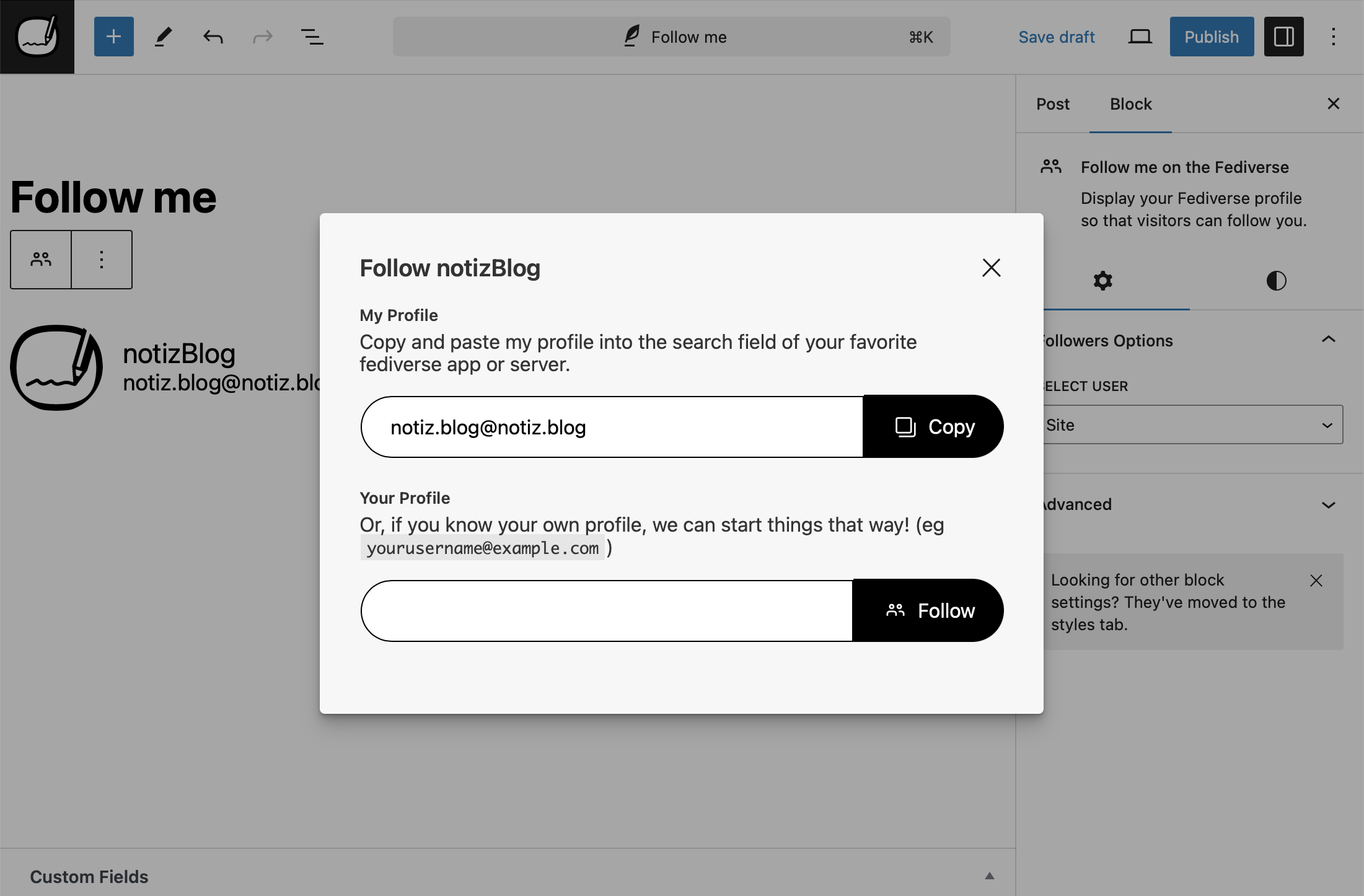
The “Follow me”-Block in the Block-Editor 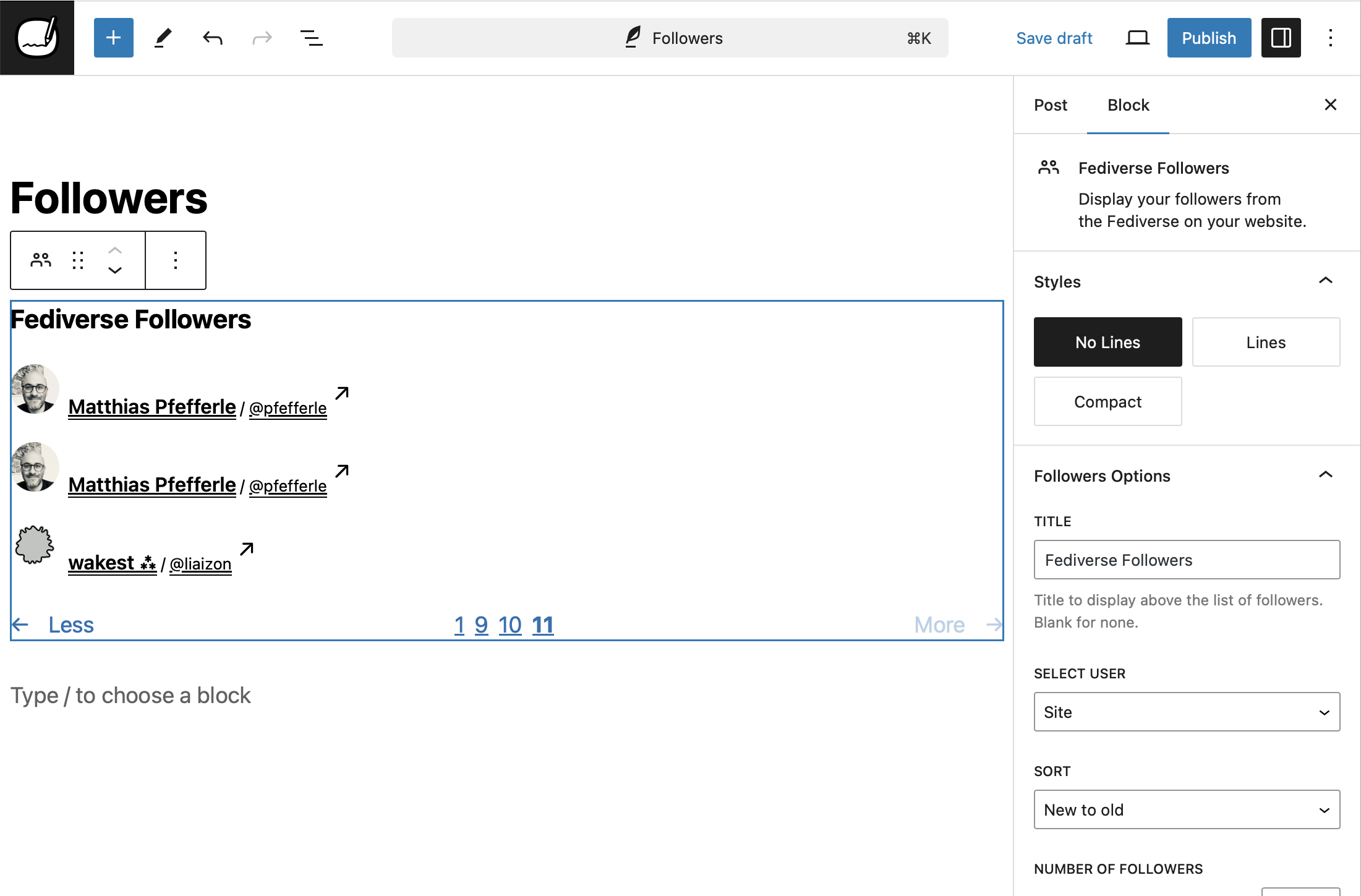
The “Followers”-Block in the Block-Editor 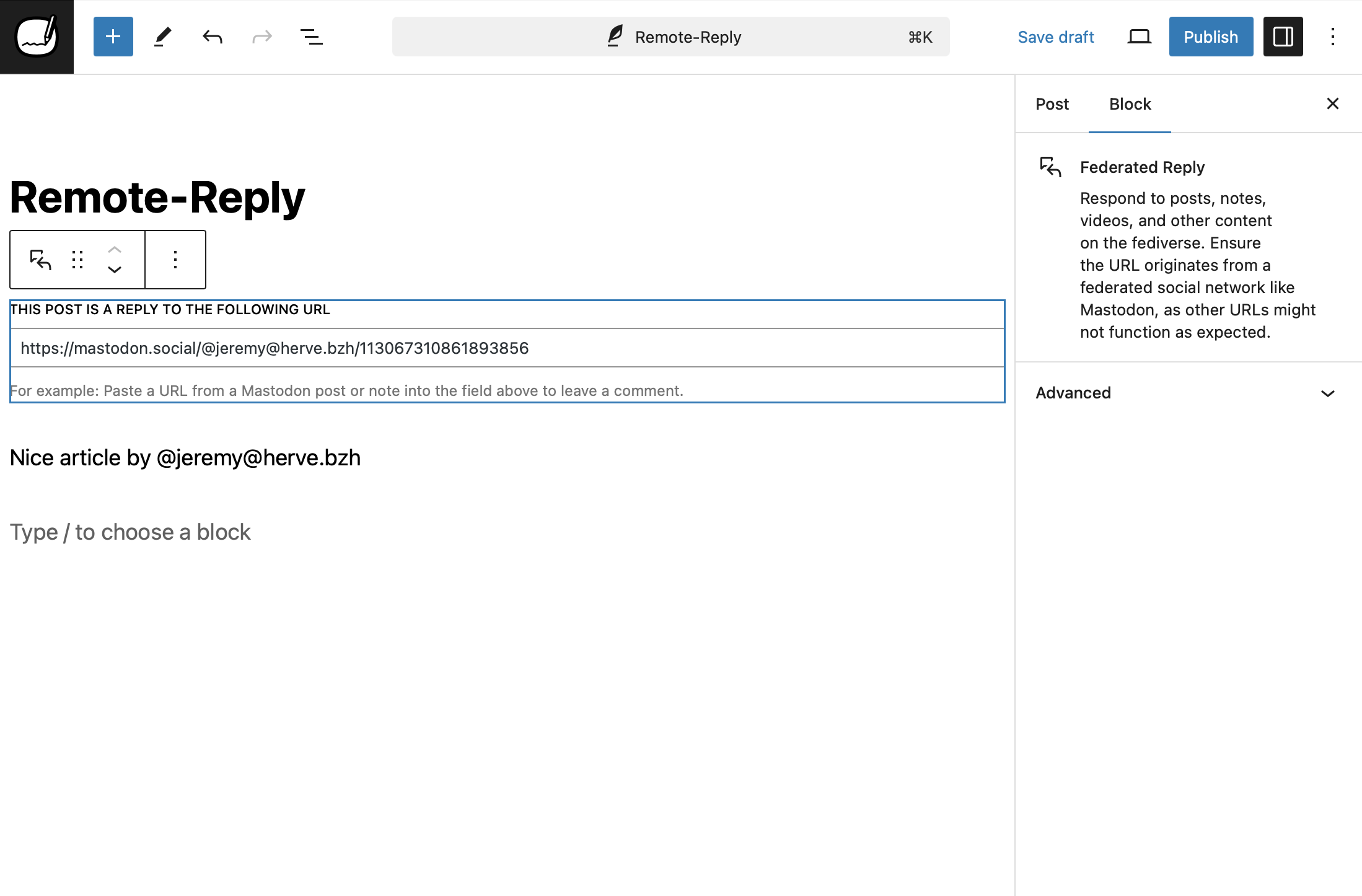
The “Federated Reply”-Block in the Block-Editor 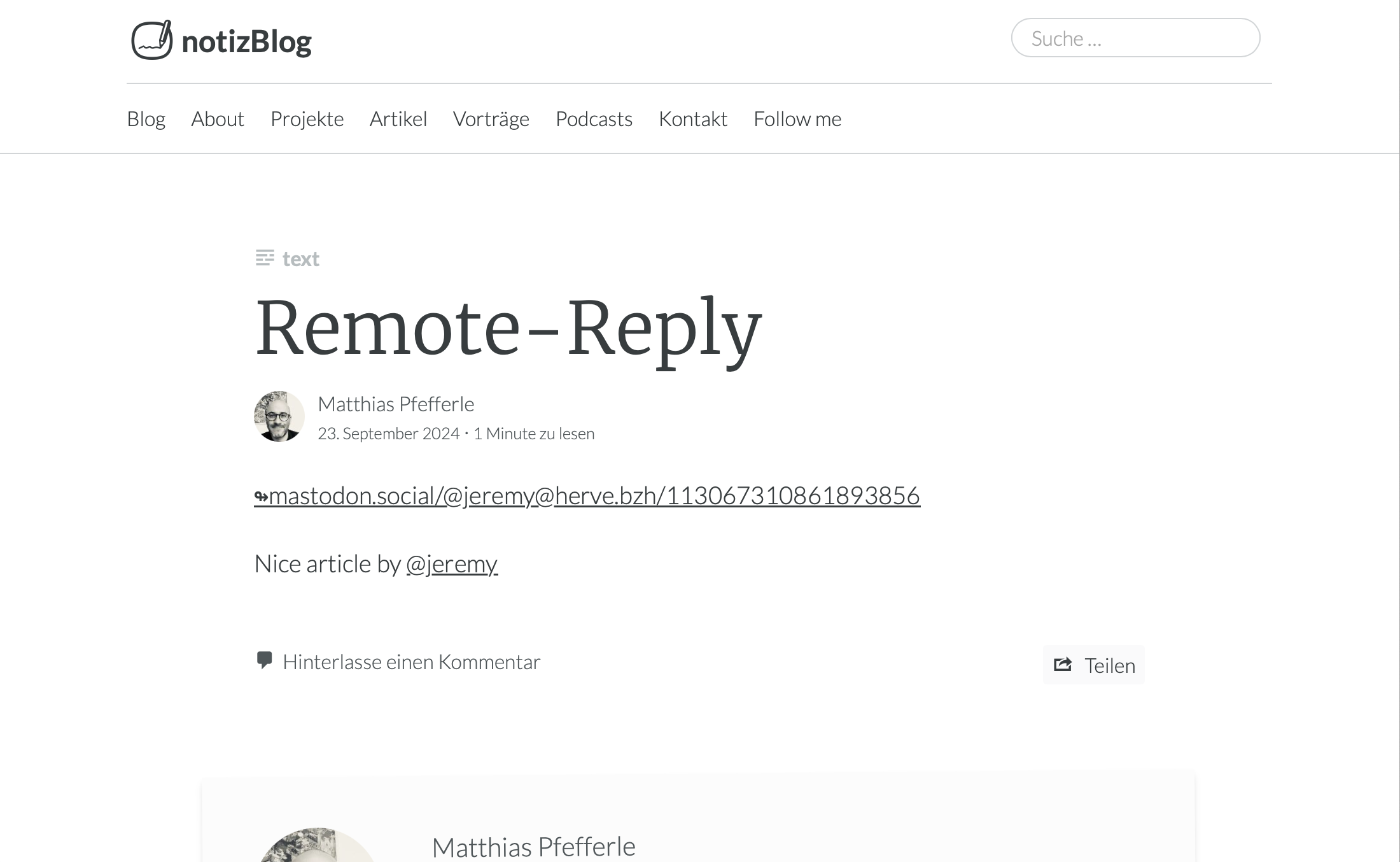
A “Federated Reply” in a Post 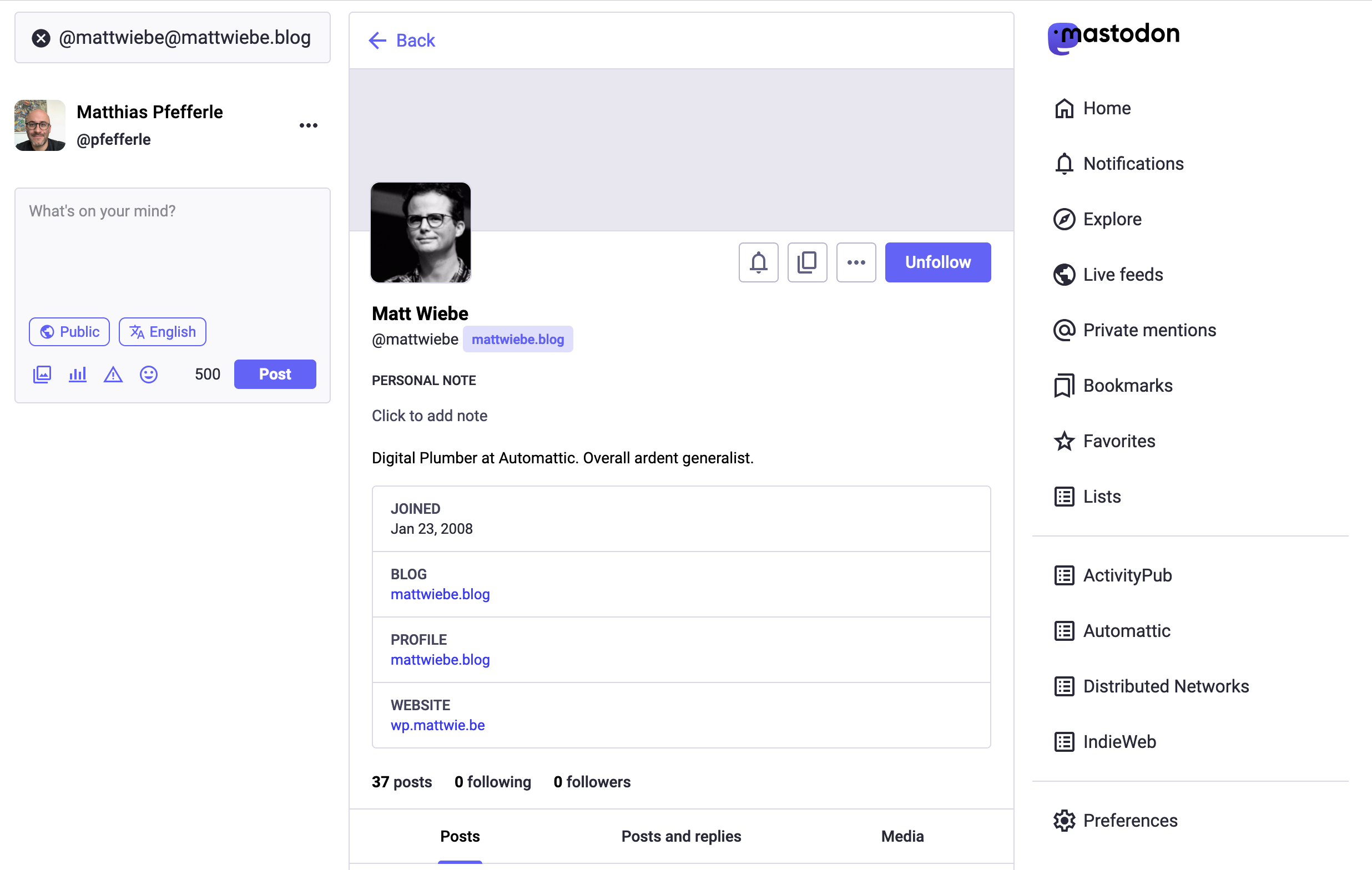
A Blog-Profile on Mastodon


Blocks
This plugin provides 11 blocks.
- Fediverse Followers Display your followers from the Fediverse on your website.
- ActivityPub Post Format Suggestions Suggests optimal post formats for ActivityPub federation before publishing.
- ActivityPub App Manage ActivityPub settings, followers, and federation from the WordPress admin.
- ActivityPub Reply Intent Handler Handles reply intents for federated conversations in the block editor.
- Fediverse Following Display the accounts you follow in the Fediverse on your website.
- Fediverse Reactions Display Fediverse likes and reposts for your posts.
- Federated Reply Reply to posts, notes, and other content on the Fediverse directly from the block editor.
- ActivityPub Command Palette Registers ActivityPub commands for the WordPress Command Palette.
- Fediverse Extra Fields Display extra fields from Fediverse user profiles.
- Follow me on the Fediverse Display your Fediverse profile so that visitors can follow you.
- ActivityPub Editor Integration Adds ActivityPub settings and controls to the WordPress block editor.
Instalo
Follow the normal instructions for installing WordPress plugins.
Automatic Plugin Installation
To add a WordPress Plugin using the built-in plugin installer:
- Go to Plugins > Add New.
- Type “
activitypub” into the Search Plugins box. - Find the WordPress Plugin you wish to install.
- Click Details for more information about the Plugin and instructions you may wish to print or save to help setup the Plugin.
- Click Install Now to install the WordPress Plugin.
- The resulting installation screen will list the installation as successful or note any problems during the install.
- If successful, click Activate Plugin to activate it, or Return to Plugin Installer for further actions.
Manual Plugin Installation
There are a few cases when manually installing a WordPress Plugin is appropriate.
- If you wish to control the placement and the process of installing a WordPress Plugin.
- If your server does not permit automatic installation of a WordPress Plugin.
- If you want to try the latest development version.
Installation of a WordPress Plugin manually requires FTP familiarity and the awareness that you may put your site at risk if you install a WordPress Plugin incompatible with the current version or from an unreliable source.
Backup your site completely before proceeding.
To install a WordPress Plugin manually:
- Download your WordPress Plugin to your desktop.
- Download from the WordPress directory
- Download from GitHub
- If downloaded as a zip archive, extract the Plugin folder to your desktop.
- With your FTP program, upload the Plugin folder to the
wp-content/pluginsfolder in your WordPress directory online. - Go to Plugins screen and find the newly uploaded Plugin in the list.
- Click Activate to activate it.
OD
-
tl;dr
-
This plugin connects your WordPress blog to popular social platforms like Mastodon, making your posts more accessible to a wider audience. Once installed, your blog can be followed by users on these platforms, allowing them to receive your new posts in their feeds.
-
What is “ActivityPub for WordPress”
-
ActivityPub for WordPress adds Fediverse features to WordPress, but it is not a replacement for platforms like Friendica or Mastodon. If you’re looking to host a decentralized social network, consider using Mastodon or Friendica.
-
Why “ActivityPub”?
-
The name ActivityPub comes from the two core ideas behind the protocol:
- Activity: It is based on the concept of activities, like “Create”, “Like”, “Follow”, “Announce”, etc. These are structured messages (usually in ActivityStreams format) that describe what users do on the network.
- Pub: Short for publish or publication. It refers to the fact that this is a publish-subscribe (pub-sub) protocol — one user can “follow” another, and receive their published activities.
Put together, ActivityPub is a protocol for publishing and subscribing to activities, which enables decentralized social networking — where different servers can interact and users can follow each other across the Fediverse.
-
How do I solve…
-
We have a How-To section in the docs directory that can help you troubleshoot common issues.
-
Constants
-
The plugin uses PHP Constants to enable, disable or change its default behaviour. Please use them with caution and only if you know what you are doing.
ACTIVITYPUB_REST_NAMESPACE– Change the default Namespace of the REST endpoint. Default:activitypub/1.0.ACTIVITYPUB_EXCERPT_LENGTH– Change the length of the Excerpt. Default:400.ACTIVITYPUB_MAX_IMAGE_ATTACHMENTS– Change the number of attachments, that should be federated. Default:4.ACTIVITYPUB_HASHTAGS_REGEXP– Change the default regex to detect hashtext in a text. Default:(?:(?<=\s)|(?<=<p>)|(?<=<br>)|^)#([A-Za-z0-9_]+)(?:(?=\s|[[:punct:]]|$)).ACTIVITYPUB_USERNAME_REGEXP– Change the default regex to detect @-replies in a text. Default:(?:([A-Za-z0-9\._-]+)@((?:[A-Za-z0-9_-]+\.)+[A-Za-z]+)).ACTIVITYPUB_URL_REGEXP– Change the default regex to detect urls in a text. Default:(www.|http:|https:)+[^\s]+[\w\/].ACTIVITYPUB_CUSTOM_POST_CONTENT– Change the default template for Activities. Default:<strong>[ap_title]</strong>\n\n[ap_content]\n\n[ap_hashtags]\n\n[ap_shortlink].ACTIVITYPUB_AUTHORIZED_FETCH– Enable AUTHORIZED_FETCH.ACTIVITYPUB_DISABLE_REWRITES– Disable auto generation ofmod_rewriterules. Default:false.ACTIVITYPUB_DISABLE_INCOMING_INTERACTIONS– Block incoming replies/comments/likes. Default:false.ACTIVITYPUB_DISABLE_OUTGOING_INTERACTIONS– Disable outgoing replies/comments/likes. Default:false.ACTIVITYPUB_DISABLE_REMOTE_CACHE– Disable remote media caching (avatars, media, emoji). Default:false. ReplacesACTIVITYPUB_DISABLE_SIDELOADINGfrom 7.9.1.ACTIVITYPUB_SHARED_INBOX_FEATURE– Enable the shared inbox. Default:false.ACTIVITYPUB_SEND_VARY_HEADER– Enable to send theVary: Acceptheader. Default:false.
-
Where can you manage your followers?
-
If you have activated the blog user, you will find the list of his followers in the settings under
/wp-admin/options-general.php?page=activitypub&tab=followers.The followers of a user can be found in the menu under “Users” -> “Followers” or under
wp-admin/users.php?page=activitypub-followers-list.For reasons of data protection, it is not possible to see the followers of other users.
Pritaksoj


Kontribuantoj k. programistoj
“ActivityPub” estas liberkoda programo. La sekvaj homoj kontribuis al la kromprogramo.
Kontribuantoj


“ActivityPub” has been translated into 26 locales. Thank you to the translators for their contributions.
Traduki “ActivityPub” en vian lingvon.
Ĉu interesita en programado?
Browse the code, check out the SVN repository, or subscribe to the development log by RSS.
Ŝanĝprotokolo
8.0.0 – 2026-03-04
Security
- Prevent private recipient lists from being shared when sending activities to other servers.
Added
- Add a help section to interaction dialogs explaining the Fediverse and why entering a profile is needed.
- Add a notice on the Settings page to easily switch from legacy template mode to automatic mode.
- Add a pre-publish suggestion that recommends a post format for better compatibility with media-focused Fediverse platforms.
- Add a Site Health check that warns when plugins are causing too many federation updates.
- Add backwards compatibility for the
ACTIVITYPUB_DISABLE_SIDELOADINGconstant andactivitypub_sideloading_enabledfilter from version 7.9.1. - Add bot account snippet that marks ActivityPub profiles as automated accounts, displaying a “BOT” badge on Mastodon and other Fediverse platforms.
- Add Cache namespace for remote media caching with CLI commands, improved MIME validation, and filter-based architecture.
- Add federation of video poster images set in the WordPress video block.
- Add Locale from Tags community snippet.
- Add optional Like and Boost action buttons to the Fediverse Reactions block, allowing visitors to interact with posts from their own server.
- Add pre-built Fediverse block patterns for easy profile, follow page, and sidebar setup.
- Add snippet for blockless fediverse reactions
- Add
wp activitypub fetchCLI command for fetching remote URLs with signed HTTP requests.
Changed
- Improved active user counting for NodeInfo to include all federated content types and comments.
- Improve language map resolution to strictly follow the ActivityStreams spec.
- Superseded outbox activities are now removed instead of kept, reducing clutter in the outbox.
- The minimum required PHP version is now 7.4.
Fixed
- Accept incoming activities from servers that use standalone key objects for HTTP Signatures.
- Fix a crash on servers where WordPress uses FTP instead of direct file access for media caching.
- Fix a crash when receiving posts from certain federated platforms that send multilingual content.
- Fix automatic cleanup of old activities failing silently on sites with large numbers of outbox, inbox, or remote post items.
- Fix comment count to properly exclude likes, shares, and notes.
- Fix follow button redirect from Mastodon not being recognized.
- Fix modal overlay not covering the full screen on block themes.
- Fix outbox invalidation canceling pending Accept/Reject responses to QuoteRequests for the same post.
- Fix QuoteRequest handler to derive responding actor from post author instead of inbox recipient.
- Fix reactions block buttons inheriting theme background color on classic themes.
- Fix reactions block layout on small screens and remove unwanted button highlight when clicking action buttons.
- Fix signature verification rejecting valid requests that use lowercase algorithm names in the Digest header.
- Fix soft-deleted posts being served instead of a tombstone when the post is re-saved.
- Improve compatibility with federated services that use a URL reference for the actor’s public key.
- Improve handling of all public audience identifiers when sending activities to followers and relays.
See full Changelog on GitHub.
