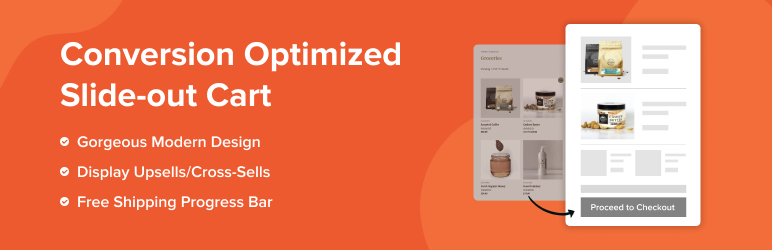

Description
Modern Cart is the ultimate WooCommerce side cart plugin that replaces your clunky default cart page with a smooth slide-out cart drawer or popup cart – all powered by AJAX so customers never leave the page they’re on.
Stop losing sales to the default WooCommerce cart page. Every time a shopper gets redirected to a separate cart page, you lose momentum. A WooCommerce side cart fixes this instantly so the cart slides open right on the page, no redirect, no reload, no lost sale.
Add a free shipping progress bar, in-cart upsells, and a built-in coupon form on top, and every cart visit becomes an opportunity to grow your average order value.
Try the live demo of Modern Cart
Why Your Store Needs a WooCommerce Side Cart
The default WooCommerce cart page kills conversions. Shoppers click “Add to Cart,” get bounced to a separate page, and lose interest. That friction costs you real money every single day.
A WooCommerce side cart (also called a cart drawer, sliding cart, or floating cart) solves this immediately. The cart opens right there on the page – no redirect, no reload.
A floating cart icon stays pinned in the corner at all times so shoppers always know what’s in their cart and can open it from anywhere on your store.
🏆 Trusted by 4,000,000+ WordPress users worldwide • Built by Brainstorm Force, the team behind CartFlows and Astra Theme.
Powerful Features 🚀
- WooCommerce Side Cart / Slide-Out Cart Drawer – A smooth slide-in panel opens from the side of the screen when a product is added or the floating cart icon is clicked. Customers view, update, and manage their entire cart without leaving the current page.
- Popup Cart – Prefer a popup over a slide-out? Switch to popup cart mode for a centered overlay experience. Choose the style that fits your store – both are included.
- Floating Cart Icon – A sticky floating cart icon stays pinned in the corner of every page, showing a live item count badge. One click opens the full WooCommerce side cart from anywhere on your site.
- Free Shipping Progress Bar – Show customers exactly how close they are to free shipping with a dynamic progress bar inside the cart drawer. The single most effective way to increase average order value – customers consistently add one more item just to unlock it.
- Cart Rewards Progress Bar – Go beyond free shipping. Set custom reward milestones – free gifts, discounts, or any incentive – with a real-time progress bar that updates as items are added or removed.
- Built-In Coupon Form – Let customers apply discount codes right inside the WooCommerce side cart. No page reloads, no confusion. Works seamlessly with Power Coupons for WooCommerce for auto-apply and rule-based discounts.
- In-Cart Upsells and Cross-Sells (Pro) – Recommend relevant products directly inside the sliding cart at the exact moment customers are closest to checking out. The perfect trigger for increasing order value.
- AJAX Cart – No Page Reloads – Adding, removing, and updating quantities all happen instantly via AJAX. No page refresh ever. The floating cart icon and side cart always show live, up-to-date totals.
- Customization and Design Flexibility – Choose from multiple cart styles and customize colors, button labels, coupon placeholder text, icon styles, and shipping bar messages to match your store’s branding perfectly.
- Mobile-First Design – The WooCommerce side cart and floating cart icon are built mobile-first. The sliding cart and cart drawer work beautifully on all screen sizes – especially phones and tablets where cart abandonment is highest.
- Lightweight and Fast – Built for performance. Modern Cart won’t slow your WooCommerce store down.
- GDPR Compliant – Modern Cart does not collect or store any personal data from shoppers and is fully GDPR compliant.
How Does It Work?
Getting started is quick and easy:
Install & Activate the Modern Cart plugin
Enable the cart from the settings
Customize cart text, colors, icons, and more
Done! Your new cart is now live and optimized
Who Can Benefit from Modern Cart?
- WooCommerce Store Owners who want to replace the default cart page with a modern, conversion-ready side cart experience.
- Conversion-Focused Businesses aiming to increase average order value and reduce cart abandonment with a floating cart and free shipping bar.
- CartFlows Users who want a high-converting WooCommerce side cart paired with their optimized checkout funnels – Modern Cart and CartFlows are built by the same team and work together seamlessly.
- Developers and Agencies building WooCommerce stores for clients who need a professional, fully customizable cart drawer and floating cart solution.
Reduce Cart Abandonment – Complete Stack
Modern Cart keeps shoppers engaged and in-flow with a floating cart icon visible on every page.
For shoppers who still leave before purchasing, pair it with Cart Abandonment Recovery for WooCommerce to automatically follow up and win them back.
Together they cover your full cart funnel – engagement, retention, and recovery.
Works Great With ✅
- CartFlows – Pair the slide-out cart drawer with CartFlows’ optimized checkout pages, one-click upsells, and order bumps for a complete WooCommerce sales funnel. Built by the same team.
- Power Coupons – Auto-apply rule-based coupons that display cleanly inside the Modern Cart coupon form.
- Variation Swatches – Let customers pick product variations with visual swatches, then add them straight to the WooCommerce side cart drawer.
- Cart Abandonment Recovery for WooCommerce – Recover shoppers who leave before checkout with automated follow-up emails. The perfect companion plugin to Modern Cart.
Compatible Themes
- Astra
- Spectra One
- Blocksy
- Kadence
- GeneratePress
- OceanWP
- Hello Elementor
- Storefront
- Bricks Builder
- Flatsome
- Hestia
- Neve
- And many more
Compatible Plugins:
- Spectra
- Elementor
- Beaver Builder
- Brizy Builder
- Bricks Builder
- Gutenberg
- Oxygen Builder
- CartFlows
- Cart Abandonment Recovery for WooCommerce
- Variation Swatches for WooCommerce
- OttoKit
- TutorLMS
- LifterLMS
- LearnPress
- LearnDash
- MemberPress
- PrestoPlayer
- WooCommerce Subscriptions
And many more
Modern Cart Pro
The free version gives you a fully functional WooCommerce side cart. Upgrade to Modern Cart Pro to unlock product recommendations, empty cart product recommendations, express checkout, advanced color controls, custom icon uploads, and cart width controls.
External services
This plugin connects to external APIs provided by CartFlows to fetch changelog and documentation data, which are displayed in the plugin’s admin panel to assist site administrators.
1. Changelog Feed
- URL: https://cartflows.com/product/modern-cart/feed/
- Purpose: Retrieves the latest changelog entries shown in the “What’s New” section of the plugin admin area.
- Data Sent: No user data is sent. This is a read-only request triggered when the admin panel is accessed.
2. Knowledge Base Documentation
- URL: https://cartflows.com/wp-json/powerful-docs/v1/get-docs
- Purpose: Fetches documentation and knowledge base articles displayed in the “Knowledge Base” section within the plugin admin.
- Data Sent: No user data is sent. The request is triggered only when an administrator views the relevant documentation page.
Screenshots
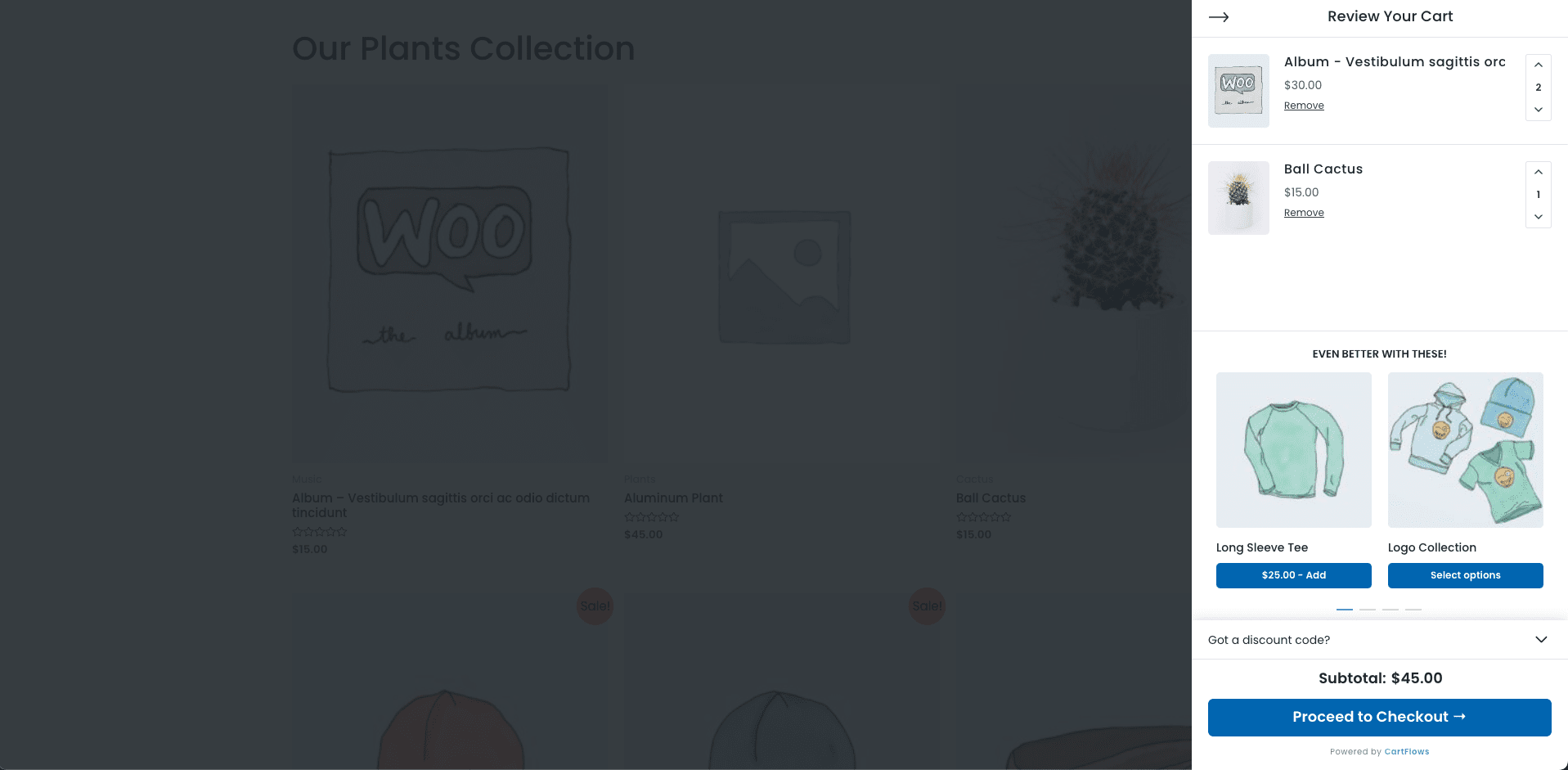
Slide-in cart view

Installation
- Install the
Modern Cart for WooCommerceeither via the WordPress plugin directory or by uploadingmodern-cart.zipto the/wp-content/plugins/directory - Activate the plugin through the ‘Plugins’ menu in WordPress
- Navigate to WooCommerce > Modern Cart to configure the settings
- Make sure to disable caching on your checkout and thank you steps
FAQ
-
What is the difference between a side cart, cart drawer, and floating cart?
-
They all refer to the same type of WooCommerce cart experience. A WooCommerce side cart (or cart drawer, or sliding cart) is a panel that slides in from the side of the screen when a product is added or the cart icon is clicked. A floating cart refers to the sticky cart icon always visible in the corner of the page. Modern Cart includes all of these in one plugin.
-
Does Modern Cart work as a WooCommerce cart drawer?
-
Yes! The slide-out side cart is a full WooCommerce cart drawer. It slides in from the side when a product is added or the floating cart icon is clicked. Customers can manage their entire cart without leaving the page – no redirect, no reload.
-
Can I use this as a WooCommerce mini cart?
-
Absolutely. Modern Cart works as a complete WooCommerce mini cart replacement. The floating cart icon shows the live item count at all times, and clicking it opens the full side cart drawer or popup. No separate mini cart widget is needed.
-
How does the free shipping bar work inside the WooCommerce cart?
-
Enable the free shipping progress bar in Modern Cart settings. It automatically reads your WooCommerce free shipping threshold and displays a dynamic progress bar inside the side cart showing customers exactly how much more they need to spend to qualify. It consistently drives customers to add one more item – one of the most effective AOV tactics available.
-
How does the AJAX cart work in the WooCommerce side cart?
-
Every cart action – adding products, updating quantities, removing items, applying coupons – happens via AJAX with zero page reload. The floating cart icon and side cart drawer always show live, up-to-date totals instantly as customers shop.
-
Can customers apply coupons inside the WooCommerce side cart?
-
Yes! The built-in coupon form lets customers enter and apply discount codes directly inside the cart drawer. Totals update instantly. For rule-based, auto-apply, and bulk coupons, pair it with Power Coupons for WooCommerce.
-
Does Modern Cart support WooCommerce in-cart upsells?
-
In-cart upsells and cross-sells are available in Modern Cart Pro. Product recommendations appear directly inside the sliding cart or popup cart right when customers are closest to checking out – the highest-converting moment to increase order value.
-
Does Modern Cart work with CartFlows checkout funnels?
-
Yes! Modern Cart and CartFlows are built by the same team (Brainstorm Force) and are designed to work together seamlessly. Use the Modern Cart side cart for a smooth browsing and cart experience, then hand customers off to a CartFlows-optimized checkout for maximum conversions.
-
Does Modern Cart replace the WooCommerce cart page?
-
Modern Cart adds a side cart drawer and popup cart so shoppers can manage their cart from any page without ever visiting the cart page. The default WooCommerce cart page stays in place for compatibility, but most shoppers will never need to go there.
-
Does Modern Cart work with variable products and WooCommerce Subscriptions?
-
Yes! Modern Cart supports all WooCommerce product types – simple, variable, grouped, and subscription products. Variable product attributes and subscription details display correctly inside the side cart.
-
How does Modern Cart reduce WooCommerce cart abandonment?
-
The floating cart icon keeps the cart visible on every page so customers never lose track of their items. The free shipping progress bar motivates customers to add more to unlock rewards. For shoppers who still leave before purchasing, pair Modern Cart with Cart Abandonment Recovery for WooCommerce to send automated recovery emails.
-
Can I use Modern Cart on client websites?
-
Yes! You can use Modern Cart on your own store and on client websites. Modern Cart Pro supports multiple websites – check the pricing page for site license details: https://cartflows.com/modern-cart-pricing/
-
Will Modern Cart slow down my WooCommerce store?
-
No. Modern Cart is engineered for performance. It’s lightweight and fully optimized – it won’t add meaningful overhead to your store’s page load time.
-
Does it work with my WooCommerce theme and page builder?
-
Yes! Modern Cart works with virtually all WooCommerce-compatible themes – Astra, Storefront, GeneratePress, OceanWP, Blocksy, Kadence, Flatsome, Hello Elementor, Neve, and many more. It’s also compatible with Elementor, Spectra, Gutenberg, Beaver Builder, Bricks Builder, Oxygen Builder, and Brizy Builder. If you hit a conflict, our support team will sort it out fast.
-
I am new to Modern Cart. Where can I find the documentation?
-
Welcome to Modern Cart! Click here to access our comprehensive documentation. Have questions or need help with a specific feature? Here’s how to connect with us:
Reviews


Contributors & Developers
“Modern Cart – WooCommerce Side Cart & Popup Cart” is open source software. The following people have contributed to this plugin.
Contributors
“Modern Cart – WooCommerce Side Cart & Popup Cart” has been translated into 3 locales. Thank you to the translators for their contributions.
Translate “Modern Cart – WooCommerce Side Cart & Popup Cart” into your language.
Interested in development?
Browse the code, check out the SVN repository, or subscribe to the development log by RSS.
Changelog
Version 1.0.7 – Wednesday, 4th February 2026
- Fixed a tax calculation issue in the cart total display, ensuring accurate tax calculation and display for WooCommerce carts.
- Fixed an issue where the cart appeared empty when users navigated back using the browser’s back button by properly refreshing the cart state.
Version 1.0.6 – Tuesday, 13th January 2026
- Fix: Fixed an issue with the TranslatePress plugin where unwanted HTML was appearing in product names in the cart.
- Fix: Fixed an issue with AJAX add-to-cart functionality by ensuring the form submits correctly when the add-to-cart button is clicked, improving the overall cart experience.
Version 1.0.5 – Tuesday, 30th December 2025
- New: Added an onboarding wizard to provide a smooth onboarding experience and enable quick, guided setup.
Version 1.0.4 – Monday, 24th November 2025
- Fix: Fixed a compatibility issue affecting WooCommerce’s Coming Soon mode when the “Apply to store pages only” option was active
Version 1.0.3 – Thursday, 20th November 2025
- Improvement: Added success message to the free shipping progress bar.
- Improvement: Plugin now detects maintenance mode to stay inactive during maintenance.
- Improvement: Added option to auto-open the cart drawer when a product is added without AJAX.
- Fix: Improved translation support for sale percentages and cart item text.
- Fix: Corrected “added to cart” notification display by improving AJAX handling.
Version 1.0.2 – Monday, 3rd November 2025
- Improvement: Improved AJAX handling in Modern Cart with cache-control to ensure always up-to-date cart data.
- Fix: Corrected shipping calculation errors for accurate totals when shipping settings change.
- Fix: Resolved Astra cart icon compatibility by refining custom trigger selector handling.
- Fix: Improved coupon field reliability through better state management for smoother user experience.
- Fix: Fixed Firefox CSS issues in the popup cart for consistent cross-browser display.
Version 1.0.1 – Monday, 29th September 2025
- New: Added cart header customization options in Modern Cart > Styling Tab > Cart Header, allowing greater control over the appearance of your cart header.
- Fix: Fixed issue with tax HTML renderer not displaying correctly in the cart.
- Fix: Compatibility bug fixes with Modern Cart Pro.
Version 1.0.0 – Tuesday, 9th September 2025
- Initial release of Modern Cart Starter for WooCommerce.
