Manufact
Platform▾
- MCP HostingDeploy MCP apps and servers to production.
- Cross-client testingRun the same checks across ChatGPT, Claude, and more.
- Publishing checksAudit your MCP app against ChatGPT Apps Store and Cloud Connectors requirements.
- Cloud InspectorTrace, replay, and debug MCP traffic in production.
- Public chatEmbeddable chat surfaces for your product.
- AnalyticsUsage, latency, and reliability in one place.
- Products
- Cloud
- mcp-use SDK
- Inspector
- Vibe
Solutions▾
- Get a demo
- Templates
- Customers
- Pricing
- Blog

Build and deploy MCP Apps and Servers
The mcp-use SDK is the fullstack MCP framework to develop MCP Apps for ChatGPT / Claude & MCP Servers for AI Agents. Loved by developers.


Your fastest path to the ChatGPT Apps Store and Claude Connectors.
One codebase. Every surface where users and agents already work.

From first commit to production.
Every step of the MCP lifecycle. No extra tools.
Start from an SDK, a skill, or a vibe.
Scaffold with the mcp-use SDK. Install a skill into your coding agent. Or describe your app and watch it scaffold. Already writing MCP servers? Drop your existing code in unchanged.
One push. Live in seconds.
Connect your repo once. Every push auto-deploys to Manufact Cloud. No YAML. No Dockerfile archaeology.
- GitHub AppConnect once. Every push auto-deploys to Manufact Cloud.
- Preview per branchA live, unique URL for every pull request
- Custom domainsShip your app under your own domain. SSL handled.
Derisk your path to the marketplaces.
Get your app in front of users in ChatGPT and Claude. Submission assets generated for you. Share an embedded chat anywhere you already have an audience.
- Marketplace checklistsKnow when you're ready to submit
- Submission assetsLogo, copy, and screenshots generated for you
- Embedded chatAutomatic sharable chat for your mcp servermcp.acme.com/chat
Preview it before a user sees it.
Cloud Inspector runs your MCP server against real clients. Fire tool calls, inspect JSON-RPC, swap models — no local setup.
- Cloud InspectorDebug from any browser.Open Inspector
- Model swapTest the same call against GPT, Claude, Gemini.
- Automatic evalsAcross every model and clientTry Evals
Don't go blind in production.
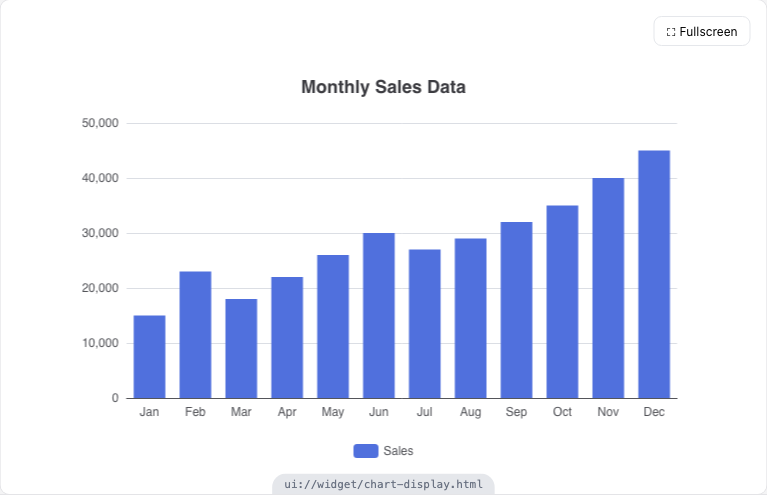
See how people actually use your MCP app. Analytics, session replay, and observability built in — so you catch regressions before users report them.
- AnalyticsTraffic, tool-call volume, and latency at a glance.
- Session trackingReplay a user's conversation end-to-end.
- ObservabilityTraces, error rates, and alerts on regressions.
Developers love
Thousands of dev-teams are building with mcp-use
Been thinking about trying your @mcpuse today when I started building a ChatGPT app, but wasn't sure if it's the right use case. Now I assume it is 🙂

Great addition to the generic MCP Client collection.
Infra isn't just plumbing. It's distribution. Examples: AgentMail: inboxes for agents, mcp-use: MCP infra, DeepAware: RL for data center ops. Whoever owns the rails agents use to talk to the outside world ends up with Twilio-style power.

mcp-use is by far the best Python framework for building an agent MCP. It's so easy to set up an agent connected to MCP servers through the command line, that way I can quickly iterate on my MCP servers and test. Most people are using MCP servers in chat clients like Cursor / Claude Code, but MCP server use by agents will explode in the near future. I think it's important to test your server in an agent environment, and mcp-use provides that.

MCP-Use is the open source way to connect any LLM to any MCP server and build custom agents that have tool access, without using closed source or application clients.

that's why we love open-source! @NASA is building an agent with MCP using our library @mcpuse 🚀

Been thinking about trying your @mcpuse today when I started building a ChatGPT app, but wasn't sure if it's the right use case. Now I assume it is 🙂
Great addition to the generic MCP Client collection.
Infra isn't just plumbing. It's distribution. Examples: AgentMail: inboxes for agents, mcp-use: MCP infra, DeepAware: RL for data center ops. Whoever owns the rails agents use to talk to the outside world ends up with Twilio-style power.
mcp-use is by far the best Python framework for building an agent MCP. It's so easy to set up an agent connected to MCP servers through the command line, that way I can quickly iterate on my MCP servers and test. Most people are using MCP servers in chat clients like Cursor / Claude Code, but MCP server use by agents will explode in the near future. I think it's important to test your server in an agent environment, and mcp-use provides that.
MCP-Use is the open source way to connect any LLM to any MCP server and build custom agents that have tool access, without using closed source or application clients.
that's why we love open-source! @NASA is building an agent with MCP using our library @mcpuse 🚀
Awesome to see mcp-use support MCP-UI! We're aligning on the open spec with OAI and others to make sure the entire community benefits from complete compatibility

mcp-use is really into something good here.

mcp-use (@mcpuse) is building open-source dev tools and infrastructure for MCP to help dev teams quickly build and deploy custom AI agents with MCP servers.

awesome to see @mcpuse on product hunt today! for everyone needing to build with or around MCP! and yes, we'll do a small hack night with them next week to put that to the test as well 😉

MCP evals is here in @deepeval, metric name taken from @mcpuse 👀

🚀 @mcpuse launched! Open source infrastructure and dev tools for MCP agents: "Spin-up and aggregate MCP servers through a single endpoint and zero friction."

Awesome to see mcp-use support MCP-UI! We're aligning on the open spec with OAI and others to make sure the entire community benefits from complete compatibility
mcp-use is really into something good here.
mcp-use (@mcpuse) is building open-source dev tools and infrastructure for MCP to help dev teams quickly build and deploy custom AI agents with MCP servers.
awesome to see @mcpuse on product hunt today! for everyone needing to build with or around MCP! and yes, we'll do a small hack night with them next week to put that to the test as well 😉
MCP evals is here in @deepeval, metric name taken from @mcpuse 👀
🚀 @mcpuse launched! Open source infrastructure and dev tools for MCP agents: "Spin-up and aggregate MCP servers through a single endpoint and zero friction."
Really sharp execution, mcp-use nails the 'Vercel for MCP' play. Love how you've stripped deployment and aggregation down to a single endpoint with zero friction. Crypto infra teams, onchain data providers, and AI-powered DeFi dashboards could slot this in to speed up agent builds massively.

🦜🤖 MCP-Use Tools - Just launched: An open-source library that connects any LLM to MCP tools for custom agents, featuring seamless integration with LangChain and support for web browsing, Airbnb search, and 3D modeling capabilities.

We implemented Code Mode in mcp-use's MCPClient . All you need to do is define which servers you want your agent to use, enable code mode, and you're done! The client will expose two tools: - One that allows the agent to progressively discover which servers and tools are available - One that allows the agent to execute code in an environment where the MCP servers are available as Python modules (SDKs)

Really sharp execution, mcp-use nails the 'Vercel for MCP' play. Love how you've stripped deployment and aggregation down to a single endpoint with zero friction. Crypto infra teams, onchain data providers, and AI-powered DeFi dashboards could slot this in to speed up agent builds massively.
🦜🤖 MCP-Use Tools - Just launched: An open-source library that connects any LLM to MCP tools for custom agents, featuring seamless integration with LangChain and support for web browsing, Airbnb search, and 3D modeling capabilities.
We implemented Code Mode in mcp-use's MCPClient . All you need to do is define which servers you want your agent to use, enable code mode, and you're done! The client will expose two tools: - One that allows the agent to progressively discover which servers and tools are available - One that allows the agent to execute code in an environment where the MCP servers are available as Python modules (SDKs)
Built in the open.
One of the most adopted open-source MCP frameworks. Open from day one.
Our open source tools are used by developers at top companies


Frequently asked questions
Everything you need to build, deploy, test, and publish with Manufact.
What is Manufact?
Manufact (formerly mcp-use) is a platform for deploying, testing, observing, and publishing MCP servers and MCP apps. It's built by the team behind the open-source mcp-use SDKs for TypeScript and Python and the open-source MCP Inspector. Deploys run from GitHub, the CLI, or Manufact's own MCP server, and the platform covers the lifecycle after deploy: cross-client testing, MCP-native analytics, and publishing checks for the ChatGPT Apps Store and Claude Cloud Connectors.
How fast can I deploy an MCP server on Manufact?
Under 60 seconds from git push to a live MCP endpoint. Connect the GitHub App once and every push deploys automatically, or use npx mcp-use deploy from the CLI. An agent can also drive deployments through Manufact's official MCP server.
Which languages and frameworks does Manufact support?
TypeScript and Python are first-class through the mcp-use SDKs, with presets for FastMCP and other frameworks, plus a Dockerfile option for anything else. You can also connect an MCP server hosted elsewhere by URL and use testing, analytics, and publish checks without moving your hosting.
How do I test an MCP server across different AI clients?
Manufact test suites exercise your deployed server's tools across clients and swap models between GPT, Claude, and Gemini, with LLM-judged pass/fail results per client and model. Suites can gate CI, so a regression in any client blocks the merge. The embedded Cloud Inspector also lets you invoke tools, browse resources, and preview widgets against real clients with no local setup.
What is the MCP Inspector?
MCP Inspector is an open-source tool maintained by Manufact for debugging MCP servers: tool testing, resource browsing, prompt testing, real-time JSON-RPC logging, and widget preview with full window.openai emulation. Run it hosted at inspector.manufact.com, locally with npx @mcp-use/inspector, or self-hosted via Docker. Inside the Manufact dashboard, the Cloud Inspector runs against your deployed server directly.
What analytics do I get for my MCP server?
Tool calls, sessions, error rates with issue triage, and p50/p95/p99 latency per tool, resource, and prompt. Traffic breaks down by client (ChatGPT, Claude, Cursor, Windsurf, custom), client version, protocol version, and country. Session replay shows the full timeline of each session, and an internal-traffic toggle excludes dashboard and inspector calls from production numbers.
How does authentication work for MCP servers on Manufact?
OAuth ships with six documented providers: Auth0, Better Auth, Clerk, Keycloak, Supabase, and WorkOS, plus support for any custom provider that supports dynamic client registration. Your tools receive verified user context on every call. Clients connect with OAuth 2.1 with PKCE or bearer tokens.
How do I publish an MCP app to the ChatGPT Apps Store or Claude Connectors?
Manufact runs six categories of publishing checks mapped to store requirements: protocol and discovery, tool conformance, security and policy, metadata and configuration, domain/TLS/CSP, and assets. Each failed check comes with fix guidance and an autofix flow. E2E checks then run your server live inside ChatGPT and Claude to verify tool calls and widget rendering, and a generated submission pack produces listing copy, tool justifications, and reviewer test cases.
Do pull requests get preview deployments?
Yes. Every branch gets its own MCP URL (<slug>--br-<branch>.run.mcp-use.com/mcp), so reviewers can point a real client at the change before merge. Available on Hobby and above.
Is mcp-use open source?
Yes. The mcp-use SDKs for TypeScript and Python (servers, clients, and agents) and the MCP Inspector are open source, with 7M+ downloads and 10k+ GitHub stars. The Manufact cloud platform builds on them.
How much does Manufact cost?
The Free plan is $0 and includes $5/month in usage credits. Hobby is $25/month and adds preview deployments, E2E checks, and the submission pack. Startup is $250/month with all regions, and Enterprise is custom. Usage is metered ($0.10 per 1k tool-call requests, $1 per eval run, $2 per E2E check); discovery traffic like tools/list is never billed.
Can I use Manufact without hosting my server there?
Yes. Connect an existing remote MCP server by URL and get the Chat interface, test suites, publish checks, and the submission pack against it. Hosting on Manufact adds deploys from GitHub, preview environments, and gateway-level analytics.
Begin your MCP journey
in the fastest way
Vibecode your MCP App
Describe what you want. Watch your MCP server and widgets scaffold in front of you.
From a template
Pick one of our templates and start from a known-good scaffold.