

Creating a Liquid Web Cloud API Token in the my.liquidweb.com Interface
Liquid Web’s Cloud has a robust Application Programming Interface (API) that allows for accessing your account from outside the my.liquidweb.com interface. For example, the API can be used to manage and integrate many things directly into your cloud infrastructure. Ranging from the Liquid Web Command Line Interface (LW CLI) utility, our Terraform infrastructure-as-code (IaC) provider, to the Web Host Manager Complete Solution (WHMCS), — the list is endless.
One example is setting up the Liquid Web Terraform provider for deploying WordPress. Liquid Web gives you the power to easily manage all aspects directly to your Liquid Web account. To access the API, an API token must first be created for that account. API tokens are supported by third parties, such as Terraform.
Creating a Cloud Liquid Web API Token
Creating an API token is an easy and straightforward process. The first step is to log into your my.liquidweb.com account. Once you’ve logged in, we’ll get started.
1. Account management
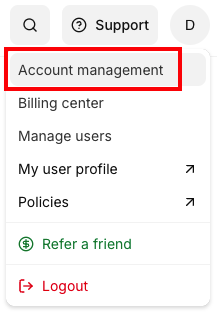
Click on the Account option on the top menu and then select the Account management menu entry:
2. Security
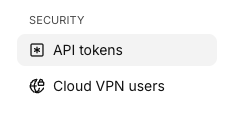
In the Security section, click on the API Tokens link. This will bring up the API Tokens section.
3. API Token
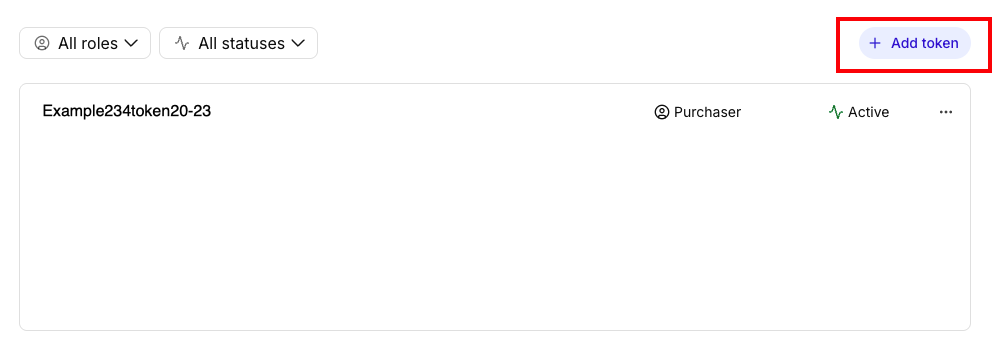
Click the Add Token button to create a new API Token.
4. Create API Token
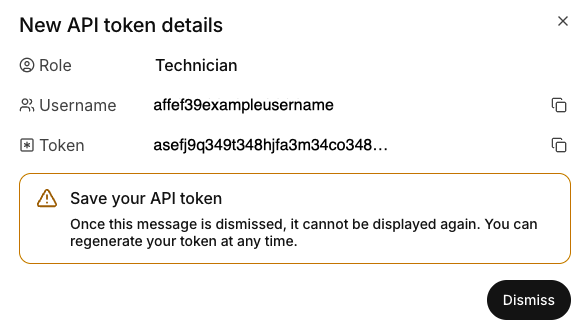
From the drop down menu, select the role of the token you are creating. API Tokens have the same permissions as a user with the same role. The username and token are both auto-generated.
You will be presented with the API Credentials window that will only be presented once. These credentials are auto-generated and cannot be recovered, but can be disabled. However, new tokens can be regenerated at any time by clicking on the three dot menu to the right of the username.
Change API Tokens
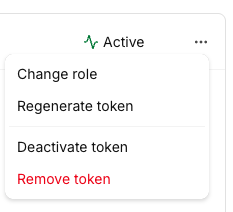
The three dot menu to the right of each token allows you to make adjustments to the token. You can change the role (permissions) of the token, regenerate the token, deactivate the token, or remove the token from your account.
Wrapping Up
That’s it, you now have a Liquid Web API token for your account. The API user and API token can be used for integrating your cloud infrastructure with your Liquid Web account and Liquid Web’s cloud hosting platform API.
By leveraging the Liquid Web cloud API so you can build your own tools that use it! See, the Using the Liquid Web Command Line Interface (LW CLI) article to learn more about the LW CLI. Our LW CLI and API tokens enable integration with third parties, such as Terraform.
