-
-
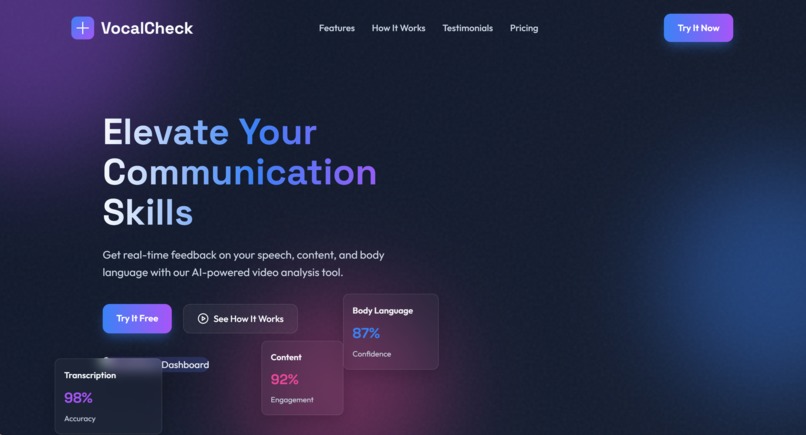
Landing page

🚀 Inspiration
Millions of professionals, students, and public speakers struggle to improve their presentation skills due to lack of real-time, objective feedback.
- 🎤 Speech Quality: Am I speaking clearly? Is my pacing correct?
- 🎥 Body Language: Am I making eye contact? What does my posture convey?
- 🧠 Overall Impact: How can I sound more confident and persuasive?
Traditional feedback is subjective, delayed, and limited, leading to inefficient practice and slow improvement.
💡 What It Does
Vocal Check is an AI-powered platform that analyzes both speech and body language from videos to deliver instant, multi-dimensional feedback.
🎤 Speech Analysis
- Detects filler words (um, uh, like, etc.)
- Measures pace and pause consistency
- Evaluates tone modulation and vocal variety
- Checks pronunciation clarity
🎥 Body Language Analysis
- Tracks posture and alignment
- Measures eye contact consistency
- Analyzes gestures and movement
- Detects facial expressions
🧠 AI-Powered Insights
- Personalized suggestions (Beginner → Advanced)
- Context-aware recommendations
- Goal-based improvement tips
- Text-to-Speech (TTS) summaries
📊 Detailed Reports
- JSON + human-readable reports
- Performance scoring system
- Confidence metrics and tracking
- Downloadable transcripts
🔥 Key Features
- ✅ Multi-Modal Analysis (Speech + Video + AI)
- ⚡ Instant Feedback from one upload
- 🎯 Skill-Level Based Training
- 🧪 Practice Mode with scoring
- 📂 PPT + Video Integration
- 👤 User Profiles & Progress Tracking
- 🔊 TTS Feedback Summaries
- 🔗 API-Ready Architecture
🛠️ How We Built It
Frontend
- HTML, CSS, JavaScript (Responsive UI)
Backend
- Python Flask (Modular architecture)
AI/ML Stack
- Google Gemini API → Intelligent feedback
- OpenAI Whisper → Speech-to-text
- Computer Vision → Body language analysis
Video Processing Pipeline
def process_video(video):
    audio = extract_audio(video)
    transcript = whisper.transcribe(audio)
    speech_metrics = analyze_speech(transcript)
    body_metrics = analyze_video_frames(video)
    insights = gemini.generate_feedback(speech_metrics, body_metrics)
    return insights


---

## 🔥 NEXT STEP (IMPORTANT)

Replace these with your actual assets:

- `system-architecture.png`
- `pipeline.png`

---

## 🎯 Want me to go one level higher?

I can generate for you:
- 🎨 **Actual system architecture diagram (ready image)**
- 🔄 **Flowchart (clean + hackathon style)**
- 📊 **UI mockups (dashboard, report screen)**

Just say: **"generate images"** and I’ll create them 🚀
Built With
- advanced-cv-video-processing:-moviepy-with-ffmpeg-storage:-json-based-with-file-management-scalability:-rate-limiting
- async
- frontend:-javascript
- html/css-with-responsive-design-backend:-python-flask-with-modular-architecture-ai/ml:-google-gemini-api
- openai-whisper
- processing


Log in or sign up for Devpost to join the conversation.