

Deskripzioa
EventKoi Lite is a modern WordPress events calendar plugin built for site owners who are tired of bloated, outdated event management plugins from a decade ago. Create and manage in-person and virtual events, display a beautiful events calendar or event list, and handle event registration and attendee management, all from a clean, intuitive admin.
✓ Events calendar & event list — Display events in a calendar, list, or
grid view using blocks, shortcodes, Elementor, or Beaver Builder
✓ Event registration & RSVP — Let attendees register for events, manage
capacity, and check in with QR codes
✓ Attendee management — Export your attendee list and manage check-ins
from your WordPress admin
✓ In-person and virtual events — Supports Google Maps for venues and
auto-detects visitor timezone for virtual and international events
✓ Google Calendar, iCal & Outlook sync — Let attendees add events to
their own calendar with one click
✓ Accessible & responsive — Keyboard navigation, ARIA labels, and a
fully mobile-friendly events calendar
✓ Event SEO — Automatic JSON-LD structured data markup so your events
appear in Google search results and rich snippets
✓ Blocks, shortcodes & page builders — Works with Gutenberg, Elementor,
and Beaver Builder out of the box
✓ Secure, well-built code that follows WordPress coding standards
✓ Active development, responsive support, and thorough documentation
Need recurring events, unlimited calendars, and custom fields? Upgrade to EventKoi Pro
Event management
- Add multiple event days, each with its own start and end time
- Create in-person events with Google Maps venue embedding
- Create virtual events with automatic visitor timezone detection
- Use your WordPress site’s date, time, and timezone settings
- Customize event page templates in the block editor
- Localization-ready for
Events Calendar & Event Listing
- Embed an events calendar using a block, shortcode, Elementor
widget, or Beaver Builder module - Display an event listing as a list or grid view
- Filter events by date range or calendar
- Accessible calendar views with full keyboard navigation and ARIA labels
- Fully responsive and mobile-friendly for all screen sizes
- Set the calendar’s starting day of the week
- Choose 12 or 24-hour time display
- Organize all your events under your events calendar. Upgrade to Pro for multiple calendars to segment events by category, location, or type
Event Registration & RSVP Management
- Set event capacity and display remaining spots to encourage signups
- Let attendees submit and update their event registration (RSVP)
- Send automated confirmation emails with check-in codes
- Manage attendee registration and check-ins from WordPress admin
- Export your full attendee list
Calendar Sync & Sharing
- Let visitors add events to Google Calendar, iCalendar, Outlook 365,
or Outlook Live - Auto-detect visitor timezone for virtual and international events
- Social sharing built in
Event SEO & Structured Data
EventKoi Lite automatically outputs JSON-LD structured data for every event, helping your events appear in Google Search rich results and event snippets. Structured data is built in, no configuration needed.
Page Builder Integrations
- Elementor: Embed an events calendar or event data using native
Elementor widgets - Beaver Builder: Embed an events calendar or event data using native
Beaver Builder modules
Block editor and shortcode support
- Shortcode builder: Build shortcodes with multiple queries to display a calendar or list of events
- Block Editor: Add an events calendar, event query loop block or event data block directly in the WordPress editor
Get advanced features with EventKoi Pro
- Recurring events
- Create advanced rules for events that repeat daily, weekly, monthly, yearly,
- Edit individual event instances (custom name, location, description, and more)
- Automatically create a dedicated event series page
- Custom fields
- Add custom fields and field groups to any event
- Multiple event calendars
- Lite includes one calendar. Pro unlocks unlimited calendars so you can segment events by type, department,
location, or audience
- Lite includes one calendar. Pro unlocks unlimited calendars so you can segment events by type, department,
- Advanced Elementor and Beaver Builder integrations
- Build custom templates and use Loop features to build queryable event lists.
- Priority support
- 30-day money-back guarantee
Get EventKoi Pro
Helpful links
- EventKoi documentation
- EventKoi blog
- Support Forum (please check existing threads before starting a new one)
- Contact us (for non-support related questions)
External services
This plugin can connect to the Google Maps JavaScript API in order to display interactive maps inside event and calendar views.
It sends your configured Google Maps API key (if provided) along with requests made by the visitor’s browser when viewing a page that contains an embedded map. No personal data is sent by the plugin itself, but Google may collect usage data in accordance with their policies. This connection only happens if maps are enabled in the plugin settings and a page with an event location map is viewed.
This service is provided by Google LLC: Terms of Service, Privacy Policy.
Pantaila-argazkiak
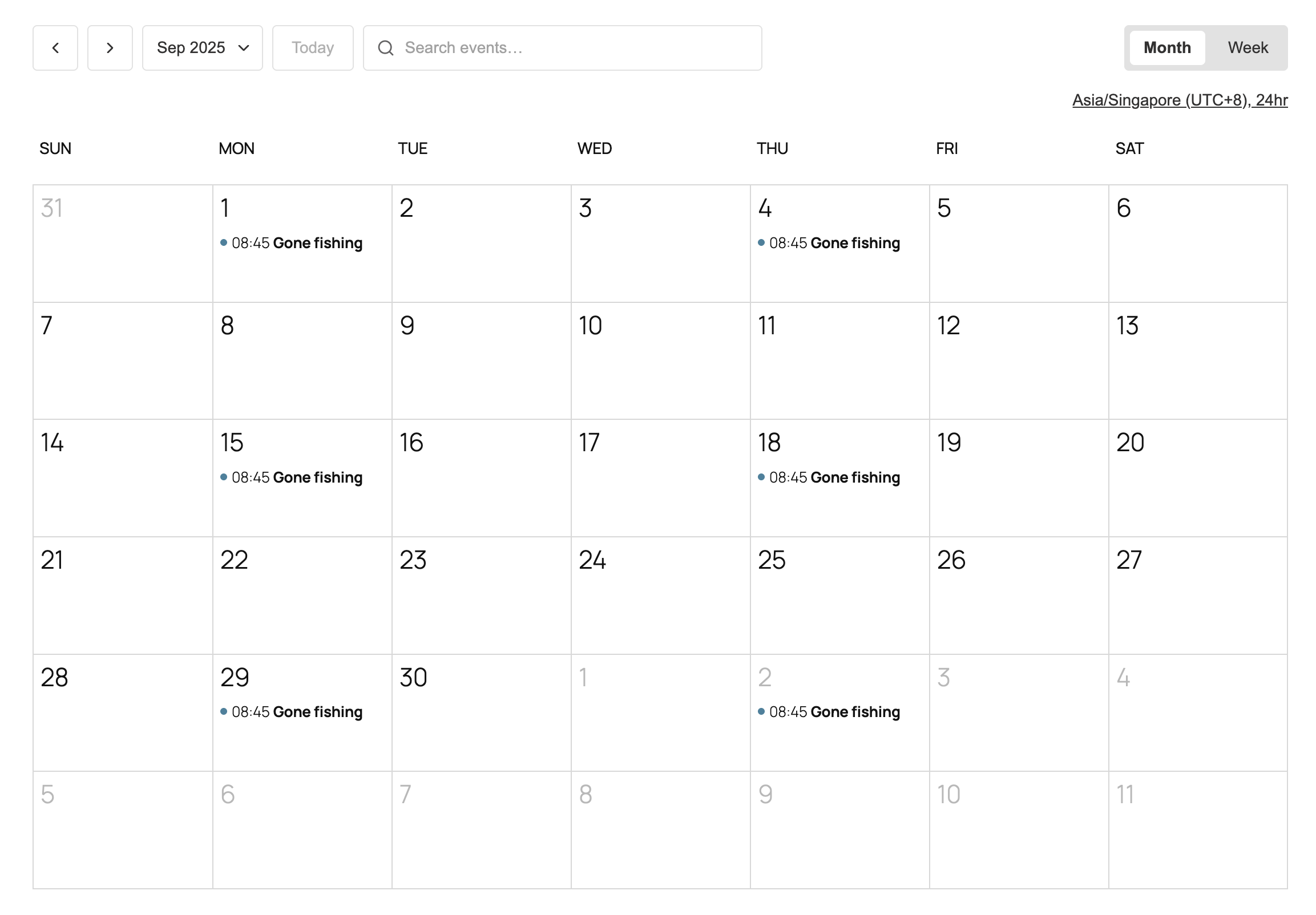
Calendar view 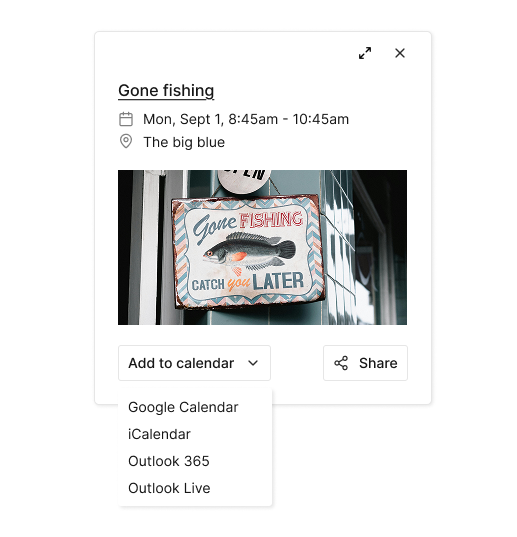
Site visitors can add an event to their own calendar 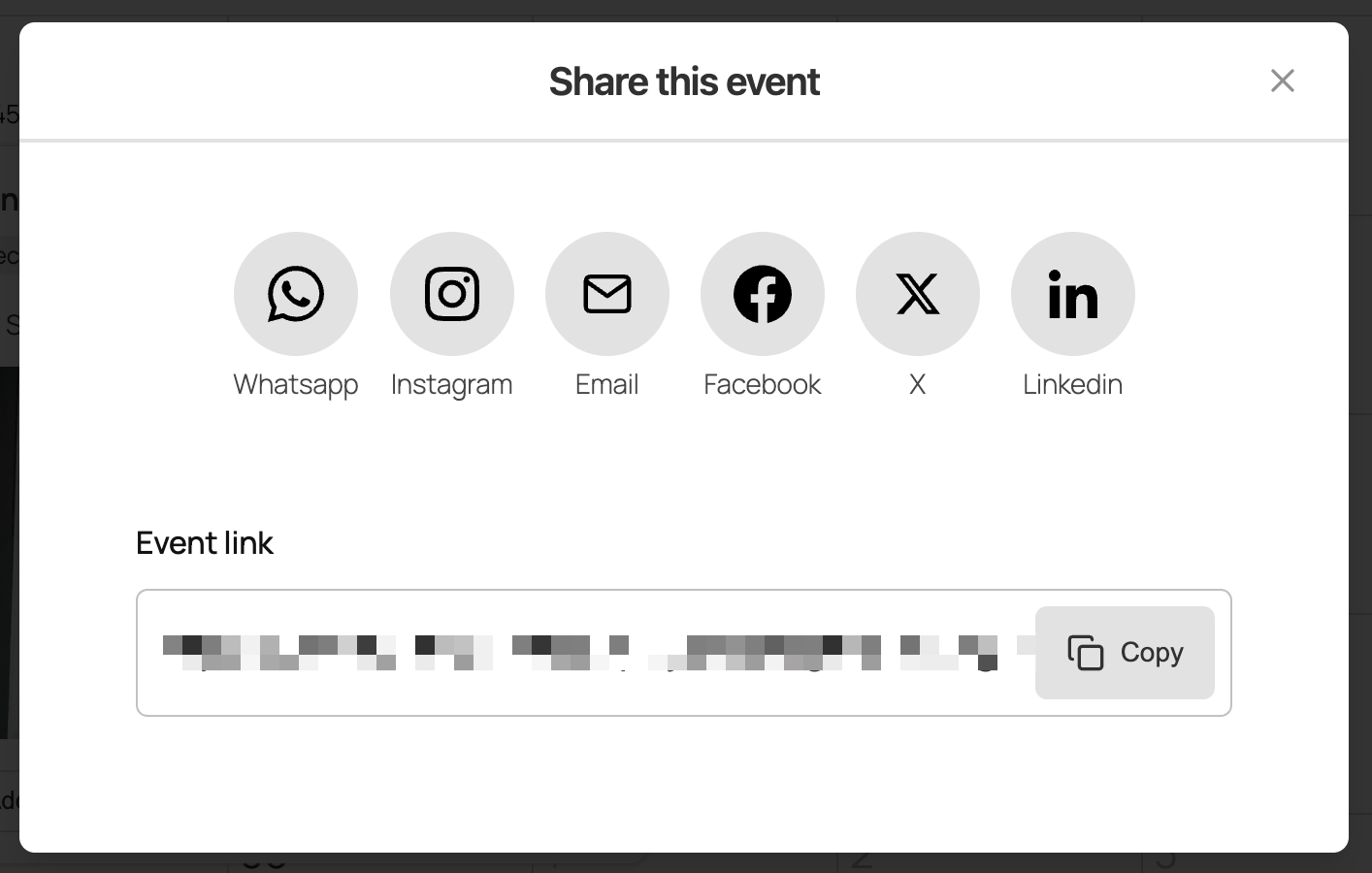
Site visitors can share events via social media and email 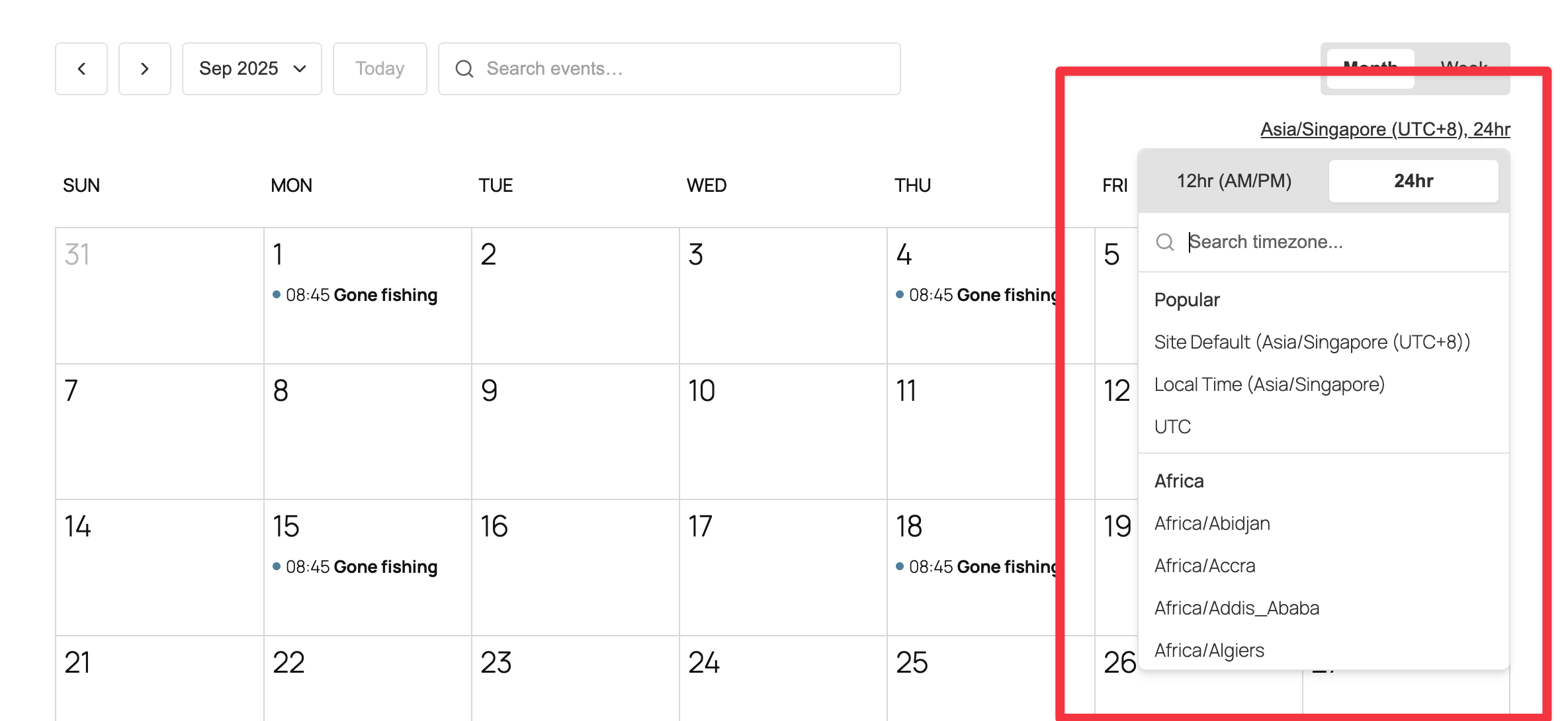
Calendars come with timezone detection, timezone switcher, and 12/24 hour clock 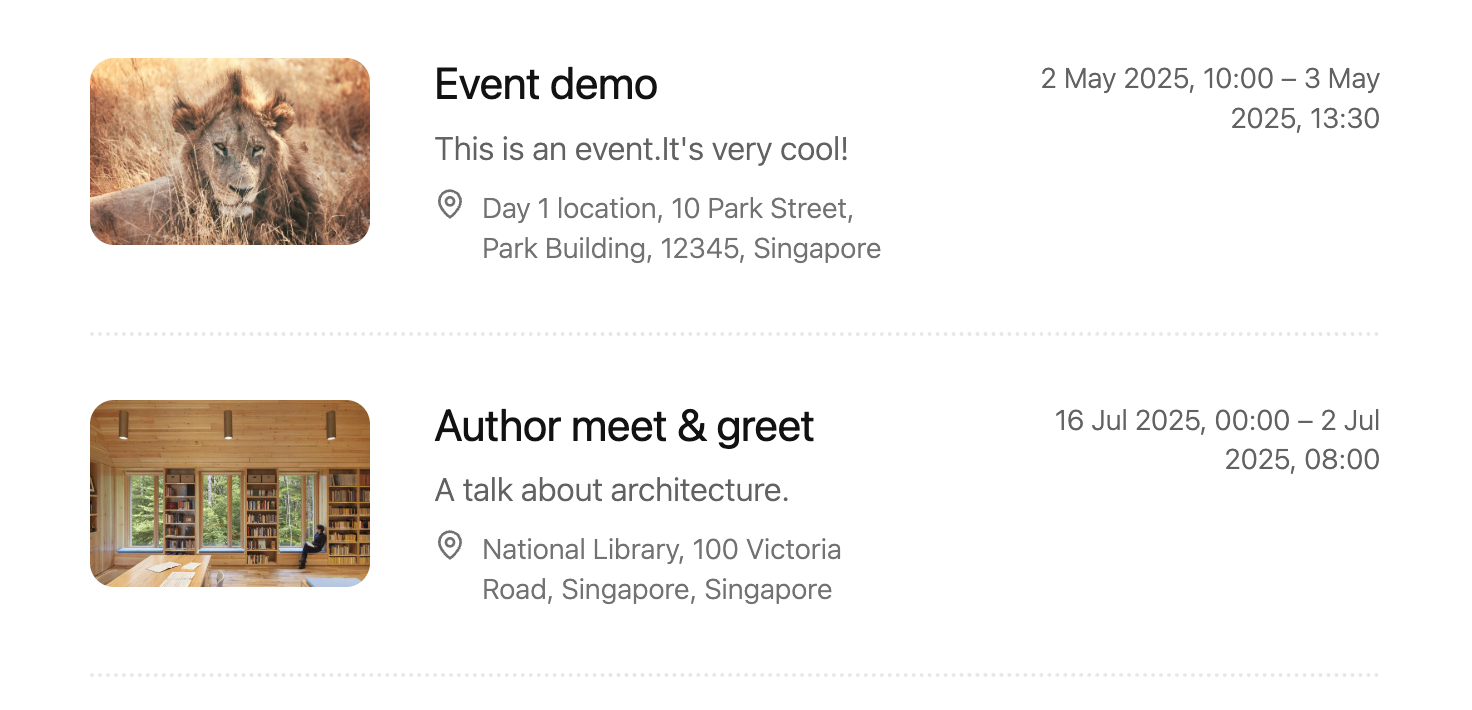
Events list view 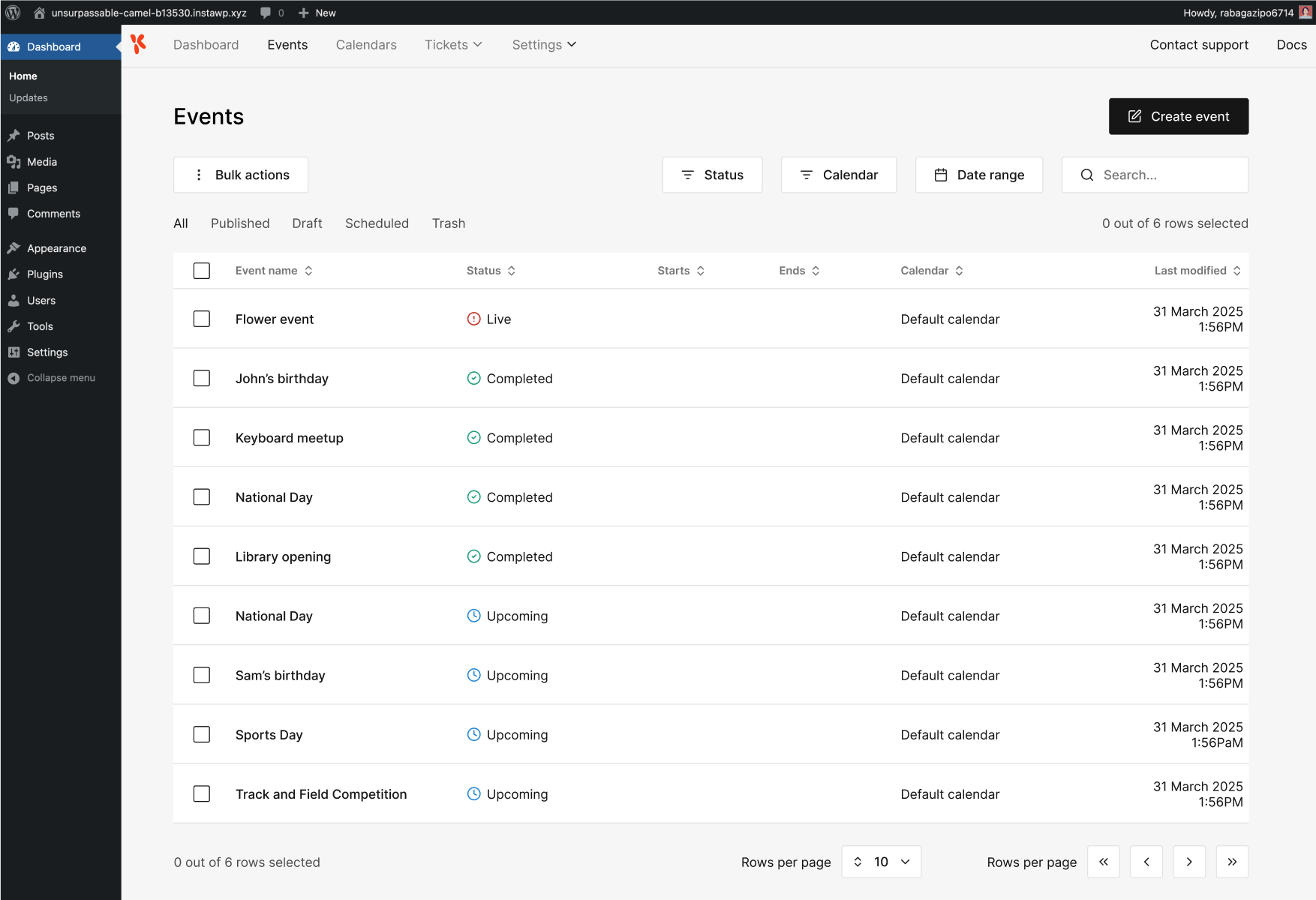
Events management in WP Admin 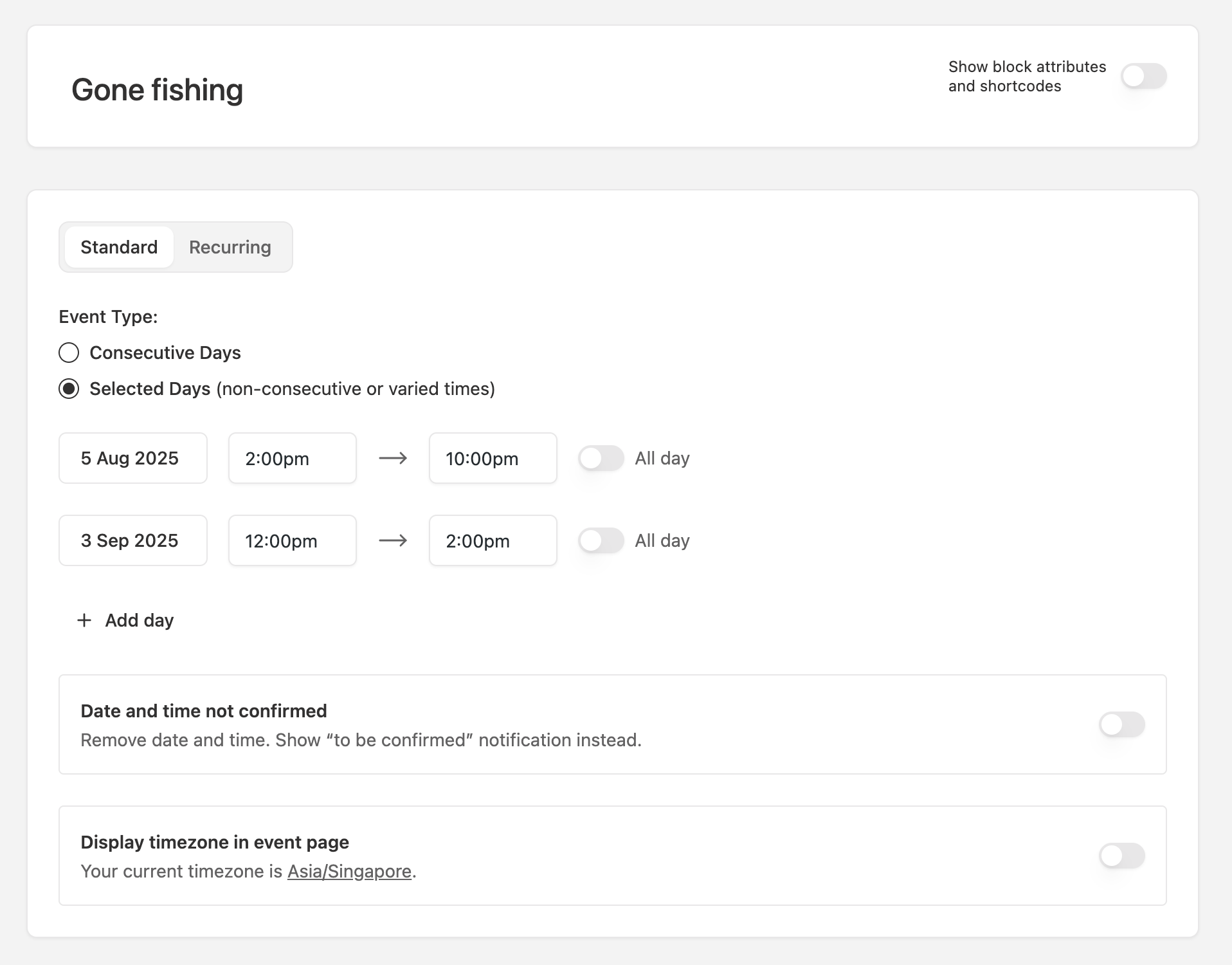
Create event settings


Blokeak
Plugin honek 4 blokeak eskaintzen ditu.
- EK Event Data
- EK Event Query Item
- EK Events List
- EK Events Calendar
Instalazioa
Installing EventKoi Lite is easy.
Installation
- In your WP Admin, select Plugins, then Add plugin.
- In the Search Plugins field, type in “EventKoi Lite”
- When you find EventKoi Lite, click on Install Now.
- The installation will run, then click on Activate.
Configuring your events calendar
- Once the plugin is activated, head to Events, then Settings.
- From there you can configure when you week starts, your working days, and 12/24-hour clock.
Create your first event
- Head to Events > Events and select Add event
- Fill out the form to create your event.
Add your calendar to your site
Head to Events > Calendar and select Default calendar. Then select the Embed tab.
There, you will see 3 ways to embed the calendar into your site:
- Your calendar comes with a default link. Out of the box, the link is: https://yourwebsite.com/calendar/default-calendar/
- Using either shortcodes in any page or post: [eventkoi_calendar display=calendar] or [eventkoi_calendar display=list] depending on whether you want a calendar or list view.
- Adding a block in any page or post: Type in “/eventkoi” and then select either “EventKoi Calendar” or “EventKoi List” depending on whether you want a list or calendar view.
MEG
-
Does it work with block themes and classic themes?
-
Yes. EventKoi Lite works with both block and classic themes. You can use our blocks or shortcodes to build your events calendar.
-
Can I display a responsive events calendar on mobile?
-
Yes. The EventKoi events calendar is fully responsive and mobile-friendly, and
includes accessible keyboard navigation and ARIA labels. -
Does EventKoi Lite include recurring events?
-
Recurring events are available in EventKoi Pro. Pro supports daily, weekly,
monthly, and yearly recurring events with advanced rules. -
Does EventKoi Lite support virtual events and timezones?
-
Yes. You can create virtual events, and the events calendar automatically
detects your visitor’s timezone so they always see events in their local time. -
Does EventKoi Lite support event registration?
-
Yes. EventKoi Lite includes an RSVP and event registration system. Set
capacity, collect attendee sign-ups, send confirmation emails with QR codes,
and manage check-ins from your WordPress admin. -
Does EventKoi Lite include ticketing and paid events?
-
Paid event ticketing is coming soon in 2026. In the meantime, EventKoi Lite handles
free event registration and RSVP management. -
My calendar or event page shows “Page not found.”
-
Go to Settings > Permalinks and click Save Changes to refresh rewrite rules.
-
Can I customize the event template?
-
Yes. If you’re using a block theme, you can go to Appearance > Editor > Templates and customise the Event template. If you’re using a classic theme, you can edit the template files.
-
Does EventKoi Lite help my events appear in Google Search?
-
Yes. EventKoi Lite automatically adds JSON-LD structured data markup to every event page. This helps Google understand your events and can display them as rich results in search. No setup required.
Berrikuspenak


Laguntzaileak eta Garatzaileak
“Event Koi Lite – Events Calendar & Event Management Plugin for WordPress” software librea da. Ondoko pertsonek egin dizkiote ekarpenak plugin honi.
Laguntzaileak


Event Koi Lite – Events Calendar & Event Management Plugin for WordPress 1 eskualde-ezarpenera itzuli da. Eskerrik asko itzultzaileei beraien ekarpenengatik.
Garapena interesatzen zaizu?
Araka kodea, begiratu SVN biltegia edo harpidetu garapen erregistrora RSS bidez.
Aldaketen loga
1.3.0.3 – Time Format Fix – 2026-03-27
- Fix: Fixed 12/24-hour time format setting not being respected across event pages, calendar views, admin UI, and auto-detect timezone display.
1.3.0.2 – Fixes & Improvements – 2026-03-21
- Fix: Fixed pagination on single event pages being incorrectly redirected by WordPress canonical URL handling (affects Beaver Builder loop pagination).
- Fix: Improved REST API key header resolution to support both hyphenated and underscored header formats.
- Fix: Fixed comma-delimited calendar selection parsing from UI controls.
- Improvement: Updated support links to point to WordPress.org support forum.
1.3.0.1 – Stability & Compatibility Fixes – 2026-02-27
- Fix: Prevented empty
locationschema output for events without physical address data. - Fix: Improved default template resolution consistency for Elementor and Bricks templates.
- Fix: Improved
[eventkoi_calendar display=list]shortcode argument handling (orderby,order,per_page,max_results,date_start,date_end,expand). - Fix: Improved calendar list query normalization and guardrails for safer ordering, pagination, and filtering.
- Fix: Improved activation recovery by ensuring core Lite tables are created/recovered reliably.
1.3.0.0 – RSVP – 2026-01-29
- New: Added RSVP creation and management.
1.2.1.0 – Local timezone display & settings – 2026-01-13
- New: Added auto-detect timezone setting so visitors can see event times in their local timezone.
- Improvement: Event date/time output now includes timezone metadata for accurate client-side conversion.
- Improvement: Added a Custom Fields settings preview for Pro.
- Fix: Ensured demo event imagery loads reliably in onboarding.
1.2.0.2 – Timezone fix – 2026-01-01
- Fix: Fixed calendar day headers shifting when the server timezone differs from the WordPress timezone.
1.2.0.1 – Style fixes – 2025-12-23
- Fix: Fixed image styling in the Event Query Loop block.
- Fix: Fixed Event Data block styling.
1.2.0.0 – Elementor Widgets & Onboarding – 2025-12-16
- New: Added Elementor Event Data widget to drop event details anywhere.
- New: Added Elementor Event Calendar widget to embed calendars visually.
- New: Introduced a quick start plugin tour plus onboarding hints to guide first-time setup.
- Improvement: Added missing translation strings and refreshed the POT file.
- Fix: Event counts now update correctly in the Events list.
- Fix:
eventkoishortcode now displays the event image reliably.
1.1.0.1 – JS Import Fix – 2025-12-04
- Fix: Added missing JavaScript imports so frontend assets load reliably.
1.1.0 – Query Loop Blocks & Data Enhancements – 2025-12-03
- New: Added EK Event Query Loop variation (with EK Event Data child block) to display events using core/query controls and pagination.
- New: Added
/eventkoi/v1/query_eventsendpoint and expanded/calendar_eventsto support paging, ordering, and date filters for block previews. - Improvement: Query Loop server render now injects EventKoi event data.
1.0.14 – Admin Event Description Editor Fix – 2025-11-10
- Fix: Resolved issue where the event description editor in the admin sometimes failed to display or save properly.
1.0.13 – Week View Layout & Header Improvements – 2025-10-21
- Improvement: Redesigned week view header to show weekday names and dates on separate lines for better readability.
- Improvement: Enhanced alignment and font styling for week/day headers across all screen sizes.
- Fix: Removed weird day numbers appearing beside months in month view.
- Fix: Adjusted locale handling to ensure consistent weekday labels across languages.
1.0.12 – Important bugfix – 2025-10-20
- Fix: Fixed issue with recurring instances not loading. (May require saving permalinks again)
1.0.11 – Performance, Accessibility & Calendar Enhancements – 2025-10-19
- Improvement: Improved weekly view and navigation consistency in the calendar UI.
- Improvement: Optimized backend query performance for faster event loading.
- Improvement: Enhanced accessibility in frontend calendar and single event views.
- Fix: Minor styling and layout adjustments for better responsiveness.
- Fix: Corrected small inconsistencies in timezone and localization handling.
1.0.10 – Calendar View & Localization Fixes – 2025-10-09
- Fix: Resolved layout and navigation issues in the weekly calendar view.
- Fix: Corrected locale handling and improved date/time formatting consistency.
- Improvement: Enhanced localization support across admin and frontend.
- Improvement: Improved responsiveness and stability in calendar rendering.
1.0.0 – Initial public release – 2025-10-07
- Initial public release of EventKoi Lite plugin.
- Core event creation and management features.
- Built-in support for single-day and multi-day events.
