
説明
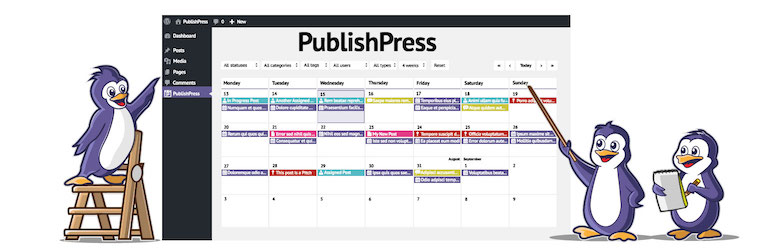
PublishPress Planner には、コンテンツカレンダー、コンテンツ概要、カンバンボード、コンテンツ通知など、WordPress コンテンツの計画に必要なすべてのツールが用意されています。
PublishPress Planner は、高品質なコンテンツを発行やプロモーションを行う WordPress サイトに最適です。私たちの目的は、WordPress 内からコンテンツの公開を支援することです。私たちの目標は、WordPress に SaaS スタイルの機能を構築することにより、コンテンツを計画するために余分なサービスを必要としないようにすることです。すでに WordPress があるのに、なぜ Trello、ClickUp、Notion、CoSchedule、その他の製品を使用する必要があるのでしょうか ?
PublishPress Planner Pro
Upgrade to PublishPress Planner Pro
This plugin is the free version of the PublishPress Planner plugin. The Pro version comes with all the features you need to plan and schedule WordPress content. Click here to purchase the best premium WordPress content scheduling plugin now!
コンテンツカレンダー
コンテンツカレンダーは、公開スケジュールの強力な概要を提供します。この画面は、マーケティングカレンダーと編集カレンダーとして機能します。コンテンツがいつ計画され、いつ公開されたかを簡単に確認できます。コンテンツを新しい発行日にドラッグアンドドロップすることもできます。デフォルトでは、今後数週間に予定しているすべての WordPress コンテンツが表示されます。ドリルダウンする必要がある場合は、投稿ステータス、カテゴリー、ユーザー、または投稿タイプでカレンダーをフィルタリングできます。
コンテンツカレンダーについては、ここをクリックしてください。
コンテンツ概要
コンテンツ概要画面は、 カレンダー画面に連動しています。カレンダーでは日付別に整理されたコンテンツを表示できますが、 コンテンツ概要ではドリルダウンして、ステータス、カテゴリー、またはユーザー別に整理されたコンテンツを表示できます。このコンテンツオーガナイザでは、WordPress から任意のデータを選択してカラムに表示することができます。右上隅には 「印刷」 ボタンがあり、これをクリックすると、予定されているすべてのコンテンツに関する概要の印刷が可能です。
コンテンツボード
コンテンツボード画面は、コンテンツを整理するために使用できるカンバンボードです。コンテンツボードには、各ステータスごとに1つのカラムがあります。投稿をドラッグアンドドロップして、下書き、レビュー待ち、公開済み、予約済みといったステータスに切り替えられます。
通知
通知機能により、重要なコンテンツの変更に関する最新情報を入手することができます。ユーザーは、個人またはユーザーグループを選択することで、あらゆる投稿の通知を購読することができます。PublishPress では、投稿タイプ、カテゴリー、ステータスの変更などに基づいた、パワフルな通知ワークフローを作成することができます。
Slack 通知
この PublishPress Planner Pro 機能は通知を Slack と統合します。Slack チャンネルに直接通知送信したり、WordPress にログインせずに返信することもできます。
Reminder Notifications
このPublishPress Planner Pro 機能を使用すると、コンテンツの公開日の前または後に通知を送信できます。たとえば、公開前に投稿者にリマインダーを送信して、公開のために投稿の校正を依頼できます。あるいは、公開の2、3日後に、さまざまなチームメンバーにリマインダーを送信して、ソーシャルメディアで投稿を宣伝するように依頼することもできます。
PublishPress に参加して Pro プラグインを入手する
PublishPress プラグインの Pro バージョンは、投資する価値が十分にあります。Pro バージョンには追加機能があり、サポートが高速化されています。PublishPressに参加するには、ここをクリックしてください。
Join PublishPress and you’ll get access to these Pro plugins:
- PublishPress Authors Pro は、WordPress の投稿に複数の著者とゲスト著者を追加できます。
- PublishPress Blocks Pro には、WordPress ブロックエディタを使用してプロフェッショナルなウェブサイトを構築するために必要なものがすべて揃っています。
- PublishPress Capabilities Pro は、WordPress ユーザー権限グループ、パーミッション、権限を管理するプラグインです。
- PublishPress Checklists Pro は、コンテンツを公開する前に完了する必要があるタスクを定義できます。
- PublishPress Future Proは、WordPress の投稿の変更を予約することができます。
- PublishPress Permissions Pro は、WordPress の高度なパーミッションを実現するプラグインです。
- PublishPress Planner Pro は、WordPress のコンテンツを管理・スケジューリングするためのプラグインです。
- PublishPress Revisions Pro は、チームワークと正確さで公開ページを更新できます。
- PublishPress Series Pro は、コンテンツをシリーズにまとめることができます。
- PublishPress Shortlinks Pro allows you to create custom URLs for your posts and external links.
- PublishPress Statuses Pro enables you to create additional publishing steps for your posts.
これらのプラグインを組み合わせることで、WordPress の強力な公開用ツールになります。WordPress でモデレーション、リビジョン、パーミッションなどのプロフェッショナルなワークフローを作成する必要があれば、PublishPress をお試しください。
Planner は他のプラグインと比較してどうですか ?
WordPress にはほかにも、SchedulePress、Nelio Content、Edit Flow、Coschedule などの編集オプションがあります。PublishPress Planner は、ホスト型 SaaS サービスであるため、CoSchedule よりもはるかに安価です。ほとんどの人は Planner を無料で使用していますが、Coschedule は1人以上のユーザーには有料です。WordPress プラグインと比較すると、Planner はそのパワーと柔軟性で際立っています。私たちの目的は、SaaS サービスのすべてのパワーを WordPress サイトの中で直接提供することです。PublishPress Planner はもともと Edit Flow プラグインをベースにしていますが、近年さらにアップデートを重ねています。
Bug Reports
Bug reports for PublishPress Planner are welcomed in our repository on GitHub. Please note that GitHub is not a support forum, and that issues that are not properly qualified as bugs will be closed.
Follow the PublishPress team
スクリーンショット
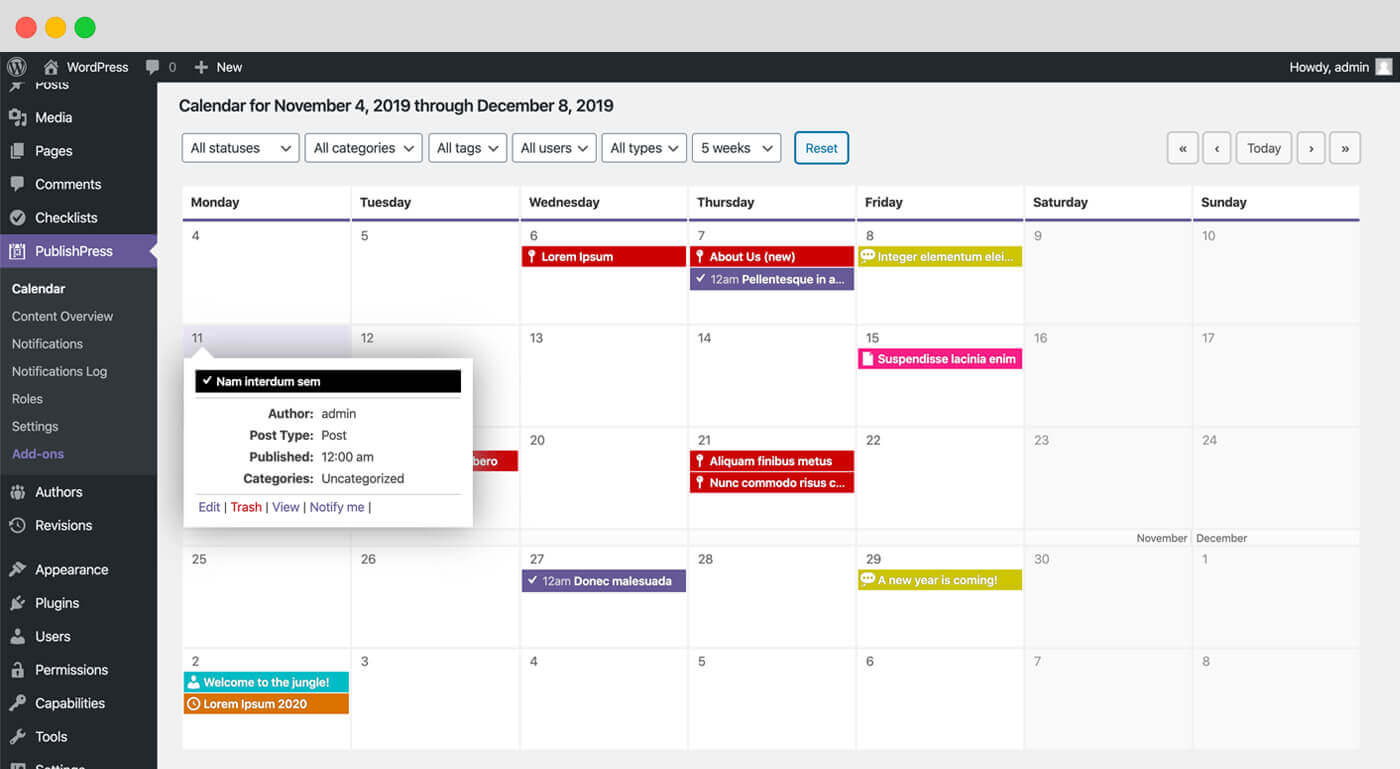
コンテンツカレンダー: Using the コンテンツカレンダー, you’re able to see when content is planned, and when it is published. 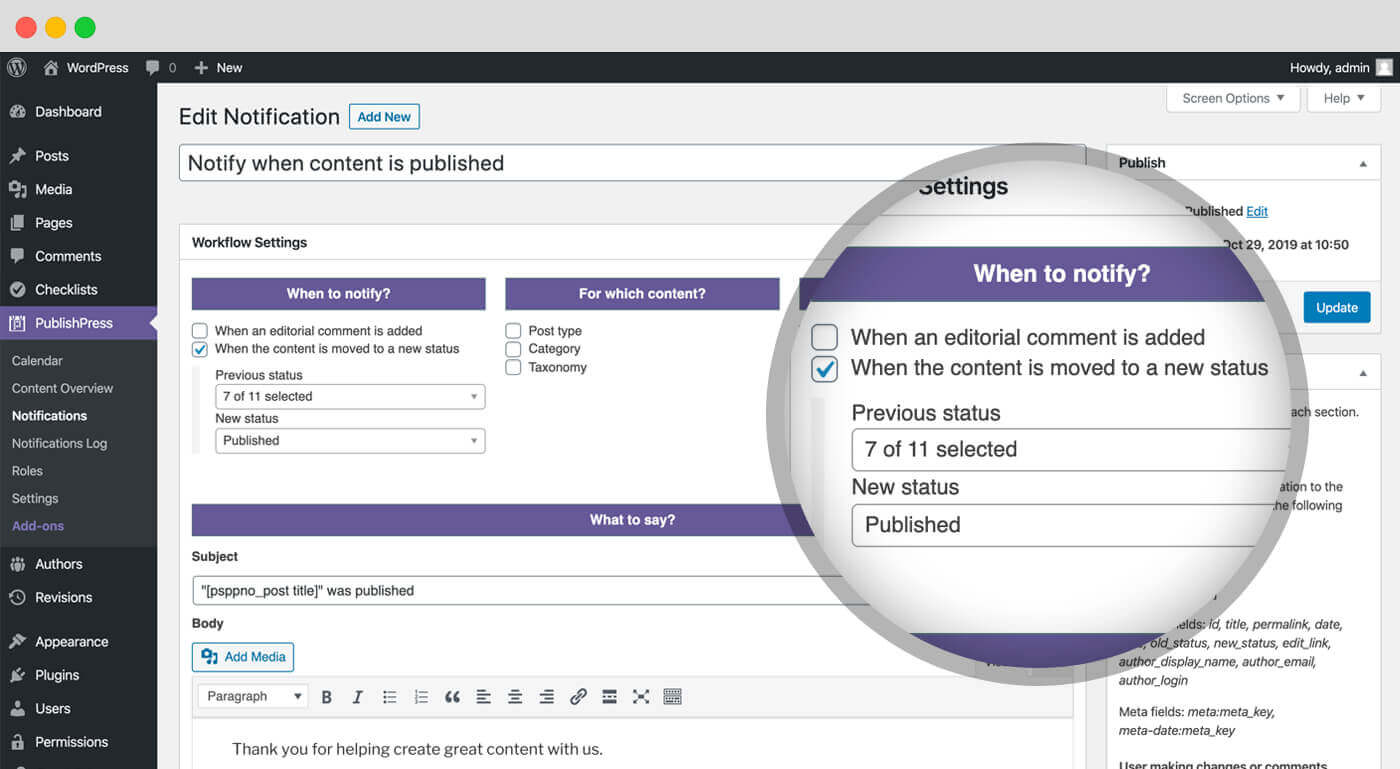
コンテンツ概要: The コンテンツ概要 screen allows you to drill down and see content organized by status, categories, or users. 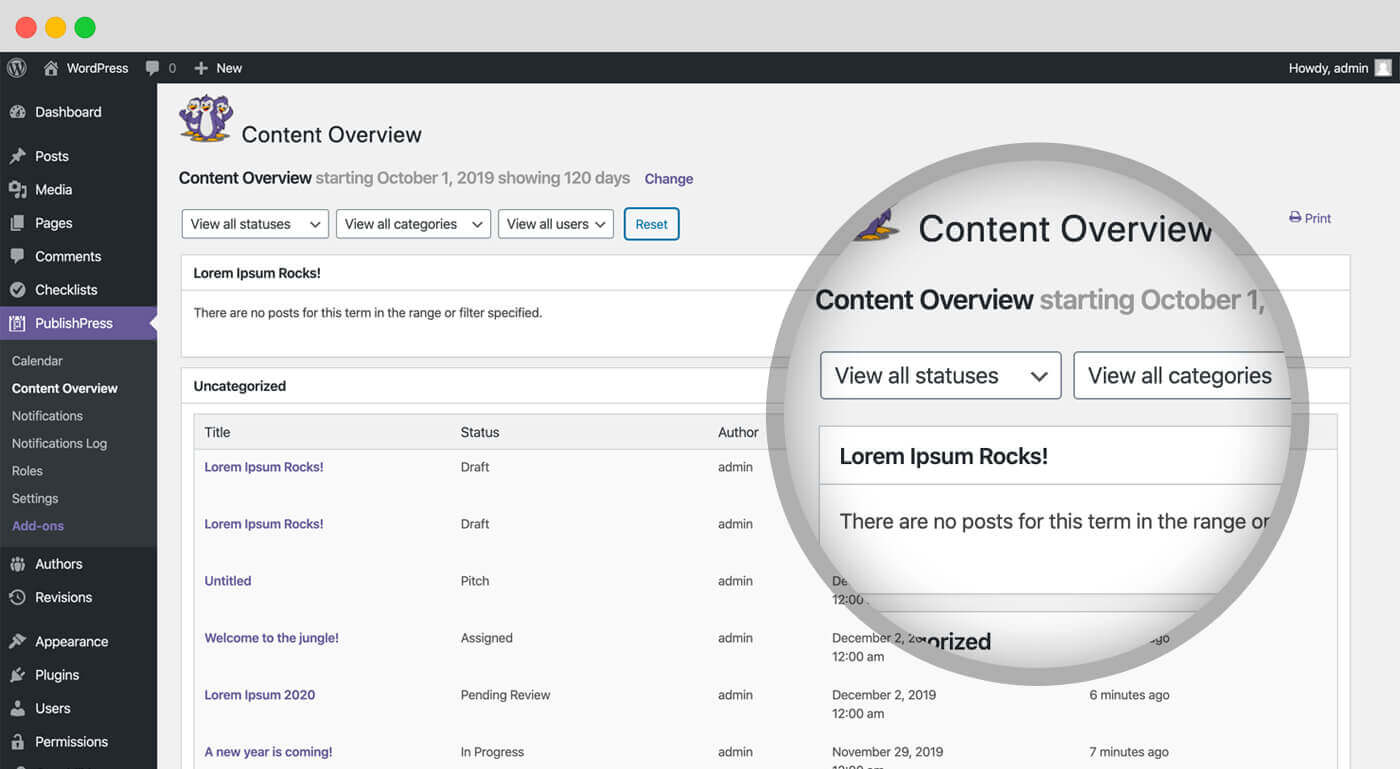
コンテンツボード: This is a kanban board for planning your WordPress content. The コンテンツボード Screen screen provides one column for each status. You can drag-and-drop posts to change their status. 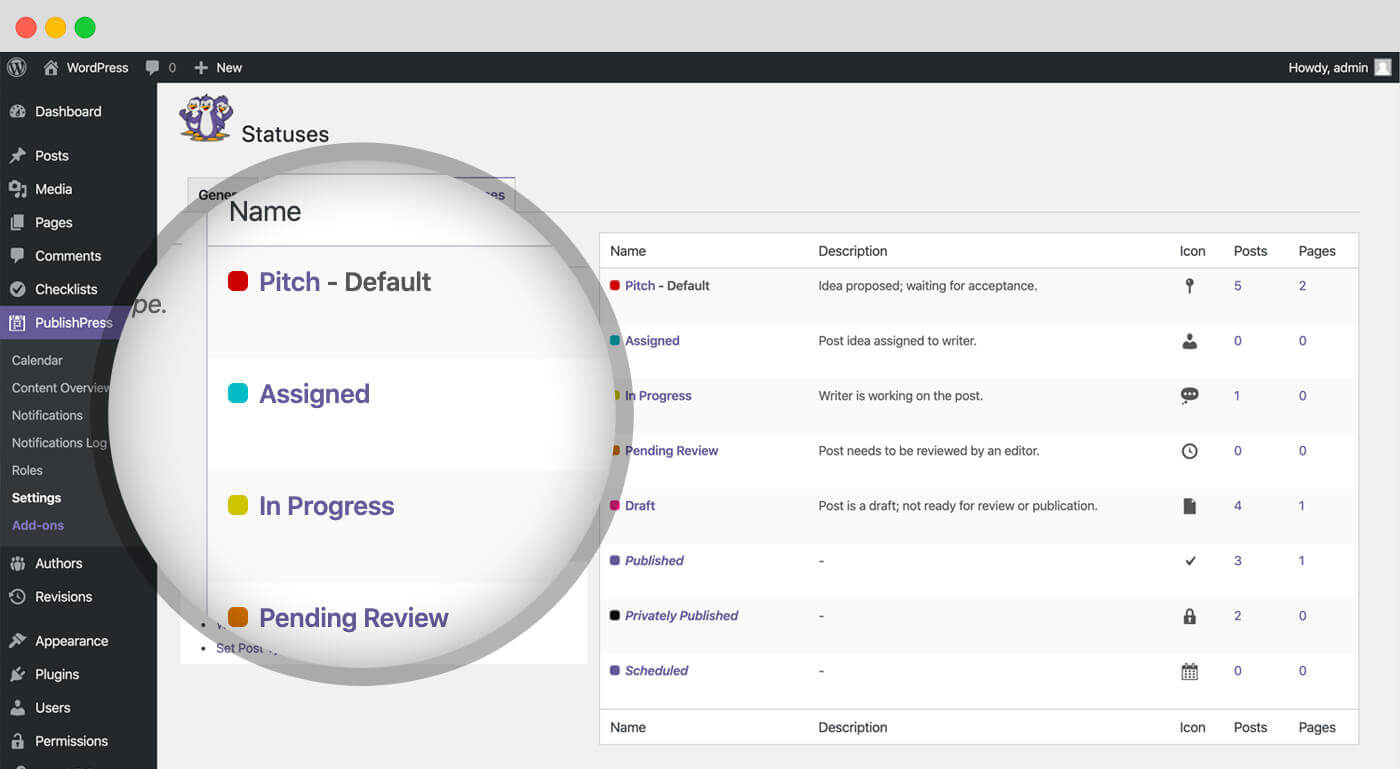
通知: PublishPress Planner 通知 keeps you and your team up to date on changes to important content. 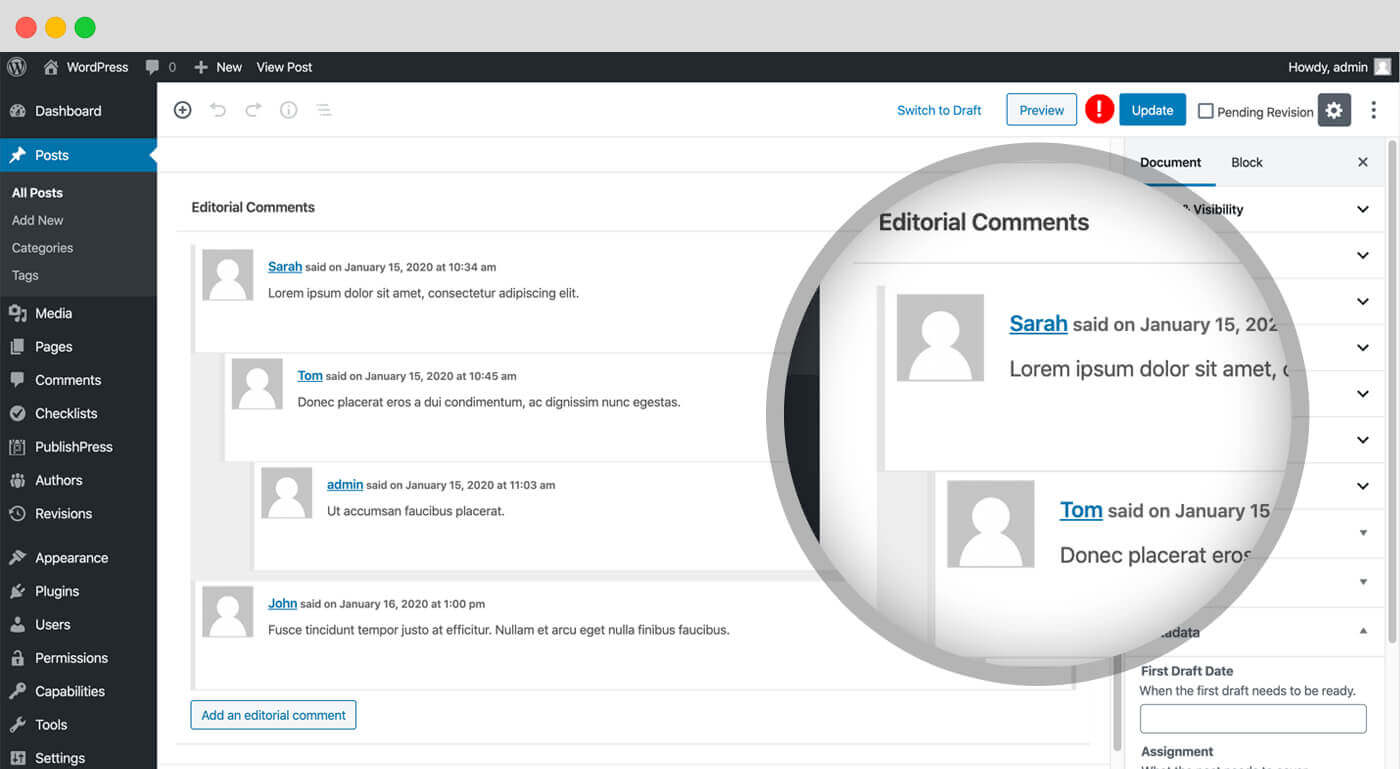
Editorial Fields: Editorial Fields enable you to keep track of important requirements for your content. This feature allows you to create fields and store information about content items. 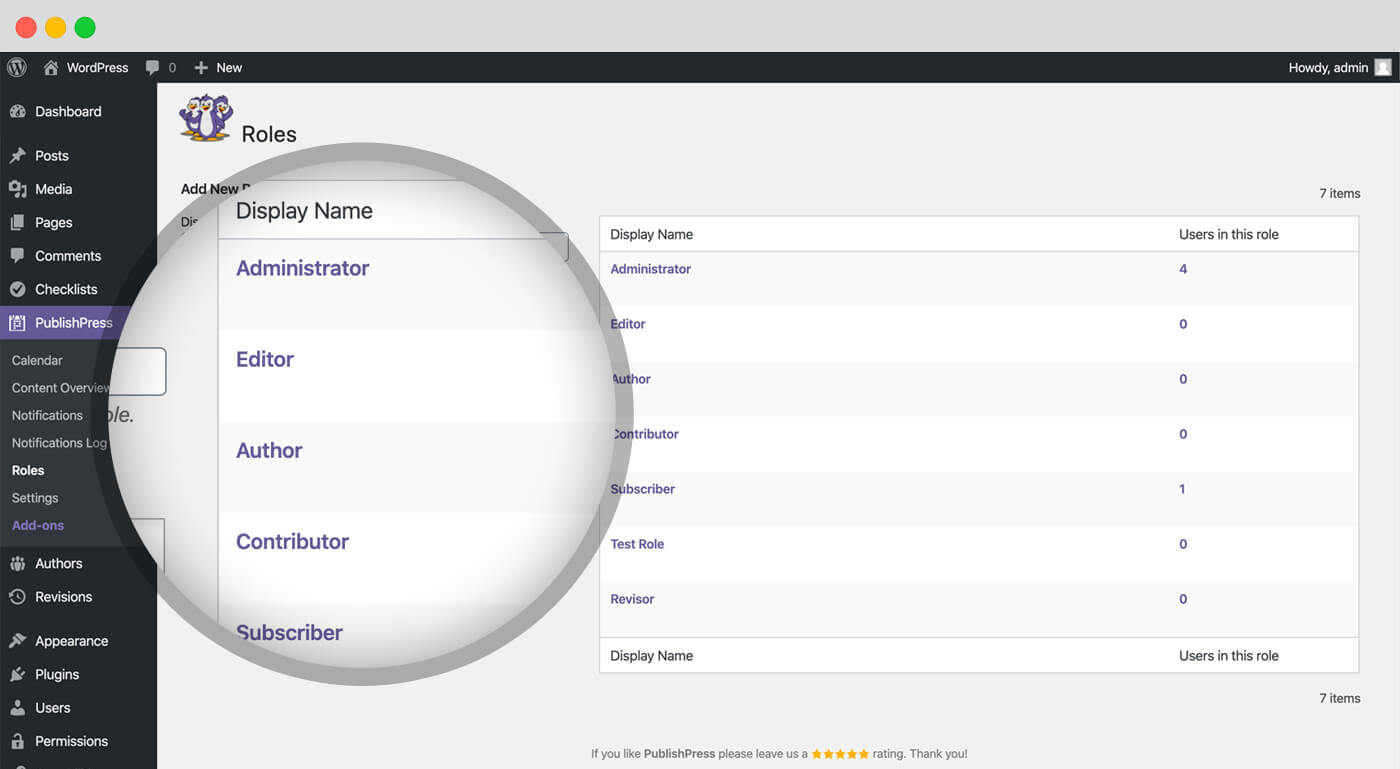
Editorial Comments: PublishPress Planner allows you to leave comments under each post you write. 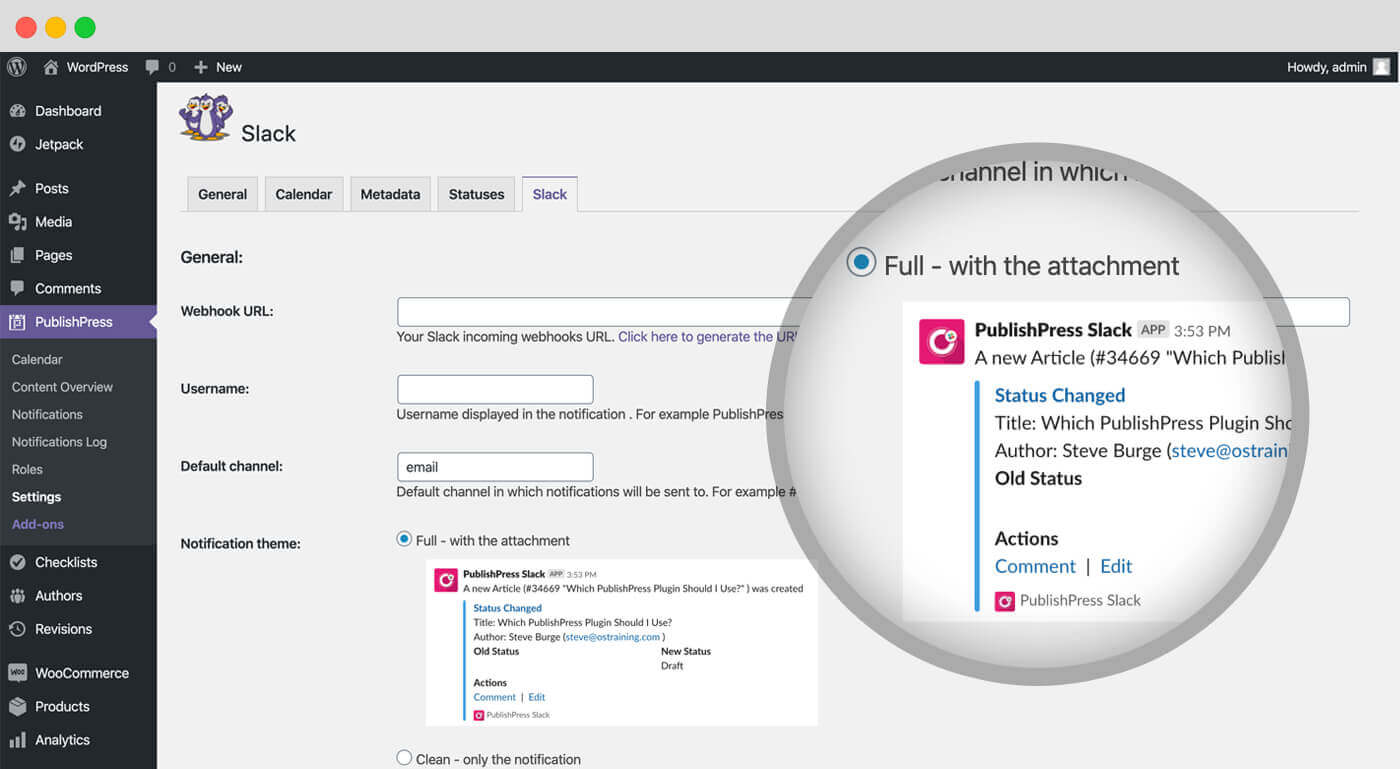
Slack 通知: This PublishPress Planner Pro feature integrates your notifications with Slack. 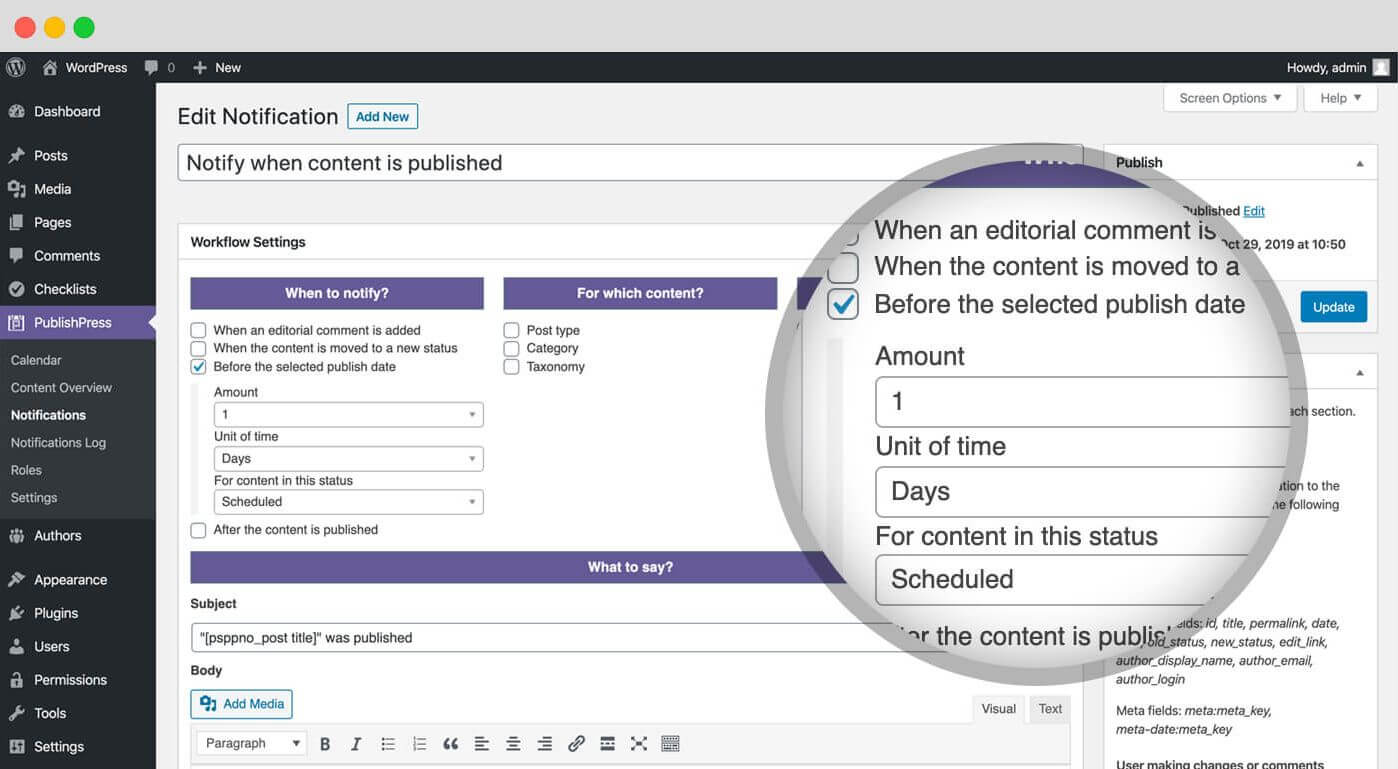
Reminder 通知: The PublishPress Planner Pro feature allows you to send notifications either before or after the publishing date for content.


FAQ
-
Edit Flow からインポートするにはどうすればよいですか ?
-
PublishPress Planner は EditFlow プラグインをベースにしています。Edit Flow のユーザーであれば簡単にデータや設定をインポートすることができます。
-
編集コメントは Planer で利用できますか ?
-
はい、PublishPress Planner の機能の1つに編集コメントがあります。これはレガシーな機能ですが、「設定」画面から有効にすることができます。投稿した記事の下にコメントを残すことができます。これは投稿者と編集者間のプライベートな会話であり、公開前に変更すべき点を話し合うことができます。
-
編集フィールドは Planer で利用できますか ?
-
はい、PublishPress Planner の機能の1つに編集フィールドがあります。編集フィールドを使用すると、コンテンツの重要な要件を追跡できます。これは従来の機能ですが、 「設定」 画面から有効にすることができます。 この機能を使用すると、フィールドを作成し、コンテンツ項目に関する情報を格納できます。PublishPress Planner にはデフォルトで4つのメタデータの例が用意されていますが、チームのニーズに合わせて独自の例を追加することもできます。
評価


貢献者と開発者
編集カレンダー、マーケティングコンテンツ、カンバンボード – PublishPress Planner はオープンソースソフトウェアです。以下の人々がこのプラグインに貢献しています。
貢献者


変更履歴
The full changelog can be found on GitHub.
