

ຄຳອະທິບາຍ
Easily insert or embed header and footer code in WordPress. Embed Code makes embedding global or page/post-specific header and footer code super easy. It can be used to add almost anything, including:
- Google Analytics tracking code
- Site verification snippets
- Typekit font scripts
- Custom CSS
- Custom JavaScript
- Optimizely embed code
- Facebook tracking pixel
- Live chat integration
It even supports embedding code on custom post types!
What’s Next?
This plugin is maintained by folks over at DesignBombs.com. If you are looking to start a new website, checkout their guide on how to create a website. They also have in-depth guides on other topics like how to choose the best WordPress hosting, how to start a blog, and WordPress security.
ພາບໜ້າຈໍ
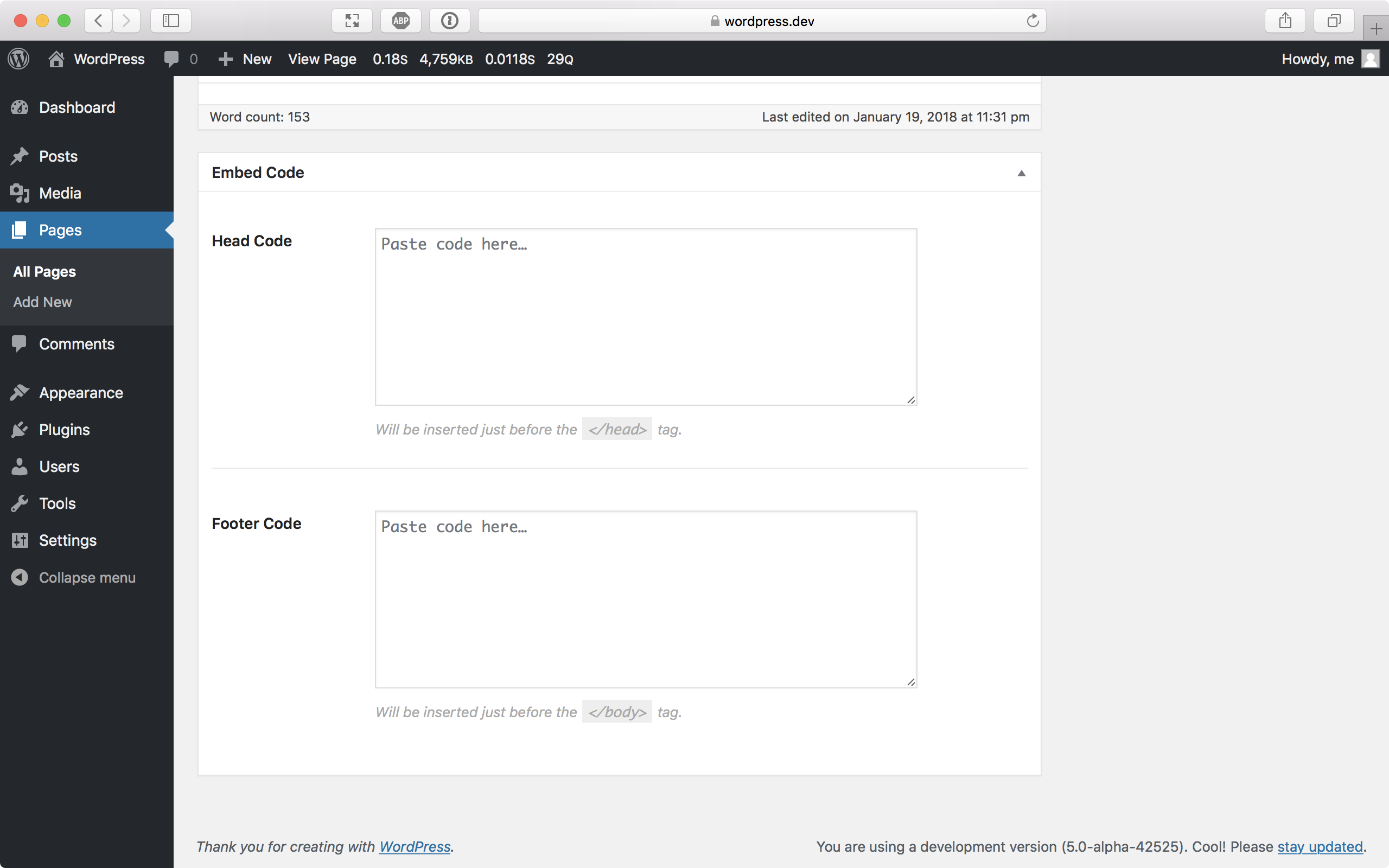
The site-wide Embed Code settings page. 
Embed Code on a post. 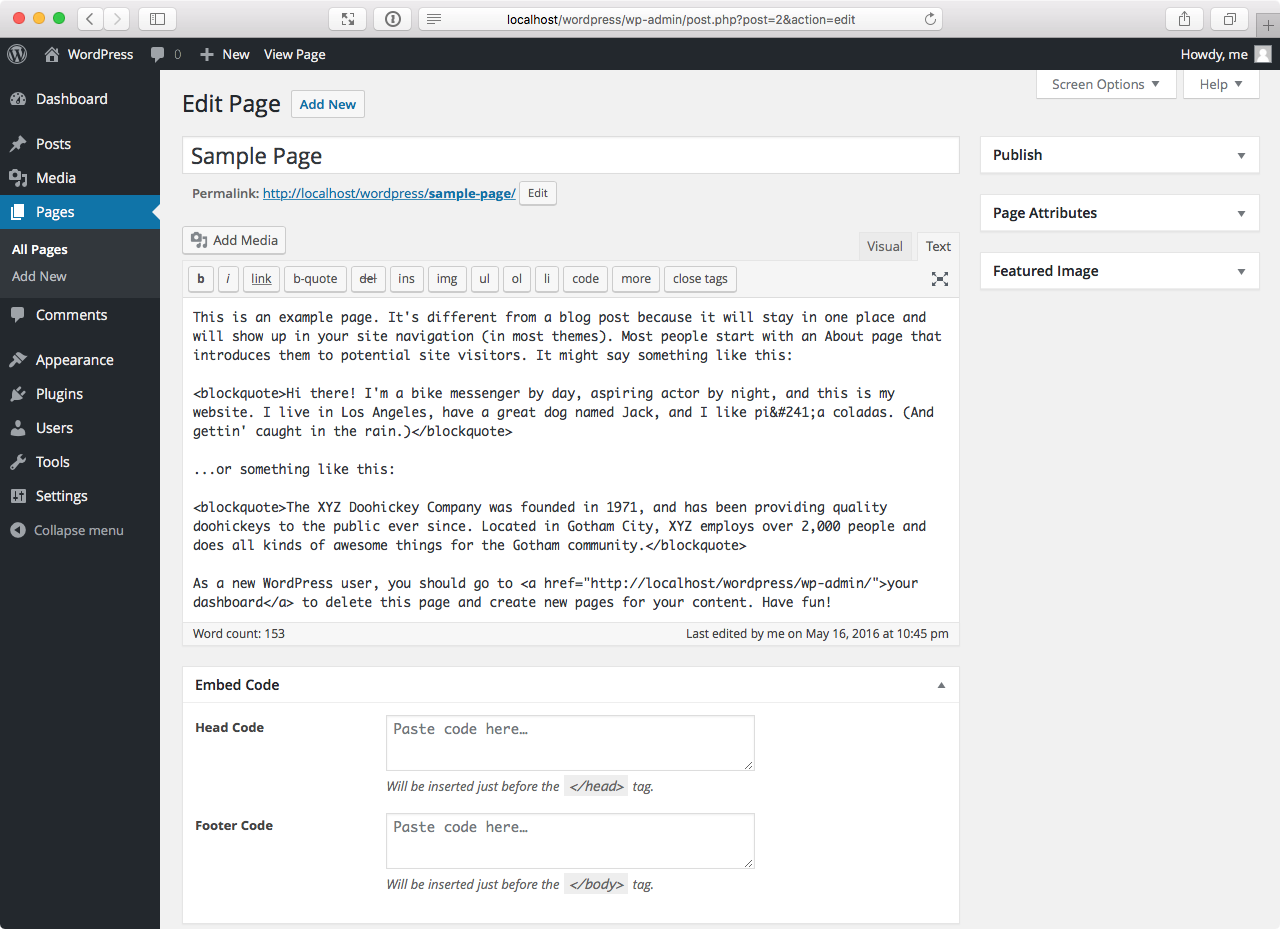
Embed Code on a page.


ການຕິດຕັ້ງ
- WordPress Plugins Directory: Navigate to Plugins Add New in the WordPress admin and search “Embed Code.” Click Install and then Activate.
- Zip Upload: Navigate to Plugins Add New Upload Plugin in the WordPress admin. Browse to the .zip file containing the plugin on your computer and upload, then activate.
- Manual FTP Upload: Upload the plugin folder to
/wp-content/plugins/. Navigate to Plugins in the WordPress admin and activate.
ການຣີວິວ


ຜູ້ຮ່ວມພັດທະນາ ແລະ ຜູ້ພັດທະນາ
“Embed Code – Headers & Footers by DesignBombs” ແມ່ນຊອຟແວໂອເພັນຊອດ (Open Source). ບຸກຄົນຕໍ່ໄປນີ້ໄດ້ມີສ່ວນຮ່ວມໃນການພັດທະນາປລັກອິນນີ້.
ຜູ້ຮ່ວມພັດທະນາ
“Embed Code – Headers & Footers by DesignBombs” ໄດ້ຖືກແປເປັນ 1 ພາສາທ້ອງຖິ່ນ. ຂໍຂອບໃຈ ທີມງານຜູ້ແປ ສຳລັບການປະກອບສ່ວນຂອງເຂົາເຈົ້າ.
ແປ “Embed Code – Headers & Footers by DesignBombs” ເປັນພາສາຂອງເຈົ້າ.
ສົນໃຈຮ່ວມພັດທະນາບໍ່?
ເບິ່ງລະຫັດ, ກວດເບິ່ງ ຄັງເກັບ SVN, ຫຼື ຕິດຕາມ ບັນທຶກການພັດທະນາ ຜ່ານ RSS.
ບັນທຶກການປ່ຽນແປງ
2.0.4
- Minor changes
2.0.3
- Minor changes
2.0.2
- Minor changes
2.0.1
- Minor changes
