
Description
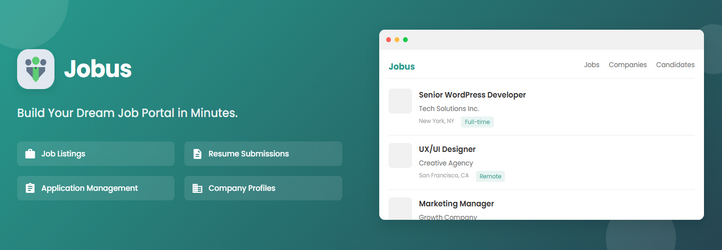
Jobus is a modern, lightweight, and powerful WordPress plugin designed to transform your website into a fully functional Job Board, Recruitment Portal, or Hiring Platform.
Whether you are running a niche job board, a company career page, or a large-scale recruitment site, Jobus provides everything you need to manage jobs, employers, and candidates efficiently—without writing a single line of code.
Built with usability and SEO in mind, Jobus integrates seamlessly with your theme and offers native Elementor support, allowing you to design stunning job layouts with drag-and-drop ease.
Why Choose Jobus?
- Zero Coding Required: Set up a complete job board in minutes.
- Elementor Ready: Includes custom Elementor widgets for Jobs, Search, and Categories.
- Modern & Responsive: Looks great on all devices (Mobile, Tablet, Desktop).
- Developer Friendly: Clean code, hooks, and filters for customization.
- SEO Optimized: Structured data and clean URLs to help your jobs rank in Google for Jobs.
Key Features (Free Version)
For Employers & Companies
- Unlimited Job Postings: Create and manage as many job listings as you need.
- Company Profiles: Dedicated pages for companies with logos, descriptions, and active jobs.
- Job Specifications: Add detailed requirements (Salary, Experience, Job Type, etc.).
- Location-Based Listings: Assign locations to jobs for easy filtering.
- Employer Dashboard: A frontend dashboard to manage listings and profile details.
For Candidates & Job Seekers
- Candidate Profiles: Users can create professional profiles / resumes.
- Easy Application: Apply to jobs directly via a built-in form.
- Candidate Dashboard: Manage applications and profile settings.
- Job Search & Filters: Find jobs by keyword, location, and category.
Powerful Management Tools
- Frontend Dashboards: Separate dashboards for Employers and Candidates.
- Application Tracking: View and manage job applications from the backend.
- Custom User Roles: Automatically assigns Employer and Candidate roles.
- Social Sharing: Built-in social share buttons for job posts.
- Featured Jobs: Highlight premium listings to boost visibility.
Design & Customization
- Pre-made Templates: Includes ready-to-use templates for Job Lists, Single Jobs, and Company pages.
- Elementor Widgets: Drag-and-drop widgets for Job Listings, Search Forms, Categories, and more.
- Customizable Appearance: Control colors, layouts, and styles via settings.
Upgrade to Jobus Pro
Unlock the full potential of your job board with Jobus Pro. Get advanced features to monetize and automate your recruitment business.
Pro Features Include:
- Frontend Dashboards: Advanced frontend panels giving employers and candidates full profile control.
- Application Tracking: Track and manage application statuses like pending, interview, and hired.
- Advanced Filters: Narrow job searches by salary, type, experience, and more criteria.
- Alerts & Bookmarks: Let candidates bookmark favorite jobs and receive new job alerts.
- Email Notifications: Automated email alerts for employers and candidates on key events.
- Application Forms: Connect external application forms like Google Forms or LinkedIn easily.
- Analytics & Reporting: Monitor job views, clicks, and application stats with visual charts.
- Direct Messaging: Enable real-time conversations between employers and candidates on your site.
- WooCommerce Integration: Monetize your job board by selling job packages via WooCommerce.
Quick Links
- Full Documentation – Complete guides and tutorials
- Get Support – Get help from our team
- View Live Demos – See it in action
- Get Jobus Pro Now – Unlock advanced functionality
WHAT’S NEXT?
If you like Jobus, then consider checking out our other WordPress Plugins:
EazyDocs – Powerful knowledge base plugin to easily create and manage professional documentation, wikis, and helpdesk sections.
Antimanual – AI-powered assistant that automates content creation, documentation, and support, transforming static sites into dynamic experiences.
Advanced Accordion Block – Lightweight Gutenberg block for creating visually appealing, organized accordion sections with extensive styling options.
Changeloger – Transform plain text changelogs into visually stunning, organized representations with pagination and version links.
Forumax – Standalone, feature-rich community forum plugin with voting, private replies, and Elementor integration.
Spider Elements – Versatile library of 20+ creative widgets to enhance Elementor and build professional websites.
Screenshots

Jobus Dashboard – Central hub to manage jobs, applications, and candidates. 
Job Listing – Professional job list layout with sidebar filters enabled. 
Candidate Profile – Detailed candidate resume with skills and experience overview. 
Job Specifications – Manage job attributes like salary, type, and requirements. 
Job Archive – Grid and list views for browsing all job listings. 
Job Details – Single job page with full details and application form. 
Plugin Settings – Intuitive settings panel for complete plugin configuration control. 
Login & Registration – Secure frontend login and registration forms for users. 
Job Tabs – Display job listings organized in a clean tabbed layout. 
Company Directory – Showcase all hiring companies with profiles and active jobs. 
Candidate Directory – Browse and search candidate profiles with filtering options. 
Job Categories – Explore job listings organized by industry and category.


Blocks
This plugin provides 7 blocks.
- Testimonials (Jobus) Jobus Testimonials. A block that allows you to add a client review to your page.
- Register Form (Jobus) A custom registration form for candidates and employers.
- Video Popup (Jobus) Jobus Video Popup. A block that allows you to add a video popup to your page.
- Candidate Archive Shortcode (Jobus) Display the Candidate Archive candidate posts on the website frontend
- Company Archive Shortcode (Jobus) Display the Company Archive posts on the website frontend
- Job Archive Shortcode (Jobus) Display the Job Archive job posts on the website frontend
- Testimonial Item (Jobus) Jobus Testimonials. A block that allows you to add a client review to your page.
Installation
- Go to your WordPress Dashboard > Plugins > Add New.
- Search for “Jobus“.
- Click Install Now and then Activate.
- Navigate to the Jobus menu in the sidebar to configure settings.
- Use the shortcodes or Elementor widgets to display jobs on your pages.
FAQ
-
Is Jobus compatible with Elementor?
-
Yes! Jobus comes with dedicated Elementor widgets, making it easy to design your job board pages using the drag-and-drop builder.
-
Can I use Jobus with any WordPress theme?
-
Absolutely. Jobus is designed to work with any standard WordPress theme. It inherits your theme’s styling for a seamless look.
-
Does it support Google for Jobs?
-
Yes, Jobus uses structured data (Schema.org) to help your job listings appear in Google for Jobs search results.
-
Can I translate the plugin into my language?
-
Yes, Jobus is fully translation-ready. You can use plugins like Loco Translate or WPML to translate it into your preferred language.
-
Where can I get support?
-
For free support, please post in the WordPress Support Forum. For Pro support, visit our Help Desk.
Reviews
There are no reviews for this plugin.
Contributors & Developers
“Jobus – Job Board, Recruitment & Hiring Platform” is open source software. The following people have contributed to this plugin.
Contributors


Translate “Jobus – Job Board, Recruitment & Hiring Platform” into your language.
Interested in development?
Browse the code, check out the SVN repository, or subscribe to the development log by RSS.
Changelog
1.8.0 (06 April 2026)
- Improved: General enhancements and minor fixes applied across the block for better stability
- Updated: Freemius SDK updated to 2.13.1
1.7.0 (13 March 2026)
- New: Candidate Profiles – Enabled support for nested candidate entries and restored standard profile creation for better recruitment control
- New: Company Profiles – Enabled support for nested company entries and restored standard profile creation for better management
- Improved: User Experience – Streamlined profile settings to make it easier for companies and candidates to manage their presence
1.6.0 (06 February 2026)
- New: Introduced Jobus > Dashboard page inside the WordPress admin area
- Improved: Employer dashboard pagination optimized using WP_Query for faster loading
- Improved: Company job counting optimized to avoid loading full post objects
- Improved: Job range field value handling optimized by replacing loop-based logic with a single direct database query
- Improved: Dashboard page search optimized using transient caching to avoid repeated expensive queries
- Improved: Dashboard redirect logic consolidated and template handling streamlined
- Improved: User registration now redirects directly to the dashboard with company settings lock applied
- Improved: Analytics promo presentation added to highlight advanced insights
- Fixed: Dashboard redirect issues that caused incorrect navigation
- Updated: Compatibility added for the Zoomy theme
- Updated: Freemius SDK updated to 2.13.0
1.5.0 (01 January 2026)
- New: Setup Wizard added for faster and easier initial configuration
- New: Automatic page creation feature added to generate required Jobus pages
- New: Search form and social share options added across Jobus layouts
- Fixed: Dark mode compatibility updated for the AMA theme
- Fixed: Jobus tab widget and social share icon issues resolved
- Fixed: Auto-generate key issue for Specifications corrected
- Tweaked: Frontend options file naming improved and theme lock system updated for better stability
1.4.0 (13 December 2025)
- New: Added candidate pagination style and job status styling
- New: Allow job applications without login (configurable from settings)
- New: Default company logo option added for missing logos
- Fixed: Job list delete button issue resolved
- Fixed: Candidate and employer user role issues fixed
- Fixed: Jobus Elementor widgets issues corrected
- Tweaked: Reorganized several settings for improved clarity
- Tweaked: Dashboard layout spacing and button padding refined for a more consistent UI
- Tweaked: Candidate Single Page improved for better readability
- Tweaked: Dashboard login form now auto-redirects to the frontend dashboard
- Tweaked: Filter button made conditional—only appears if filter widgets are set
- Tweaked: Improved filter validation to match filter widget availability
- Tweaked: Unified pagination styling across the entire plugin
- Tweaked: Edit button added to Company and Job single pages
- Tweaked: Improved the Candidate Single Page
- Tweaked: Various code sections simplified and optimized for better performance
1.3.0 (02 December 2025)
- New: Added Job Title display to Job Single Layout 2
- Fixed: Category layout responsiveness issue resolved
- Fixed: Resolved responsive issues in Jobus Elementor widgets
- Fixed: Jobus dashboard layout and responsive issues fixed
- Fixed: Company Dashboard “Specifications” and “Company Website” data handling corrected
- Fixed: Candidate Dashboard and Testimonial submission issues resolved
- Fixed: Candidate Dashboard social icon issue fixed
- Fixed: Number count issue in dashboards and related posts loading fixed
- Tweaked: Updated job options and refined Job Details page styling
- Tweaked: Improved Job Single 2 layout design for better readability
- Tweaked: Dark mode compatibility added for seamless integration with Docy themes
- Tweaked: Added logic to show/hide Candidate and Company menus based on module settings
