



 Report an issue with this product or seller


 Climate Pledge Friendly


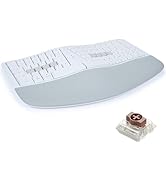
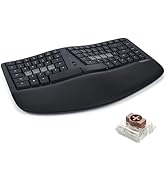



It's been about twenty years since I first used a Kinesis and haven't used one since. For the past 14 months I've been using a Moonlander split keyboard. It's a decent keyboard, but the options for tenting are very poor unless you invest in more hardware purchased from their site. They do offer excellent support, though. I'd had the keyboard for about six months when the right side thumb cluster hinge broke. They sent me a replacement for free.
Back to the Kinesis. I write A LOT. I'm a full-time author so I bang out hundreds of thousands of words per year. I'm in my mid-fifties, and fingers and wrist hurt all the time because of poor ergonomics and cheap keyboards.
The Kinesis Advantage 360 is kind of amazing. It has true tenting, and the concave nature of the pieces means you can comfortably rest your palms on the outside and only move your fingers. Since I have used a split ortho board for over a year, this was not a huge learning curve. The keys are laid out well, but I had to change a few. I like the CTRL and ALT on the left side on the bottom row. I moved those keys using the ZMK software which is not really friendly. You have to have a Github account, fork builds, and then use the key mapper to generate new firmware. Each piece of the keyboard them must be connected via USB. Copy the corresponding builds to each piece and then swap key caps. I'm happy with the four or five keys I moved and have this looking almost exactly like my Moonlander layout.
Bluetooth has worked perfectly on my PC. I've had zero issues so far. I hit a key in the morning and my PC wakes up. I leave the backlighting off. After two weeks of heavy use, the batteries are still going strong without a recharge.
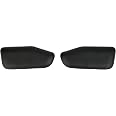
I purchased the palm pad separately. Why aren't these included with this very expensive keyboard? Come to find out, they might not be needed depending on your hands. I find them okay, but I will probably switch back to using the palm rests without the pads. They are comfortable and all, but I'm making more typos with them installed.
This is a very expensive keyboard, and it will not be for everyone. There is a learning curve. When I initially switched to a Moonlander, my WPM dropped to about five words per minute. I'm a slow and not very accurate typist, but after this short amount of time I'm up to about 70 WPM with a 98% accuracy rate. This is fantastic for my old hands.
Overall, this is a technical board that requires an understanding that the interface software is far from user friendly. Remapping keys will be challenging. I find that the key caps get oily from my fingers rather quickly, which is a weird thing to write, but it's true. So far this has not affected my typing, but I feel like I need to wipe them with a cloth a few times a week. Lightly textured key caps would have been perfect on this thing. Even with these negatives, I feel this keyboard beats the Moonlander by a mile. This is a true ergo keyboard and so far I love typing on it. The Gateron brown switches feel really nice. Negatives aside, this is the best keyboard I've ever owned. I look forward to many years with this thing.
Customers who viewed this item also viewed
Add to your order
-
 Coverage for accidental damage including drops, spills, and broken parts, as well as breakdowns (plans vary)
 -
 24/7 support when you need it
 -
 Quick, easy, and frustration-free claims
Cover this product:
4-Year Protection Plan $78.99
Cover all of your eligible devices:
Complete Protect: One plan covers all eligible past and future purchases (Best Value) $16.99/month
Select a plan
Add to your order
- Coverage for accidental damage including drops, spills, and broken parts, as well as breakdowns (plans vary)
- 24/7 support when you need it
- Quick, easy, and frustration-free claims
Cover this product:
Select a plan
Product Protection by Asurion, LLC
- No Additional Cost: You pay nothing for repairs – parts, labor, and shipping included.
- Coverage: Plan starts on the date of purchase. Malfunctions covered after the manufacturer's warranty. Power surges covered from day one. Real experts are available 24/7 to help with set-up, connectivity issues, troubleshooting and much more.
- Easy Claims Process: File a claim anytime online or by phone. Most claims approved within minutes. If we can’t repair it, we’ll send you an Amazon e-gift card for the purchase price of your covered product or replace it.
- Product Eligibility: Plan must be purchased with a product or within 30 days of the product purchase. Pre-existing conditions are not covered.
- Terms & Details: More information about this protection plan is available within the “Product guides and documents” section. Simply click “User Guide” for more info. Terms & Conditions will be available in Your Orders on Amazon. Asurion will also email your plan confirmation with Terms & Conditions to the address associated with your Amazon account within 24 hours of purchase.
Product Protection by Asurion, LLC
- BEST VALUE: Protect all your eligible Amazon purchases including: tech, tools, appliances, furniture and more. All for one low monthly price.
- ONE SIMPLE PROTECTION PLAN: Covers malfunctions and failures for eligible Amazon purchases, plus drops or spills for portable items. Protection begins immediately for eligible purchases from the past 90 days, plus all eligible future purchases (products used commercially are excluded).
- CYBERSECURITY INCLUDED: Trusted digital security that keeps your devices and data safer. Includes scam detection for emails and texts ($89.99 in annual savings).
- QUICK AND EASY CLAIMS: File in minutes at Asurion.com/amazon for fast repair or reimbursement - up to the purchase price.
- NO HIDDEN FEES. CANCEL ANYTIME. You’re covered for up to $5,000 in total claims per 12-month period. Your plan renews monthly until canceled (coupons applied at checkout do not renew monthly).
Product Protection by Asurion, LLC
Please ensure you are not covered by existing insurance
- No Additional Cost: You pay nothing for repairs – parts, labor, and shipping included.
- Coverage: Plan starts on the date of purchase. Malfunctions covered after the manufacturer's warranty. Power surges covered from day one. Real experts are available 24/7 to help with set-up, connectivity issues, troubleshooting and much more.
- Easy Claims Process: File a claim anytime online or by phone. Most claims approved within minutes. If we can’t repair it, we’ll send you an Amazon e-gift card for the purchase price of your covered product or replace it.
- Product Eligibility: Plan must be purchased with a product or within 30 days of the product purchase. Pre-existing conditions are not covered.
- Terms & Details: More information about this protection plan is available within the “Product guides and documents” section. Simply click “User Guide” for more info. Terms & Conditions will be available in Your Orders on Amazon. Asurion will also email your plan confirmation with Terms & Conditions to the address associated with your Amazon account within 24 hours of purchase.
More details: 4-Year Protection Plan
Cover this product:
4-Year Protection Plan
$78.99
Complete Protect: One plan covers all eligible past and future purchases (Best Value)
$16.99/month
Select a plan
Additional Details

Small Business
Shop products from small business brands sold in Amazon’s store. Discover more about the small businesses partnering with Amazon and Amazon’s commitment to empowering them.
Small Business
This product is from a small business brand. Support small.
Frequently bought together
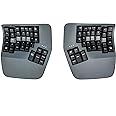
This item: Kinesis Advantage360 Professional Split Ergonomic Keyboard - Bluetooth | Mechanical Switches | Fully Programmable Open Source | Contoured Shape | Adjustable Tenting | Backlit
$479.00
Get it as soon as Wednesday, Apr 29
Only 5 left in stock - order soon.
+
$25.99
Get it as soon as Thursday, Apr 30
Sold by Raxxer and ships from Amazon Fulfillment.+
$50.00
Get it as soon as Tuesday, Apr 28
Only 16 left in stock - order soon.
Total price: $00
To see our price, add these items to your cart.
Choose items to buy together.
Deals on related products
Page 1 of 1Start over
Product description
-

Advanced Ergonomics
Adjustable Tenting
Choose from 3 heights to elevate the thumb side of the hand to reduce forearm pronation.
-

Advanced Ergonomics
Integrated Palm Support
Integrated palm supports promote neutral typing position to reduce wrist extension.
-

Advanced Ergonomics
Mechanical Switches
Low force, full travel switches reduce less bottoming out (Quiet available).
-

Advanced Ergonomics
Adjustable Split
Separate the modules to shoulder-width in proper typing form to reduce ulnar deviation.
-

Advanced Ergonomics
Compact layout
Compact layout with embedded keypad allows for closer mouse placement.
USB or Bluetooth

SmartSet USB Model
- USB-C Connectivity only
- Wired Linking (10″ USB-C cable included)
- SmartSet Onboard Programming Engine
- No backlight
- PBT Dye-submliated Keycaps

Professional Bluetooth Model
- Wireless Bluetooth (4 Devices) or Wired USB-C Connectivity
- Wireless Linking
- Clique Real-Time Programming Engine
- Global White Backlighting
- ABS Shine-Through Keycaps
Designed down to the last detail

Fully Programmable
Both SmartSet and Pro models feature powerful programmability tools to reduce awkward key combinations and boost productivity.
*Pro Clique GUI shown

Orthogonal Layout
Unlike traditional staggered keyboards, the orthogonal layout mirrors the natural motion of your fingers.2

Magnetic Palm Pads
If you have especially sensitive wrists snap on the cushioned palm pads for additional wrist support and a negative typing angle.
*Sold Separately

Bridge Connector
Attach the included bridge connector to create a consistent separation for a 1-piece keyboard feel.

Choose from Quiet Linear "Pink" or Tactile "Brown" switches

Unmatched typing feel | Low Force | Superior ergonomics | Quiet or Loud | Unsurpassed Durability | Customizable Keycaps
Which Kinesis keyboard is right for you?
 mWave for PC |  mWave for Mac |  Freestyle2 for PC & Mac |  Freestyle Edge RGB |  FORM |  Advantage360 |  Advantage360 Professional | |
|---|---|---|---|---|---|---|---|
|
Customer Reviews
|
56
|
32
|
883
|
8
|
44
|
355
|
355
|
|
Price
| $119.00 | — | $144.00 | $199.00 | — | $479.00 | $479.00 |
|
Switches
| Mechanical | Mechanical | Membrane | Mechanical | Mechanical | Mechanical | Mechanical |
|
Programmable
| Clique | Clique | N/A | SmartSet | Clique | SmartSet | Clique |
|
Backlight
| White | White | N/A | RGB | White | N/A | White |
|
Connectivity
| USB & Bluetooth | USB & Bluetooth | USB or Bluetooth | USB | USB & Bluetooth | USB | USB & Bluetooth |
|
Power
| 2x AA Batteries | 2x AA Batteries | USB or Rechargeable | USB | Rechargeable | USB | Rechargeable |
From the brand

Kinesis Keyboards
Premium ergonomic keyboards for all budgets, body types, and typing styles. Proudly designed in the USA since 1992.
-

Kinesis was founded in 1991 in Seattle, Washington with the objective of developing the first computer keyboard optimized for comfort and productivity. Thirty years later and we're still creating innovative and award-winning ergonomic keyboards for both work and gaming.
-
Great Office and Gaming Models
-
Kinesis has a keyboard for you
- Mac or PC
- Mechanical or Membrane
- Wired or Wireless
-
Ergonomics come first
Our products are designed to address Ulnar Deviation, Wrist Extention, Forearm Extension, Mouse Over-reach, and Fingertip Impact.
Product Videos

Product information
Warranty & Support
Product Warranty: For warranty information about this product, please click here
Feedback
Related products with free delivery on eligible orders
Sponsored | Try Prime for unlimited fast, free shipping
Page 1 of 1Start over
Similar brands on Amazon
Page 1 of 1Start Over
Sponsored
Customers say
Customers find the keyboard to be the best they've used, with great ergonomics that rest their hands and eliminate wrist pain. The build quality is solid, and they consider it worth the investment. However, the Bluetooth connectivity is problematic, with the left half frequently disconnecting from the right half. Moreover, the adjustability and reliability receive mixed feedback, with customers noting it takes time to adjust and experiencing issues with keys stopping working completely.
AI Generated from the text of customer reviews
Select to learn more
65 customers mention keyboard quality, 49 positive, 16 negative
This is the best keyboard I have ever used. I got the pro version. The Bluetooth connectivity works flawlessly....Read more
Overall it’s a great keyboard. It takes time getting used to, but I can type much longer on it without issues than a normal ergonomic keyboard....Read more
Great product, learning curve is 1-2 weeks before getting back to your pre-kinesis typing speed, build quality is very high, Bluetooth connectivity...Read more
...If that makes no sense to you, this is not the keyboard for you....Read more
34 customers mention ergonomics, 31 positive, 3 negative
I like the ergonomics however difficult to get used to, the bluetooth is spotty at best, the sound of the keys is extremely hollow and feels VERY...Read more
Ergonomics are great! Love how little pain I get now from using this daily. Only downside is that the two sides rarely pair properly....Read more
I really like the keyboard. It has a solid feel, and is very ergonomic. But, this thing is way overpriced.Read more
...pro: really ergonomic cons: -...Read more
33 customers mention comfort, 24 positive, 9 negative
...They are comfortable and all, but I'm making more typos with them installed....Read more
While it's super comfortable it's an absolute nightmare otherwise. Want to easily connect to bluetooth? Good luck....Read more
...especially the small thumb keys and shift keys making them more uncomfortable to use, I suspect this was a cost saving measure....Read more
Just get the wired version. It's a very cool and comfortable keyboard but it is not worth the headache of getting this thing to connect when it...Read more
20 customers mention build quality, 18 positive, 2 negative
Split, ortholinear, welled, Bluetooth, ZMK, adjustable tenting, and rarest of all: it feels like a sturdy product - NOT - like a flimsy, hollow 3d...Read more
Great product, with some connectivity issues. - The build quality is astounding, really solid and well made. -...Read more
Build quality feels good, the keys feel good. I ended up returning it because my fingers couldn’t get used to it.Read more
...The spring feels nice. The adjustable base is very sturdy. It takes my weight. The wrist pads are a must....Read more
32 customers mention value for money, 14 positive, 18 negative
This is simply the best available ergonomic keyboard. It’s expensive but much like its predecessors this keyboard is built to be in use for...Read more
...the keyboard comes with a higher price tag, I believe that it's worth the investment....Read more
...will give you that, but with this quality and support, 500 might be overpriced....Read more
...Buy it if you can afford it, genuinely worth the money!Read more
28 customers mention adjustability, 17 positive, 11 negative
Split, ortholinear, welled, Bluetooth, ZMK, adjustable tenting, and rarest of all: it feels like a sturdy product - NOT - like a flimsy, hollow 3d...Read more
...keys along with the changed profile of the shift keys make them hard to adjust to, even after weeks of use I kept hitting the wrong keys. YMMV...Read more
...Now with the Kinesis Advantage 360 it is even better. Being able to adjust the distance between the left and right hand and adjust the tilt greatly...Read more
...The keyboard allow you to raise or lower the angle at which the keyboard stands, the ability to have the the keyboard being separated has really...Read more
44 customers mention bluetooth connectivity, 13 positive, 31 negative
Great product, with some connectivity issues. - The build quality is astounding, really solid and well made. -...Read more
...1. On my M1 Mac Studio the bluetooth disconnects every once in a while for about 5 seconds. 2....Read more
...pre-kinesis typing speed, build quality is very high, Bluetooth connectivity is great w Apple products (using MacBook Pro M1-M4), curiously kinda...Read more
...The main annoyances of this keyboard are the Bluetooth connection, connection issues between the two halves of the boards, and double key-pressing...Read more
25 customers mention reliability, 6 positive, 19 negative
Left and right halves do not pair and keyboard is unusable.Read more
keyboard stopped working after 4 months.Read more
...keys make them hard to adjust to, even after weeks of use I kept hitting the wrong keys. YMMV...Read more
I can type on this thing for hours with no fatigue. My pinkies don’t start having pains from stretching in awkward positions....Read more

Excellent product, no Bluetooth issues, incredible typing exp.
This is an excellent product, the build quality aligns with its price and surpasses it. The typing experience is incredible once you get used to it. You can achieve a "flow state" typing that is so pleasant is incredible. Not to mention my wrists pain got away from two weeks of using it. The Bluetooth problems are a thing of the past and the programability is super easy with clique and the latest update which already came with the shipped product from the factory. The pink switches are amazing, I was afraid that they would be too easy to press but they are not.
Top reviews from the United States
There was a problem filtering reviews. Please reload the page.
- Reviewed in the United States on January 8, 2023Style: Professional (Bluetooth) | Tactile SwitchVerified Purchase
- Reviewed in the United States on February 13, 2026Style: Professional (Bluetooth) | Tactile SwitchVerified Purchase
Top reviews from other countries
- Vitaliy KimReviewed in Australia on April 20, 2024
Great keyboard
Style: Professional (Bluetooth) | Tactile SwitchVerified Purchase - IanReviewed in the United Kingdom on October 5, 2025
Comfortable ergonomic keyboard
Style: Professional (Bluetooth) | Tactile SwitchVerified Purchase
This keyboard is awesome! I've gone through a bunch of other keyboards over the years from cheap Dell ones, Keychron mechanical keyboards (great keyboards for normal layouts), Unicomp IBM Model M and was skeptical at first about this, primarily as I've never touch-typed.. can type fast with numerous fingers but mostly looked at the keyboard.IanComfortable ergonomic keyboard
Reviewed in the United Kingdom on October 5, 2025
This Kinesis has taught me to touch type too now, within a few weeks. I remapped a few of the keys due to programming needs, but it's so comfy and allows me to sit in a better position.
It's not cheap, bit if you're looking for a split ergo keyboard, I'd highly recommend it!
Images in this review

- JamesReviewed in the United Kingdom on February 25, 2025
Very well designed and ergonomic
Style: SmartSet (USB) | Tactile SwitchVerified Purchase - EmekaReviewed in Canada on March 16, 2025
Pricy but worth it
Style: SmartSet (USB) | Quiet SwitchVerified Purchase - Dont buyReviewed in Canada on February 4, 2025
Junk
Style: Professional (Bluetooth) | Tactile SwitchVerified Purchase


