Tag Archives: Tutorial

Gmail Settings for IMAP/SMTP/POP Servers

In order to make Gmail work smoothly you need to apply proper settings for IMAP, POP and SMTP servers.  Gmail is one of the most popular online email services today. And it is known to seamlessly work with POP, IMAP, and SMTP incoming and outgoing servers as well.

Once you configure your G-mail according you can access incoming messages and also send mail using any email program like outlook express.

gmail IMAP, pop and smtp server settings

If you want to know how to configure your mail server for Gmail, follow closely the guide below. Or If Alternative, You can buy Gmail Quick Source Guide from Amazon (Price is only $4.12) that include step by step instruction to help users to learn all the gmail features like Creating Filters, Labels, Desktop notifications and much more.

GMAIL POP Mail Server Configuration

  • For the configuration of the Incoming Mail Server or POP3 that requires SSL, be sure to type in pop.gmail.com. Where it says Use SSL, select Yes. Use port 995 for this purpose.
  • For the Outgoing Mail Server settings or SMTP that requires TLS or SSL, type smtp.gmail.com. When it asks if you’ll use authentication, select Yes. The port used for TLS/STATTLS is 587. For SSS, the port number should be 465.
  • The Server Timeouts setting should be more than one minute. Five minutes is the best choice.
  • For Full Name or Display Name, simply type in your name or your business name for that matter.
  • For Account Name or User Name, type in your full email address. Make sure to add @gmail.com at the end. It may also follow the format username@yourdomain.com, depending on which mail you want to configure.
  • For password, just type in the password that you’re using to access your Gmail messages.

Gmail IMAP Mail Server Settings :-

If you need to set-up Gmail for an IMAP mail server, simply follow the steps below.

  • For the incoming mail server or IMAP that requires SSL, type in imap.gmail.com. Use port 993 and select Yes for the Requires SSL setting.
  • For the outgoing mail server SMTP that requires TLS, type in smtp.gmail.com. For port, you can use either 587 or 465. Select Yes for both the Requires SSL and Requires authentication settings. If there is any other setting required, use the same ones you supplied for the incoming mail server.
  • For Full Name or Display name, simply add in your name or business name.
  • For Account Name or User Name, type in your complete Gmail address. It should include @gmail.com at the end. If you are a Google Apps user, the format to use is username@yourdomain.com.
  • The Email Address is the same as your full Gmail address. It should also be typed in full like instructed above.
  • For Password, simply type in the password that you’re using to access your Gmail account.

These are the settings needed to access your Gmail account using a POP3, IMAP, or SMTP servers. These are going to be helpful if you would like to set MS Outlook, Thunderbird, Zimbra or a similar mail server to work with your Gmail account. Just supply the information as accurately as indicated above to make sure that all settings will work. Once all the settings are in, try to send an email to yourself to see if it works. If you’re able to send and receive mail without any errors, then you have done everything correctly.

Although care has been taken while preparing this tutorial but If you still feel any of these Gmail Settings don’t work then you can share your experience by commenting here.
Straight Talk APN Settings for iPhone, Samsung, and BYOP

APN Settings : Straight Talk mobile service is one of the fastest-growing players in telecommunications today. If you have recently made the shift and are wondering why your mobile internet connection or MMS setting suddenly stopped working, you might have to reconfigure it to work with APN settings for your Straight Talk‘s Smartphone. To do that, simply follow the steps below.

straight talk apn settings for BYOP, Android and iPhone

These are official setting, but if you still find any issue or trouble in following that then you can post that by commenting here.

Looking to Buy Smartphone from Straight Talk then you should check below available promotional offers.

  • Free Shipping – Get your entire order at Free Standard Shipping when you purchase phone bundle.
  • iPhone 5 Deal – Buy iPhone 5 at lowest online price.
  • Free LG Phone – Receive LG 220C for FREE when you choose any of their plan.
  • Samsung Galaxy S3 – Head over and buy Galaxy SIII at awesome price.

Straight Talk APN Settings for the iPhone

1. Tap on Setting –> General –> Cellular –> Cellular Data Network
2. In there you’ll see different fields to fill out. Populate them as follows:

Under Cellular Data:

  • APN – att.mvo
  • Username and Password – leave these fields blank

Under MMS:

APN – att.mvno
Username and Password – leave these fields blank
MMSC – http://mmsc.cingular.com
MMS Proxy: mms3.tracfone.com
MMS Max Message Size – 1048576
MMS UA Prof URL – http://www.apple.com/mms/uaprof.rdf
Internet Tethering or Personal Hotspot – leave this field blank

3. Save the settings and go back to the home screen.
4. Reboot your device.

Straight Talk Settings for Samsung and Android devices

It is important to note that APN setting resides at different location depending on your phone company. We’ve provided the steps for Samsung. If you’ve HTC, Motorola, LG, Nexus or any brand cell-phone then path to access APN might be different. Mostly you can find that under Mobile Networks

1. Go to Menu –> Wireless & Network –> Mobile Networks

2. Tap on Mobile Networks

3. Tap on Access Point Names

4. Type in these settings:

Name – Straight Talk
APN – att.mvno
Proxy – proxy.mvno.tracfone.com
Port, Username, Password, and Server  – leave these fields blank
MMSC – http://mmsc.cingular.com
MMS proxy – mms3.tracfone.com
MMS port – 80
MCC – 310
MNC – 410
Authentication type – leave this field blank
APN Type – default, supl, mms
APN Protocol – leave this field to its default value

Smart Talk Settings for BYOP

If you have bought your own phone and you want to setup Straight Talk APN settings for it, you have to look for the area where you can modify your network settings. You can either create a new profile for Straight Talk or edit an existing one. Once you have it working, supply the following data:

Name – Straight Talk

APN – att.mvno

Proxy – proxy.mvno.tracfone.com

Port – 80

MMSC – http://mmsc.cingular.com

MMS Proxy – 66.209.11.33

MMS Port – 80

Once you have all of these settings correctly loaded into your mobile phone and made them as the default settings, you should be able to freely access the internet, as well as send and receive MMS messages. If in any case the settings above won’t work, you can have the settings sent to your phone from Straight Talk’s website.

BONUS Tip :-

If you feel this step bit lengthy or tough then you can alternatively install their official app that will handle everything. Simply follow instruction and it will automatically program picture and data messaging setting for your device. App is available for Android device only.

However, you have to provide your phone number or the last 15 digits of your Straight Talk SIM card to proceed. Your phone model is needed as well. Once the settings are sent over the air, you’ll receive it as a message on your phone. Save the settings and activate them. After which, you should be ready to access the internet and send MMS messages again.

KIK Messenger Usernames – Guide for Female and Guys Usernames

Kik is a cool app where users can send instant messages, share media, and browse the internet. It is a mobile application that works on iOS, Windows Phone, Android, Symbian, and the BlackBerry operating systems. You can also download kik messenger for your Windows or Mac computer and same we already covered.

If You want to date or chat someone living in your city then you should checkout Fubar. It is leading Social Site with over 7 million registered members.

Being free of charge, new users may join the network and connect with friends or strangers at any time. Kik is indeed a great place for meeting new people and for building a friend network. All you need is to share your KIK messenger username and people will be able to contact you from all over.

kik messenger usernames

Since your Kik usernames is intended for sharing, it is very important that you pick the one perfect for you. Choose a username that will describe your personality the most. If possible, settle for a name that will give other users a good hint of what kind of person you really are.

How to create ideal Kik messenger username for Guys and Female

We’ve develop five rules that will help you to pick up awesome username.

1.)   Make it short and sweet
Whether you’re a gal or a guy, a username that is short and easy to remember is your best bet. For example, ladyboy123 is a whole lot better than mahrdigrahzz829. While the latter looks fun and interesting, you won’t likely get a lot of new friends with it. Pass that name around and many users will get confused typing it.

2.)   Use common words:
Many Kik members search for users that they want to connect with. So if your username incorporates everyday words like pretty, nice, gay, cute and similar ones, you will get found easily. And you’ll gain all the friends and contacts that you want. Look for an adjective that will describe you best. Then try to mix that up with your name.

3.)   Do not use your full name:
To make things light and casual, do not divulge your full name through your user name. You can always opt to give that information later on, and only to a handful of your new friends – never to complete strangers. Also, not using your full name in Kik is a good way to add some mystery to your personality.

4.)   Consider very well the use of underscores, numbers, and other characters:
Like any messaging service, a unique username is necessary in Kik. And the only way for you to use the name that you desire is to use symbols and numbers to go along with it. However, you have to strategically place them to your username so they won’t create confusion. Also, using a single number several times, like prettygirl777 is better than prettygirl826. While the numbers 826 may mean a lot to you, it may be difficult to remember for people who don’t know you at all.

5.)   Don’t overuse Special Characters:
Many time it is good idea to use some special characters as your username but If you want your name easily searchable then you shouldn’t use commonly used chars like #, $, @, % and KIK won’t allow you. Many time we think to take unique name to attract others, Its indeed good practice but It may possible that none of your friend finds you when you’ve used such kind of chars. For example, if your name is Roger Iller and you think to pick R@ger!||er. Don’t you think it’s awkward username that nobody even read in first glance. So try to make it simple, catchy and readable.

Thanks for reading our tips and hopping that you’ll consider that at the time of selecting user names for KIK Messenger. It is also good idea to share your username by commenting here, so that others can understand what they should select and which is in trend.

Windows 8 Pro 32 Bit / 64 Bit ISO Download FREE – Torrent Method

Windows 8 Pro also called as Windows 8.1 is the version from NT family of operating system. It was available for public on August 2013.

Please click the button below to get the 100% working, clean and safe ISO file for your Windows operating system. You will find Zip file containing 32 bit and 64 bit ISO.

download now

It should be noted that Windows 8.1 can’t be installed or download via Windows update but you can only get that by product keys. If you want to get ISO for Windows 7, you should checkout my older post.

Windows 8 Pro Features

  • Multitasking with Apps
  • Improved with more security
  • You can resize apps icon in Windows
  • Automatic lock down option
  • personal lock screen and picture password
  • Use Bing smart search for results from you PC

download windows 8.1 pro 32/64 bit iso

As each day pass by, Microsoft is launching a new version of their operating system. The latest stable version is windows 8. This is the most upgraded and the fastest operating system till now. This latest OS provides you with all the features of windows 7 and there are many facilities that were not present in the older version. Many people have doubts on how to download windows 8 for their PC. You can do so by buying that from official store or from Amazon and other third party site.

How to Download Windows 8.1 PRO ISO for FREE?

Please follow the link given below to get ISO image.

Alternatively, you can follow the steps and method given below. But I would suggest you to go for trusted and official source only.

Method 2 : Get Windows 8 ISO from Torrent

At first you need to have a torrent client. This type of downloader will help you to download torrents file. Now search for windows 8.1 pro 32 bit/64 bit ISO related torrents. There are many sites available in the internet where you can find torrents. Make sure that the site you choose is genuine. After the torrent file of Windows 8 pro is available on your system, double click that file. It will automatically start the process of downloading actual ISO file.

How to use ISO file to install Windows 8 Pro?

After the download is complete you will find an ISO file.  This file will contain both 32 bit and 64 bit windows 8 pro. Choose one and burn it into a DVD. The ISO file is must in order to burn the contents into a bootable disk. Such kind of files contain all the data in a compressed mode. This will help you to download a large contain within few memory space. As soon as you click on the ISO file icon it will automatically ask for a blank disk. You need to insert one black disk to continue the process. It will take some time to burn. After the burning process is complete you have to restart your computer and have to boot from the disk. It will automatically get booted and will make your PC into a new OS.

Congratulation! Now, You successfully installed Windows 8/8.1 on your PC using ISO image. Once the installation process is completed you will need installation key. You can download the key from official site of Microsoft. There are many people search for “Windows 7 loaders and activator” but I would suggest you to please use official installation and activation key from Microsoft to avoid any future problem.

What’s Eating Your Apple? Easy Ways to Increase Your Mac’s Speed

It’s a common complaint among Mac users: Things are moving along just fine, and suddenly, it feels like even the simplest functions take forever to complete. You know it’s not malware — you were smart and installed antivirus protection, despite claims that Macs are impervious to infection — and you haven’t saved that much on your hard drive. So what is the problem?

how to increase mac speed

Slowed performance and decreased memory are common in Macs. OSX needs a decent amount of free memory in order to function properly, so when your files and other apps are using that space, you’ll experience poor performance. Adding an additional hard drive or more RAM (if you can) is one solution, but that comes with costs (and risks) that you may not be willing or able to bear. There are other options, though, for clearing space on your hard drive that can measurably improve performance.

Use an App

Because the problem of slowed performance is so pervasive, there are a number of applications designed specifically to diagnose performance issues and help identify solutions. Downloading a diagnostic application like Mac Cleaner will allow you to remove temporary Internet files, clean the cache, remove the junk files that are left behind after you uninstall apps, and free up memory. Such apps also allow you to monitor your memory usage on an ongoing basis so you can identify problems before they start and keep your machine running efficiently.

And speaking of apps . . . how many are you running at a time? Many apps are notorious memory eaters, meaning that if you leave them open and running, they will bog down your computer’s performance. Some of the biggest offenders include iTunes, Twitter, and popular browsers (including Chrome). While many of these apps don’t use a lot of RAM upon opening, the longer you leave them running, the more memory they use. So while it might be convenient to leave iTunes open so you can play music at any moment, if you aren’t using it, close the app to preserve function.

Update the Operating System

fixture to computer running slow

OSX might not have as many updates as other operating systems, but that doesn’t mean they aren’t important. Most OSX updates include important fixes and improvements to ensure the highest levels of performance and security, so skipping the download could leave your machine vulnerable and reduce your computer’s speed.

Control Your Logins

If it takes forever for your computer to boot up, the problem could be in your logins. When your machine is set up to open up multiple applications upon startup — all of which require logins — it can slow down the boot process. In your System Preferences menu, look at how many items startup at login, and deselect those that you don’t need to open automatically. You should see a measurable reduction in the time it take to get your computer up and running.

Improve Your File Management

Downloading music, TV shows, and movies allows you to enjoy your favorites whenever you want. But those media files take up a ton of space on your hard drive — a season of your favorite show can eat up as many as 20GBs alone— so it simply doesn’t make sense to keep copies on your machine. When you’re done watching, remove the media files from your drive and store them in iCloud or on an external drive; you can still access them whenever you want them.

clean your computer memory

Another sneaky space eater? Your email inbox. Your Mac is automatically saving all of your emails into the archive, including those huge attachments that you’ll never need again. You can prevent this problem by automatically routing your mail to a different storage service, like Dropbox, but in the meantime, sort your inbox by attachments to see how many files you can trash. Cleaning out all of those old, useless files can do wonders for your machine’s performance.

Take Out the Trash

It’s astounding how many people take the time to delete unneeded files to clean up their drive, and then forget to empty the trash bin. Deleting a file merely sends it to the trash; in order to fully remove it from the drive you need to take a moment and actually empty the bin.

Slowed performance on your Mac doesn’t necessarily mean that you need a completely new computer or that there is something wrong. You just need to identify the programs and files that are eating your Apple, and find ways to manage them more effectively.

Download Best Android Emulator for PC – Windows 7, 8 and Mac

You might be aware that you can run application in your PC too. For that you have to download and install Android emulator in your PC whether it’s a windows device or a MAC device? We have created this page to help to you get that on your computer without any problem.

It provides all the facilities which everybody desire to have in their android phone. Emulator allows searching, downloading and installing various applications and games and it will certainly give new face to your device.

Click Here to Download the one of the best Android Emulator that fulfill all your requirements. It has so many big features and please make sure to complete human verification process to start your downloading automatically.


download best android emulator for windows and mac pc

Top most Android Emulator to Download for Mac and Windows 8, 7 PC :-

We’ve manually picked and collected some awesome emulators that you can’t live without. It’s possible to download the best Android Emulator for PC available for Windows 7, 8 as well as Mac PC.

1.)  Virtual Box:-

We already discussed about Virtual Box in our previous tutorial for download XCODE in Windows OS. It has simple yet powerful features like searching, user friendly UI and ability to download and install anything.

And the amazing fact is that it is totally free of cost. You can download VirtualBox from here. Once you’ve that on your computer you can install type of operating system, such as Linux, MAC, Solaris, and other licensed versions of Windows. It can be easily setup and works tightly with your native environment.

2.)  BlueStacks Emulator:-

BlueStacks like Virtual Box is also popular and very easy to download. But due to complexity of its features you must installed that properly otherwise everything will be out of control. You can download it here http://bluestacks-app-player.en.softonic.com/download.

Once you hit the link above, download exe file allow it to install on your pc, follow all the easy instructions and you will be able to play android games/apps or sources on your PC.

3.)  YouWave:-

Here is another best Android Emulator for Windows device. This premium available is best known for its easy work. Almost anyone can find and install any type of games, themes and applications with little or no knowledge. YouWave is a the kind of program that available for Windows 8, Windows 7 and MAC OS and it simply emulates the Android operating system on your mobile phone.

All the given Emulators simulate each and everything on Android interface and give you totally new look and feel that you can enjoy within your PC. One of the greatest thing is that some of these emulator can also works on SC card and other extended memory devices.

You can download YouWave here: http://youwave.en.softonic.com/ It is important to note that you can’t have You Wave on your PC already having Virtual Box. If this is the case then you first need to uninstall VirtualBox and then install YouWave to avoid any run time errors.

4.)  Jar of Beans Emulator:-
Name says everything. If you’re thinking to play Jelly Bean games on your Windows and MAC PC then Jar of Beans is the perfect emulator for you. It allows you to play any complex and easy jelly bean games on your computer. You can download that from: http://dec221eat.somee.com/networks/jar-of-beans-android-emulator-for-pc.html.

If you’re android developer and sadly don’t have updated Jelly Bean then you should think to install Jar or Beans. It helps you to develop any apps that you can test on latest version of Jelly bean and ultimate release that on Android marketplace.

Windows 7 loader 2.2.2 by daz – Download and Install

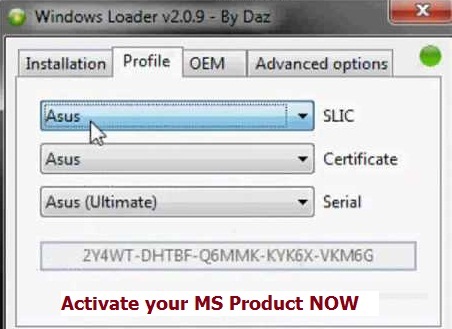
Windows 7 loader 2.2.2 is the tool kit developed by the professor Daz crew to activate your almost any Microsoft products like as Windows 8, Office 2010, Outlook Express, Windows 7, Office 365 for NO cost.

Get Windows Activator from MediaFire Server

Click below “Download” button to get Windows Daz loader. We have generated dedicated, 100% safe and secure link for you. Simply follow the instruction to get loader now.

Image

I highly recommend you to use origin MS products only. This type of loader should be used for testing or educational purpose only. Once you fill that particular MS product is for you, Go and buy that from their official or partner sites like Amazon.

download windows 7 loader of daz 2.2.0

If you don’t want to bother using Daz from your side to activate your OS then you should checkout Fiverr.com. It is leading online micro job platform. I can see, lot of seller helping you for your all kind of Windows related problems.

Simply launch the Fiverr and in Top search bar type “Windows activation” and hit Enter key. You will see lots of seller with good previous ratting. I would suggest you to go with seller having at least one positive ratting.

Many of us struggle to find the original version of Windows 7 iso. Many time we just need to test few functionality of Windows 7 or 8 before buying that but we don’t find any free trial version. So, at the time instead of spending money to buy the original version we can use the tool programmed by Daz. If your Windows 7 is not genuine, the OS will block many features. These features are only available if the OS is paid. But, you can activate your operating system with just using particular software. The name of the software is Windows 7 loader 2.2.2 by daz. This software is easily available in the internet and you can download it for free. Below are best of best features of that tool.

  • It can work for 32bit or 64 bit.
  • Open source with 100% clean source code.
  • It allow you to enter your own product key.
  • Various languages are supported.
  • keep your system file secured from virus attacks.
  • Good news is that it can also work with Virtual machine.

How to Download and Install Windows 7 loader 2.2.2 by Daz?

  1. Go ahead and Get the Software version 2.2.2 OR get version 2.3.0. As soon as you find the software set it download. Sometime due to heavy load on server you need to first complete human verification offer to start downloading process.
  2. After the downloading process is complete, you will see a wrar file. Extract the file to a desired location.
  3. After you extract the file to the desired location, few files will automatically open. These files will have information about the software.
  4. One of these file will have the installation file. You need to double click the icon or choose ‘run as administrator’.
  5. Make sure that you deactivate the anti-virus. It is very important to deactivate the anti-virus. The anti-virus will catch some .dll files, which will cause trouble while installing.
  6. As soon as you choose the option of ‘run as administrator’, a window will appear. This window will have two options; install and uninstall. Choose the install option.
  7. After choosing the install option, the setup will automatically start to run.

While the setup is running it won’t show you any window, this doesn’t mean that the setup is not running. It will take few minutes to run the setup. Don’t shut down the computer or run any other program during the installation. You should also remember that you cannot turn on the anti-virus as well. If you turn on the anti-virus, the installation will not be completed properly. After the installation is over, another window will appear in front of you. In this window you will find two options; restart now and restart later. If you want to restart later, then choose ‘restart later’; if not then choose the other option. After you restart your computer, you will find that your Windows 7 is activated.

How to Check if Windows loader by Daz is installed properly or not?

Many people often ask this question that how they can see if the Windows is activated or not. You just need to visit “my computer” and right click on the white area. Here you will find the ‘properties’ option, click it. Down below you will find ‘ Windows is activated’.