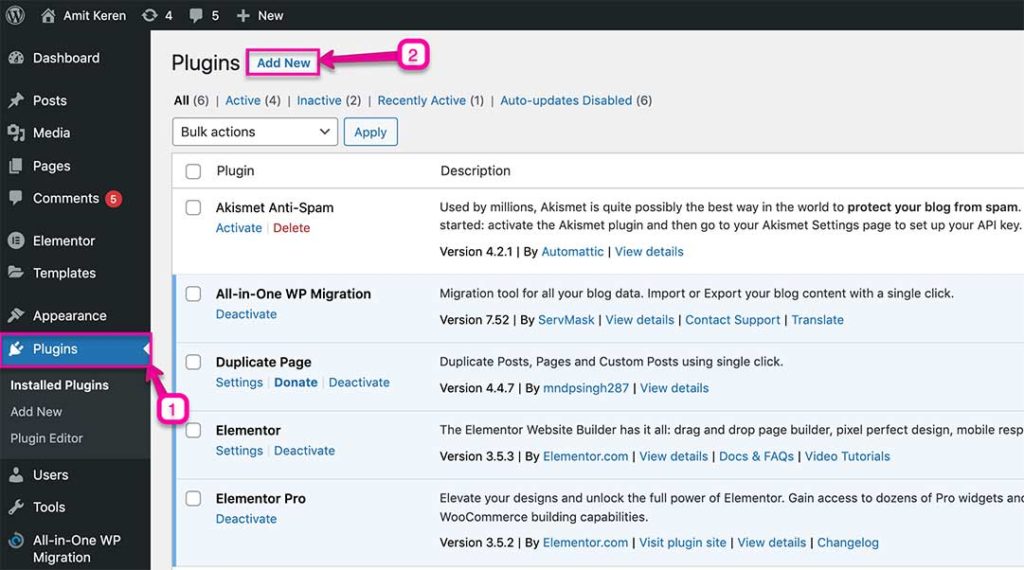
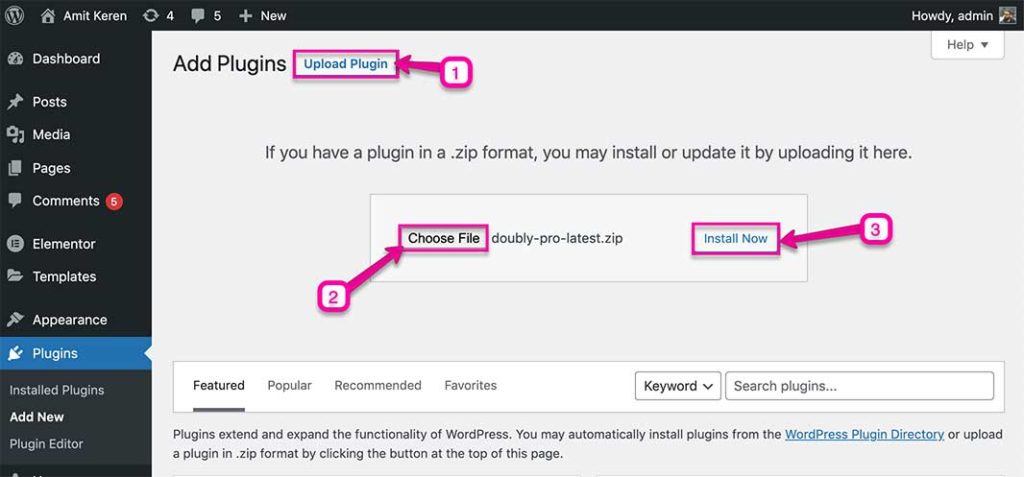
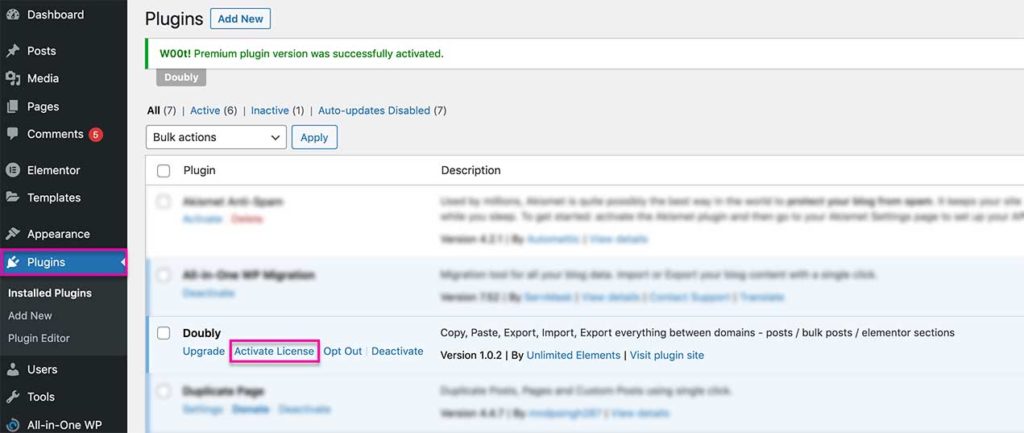
In this article we will explain how to use download and install Doubly plugin. To gain download access to Doubly plugin first buy the doubly plugin on our website.
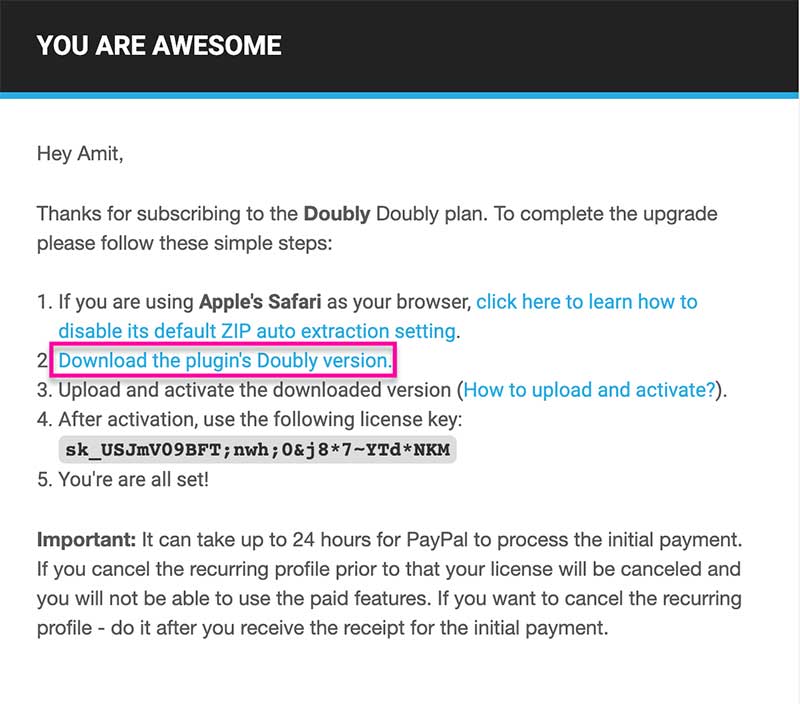
After purchasing Doubly you will get download instructions to download the plugin via a welcome email. Click on the download link and save the zip file to your computer.
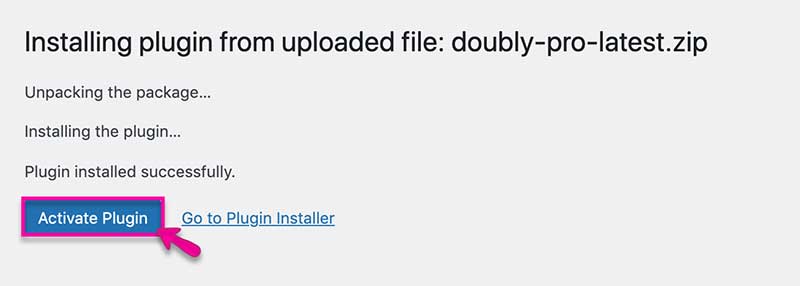
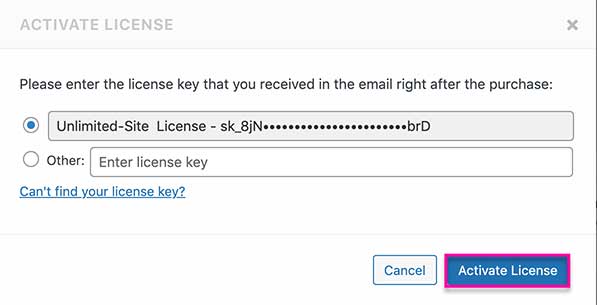
In the modal popup window click activate licence to complete the activation. If that does not work you can also paste in your licence key manually from the welcome email you received earlier.