Let users save important events to their favorite calendar platform — Google Calendar, Outlook, Apple Calendar, or Yahoo — in just one click.
Your audience uses different calendar apps — now you can support them all:
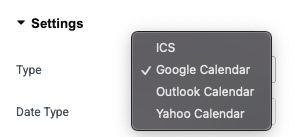
ICS (Universal) – Works with Apple Calendar and most calendar software.
Google Calendar – Instantly adds event to Google Calendar.
Outlook Calendar – Works with both web and desktop Outlook.
Yahoo Calendar – One-click add for Yahoo users.
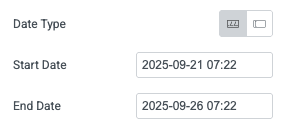
You can set event dates using:
Date/Time Picker – Choose start and end date/time easily.
Manual Entry – Enter event dates in text format for complete control.
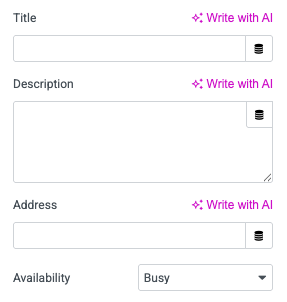
Make your event information complete and professional by adding:
Title – Name of the event.
Description – Short event details or agenda.
Location/Address – Venue or meeting link.
Availability – Mark as Busy or Free so users can plan better.
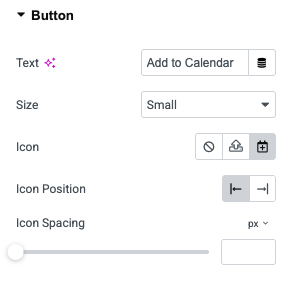
Easily style the button to match your website’s branding:
Change button text (e.g., “Add to Calendar”).
Adjust button size (Small, Medium, Large).
Add an icon to make it visually appealing.
Set icon position (before or after text) and spacing for a perfect look.