Image

Reconstructed SC62015 Opcode Reference For Sharp Pocket Computers

Pocket computers like Sharp’s 8-bit computing marvels were a big part of the 1980s, providing super-portable processing power to anyone who wanted a bit more than what something like a scientific calculator could provide at the time. These days they are mostly just a collector’s item for retrocomputing enthusiasts, which also means that a lot of the knowledge about how to program the CPUs in them is at risk of being lost.

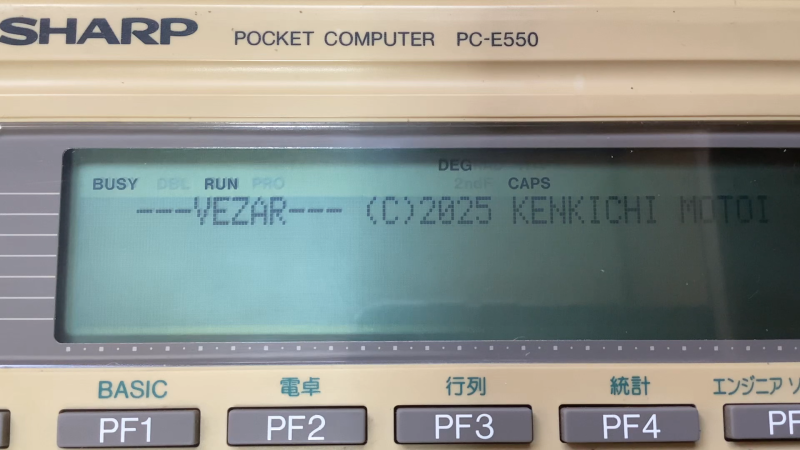
This is why [gikonekos] decided to combine as much knowledge they can glean from official documentation into a reference project on GitHub for the SC62015 equipped Sharp pocket computers like the PC-E550.

Generally you’d program in Sharp’s dialect of BASIC on these computers, such as the ‘PLAY3’ program that [gikonekos] recently unearthed from a November 1993 copy of ‘Pocket Computer Journal’ using which you can create polyphonic tunes. This only unlocks a small part of what the hardware can do, of course, so having a full opcode reference like this is important.

While still a work in progress, it’ll eventually contain the full opcode and register tables, addressing modes, instruction summaries and of course a full accounting of how all of this was reconstructed. As the original Sharp documentation wasn’t released to the public, providing these scans is also not a goal, especially not under any kind of free license.

A cursory search reveals an instruction table for the PC-E500 from 1995 by [Andrew Woods], so documenting this is not a new thing, although at the time these Sharp pocket PCs didn’t count as ‘retro systems’ yet.
Image

Forgetfulino Puts Back Up Of Source Inside The Binary

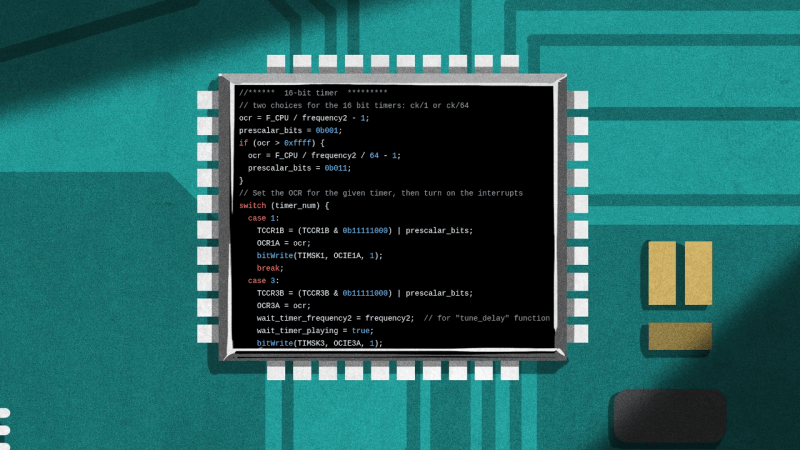
How often have you pulled out old MCU-based project that still works fine, but you have no idea where the original source code has gone? Having the binary image and the source code as separate things to keep track of usually isn’t a problem, but there’s something to be said for adding the source — and documentation — to this image if you have some flash to spare. This is basically what the Forgetfulino Arduino library by [Nader Al Khatib] does.

Essentially, the library compresses the source files and assigns it to be burned onto the flash alongside the binary. There is also a bit of code added to the firmware so that this code can be retrieved via the serial port at any time, negating the need for a firmware dump and manual disassembly. For ease of use, the library has an Arduino IDE extension that automates the process. The basic idea could also be adapted to different environments should anyone wish to take up the challenge.

You probably wouldn’t want debug builds to feature this additional payload as writing it to flash will eat up time and write cycles. But for a release build that will be put out in the (literal) field for a few years or even decades, it could be very convenient. After all, you never know when that Git repository that you relied on might go AWOL.

Image

From 8086 To Z80: Building A NASM-Inspired SDK For 8-Bit Retro Computing

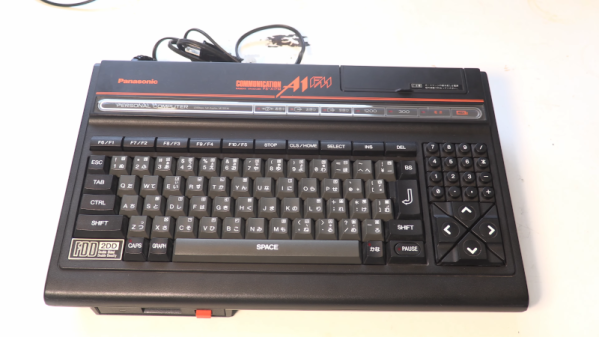
Assembler syntax is a touchy subject, with many a flamewar having raged over e.g. Intel vs AT&T style syntax. Thus when [Humberto Costa] recently acquired an MSX system for some fun retro-style ASM programming, he was dismayed to see that the available Z80 assemblers did not support the syntax of his favorite ASM tool, NASM. Thus was born the HC SDK project, which seeks to bring more NASM to the Z80, 8085 and a slew of other processors.

There’s both a project site and a GitHub repository, from where both source and pre-compiled releases can be obtained. Supported host platforms are macOS, Windows, OpenBSD, FreeBSD, and Linux, with currently supported targets the 8080, 8085, 8086 and Z80. Support for the 6502 is currently in progress.

The Netwide Assembler (NASM), targets only the x86 architecture, being one of the most popular assemblers for Linux and x86. It uses a variant of the Intel ASM syntax, which contrasts it strongly with the GNU Assembler (GAS) that uses AT&T syntax. Of course, in an ironic twist of fate NASM now also supports AT&T syntax and vice versa, albeit with some subtle gotchas.

Regardless, if ASM for these retro architectures is your thing, then the HC SDK may be worth checking out. [Humberto] also says that he’s looking at adding higher-level language support to make it a more complete development environment for these old systems and new takes on them.

Thanks to [Albert Wolf] for the tip.

Image

DR-DOS Is Back, But Not Quite As We Knew It

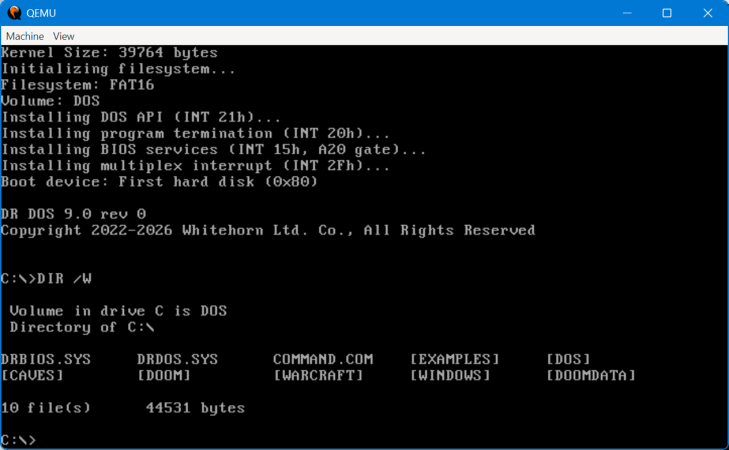
If you weren’t around for the early PC era, or were a little more casual about operating systems, you could perhaps be forgiven for not knowing that DOS is not synonymous with MS-DOS. MS-DOS was just Microsoft’s implementation — or rather, an implementation they purchased — of a Disk Operating System, one that was…let’s just say “inspired by” Digital Research’s CP/M.

Digital Research shot back with DR-DOS, an operating system that was both compatible with and much superior in some ways to MS-DOS. The last version was released in 1991, after Novell bought the struggling Digital Research. Now it’s back, or at least, it’s on its way back with a fully clean-room implementation by a fellow who calls himself [CheeseWeezel] on Reddit.

He’s gone so far as to purchase the trademark, so this re-creation is the official DR-DOS. In any case [CheeseWeezel]’s DR-DOS is considered version 9.0, and is currently in Beta. The clean-sheet re-implementation of DR-DOS’s API was sadly necessary due to the rather tortured history of the IP after DR was bought by Novel, who sold DR-DOS to Caldera, who briefly open-sourced the code before retracting the license and selling on. Some of you may remember a controversy where a previous rights holder, DR DOS INC, was found purloining FreeDOS code in violation of the GPL. Perhaps because of that, [CheeseWeezel] isn’t using any old code, and isn’t open-sourcing what he’s done. Right now, the beta of DR-DOS 9 is free for non-commercial use, but as is standard for EULAs, that could change at any time without warning. [CheeseWeezel] is still working full compatibility, but at this point it at least runs DOOM.

Still, given the origins of DOS in Digital Research’s early work on CP/M, it warms the heart to see what many of us thought of as the “true” DOS survive in some form in the 21st century. Arguably it already had, in the form of SvarDOS, but you can’t use that to make smug jokes about your operating system having PhD instead of a measly master’s. If you did not like DOS, we recall the joke from Mac users was that those were the degrees needed to operate the PC. Speaking of DOS, you don’t necessarily need a retrocomputer to run it.

Thanks to [OldDOSMan] for the tip!

Image

The Sweetest Programming Language: MNM

Admit it. If you haven’t created your own little programming language, you’ve probably at least thought about it. [Muffed] decided to create a unique — and sweet — programming language that uses M&M (or, at least, M&M-like) candies as the building block of programs.

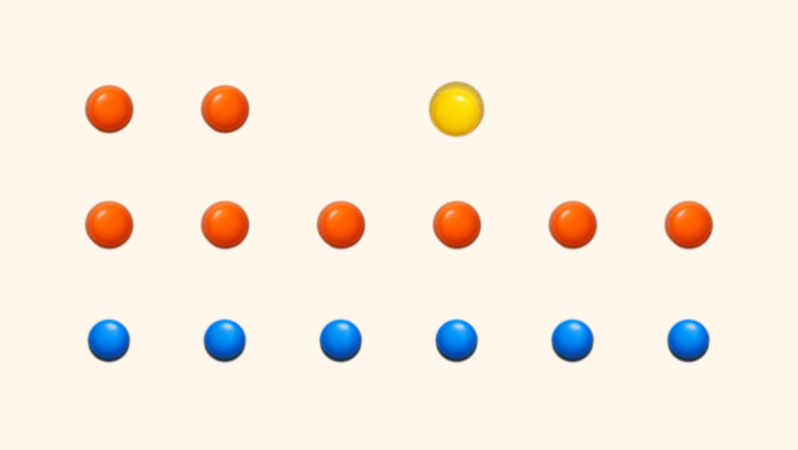
If this sounds strange, it is because, honestly, it is. It all started when a packet of GEMS (the Cadbury’s version of M&Ms)  spilled and randomly fell in the shape of an arrow. There are only six symbols corresponding to the colors in a package. You create your program by arranging the candies and creating a digital image of the result. In practice, you’ll probably use ASCII text to represent your candy layout and let the compiler render the image for you.

The main way of encoding things is by the number of colored candy pixels in a row. So three blue morsels in an opcode, while four is a different opcode. Red candies encode integer literals with one candy being zero, two being one, and so on. Blue indicates control flow, green candy handles variables and stack operations, yellow is for math, and so on.

Continue reading “The Sweetest Programming Language: MNM”

Image

Trying A Vibe-Coded Operating System

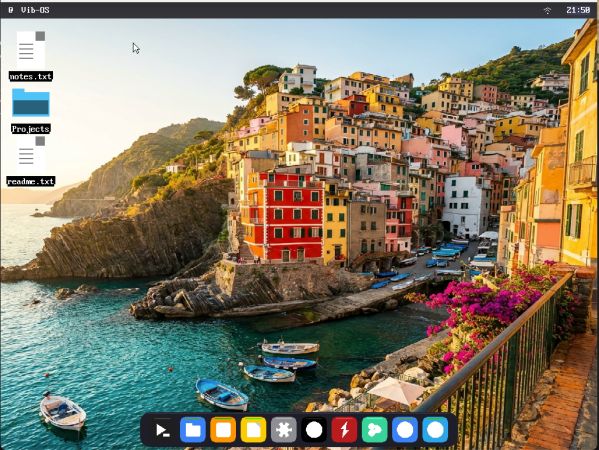
If you were to read the README of the Vib-OS project on GitHub, you’d see it advertised as a Unix-like OS that was written from scratch, runs on ARM64 and x86_64, and comes with a full GUI, networking and even full Doom game support. Unfortunately, what you are seeing there isn’t the beginnings of a new promising OS that might go toe to toe with the likes of Linux or Haiku, but rather a vibe-coded confabulation. Trying to actually use the OS as [tirimid] recently did sends you down a vibe-coded rabbit hole of broken code, more bugs than you can shake a bug zapper at, and most of the promised features being completely absent.

[tirimid] is one of those people who have a bit of a problem, in that they like to try out new OSes, just to see what they’re like. The fun starts with simply making the thing run at all in any virtual machine environment, as apparently the author uses MacOS and there it probably ‘runs fine’.

After this the graphical desktop does in fact load, some applications also open, but it’s not possible to create new folders in the ‘file explorer’, the function keys simply switch between wallpapers, there’s no networking or Doom support despite the promises made, there’s no Python or Nano support at all, and so on.

Clearly it’s still got the hallmarks of a functioning OS, and it’s sort of nice that you don’t need to know what you’re doing to create a sort-of-OS, but it will not appease those who feel that vibe-coding is killing Open Source software.

Continue reading “Trying A Vibe-Coded Operating System”

Image

Running In Printf

You may or may not know, but printf is a Turing-complete language, once you exploit all the strange and wonderful format characters in it (especially %n). But who has time to write code as printf modifiers? Now, thanks to [sebsite], you can at least write in a slightly higher level assembly language and compile to printf. Practical? No. Cool? Undeniably.

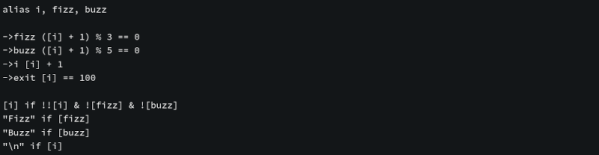
As an example, the page shows fizzbuzz written in the assembler:

alias i, fizz, buzz

->fizz ([i] + 1) % 3 == 0
->buzz ([i] + 1) % 5 == 0
->i [i] + 1
->exit [i] == 100

[i] if !![i] & ![fizz] & ![buzz]
"Fizz" if [fizz]
"Buzz" if [buzz]
"\n" if [i]

The alias keyword defines constants and, owing to default values, sets i to zero, fizz to one, and buzz to 2. The “arrow” statements store a result into a variable (so the first assignment sets the resulting value into fizz).

Continue reading “Running In Printf”