Image

Analog Video From An 8-Bit Microcontroller

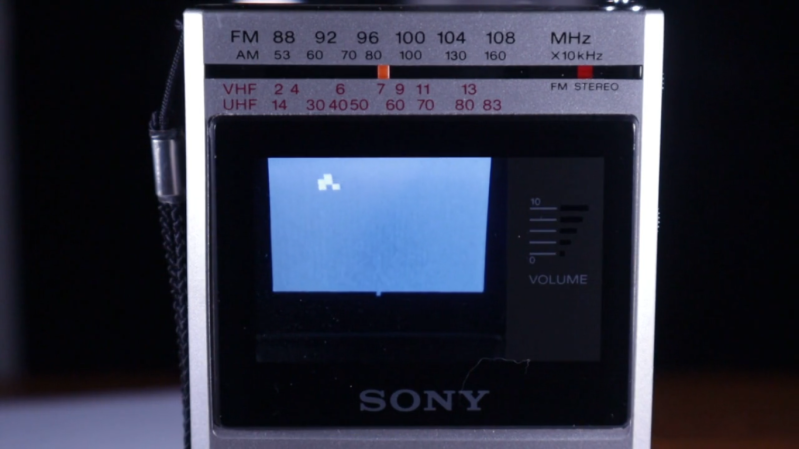
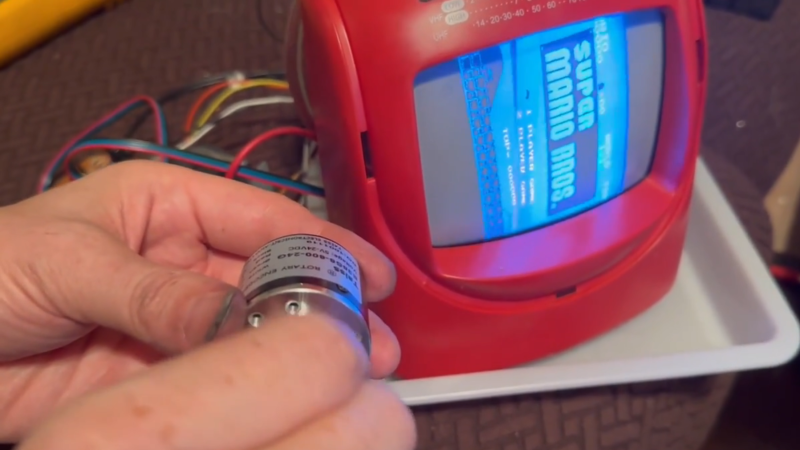
Although the CRT has largely disappeared from our everyday lives, there was a decades-long timeframe when this was effectively the only display available. It’s an analog display for an analog world, and now that almost everything electronic is digital, these amazing pieces of technology are largely relegated to retro gaming and a few other niche uses. [Maurycy] has a unique CRT that’s small enough to fit in a handheld television, but since there aren’t analog TV stations anymore, he decided to build his own with nothing but an 8-bit microcontroller and a few other small parts.

Continue reading “Analog Video From An 8-Bit Microcontroller”

Image

Resin Injection CRT Cataract Surgery On Macintosh Monitor

Nothing lasts forever, but you’d think the leaded-glass face of a CRT would not be a place you’re likely to see Father Time causing failures. Alas, the particle accelerators we all lovingly stared at were very often not unitary pieces of glass: in case of implosion, safety glass was glued onto the front of the CRT. That glue will inevitably fail, as happened to the 20″ Mac-branded Triniton [Epictronics] had with a PowerPC 6100 that needed a few other repairs.

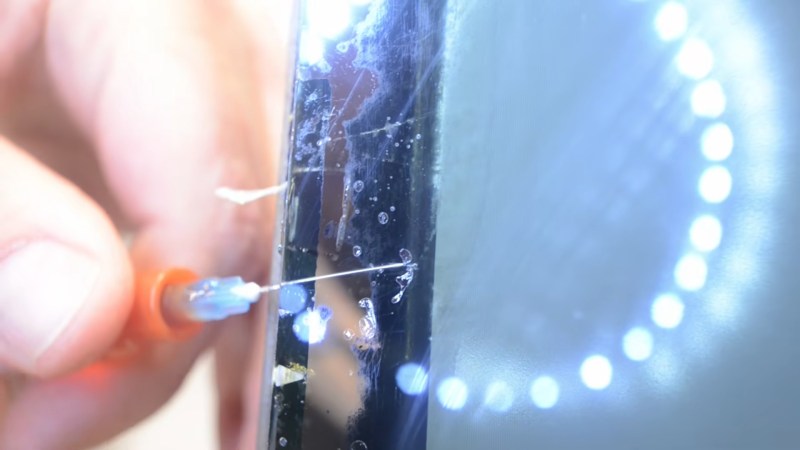
His version of cataract surgery was the most interesting. Usually cataracts are an issue for much older CRTs than the 90s-era Macintosh display featured here, but this particular display was literally pulled out of the trash and not stored well before that, so that’s probably what accounts for its accelerated aging. Usually what people do with CRT Cataracts is use heat to remove the safety glass and failing adhesive. [Epictronics] has a safer technique, however: inject fresh adhesive into the gap that’s forming around the edge of the display.

With a syringe and UV cure resin, he slowly and laboriously goes around the edge of the display to fill in the bubbles that can be reached. Luckily, the delamination on this CRT doesn’t extend very far beyond the edges, so a standard syringe tip could reach all the problem areas.

It looks good now, but if it doesn’t hold, [Epictronics] points out he can still remove the glass with the traditional hot-air technique. We hope it holds up; this is a nice technique to try if you have a CRT with the early stages of cataract delamination. For future reference, it took about one milliliter of resin to fill each square centimeter of affected area, which implies the cataract gap is quite small indeed.

Having repaired the monitor by about fifteen minutes into the video, [Epictronics] spends the remaining seventeen minutes getting the Mac running with its original CD-ROM drive (that needed recapped) and a DOS compatibility card.

We’ve featured [Epictronics] repairs here before, like when he tore down and rebuilt an IBM Model F keyboard. 

Continue reading “Resin Injection CRT Cataract Surgery On Macintosh Monitor”

Image

Portable CRT TV Becomes Retro Cyberdeck

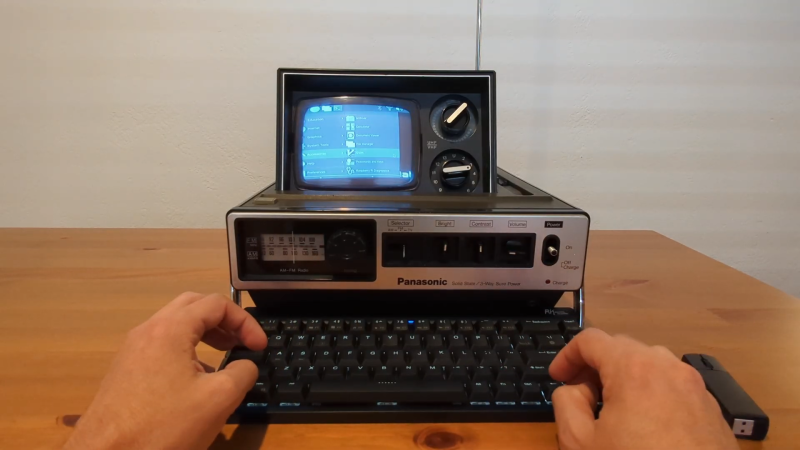
These days, it’s pretty easy to slap together a single-board computer and a cheap LCD screen to whip up a cool cyberdeck fast. But what if you wanna go more retro? [Manu] found a portable TV straight out of the original Blade Runner film, and decided this would be the perfect base for a cyberdeck rocking a whole-ass CRT screen.

The build started with a Panasonic TR-545 television. Back in the day, it took many large batteries to power this thing up—no surprise given how power hungry CRTs are. This gave [Manu] a neat opportunity to sneak all the new cyberdeck hardware into the original battery tray, including a new lithium-ion battery pack that is much more compact than the original. A Raspberry Pi 5 is running the show, computer-wise, and it’s hooked up to an HDMI RF modulator that allows the video output signal to be hooked up to the TV’s original antenna input. It’s not the cleanest way to go, but it allowed [Manu] to make the mod entirely reversible. All the new hardware slots neatly into the repurposed battery tray, and can be removed quite easily without damage to this vintage specimen. Even the keyboard fits nicely into the setup, as [Manu] was able to find a suitable 60% layout foldable unit right off the shelf.

Check out the slide deck for more details on the build, but be warned—it’s a 241 MB PDF. Bonus points if you calculate what that would cost to store on a hard drive in 1979 when the Panasonic TR-545 was on the market. We’ve seen a similar build before, too, with a classic black & white Magnavox unit. If you like squinting at a tiny blurry screen, a CRT cyberdeck is absolutely the way to go. Just be warned that the other screenwriters at your local coffee shop will be more interested in your hardware than whatever you’re actually working on. Good luck with your next pitch all the same. Video after the break.

Continue reading “Portable CRT TV Becomes Retro Cyberdeck”

Image

Custom VR Headset Uses Unconventional Displays

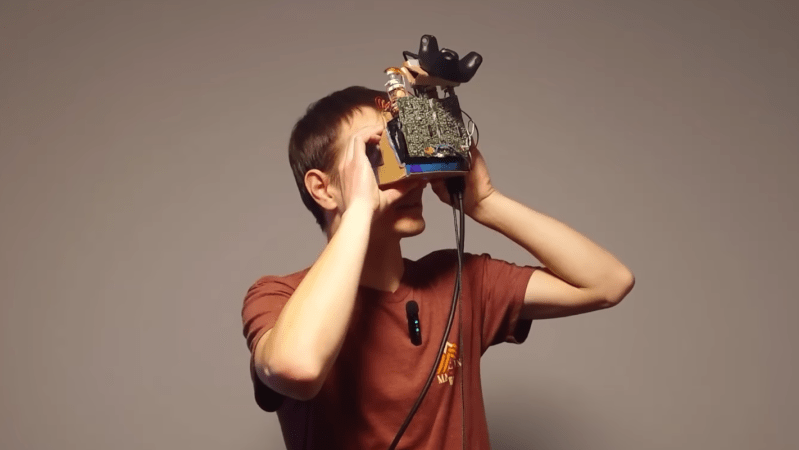
Cathode ray tubes (CRTs) are a fascinating display technology that has been largely abandoned outside of retro gaming and a few other niche uses. They use magnets to steer a beam of electrons rapidly across a screen, and while a marvel of engineering for their time, their expense, complexity, and weight all led to them being largely replaced by other displays like LCDs and LEDs. They were also difficult to miniaturize, but there were a few companies who tried. [dooglehead] located a few of the smallest CRT displays he could find and got to work putting them in the most unlikely of situations: a virtual reality headset.

The two displays for his headset come from Sony Watchmans, compact over-the-air black-and-white handheld televisions from the late 1900s. [dooglehead] had to create a method for sending video to these units which originally had no input connections, and then also used an FPGA to split a video signal into two parts, with one for each display. The two displays are placed side by side and attached to a Google Cardboard headset, with an off-the-shelf location tracker attached at the top. An IMU tracks head rotation while this location tracker tracks the motion of the unit through 3D space.

With everything assembled and ready to go, the CRT VR headset only weighs in a few grams heavier than [dooglehead]’s modern HTC headset, although it’s lacking a case (which is sorely needed to cover up the exposed high voltage of the CRTs). He reports surprisingly good performance, with notable interlacing and focus issues. He doesn’t plan to use it to replace any of his modern VR displays anytime soon, but it was an interesting project nonetheless. There are some rumors that CRTs are experiencing a bit of a revival, so we’d advise anyone looking to toss out an old CRT to at least put it on an online market place before sending it to a landfill.

Continue reading “Custom VR Headset Uses Unconventional Displays”

Image

Making A CRT Spin Right Round, Round, Round

If you’ve got a decent CRT monitor, you can usually adjust the settings to make sure the image scans nicely across the whole display. But what if you could rotate the whole image itself? [Jeri Ellsworth] has shown us how to achieve this with an amusing mechanical hack.

The trick behind this is simple. On a standard CRT, the deflection yoke uses magnetic coils to steer the electron beam in the X and Y axes, spraying electrons at the phosphors as needed. To rotate the display as a whole, you could do some complicated maths and change how you drive the coils and steer the electron beams… or you could just rotate the entire yoke instead. [Jeri] achieves this by putting the whole deflection yoke on a custom slip ring assembly. This allows it to receive power and signal as it rotates around the neck of the tube, driven by a stepper motor. Continue reading “Making A CRT Spin Right Round, Round, Round”

Image

Pocket-sized Test Pattern Generator Helps Check Those CRTs

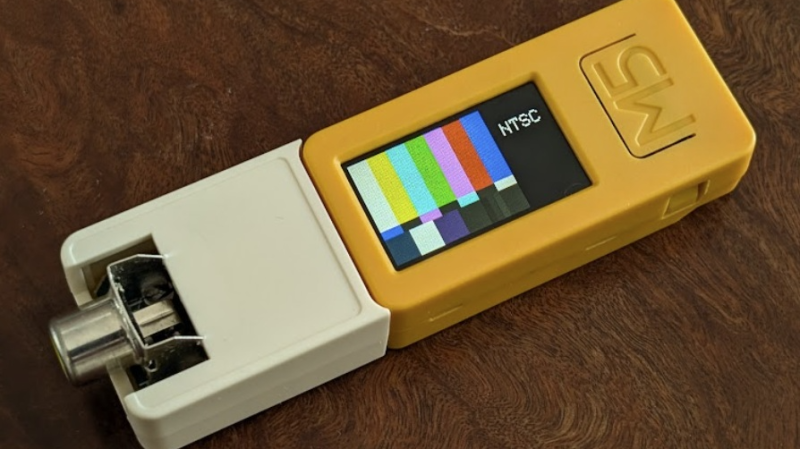
[Nicholas Murray]’s Composite Test Pattern Generator is a beautifully-made, palm-sized tool that uses an ESP32-based development board to output different test patterns in PAL/NTSC. If one is checking out old televisions or CRTs, firing up a test pattern can be a pretty handy way to see if the hardware is healthy or not.

ImageThe little white add-on you see attached to the yellow portion is a simple circuit (two resistors and an RCA jack) that allows the microcontroller to output a composite video signal. All one needs to do is power on the device, then press the large button to cycle through test patterns. A small switch on the side toggles between NTSC and PAL video formats. It’s adorable, and makes good use of the enclosures that came with the dev board and proto board.

In a pinch a hacker could use an original Raspberry Pi, because the original Pi notably included a composite video output. That feature made it trivial to output NTSC or PAL video to a compatible display. But [Nicholas]’s device has a number of significant advantages: it’s small, it’s fast, it has its own battery and integrated charger, and the little color screen mirroring the chosen test pattern is a great confirmation feature.

This is a slick little device, and it’s not [Nicholas]’s first test pattern generator. He also created a RP2040-based unit with a VGA connector, the code of which inspired a hacker’s home-grown test pattern generator that was used to service a vintage arcade machine.

Image

Switch Switch 2 To CRT

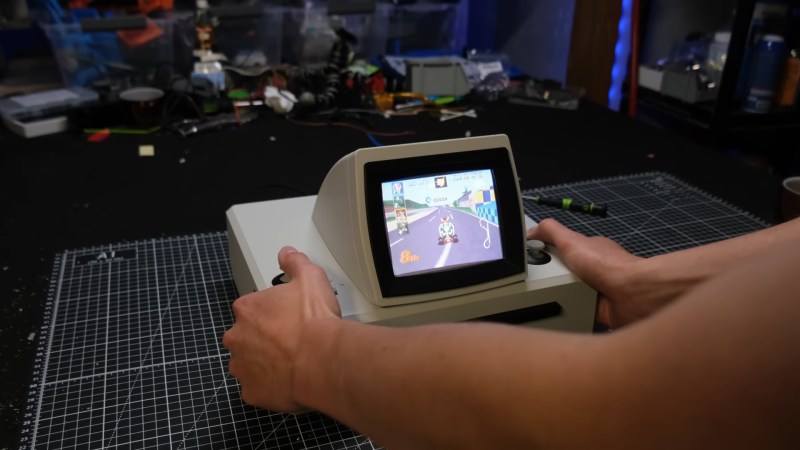
Have you ever imagined what the Nintendo Switch would look like if Nintendo had produced it in the mid-1990s? [Joel Creates] evidently did, because that’s exactly what this retro CRT-toting Switch 2 dock looks like.

Yes, it is portable, thanks to a 100W power bank torn apart and built into the 3D printed case. The full-color CRT comes from a portable TV, so it’s got portability in its heritage. Fitting all that chunky CRT goodness into a hand-held was, of course, a challenge. [Joel] credits AI slop with inspiring the 45-degree angle he eventually settled on. However, the idea of recessing handles inside the case so it could be thick enough but still comfortable to hold was all base-model H.Sap brainpower. There are shoulder controls hidden in those recesses, too, for the games that can use them.

We particularly like the cartridge-like way the Switch 2 slides into place with a satisfying click as its USB-C port connects. It’s plugging into an extension cable that leads to the guts of an official Nintendo dock, buried deeply (and conveniently) inside the 3D-printed box, stacked neatly with the HDMI-to-VGA and VGA-to-Composite converters [Joel] needed to get a nice 4:3 image on the CRT. No word on if he blows on the Switch 2 before plugging it in, but we certainly would.

We’ve featured plenty of portable game systems over the years, and some have been very well done, like this exquisitely done PS2 conversion — but very few have brought CRTs to the party. This retrofitted Game Boy is about the only exception, and [Joel] calls it out in his video as inspiration.

It looks like this is the first Switch 2 hack we’ve featured (with the exception of a teardown or two), so if you know of more, please let us know.

Continue reading “Switch Switch 2 To CRT”