Image

Using FireWire On A Raspberry Pi Before Linux Drops Support

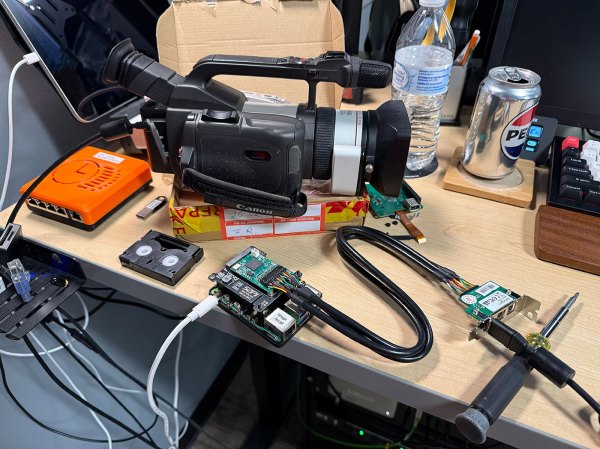
Once the premium option for data transfers and remote control for high-end audiovisual and other devices, FireWire (IEEE 1394) has been dying a slow death ever since Apple and Sony switched over to USB. Recently Apple correspondingly dropped support for it in MacOS 26, and Linux will follow in 2029. The bright side of this when you’re someone like [Jeff Geerling] is that this means three more years of Linux support for one’s FireWire gear, including on the Raspberry Pi with prosumer gear from 1999.

If you’re not concerned about running the latest and greatest – and supported – software, then using an old or modern Mac or PC is of course an option, but with Linux support still available [Jeff] really wanted to get it working on Linux. Particularly on a Raspberry Pi in order to stay on brand.

Adding a FireWire port to a Raspberry Pi SBC is easy enough with an RPi 5 board as you can put a Mini PCIe HAT on it into which you slot a mini PCIe to Firewire adapter. At this point lspci shows the new device, but to use it you need to recompile the Linux kernel with Firewire support. On the Raspberry Pi you then also need to enable it in the device tree overlay, as shown in the article.

Continue reading “Using FireWire On A Raspberry Pi Before Linux Drops Support”
Image

USB Video Capture Devices: Wow! They’re All Bad!!

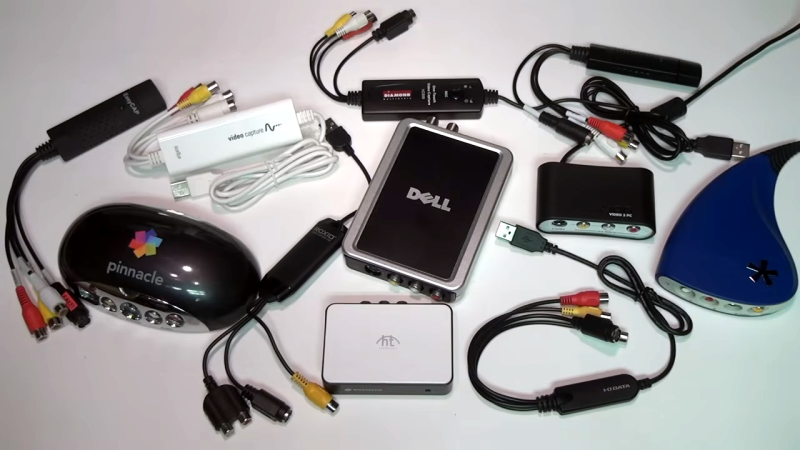
[VWestlife] purchased all kinds of USB video capture devices — many of them from the early 2000s — and put them through their paces in trying to digitize VHS classics like Instant Fireplace and Buying an Auxiliary Sailboat. The results were actually quite varied, but almost universally bad. They all worked, but they also brought unpleasant artifacts and side effects when it came to the final results. Sure, the analog source isn’t always the highest quality, but could it really be this hard to digitize a VHS tape?

Continue reading “USB Video Capture Devices: Wow! They’re All Bad!!”

Image

The Linux Kernel 5.14 Audio Update

You may remember the Pipewire coverage we ran a couple weeks ago, and the TODO item to fix up Firewire device support with Pipewire. It turns out that this is an important feature for kernel hackers, too, because the Alsa changes just got pulled into the 5.14 kernel, and included is the needed Firewire audio work. Shout-out to [Marcan] for pointing out this changeset. Yes, that’s the same as [Hector Martin], the hacker bringing Linux to the M1, who also discovered M1racles. We’ve covered some of his work before.

It turns out that some Firewire audio devices expect timing information in the delivery stream to match the proper playback time for the audio contained in the stream. A naive driver ends up sending packets of sound to the Firewire device that wanted to be played before the packet arrives. No wonder the devices didn’t work correctly. I’m running a 5.14 development kernel, and so far my Focusrite Saffire Pro40 has been running marvelously, where previous kernels quickly turned its audio into a crackling mess.

There is another fix that’s notable for Pipewire users, a reduction in latency for USB audio devices. That one turned out to be not-quite-correct, leading to a hang in the kernel on Torvald’s machine. It’s been reverted until the problem can be corrected, but hopefully this one will land for 5.14 as well. (Edit: The patch was cleaned up, and has been pulled for 5.14. Via Phoronix.) Let us know if you’d like to see more kernel development updates!

New Drobo Has Firewire Support, Old Model Drops In Price

Image
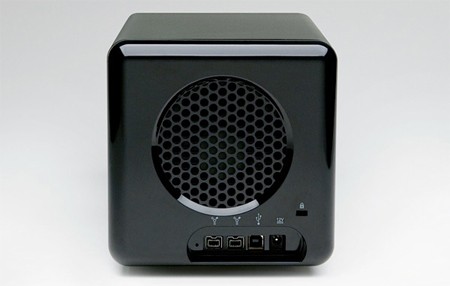
Data Robotics has released an updated Drobo with two Firewire ports and an updated processor, allowing for faster data transfer and daisy chaining multiple Drobos. The new models of this storage and backup device also features a quieter and larger case fan. The case itself has been modified slightly but to great effect, looking sleeker than ever. Sadly, they still start at $500 without any hard drives.

One nice side effect to the announcement of the new Drobos is the price drop for the old ones. Starting at $350, these still make great storage solutions, and hanging on to $150 isn’t bad either. Still, if the idea of buy anything for this purpose curls your toes, build your own network attached storage.