Image

A Candle-Powered Game Boy For Post-Apocalyptic Tetris

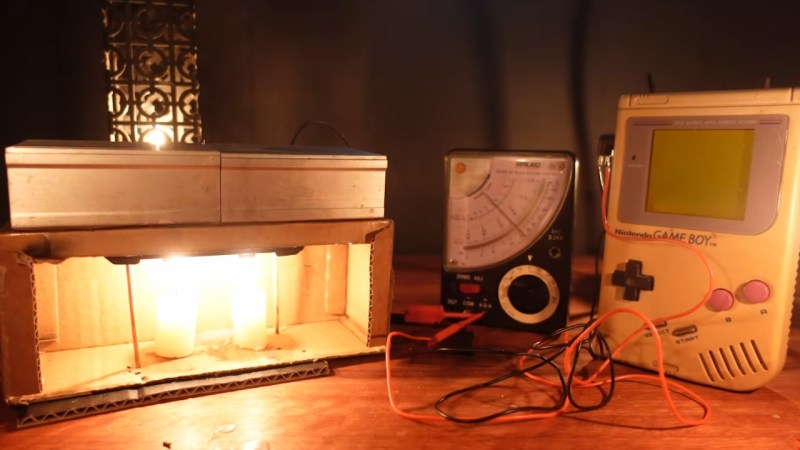
We’re not exactly worried about Armageddon here at Hackaday, but should we end up facing the end of the world as we know it, having something to pass the time would be nice. That’s why we were intrigued by [Janus Cycle]’s latest video where he both plays and powers a Game Boy by candlelight.

You’ve probably figured out the trick already: he’s using a Peltier module as a thermoelectric generator. Candles, after all, release a lot more energy as heat than light, and all that high-quality heat is just begging to be put to use somehow. It’s hardly a new idea; [Janus] references space-age radioisotope thermoelectric generators (RTGs) in the video, but back in the day the Soviets had a thermoelectric collar that fit around a kerosene lantern to power their tube radios.

ImageIn [Janus]’s case, he’s using a commercial module sandwiched between two heatsinks with the rather-questionable choice of a cardboard box reinforced with wooden skewers to hold it over the candle. Sure, as long as the flame doesn’t touch the cardboard, it should be fine, but you will not be at all surprised to see the contraption catch fire in the video’s intro. For all that, he doesn’t get enough power for the Game Boy — one module gets him only 2 V with tea light, but he has a second module and a second candle.

Doubling the energy more than doubles the fun, since a working Game Boy is way more than twice as fun as an un-powered one. But one candle should be more than enough power, so [Janus] goes back and optimizes his single-Peltier setup with a tall candle and actual thermal grease, and gets the Game Boy going again. Any fire marshals in the audience should look away, though, as he never gives up on keeping a candle in a cardboard box.

The “power something with a Peltier module” project is probably a right of passage for electronics enthusiasts, but most are more likely to play with the irony of candle-powered LEDs, or fans to cool the cold-side heatsink. We did see a phone charger one time, and that didn’t even involve open flames, which seems much safer than this. Remember — no matter how much you want to game after the end of the world, it’s not worth burning down your fallout shelter.

Continue reading “A Candle-Powered Game Boy For Post-Apocalyptic Tetris

Image

Exploring Homebrew For The Pokémon Mini

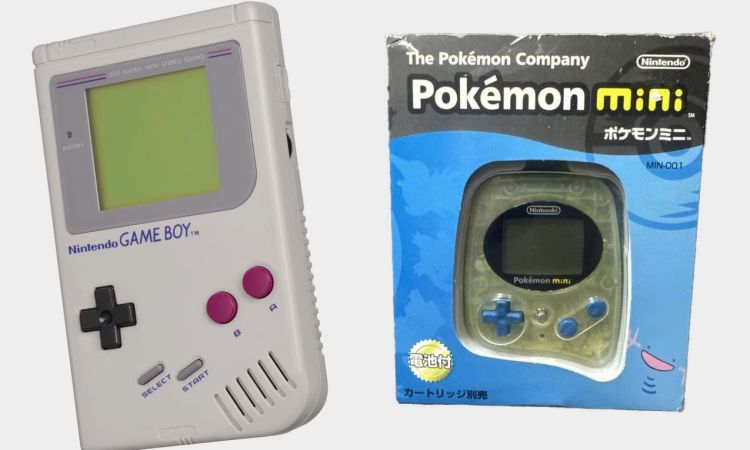
Originally only sold at the Pokémon Center New York in late 2001 for (inflation adjusted) $80, the Pokémon Mini would go on to see a release in Japan and Europe, but never had more than ten games produced for it. Rather than Game Boy-like titles, these were distinct mini games that came on similarly diminutive cartridges. These days it’s barely remembered, but it can readily be used for homebrew titles, as [Inkbox] demonstrates in a recent video.

Image

Inside the device is an Epson-manufactured 16-bit S1C88 processor that runs at 4 MHz and handles basically everything, including video output to the monochrome 96×64 pixel display. System RAM is 4 kB of SRAM, which is enough for the basic games that it was designed for.

The little handheld system offered up some capabilities that even the full-sized Game Boy couldn’t match, such as a basic motion sensor in the form of a reed relay. There’s also 2 MB of ROM space directly addressable without banking.

Programming the device is quite straightforward, not only because of the very accessible ISA, but also the readily available documentation and toolchain. This enables development in C, but in the video assembly is used for the added challenge.

Making the screen tiles can be done in an online editor that [Inkbox] also made, and the game tested in an emulator prior to creating a custom cartridge that uses an RP2040-based board to play the game on real hardware. Although a fairly obscure gaming handheld, it seems like a delightful little system to tinker with and make more games for.

Continue reading “Exploring Homebrew For The Pokémon Mini”

Image

Learn Computing? Head For MonTana!

We’ve often thought that it must be harder than ever to learn about computers. Every year, there’s more to learn, so instead of making the gentle slope from college mainframe, to Commodore 64, to IBM PC, to NVidia supercomputer, you have to start at the end. But, really, you don’t. You can always emulate computers from simpler times, and even if you don’t need to, it can be a lot of fun.

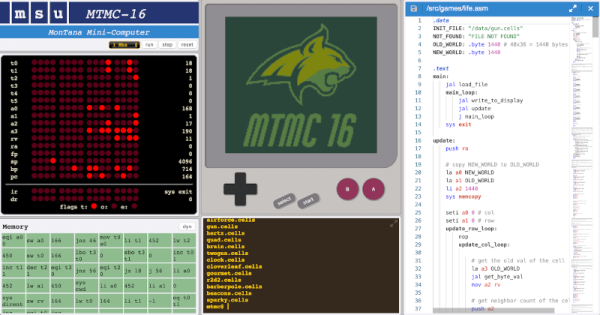
That’s the idea behind the MonTana mini-computer. It combines “…ideas from the PDP-11, MIPS, Scott CPU, Game Boy, and JVM to make a relatively simple 16-bit computer…”

The computer runs on Java, so you can try it nearly anywhere. The console is accessed through a web browser and displays views of memory, registers, and even something that resembles a Game Boy screen. You’ll need to use assembly language until you write your own high-level language (we’d suggest Forth). There is, however, a simple operating system, MTOS.

This is clearly made for use in a classroom, and we’d love to teach a class around a computer like this. The whole thing reminds us of a 16-bit computer like the PDP-11 where everything is a two-byte word. There are only 4K bytes of memory (so 2K words). However, you can accomplish a great deal in that limited space. Thanks to the MTOS API, you don’t have to worry about writing text to the screen and other trivia.

It looks like fun. Let us know what you’ll use it for. If you want to go down a level, try CARDIAC. Or skip ahead a little, and teach kids QBasic.

Game boy with custom cartridge mounted on car dashboard

A Game Boy Speedometer, Just Because You Can

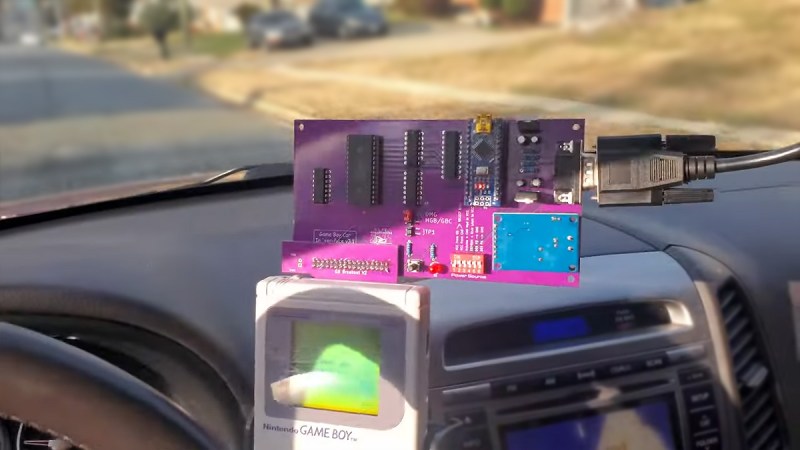
From a practical standpoint, [John] may be correct that his recent creation is the “world’s worst digital dash”, but we’re still oddly enamored with the idea of using a Nintendo Game Boy as a digital speedometer. Pulling it off meant interfacing the handheld with the vehicle’s CAN bus system, so whether you’re into retro gaming or car hacking, this project has something to offer.

Showing real-time vehicle speed on the Game Boy sounds like it should be relatively easy, but the iconic game system wasn’t exactly built for such a task. Its 2 MHz CPU and 160×144 pixel dot-matrix screen were every kid’s dream in 1989, but using it as a car dashboard is pushing it. To bridge that gap, [John] designed two custom circuit boards. One interfaces with the Game Boy, intercepting its memory requests and feeding it data from a microcontroller. The other processes the CAN bus signals, translating speed information into a form the Game Boy can display. [John] used inexpensive tools and software to read the CAN bus data, and used GBDK-2020 to write the software in C. His video goes in great detail on how to do this.

Months of work have gone into decoding the Game Boy’s data bus and creating a schematic for the interface board. Tricking the Game Boy into thinking it was loading a game, while actually displaying incoming speed data. The screen’s low resolution and slow refresh rate rendered it barely readable in a moving vehicle. But [John]’s goal wasn’t practicality — it was just proving it could be done.

Want to dive deep into the Game Boy?  Have you seen the Ultimate Game Boy talk?

Continue reading “A Game Boy Speedometer, Just Because You Can”

Image

Running Game Boy Games On STM32 MCUs Is Peanuts

Using a STM32F429 Discovery board [Jan Zwiener] put together a Game Boy-compatible system called STM32Boy. It is based around the Peanut-GB Game Boy emulator core, which is a pretty nifty and fast single-header GB emulator library in C99. Considering that the average 32-bit MCU these days is significantly faster than the ~4 MHz  8-bit Sharp SM83 (Intel 8080/Zilog Z80 hybrid) in the original Game Boy it’s probably no surprise that the STM32F429 (up to 180 MHz) can emulate this 8-bit SoC just fine.

Since Peanut-GB is a library, the developer using it is expected to provide their own routines to read and write RAM and ROM and to handle errors. Optional are the line drawing, audio read/write and serial Tx/Rx functions, with the library providing reset and a host of other utility functions. Audio functionality is provided externally, such as using the provided MiniGB APU. Although fast, it comes with a range of caveats that limit compatibility and accuracy.

For STM32Boy, [Jan] uses the LCD screen that’s on the STM32 development board to render the screen on, along with a Game Boy skin. The LCD’s touch feature is then used for the controls, as can be elucidated from the main source file. Of note is that the target GB ROM is directly compiled into the firmware image rather than provided via an external SD card. This involves using the xxd tool to create a hex version of the ROM image that can be included. Not a bad way to get a PoC up and running, but we imagine that if you want to create a more usable GB-like system it should at least be able to play more than one game without having to reflash the MCU.

Six GameBoy Pokemon games

Bridging Game Worlds With The ‘Impossible’ Pokémon Trade

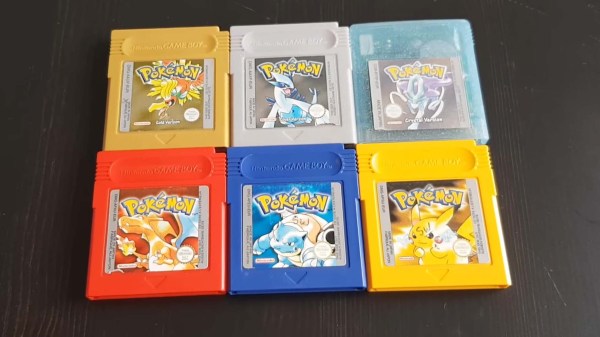
Transferring hard-earned Pokémon out of the second generation GameBoy game worlds into the ‘Advance Era’ cartridges (and vice versa) has never been officially supported by Nintendo, however [Goppier] has made these illicit trades slightly easier for budding Pokémon trainers by way of a custom PCB and a healthy dose of reverse engineering.

Changes to the data structure between Generation II on the original GameBoy (Pokémon Gold, Silver and Crystal) and Generation III on the GameBoy Advance (Pokémon Ruby, Sapphire, FireRed, LeafGreen and Emerald) meant that trades between these cartridges was never a possibility – at least not through any legitimate means. In contrast, Pokémon trades are possible between the first and second generation games, as well as from Generation III and beyond, leaving the leap from Gen II to Gen III as an obvious missing link.

Modern players have already overcome this limitation by dumping the cartridge save files onto a PC, at which point any Pokémon could be added or subtracted from the save. Thus, this method relies on self-control as well as the right hardware. [Goppier]’s solution is arguably far more elegant, and requires very little extra hardware. A simple PCB with ports for older and newer GameBoy Game Link Cables is the physical bridge between the generations. An ARM Cortex microcontroller sits between these connections and translates the game data between the old and the new.

The microcontroller is required to translate the data structure between the generations, and seems fit for purpose. Not only does the Pokémon data require conversion, but a few other hacks are needed before the two generations will talk nicely to each other. Pokémon on the GameBoy Advance brought in new features such as representing player movement in the trading rooms (i.e. you can see the other player moving on your screen), which also had to be addressed.

The concern over the legitimacy of trades within the Pokémon community is a curious, yet understandable, byproduct of the multiplayer experience. As an example, modern players have to be wary of ‘hacked’ Pokémon, which can often introduce glitches into their game world following a trade. Apart from these issues, some Pokémon players simply desire genuine Pokémon as part of fostering a fair and enjoyable gaming experience.

This literal bridge between Gen II and Gen III game worlds brings the community tantalizingly close to a ‘legitimate’ means of transferring their Pokémon out of ancient cartridges and into modern games. Could Nintendo one day officially sanction Gen II to Gen III trades with a similar device? Crazier things have happened.

We love our GameBoy hacks here on Hackaday, so why not check out this project that replaces the battery-backed SRAM in your GameBoy games with FRAM?

Continue reading “Bridging Game Worlds With The ‘Impossible’ Pokémon Trade”

Image

Cramming A DS Inside A Gameboy

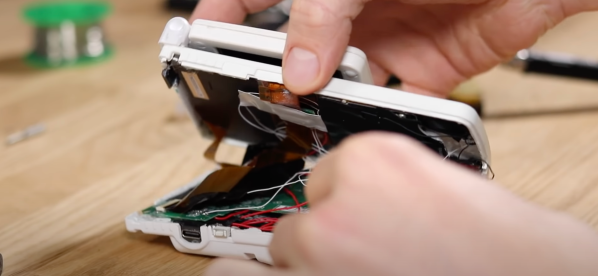
Many holiday recipes and console hacks share a common theme: cramming a thing inside another thing. Whether it’s turducken or a Nintendo DS inside a Gameboy, the result is always unexpected. The chassis for this mod is a humble Gameboy color with a Gameboy SP screen tackled on the top to serve as the secondary display. Unfortunately, this mod lost touch screen functionality, limiting some of the games you can play.

[TheRetroFuture] received the custom handheld from [GameboyCustom], which was somewhat damaged in shipping. The original screw mounts had to be removed and the case glued back together to fit the DS motherboard. So for [TheRetroFuture] to get inside to start troubleshooting involved a razor blade and patience. Testing various points and swapping components got [TheRetroFuture] closer to the root problems. The fix ended up being a few wires that came loose during shipping. Finally, after reseating a display connection and some careful soldering, it booted and started playing games.

Overall, it’s pretty impressive to see Mario Kart DS running on both screens on the tiny handheld. But you might be asking, why? Why shove one handheld inside another handheld? Sometimes it’s to gain new functionality like this Raspberry Pi inside a PSP body. Sometimes, it’s just because we can. Video after the break.

Continue reading “Cramming A DS Inside A Gameboy”