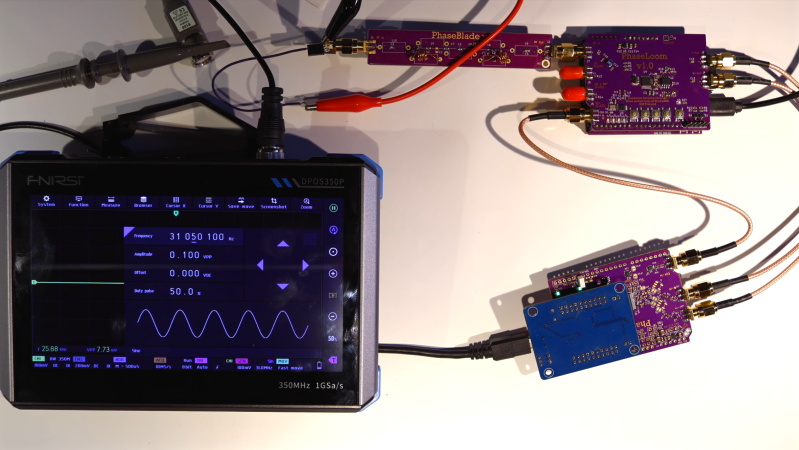
An oscilloscope display is seen in lower left corner. In the rest of the image, two purple circuit boards are connected by SMA RF cables. A wire antenna is connected to one board.

Building A $50 SDR With 20 MHz Bandwidth

Although the RTL-SDR is cheap, accessible, and capable enough for many projects, it does have some important limitations. In particular, its bandwidth is limited to about 3.2 MHz, and the price of SDRs tends to scale rapidly with bandwidth. [Anders Nielsen], however, is building a modular SDR with a target price of $50 USD, and has already reached a bandwidth of almost 20 MHz.

If this project looks familiar, it’s because we’ve covered an earlier iteration. At the time, [Anders] had built the PhaseLoom, which filters an incoming signal, mixes it down to baseband, and converts it to I/Q signals. The next stage is the PhaseLatch, a board housing a 20-MHz, 10-bit ADC, which samples the in-phase and quadrature signals and passes them on to a Cypress FX2LP microcontroller development board. [Anders] had previously connected the ADC to a 6502 microprocessor instead of the FX2LP, but this makes it a practical SDR. The FX2LP was a particularly good choice for this project because of its USB 2.0 interface, large buffers for streaming data, and parallel interface. It simply reads the data from the SDR and dumps it to the computer.

Continue reading “Building A $50 SDR With 20 MHz Bandwidth”

Image

A Basic Guide To Shielding

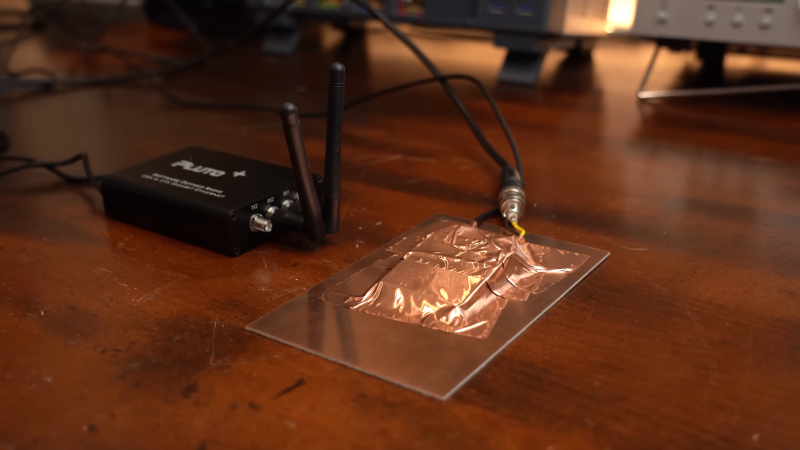
[GreatScott] has recently been tinkering in the world of radio frequency emissions, going so far as to put their own designs in a proper test chamber to determine whether they meet contemporary standards for noise output. This led them to explore the concept of shielding, and how a bit of well-placed metal can make all the difference in this regard.

The video focuses on three common types of shielding—absorber sheets, shielding tapes, and shielding cabinets. A wide variety of electronic devices use one or more of these types of shielding. [GreatScott] shows off their basic effectiveness by putting various types of shielding in between a noise source and a near-field probe hooked up to a receiver. Just placing a bit of conductive material in between the two can cut down on noise significantly. Then, a software defined radio (SDR) was busted out for some more serious analysis. [GreatScott] shows how Faraday cages (or simple shielding cabinets] can be used to crush down spurious RF outputs to almost nothing, and how his noisy buck-boost designs can be quieted down with the use of the right absorber sheets that deal well with the problematic frequencies in question. The ultimate upshot of the tests is that higher frequencies respond best to conductive shielding that is well enclosed, while lower frequency noise benefits from more absorptive shielding materials with the right permeability for the job.

Shielding design can be a complex topic that you probably won’t master in a ten minute YouTube video, but this content is a great primer if you’re new to the topic. We’ve covered the topic before, too, particularly on how a bit of DIY shielding can really aid a cheap SDR’s performance. Video after the break.

Continue reading “A Basic Guide To Shielding”

Image

Smart Bulbs Are Turning Into Motion Sensors

If you’ve got an existing smart home rig, motion sensors can be a useful addition to your setup. You can use them for all kinds of things, from turning on lights when you enter a room, to shutting off HVAC systems when an area is unoccupied. Typically, you’d add dedicated motion sensors to your smart home to achieve this. But what if your existing smart light bulbs could act as the motion sensors instead?

Continue reading “Smart Bulbs Are Turning Into Motion Sensors”

Image

Building A Ham Radio Data Transceiver On The Cheap

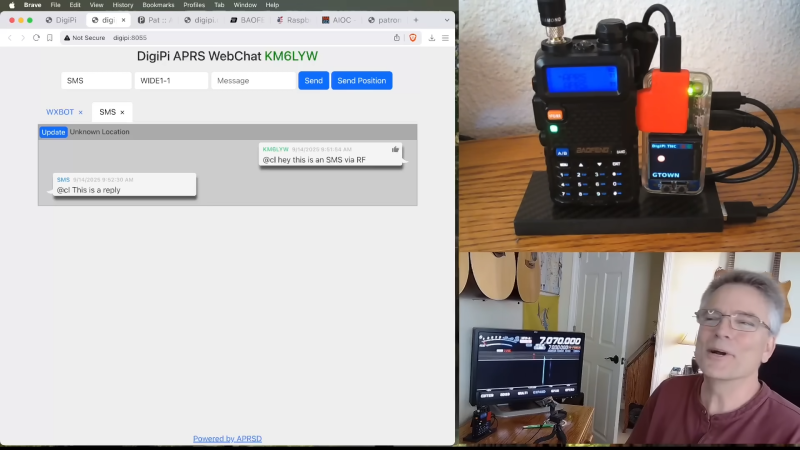
Once upon a time, ham radio was all about CW and voice transmissions and little else. These days, the hobby is altogether richer, with a wide range of fancy digital data modes to play with. [KM6LYW Radio] has been tinkering in this space, and whipped up a compact ham radio data rig that you can build for well under $100.

Radio-wise, the build starts with the Baofeng UV-5R handheld radio. It’s a compact VHF/UHF transceiver with 5W output and can be had for under $25 USD if you know where to look. It’s paired with a Raspberry Pi Zero 2W, which is the brains of the operation. The Pi is hooked up to the All-In-One-Cable which is basically a soundcard-like interface that plugs into USB and hooks up to the mic and speaker outputs of the Baofeng handheld. The final pieces of the puzzle are a USB PD battery pack and a small OLED screen to display status information.

What does that kit get you? The capability to transmit on all sorts of digital modes with the aid of the DigiPi software package. You can send emails, jump on APRS, or even chat on the web. You can configure all of this through a web interface running on the Raspberry Pi.

We’ve looked at some interesting digital ham projects before, too. Video after the break.

Continue reading “Building A Ham Radio Data Transceiver On The Cheap”

Image

Tearing Down A Mysteriously Cheap $5 Fiber Optic To Cable TV Adapter

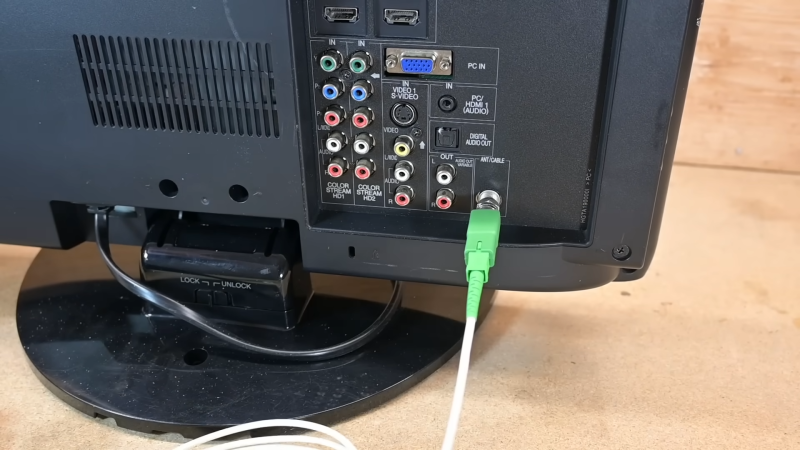
In his regular browsing on AliExpress, [Ben Jeffrey] came across something he didn’t understand—a $5 fiber optic to RF cable TV adapter. It was excessively cheap, and even more mysteriously, this thing didn’t even need power. He had to know how it worked, so he bought one and got down to tinkering with it.

Image
Inside the device in question.

[Ben] needed some hardware to test the device with, so he spent $77 on a RF-to-fiber converter and a cheap composite-to-RF modulator so he could test the $5 fiber-to-RF part. A grand expenditure to explore a $5 device, but a necessary sacrifice for the investigation. Once [Ben] hooked up a fiber optic signal to the converter, he was amazed to see it doing its job properly. It was converting the incoming video stream to RF, and it could readily be tuned in on a TV, where the video appeared clean and true.

It was disassembly that showed how simple these devices really are. Because they’re one-way converters, they simply need to convert a changing light signal into an RF signal. Inside the adapter is a photodiode which picks up the incoming light, and with the aid of a few passives, the current it generates from that light becomes the RF signal fed into the TV. There’s no need for a separate power source—the photodiode effectively works like a solar panel, getting the power from the incoming light itself. The part is ultimately cheap for one reason—there just isn’t that much to it!

It’s a neat look at something you might suspect is complex, but is actually very simple. We’ve explored other weird TV tech before, too, like the way Rediffusion used telephone lines to deliver video content. Video after the break.

Image

Homemade VNA Delivers High-Frequency Performance On A Budget

With vector network analyzers, the commercial offerings seem to come in two flavors: relatively inexpensive but limited capabilities, and full-featured but scary expensive. There doesn’t seem to be much middle ground, especially if you want something that performs well in the microwave bands.

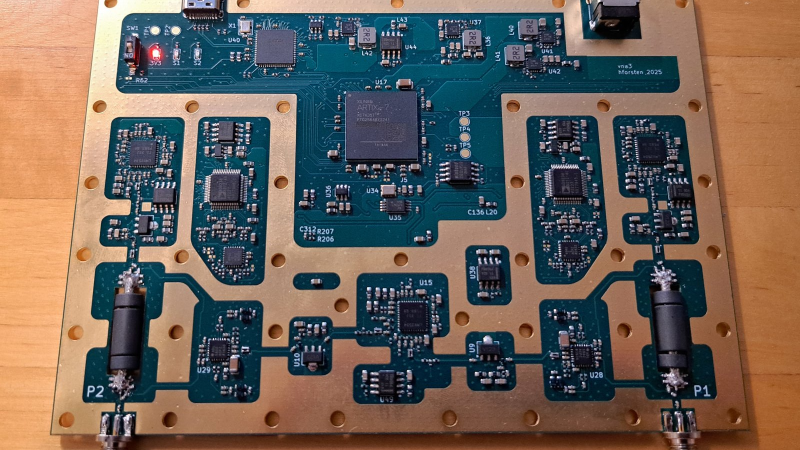
Unless, of course, you build your own vector network analyzer (VNA). That’s what [Henrik Forsten] did, and we’ve got to say we’re even more impressed by the results than we were with his earlier effort. That version was not without its problems, and fixing them was very much on the list of goals for this build. Keeping the build affordable was also key, which resulted in some design compromises while still meeting [Henrik]’s measurement requirements.

The Bill of Materials includes dual-channel broadband RF mixer chips, high-speed 12-bit ADCs, and a fast FPGA to handle the torrent of data and run the digital signal processing functions. The custom six-layer PCB is on the large side and includes large cutouts for the directional couplers, which use short lengths of stripped coaxial cable lined with ferrite rings. To properly isolate signals between stages, [Henrik] sandwiched the PCB between a two-piece aluminum enclosure. Wisely, he printed a prototype enclosure and lined it with aluminum foil to test for fit and function before committing to milling the final version. He did note some leakage around the SMA connectors, but a few RF gaskets made from scraps of foil and solder braid did the trick.

This is a pretty slick build, especially considering he managed to keep the price tag at a very reasonable $300. It’s more expensive than the popular NanoVNA or its clones, but it seems like quite a bargain considering its capabilities.

Image

A Hacker’s Approach To All Things Antenna

When your homebrew Yagi antenna only sort-of works, or when your WiFi cantenna seems moody on rainy days, we can assure you: it is not only you. You can stop doubting yourself once and for all after you’ve watched the Tech 101: Antennas webinar by [Dr. Jonathan Chisum].

[Jonathan] breaks it all down in a way that makes you want to rip out your old antenna and start fresh. It goes further than textbook theory; it’s the kind of knowledge defense techs use for real electronic warfare. And since it’s out there in bite-sized chunks, we hackers can easily put it to good use.

The key takeaway is that antenna size matters. Basically, it’s all about wavelength, and [Jonathan] hammers home how tuning antenna dimensions to your target frequency makes or breaks your signal. Whether you’re into omnis (for example, for 360-degree drone control) or laser-focused directional antennas for secret backyard links, this is juicy stuff.

If you’re serious about getting into RF hacking, watch this webinar. Then dig up that Yagi build, and be sure to send us your best antenna hacks.

Continue reading “A Hacker’s Approach To All Things Antenna”