Ознака додатка: logs
-
-

WP Mail Log
WP Mail Log helps you to Log and view all emails from WordPress. It is useful if you have to debug email related problems or have to store sent emails …
-
-

DecaLog
Capture and log events, metrics and traces on your site. Make WordPress observable – finally!
-

MASS Users Password Reset
Reset passwords for multiple WordPress users at once. Filter users by role and send new passwords via email.
-

CP Referrer and Conversion Tracking
CP Referrer and Conversion Tracking registers how the website visitors reached the website, identifying the referral website. Also track conversions.
-
-

Log Users Stats
Display 'Total Minutes', 'Number of Logins', and 'Average Minutes Per Login' for users with an option to export to csv.
-

Ambiscale Activity Manager
Monitor your website by logging all activities – from user behavior to system-level changes – giving you complete visibility directly from dashboard.
-
-

PopStats
Popstats is a plugin to enhace statics of your blog, now you'll know more about your visitors.
-
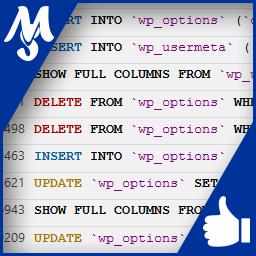
SM – SQL logs
Record and view all SQL queries that your WordPress is requesting. Browse formated and highlighted syntax queries for debug and speedup your site.
-

App Service Assistant
App Service Assistant is a troubleshooting assistant for Microsoft Azure App Service Web Apps (Windows).
-
Custom Logs
A sleek, modern plugin to manage WordPress debug logs with custom directories, levels, and advanced AJAX filtering.
-
-
-

Eshop Magic
Enhances the eShop plugin. Tweak the look and feel. Check your settings. Assistance with problems.
-
-

Simple Log Viewer
A simple plugin to log errors in real time in a metabox in the admin panel, too integrated with WP-CLI
-

Logs Display
Capture and display logs generated by your system. The logs are displayed by a widget added to the dashboard.