The Output tab allows you to configure the display of the related posts.
Output settings
Heading of posts
Displayed before the list of posts as a master heading.
Show when no posts are found
Choose what to display when no related posts are found. Options are:
- Blank output
- Display custom text
Custom text
Enter the custom text that will be displayed if “Display custom text” is selected above.
Show post excerpt
If the post does not have an excerpt, the plugin will automatically create one containing the number of words specified in the next option.
Length of excerpt (in words)
Set the number of words for the generated excerpt if the post does not have one.
Show date
Displays the date of the post. Uses the same date format set in General Options.
Show author
Displays the author of the post.
Show primary category/term
Displays the primary category/term. This is usually set via your SEO plugin and will default to the first category/term returned by WordPress.
Limit post title length (in characters)
Any title longer than the number of characters set above will be cut and appended with an ellipsis (…).
Open links in a new window
Opens related post links in a new window.
Add nofollow to links
Adds a rel="nofollow" attribute to related post links.
Add tracking parameters to URLs (Pro)
Adds tracking parameters to the URLs so you can track when they are clicked in Google Analytics.
Exclusion settings
Exclude display on these posts
Comma-separated list of post, page or custom post type IDs. e.g. 188,320,500
Exclude display on these post types
The related posts will not display on any of the selected post types.
Exclude on Terms
The field above has an autocomplete. Start typing in the starting letters, and it will prompt you with options. This field requires a specific format as displayed by the autocomplete.
HTML to display
Before the list of posts
HTML/text to display before the list of related posts. Default is <ul>.
After the list of posts
HTML/text to display after the list of related posts. Default is </ul>.
Before each list item
HTML/text to display before each related post item. Default is <li>.
After each list item
HTML/text to display after each related post item. Default is </li>.
 Contextual Related Posts Settings – Styles
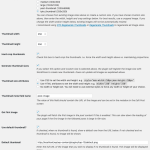 Top 10 Settings – Thumbnail options
 Contextual Related Posts shortcode
 Customising the output of Contextual Related Posts
 Contextual Related Posts Blocks