The Tools page in Contextual Related Posts provides a set of utilities to help you manage, troubleshoot, and optimize the plugin’s performance and data. You can access this via Tools > Related Posts Tools in your WordPress admin area.
Below is a summary of each tool available, including Pro features.
Clear cache
Use this tool to clear the Contextual Related Posts cache. This is helpful if you want to refresh the related posts cache across your site immediately.
Recreate FULLTEXT index
Recreate the FULLTEXT index that Contextual Related Posts uses to find relevant related posts. This is useful if you suspect the index is corrupted or not performing optimally, or after a significant content update.
- Click the Recreate Index button to start the process.
- If the button fails, you can manually run the provided SQL queries in phpMyAdmin or Adminer.
- This process might take a long time on large sites.
Export/Import settings
Allows you to export the plugin settings as a .json file for backup or migration purposes, and import settings from another site.
- Export: Download your current settings for safekeeping or to migrate to another site.
- Import: Upload a previously exported settings file to restore or migrate your configuration.
Migration Status
Contextual Related Posts v4.2 changed how metadata was stored. Per‑post settings are no longer stored in a single crp_post_meta array. Each setting now lives in its own _crp_* meta key. This button allows you to migrate meta keys to the new format.
Reindex Custom Tables (Pro)
Use this tool to reindex all posts in the custom tables. This is especially useful if you have just enabled the custom tables feature or suspect the tables are out of sync.
- On multisite installations, you can select specific sites to reindex.
- The tool displays the current status, including the number of entries in the content table, the number of published posts, and the index percentage.
- Option to Force complete reindex (deletes all existing data and reindexes all posts).
- Progress is shown with a status bar and percentage.
Clean Up Orphaned Records (Pro)
Removes orphaned records from the custom tables. Orphaned records are entries that no longer correspond to existing posts, which can occur after bulk deletions or migrations.
- Click the Clean Up Orphaned Records button to run the cleanup.
- On multisite, you can target specific sites.
Recreate Custom Table FULLTEXT Indexes (Pro)
Manually drop and recreate the FULLTEXT indexes on the custom tables. This is useful if you suspect the indexes are corrupted or not performing optimally.
- Click Recreate FULLTEXT Indexes to start the process.
- If the button fails, manual SQL queries are provided for use in phpMyAdmin or Adminer.
 Contextual Related Posts Settings – List tuning
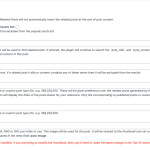 Contextual Related Posts – Metabox
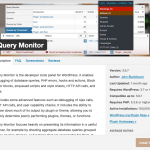 Debugging with Query Monitor
 Cornerstone Posts in Contextual Related Posts Pro